1
BACnet OPC-Server
17.9
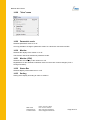
Event Parameter / COV
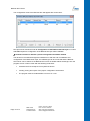
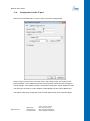
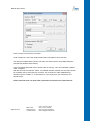
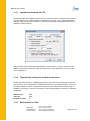
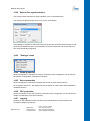
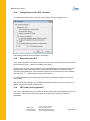
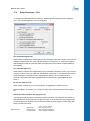
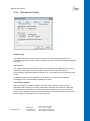
To configure the BACnet interface, open the "Global properties" dialog from the "Settings"
menu. The "Global properties" menu now appears.
Use unacknowledged COV
If this setting is selected, the subscriptions for the automatic notification service in the event of
changes of value (COV) are made with the attribute "unconfirmed", i.e. there is no transport
acknowledgement that ensures that these messages have arrived at the recipient (BACnet
OPC server).
Use acknowledged COV
If this setting is selected, the subscriptions for the automatic notification service in the event of
changes of value (COV) are made with the attribute "confirmed", i.e. the BACnet OPC server
sends a transport confirmation to the sending device after a COV message has been
received. This ensures that these messages have arrived at the recipient (BACnet OPC
server).
Do not use COV services
If this setting is selected, no COV subscriptions are triggered on a BACnet server.
Recommendation: If possible, use a confirmed COV if the connected devices also support
this.
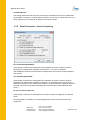
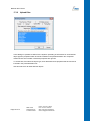
Delete COV subscriptions after program end
This setting should normally be activated in regular operation of the BACnet OPC server so
that subscribed COV services can be logged off again in the devices after the program ends.
For service purposes however, this can be deactivated because logging off from many data
points can take some time.
Page 50 of 71
MBS GmbH
Römerstraße 15
D-47809 Krefeld
Phone: +49 2151 7294-0
Fax: +49 2151 7294-50
Web: www.mbs-software.de
email: [email protected]