1
Troubleshooting
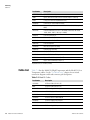
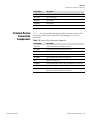
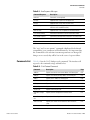
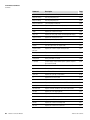
Troubleshooting Guides
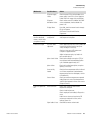
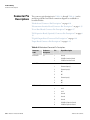
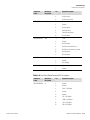
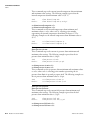
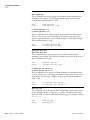
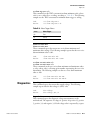
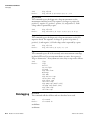
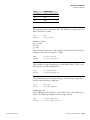
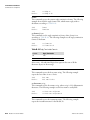
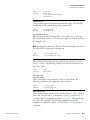
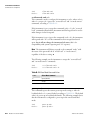
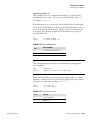
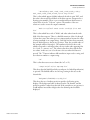
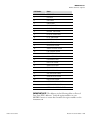
Malfunction
Zero or Span will not
stabilize.
Calibration Drift
Excessive Noise
Non-linear response
Thermo Fisher Scientific
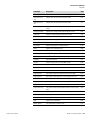
Possible Cause
Action
Ruptured pump
diaphragm
Check flow rate at the sample bulkhead. If low
flow, rebuild pump head.
Faulty FID or input
board
Use input board test mode and verify signal on
each range to isolate fault to either FID or input
board. Replace faulty component. If problem
still exists, check signal cables and replace
measurement interface board.
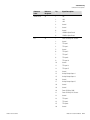
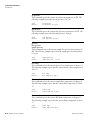
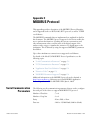
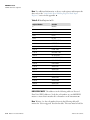
Analyzer not
calibrated or
calibrated
improperly
Check that the calibration factors are within
their proper limits.
Flow rate of the
calibration gas is
inadequate, or too
high
Check bypass or atmospheric pressure vent to
verify that the zero air system is providing more
flow than the instrument is drawing, but not
pressurizing the inlet.
Instrument is not
drawing in span gas
Check pressure readings on the Diagnostics
screen.
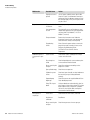
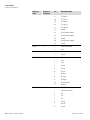
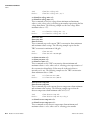
Averaging time is
not set correctly
Check the averaging time in Main Menu. If too
high, the unit will be slow to stabilize. If too
low, the signal may appear noisy.
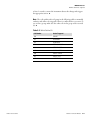
Line voltage
fluctuations
Check to see if line voltage is within
specifications.
Unstable span
source
Replace source gases.
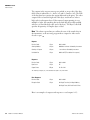
Back-pressure
sample control has
failed
Check pressure on Diagnostic screen.
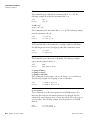
Defective input
board or BNC
connection
Identify defective component and replace.
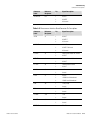
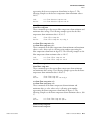
Noise pick-up by
recorder or data
logger
Check analog output cable shielding and
grounding.
Try to localize source of noise by comparing
analog signal to data collected through RS-232
or Ethernet.
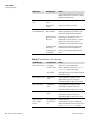
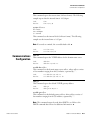
Leak in sample
probe line
Check for variable dilution.
Leak within the
analyzer
Check for loose fittings in analyzer.
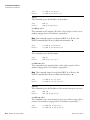
Problem with input
board range
switching
Go to Input Board Test screen (Service menu)
and step through each range while the
instrument samples a known stable source of
gas.
Model 51i Instruction Manual
6-5