1
Function
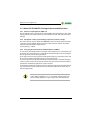
2.4.2 Self test
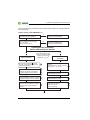
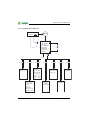
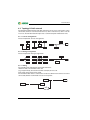
A self test can be started automatically or manually by means of the test button. In
order to guarantee high functional reliability, the ISOMETER® provides comprehensive self test functions. After switching the device to the supply voltage, all internal
measuring functions, the components of the process control such as data and parameter memory as well as system and earth connections are checked using the
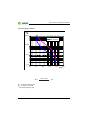
self test functions. The progress of the self test is shown on the display by a bar
graph. Depending on the IT system conditions, the self test is completed after
15...20 seconds, then the message "Test ok!“ appears on the display for approximately two seconds. Then the device returns to the normal measuring mode and
the currently measured value will be displayed once the measuring time has
elapsed.
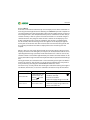
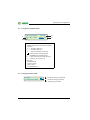
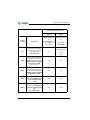
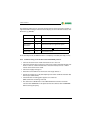
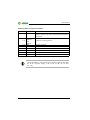
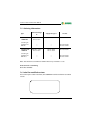
When a device or connection fault is found, the message "!Error!“ appears on the
display, the device error LED lights, the relay K2 (21-22-24) switches and the corresponding fault message (see table) will be indicated. If such a device error occurs,
another self test is started after approximately one minute. If no more faults are detected, the fault message will automatically be deleted, the system fault LED will go
out.
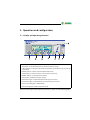
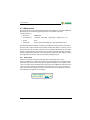
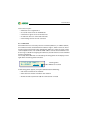
During operation, the self test function can be started by pressing the test button
(internal or external). The self test can also be started automatically every hour or
every 24 hours by selecting the "ISO ADVANCED: Autotest:“ menu
The alarm relays 1/2 only switch after starting the self test function by pressing the
test button, that means, in case of an automatic self test the relays do not switch.
Alarm message
Connection PE?
Description
Actions
No low-resistance con- 1. Check the wiring of the terminals
and KE to earth (PE)
nection between the
terminals
and KE 2. Press the test button
to earth (PE).
3. Switch the supply voltage on and off
1. Press the test button
Device error x
Internal device error
2. Switch the supply voltage off and on
3. Please contact Bender
14
TGH1468en/06.2012