1
920-0004 Rev. B
7/9/10
ST5/10-Si,-Q,-C Hardware manual
Contents
Introduction...............................................................................................................................................................................3
Features.....................................................................................................................................................................................3
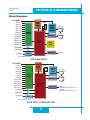
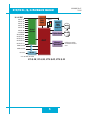
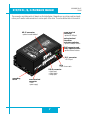
Block Diagrams..........................................................................................................................................................................4
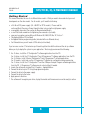
Getting Started...........................................................................................................................................................................6
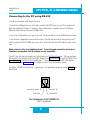
Connecting to the PC using RS-232..........................................................................................................................................8
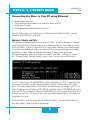
Connecting the Drive to Your PC using Ethernet........................................................................................................................9
Addresses, Subnets, and Ports............................................................................................................................................9
Option 1: Connect a Drive to Your Local Area Network.....................................................................................................11
Using DCHP...............................................................................................................................................................13
Option 2: Connect a Drive Directly to Your PC.................................................................................................................13
Option 3: Use Two Network Interface Cards (NICs)..........................................................................................................15
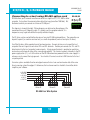
Connecting to a host using RS-485 option card......................................................................................................................17
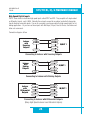
RS-232 to RS-485 4-wire Converter.................................................................................................................................18
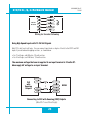
RS-232 to RS-485 2-wire Converter.................................................................................................................................18
Converting USB to RS-485...............................................................................................................................................18
Connecting the Power Supply..................................................................................................................................................20
Connecting the Motor..............................................................................................................................................................21
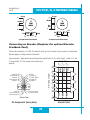
Connecting an Encoder (Requires the optional Encoder Feedback Card).................................................................................22
Connecting Input Signals.........................................................................................................................................................23
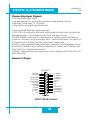
Connector Pin Diagram.....................................................................................................................................................23
High Speed Digital Inputs.................................................................................................................................................24
Connecting a Potentiometer to Analog Input 1..................................................................................................................31
Programmable Outputs............................................................................................................................................................32
Sinking Output..................................................................................................................................................................32
Using Y1, Y2, Y3...............................................................................................................................................................32
Sinking Output..................................................................................................................................................................32
Sourcing Output................................................................................................................................................................33
Driving a Relay..................................................................................................................................................................33
Choosing a Power Supply........................................................................................................................................................34
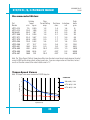
Recommended Motors.............................................................................................................................................................35
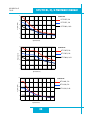
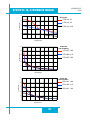
Torque-Speed Curves..............................................................................................................................................................35
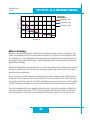
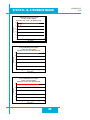
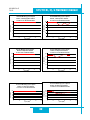
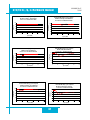
Motor Heating..........................................................................................................................................................................38
Mounting the Drive..................................................................................................................................................................43
Mechanical Outline..................................................................................................................................................................43
Technical Specifications...........................................................................................................................................................44
Mating Connectors and Accessories........................................................................................................................................45
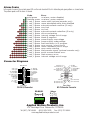
Alarm Codes............................................................................................................................................................................46
Connector Diagrams................................................................................................................................................................46
2