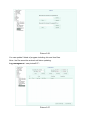
1
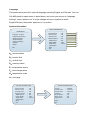
ADVANCED
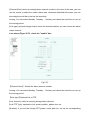
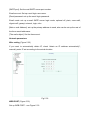
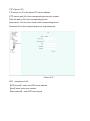
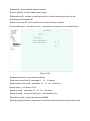
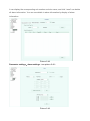
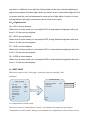
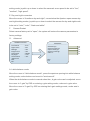
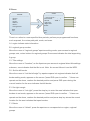
------------------------------------------<WB Settings>
<Exposure Settings>
<Special Settings>
<Aperture Settings>
<Others>
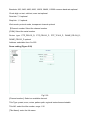
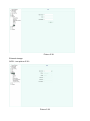
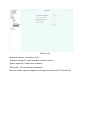
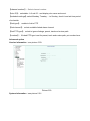
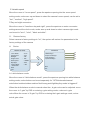
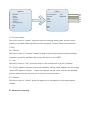
WB SETTINGS
------------------------------------------WB Mode
:Auto
Red Gain
:210
Blue Gain
:210
Back
Exit
Back
Exit
B1.Exposure mode
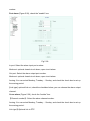
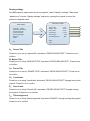
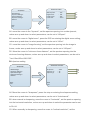
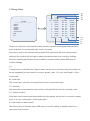
ADVANCED
------------------------------------------<WB Settings>
<Exposure Settings>
<Special Settings>
<Aperture Settings>
<Others>
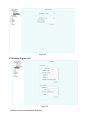
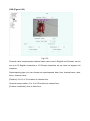
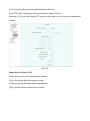
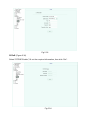
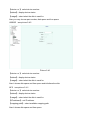
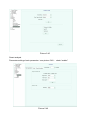
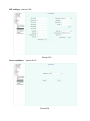
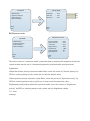
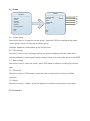
EXPOSURE SETTINGS
------------------------------------------Exposure Mode
:Auto
Shutter Priority
:Auto
Iris Priority
:Auto
Bright Priority
:Auto
Back
Exit
Back
Exit
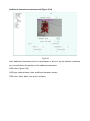
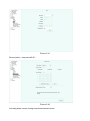
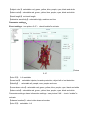
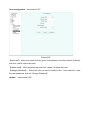
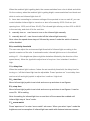
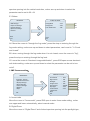
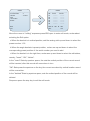
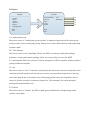
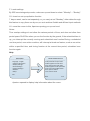
Move the cursor to "exposure mode", press the stop on entering the exposure mode set,
rocker bottom can be set to "auto-brightness/priority/aperture priority/shutter priority"
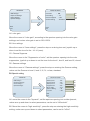
As for shutter priority exposure mode State, move the cursor to "shutter priority" by IRIS
on entering setup mode, rocker set shutter value up or down.
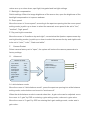
When the exposure mode to aperture priority when moving the cursor to "Aperture
priority" by IRIS on entering setup mode, rocker set the aperture value.
Brightness priority status when the exposure mode, move the cursor to "brightness
priority" by IRIS on entering setup mode, rocker set brightness value。
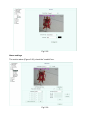
C1 Special setting