1
OPC Reading in MatrikonOPC Explorer
This example shows how an OPC client receives an update when a value in the data source is
changed.
1. In the Book1.xls spreadsheet, change the value for FIC101 back to 1550 from 1600.
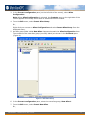
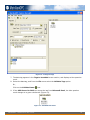
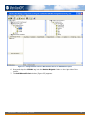
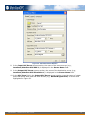
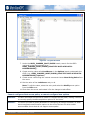
2. In OPC Explorer, view the data point screen and confirm that the value for FIC101 has
been changed back to 1550 (Figure 19).
Figure 19 - Value Change Confirmation
MatrikonOPC – Introduction to OPC Tutorial
21