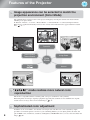
1
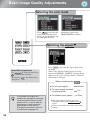
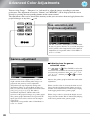
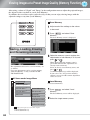
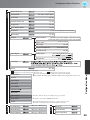
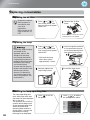
Basic Image Quality Adjustments
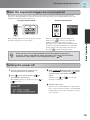
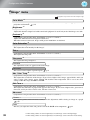
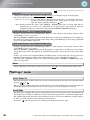
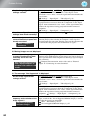
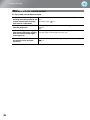
Theatre
Black 1/2
: Ideal for using in a bright
room.
:
Living Room Ideal for viewing programs
such as sports matches or TV
programs in a bright room.
: Ideal for using in a dark room.
Natural
It is recommended that you
start in this mode when
making color adjustments.
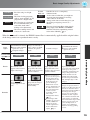
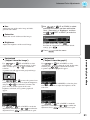
Dynamic
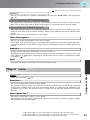
Theatre
Theatre
Black 1
Theatre
Black 2
: Ideal for watching movies and
concerts in a dark room.
: Suitable for use in a completely
darkened room.
: A clear tone of color that you might see
on professional monitors for creating
video software or the like.
: A deep warm tone of color that gives you
the feeling of enjoying a movie at a
theatre.
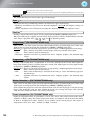
: You can select from either of the signals
being input to the HDMI1 and HDMI2
terminals. Ideal for reproducing natural
colors most faithfully.
p.4
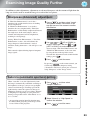
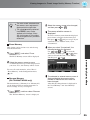
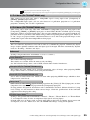
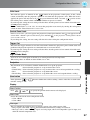
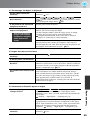
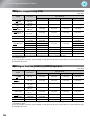
Input
signal
Recommended
aspect mode
Result
Normal TV broadcasts
Images with standard
aspect ratio (4:3)
Computer images
Normal
Black bands will
appear at the left and
right of the images.
When HDTV images
are projected, the
images appear in 16:9
size.
Remarks
Images recorded by a
video camera or DVD
software in squeeze
mode
Letterbox images
Normal TV broadcasts
Images with standard
aspect ratio (4:3)
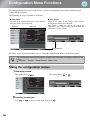
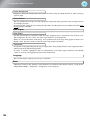
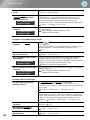
Full
Zoom
Wide
Input signals will be
projected at the same
width as the projector's
panel resolution.
When 4:3 images are
projected, the images
will be elongated
horizontally.
Input signals will be
projected at the same
height as the projector's
panel resolution.
When a 4:3 image is
projected, the top and
bottom of the image
are hidden from view.
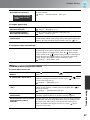
If this happens, the
part of the image
hidden from view at
the top and bottom can
be reduced in size in
the vertical direction
so that it can be
viewed by "Zoom
Size" in the
Configuration menu.
p.33
When images with
subtitles are projected
and the subtitles are
truncated, use the
"Zoom Caption Pos."
menu command to
adjust.
p.33
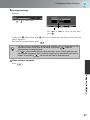
Input signals will be
projected at the same height
as the projector's panel
resolution. At this time, the
image enlargement ratio
will be smaller near the
middle of the images but
become larger towards the
left and right edges of the
images.
This is useful for when 4:3
images are projected onto a
wide screen. Because there is
almost no distortion due to
enlargement in the middle of
the images, the images
appear close to what they
would be at their original
size. And because both ends
of the images are enlarged,
movement at the edges of the
images appears faster and
gives an impression of
greater speed, making it
ideal for viewing sporting
events.
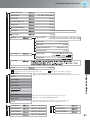
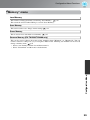
Image Quality Adjustments
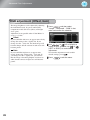
When the
mode is selected, the EPSON cinema filter is automatically applied and the original colors
of the image source are reproduced more exactly.
19