1
3.2.4. Editing parameters of the device
Many parameters of the device represented by the program are editable (corresponding values
are shown in black). To change the parameter value it is necessary to edit it in corresponding field and
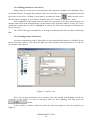
then write to the device. Writing is performed by pressing the button
, which became active
after the value is changed, or by selecting “Transfer to device” from the “Connection” menu.
After completion of the transfer process, check the correctness of the query processing by text
message and colour of the information bar (in the bottom of the program window). In case of an error
during data transfer the bar will be highlighted in yellow; the text of the message will indicate the
cause of an error.
The “FILE” link type is intended for reviewing and checking and does not allow transferring
data.
3.2.5. Reading archive of the device
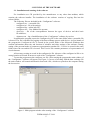
In order to read the data archive from the device (provided that this function is available for the
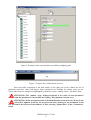
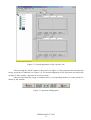
device) select the “Archive” tab and in the right area of the window check parameters to be read; see
an example in the Figure 8.
Figure 8. “Achieve” tab
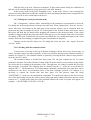
After all necessary parameters were checked select the starting and finishing records for
reviewing of the archive, as well as increment used for data sampling, and then press the
button.
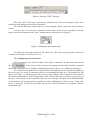
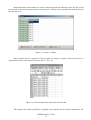
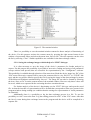
In the “Archive” window archived records for selected parameters will be presented (see
Figure 9).
FVKM.001005-07 34 01
10