
1
USER'S MANUAL
Installation Overview
This card reader is relatively easy to install and operate. To avoid complications during the
installation process, please follow the steps in order as described in this section.
Installing the Driver Software
IMPORTANT NOTE: For the CompactFlash, MultiMediaCard/Secure Digital, and Memory
Stick card readers, driver installation is not required for Mac OS 9.x and greater. For the
SmartMedia card reader, driver installation is required.
8
1.
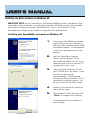
Start up your Macintosh computer and close all applications.
2.
Insert the Dazzle Installation CD-ROM.
3.
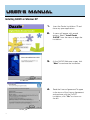
Double-click on the "Dazzle Driver Installer" Icon.
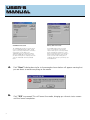
4.
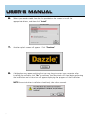
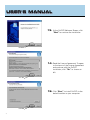
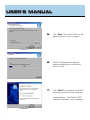
A splash screen will appear. Click "Continue."
5.
Another screen will appear containing the “Software License Agreement”. After viewing
the “Software License Agreement” click "Agree" to proceed.

















![hank yo_fo buyil_gaSamsung (}a_Te_a ]hs](http://vs1.manualzilla.com/store/data/005691502_1-2e8e29ffb67d0c8f7d0d701e3cb644b7-150x150.png)