1
4/8 DVR Quick Start Guide
4.2.3 Motion Detection Recording
Motion detection recording: when there is a motion event detected, the
camera will be triggered to record and have an alarm out.
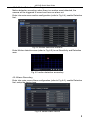
Enter into main menu-motion configuration (refer to Fig 4-4), enable Detection
first;
Fig 4-4 Motion detection interface
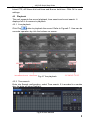
Enter Motion detection area (refer to Fig 4-5) to set Sensitivity and Detection
area.
Fig 4-5 motion detection area setup
4.2.4 Alarm Recording
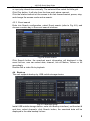
Enter into main menu-Alarm configuration (refer to Fig 4-6), enable Detection
first, setup the device type.
Fig 4-6 sensor alarm record
6