1
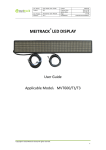
MEITRACK LED Display User Guide Tracker name: Select one or multiple trackers. Advertisement name: Set the advertisement name. It is mandatory. Fonts: Thin and bold fonts are available. Move mode: Four options are available: Move left, Move up, Move down, and Keep. Stay time (second): indicates the stay interval between two pages. Stop mode: Two options are available: Paging stop and Last stop. When advertisement texts exceed 16 characters, paging will occur. Paging stop: Every page will stop sliding according to the preset stay time. Last stop: Only the last page will stop sliding. Content: An advertisement can contain 256 characters. Valid forever: If this option is selected, the LED display will play the advertisement all the time without any time limit. If this option is deselected, you can set the start date and end date. So the LED display will play the advertisement during this preset time period. Cycles: indicates the number of times for information playing. Add period: The LED display will play the advertisement according to the preset time period. You can add or delete a time period by Add period and Reduce period. Copyright © 2015 Meitrack Group All rights reserved. -8-