1
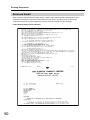
Receiving an Email on a Computer
Opening Email
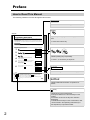
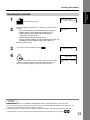
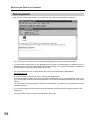
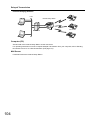
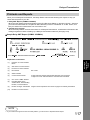
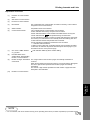
When you open Email received from the Internet Fax, the screen as shown below is displayed.
01, 01, 2009
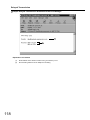
• For your reference, the above is from Windows Messaging running under Microsoft Windows.
• To run the viewer, please refer to your application’s user manual. The attached file is composed of TIFF-F
(Tagged Image File Format with Modified Hoffman coded image). TIFF viewers have different capabilities,
and some may not support some Internet Fax formats.
• You can download the TIFF-F Image Viewer into your PC from the following URL address.
http://panasonic.net
• License agreement of Panasonic’s TIFF-F Image Viewer application
You must carefully read the license agreement before installing the TIFF-F Viewer application on your PC.
If you do not agree to all the terms of this agreement, do not use the software and destroy all of the copies
thereof.
You must assume full responsibility for selection of the software, its operation / non-operation and, results
obtained therefrom.
• If you receive Email (Internet Fax) with a PDF file attached, the following text message is shown in the
Email body.
"An Image data in PDF format has been attached to this email."
94