1
Changing the Interlock Object
Change the Interlock object in Project Builder to identify the interlock condition in
the NAE. Refer to Working with Interlock Objects in the N30 User’s Manual.
To change the Interlock object:
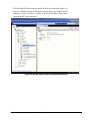
1. For any interlocks in the N30, create a dummy BV object that is commanded
when the Interlock is enabled. Interlocks do not get passed to the NAE, so you
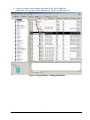
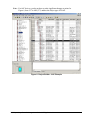
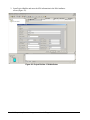
cannot see if the Interlock is enabled (Figure 7). By adding a BV, this object
maps back to the NAE, and you receive the status of the interlock (Figure 8).
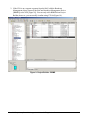
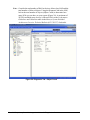
Figure 7: Project Builder - Interlock (No Status)
10
N30 Supervisory Controller Integration with the NAE Application Note