1
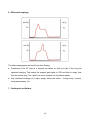
For monitoring, affix the Resp. module to the dental or surgical table with the attached Velcro
strip. Place the module underneath the dental table to prevent it from being wet.
5. CO2 module and airway adapter (optional)
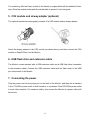
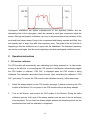
The optional mainstream capnography consists of a CO2 module and an airway adapter.
Attach the airway adapter to the CO2 module (as shown above), and then connect the CO2
module to Resp/CO2 port on the Monitor.
6. USB flash drive and extension cable
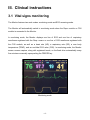
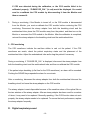
The Monitor comes standard with a USB extension cable and a USB flash drive (connected
to the extension cable). Connect the USB extension cable (with the flash drive) to the USB
port on the back of the Monitor.
7. Connecting the power
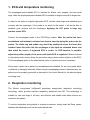
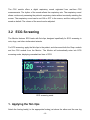
Plug the power cord into the power port on the back of the Monitor, and then into a standard
3-line 110V/60Hz power outlet in North America, or a standard 3-line 220V/50Hz power outlet
in most other countries. For maximum safety, only connect the Monitor to a power outlet with
three lines.
-3-