1
“PDF N MORE” Version 1.0 User’s Manual
1. Introduction
“PDF N MORE” is a COM component to create files in some of the most popular Digital
Document Formats like PDF, HTML, DOC, Excel, BMP and JPEG. “PDF N MORE” provides
an excellent and easy to use API’s for the user to create the files. The user shall be able
to use the product and create the files within no time. Less to learn and easy to use is
what we bank on with this product.
2. Installation
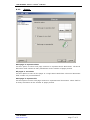
After you have downloaded the executable file,
Invoke the Setup program. The Setup program automatically installs “PDF N MORE” on
your system.
3. Un-Installation
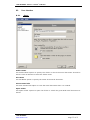
Follow the steps below to un-install “PDF N MORE” from your System.
1.
2.
3.
4.
5.
Close all Applications.
Go to C o n t r o l P a n e l from the S t a r t menu.
Open 'Add/Remove Programs'.
Select ‘“PDF N MORE”’ and click ‘Remove’.
This shall completely remove “PDF N MORE” from your system.
4. Using “PDF N MORE”
“PDF N MORE” provides an easy way to programmatically create the Digital Document.
Using these API’s user shall be able to convert data and images to the 6 popular Digital
Document Formats.
4.1.
“PDF N MORE” APIs
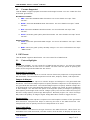
General APIs:
StartDoc (format type)
StartPage ()
EndPage ()
EndDoc ()
AbortDoc ()
Start the document. Pass the format type to
create as a parameter
Start the page in the document
End the particular page
End the document
Abort document creation
Page Information APIs:
SetPageOrientation (PageOrientation)
SetPageSize (PageSize)
SetPageHeight (Height)
SetPageWidth (Width)
Set the page orientation. Page orientation can
be either Landscape or Portrait
Set the page size. Page size can be A4, A3,
A1, Letter etc
Set the height of the page
Set the width of the page
License Key API:
“PDF N MORE”
www.rarefind.com
Page
3 of 51