1
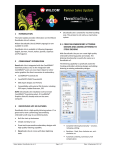
The Connection Settings dialog opens.
3. Select the connection type. Choose from:
•
Machine folder – e.g. Barudan DFS, HappyLink/LAN, Brother PR series and so on
•
Janome MB-4
•
CAMS (rhinestone placement machine)
4. Enter a unique machine name. This name identifies the Quick Access button.
5. Select the file type required by the machine.
6. Enter or browse to a file location on the network or the PC
7. Click OK when complete.
The new machine will appear as a Quick Access button on the Standard toolbar
8. Click Send to send the currently open design to the specified machine folder.
Wilcom EmbroideryStudio e3.0K Software Update
25/11/2013
3