1
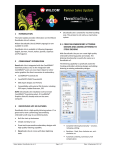
4. Repeat steps outlined above to set up another machine connection.
As more machines are created, more quick access buttons are added with unique colors for each.
A single click on a machine quick access button will send the current design to the predefined location for
the selected machine.
Other improvements
The e3.0H also includes the following fixes and improvements.
Multi-language issues
Problem
Resolution
Multi-language GUI
problems
A number of problems were reported with regards to truncations and faulty
message strings in languages other than English. These have been resolved.
‘My Product’ for multilanguages
Previously, clicking an element on left hand pane of the ‘My Product’ dialog, when
switched to languages other than English, did not load the corresponding page.
This issue has been resolved.
‘Capture Design
Bitmap’ in French
If running ES in French language, the ‘Capture Design Bitmap’ dialog crashed the
system. This issue has been resolved.
German translation of
Application Fabric
dialog
The Application Fabric dialog title has now been correctly translated as
‘Applikations-Stoff’.
‘New from Template’
fabric selection
Some fabrics could not be selected in the ‘New from Template’ dialog when
switched to languages other than English. This issue has been resolved.
Fabric selection in
non-English languages
Fabrics displayed to the user in non-English language did not match the translated
fabric selected. This issue has been resolved.
Lettering issues
Problem
Resolution
Wilcom EmbroideryStudio e3.0K Software Update
25/11/2013
5