1
Using Telnet
Logging Into the Switch
Using Telnet
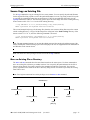
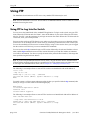
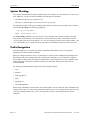
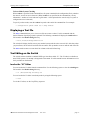
Telnet may be used to log into the switch from a remote station. All of the standard Telnet commands are
supported by software in the switch. When Telnet is used to log in, the switch acts as a Telnet server. If a
Telnet session is initiated from the switch itself during a login session, then the switch acts as a Telnet
client.
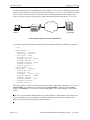
Logging Into the Switch Through Telnet
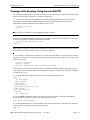
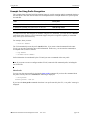
Before you can log into the OmniSwitch using a Telnet interface, the telnet option of the
aaa authentication command must be enabled. Once enabled, any standard Telnet client may be used to
log into the switch. To log into the switch, open your Telnet application and enter the switch’s IP address
(the IP address is the same as the one configured for the EMP). The switch’s welcome banner and login
prompt is displayed.
Note. A Telnet connection is not secure. Secure Shell is recommended instead of Telnet or FTP as a
secure method of accessing the switch.
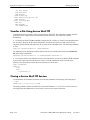
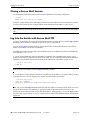
Starting a Telnet Session from the Switch
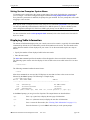
At any time during a login session on the switch, you can initiate a Telnet session to another switch (or
some other device) by using the telnet CLI command and the relevant IP address or hostname. You can
also establish a Telnetv6 session by using the telnet6 command and the relevant IPv6 address or hostname.
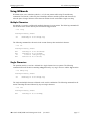
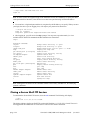
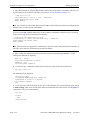
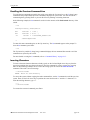
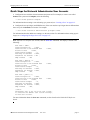
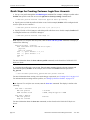
The following shows an example of telnetting to another OmniSwitch with an IP address of
10.255.10.123:
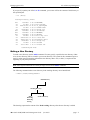
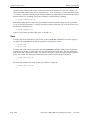
-> telnet 10.255.10.123
Trying 10.255.10.123...
Connected to 10.255.10.123.
Escape character is '^]'.
login :
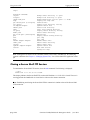
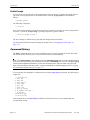
The following is an example of telnetting to another OmniSwitch with an IPv6 address of
fe80::a00:20ff:fea8:8961:
-> telnet6 fe80::a00:20ff:fea8:8961 intf1
Trying fe80::a00:20ff:fea8:8961...
Connected to fe80::a00:20ff:fea8:8961.
Escape character is '^]'.
login :
Note. It is mandatory to specify the name of the particular IPv6 interface, if the target has been specified
using the link-local address.
page 2-8
OmniSwitch 6250/6450 Switch Management Guide
June 2013