1
CMM Files
Managing CMM Directory Content
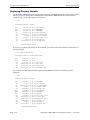
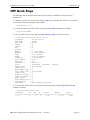
Where is the Switch Running From?
When a switch has booted and is running, the software used comes either from the certified directory or
the working directory. In most instances, the switch boots from the certified directory. (A switch can be
booted from the working directory by using the reload working command described in “Rebooting from
the Working Directory” on page 5-18.)
Once the switch is booted and functioning, the switch is said to be running from a particular directory,
either the working or certified directory. Where the switch is running from is determined at the time of the
boot-up of the switch.
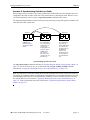
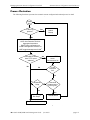
At the time of a normal boot (by turning on the switch power on or by using the reload command), a
comparison is made between the working directory and the certified directory. If the directories are
synchronized (all files are the same in both directories), the switch runs from the working directory. If
there is any discrepancy between the two directories (even as small as a different file size or file date), the
switch runs from the certified directory.
While a switch is running from the certified directory, you cannot save any changes made in the running
configuration. If the switch reboots, the changes made to switch parameters is lost. In order to save
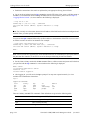
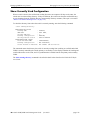
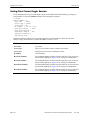
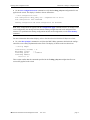
running configuration changes, the switch must be running from the working directory. You can determine where the switch is running from by using the show running directory command described in
“Show Currently Used Configuration” on page 5-23.
Software Rollback Feature
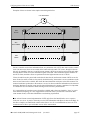
The directory structure inherent in the CMM software allows for a switch to return to a previous, more
reliable version of image or configuration files.
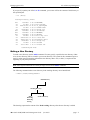
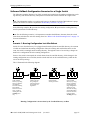
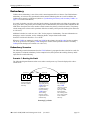
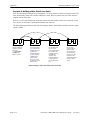
Initially, when normally booting the switch, the software is loaded from the certified directory. This is the
repository for the most reliable software. When the switch is booted, the certified directory is loaded into
the running configuration and used to manage switch functionality.
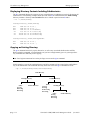
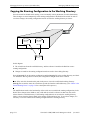
Changes made to the configuration file in the running configuration alters the switch functionality. These
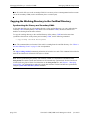
changes are not saved unless explicitly done so by the user using the copy running-config working
command described in “Copying the Running Configuration to the Working Directory” on page 5-16. If
the switch reboots before the configuration file in the running configuration is saved, then the certified
directory is reloaded to the running configuration and changes made to the configuration file in the
running configuration prior to the reboot are lost.
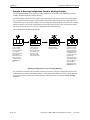
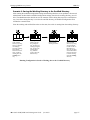
Changes to the configuration file have to be initially saved to the working directory by using the copy
running-config working or the write-memory commands. Once the configuration file is saved to the
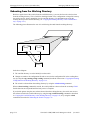
working directory, the switch can be rebooted from the working directory. To reboot, use the reload
working command, described in “Rebooting from the Working Directory” on page 5-18.
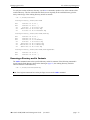
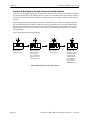
Likewise, new image files are always placed in the working directory first. The switch can then be rebooted from the working directory. When this is done, the contents of the working directory are loaded and
used to set up the running configuration, which is used to control switch functionality. New image or
configuration files can now be tested for a time to decide whether they are reliable.
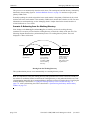
Should the configuration or images files prove to be less reliable than their older counterparts in the certified directory, then the switch can be rebooted from the certified directory. The switch can be “rolled
back” to an earlier version.
Once the contents of the working directory are established as good files, then these files can be saved to
the certified directory and used as the most reliable software to which the switch can be rolled back in an
emergency situation.
page 5-4
OmniSwitch 6250/6450 Switch Management Guide
June 2013