1
Windows NT driver configuration
Autosoft NT User Manual
9. Appendix B: IEEE-488 Software Configuration
This appendix describes how to configure a National Instruments GPIB card for use with Autosoft NT.
Prerequisites:
• A National Instruments GPIB Card (ISA). Autosoft NT was tested using a National Instruments ATGPIB/TNT (Plug and Play) ISA card, running under Windows NT as well as Windows 98.
• The latest NI-488.2 drivers. As of this writing the latest version of these drivers is v1.60. You can download
this software from National Instruments at http://www.ni.com.
This appendix describes both the Windows NT and the Windows 98 driver configuration.
9.1 Windows NT driver configuration
After installing the drivers, you need to check the following configuration issues.
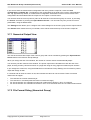
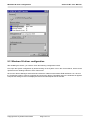
First, open the GPIB configuration by double-clicking on the 'GPIB' icon in the 'Control Panel', which can be
opened from the 'Settings' selection of the 'Start menu'.
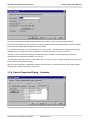
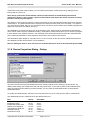
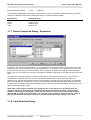
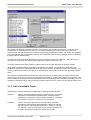
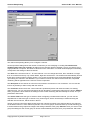
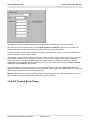
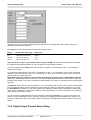
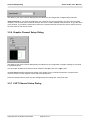
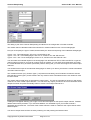
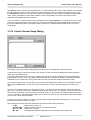
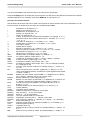
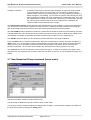
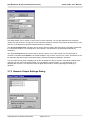
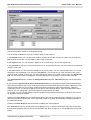
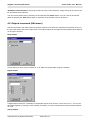
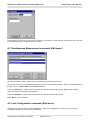
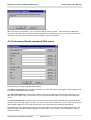
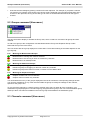
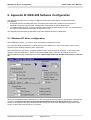
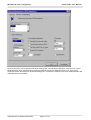
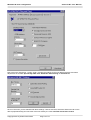
Select the GPIB card you want to configure (GPIB0 in most cases) and press 'Configure'. In the window that
appears, press the 'Software>>>' button to show all available options. Compare the settings to the ones
displayed below and make adjustments as needed. Specifically make sure 'Enable Auto Polling' is switched
off.
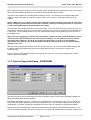
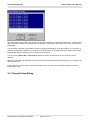
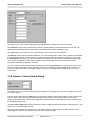
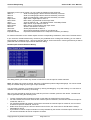
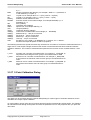
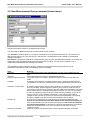
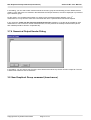
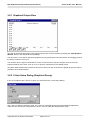
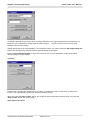
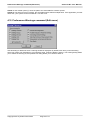
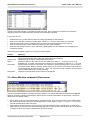
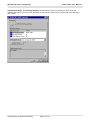
When you are satisfied with the settings click on the 'Controller Resources' button to check which resources the
card uses. It should at least have a valid 'Input/Output Range' and 'Interrupt Request'! 'Direct Memory
Access' is an optional extra, which will decrease the load on your PC's CPU. Windows normally show if there
are any conflicts with other devices in your system.
Copyright 2001 by Peekel Instruments
Page 69 of 74