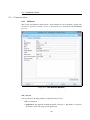
1
@enterprise 9.0 System Administration December 2015 Groiss Informatics GmbH Groiss Informatics GmbH Strutzmannstraße 10/4 9020 Klagenfurt Austria Tel: +43 463 504694 - 0 Fax: +43 463 504594 - 10 Email: [email protected] Document Version 9.0.19684 c 2001 - 2015 Groiss Informatics GmbH. Copyright All rights reserved. The information in this document is subject to change without notice. If you find any problems in the documentation, please report them to us in writing. Groiss Informatics GmbH does not warrant that this document is error-free. No part of this document may be photocopied, reproduced or translated to another language without the prior written consent of Groiss Informatics GmbH. @enterprise is a trademark of Groiss Informatics GmbH, other names may be trademarks of their respective companies. Introduction This manual describes the administration of the Workflow-Management-System @enterprise. It is written for readers, who administrate the system, define users or the organization structure, or define workflows. The manual is structured as follows: • System architecture: The architecture of @enterpriseis described. • The HTML interface: The structure and usage of the HTML interface for administration is described. • Ids, names and internationalization: Here you can find information about which attributes of an object class are used as ids and how the conventions for ids look like in @enterprise. Furthermore you can find information about the internationalization of master data and object classes. • Definition of the Organizational Structure: Modelling the objects and the structure of the organization is necessary for modelling workflows. The following object classes are maintained in @enterprise: – Server: An @enterpriseinstallation can consist of several servers, which cooperate for workflow execution. – Roles: Roles define groups of participants exhibiting a specific set of attributes, qualifications and/or skills. – Rights: Rights are used to restrict some operations to selected users. – Permission lists: It is possible to combine several rights to permission lists. This permission lists can be assigned to users or roles. – Users: All persons, which work with @enterprise, must be registered as "users". – Organizational units: The structure of the organization is modeled with organizational units and the hierarchy between them. Organizational units are abbreviated by OU. – Organization classes: Organization classes are used to classify the organizations. – Organization hierarchies: OUs can form hierarchies, i.e. one OU can be subordinate to another one and vice versa. The hierarchy of OUs is defined by restoring the corresponding OUs into the organization hierarchy. In doing so one superordinate OU can own several subordinate OUs, but a subordinate OU (in one organization hierarchy) can only belong to one superordinate OU. A OU can be arranged in several organization hierarchies (in this way it is possible to map OUs belonging to several divisions). • The @enterprise right system: This chapter describes the right system of @enterprise, which enables you to assign the required rights to users. • Workflow modelling: Using the organizational structure we can define processes (workflows). The following object classes are described in the respective chapters: – Applications: Applications group processes. – Tasks are the elementary activities of processes. – Functions are representations of interactive Java-methods used for execution of activities. – Forms are the data containers for local data of processes. – Processes describe the structure of a business process. • Process definition: In this chapter, the definition of processes is described. It contains two sections, the definition with the script language WDL and the definition using the graphical process designer. It is also possible to define processes with XWDL – an extension of WDL – which is described in the XWDL Handbook of @enterprise. • Searching in @enterprise: Here you can find cross references to those documents which are describing the possibilities to find certain information within @enterprise. • Administration Tasks: The search facility and a set of common administration functions is described. • Configuration: This chapter describes the configuration of @enterprise–server. • Dashboard: This chapter describes how you can use the dashboard of @enterprise. Contents 1 System architecture 1.1 The World Wide Web . . . . . . . . . . . . . . . . . . . . . . . . . . . . . 1.2 The system components . . . . . . . . . . . . . . . . . . . . . . . . . . . . 11 11 11 2 The HTML interface 2.1 Tables . . . . . . . . . . . . . . . . . . 2.1.1 Column picker, sorting and filter 2.1.2 Standard functions . . . . . . . 2.2 Object details . . . . . . . . . . . . . . 2.2.1 Tab: General . . . . . . . . . . 2.2.2 Tab: History . . . . . . . . . . 2.2.3 Tab: Access . . . . . . . . . . . 2.2.4 Tab: Referenced by . . . . . . . 2.2.5 Further functions . . . . . . . . . . . . . . . . . 14 15 16 17 18 19 20 20 20 21 3 Ids, names and internationalization 3.1 Ids and names . . . . . . . . . . . . . . . . . . . . . . . . . . . . . . . . . 3.2 Internationalization of meta data objects and object classes . . . . . . . . . 23 23 25 4 Definition of the organizational structure 4.1 Roles . . . . . . . . . . . . . . . . . 4.1.1 Tab: General . . . . . . . . . 4.1.2 Tab: Permissions . . . . . . . 4.1.3 Tab: User . . . . . . . . . . . 4.1.4 System-defined roles . . . . . 4.2 Rights . . . . . . . . . . . . . . . . . 4.2.1 Tab: General . . . . . . . . . 4.2.2 Tab: User . . . . . . . . . . . 4.2.3 System-defined rights . . . . 4.3 Users . . . . . . . . . . . . . . . . . 4.3.1 Tab: General . . . . . . . . . 4.3.2 Roles . . . . . . . . . . . . . 4.3.3 Tab: Substitutions . . . . . . 4.3.4 Tab: Role substitutions . . . . 4.3.5 Tab: Permissions . . . . . . . 26 26 26 28 28 28 28 29 29 30 31 31 32 33 33 34 5 . . . . . . . . . . . . . . . . . . . . . . . . . . . . . . . . . . . . . . . . . . . . . . . . . . . . . . . . . . . . . . . . . . . . . . . . . . . . . . . . . . . . . . . . . . . . . . . . . . . . . . . . . . . . . . . . . . . . . . . . . . . . . . . . . . . . . . . . . . . . . . . . . . . . . . . . . . . . . . . . . . . . . . . . . . . . . . . . . . . . . . . . . . . . . . . . . . . . . . . . . . . . . . . . . . . . . . . . . . . . . . . . . . . . . . . . . . . . . . . . . . . . . . . . . . . . . . . . . . . . . . . . . . . . . . . . . . . . . . . . . . . . . . . . . . . . . . . . . . . . . . . . . . . . . . . . . . . . . . . . . . . . . . . . . . . . . . . . . . . . . . . . . . . . . . . . . . . . . . . . . . . . . . . . . . . . . . . . . . . . . . . . . . . . . . . . . . . . . . . . . . . . . . . . . . . . . . . . . . . . . . . . . . . . . . . . . . . . . . . . . . . . . . . . . . . . . . . . . . . . . . CONTENTS 4.4 4.5 4.6 5 6 4.3.6 Tab: All permission . . . . . . . . . . . . . 4.3.7 Tab: Settings . . . . . . . . . . . . . . . . 4.3.8 Tab: All Settings . . . . . . . . . . . . . . 4.3.9 Permission test . . . . . . . . . . . . . . . 4.3.10 Expired passwords . . . . . . . . . . . . . Organizational units . . . . . . . . . . . . . . . . . 4.4.1 Tab: General . . . . . . . . . . . . . . . . 4.4.2 Tab: Super organizational units . . . . . . 4.4.3 Tab: Roles . . . . . . . . . . . . . . . . . Organization hierarchy . . . . . . . . . . . . . . . 4.5.1 Tab: General . . . . . . . . . . . . . . . . 4.5.2 Tab: Organizational hierarchies . . . . . . 4.5.3 Function Merge organizational hierarchies Organization classes . . . . . . . . . . . . . . . . 4.6.1 Tab: General . . . . . . . . . . . . . . . . . . . . . . . . . . . . . . . . . . . . . . . . . . . . . . . . . . . . . . . . . . . . . . . . . . . . . . . . . . . . . . . . . . . . . . . . . . . . . . . . . . . . . . . . . . . . . . . . . . . . . . . . . . . . . . . . . . . . . . . . . . . . . . . . . . . . . . . . . . . . . . . . . . . . . . . . . . . . . . . . . . . . . . . . . . . . . . . . . . . . . . . . . . . . . . . . . . . 34 34 34 35 35 35 36 37 38 38 38 38 40 41 41 The @enterprise right system 5.1 Introduction . . . . . . . . . . . . . . . . 5.1.1 Rights . . . . . . . . . . . . . . . 5.1.2 Object classes . . . . . . . . . . . 5.1.3 Permissions . . . . . . . . . . . . 5.1.4 Permission list . . . . . . . . . . 5.2 Definition of permissions . . . . . . . . . 5.2.1 Permissions of users . . . . . . . 5.2.2 Permissions of roles . . . . . . . 5.2.3 Administration of permission lists 5.2.4 Permissions for an object . . . . . 5.2.5 Permissions for permissions . . . 5.2.6 Permissions for role assignments . 5.2.7 Administration of object classes . 5.3 Standard settings . . . . . . . . . . . . . 5.4 For what you need which rights? . . . . . 5.5 Example . . . . . . . . . . . . . . . . . . 5.6 Permissions and substitutions . . . . . . . . . . . . . . . . . . . . . . . . . . . . . . . . . . . . . . . . . . . . . . . . . . . . . . . . . . . . . . . . . . . . . . . . . . . . . . . . . . . . . . . . . . . . . . . . . . . . . . . . . . . . . . . . . . . . . . . . . . . . . . . . . . . . . . . . . . . . . . . . . . . . . . . . . . . . . . . . . . . . . . . . . . . . . . . . . . . . . . . . . . . . . . . . . . . . . . . . . . . . . . . . . . . . . . . . . . . . . . . . . . . . . . . . . . . . . . . . . . . . . . . . . . . . . . . . . . . . . . . . . . . . . . . . . . . . . . . . . . . . . . . . . . . . . . . . . . . . . . . . . . . . . . . . . 43 43 43 43 44 45 45 45 45 46 46 46 46 46 47 48 48 48 Workflow modelling 6.1 Applications . . . . . . . . . 6.1.1 Tab: General . . . . 6.1.2 Tab: Properties . . . 6.1.3 Report . . . . . . . . 6.2 Tasks . . . . . . . . . . . . 6.2.1 Tab: General . . . . 6.2.2 Tab: Functions . . . 6.2.3 Supplement of forms 6.3 Functions . . . . . . . . . . 6.3.1 Tab: General . . . . 6.3.2 Standard functions . . . . . . . . . . . . . . . . . . . . . . . . . . . . . . . . . . . . . . . . . . . . . . . . . . . . . . . . . . . . . . . . . . . . . . . . . . . . . . . . . . . . . . . . . . . . . . . . . . . . . . . . . . . . . . . . . . . . . . . . . . . . . . . . . . . . . . . . . . . . . . . . . . . . . . . . . . . . . . . . . . . . . . . . . . . . . . . . . . . . . . . . . . . . . . . . . . . . . . . 51 52 52 53 54 55 55 57 57 58 58 61 . . . . . . . . . . . . . . . . . . . . . . . . . . . . . . . . . . . . . . . . . . . . 6 . . . . . . . . . . . . . . . . . . . . . . . . . . . . . . . . . CONTENTS 6.4 Forms . . . . . . . . . . . . . . . . . . . . . . . . . 6.4.1 Create new formtype . . . . . . . . . . . . . 6.4.2 Edit Table . . . . . . . . . . . . . . . . . . . 6.4.3 Replace HTML . . . . . . . . . . . . . . . . 6.4.4 Create view . . . . . . . . . . . . . . . . . . 6.4.5 View . . . . . . . . . . . . . . . . . . . . . 6.4.6 Report . . . . . . . . . . . . . . . . . . . . . 6.4.7 Tab: General . . . . . . . . . . . . . . . . . 6.4.8 Tab: Java class . . . . . . . . . . . . . . . . 6.4.9 Tab: Database table . . . . . . . . . . . . . . 6.4.10 Tab: Rights . . . . . . . . . . . . . . . . . . 6.4.11 Tab: Standard permissions . . . . . . . . . . 6.4.12 Tab: Preview . . . . . . . . . . . . . . . . . 6.4.13 Tab: Folder settings . . . . . . . . . . . . . . 6.5 Processes . . . . . . . . . . . . . . . . . . . . . . . 6.5.1 Create new process with the process editor . 6.5.2 Edit a process with the process editor . . . . 6.5.3 Load WDL / XWDL . . . . . . . . . . . . . 6.5.4 Tab: General . . . . . . . . . . . . . . . . . 6.5.5 Tab: Source . . . . . . . . . . . . . . . . . . 6.5.6 Tab: Graph . . . . . . . . . . . . . . . . . . 6.5.7 Tab: Components . . . . . . . . . . . . . . . 6.5.8 Tab: Visibility of forms . . . . . . . . . . . . 6.5.9 Tab: Escalation . . . . . . . . . . . . . . . . 6.5.10 Tab: Functions . . . . . . . . . . . . . . . . 6.5.11 Tab: Folder settings . . . . . . . . . . . . . . 6.5.12 Report . . . . . . . . . . . . . . . . . . . . . 6.6 Function groups . . . . . . . . . . . . . . . . . . . . 6.7 GUI configurations . . . . . . . . . . . . . . . . . . 6.7.1 Tab: GUI configuration . . . . . . . . . . . . 6.7.2 Tab: Assignments . . . . . . . . . . . . . . . 6.8 Resource Editor . . . . . . . . . . . . . . . . . . . . 6.8.1 Toolbar functions . . . . . . . . . . . . . . . 6.8.2 Converting csv-files . . . . . . . . . . . . . 6.9 Value lists . . . . . . . . . . . . . . . . . . . . . . . 6.10 Web Services . . . . . . . . . . . . . . . . . . . . . 6.10.1 Webservice clients . . . . . . . . . . . . . . 6.10.2 Webservice server . . . . . . . . . . . . . . 6.11 Message templates . . . . . . . . . . . . . . . . . . 6.11.1 Tab: General . . . . . . . . . . . . . . . . . 6.11.2 Overview about events and modes of sending 6.12 Test cases . . . . . . . . . . . . . . . . . . . . . . . 6.12.1 Toolbar . . . . . . . . . . . . . . . . . . . . 6.12.2 Test steps . . . . . . . . . . . . . . . . . . . 6.12.3 Process history and Process details . . . . . . 7 . . . . . . . . . . . . . . . . . . . . . . . . . . . . . . . . . . . . . . . . . . . . . . . . . . . . . . . . . . . . . . . . . . . . . . . . . . . . . . . . . . . . . . . . . . . . . . . . . . . . . . . . . . . . . . . . . . . . . . . . . . . . . . . . . . . . . . . . . . . . . . . . . . . . . . . . . . . . . . . . . . . . . . . . . . . . . . . . . . . . . . . . . . . . . . . . . . . . . . . . . . . . . . . . . . . . . . . . . . . . . . . . . . . . . . . . . . . . . . . . . . . . . . . . . . . . . . . . . . . . . . . . . . . . . . . . . . . . . . . . . . . . . . . . . . . . . . . . . . . . . . . . . . . . . . . . . . . . . . . . . . . . . . . . . . . . . . . . . . . . . . . . . . . . . . . . . . . . . . . . . . . . . . . . . . . . . . . . . . . . . . . . . . . . . . . . . . . . . . . . . . . . . . . . . . . . . . . . . . . . . . . . . . . . . . . . . . . . . . . . . . . . . . . . . . . . . . . . . . . . . . . . . . . . . . . . . . . . . . . . . . . . . . . . . . . . . . . . . . . . . . . . . . . . . . . . . . . . . . . . . . . . . . . . . . . . . . . . . . . . 62 62 70 71 71 71 71 72 75 76 76 76 76 77 80 81 81 81 82 84 85 85 85 88 90 90 90 91 91 92 103 103 105 106 106 106 106 109 109 110 112 113 114 115 117 CONTENTS 7 8 9 Process Definition 7.1 WDL . . . . . . . . . . . . . . . . . . . 7.1.1 Lexical Conventions . . . . . . . 7.1.2 Process header . . . . . . . . . . 7.1.3 Declaration part . . . . . . . . . . 7.1.4 Basic Statements . . . . . . . . . 7.1.5 Control Structures . . . . . . . . 7.1.6 Event Mechanism . . . . . . . . . 7.1.7 Web services . . . . . . . . . . . 7.2 The process editor . . . . . . . . . . . . . 7.2.1 The process editor window . . . . 7.2.2 The Functions of the menu bar . . 7.2.3 Process properties . . . . . . . . 7.2.4 Tasks . . . . . . . . . . . . . . . 7.2.5 Escalations . . . . . . . . . . . . 7.2.6 Properties of an activity . . . . . 7.2.7 Time management . . . . . . . . 7.2.8 The function list . . . . . . . . . 7.2.9 Conditions for Ifs, Choice, Loops 7.2.10 Properties for system steps . . . . 7.2.11 Properties for Batch steps . . . . 7.2.12 Properties of a subprocess . . . . 7.2.13 Properties of an event . . . . . . . 7.2.14 Properties of a parallel for . . . . 7.2.15 Properties of Web service nodes . The Search of @enterprise 8.1 Process search . . . . . 8.2 Document search . . . 8.3 Reporting . . . . . . . 8.4 Reports . . . . . . . . . . . . . . . . . . . . . . . . . . . . . . . . . . . . . . . . . . . . . . . . . . . . . . . . . . . . . . . . . . . . . . . . . . . . . . . . . . . . . . . . . . . . . . . . . . . . . . . . . . . . . . . . . . . . . . . . . . . . . . . . . . . . . . . . . . . . . . . . . . . . . . . . . . . . . . . . . . . . . . . . . . . . . . . . . . . . . . . . . . . . . . . . . . . . . . . . . . . . . . . . . . . . . . . . . . . . . . . . . . . . . . . . . . . . . . . . . . . . . . . . . . . . . . . . . . . . . . . . . . . . . . . . . . . . . . . . . . . . . . . . . . . . . . . . . . . . . . . . . . . . . . . . . . . . . . . . . . . . . . . . . . . . . . . . . . . . . . . . . . . . . . . . . . . . . . . . . . . . . . . . . . . . . . . . . . . . . . . . . . . . . . . . . . . . . . . . . . . . . . . . . . . . . . . . . . . . . . . . . . . . . . . . . . . . . . . . 118 118 119 119 120 122 125 133 134 136 136 136 143 144 146 147 149 150 153 153 153 153 154 155 155 . . . . . . . . . . . . . . . . . . . . . . . . . . . . . . . . . . . . . . . . . . . . . . . . . . . . . . . . . . . . . . . . . . . . . . . . . . . . . . . . . . . . . . . . . . . . . . . . . . . . . . . . 158 158 158 158 158 Administration tasks 9.1 Server . . . . . . . . . . . . 9.1.1 Server Monitor . . . 9.1.2 Server Control . . . 9.1.3 Log files . . . . . . 9.1.4 Database connections 9.1.5 Object history . . . . 9.1.6 User sessions . . . . 9.1.7 Events . . . . . . . . 9.1.8 Timers . . . . . . . 9.1.9 Pending changes . . 9.1.10 Event registrations . 9.1.11 BatchJobs . . . . . . 9.1.12 Wait steps . . . . . . 9.1.13 Class path . . . . . . . . . . . . . . . . . . . . . . . . . . . . . . . . . . . . . . . . . . . . . . . . . . . . . . . . . . . . . . . . . . . . . . . . . . . . . . . . . . . . . . . . . . . . . . . . . . . . . . . . . . . . . . . . . . . . . . . . . . . . . . . . . . . . . . . . . . . . . . . . . . . . . . . . . . . . . . . . . . . . . . . . . . . . . . . . . . . . . . . . . . . . . . . . . . . . . . . . . . . . . . . . . . . . . . . . . . . . . . . . . . . . . . . . . . . . . . . . . . . . . . . . . . . . . . . . . . . . . . . . . . . . . . . . . . . . . . . . . . . . . . . . . . . . . . . . . . . . . . . . . . . . . . . . . . . . . . . . . . . . . . . . . . . . . . . . . . . . . . . . . . . . . . . . . . . . 159 159 159 160 164 165 165 165 166 167 173 173 173 174 174 . . . . . . . . 8 CONTENTS 9.2 9.3 9.4 9.5 9.6 9.1.14 Manage certificates . . . . . . 9.1.15 Query tool . . . . . . . . . . 9.1.16 Duration statistics . . . . . . Import/Export . . . . . . . . . . . . . 9.2.1 Import/Export in XML Format 9.2.2 Archive processes . . . . . . 9.2.3 Install application . . . . . . . 9.2.4 Application upgrade . . . . . 9.2.5 Application repository . . . . 9.2.6 File import . . . . . . . . . . Cluster . . . . . . . . . . . . . . . . . 9.3.1 Cluster Monitor . . . . . . . . 9.3.2 Servers . . . . . . . . . . . . DMS . . . . . . . . . . . . . . . . . . 9.4.1 Full-text search . . . . . . . . 9.4.2 Keywords . . . . . . . . . . . Reorganize . . . . . . . . . . . . . . 9.5.1 Change role assignments . . . 9.5.2 Analyze process instances . . 9.5.3 OU history . . . . . . . . . . Communication . . . . . . . . . . . . 9.6.1 Mailboxes . . . . . . . . . . . 9.6.2 Mail-Queue . . . . . . . . . . 9.6.3 Mail journal . . . . . . . . . . 9.6.4 LDAP . . . . . . . . . . . . . 9.6.5 WfXML . . . . . . . . . . . . 9.6.6 Local services . . . . . . . . . . . . . . . . . . . . . . . . . . . . . . . . . . . . . . . . . . . . . . . . . . . . . . . . . . . . . . . . . . . . . . . . . . . . . . . . . . . . . . . . . . . . . . . . . . . . . . . . . . . . . . . . . . . . . . . . . . . . . . . . . . . . . . . . . . . . . . . . . . . . . . . . . . . . . . . . . . . . . . . . . . . . . . . . . . . . . . . . . . . . . . . . . . . . . . . . . . . . . . . . . . . . . . . . . . . . . . . . . . . . . . . . . . . . . . . . . . . . . . . . . . . . . . . . . . . . . . . . . . . . . . . . . . . . . . . . . . . . . . . . . . . . . . . . . . . . . . . . . . . . . . . . . . . . . . . . . . . . . . . . . . . . . . . . . . . . . . . . . . . . . . . . . . . . . . . . . . . . . . . . . . . . . . . . . . . . . . . . . . . . . . . . . . . . . . . . . . . . . . . . . . . . . . . . . . . . . . . . . . . . . . . . . . . . . . . . . . . . . . . . . . . . . . . . . . . . . . . . . . . . . . . . . . . . . . . . . . . . . . . . . . . . . . . . . . . . . . . . . . . . . . . . . . . . . . . . . . . . . . . . . . . . . . . . . . . . . . . . . . . . . 174 177 177 179 179 184 184 184 185 186 189 189 189 189 189 189 190 190 190 190 191 191 193 194 195 197 198 10 Configuration 199 11 Dashboard 11.1 New . 11.2 Open . 11.3 Save . 11.3.1 . . . . . . . . . . . . . . . . . . . . . . . . . . . . . . . . . . . . . . . . . . . . . . . . . . . . . . . . . . . . . . . . 200 200 200 201 201 12 Administration Shell 12.1 Architecture and invocation . . . . . . . . . . . 12.2 Commands . . . . . . . . . . . . . . . . . . . 12.2.1 Client commands . . . . . . . . . . . . 12.2.2 Server commands . . . . . . . . . . . . 12.3 Examples . . . . . . . . . . . . . . . . . . . . 12.3.1 Setting a configuration parameter . . . 12.3.2 Restart the server . . . . . . . . . . . . 12.3.3 Add a role to or remove one from a user 12.3.4 Set the interval of a timer . . . . . . . . 12.3.5 Worklist handling . . . . . . . . . . . . . . . . . . . . . . . . . . . . . . . . . . . . . . . . . . . . . . . . . . . . . . . . . . . . . . . . . . . . . . . . . . . . . . . . . . . . . . . . . . . . . . . . . . . . . . . . . . . . . . . . . . . . . . . . . . . . . . . . . . . . . . . . . . . . . . . . . . . . . . . . . . . . . . . . . . 202 202 203 203 203 204 204 204 205 205 205 . . . . . . . . . . . . Delete . . . . . . . . . . . . . . . . . . . . . . . . . . . . . . . . . . . . . . . . . . . . . . . . 9 . . . . . . . . . . . . . . . . . . . . CONTENTS 12.3.6 Session handling . . . . . . . . . . . . . . . . . . . . . . . . . . . 206 13 Process cockpit 207 13.0.7 Configuration . . . . . . . . . . . . . . . . . . . . . . . . . . . . . 207 13.0.8 Rights . . . . . . . . . . . . . . . . . . . . . . . . . . . . . . . . . 208 10 1 System architecture The workflow system @enterpriseis build for using in the intranet and internet and based on the technologies of the World Wide Web. We briefly describe these concepts before explaining the architecture of the system. 1.1 The World Wide Web Three concepts make up the World-Wide Web (WWW): uniform addressing of information in the Internet via the Uniform Resource Locator (URL), presentation of information in the Hypertext Markup Language (HTML), and transmission of data using the Hypertext Transfer Protocol HTTP. The HTML format allows the integration of different media type into a document. Socalled hyper-links enable the integration and connection to other documents or media types. Important for using the WWW for workflow systems is the feature of fill-in forms in HTML, which allows a form based interaction between the user and a program. HTTP is a simple protocol for transmitting information over the net. The client (browser) requests a document from a server, by opening a socket connection and sending the URL of the document to the server. The server sends back the content of this document together with some status information. If the URL points to an executable program the server executes this program and sends the output back to the client. Moreover, the HTTP protocol provides a mechanism for user authorization allowing to restrict access to a group of users or hosts. 1.2 The system components Fig. 1.1 shows the components of the system. The components in detail: • Database: The database contains all data relevant for process execution, process definition, organizational hierarchy, roles, as well as the dynamic data of the process instances. • Workflow engine: This component contains the interpreter for the defined processes, it is called whenever a process is started or an activity is finished through the user interface. Additionally, the engine comprises services like timers, import-export mechanisms, the monitoring component, etc. 11 1.2. THE SYSTEM COMPONENTS DataRepository HTTP Client (Browser) HTTPS HTTP-Server/ Servlet Container Modeling component - Processes - Data - Organization - Applications Servlet Run-Time component Organisational data JDBC - Workflow-Engine - Document management - Timer Process definitions Process instances Process data Administration component - Administration functions - Server Control - Search and Reporting Process relevant Data Figure 1.1: @enterprise system architecture • HTML interface: The HTML interface creates the HTML pages of the user interface. It is triggered from the HTTP server whenever a user clicks on a link or a button. On the back end it communicates with the @enterprise engine via the API. The HTML interface consists of the following parts: – Workflow client: It generates the HTML pages and forms used for interaction with the user (not administrator) of @enterprise. The main page is the user worklist, which contains links to the other relevant information, i.e. the forms, process descriptions, history, etc. See the User Manual for a description of this interface. – Administration and monitoring tool: It contains functions for creating, modifying and deleting users, roles, and organizational units. It also allows the inspection and modification of running processes, like terminating instances, reassigning steps, etc. Like the other components communicating with the HTTP Server, the interactions with the user are done by creating and receiving HTML pages and forms. Two interfaces are available for process definition: Workflows defined as WDL scripts can be compiled and loaded into the system. Additionally, the process editor allows graphical definition of processes. Both components are accessible using a Web browser. Forms are created using a standard HTML editor. A parser extracts all input fields from the form and presents the user with a suggestion for the definition of the corresponding database table. The user can alter the data-types and creates the form table. The HTML form is stored in the database. • HTTP server: The HTTP server is the interface between the Web and the workflow system. It translates the requests from the users to calls of the corresponding procedures of the workflow system. 12 1.2. THE SYSTEM COMPONENTS • Browser: Every interaction with the system is done by a Web browser. This allows wide availability and platform independence and made system implementation easier. 13 2 The HTML interface For using the @enterpriseadministration component you must have a web browser installed on your machine (Internet Explorer, Netscape, Mozilla, etc.). Login to the system either as sysadm or as another user. In the latter case you will be redirected to the worklist component. Click the @enterprise menu and "Administration" to enter the system administration (you will see this link only if you have the right "admin"). Depending on the server settings, a casual user (with admin rights) has to log-in again to get an admin session (if admin host and port are the same). The necessary information about admin host/port can be found in Installation- and Configuration Guide section HTTP server. Fig. 2.1 shows the structure of the main window. Figure 2.1: System administration The interface is split up in the following parts: 14 2.1. TABLES • Information: The top frame contains information about the logged in user and actual running server. • Toolbar: Directly positioned under the information frame is the toolbar which contains different functions for manipulating the informations displayed in the workingarea. Four functions are always visible on the right end of the toolbar: – Help: Opens a help page in a new window depending on the selected context (area). By selecting the same area and hitting the key F1 the same help page is opened. – Dashboard: Shows your dashboard in the working area. – Worklist: Switch to the worklist component of @enterprise. – Logout: Logout from @enterprise. – Note: If this symbol appears, a modification at the @enterprise-system was made. By clicking the symbol you will get nearer information, if you have to restart the server or have to refresh the cache-structures. • Navigation: The navigation frame on the left contains the following elements: – Organization: Contains links for administration of the application-independent information: User, Organizational units, Organizational classes, Organization hierarchies, Servers, Permission lists, Interface and Keywords. – Applications: This area contains subtrees for every application. For each application a link to its Processes, Forms, Tasks, Functions, Roles, Rights, Object classes, Function group and GUI configurations is shown. This area also contains a link to the overview of all applications, called Application list. – Search: This folder contains links to the various search functions (Process search, Document search, Report designer and Reports). – Admin tasks: Shows a list of administration tasks, for example for restarting the server, exporting data, etc. – Configuration: All functions for configuring your installation are placed here. • Working area: The working area is the main part of the interface. It contains different masks and tables for manipulating the master data, configuration etc. After opening the administration your dashboard is displayed here. You can change the content of the working area by activating a link of the navigation area. 2.1 Tables Master data are displayed in tables initially. The table contains the different objects in its rows and the columns show different information of the respective object. Detailed information and additional functions for the object are displayed in an own window (see chapter 2.2). You can open this window by double-clicking a row in the table or selecting the row first and activating the toolbar-function edit secondly. 15 2.1. TABLES Figure 2.2: Example for table display (Roles) Before the table is shown, the system checks the length of the table. If it exceeds the defined limit, the system asks the user whether he will view the full table. The limit can be configured in the system configuration (parameter group Localization). Following formats are used to display the table rows: • Last changed: The row which is changed at last is colored. • Inactive entries: Inactive objects are displayed with grey and italic letters. Additionally forms, where the form class can not be loaded are marked as inactive entries, too. • Selected entries: Actually selected entries are colored. 2.1.1 Column picker, sorting and filter You can change the number of displayed columns by using the column picker. The column picker is placed rightmost of the table header. Activate the functions and a popup-window containing the names of all actually visible and possible columns opens. Already visible columns are displayed with a small checkmark. To add a new column to the table, activate a column name (without the checkmark). The table refreshes and the selected column is displayed. To remove a column from the table, activate a column name (with the checkmark). The table refreshes without the removed column. You can change the sorting column and sorting direction by activating a column header. Which column and direction is actually used for sorting is marked by a small arrow left of the column name. The link Filter helps you to keep an overview if your table contains a lot of entries. The filter can be seen as selection criteria to mask certain entries in your table. By clicking on the corresponding column header of your table a context sensitive filter menu with the following entries is shown: 16 2.1. TABLES • Order ascending: The entries of the table are ordered in ascending order by the current column. • Order descending: The entries of the table are ordered in descending order by the current column. • All entries: The use of the column filter of the current column becomes nullified. • User defined: By selecting this menu item a HTML–page is shown where you can enter a certain value. If you confirm your entries in this page by clicking the button ”Ok” the table is filtered by the corresponding value. • The first 20 different column entries; if you select one of these entries the column becomes sorted by this entry. If you want to save the current combination of filters you have to click the link ”Filter” in the heading of the table. The filter menu is shown: • Save filter: By selecting this menu item you save the current combination of column filters under a name defined by you. You can also enter a description for the filter. • Delete filter: By selecting this menu item you delete the filter which is currently active. There is no undo function for deleting a filter! • All entries: The use of the saved filter is nullified. • A list of all saved filters. If you select one of these entries the table is filtered by this filter. The list can also contain filter which have been defined by the system administrator. These filters can only be used but not deleted by you. When a filter is selected only those entries of the table are displayed which match all the criteria specified by the filter. 2.1.2 Standard functions Following functions are displayed for manipulating most of the tables in the administration: • New: opens object-details for creating a new object. • Edit: opens object-details for updating, deleting, viewing the history etc. the information. Depending on the class of the object further functions may be available on this page. • Delete: deletes selected objects. • View: opens object-details in read-only-mode, excepting forms and processes • Search: If you insert a search string and click to "Search" button the result list will contain all objects matching the search string. Normally, the string is matched against the id and name of the objects, the text left of the input field names the search attributes. 17 2.2. OBJECT DETAILS • Extended search: With the button "Extended search" you can search in all attributes of the object. • All entries: views the complete list of objects of the class. • Select all entries: mark all entries as selected by activation this function. • Refresh: Refresh the content of the working area. • Copy: This function allows to copy the selected object incl. its settings (made in the tabs), e.g. the selected ACL with its entered rights is copied. 2.2 Object details The detail view of an object can be opened by double-clicking the entry in the table, or selecting the table row and activating the edit-function in the toolbar. The object-details are buildup as tabbed pane. Each tab has its information and function to the actual object (see Fig. 2.3). Figure 2.3: Object details: Example The main functions of the object details are: 18 2.2. OBJECT DETAILS • OK: Activating this button saves the changes in the database and closes the window. The table refreshes. • Apply: Activating this button saves the changes in the database and refreshes the table. You can activate this button only if the actual tab contains a mask where you can edit the information directly. • Cancel: Close the window and discard the changes. • Delete: Delete this object from the database. 2.2.1 Tab: General In general the tab General is the first tab of the object-details. Here you can view or edit the general settings of the actual object. After changing the attributes save them through activating the button Ok, Apply or changing the tab. In this tab the button delete is active, too. This function is the same as the function Delete in the toolbar outside. Apply changes later Some objects can be changed so that the changes become effective at a future date. The field "Apply changes at" on the detail mask provides this functionality. Insert in the field Apply changes at the date (and time) the changes should get effective. After activating the button Ok, Apply or changing the tab the deferred changes are saved. If you view the detail mask of an object with such pending changes, you will see the date when the changes get effective in the field Object changes at. Activating the icon beside this field opens the detail-view of the changes. Here you can discard the changes by activating the button Discard changes. Activating / Deactivating objects Some objects have the attribute "active" indicating whether the object is currently usable or not. In the detail mask of these objects you can manipulate this attribute with a checkbox. If the checkbox is not checked, the object is inactive. This means for: • Users: the user cannot log in and cannot receive a worklist entry. • Processes: the process cannot be started (except via the API). • Roles, role assignments: the role cannot receive a worklist entry. In the table of objects, the inactive items have a grey background and italic letters. Internationalization The name of application-dependent objects can be translated into the available languages. 19 2.2. OBJECT DETAILS The name translated into the actually used language is displayed beside the field Name as link. After activating this link the internationalization for all available languages is displayed. Clicking the button Close closes the window. How you can change the internationalization is described in chapter 3. 2.2.2 Tab: History This tab shows the history of changes on this object (see Fig. 2.4). You can even view the older versions of the object by activating the function view in the toolbar. Figure 2.4: Tab: History 2.2.3 Tab: Access This tab shows you who has which access to the object directly or indirectly via permission lists (see Fig. 2.5). You can edit the access rights to this object here, see chapter 5. 2.2.4 Tab: Referenced by If you select the tab Referenced by, an overview about all objects will be shown, which reference on the current object (see Fig. 2.6). The objects are displayed in a hierarchical structure. The symbols will be described as follows: • Plus sign: this object has one or more sub-objects, which are not shown yet. If you click on the plus-sign, the sub-objects will be shown. Furthermore the plus will be converted into a minus. • Minus sign: this sign shows, that a hierarchy is already expanded. If you click on the minus-sign, all objects of this hierarchy will be hidden. Furthermore the minus will be converted into a plus. • Expand all: by this sign the whole objects can be expanded or the sub-objects can be collapsed. • Blue quadrangle: shows, that a detail view of the object exists. 20 2.2. OBJECT DETAILS Figure 2.5: Tab: Access 2.2.5 Further functions Some functions are used in the masks again and again. The following chapters describes this functions. • Select: Activating this function opens a new window where you can select a object. The selected value is inserted in the field beside this function. For example: selecting a user, an organizational unit. • Remove: Activating this function removes the value of the field beside. This function is always combined with the Select-function. Since @enterprise version 8.0 DOJO drop-down lists are integrated. By activating this symbol, the content of the list is displayed, where you can select the needed object or search for it. In case of a multiplicity of entries, the parameter Items per page under Configuration/Localization is used to display entries in a paged way. • Calendar: After activating this function a calendar is displayed. The calendar helps you selecting a date. Detailed information can be found in the user manual. • Class path checker: With the Classpath-Checker you can check URLs. The existing class and also the existing method and the correct method-signature will be checked. In special cases will be checked, if the class implements the required interface (e.g. 21 2.2. OBJECT DETAILS Figure 2.6: Tab: Referenced by (Roles) Logger Class must implement the interface com.groiss.log.ILogger). If the URL can be found in the classpath, the symbol of the Classpath-Checker changes its color to green. In any other case the color of the Classpath-Checker is red. 22 3 Ids, names and internationalization 3.1 Ids and names In @enterpriseall master data objects are identified internally with an unique identifier (id). The name is normally used in the user interface. According to the object class the following attributes are used as identifiers: • id • name • both the id and the name • a combination of id and version • a combination of name and version The object classes and their corresponding identifiers are listed in table 3.1. Within @enterprise the id of an object is unique and furthermore the id is also unique for all applications of @enterprise. Therefore it is not possible to create an object of the same class in different applications with the same ids (e.g. user A in application X and user A in application Y). Another peculiarity of @enterprise is, that the user and roles are sharing their scope, i.e. it is not possible that within one @enterprise–server there are a user and a role which ids are identical or where the name of the user corresponds to the id of the role or vice versa. For a syntactically correct id the following rules apply: • Ids start with a letter or a $ or / or \. Then, additional characters from the described set or digits can follow. • The complete length of an id must not exceed 80 characters. • Ids can also contain special characters (e.g. email-addresses), but whitespaces, exclamation marks and commas are not allowed. In a WDL definition the agent-id must start with an exclamation mark, if the id is no "simple" id. Example: 23 3.1. IDS AND NAMES Object class User Organizational unit Function Access list Object class Function group Role Right Organizational class Organizational hierarchy Application Server Task Process Form Identifier Id Id Id Name Name Id Id, Name Id, Name Id, Name Id, Name Id, Name Id, Name Id+Version Id+Version AND Name+Version Id+Version AND Name+Version Table 3.1: Object classes and their identifiers [email protected] do_something(f); 24 3.2. INTERNATIONALIZATION OF META DATA OBJECTS AND OBJECT CLASSES 3.2 Internationalization of meta data objects and object classes In @enterprise it is possible to internationalize object classes and all meta data where it makes sense. Meta data which can be internationalized are: • Applications • Tasks • Functions • Roles • Rights In implementing a corresponding java.lang.ResourceBundle and putting it into the corresponding application directory, it is possible to internationalize your own applications. For further details on this topic read the programming handbook of @enterprise. There you find also informations on how to internationalize the meta data of the default application. 25 4 Definition of the organizational structure 4.1 Roles Roles define groups of participants exhibiting a specific set of attributes, qualifications and/or skills. Examples are Supervisor or Insurance Underwriter. To assign a role to a user you must first define the role, then assign it to one or more users (see the next section). The object-details of roles contain the following tabs: • General • Permissions • User • History • Access • Referenced by 4.1.1 Tab: General You can edit the following attributes (required fields are bold): • Id: Unique identifier of the role. • Name: Name of the role. By activating the I18n-link beside this field, the translations (if defined in application mask - tab Properties) of this key are displayed and can be edited directly by changing the values and activating the button Save. The changes are stored in the resource file of this application (see section 6.8). • Application: Application, the role belongs to. • Type: @enterprisedistinguishes three role types: – Local: A local role is assigned to a user in one organizational unit. – Global: A global role is independent of organizational units. 26 4.1. ROLES Figure 4.1: Object details: Roles – Hierarchic: A hierarchic role is assigned to a user in an organizational unit, but it is valid also for all sub-OUs, (the organizational units which are below in the organizational hierarchy). • Description: Free text. • Reference role: Reference roles are used for defining different roles with different rights but one "reference" role used in process definitions. 1. Example: Assume we have defined the role assi for assistant and use this role in process definitions. the roles asi_no_rights oder assi_many_rights are assigned to persons with no or with many extra rights, respectively. Both roles have assi as reference roles, so that an activity assigned to the role assi is also assigned to the persons with the other to assi* rights. 2. Example: Our company has assistants and a department manger. The first agent of process definition P is the role dm_assi. This role is a reference role of roles dm and assi. The users have the roles dm or assi, but assistants and department managers are able to start process P and have the same rights in first process step. 27 4.2. RIGHTS Note, that it is not possible to define reference roles for reference roles. • Active: see chapter 2.2.1. 4.1.2 Tab: Permissions In this tab you can add and edit the permissions assigned to the role. Users who are assigned to the role have the permissions assigned to the role. Use the toolbar functions for manipulating the permissions. 4.1.3 Tab: User This tab shows you which users are already assigned to the role. You can open the details of this relationship, edit it or create a new one. 4.1.4 System-defined roles In @enterprisefour system-defined roles exist: • all: A useful role you can assign to all users. If you define then rights for this role, everybody has this right. Processes with all as agent of the first task, can be started by all workflow participants (or more exactly: by everybody, who has the role all assigned). • sys: This role is used for system administration, it allows you to perform all system administration activities. • home: The home-role connects a user to a "home" organizational unit. A user can have at most one home OU. • dept: The role dept is used as "Inbox" of an organizational unit. If you want to send a process instance to a OU without knowing the specific user, you can send it to the role dept. Note, that you must assign this role to a user, before you can use it as agent of a task. 4.2 Rights Rights are used to restrict some operations to selected users. The assignment of rights to users is directly or using roles. See chapter 5 for a detailed descriptions of the @enterprise right system. The object-details of rights contain the following tabs: • General • User • History • Access • Referenced by 28 4.2. RIGHTS 4.2.1 Tab: General Figure 4.2: Object details: Rights You can edit the following attributes (required fields are bold): • Id: Unique identifier of the right. • Name: Name of the right. By activating the I18n-link beside this field, the translations (if defined in application mask - tab Properties) of this key are displayed and can be edited directly by changing the values and activating the button Save. The changes are stored in the resource file of this application (see section 6.8). • Application: Application, the right belongs to. • Description: Free text. 4.2.2 Tab: User In this tab you can see a list of users who have the current right. If the right is limited to a certain object, this object is displayed in the column Target Object. 29 4.2. RIGHTS 4.2.3 System-defined rights In @enterprisethe following system-defined rights exist: • create: Create an object. • edit: Edit an object. • delete: Delete an object. • edit-acl: Edit the rights somebody has for an object. • view: View something. • execute: Execute the object (for example a function object). • conf: Right to configure the system. • admin: Right to enter the system administration. Necessary for some administration tasks, like viewing the log file. • view_procinst: View process history, list of documents and notes and all process forms and versions. • proc_inst: Edit Process Instances: Necessary to cancel process instances or edit the agent, view process history, list of documents and notes and all process forms and versions. The right is resolved in the context of the organizational unit of the process. If someone has this right for an OU, he may cancel all process instances that have been started in this OU. Furthermore there is the possibility to add this right to a process definition. For this purpose the object class Processes has to be extended by the right proc_inst. • view_history: View process history only. • dept_edit: Used to edit organizational units. • set_agent: Set the agent in a process instance, view process history, list of documents and notes and all process forms and versions. • stat: Create statistics, except user-specific. • searchable: Search in forms and list stored reports. • named_user: qualify user as named user. • abort_step: Abort a step in a process-instance. • editCal: Used to edit calendar entries. • insertCal: Used to create calendar entries. • viewCal: Right to see calendar entries of other users. • share: Right to allow other users to use its objects (e.g. worklist filter) • grant_subst: Allows the definition of (role-)substituions. 30 4.3. USERS 4.3 Users All persons, which work with @enterprise, must be registered as "users". At the extended search the number of shown users in the user list can be influenced by different searchattributes. For example a search-attribute is the Organizational Unit, only these users will be listed, who have a role in this OU. The object-details of roles contain the following tabs: • General • Roles • Substitutions • Role substitutions • History • Access • Permissions • All permissions • Settings 4.3.1 Tab: General You can edit the following attributes (required fields are bold): • Id: unique identifier of the user. • Surname: Surname of the user. • First name: .. of the user. • Title: Some (academic) title • Salutation: Some salutation, e.g. principal. • Name suffix: Free text which is set after the name, e.g. Sen • Gender: Selection between male and female • Description: Free text. • Email: Email address of the user. • Phone number: Phone number of the user (or some other text, we don’t use this field). • Server: The @enterpriseserver, where the worklist is accessible. • Language: Select the language for the user interface. 31 4.3. USERS Figure 4.3: Object details: Users • Active: see chapter 2.2.1. • Order attribute: free text, can be used for sorting. • Profile picture: Upload a profile picture for this user which is displayed in user profile (smartclient). • Password: Password for login. • Date of the last password change: Date, when the password was changed. • Password-Policy: 1. Password never expires: The password of this user never expires. 2. Has to change password at next login: The user has to change his password at the next login. 3. Cannot change password: The user should not able to change his password. • Apply changes at: see section 2.2.1. 4.3.2 Roles In the role assignment mask you can specify the following attributes: 32 4.3. USERS • User: The user you want to give a role. • Role: The role you want to give to the user. • Organizational unit: the organizational unit where the role should be assigned. Note, that this should be left blank for global roles but is mandatory for local and hierarchic roles. • Active: see chapter 2.2.1. Define a substitute of a role of a user To make substitutions more fine-grained, it is possible to define one or more substitutes for each role-assignment. Use the following steps to define such a substitution: Activate the tab Substitutions of the role-assignment to add role substitutes. Hint: The timer CurrentSubstitutes activates/deactivates the substitution, if a from- and/or to-date has been entered (see section 9.1.8). 4.3.3 Tab: Substitutions For each user you can define several substitutes, each of them with an optional substitution interval. In this tab you can define the personal substitutes. A popup window for the administration of the substitutes will be opened. Hint: The timer CurrentSubstitutes activates/deactivates the substitution, if a from- and/or to-date has been entered (see section 9.1.8). 4.3.4 Tab: Role substitutions The tab Role substitutions provides information about role substitutions which concern you. This HTML–page is divided into two sections: 1. The first section, called Users who substitute my roles, lists all users, who substitute you in a certain role. If you are substituted in a certain role and a task is forwarded to this role, then this task also appears in the role–worklist of your substitute. 2. The second section, called Users whose roles I’m substituting, lists all roles you got due to a substitution. Tasks that are assigned to these roles will appear in your role– worklist. The table Users who substitute my roles contains the following information: • Active: Indicates, if a role is active (= green point) or inactive (= red point). • Role: Name of the role your substitute have got due to his substitution. 33 4.3. USERS • Organizational unit: Name of the organizational unit in which your substitute have got the corresponding role. • User: Here you find the name of the user who substitutes you in a certain role. • From: This column shows the point in time when your substitute start having the role substitution for you. • Until: This column shows the point in time until when your substitute stops having the role substitution for you. The table Users whose roles I’m substituting contains the following information: • Active: Indicates, if a role is active (= green point) or inactive (= red point). • Role: Name of the role you have got due to a substitution. • Organizational unit: Name of the organizational unit in which you have got the corresponding role. • User: Here you find the user whose role substitution you have got. • From: This column shows the point in time when you start having the role substitution for this user. • Until: This column shows the point in time until when you have the role substitution for this user. 4.3.5 Tab: Permissions You can assign rights to users either directly or via roles. See chapter 5 for an introduction to the @enterpriseright system. Edit the personal rights of a user in this tab. A HTML–page is shown which enables you to update the actual right. 4.3.6 Tab: All permission The overview shows all rights, either assigned directly to the user or via a role assignment. Furthermore this tab contains a view of rights (of the user) at a specified time stamp. 4.3.7 Tab: Settings With the help of this function the system administrator is able to update the settings of the current user. The mentioned settings are described in the user manual of @enterprise. The timezone setting is used for your date inputs and outputs. If no time zone is selected, the time zone of the client is taken (= time zone of operating system). 4.3.8 Tab: All Settings With the help of this function the system administrator is able to see and delete all settings of current user. 34 4.4. ORGANIZATIONAL UNITS 4.3.9 Permission test With the help of this function you are able to detect if a certain permission has been assigned to a certain user. The informations of the corresponding HTML–page are described in detail in chapter 5. By clicking the button "Test" the system checks wheter the user has the permission or not and the result is displayed. Figure 4.4: Permission test 4.3.10 Expired passwords If the password policy defines, when passwords are expired, the administrator can check, which users have expired passwords. Figure 4.5: Users with expired passwords 4.4 Organizational units The structure of an organization can be modeled under the links Organizational units and Organizational hierarchy. The first allows the creation and administration of the units of 35 4.4. ORGANIZATIONAL UNITS your organization, the second is used to define the hierarchy between them. Note, that it is possible to define more than one organizational hierarchy. Each application uses exactly one of these hierarchies, but one hierarchy can be used in several applications. The object-details of organizational units contain the following tabs: • General • Super organizational units • Roles • History • Access • Referenced by 4.4.1 Tab: General You can edit the following attributes (required fields are bold): • Id: Unique identifier of the OU. • Name: Name of the OU. • Description: Free text. • Email: Email address of the OU. • Phone number: Phone number of the OU (or some other text, we don’t use this field). • Address: Address of the OU. • External OU: When checked, the OU is external which means that during processing a process no task can be assigned to this organizational unit or a role (user) of this OU. • Dependent: This attribute is used in the right system (see chapter 5) to restrict the OU scope of permissions and is used for marking organizational units which are part of an other organizational unit, but not subdivided (e.g. administrative department of an organization, etc.). • @enterprise installed: Specifies whether the OU has @enterprise installed. External OUs and OUs where @enterprise is not installed can not be used in process instances. • Organization Class: The organization class the OU belongs to. • Active: see chapter 2.2.1. 36 4.4. ORGANIZATIONAL UNITS Figure 4.6: Objectdetails: Organizational Units • Follow OU: It is possible that some organizational units are replaced by other organizational units due to some reorganization of your company. Through this field it is possible to adhere by which OU the current OU has been replaced during the reorganization. • Order attribute: Here a free text can be entered. At the implementation of own application this text can be used for sorting organizational units independent of the available attributes. Here you can also use the functions Apply changes later and Activate. 4.4.2 Tab: Super organizational units It is possible to add an organizational unit to several organizational hierarchies. Therefore a organizational unit can have more than one super (parent) OU, namely one per organizational hierarchic. 37 4.5. ORGANIZATION HIERARCHY 4.4.3 Tab: Roles Here you can view the role assignments in the OU. 4.5 Organization hierarchy After installation the system contains one hierarchy with name default. The default application uses this hierarchy. The object-details of organization hierarchies contain the following tabs: • General • Organization hierarchy • History • Access • Referenced by 4.5.1 Tab: General Figure 4.7: Object details: Organizational Hierarchies You can edit the following attributes (required fields are bold): • Id: Unique identifier of the OU. • Name: Name of the OU. 4.5.2 Tab: Organizational hierarchies In this tab you can see the buildup of the hierarchy. Every organizational unit attached to the tree is displayed with its name. 38 4.5. ORGANIZATION HIERARCHY Figure 4.8: Tab: Organizational hierarchies Navigation through the hierarchy The buildup of the hierarchy uses three symbols: • blue rectangle: the actual organizational unit has no further sub-units. • plus-sign: If a plus is displayed in front of a organizational unit in the current hierarchy this means that it has at least one subordinate organizational unit. If you click onto the plus the organization hierarchy becomes expanded at this position and all subordinate OUs of the next level are displayed. Furthermore the plus is converted into a minus. • minus-sign: If a hierarchy is already expanded you can collapse it by clicking on the minus in front of the corresponding hierarchy. By doing so the minus becomes converted into a plus. Functions Functions of the hierarchy are displayed in the toolbar or in the popup-window, which opens after activating an entry of the hierarchy. 39 4.5. ORGANIZATION HIERARCHY • Expand hierarchy: opens the whole hierarchy under this node. • Add existing organizational unit: Select an OU and put it in the hierarchy as child of this OU. • New organizational unit: Create a new OU and put it in the hierarchy as child of this OU. • Detail: Edit the attributes of the OU or delete the OU. • Remove from hierarchy: removes the OU from the hierarchy. • Set position in hierarchy: You can edit the position of this OU in the hierarchy. The first function in the toolbar is Add to hierarchy. Activating this function opens a dialog. Here it is possible to search for a organizational unit and to click the button "Apply". By doing so you add the selected OU at the top level of the hierarchy. If you have been searching for a certain OU with the help of the function Search in the toolbar, those OUs which have been found in the hierarchy are displayed in bold font. In addition there are "next"– and "previous"– links which make it possible to navigate through the found OUs. 4.5.3 Function Merge organizational hierarchies With the toolbar function Merge organizational hierarchies it is possible to add an organizational hierarchy to an second one. This could be possible, if there are two @enterprise installations where the organizational hierarchies should be merged. In the first installation (A) the tree is managed and should be submitted to second installation (B) via XML export. Installation B contains also additional OUs with hierarchies which should be kept. In installation B an own organizational hierarchy is created for the available OUs and relations. After synchronizing the organizational hierarchy with installation A (via XML import) the relations of installation B will be merged into the organizational hierarchy with this merge function.. Example: Organizational hierarchy default (on A): Dept. A Dept. A1 Dept. A2 A1 and A2 are Sub-OUs of A. In installation B the tree should look like this: Dept. A Dept. A1 Dept. A2 Dept. X 40 4.6. ORGANIZATION CLASSES Dept. Y Dept. Z That means that X is under A2 and Z is under Y in an own tree. For the usage of function "Merge organizational hierarchies" the private structure of B must be defined in an own organizational hierarchy: Dept. A2 Dept. X Dept. Y Dept. Z A merge of this structure in the default organizational hierarchy results in the desired structure. 4.6 Organization classes Organization classes are used to classify the organizational units. This information is not used from @enterprise, but can be useful when modeling the structure of big organizations. The object-details of organization classes contain the following tabs: • General • History • Access • Referenced by 4.6.1 Tab: General You can edit the following attributes (required fields are bold): • Id: Unique identifier of the organization class. • Name: Name of organization class. • Description: Free text. 41 4.6. ORGANIZATION CLASSES Figure 4.9: Object details: Organizational Classes 42 5 The @enterprise right system 5.1 Introduction The right system of @enterpriseallows a very flexible assignment of rights to users. The central data structure of the right system is the permission. A permission describes who has which right on which object. Permissions can be grouped to so-called permission-lists. They can be used to group permissions together and use them for several objects. Standard-permissions are used to assign permissions to new objects. You define standardpermissions for an object class. If a new instance of the class is created (an object) the defined standard-permission is assigned to this object. In the following section we describe these concepts in detail. 5.1.1 Rights For the administration of rights see section 4.2. 5.1.2 Object classes Object classes define the classes which can be used in the right system. The mask details are described in section 5.2.7. For each object class you can define following things: • The rights applicable for the object class. For example the right ’execute’ is useful for functions but not for persons. The rights specified here can then be selected when defining permissions. An additional mode can be selected: either "create", "edit", "view", or "execute". If one of these modes is selected together with a right r, the right r is used for the corresponding operation (create, edit, view, execute) instead of the original right. • The standard-permissions: You can select a permission-list as standard permission for the object class. Moreover, if you select an organizational unit you can define a standard permission specific to an organizational unit. This would then be used, when a new object is created in the context of an OU, for example a document belonging to an OU. 43 5.1. INTRODUCTION 5.1.3 Permissions A permission describes WHO has which RIGHT on which TARGET. Therefore, it contains the following information: • Who: a user, a role or a role together with an organizational unit. If this right should not be passed on, the checkbox No substitution should be activated. • Right: a right • Target: the object, on which the right will be applied or the object class, when the permission is for all objects of this class. • The scope of the permission: 1. The permission is for all objects, no target is specified. 2. The permission is for all objects of a class, the target class is specified. 3. The permission is for one object, which is specified as target. 4. The permission is for all objects belonging to an organizational unit. As target the OU is specified. 5. The permission is for all objects belonging to the organizational unit, where the agent has the role specified under "Who". • The scopes 4 and 5 of the previous list can be refined with an OU-Scope. The set of OUs where the permission is valid can be modified or extended in the following ways: 1. Local: The permission is given for the specified organizational unit. 2. Hierarchic: The permission is given for the specified OU and all sub-OUs. 3. Dependent hierarchic: The permission is given for the specified OU and all dependent sub-OUs. 4. Independent: The permission is given for the next upper independent OU. 5. Independent and dependent hierarchic: The permission is given for the next upper independent OU and all dependent sub-OUs. 6. Superordinate OU: The permission is given for the next upper OU. • Yes/No: The permission is given or not given. To understand the different OU-scopes see the following example. Fig. 5.1 shows an organizational hierarchy with independent and dependent OUs. The grey circles represent the dependent OUs. A permission for the organizational unit OE2 comprises the following units in the different scopes: • Local: OE2 • Hierarchic: OE2, OE3, OE4, OE5, OE6, OE7, OE8, OE9 44 5.2. DEFINITION OF PERMISSIONS Figure 5.1: Organizational hierarchy with independent and dependent OUs • Dependent hierarchic: OE2, OE4, OE6, OE7 • Independent: OE2 • Independent and dependent hierarchic: OE2, OE4, OE6, OE7 • Superordinate OU: OE1 5.1.4 Permission list Permission-lists are aggregations of permissions. They can be attached to several objects to define identical access rights to this objects. For each object one permission list can be defined. The permissions relevant to an object are therefore the permissions where the target is the object plus the permission where the target is a permission list and this permission list is used for this object. 5.2 Definition of permissions In the @enterprisesystem administration permissions can be defined from two sides: The permissions of an agent (user or role) can be defined in the respective detail masks. The permissions applied to an object can be edited from the detail mask of the object ("Access" button). The permission-lists can be administrated from the link in the navigation frame of the administration main window. The standard-permissions can be edited via links in the tables of the object classes. 5.2.1 Permissions of users In the table of users there is a link to the permissions of the selected user. If you click on the link a window opens with a list of the permissions of the user. Note that you only see the permissions directly assigned to a user, the permissions assigned to the user via the role assignments can be edited in the role administration. You can insert, edit and delete table entries in the usual manner. 5.2.2 Permissions of roles The permissions of roles are edited in the same way as the permissions of users. 45 5.2. DEFINITION OF PERMISSIONS 5.2.3 Administration of permission lists Click on the link "Permission list" in the navigation frame. You can create permission-lists when clicking at the add button, insert the name in the "General" tab and administrate the permissions in the second tab. The permissions for the list can be created by clicking the link in the table line of a permissionlist. But to assign a permission to a permission-list you must have right edit-acl for that list. See the next section for the usage of permission-lists. 5.2.4 Permissions for an object Objects underlying the right system have the tab "Access" in the detail mask. If you click the button, a window opens where you can see two frames: • In the first frame you can edit the permissions for the object. • In the second frame the permission-list of the object can be viewed and changed. In the mask for the permission you can select the agent (user, role, organization) who has the permission, the right and the organization scope. 5.2.5 Permissions for permissions To edit permissions which refer not to a specific object a agent must have the right edit-acl for all objects. If a permission refers to an object, the agent must have the right edit-acl for the object or the object class. Additionally, the agent needs the right execute for the right which is used in the permission. This allows to restrict the permission of assigning rights to specific rights. 5.2.6 Permissions for role assignments The manipulation of role-assignments is also a special case, because a user can change his permissions by adding roles. Therefore, for changing role assignments two rights are necessary: First, the right to edit the user, second the execute right for the role. 5.2.7 Administration of object classes Object classes are used to define the usability of rights to object classes. Only when a right is assigned to an object class, the right is usable for objects of this class. Furthermore, the standard-permissions (see above) of object classes are defined here. Informations of the Object Class detail window (required fields are bold): • Name: The name of the object class. Detailed information to ids and names can be found under 3. • Class name: The Java–class implementing the object class. • Application: Application, the object class belongs to. 46 5.3. STANDARD SETTINGS Figure 5.2: Update object class • Show permissions at agent: For object classes you can specify, if permissions for objects of such a class should or should not be shown by default at the permission list of a user or role. If there exists at least one object class for which hiding such permissions is specified the table for listing the permissions behaves as follows: 1. The filter menu is provided for that list (tab Permissions) 2. A default filter is automatically applied which filters out all permission records referencing an object of such an object class By default the field Show permissions at agent of all @enterprise object classes is active and no filter menu is displayed in permission tab of a user/role. Disable this field only, if performance problems occur at showing the permission table. For object class objects the functions available under 2.2 are available. Furthermore it is possible to define rights and standard permissions respectively for object classes. Tab: Foreign keys In this tab you can see, if references to another table are available. If e.g. columns of the user table are referenced in another table, these columns will be listed in this tab. If a reference exists, the user object cannot be deleted via @enterprise administration. 5.3 Standard settings The @enterprisestandard rights are listed in section 4.2. The role sys has the rights edit, execute, edit-acl, create, and admin for all objects. The user sysadm has the role sys. Additionally, sysadm has the right conf. All changes of master data can be performed from users with the sys role. For changing the configuration, viewing the logfile, shut down the server, and some similar tasks the conf right is necessary. 47 5.4. FOR WHAT YOU NEED WHICH RIGHTS? 5.4 For what you need which rights? The tables 5.1 and 5.2 will give you an overview for what you need which rights: 5.5 Example This section contains an example for using the right-system. Problem: The user John Smith should get the permission to administrate users of the organizational unit "Service". He should be allowed to edit the user attributes and the roleassignments. For editing users he receives the right edit for objects of the organizational unit "Service". The admin right is needed to go to the administration. For editing the role-assignments, we define the role edit-roles: With this role every roleassignment except for the role sys can be edited. Figure 5.3: Example: Permissions 5.6 Permissions and substitutions The behavior of the rights system in context for substitutions is worth considering. The implementation follows the following two basic rules: 1. If a user takes a substitution he should not loose rights. 2. After taking a substitution the user should not have more permissions than both users together. The evaluation algorithm for permissions works as follows: • Step 1: Evaluate the set of permissions without consideration of substitutions. • Step 2: For all substituted users: Compute the set of all positive permissions (not "denies") for the substituted user in the substituted roles. Subtract all negative permissions of this user, regardless whether the right belongs to a substituted role or not. Add the resulting set to the result. 48 5.6. PERMISSIONS AND SUBSTITUTIONS User A wants ... Necessary Right (Id) Apply ... to create a new object create on all objects or the objectclass to edit an object edit on the object, the objectclass, all objects or the OU (if the object is assigned to an OE). True for all objects apart from OUs. to delete an object delete on the object, the objectclass, all objects or the OU (if the object is assigned to an OE). True for all objects apart from OUs. to edit an OU edit on all objects, the objectclass Organizational Units or a defined OU configurate conf on all objects to work in the administration admin on all objects to view the log-file admin on all objects to enter, edit or delete a permission edit_acl AND execute on the object, the objectclass or all objects (edit_acl); on the right (execute) to enter, edit or delete a role assignment edit AND execute on user (edit); on the role (execute) to execute a function execute on all objects, the objectclass Application or a defined application to abort a process proc_inst on all objects or all OUs or the OU, the process is started in to change the agent in the history proc_inst OR set_agent on all objects or all OUs or the OU, the process is started in to view process history, list of documents and notes and all process forms and versions view_procinst on one process or all to create process documents create AND A is current agent of step OR has view_procinst right and was agent of process (process_agent) on the object to edit process documents A is current agent of step OR has view_procinst right and was agent of process (process_agent) on all objects, the objectclass Processes (view_procinst) to archive processes conf on all objects to search for process instances view AND proc_inst on all objects or all OUs or the OU, the process is started in to create statistics stat on all objects to execute stored reports execute on all objects, the objectclass Reports or a defined report to delete master data delete on all objects, the objectclass delete a standalone form delete on the form class see changes of forms in process instance proc_inst OR set_agent on the OU/process definition, where process instance is running see changes of forms in process instance view OR user A is current agent of step on the OU only, where process instance is running define any substitute grant_subst on all objects, the objectclass OU define substitute of a particular OU where substitute has role home grant_subst on objectclass OU and as object a particular OU create calendar event with participants insertCal on all objects OR restricted on user/orgunits/resources edit/delete calendar event with participants editCal on all objects OR restricted on user/orgunits/resources Table 5.1: For what you need which right? 49 5.6. PERMISSIONS AND SUBSTITUTIONS User A wants ... Necessary right (Id) Apply ... to create an object create AND edit on the objectclass and edit on the folder to edit an object, edit the metadata or replace a document edit on the object to delete an object, delete a folder with content delete on the object, the folder and if the object is a folder on the whole content to view an object view on the object to move an object edit on the source-folder and the destinationfolder to copy an object edit AND view on the destination-folder (edit); on the object or the if the object is a folder on the whole content (view) to rename an object edit on the object to change the permissions on the object (access) edit_acl on the object to create a version edit on the object to view a version view on the object to delete a version edit on the object to view the properties no right necessary to delete a form delete AND edit on form class (delete), on the folder which contains the form (edit) to delete a subform delete AND edit on form class (delete), on the parent/main form (edit) Table 5.2: For what you need which right in the DMS? 50 6 Workflow modelling In the following chapter we describe the object classes necessary to define processes. In principle, the definition of a process is the answer to the following question: WHO does WHAT WHEN with WHAT? • WHO: Who is responsible for the processing of a workflow? The agents must be defined for every single activity in a workflow. It is usually defined using roles. • WHAT: What is done in the workflow? The work is decomposed in activities, which are done by one agent. The description of the tasks answer the WHAT question. • WHEN: If you know which activities have to be done and who performs these activities, the order of execution must be defined. Often it is a simple sequence but can have a complex structure containing loops, branches, and parallelism. • WITH WHAT: For performing the activities some informations are necessary. It must be defined, which activity needs which information and what new information is produced in an activity. We use forms to structure the information and describe the information exchange between the activities. The definition of workflows contains the following objects: • Applications: Applications group processes belonging together. • Tasks elementary activities in processes. • Functions are representations of interactive Java-methods used for execution of activities. • Forms contain the local data of a process. • Processes describe the structure of a business process. 51 6.1. APPLICATIONS 6.1 Applications Applications group processes belonging together. All workflow elements belong to an application. An overview about all elements of an application can be displayed by clicking the application link in navigation tree. The object-details of application contain the following tabs: • General • History • Access • Properties 6.1.1 Tab: General Figure 6.1: Object-Details: Applications You can edit the following attributes (required fields are bold): • Id: Unique identifier of the application. 52 6.1. APPLICATIONS • Name: Name of the application. By activating the I18n-link beside this field, the translations (if defined in tab Properties) of this key are displayed and can be edited directly by changing the values and activating the button Save. The changes are stored in the resource file of this application (see section 6.8). • Organization hierarchy: The hierarchy used for resolving hierarchic roles and rights. • Description: Free text. • Application class: A class, which implements the interface com.groiss.wf.ApplicationAdapter can be specified. See the API documentation and the Programming Guide for details. • Client application class: Analogous to the Application class, for usage on the Java Client. • Application directory: where the application is installed. Activate the icon View Configuration to display the content of the appropriate configuration file. • Version: Version of the application. It could be helpful in case of an upgrade to differ applications of an older version of @enterprise. • Startup position: Applications are loaded due to this position in ascending order. It could be necessary, if application A2 has references in application A1 and application A1 has to be loaded before A2. • Button Upgrade: This button is visible only, if a newer version of the application has been found on the file system. By activating this button all defined upgradeactions will be performed. For further information about upgrading applications, please take a look in the API of @enterprise (ApplicationAdapter.getVersion() and ApplicationAdapter.upgrade()). 6.1.2 Tab: Properties In this tab it is possible to define properties for this application. You can edit following attributes: • Resource Strings: Enter a path to a resource-bundle (*.xls- and/or *.properties-files) which is used by this application, e.g. com.groiss.itsm.resource.Strings. If no resourcebundle exists on file-system, the resource editor is able to create a new one (see chapter 6.8). Further information about resource-bundles are available in Application Development Guide - chapter Internationalization of Applications. • Application parameter: Here you can define parameters (in grouped way), which are used by this application. These parameters are stored in a XML-file (properties.xml) within application classpath and are accessible by the Configuration of @enterprise (see section 10). If more groups are defined, these groups are displayed as tree in navigation of Configuration section. • User parameter: In this area you can define parameters for users, who use this application. These parameters are also stored in a XML-file (properties.xml) and are accessible by the Settings of each user (see User Manual). 53 6.1. APPLICATIONS This tab does not provide the creation of all HTML elements (e.g. textfields, radio-buttons, etc.). For this purpose you have to create or adapt the file properties.xml of the corresponding application (see Application Development Guide). Hint: The functions of this tab are available only, if an Application Directory has been specified. 6.1.3 Report This function shows an overview of all used components of the selected applications (see Fig. 6.2). Each component is divided in blocks which can be hidden or displayed. Furthermore it is possible to generate a PDF of the report. A report can be created for processes (see section 6.5.12) or forms (see section 6.4.6) only. Figure 6.2: Report detail 54 6.2. TASKS 6.2 Tasks Tasks are the elementary activities in processes. The can appear in different processes of the same application and on different positions in one process. The object-details of tasks contain the following tabs: • General • Functions • History • Access • Referenced by 6.2.1 Tab: General You can edit the following attributes (required fields are bold): • Id: Unique identifier of the task. • Name: The name of the task. This name is shown in the task column in the worklist. By activating the I18n-link beside this field, the translations (if defined in application mask - tab Properties) of this key are displayed and can be edited directly by changing the values and activating the button Save. The changes are stored in the resource file of this application (see section 6.8). • Version: Version number of the task, a positive integer. • Application: Application, the task belongs to. • Description: Free text, visible in the worklist via the link to the task details. It can contain a short help text or instructions to the task. • Preprocessing: Enter the name of a Java-method. The method is called, before the task is put into the worklist of a user. Furthermore it is possible to enter a GROOVY script in this field - enter groovy: <groovy-script> in this field. See the Programming Guide for details of such methods. • Postcondition: The condition which is entered here is checked at run-time when a user finishes the task (sends it to the next agent). This condition could be also a GROOVY script or XPath condition. If the condition is not true, finishing the task is not possible. The syntax of such conditions is described in section 7.1.5. When using Xpath conditions the prefix xpath: is needed analog to Groovy. • Postcondition message: In this field you can insert the text of an error message, which will be shown when the postcondition evaluates to false. • Compensation: This method or GROOVY script is executed when the activity is passed when going back to an earlier step in the process. It can be used to reestablish a consistent state. 55 6.2. TASKS Figure 6.3: Object-Details: Tasks • Take: This method or GROOVY script is called when the task is taken (from the role-worklist to the personal worklist). • Untake: This method or GROOVY script is called when the task is given back to the role worklist. • Max. duration: The maximum duration of the task (in days, hours, or minutes). • Cost: The costs of the task. This field is not used from @enterprise, but can be used in some statistics. • Effort: The effort of the task in minutes. This field is not used from @enterprise, but can be used in some statistics. 56 6.2. TASKS • Set first agent at runtime: specifies, whether the agent can be set at run-time. • Set further agents at runtime: specifies, whether further agents can be specified at run-time. Hint: The last two attributes have the value ranges "none" "within Dept.", "all Depts.". That means, no agents can be set at run-time, only agents belonging to the same organizational unit can be set, or no restrictions apply. • Active: Indicates, whether the task is active. Further information about (de)activation of objects can be found under 2.2.1. • Overwrite Current Version: On each update of a task, a new version is generated. This can be suppressed, when the checkbox "Overwrite Current Version" is checked. Hint: If you delete one task the assigned functions are deleted also. 6.2.2 Tab: Functions In this tab you can define relations of the task to functions (see Fig. 6.4). General informations about functions can be found in section 6.3. You can add all functions of the list Available functions to the task. The functions of the list Selected functions are already assigned to the task. To add a function select a function of the list Available Functions and activate the button >. To remove a function select a function of the list Selected Functions and click the button <. Your changes are saved after activating the button OK, Apply or when changing the tab. 6.2.3 Supplement of forms Forms are typically editable by the current users of a process step corresponding to the form visibilities. The most simplest corrections (e.g. setting another value in a read-only field) needs to go-back to the appropriate agent/step. With the aid of the predefined Supplement-Task the handling can be simplified. This task will be assigned to the process definition Process editor: Process → Tasks . Now forms can be assigned to this task and also form-field visibilities can be defined. Users with right proc_inst or set_agent are able to edit forms via the process history. The process history contains an icon Supplement which allows to start a supplement task for the current process instance. This task will displayed in the worklist of the current user who is able to change the form and finish the task. The changes are displayed in the process history. If the user ist not the current agent of the process instance (but contains one of the rights above), then the creation of supplement task (and also finishing) can be triggered by changing and saving the form directly via the process history. 57 6.3. FUNCTIONS Figure 6.4: Object details: Functions 6.3 Functions Task–Functions (or Functions) are representations of interactive Java-methods used for execution of activities. Links to the functions appear in the worklist when working on a task. The object-details of task-functions contain the following tabs: • General • History • Access • Referenced by 6.3.1 Tab: General You can edit the following attributes (required fields are bold): • Id: Unique identifier of the function. • Name: Name of the function. By activating the I18n-link beside this field, the translations (if defined in application mask - tab Properties) of this key are displayed and can be edited directly by changing the values and activating the button Save. The changes are stored in the resource file of this application (see section 6.8). • Application: Application, the function belongs to. • Apply to: Here you can select the type, if the function is a global or local function. – No entry: The function is a global one, i.e. no entry must be selected (e.g. worklist entry) 58 6.3. FUNCTIONS Figure 6.5: Object-Details: Task-Functions – One entry: The function is a local one, i.e. only one entry must be selected – Multiple entries: Analog to One entry, but more than one entry can be selected • Show: – To all tasks: The function is automatically assigned to all tasks of the application. If this function is stored in application default, it is assigned to tasks of every application (incl. default application). – Worklist: The function appears in the function menu of (role-)worklist. – To role tasks: The function is applicable also in the process form of roleworklist. – History: The function appears (corresponding to its type) in the process history. 59 6.3. FUNCTIONS – In function list: The function can not be assigned to a task, for example an administration or search function. This task function appears in the main frame, when the link Functions will be activated in the navigation tree. – In details: If checked, the function is displayed in toolbar of detail view of a worklist entry. Additionally the checkbox Worklist must be activated to use this option in worklist. This option is applicable in smartclient only! – At item: If this checkbox is activated, the function is displayed inline of a worklist entry. This is possible only, if attribute showInlineDetailsAt is set in xml file. Detailed information can be found in Application Development Guide. Additionally the checkbox Worklist must be activated to use this option in worklist. This option is applicable in smartclient only! • Description: Free text. • Method: The signature of the Java–method implementing the function. Parameters can be added by adding a ? and the parameterlist. Example: com.groiss.DemoClass.demoMethod?param1=val1¶m2=val2 Furthermore it is possible to enter a GROOVY script in this field - enter groovy: <groovy-script> in this field. • Target window: The content of this field contains the name of the window or the frame where the output of the function will be placed. If the field is empty, the output is sent to the frame where the worklist resides. If you enter another name, the output is sent into a separate window with this name. In addition to this name you can add several parameters like width, height etc. by adding a semicolon and write the parameters like the Javascript method window.open syntax. If you specify the target "_top" the output will be shown in the current browser window. • Order attribute: Enter an attribute as order attribute. • Client action: If this function should work with new GUI, a DOJO widget must be defined here which implements ep/widget/smartclient/_Action. Detailed information can be found in Application Development Guide. • Mobile client action: If this function should work with mobile GUI, a DOJO widget especially for mobile GUI must be defined here analog to Client action. • Function group: Select a self defined function group here. • Icon name: Define a icon for the function. Enter a absolute path name or a relative path name in the classpath. • Shortcut: An arbitrary shortcut can be defined here by entering the appropriate keys. A list of keys is listed on http://dojotoolkit.org/reference-guide/1.10/dojo/keys.html. Example: CTRL+SHIFT+D If these keys are pressed at once in appropriate context, the action will be performed. The appropriate context depends on the availability/visibility of the function, e.g. if 60 6.3. FUNCTIONS function is a toolbar function of the worklist, the worklist must be displayed first (and maybe a worklist entry must be selected) before the shortcut can be used. Hint: Note, that a user must have the right "execute", to execute a function. 6.3.2 Standard functions @enterprisecontains the following predefined functions: • toggle_seen – Set read/unread: Mark an worklist item as read/unread. Apply to: One entry, Show: assign to all Tasks, Worklist, to Role Tasks • from_clipboard – Insert from clipboard: Add the content of the clipboard to the process documents. Apply to: One entry, Show: assign to all Tasks, Worklist • into_clipboard – Into clipboard: Copy the process instance into the clipboard. Apply to: One entry, Show: assign to all Tasks, Worklist • make_copy – Copy to ...: Send a copy of the worklist entry to another user in readonly mode. Apply to: One entry, Show: assign to all Tasks, Worklist • attach_note – Process note: Add a private or public note to the process instance. Apply to: One entry, Show: assign to all Tasks, Worklist • note_global – Process note: Same as note_all, but applicable when the task is not in the worklist Apply to: No entry, Show: Worklist, in Function List • set_duedate – Set due date: Set the due-date of the process or the current activity. Apply to: One entry, Show: Worklist • addRelation – Add relation: Add a relation between two processes. Apply to: One entry, Show: Worklist • setPriority – Set priority: Set the priority of a process instance. Apply to: One entry, Show: assign to all Tasks, Worklist Further informations belonging to this function can be found in the programming guide of @enterprise. Further information to this functions can be found in the @enterpriseUsers Guide. 61 6.4. FORMS 6.4 Forms Forms contain the local data of a process. In the user interface they are represented as HTML forms. Besides the functions described in chapter 2.1.2 the following functions can be found in the toolbar: • Create new formtype • Edit formtype • Replace HTML • View • Create view • Report If the form classes of a form cannot be loaded, they will be shown as inactive table entries. The process for creating and editing a form is shown in figure 6.6. The object-details of forms contain the following tabs: • General • Java class • Database table • Rights • Standard permissions • History • Access • Preview • Folder settings • Referenced by 6.4.1 Create new formtype By clicking this function the form-wizard for creating and editing formtypes opens. Step 1 In the first step of the wizard you define the main attributes of the new form. The meaning of the fields is described in chapter 6.4.7. If you want to create a view onto an existing form, select a form in the select list Base form. Go to the next step by activating the button Next. 62 6.4. FORMS Step 1 New Formtype Replace HTML Step 2 No file selected File selected Step 3 Edit Formtype No changes Step 4 Step 5 Figure 6.6: Process for creating and editing a form Hint: View forms cannot be used in DMS! For this reason in this step the checkbox Useable in DMS will be deactivated, if a base form is selected (and inverted way). Step 2 In this step you can choose the html-form which is the base of your form. You can use XHTML-forms or XFORMS. XHTML is a reformulation of HTML in XML, therefore XHTML files must be in correct XML syntax. If you do not want to use a file for creating a form, select the Template type XFORMS and click on the button Next and the form-wizard will be opened (see section 6.4.1). If a path is entered in step 2, the template file on file-system can be adapted with button Edit, if activated (see Installation- and Configuration Guide), i.e. the HTML-code can be adapted. If using an XHTML-file (for XHTML or XForm), the file must be in the classpath of the server, for example in the classes directory. The file will be parsed too, to continue the form definition, but the source file is used at run-time to show the form. The advantage of XHTML forms is, that changes in the source file immediately take effect when showing a form. Hint: If a HTML file should be loaded (not recommended anymore), hidden parameter ep.use.htmlforms must be set to true in avw.conf. 63 6.4. FORMS Figure 6.7: Form-Wizard: Step 1 Figure 6.8: Form-Wizard: Step 2 Step 3 If a file has been entered into the field File, the file gets parsed and is loaded onto the server. The result is shown in this step. A form field is defined by a Name, Label, Type and Length. 64 6.4. FORMS If you have not supplied a file, the form-wizard will be available in tab Layout at this step (see section 6.4.1). Figure 6.9: Form-Wizard: Step 3 Hint: If form fields should be removed which are used in view forms, you will get a hint about this references when trying to finish this step (form-wizard cannot be continued). Information about the tab Form fields of step 3: • Id: The name for the field in the database. • Label: Specifies the string used as header for this column, when the contents are shown in a table. If you do not want to show this column (field) in the table of a superordinate form, keep this header empty. • Description: Free text which describes the current field. • Type: The database type for the field. Note that the type information is used for creating a Java class and a database table. The default value for this field is read from the HTML–file. There it can be defined with the help of the attribute "dbtype" of the "input"–tag of the form field. Table 6.4.9 shows to which Java type the entered dbtype will be converted at the creation time of the Java class for the form. The restrictions of the database, for example length of varchar fields, have to be considered. The datatype char is used for strings with fixed length, If you store the String ’sw’ in a field with type char(3) it will contain ’sw ’ (a trailing space), the comparison with ’sw’ will fail. 65 6.4. FORMS • Length: The length of the field in the database. • Foreign key: This checkbox can be activated to create a foreign key on field OID of another form or persistent of package com.groiss.org. The checkbox is active only, if a form class (e.g. com.dec.avw.appl.myform_1) or a persistent (e.g. com.groiss.org.User) is entered as type. • Index: Activate this checkbox to create an index on the selected field. dbtype VARCHAR CHAR LONG DECIMAL DATE DATETIME NONEe Class Namef DB VARCHAR CHAR LONG (Oracle < 8.1) CLOB (Oracle > 8.1) Text (SQL–Server) DECIMAL DATE (Oracle) DATETIME (SQL–Server) DATETIME DECIMAL(20) — oidg VARCHAR(200) — Class Nameh Java–Type String String String longa doubleb datec dated Class Name a If an integer has been entered for the attribute Length (e.g. 3). If a real number has been entered for the attribute Length (e.g. 3,4). c Only the date is shown. d The date and the time are shown. e The field does neither appear in the Java class nor in the database. It is used to store extensions in forms. f This class has to implement the interface com.groiss.store.Persistent or it has to be a subclass of a class which implements this interface. g The oid is kept in the form. The result of the method "toString()" of the corresponding object is shown. h optional, if a class has been specified, which implements an interface, an abstract class or the interface com.groiss.store.HasSubclasses. b Table 6.1: dbtype of a HTML–form–field and its representation in the database and in the corresponding Java class respectively Hint: XForms allow to define fields of type binary. This field should be filled via API only. A special case are the java.lang types explained at example int and java.lang.Integer: Both types are created as decimal(10) in database, but int has the default value 0 and java.lang.Integer the value null. The advantage of java.lang.Integer is that e.g. form fields of this type are not pre-filled and a must-field check can be performed (but 0 is a valid value and in this case must-field check ignores this field). Ordinary date fields (date and dateTime) do not save the timezone information which could lead to different values in different timezones. If this behavior is not desired, the special 66 6.4. FORMS type UTCdate can be used which allows to store and retrieve a calendar date independent of server or client time zone. This kind of date is saved with timezone UTC. After defining all form fields you can change to the next step by clicking the button Next. Form-Wizard: Tab Layout The form-wizard is very comfortable for creating and editing forms (see Fig. 6.10). The form-wizard is available only, if the Template Type XFORMS is selected in Step 2. Hint: Forms created in @enterprise 7.0 are XHTML-forms. If you want to adapt them with form-wizard of @enterprise 8.0, you have to convert it to Template type XFORMS by selecting the form and activating the toolbar-function Edit form type. If you do not convert the form, you will not be able to edit it with form-wizard. In the menu bar under the header (Form–Id, Name, Version) the standard functions are provided for processing the form fields. Furthermore you can change the order of a field by clicking on the arrow-buttons. An other mentionable menu point is Properties, where you can assign titles to the form. The toolbar-function Create new layout generates a standardlayout with the existing form fields. For the creation of forms the form-wizard offers following elements: • Text: Simple text without an input option. • Line: Horizontal Line. • Form fields: Contains all form fields, which will be described in the following. • Table: It is possible to embedding subforms by entering a Class name and an Id. If you have already created a subform, you can select it by clicking on the symbol beside Class name. You can label the table by entering a text in the input field Label. The Form fields consist of several elements, whereas the same following properties are available in all form fields: • Label: Free selectable identifier. By activating the I18n-link beside this field, the translations of this key are displayed and can be edited directly by changing the values and activating the button Save. The changes are stored in the resource file of this application (see section 6.8). The link is visible only when the checkbox Localize is activated and a resource has been entered in application mask - tab Properties. • Localize: Activate this checkbox to localize the field label. • CSS Class: CSS-class for style sheets. • Database field: Unique identifier, which identifies the field - has been created in this step (see 6.4.1) Each form field has further specific properties, which will be explained in the following: 67 6.4. FORMS Figure 6.10: Form-Wizard: Step 3 • Output: Only output-field, where no data can be entered. • Text field and Password Field: Input-field, where data can be entered. The field Columns is for the size of the textfield. • Text area: The fields Columns and Rows are for the height and width of the text area. • Select list: You can select between Radio-Buttons, Dropdown-List and Select-List. You have to add several values to the list Values, which are shown as selectable options, or you enter the ID of a value list. A value list can be created with the correspondent administration function of an application (see section 6.9) or in the DMS (form value list, which exists of an ID, application and the values. If no integer value is entered in the field rows, a dropdown list will be shown as default, otherwise a select list. • Multiple selection: Analog to Select list, but you can choose between Checkboxes and Select-List only. Information about the tab Table View of step 3: This tab allows to set the columns, which are visible in subtable, if the form is embedded as subform. The list Available Columns contains all available form fields. By selecting an entry and activating the Add-button, the field will be added to the list Table Columns. All fields of this list are shown as subtable-columns in the (superior) form. By activating the 68 6.4. FORMS Figure 6.11: Form-Wizard: Field properties Sort-buttons beside the list Table Columns, the order of the columns can be changed. After defining all settings you can change to the next step by clicking the button Next. Step 4 This step shows you the following information: • Ordered by: This attribute is used to define the order of the entries in the table which represents a subform of a form. • Name attribute: The content of this field is shown as form name, for example in selection windows or in a DMS folder. Furthermore a regular expression can be entered, e.g. {formfield} (display_text), {formfield2}. The curly brackets are necessary to show values of form fields, i.e. the previous example could generate following output: Joe (firstname), Russel. Jose and Russel are values of the entered form fields, firstname is a free defined text (= display_text). Further possibility is the definition of a formatter, e.g. {datefield, date} or {datefield, datetime}. This definition allows to display the date field as date with/without time. More information can be found in @enterprise APIDoc under com.groiss.ds.StringExpression. • SQL: The database statement for creating the table which is used to store the content of the new form. 69 6.4. FORMS Figure 6.12: Form-Wizard: Step 4 • Class: The fields and types of the Java class which represents the new form in @enterprise. By clicking the button Finish the table and Java class are created and the new form is available in @enterprise. The Java class is always stored in forms directory of @enterprise (e.g. com.dec.avw.appl.myform_1). The form is also stored in forms directory, but with an exception: if the form is created in a self-defined application where the application directory is set (see chapter 6.1), the form is stored in the classes directory of the application directory. Step 5 In the last step of the wizard you can see if any problems occurred while creating the form. If no errors occurred the form loading process is finished. 6.4.2 Edit Table By clicking the function Edit Table the form-wizard opens. This is the same wizard as described above, but starts at step 3. 70 6.4. FORMS 6.4.3 Replace HTML The function Replace HTML in the detail mask of a form allows to change the HTML text of the form. The form can be already in use. You just have to load the new HTML file. It is not possible to change the database types of an existing field by executing this function! If the new form contains no new fields or fewer field respectively, the form-wizard in step 3 is shown. By clicking the button Next the replacement of the HTML–form is finished. The Java class and the database table will not be changed. If the new form contains some new fields the form-wizard in step 3 is shown. By clicking the button Finish the replacement of the HTML–form is finished. The Java class and the database table are also adapted. If your form points to a XHTML file, you have to use this function only if you want to add fields to the form. 6.4.4 Create view In @enterpriseit is possible (via the extended search) to search for form field contents independent of the form versions. Therefore it is necessary to create a database view over all version of the form. This database view contains all form field which exist in all form versions. By clicking this function a HTML–page is shown which contains the following informations (required fields are bold): 1. Create view: formid: The SQL–statement which will be used to create the database view. By clicking the button "Create View" the view is created. 2. Replace existing view: formid: The SQL–statement which will be used to replace the current database view by a new one. By clicking the button "Replace existing view" the old view is replaced by the new one. Hint: Depending upon whether there exists already a database view or not, you can either use the function Create View or the function Replace existing View. 6.4.5 View After activating this function the object-details of the selected form opens and the tab Preview is active. 6.4.6 Report For one or more forms a report can be created analog to an application report (see section 6.1.3). 71 6.4. FORMS Figure 6.13: Function: Create view 6.4.7 Tab: General You can edit the following attributes (required fields are bold): • Id: Unique identifier of the form. • Name: Name of the form. By activating the I18n-link beside this field, the translations (if defined in application mask - tab Properties) of this key are displayed and can be edited directly by changing the values and activating the button Save. The changes are stored in the resource file of this application (see section 6.8). • Version: Version number of the form, a positive integer. • Application: The form belongs to this application. 72 6.4. FORMS Figure 6.14: Object details: General • Type: With the help of this attribute you can define in which context the form should be used. There are three different possible usages: – Process form: The form is attached to a process and can be used at corresponding tasks. – Document form: This form is used to describe the meta data of documents within the DMS. – Folder form: This form is used to describe the meta data of folders within the DMS. • Mask type: Here you can define one of the following formats: – XHTML – XFORMS • Form Description: Free Text. • Active: see chapter 2.2.1 • Usable in DMS: If this checkbox is checked the form can be used within the DMS. Please note that only base forms (not view forms) can be used in DMS! 73 6.4. FORMS • Versioning: Here it is possible to define when a version of the form should be created. This setting is only relevant for forms which can be used within the DMS. Furthermore this setting takes effect only if the form is not used as a process form, because in this case a new version is created automatically every time when the function "finish" is carried out. There are four possibilities to configure the versioning: – according to configuration: the versioning happens as defined in the system configuration under section "DMS" (see the installation guide of @enterprise). – Not automatically: in this case the user has to create a version manually with the function "Make Version". – On agent change: the versioning happens every time when the agent of the form has changed. – On every change: the versioning happens every time when the form has been changed. • Order attributes: This attribute is used to define the order of the entries in the table which represents a subform of a form. A list of column ids separated by comma can be entered, each column id may have the prefix + (for ascending search, the default) or "-" for descending search. Syntax: [ "+" | "-"] colid { "," [ "+" | "-"] colid }* Sorting the tables by clicking on the table header is still restricted to one column. • Name attributes: The content of this field is shown as form name, for example in selection windows or in a DMS folder. Furthermore a regular expression can be entered, e.g. {formfield} (display_text), {formfield2}. The curly brackets are necessary to show values of formfields, i.e. the previous example could generate following output: Joe (firstname), Russel. Jose and Russel are values of the entered formfields, firstname is a free defined text (= display_text). Further possibility is the definition of a formatter, e.g. {datefield, date} or {datefield, datetime}. This definition allows to display the date field as date with/without time. More information can be found in @enterprise APIDoc under com.groiss.ds.StringExpression. • Search attributes: Here you can define the attributes which are used for quick search. It is possible to define the quick search function for each DMS folder (see section 6.4.13). If no search attributes are entered, the name of the DMS object is used by default. • EventHandler: A Java–class implementing the interface com.groiss.dms.FormEventHandler or com.groiss.dms.XHTMLFormEventHandler. So the application programmer has the possibility to react on several events (onDelete, onInsert, onShow and onUpdate) which are triggered during the manipulation of the form. • Base form: The current form can be derived from a base form, whereas this field contains the name of the base form. 74 6.4. FORMS • XHTML file: A reference to the XHTML-Page in the Classpath. • Width and Height: Specifies the size of the page. By clicking the button Download HTML you can store the HTML–form of the current form to your local file system. There you can edit it and afterwards you can upload it to the system via the function Replace HTML (see 6.4.3). 6.4.8 Tab: Java class This tab shows the fields, types, length, foreign key and Index of the Java class which represents the new form in @enterprise. The icons for Foreign key and Index are defined in following way: • Red Icon: No Index/foreign key has been created for this field • Green Icon: Index/foreign key has been created for this field • Grey Icon: No foreign key can be created for this field The button Re-generate Java classes creates/regenerates a new Java class of this form (regenerating is also possible without existing java class) and stores it in the forms directory of your @enterpriseinstallation. Figure 6.15: Object details: Java class 75 6.4. FORMS 6.4.9 Tab: Database table This tab shows the database statement which has been used to create the table of the form. Furthermore information about created foreign keys and "Create Index" statements are displayed (see step 3 of form-wizard). The are Referenced by contains information about foreign keys (defined in other forms) which references on current form. In area Foreign keys the foreign keys (on other forms or persistents of package com.groiss.org) of current form are displayed. Figure 6.16: Object details: Database table 6.4.10 Tab: Rights see chapter 5 6.4.11 Tab: Standard permissions see chapter 5 6.4.12 Tab: Preview This tab displays the HTML-view of the form. 76 6.4. FORMS 6.4.13 Tab: Folder settings If the form is a folder, you can modify the design, how the folder content is displayed, in this tab (see figure 6.17). It is possible to • Add columns, edit and delete them and change the order • Add functions, delete them and change the order • Add forms, delete them and set their allowance (allowed or denied) The changes of this page are used for all folder instances of this formtype. Figure 6.17: Form details: Folder settings Content of the HTML–page Folder Settings: • Columns: Columns, which should appear in your folder • Functions: Toolbar functions, which should appear in your folder • Forms: Forms, which are allowed or not allowed in your folder • Paging: If this checkbox is activated, the paging-mechanism of @enterprise is used for this folder only (in old gui only). 77 6.4. FORMS • Items per page: This defines the maximum number of entries in this folder table when paging is enabled (in old gui only). • Add: Activating this button displays a HTML–page, where you can add new columns to the DMS–Object–Table of the current folder. How you can do this and other operations is explained beneath. • Edit: This function is available at Columns only and allows to edit entries of this list (analog to function Add). • Remove: Activating this button deletes all entries which have been selected before. • Up: Activating this function moves up the selected column for one position. Because of that the column or function is moved one position to the left of the current folder. • Down: Analogous to Up, but one position to the right. Add column This function can be activated by clicking the button Add beside the Column list in the HTML–page Folder Settings (see figure 6.17). The function Add column can be used to add new columns to the table design for the DMS– Object– Table of the current folder. Figure 6.18: Column Content of the HTML–page Column: • Id: Here you can enter columns which are predetermined by the system, and correspond to properties of DMS–Objects. 78 6.4. FORMS • Name: The caption for the column. By activating the I18n-link beside this field, the translations (if defined in application mask - tab Properties) of this key are displayed and can be edited directly by changing the values and activating the button Save. The changes are stored in the resource file of the appropriate application (for more information see section 6.8). This link appears only, if the current user has the right admin and the checkbox Localize is activated! • Localize: If this checkbox is activated, the Name will be localized (if available in resource-bundle). • Icon: Here you can enter a path for displaying an icon instead of the name. • Colspan, Rowspan and Row: These attributes allow to define the style of the column in table, e.g. column should be displayed in second row over two columns of first row. • Visible: If this checkbox is activated, the column is displayed at the first call, otherwise you can add it by using the column picker. • Filterable: If activated, the filter mechanism can be used for this column. • May not hide: This checkbox indicates, if the column can be faded out via columnpicker (only in smartclient). • Sortable: If activated, the column can be sorted. • Type: Definition of following column types is possible: string, date, dateTime, number (for numbers without comma) or decimal (for numbers with comma + appropriate representation according to decimal formatter configuration). • Javascript Class: It is possible to enter a path to a js class (widget) which is responsible for the representation of a column. An example widget is ep/widget/smartclient/dms/columns/N Add function This function can be activated by clicking the button Add beside the Function list in the HTML–page Folder Settings (see figure 6.17). The function Add function can be used to add new toolbar functions to current folder. Content of the HTML–page Functions: • Action Id: Enter an action key, which is defined in @enterprise (e.g. cut, insert, copy, link, paste, startProcess, etc.). It is also possible to add a quick search function by adding the id search which generates the input field, the functions Search and All entries. • Function: A task–function can be selected here. • In dropdown: If this checkbox is activated, the function is displayed within a dropdown menu (only in smartclient). 79 6.5. PROCESSES Figure 6.19: Functions Add form This function can be activated by clicking the button Add beside the Forms list in the HTML–page Folder Settings (see figure 6.17). The function Add form can be used to add forms which are allowed or not for this folder. If the radio–button Allowed is activated, only these forms are selectable in dropdown-list for creating a DMS form. If the radio–button Denied is activated, all forms which are not added to this list are selectable in dropdown-list. 6.5 Processes Processes describe the structure of business processes. Besides the functions described in chapter 2.1.2 the following functions can be found in the toolbar: • Create new process with the process editor • Edit a process with the process editor • Load WDL / XWDL • Report The object-details of application contain the following tabs: • General • Source • Graphical representation • Components • Visibility of forms • Escalation 80 6.5. PROCESSES • Functions • History • Access • Folder settings • Referenced by 6.5.1 Create new process with the process editor After activating this function, the process-editor starts. You can create a new process. Detailed information about the process-editor can be found in chapter 7.2. 6.5.2 Edit a process with the process editor By clicking this function the process editor is started with the selected process as argument. With the help of the process editor you can edit the process graphically. 6.5.3 Load WDL / XWDL With this function you can load a process from a WDL or XWDL script file. A window is shown where you may enter the following information (see Fig. 6.20): Figure 6.20: Load script • Select the file containing the process specification. • The checkboxes Generate tasks and Generate roles allow you to specify whether tasks and/or roles unknown to the system should be generated automatically. • Click "Compile" to load the script file and save the process in the database. After the compilation the system informs you whether the operation has been successfully or whether errors have occurred. 81 6.5. PROCESSES Figure 6.21: Object details: General 6.5.4 Tab: General You can edit the following attributes (required fields are bold): • Id: Unique identifier of the process. • Name: Name of the process. By activating the I18n-link beside this field, the translations (if defined in application mask - tab Properties) of this key are displayed and can be edited directly by changing the values and activating the button Save. The changes are stored in the resource file of this application (see section 6.8). • Version: Version number of the process, a positive integer. • Application: The application, where the process is running. • Subject: A form field, which content is used as subject of the process instance at runtime. @enterprise offers the possibility to enter a pattern (regular expression). • Instance Id: Here you can define an Instance Id which identifies the started process instance uniquely. It is also possible to enter a pattern (regular expression) in following format: { letter* "{" ("n" | "nn" | "ny" | "nny" | "y" | "yy" | "ou") [ "," formatter ] "}" letter* }* Explanation: 82 6.5. PROCESSES – letter: arbitrary character – n: next number – nn: next number for this process – ny: next number per year – nny: next number for this process for this year – y: year with last 2 digits only – yy: year – ou: organizational unit – formatter: "date", "datetime" or a Java decimal-format-pattern (optionally) Hint: If the Instance Id contains spaces and the parameter webdav.show.subject is set to 1 in configuration file avw.conf, attached dms-documents of the process instance cannot be opened and following error occurs: Error 1002: The document could not be found! • Detail tabs: A comma-separated list of tab id’s can be defined here which tabs should be displayed in process instance view. If nothing is entered, the standard tabs Form, Documents, Notes, History and Process are displayed. Default ID’s are (see also class ApplicationAdapter in APIDoc): – forms: Process form(s) – documents: Documents – notes: Notes – history: Process history – process: Process picture – mails: Mail tab for reading/writing emails – info: Info area which contains information about current task and process; is displayed in every tab • Detail tabs (mobile GUI): A comma-separated list of tab id’s can be defined here which tabs should be displayed in mobile version of process instance view. If nothing is entered, the standard tabs Form, Documents, Notes, History and Process are displayed. Default ID’s are (see also class ApplicationAdapter in APIDoc): – forms: Process form(s) – mblDocuments: Documents – mblNotes: Notes – mblHistory: Process history – mblProcess: Process picture – mblMails: Mail view for reading emails 83 6.5. PROCESSES • DMS TableHandler: The representation for DMS table of the process can be definied here (tab Documents of the process instance). Further details can be found in section Using the DMS API of Application Development Guide. • Process-details-handler (JS): Enter an own DOJO widget for loading process detail tabs. This widget must implement ep/widget/smartclient/wl/ProcessDetailsHandler. More details can be found in Application Development Guide. • Message template: This field allows to select a message template which is used for sending notification emails. More information can be found in user manual under keyword Email notification. If no message template is selected, the template with id notification is used by default (located in application default). Alternatively own message templates can be defined which can be used by this process (see section 6.11 for template definition). • Priority: The priority of the process. • Route orthogonal: If this Checkbox is active, the edges of the process are routed orthogonally in the process editor. • Model in BPMN: If this Checkbox is active, the process is opened in BPM-Notation. If a process painted in WD-Notation is opened in process editor and this checkbox will be activated, the user will be asked, if he wants to change the notation. If the user confirms, the painted process will be transformed to BPM-Notation. In this case the buffer for functions Undo/Redo and Copy/Cut/Paste in process editor will be cleared! More details can be found in chapter 7. • Description: Free text. • Max. duration: Maximum running time of the process, specified in days, hours or minutes. • Active: see chapter 2.2.1 • Apply changes at: see section 2.2.1 6.5.5 Tab: Source In this tab the WDL-Script of the selected process is shown (see Fig. 6.22). The button View BPMN opens a new window with the BPMN definition of the process. By activating the button Download BPMN the BPMN defintion of the process can be downloaded to your local file system. More information concerning this topic can be found in Application Development Guide in chapter BPMN. By clicking the button View XWDL the XWDL definition of the process is shown in a new window. Activating the button Download XWDL you can download the XWDL definition of the process to your local file system. 84 6.5. PROCESSES Figure 6.22: Object details: WDL view 6.5.6 Tab: Graph This tab shows the graphical representation of the process like in the process editor. 6.5.7 Tab: Components This tab lists the version of the tasks and forms used in the process (see Fig. 6.23). Furthermore roles, subprocesses, webservice operations and imported files by the web service are shown. By activating a link (e.g. task) within the tab a new detail-window of the object is opened. 6.5.8 Tab: Visibility of forms The tab Forms gives you an overview about all forms, which are assigned to the process. For each form a further tab is displayed, where the visibilities are listed of the individual tasks. In this overview a task appears only, if a form was assigned at the process definition. If you want to change the visibility of a form field in a task, activate the link of the appropriate task. The HTML–page Form field modes will be shown. Information of the HTML–page Form field modes: • Form Type: The listed form fields under Form field refer to this form. 85 6.5. PROCESSES Figure 6.23: Object details: Components Figure 6.24: Object details: Process forms • Task: The form is assigned to this task. 86 6.5. PROCESSES • Process: The previous mentioned tasks is assigned to this process. • Take visibilities from..: The visibility of an other task in this process can be taken, if there are differences between the tasks with reference to the visibility of forms. • Form field: Name of the form field, whose visibility should be specified. • Invisible: If this radio–button is activated, the form field will not be shown. • Read only: 1. Disabled: If this radio–button is activated, the form field can not be changed and it will dye grey. 2. Text: If this radio-button is activated, the form field can not be changed, but it will not dye grey. This option does not work with XForms, because it is not supported! • Writeable: 1. Optional: If this radio-button is activated, the form field can be changed. 2. Mandatory: If this radio-button is activated, the form field is changeable and must be filled. If a subform is existing, whose visibility should be set, the information on the HTML–page Formfield Modes looks as follows: • Form type, Task, Process and Take visibilities from are the same. • Table: Name of the subform, whose visibility should be set. • Invisible: If this radio-button is activated, the table of the subform will not be shown. • Read only: If this radio–button is activated, the table of the subform will be shown, but cannot be changed. • Optional: If this radio–button is activated, the table of the subform will be shown and can be changed by the button New Table Entry. • No Insert/Delete: If this radio–button is activated, no further entries can be added or deleted. Additional you have the possibility to set the visibility of a form field for all tasks. You have to click on the link of the adequate form field and the HTML-page Form field modes will be shown. This site is analogue to the HTML–page for form fields, but the visibilities will be set for tasks and not for form fields. By clicking the button Preview a new window will be opened, where the form with the made settings will be shown. By clicking the button Ok your changes, which belong to the visibilities of the form fields, are saved. By clicking the button Close your changes are not saved and the current HTML–page will be closed. 87 6.5. PROCESSES 6.5.9 Tab: Escalation With the help of escalations it is possible to react on timeouts during the execution of processes. It is possible to define four different types of actions which determine what should happen in the case of a timeout. The system timer "Escalations" of @enterprise is responsible for checking the timeouts. If this timer is not running the system does not check if timeouts occur or not! Figure 6.25: Object-Details: Escalations This tab shows all already defined escalation-objects. You can edit them or add new one by activating the functions in the toolbar. You can edit the following attributes (required fields are bold): • Escalation type: Here you can select between following escalation types: 1. Process due time: This escalation relates to the due date of a process, which was entered at the process-start. 88 6.5. PROCESSES 2. Activity due dates: Analog to Activity due time of tasks, but this escalation is used by every step in the process. 3. Activity due time: This escalation type will be triggered for the selected step in the Worklist, Role-Worklist, Suspension List or Role Suspension List. For each task the Maximum Duration in the tab Common can be set. This escalation type will be fired, if this value was transcended. 4. Activity idle time: This kind of escalation will be triggered, when the task remains for a while (Delay) in the Role–Worklist. This type works in the Role– Worklist only. 5. Activity unseen: This escalation type will be triggered, when the current task is unseen in worklist or role-worklist. 6. Activity unfinished: If a task has been started and it is not finished in given time (= delay), this escalation type can be used to handle this case. This escalation type will be triggered for the selected step in the Worklist, Role-Worklist, Suspension List or Role Suspension List. 7. Batch unfinished: This escalation relates to unfinished batch-steps within this process. The step is specified via the steplabel. 8. Sync unfinished: Analog to Batch unfinished, but for Sync-step. 9. Receive unfinished: This escalation type relates to unfinished Receive-steps within this process. The step is specified via the steplabel. • Step: If more steps are using the same task in process definition, you can define one step which will be triggered. Steps are not selectable for escalation types Process due time and Activity due dates. • Delay: The period of time going by after the timer "Escalations" has noticed a timeout (in hours or days). This value can be negative to react early enough on a deadline, but makes only sense for Process due time, Activity due dates and Activity due time! You can select between hours, days and Working days. Non-working days are Saturday and Sunday. It is also possible to specify additional non-working days under Configuration → Calendar (see chapter 10). Example: If 2 working days (48h) are entered, today is Thursday at 4pm and the process has the due date at the following Monday at 4pm, the escalation must be triggered (Assumption: Only Saturday and Sunday are non-working days). • Action: In @enterprise three kinds of actions are distinguished: – Send an Email: An email is send to the recipient entered in the field "Recipient". If the option Current Agents is selected, an e–mail to the agents of the current task will be sent (if a valid e–mail address is entered on user detail-mask). If the current agent of the task is a role, all users which have the role (in this organizational unit) will be informed per e–mail. If no Message template is selected, the template with id escalation is used by default. Alternatively you can define own message templates which can be used by this escalation (see section 6.11 for template definition). 89 6.5. PROCESSES In order to function properly a valid mail server has to be entered into the field "SMTP Host" in the section "Communication" of the server configuration (see Installation Guide of @enterprise). As sender of the mail appears either the default value "enterprise@hostname" whereas the host name is the host name of the @enterprise–server. If you don’t want to use the default sender enter the desired sender into the field "Mail sender" which can be found beneath the field "SMTP Host". Example: [email protected] – Call method: A Java–method which will be started at timeout. The package name has to be specified too. See the example in the Application Development Guide. There are two standard functions which are mentionable: SystemAction.increasePriority(String offset) which allows to increase the process priority by using an offset and SystemAction.untake() which allows to move a task from worklist to role-worklist. Example: com.groiss.wf.SystemAction.increasePriority("2") – Start a step: Starts the selected step. Escalation steps can be defined in process editor under Process/Escalations (see section 7.2.5). • Description: Free text. 6.5.10 Tab: Functions This mask is quiet similar to 6.2.2. But functions which are assigned on this mask are visible in History of a process only, i.e. the function is not assigned to all tasks of this process, even not if checkbox To all tasks of the function is activated! 6.5.11 Tab: Folder settings This tab offers the possibility to adapt the DMS folder settings for this process. This function is equal to the folder-form settings in section 6.4.13. It is possible to • Add columns, edit and delete them and change the order • Add functions, delete them and change the order • Add forms, delete them and set their allowance (allowed or denied) 6.5.12 Report For one or more processes a report can be created analog to an application report (see section 6.1.3). For processes following starting possibilities are displayed: • Manual: Process start is done as known via function Start process. • Mailbox: The process will be started via a mailbox. Details for definition can be found in section 9.6.1. • Timers: The process will be started by timer ProcessStartTimer. Details for definition can be found in section 9.1.8. 90 6.6. FUNCTION GROUPS 6.6 Function groups Function Groups allows the grouping of (task–)functions and reports. A function group can be deleted only, when it is not assigned to a Function or a Report. Figure 6.26: Function group A function group object has following attributes (tab General): • Id: Unique identifier of the function group. • Name: Name of the function group. By activating the I18n-link beside this field, the translations (if defined in application mask - tab Properties) of this key are displayed and can be edited directly by changing the values and activating the button Save. The changes are stored in the resource file of this application (see section 6.8). • Order attribute: Define an arbitrary order attribute here which is used for sorting function groups. If function group F1 has order attribute B and function group F2 has order attribute A, then function group F2 is displayed as first and F1 as second item in list (e.g. in global function list of smartclient). • Application: The application, where the process is running. • Show as submenu: If this checkbox is activated, all assigned (task–)functions are displayed in a submenu of function group. If not activated, only a separator is shown between the group without displaying the function group name. The settings of this checkbox are used by global function list and task functions in smartclient only! 6.7 GUI configurations With GUI configuration it is possible to define masks for users (worklist, dms, etc.) and the appropriate rights via the tab Assignments to users or rights. The elements of the mask are stored as XML files in classes directory of the current @enterprise installation or in classes directory of the application directory. With @enterprise it is possible to 91 6.7. GUI CONFIGURATIONS • create new masks • edit and delete available masks • copy available masks Hint: The description of the XML structure can be found in Application Development Guide in section The Elements of the Configuration File. 6.7.1 Tab: GUI configuration This tab allows to create and adapt masks for users. New masks need an Id and a Name. Furthermore a Description can be entered. Selecting an Application is mandatory and also setting an URL or selecting the radio-button Tree for creating a XML-tree (see fig. 6.27). The Id is the filename of the XML, which is stored in classes directory. The toolbar for creating a XML-tree offers following possibilities: • New: Add a new node for example worklist, dms, functions, etc. (see section 6.7.1) • Edit: Adapt an existing nodes; double-click on the element result in the same function • Delete: Remove existing nodes and their subnodes • Up: Selected node is moved one position upwards on the same level • Down: Selected node is moved one position downwards on the same level • Right: Selected node is moved one level downwards • Left: Selected node is moved one level upwards • Properties: In this window it is possible to set diverse properties for the current mask (see section 6.7.1) • Functions: This are allows to create functions which are not visible in navigation tree. These can be actions, object selections, tables and additional data (see section 6.7.1). • Preview: Displays the adapted mask like the users would it see. Node properties By choosing the function New or Edit a new window is opened, where a new node can be added or an existing node can be edited (see fig. 6.28). Nodes always contain an Id (see below) and a Name. There are fix elements for each node: • Id: Unique identification of the node. If no Id is entered, @enterprise will assign an Id automatically. 92 6.7. GUI CONFIGURATIONS Figure 6.27: Tab: GUI configuration • Name: Name which is displayed (in most cases must field). • Localize: If this checkbox is activated and the entered string of the label is found in the default- or a specified resource bundle, the name will be translated (name must not contains @). By activating the I18n-link beside this field, the translations (if defined in application mask - tab Properties) of this key are displayed and can be edited directly by changing the values and activating the button Save. The changes are stored in the resource file of this application (see section 6.8). • Reference to: This attribute allows the definition of a reference to another node in current or another gui configuration. For this purpose enter the ID of the gui configuration and the node-id which should be referenced in following way: <xmlid>.<nodeid> 93 6.7. GUI CONFIGURATIONS Figure 6.28: Node properties If a reference is entered, all settings of reference node will be loaded at runtime. These referenced attributes can be overwritten with the attributes defined in the current node. On the right side the view-icon is displayed which allows to open a dialog read-only with the attributes of the referenced node. • Include child nodes: This attribute is part of a defined node-reference (see attribute above) and refers to whole subtrees and not only single (pruned) nodes. • Collapsible: If this checkbox is activated, the node and its sub-nodes will be displayed as tree. This option is used in old GUI only! • Default: If this option is activated, the page of this node is loaded in the right frame 94 6.7. GUI CONFIGURATIONS when the frameset is initially loaded (after login). This option should be assigned to one node in navigation tree and on nodes of first level (of navigation tree) only! • Access: The select list Access allows to set roles. Users, who has this roles, are permitted to access this node, i.e. the node is visible and/or selectable on the mask. You can select between following node types: • Label: Free text, which is displayed in the navigation tree; could be used for making groups. • Node: Creates a link in the navigation tree. Following attributes can be set: – Standard nodes: Activating this button opens a list of standard nodes. If a node is selected, the settings will be taken. – Target window: The content of this field contains the name of the window or the frame where the output of the function will be placed. If the field is empty, the output is sent to the frame where the worklist resides (work area). If you enter another name, the output is sent into a separate window with this name. – URl: This field offers the possibility to enter an URL. This URL is used, if no onClick action (for new smart client GUI) has been entered. – onClick: An onClick action an be defined here which is executed in work area. – Widget: A widget for navigation area can be defined here (only for smart client GUI). – Parameter: Define additional parameters here which are added to http requests. • Worklist: Defines the worklist with following attributes: – Application: Depending on selected application these processes are displayed in this worklist. If not set, all processes are shown. – Type: Set the worklist-type (e.g. worklist, role-worklist, suspension, rolesuspension, etc.). It is possible to select more types simultaneously for a node. More information about the different types can be found in Application Development Guide (table Worklist types). – Columns: The columns, which are displayed in the table. You can add, edit and delete columns and change their order. Columns contains following attributes: ∗ Id: An own ID can be entered or a pre-defined ID selected. If a pre-defined ID is selected, the fields Name and Localize will be filled. This field is a must-field! The Id can contain the option, which tab should be opened when activating the link in the worklist, e.g. process-form0 means, that the column Process is displayed with a link to the first form in the tab view (default is a link to process history). ∗ Name: Free text which is displayed in table header. ∗ Localize: If this checkbox is activated and the entered string of the label is found in the default- or a specified resource bundle, the name will be translated (name must not contains @). By activating the I18n-link beside this field, the translations (if defined in application mask - tab Properties) 95 6.7. GUI CONFIGURATIONS ∗ ∗ ∗ ∗ ∗ ∗ ∗ ∗ of this key are displayed and can be edited directly by changing the values and activating the button Save. The changes are stored in the resource file of this application (see section 6.8). Icon: Define a path to an icon which is displayed instead of the name. Colspan, Rowspan and Row: These attributes allow to define the style of the column in table, e.g. column should be displayed in second row over two columns of first row. Visible: If this checkbox is activated, the column is displayed at the first call, otherwise you can add it by using the column picker. Filterable: If activated, the filter mechanism can be used for this column. May not hide: This checkbox indicates, if the column can be faded out via columnpicker. Sortable: If activated, the column can be sorted. Type: Definition of following column types is possible: string, date, dateTime, number (for numbers without comma) or decimal (for numbers with comma + appropriate representation according to decimal formatter configuration). Form fields: Here you can define form fields which are used as representation value. The definition of a form field could be done with the following syntax: process-definition-id ":" process-version ":" form-id ":" columnname { ";" process-definition-id ":" process-version ":" form-id ":" columnname } If the worklist contains an instance of a process not listed in the field specification the column will remain empty. ∗ Javascript Class: It is possible to enter a path to a js class (widget) which is responsible for the representation of a column. An example for such a widget can be found in Demo application - widget ep/widget/smartclient/wl/columns/CombinedSubject. – Column picker: This parameter allows the definition, if a column picker should be provided in table. If no value is selected, the default settings will be used. – User column filter: This parameter allows the definition, if the filter mechanism of @enterprise for the current table should be provided. If no value is selected, the default settings will be used. – Paging: If this checkbox is activated, the paging mechanism of @enterprise for the table is used (only for legacy GUI). – Items per page: Individual paging size for this table (only for legacy GUI). If not set, the user parameter is used and as default the configuration parameter. – Selection: Definition of a selection type for worklist table. Following entries are available: ∗ HIDDEN: no checkboxes will be displayed in the table 96 6.7. GUI CONFIGURATIONS ∗ ONE: radio-buttons will be displayed instead of checkboxes ∗ MULTI: checkboxes will be displayed (default, if the attribute selection is not set) ∗ ROWONE: one row can selected only (no checkboxes or radio-buttons) ∗ ROWMULTI: multiple rows can be selected (no checkboxes or radio-buttons) – Printable: If checked, a print function will appear above the table which allows to print the current displayed table content. This checkbox is used by smartclient only! – Functions: Here you can add available Functions or set Action-Ids (e.g. new, cut, copy, myconfig.myaction, etc.). The checkbox In dropdown indicates that function is available in context-menu of worklist entries. Furthermore it is also possible to change the order of the functions. – Toolbar shape: Definition how functions in toolbar are displayed: ∗ TEXT: Only name of function is displayed ∗ ICON: Only icon of function is displayed ∗ BOTH: Icon and name of function are displayed (only in smartclient usable) – Parameter: Define additional parameters here which are added to http requests in context of worklists. – Table-Handler: Enter your own worklist adapter here. For further information about worklist adapter please take a look into the Application Development Guide - chapter Customizing the Worklist. – Default sort column: This parameter allows to define a column which is sorted by default. If a user is changing the order in table, the new order is stored in the user properties table (and read from there). The element defaultSortColumn must contain the sort direction (+ or -) and the column-id as value (see example below). The sort direction + defines ascending order, descending order is -. If one attribute is missing, the first (or given) column will be sorted (by default in ascending order). – Filter-Id: The id of another worklist can be entered here. All stored filers of referenced worklist can be used in current worklist. • Structured worklist: Definition of a user folder (type user) or a substitution folder (type user substitutes) in the navigation tree, which is a placeholder. Attributes are analog to node type Worklist, but without the possibility to set an Application. The type user substitutes offers a selection of Structure with following values: – perFolder: Only the/all user folder trees of substituted persons are displayed without top level folder (= worklist). For each person a user folder tree is displayed. – perUserAndFolder: For each substituted user a tree with its worklist items (worklist and user folder) is displayed. – perUser: Only the worklists of substituted users are displayed without user folder items (for each person a worklist node is displayed). 97 6.7. GUI CONFIGURATIONS • DMS: This node allows to create and adapt a DMS-folder. You can set following attributes: – Columns: Analog to node type Worklist – Column picker: Analog to node type Worklist – User column filter: Analog to node type Worklist – Paging: Analog to node type Worklist – Items per page: Analog to node type Worklist – Selection: Analog to node type Worklist – Printable: Analog to node type Worklist – Functions: Analog to node type Worklist – Toolbar shape: Analog to node type Worklist – Forms: In this list you can define which form types are allowed or denied for this dms-folder. If the list is empty and the radio-button Denied is activated, all available form types of @enterprise are available for the users. Selecting a radio-button option is valid for the whole list only. This node can be added to navigation tree once only like node User Folder! • Table-Handler: Enter your own DMSTableHandler here. For further information please take a look into the Application Development Guide - chapter Using the DMS API. • Default sort column: Analog to node type Worklist • Table: With this node a link to a table can be created. This table can be a form-class (selectable via icon). Following attributes can be adapted: – Class name: A form-class must be entered or selected here. Activating the magnifier-icon opens a list of form-classes where an entry can be selected. – Version: Selection between version 1 and 2. Version 1 is the table which was used through @enterprise 8.0, version 2 is the table which is used in smartclient (e.g. worklist table). – Columns: Analog to node type Worklist – Column picker: Analog to node type Worklist – User column filter: Analog to node type Worklist – Paging: Analog to node type Worklist – Items per page: Analog to node type Worklist – Selection: Analog to node type Worklist – Functions: Analog to node type Worklist – Toolbar shape: Analog to node type Worklist – Detail window properties: Here you can add several parameters like width, height etc. by adding a semicolon and write the parameters like the Javascript method window.open syntax. 98 6.7. GUI CONFIGURATIONS – Table-Handler: Enter an own implemented table handler class which extends com.groiss.storegui.ObjectTableAdapter. – Default sort column: Analog to node type Worklist – Form handler: Enter an own implemented form handler which extends com.groiss.storegui.ObjectFormAdapter. An example can be found in Application Development Guide. – Detail: Define here, if detail view should be displayed in tabbed-view. In this case enter com.groiss.storegui.TabbedWindow.showDialog. – Table model class: Enter an own implemented table model class. Standard class is com.groiss.storegui.FormTable. • Start process: With this node you add a link to the list of all startable @enterpriseprocesses or only to a defined one. Further properties like at node Node. Furthermore a Worklist Id can be entered (e.g. standard.wl), which is the worklistId in XML. If such an Id is set, the worklist with the corresponding Id is shown after process start. The setting of Worklist Id is available for old GUI only! With attribute Mode the start mode can be defined: – ALL: A list of all startable processes are displayed (default). With attribute Applications you can define which processes of which applications should be offered. Please note that in smartclient the node Start process with this option cannot be used on any level of GUI tree - the link will be displayed, but is not executable! – DUEDATE: A form is displayed where a due date and an organizational unit must be defined before a process can be started. For this purpose the Id of the process must be defined. – DIRECT: Process is started immediately, whereby the Id of the process must be defined. Optionally an Organizational unit can be defined for the startable process. – FORM: Process form of given process (= Id) is displayed without starting an instance. It is possible to enter the data fist and starting the process with button Start process. Optionally an Organizational unit can be defined for the startable process. This option is usable in smartclient only! • Function list: By adding this node global functions of one or more applications can be displayed. • Function: This node allows to add several functions (via Id) to the navigation tree. The added function does not know the context of the right frame, so global functions should be used (apply to no entry). Optionally additional parameters for http request can be entered here. • Report: Here you can set a stored report (via Id), which will be executed by activating this link in navigation tree (analog to 8.4) 99 6.7. GUI CONFIGURATIONS Properties With this function it is possible to define mask-specific properties. Following attributes are available: • @enterprise Version: Select here, if a GUI configuration should be created which has the style like in versions before 9.0 or the modern style. • Access: This select list allows to set roles. Users, who has this roles, are permitted to access this user interface, i.e. the user interface is visible and usable for this users only. • HTML-Mask: Equal to attribute framepage in XML-file standard.xml. • HTML-Mask (right-to-left): Analog to HTML-Mask, but for attribute framepageRTL. • Standard actions: Define standard actions which are displayed always. The button Take defaults loads the standard actions. • Attributes of version < 9.0: – Use buttons for first tree level: All tree-elements of first level are represented by buttons (default behavior of @enterprise). Do not use this function, if external links (e.g. link to another website) are used - @enterprise-links are possible! – Collapsible: Representation as tree (expandable); cannot be used with function Use buttons for first tree level simultaneously! • Attributes of version 9.0: – Actions in user profile: Here you can define functions for user profile. The button Take defaults loads the standard functions. – Layout widget: An own widget can be defined here which is used as main page (ideally a dijit/layout/xx widget - e.g. BorderContainer). – User profile widget: An own widget for user profile can be entered here which is used instead of standard user profile. Functions This function allows the definition of elements which are not visible in tree, but can be also used by tree functions. All defined functions are displayed in a table. Via toolbarfunctions it is possible to add, adpate and delete such functions. All functions which are described here are also described in Application Development Guide in section Non tree nodes (<nodes>). There are fix elements for each node: • Id: Unique identification of the node. If no Id is entered, @enterprise will assign an Id automatically. • Name: Name which is displayed (in most cases must field). 100 6.7. GUI CONFIGURATIONS Figure 6.29: Function node properties • Localize: If this checkbox is activated and the entered string of the label is found in the default- or a specified resource bundle, the name will be translated (name must not contains @). By activating the I18n-link beside this field, the translations (if defined in application mask - tab Properties) of this key are displayed and can be edited directly by changing the values and activating the button Save. The changes are stored in the resource file of this application (see section 6.8). • Reference to: This attribute allows the definition of a reference to another node in current or another gui configuration. For this purpose enter the ID of the gui configuration and the node-id which should be referenced in following way: <xmlid>.<nodeid> If a reference is entered, all settings of reference node will be loaded at runtime. These referenced attributes can be overwritten with the attributes defined in the current node. On the right side the view-icon is displayed which allows to open a dialog read-only with the attributes of the referenced node. • Include child nodes: This attribute is part of a defined node-reference (see attribute above) and refers to whole subtrees and not only single (pruned) nodes. You can select between following function node types: • Action: In some cases an own function is necessary which is included via an ActionId e.g. at a worklist node. The syntax for such an Action-Id is <xmlid>.<nodeid>. An action has following attributes: – Standard nodes: Activating this button opens a list of standard nodes. If a node is selected, the settings will be taken. 101 6.7. GUI CONFIGURATIONS – Target window: The target of the link can be defined, right is the default. With value ajax a AJAX servlet method can be called which could be necessary e.g. for subform tables. – URl: Defines the link to a function. This URL is used, if no onClick action (for new smart client GUI) has been entered. – onClick: An onClick action an be defined here which is executed in work area. – Widget: A widget which should be displayed can be defined here (only for smart client GUI). – Detail window properties: The window properties can set here by adding several parameters separated by semicolon. The syntax is the same as using the java script method window.open(). – Apply to: Defines, if function should be applied for a table entry or could be executed without selection. Following modes are available: ∗ NONE: Function can be executed without selecting a table entry ∗ ONE: Function can be executed only, if one table entry is selected ∗ MULTI: Function can be executed, if one ore more table entries are selected • Object selection: In forms it could be helpful to store references of other @enterprise objects. For this purpose the object selection can be used which must be added via searchid to a form element. More information is available in Application Development Guide in section Usage of customized DOJO controls. Following attributes are available: – Class name: A class must be defined here which is used by object selection. This class could be entered manually or it is possible to selection a form class via search dialog. – Attributes: The display attributes of the form class can be defined here. For this purpose enter a comma-separated list of form field names of the appropriate class name. If no attributes are entered, the name attributes of the formtype is used. – Search attributes: Define optionally search attributes which are used by the object selection. The definition is analog to Attributes. – Condition: This attributes defines the SQL WHERE-clause for the object selection. For this purpose enter the string without WHERE, e.g. formdept in (select oid from avw_dept where id = ’myoe’). – Parameter types: In field Condition it is also possible to define placeholders (?) which are filled dynamically. Each question mark needs a (data)type which can be entered as comma-separated list in this field. Following types can be entered: ∗ ∗ ∗ ∗ ∗ Persistent Date Long Double Integer 102 6.8. RESOURCE EDITOR ∗ String More information about the usage can be found in Application Development Guide - section Usage of customized DOJO controls. • Table: Tables which are not accessible via tree functions should be defined here, e.g. subtables. The attributes are analog to table in section 6.7.1. • Additional data: In @enterprise it is possible to attach forms to master data objects. More information is available in Application Development Guide in section Adding tab Additional Info. – Class name: A class must be defined here which is used as additional data object. This class could be entered manually or it is possible to selection a form class via search dialog. – Attach to: In this field you have to enter the master data class name where additional data object should be attached to, e.g. com.groiss.org.User. – Form: The form template of additional data form must be entered here. Please ensure that the file is part of the classpath and form type is XForm! 6.7.2 Tab: Assignments When using different client configurations you can now specify which user and/or role uses this configuration. The scope is either a user or a role, if more than one record matches, the one with the higher preference is chosen. Following the description of the detail mask: • Agent: The tree or URL is set for this agent. You can select between a User or a Role (with Organizational Unit). • Preference: It is possible to assign more than one tree or URL to an agent. For this purpose you can set a preference whereas the settings with the highest preference is used at the login. 6.8 Resource Editor This section describes the usage of the @enterprise Resource Editor. This tool allows to view the Resource Bundles of @enterprise and adapt the resource files (Strings) of installed applications. The resource editor is active only, if a resource has been entered in detail mask of the application (see section 6.1 - Tab: Properties). The application Default does not need these entries, because the standard @enterprise resources are always displayed (in readonly-mode). The standard @enterprise resources can be enhanced by a new language by activating the toolbar-function New column (see section 6.8.1) 103 6.8. RESOURCE EDITOR Hint: The resource editor creates/adapts a csv-file (Strings.xls) and property-files when storing the changes (depending on the entered path on detail mask of the application). Resources can be adapted only, if a csv-file and/or property-files exist on the file-system. For further information about resource files please refer to @enterprise Application Development Guide. Activate the link Resources to get a spread sheet of the application resource data (Strings). If this link is activated in application Default, a new page will be displayed where you can select between Strings and Errors which are the standard @enterprise resources. The toolbar functions are explained in section 6.8.1. Following columns are available in the spread sheet (see figure 6.30): • LN: Symbolizes the row number. • Key: This column contains all keys of the resource file which should be translated. Existing keys cannot be changed in this view. • Language columns: A set of columns is displayed whereas each column represents a language. Select the appropriate cell to edit the value. The fist language column is the default language (= Strings.properties). The behaviour of the table (sorting, column picker, etc.) is equal to the standard @enterprise behaviour described in section 2.1. Figure 6.30: Resource Editor spreadsheet 104 6.8. RESOURCE EDITOR 6.8.1 Toolbar functions This section describes the several functions for adapting the resource file. If the resource could not be adapted (e.g. if resource is within a jar-file), most of this functions are not allowed to execute. The toolbar contains following functions: • New line: This function adds a new row to the spread sheet. If no row is activated, the first available empty row on last page will be activated or, if no empty row is available, a new page with an empty row will be created. If a row is selected and this function is activated, the new row will be inserted at a position depending on the sorted column. • Edit line: Select a row and activate this function to get an overview of the selected key and its translations in a popup-window. This overview allows to adapt the translation strings and to step to the next or previous row. Activating the button Apply leads in refreshing the spread sheet (= changes are stored temporarily). The changes will be persistent when the toolbar-function Save will be activated (= changes are stored in resource files). • Delete line: Activating this function leads in removing the selected row from table. • Copy line: The selected row is copied when this function is activated. The copied row is inserted at a position depending on the sorted column. • Save: If this function is activated, all changes of the current spread sheet are saved to the appropriate csv- and property-files. The csv- and property-files are stored in the same directory which has been defined on application mask (see section 6.1). If the files are read from a jar-file and this function is activated, only new columns (= new languages) will be stored in the classes-directory of the appropriate application. Hint: The created csv-file is encoded in UTF-16LE after activating this function. • Discard changes: If this function is activated, all not saved changes are discarded (removed from session). • Shortsearch: Enter a string into the textfield and activate this function to get a restricted result. This search works analog to the standard short search of @enterprise. • All entries: Activate this function to display all entries of the table (spread sheet). • Sort table for resource files: If the temporary sorting order of the spread sheet should be used for the csv- and property-files, this function should be activated. The changes are persistent only when activating the function Save in toolbar. • New column: A popup-window will be opened where a new column can be added by selecting a value of the dropdown-list and activate the button Create. The default languages are displayed, if no further languages has been configured in @enterpriseConfiguration → Localization → List of Locales . This function can be executed always even though existing resources are read from a JAR-file. 105 6.9. VALUE LISTS 6.8.2 Converting csv-files If csv-files are used, they must be encoded with character set UTF-16LE. Following function is available to convert from Cp1252 to UTF-16LE: http://’host’:’port’/’context-root’/servlet.method/ com.groiss.reseditor.HtmlMethods.convertXLS?resource=<reurl> The parameter resource must be the URL to the appropriate csv-file, e.g. for application myappl Strings: http://’host’:’port’/’context-root’/servlet.method/ com.groiss.reseditor.HtmlMethods.convertXLS? resource=com/dec/myappl/resource/Strings.xls 6.9 Value lists Value lists allows to combine diverse attributes with their values for a specific application. Value lists are used for example in form select lists and can be defined with the form-wizard (see section 6.4.1) by entering the Id. 6.10 Web Services This chapter describes the creation of web service server/client objects which can be used for one of the web server nodes in process editor (see section 7.2.15. The requirement for creating server/client objects are existing WSDL-files in the classpath of @enterprise. Please notice that WSDL files must correspond to the WS-I Basci Profile 1.1 (http://www.wsi.org/profiles/basicprofile-1.1.html). If you want to offer web service which are not corresponding to the WS-I Basic Profil (e.g. RPC web services, ...), these services can be added/activated via the function Admin tasks → Communication → Web services → Local services (see chapter 9.6.6). This kind of web services cannot be used (automatically) in processes. Webservice Server/Client objects can be defined in every application. 6.10.1 Webservice clients With client objects it is possible to define which web service with its parameters (IN-/OUTparameter) is called. OUT-parameter are submitted to web service and IN-parameter are received from web service. Client objects are applicable for submitting data to an other server for processing. The object-details contain following tabs: 106 6.10. WEB SERVICES • General • Callable operations • History Tab: General Figure 6.31: Tab: General You can edit the following attributes (required fields are bold): • Id: A free assignable ID of the web service client object. The ID must be unique per application. • WSDL file: The path to a WSDL file in @enterprise classpath. • Webservice: A selection of web services is offered depending on the definition in WSDL-file. Selection is available only, if a correct path to a WSDL file has been entered. • Port: Depending on the select Webservice a appropriate port can be selected which was defined in the WSDL file. • URL: The URL of the web service which should be called. If nothing is entered, the URL defined in the WSDL file is used. • Required modules: If needed, a comma separated list of AXIS2 modules can be entered, e.g. rahas,rampart,scripting • Application: The application where the client object should be stored. 107 6.10. WEB SERVICES After storing the information on tab General an Operations object should be created in tab Callable Operations. This object allows to define IN-/OUT-parameter. Tab: Callable operations In this tab a table of all operations of the current client object is displayed. This table contains the default toolbar functions and the function Execute webservice operation which allows to test the selected operation object with its OUT-parameter. Activate the toolbar function New to create a new operation object. A new dialog will be opened where you can select an Operation which has been defined in WSDL file (see figure 6.32). Afterwards a XML should be created by using the function Generate XML which is stored in field XML. Figure 6.32: The Operation-Object After successful creation of an Operation object, IN- and OUT-parameter can be defined. For web service client objects OUT-parameter are parameter which should be submitted for processing. IN-parameter are parameter which are received form web service (e.g. status notification about processing). A parameter is defined by an Id, a Name and a Path (XPath) which are required fields. Prefixes, which are defined in root-element of the WSDL file, can used as namespace-prefix in XPath expression . Parameter can be created manually by activating the toolbar function New or automatically by activating the toolbar function 108 6.11. MESSAGE TEMPLATES Generate parameters. It is not possible to create duplicates (identified by ID)! 6.10.2 Webservice server With server objects it is possible to provide web services at the server. Other systems are able to call these services. The Webservice server dialog is analog to object Webservice clients: • General: Contains the same attributes as Webservice clients, but no URL can be entered. • Callable operations: Analog to Webservice clients, but the toolbar function Execute webservice operation is not available. IN-parameter are parameter which are received for processing and OUT-parameter are parameter which should be submitted (e.g. status notification about processing). Optionally a Message handler can be entered which has to implement the interface com.groiss.ws.server.MessageHandler. If a handler is entered, this operation cannot be used in a process definition. • History: Analog to Webservice clients. 6.11 Message templates This section describes the definition of message templates which are used in several places in @enterprise. Following events use message templates: • Process cycle (system step, pre-processing, postcondition, etc.) • Escalation • Notification about new processes in worklist(s) • Notification of processes I follow (function Follow the process) • ReportTimer • Changes of a DMS document (function Follow document changes) • API program @enterprise offers standard templates for most of these events which are stored in application default. In addition to these templates own message templates per application can be defined. Following standard templates are available: • Default template (documentTracker): This template can be used in DMS function Follow document changes. More information concerning this function is available in @enterprise user manual. • Escalation (escalation): Escalation emails use this template by default. More information can be found in section 6.5.9. 109 6.11. MESSAGE TEMPLATES • Notification (notification): By default the notification mechanism for new worklist entries uses this template. For details please take a look into @enterprise user manual (keyword Email notification). • Process tracker template (processTracker): This template is used by worklist function Follow the process. More information concerning this function is available in @enterprise user manual. • Report time template (reportTimer):: This template is used as default template by ReportTimer for sending emails. More information can be found in section 9.1.8. The API description is available in @enterprise application development guide - section E-Mails. Hint: An overview of templates and the modes of sending is illustrated in section 6.11.2! 6.11.1 Tab: General You can edit the following attributes (required fields are bold): • Active: This checkbox indicates, if template is active or inactive. Active templates are selectable/usable for email notification. Inactive templates are not selectable in selection list and are ignored by notification mechanism. • Mime-type: This selection defines the format of the message. If the value HTML is selected, the tab HTML is active and allows to enter a HTML-formatted text. If the value Text is selected, tab Text/Source is active only where a plain text can be entered. When email will be sent, in case of HTML a HTML bodypart (text/html) and in case of Text a PLAIN bodypart (text/plain) will be created. • Id: Each message template defined in @enterprise administration must contain an id. • Name: The name of the message template. By activating the I18n-link beside this field, the translations (if defined in tab Properties) of this key are displayed and can be edited directly by changing the values and activating the button Save. The changes are stored in the resource file of this application (see section 6.8). • Description: Free text which describes the template. • Application: The application which this template belongs to. • Recipients: The recipient list can contain plenty of To-, CC- and BCC-recipients. Following recipient types can be defined: – User: @enterprise user can be selected here. If user has an email-address entered, a message will be sent otherwise this recipient will be ignored. – Role: @enterprise role and/or organizational unit can be selected here. All users of this role (in this organizational unit) will receive an email (if emailaddress has been entered for this user). 110 6.11. MESSAGE TEMPLATES Figure 6.33: Message template – Email: A valid email-address can be specified here. – Agent of a process step: Enter a label of a process step which is the id of a step within the process definition. Depending on the agent (user or role) an email will be sent. – Form field: Here a form field of a process form can be entered in WDL-syntax. The syntax is <formid>.<fieldid> whereby <formid> is the id of the process form in process definition. More information about WDL-syntax can be found in section 7. – Current process agents: All current agents and their substitutes (user or role) of the active process will receive an email, if this recipient type has been added to the template. – Document owner: The owner (= creator) of the document will receive a message. For example userA creates a document and userB changes the document, then userA will receive an email that document has been changed. 111 6.11. MESSAGE TEMPLATES • Sender: This field allows to specify an alternative sender. If field remains empty, the default settings of the configuration will be taken (see @enterprise Configuration/Communication/Mail sender). • Reply-To: One or more by comma separated email-addresses could be entered here as alternative reply address, if needed. • Attach to process: If this checkbox is active and the template is used in context of a process, an appropriate email object will be created in process-folder Emails. More information can be found in @enterprise user manual - section Emails. If the template is not used in context of a process, this checkbox will be ignored. • Log message in journal: This checkbox indicates, if outgoing messages should be stored in Mail journal. Such an entry will be created when message could be sent. More information concerning the Mail journal is available in section 9.6.3. • Subject: Here you can define a subject for the message. The subject can – be a simple text, – contain place holders (starts with @@@) which are replaced by entries of a resource bundle (see section 6.8 for more details) or – be a XPATH expression (e.g. to read values from form fields). More information about XPATH expressions are available in application development guide, e.g. in chapter Office templates. Alternatively take a look into our standard templates. • URL to message body: An alternative to a message text a path to a HTML mask can be defined here. The URL must be relative to classes-directory (of @enterprise or the application). This possibility allows you to define more complex masks which are added as HTML bodypart (text/html). It is also possible to define place holders as mentioned at subject field. If an URL has been entered, no message text in HTML or Text/Source could be created and also the value of Mime-type will be ignored. • Message text (HTML or Text/Source): Analog to Subject a message text can be defined here (= bodypart). If the Mime-type value is set to Text, the tab HTML is not active. If an URL to message body is entered, both message text tabs are inactive. 6.11.2 Overview about events and modes of sending The following table shows an overview about the events and which templates are used: 112 6.12. TEST CASES Definition of template Default template (Id) Agents Sending mode Language notification Are set at run-time in Java code Depending on configuration parameter Default action for sending mails Depending on user locale escalation Are set at run-time in Java code Depending on configuration parameter Default action for sending mails Default locale of @enterprise Notification about new process in worklist: Select template per process definition Escalation: Select template per escalation object Notification of processes which are followed: fix processTracker User who created a tracker object with function Follow the process Depending on configuration parameter Default action for sending mails Depending on user locale reportTimer According to definition in template or defined recipient in timer field Parameter Depending on configuration parameter Default action for sending mails Default locale of @enterprise none According to definition in template or defined in JAVAcode Mail queue entry is created; handled by MailQueueTimer Default locale of @enterprise documentTracker According to definition in template or recipient list of DMS function Follow document changes Mail queue entry is created; handled by MailQueueTimer Default locale of @enterprise ReportTimer: In timer field Parameter System step: In method call Changes of a DMS-document: Selection of template or ad-hoc template Table 6.2: Overview about events and modes of sending 6.12 Test cases This section describes the definition of test cases which allows to test the operational capability of a process definition. By activating the toolbar function New a new test case with test steps can be created for a particular process definition. But before test steps can be created the test case needs some information: • Name: Free text. • Process: Process definition which should be tested. The list is restricted to process definitions of current application where test case object is created. • Description: Free text (optionally) to describe the test case. • Start agent: A user can be selected which is always the start agent of the process. If no user is selected, the start agent is taken from the process definition. 113 6.12. TEST CASES By activating the Button Ok the main window (Process Debugger) will be displayed which is divided into several areas (see figure 6.34) which are described in following sections. By activating the button Close the main window will be closed. Figure 6.34: Process Debugger (Test case) Hint: Test cases use GROOVY scripts! For this purpose the execution of GROOVY scripts must be activated in configuration file avw.conf by setting parameter ep.scripts.enable=true. 6.12.1 Toolbar The toolbar contains several functions for executing and adapting a test case: • Open: By activating the function a new dialog will be opened where an existing process instance can be loaded into process debugger for further treatment. 114 6.12. TEST CASES • Run: This function allows to start a new process instance (or continue one) and the defined test steps are processed automatically. If a breakpoint has been defined for a test step , the execution stops at this step. By hitting the toolbar function Run again the subsequent steps are processed until the end/next breakpoint. • Single step: Alternatively to function Run you can process each test step separately from beginning or from a particular breakpoint. • Open process graph: By activating this function a new window with the process graph(s) is opened. Beside the main process also all subprocesses are displayed in an own tab. If the function Single step is executed and the process graph window is opened, the current processed step is highlighted (red border). • Skip breakpoints: If this function is activated, all defined breakpoints will be skipped when toolbar function Run is executed. • Archive: Because each test run creates a process instance in database this function allows to delete it to avoid unnecessary garbage. • Edit: This function opens the detail dialog of a test case where Name, Process, Description and Start agent can be defined. The fields of this dialog are described in section 6.12. Beneath the toolbar an information area is displayed with following elements: • Process instance: The id of the process instance used by this test run is displayed here. • Status: The state of the process instance. • current step: The process step which is performed at the moment. • next action: The next action which will be performed. 6.12.2 Test steps Test steps can be created/adapted with the appropriate toolbar functions. The toolbar function Toggle breakpoint allow to define/remove breakpoints for/from the selected test step. A breakpoint is displayed as red ball. If a breakpoint is defined, the execution stops at this step (see also toolbar function Run). A test step consists of following elements (see figure 6.35): • Step: Select a process step which is processed by the test step. Only process steps of the defined process definition and the appropriate steps of subprocesses are listed. • Agent: A user can be selected here which is always the step agent. If no user is selected, the step agent is taken from the process definition. • Script: This field can contain a GROOVY script to set form field values. The values are updated automatically during the test run, i.e. it is not necessary to take care of the database handling! Form field values are set with following syntax: 115 6.12. TEST CASES Figure 6.35: Test step form_<formid1_in_procdef>.<field1>=<value1> form_<formid1_in_procdef>.<field2>=<value2> form_<formid2_in_procdef>.<field3>=<value3> ... The form-id is the id of the process form defined in process definition. The value is either a string (must be quoted) or a number. If the value of date field should be set, use the given date format of @enterprise configuration, e.g. form_f.datefield="201505-05". For persistent fields (e.g. object select fields) the id of the persistent can be used (e.g. user id) or <classname>:<oid> (both values must be quoted). If the persistent is a @enterprise form, either store.get() must be used to get the persistent (and assigned as value) or <classname>:<oid> can be used. For manipulating subforms following possibilities are available: – Add subform: Use the method addSubform() for this purpose. The parameter <subformid> is the numeric subform-id which has been defined in form template (XTHML, XForm) of main form. Syntax: form_<formid_in_procdef>.addSubform(<subformid>) – Set field values of subform: Use following syntax to set field values whereby <subformid> is the numeric id of the subform defined in form template and 116 6.12. TEST CASES <subformpos> is the position of the subform entry in subform table, beginning with 0. Syntax: form_<formid_in_procdef>[<subformid>][<subformpos>].<field>=<value> – Remove subform: Use the method deleteSubform() for this purpose. The parameter <subformid> is the numeric subform-id which has been defined in form template (XTHML, XForm) of main form. The parameter <subformpos> is the position of the subform entry in subform table, beginning with 0. Syntax: form_<formid_in_procdef>.deleteSubform(<subformid>,<subformpos>) • Choices: If choices are used in process definition, this field allows the definition of the choice-path which should be processed. The choice-node (<choice_node_label>) and each choice-path (<choice_branch_label>) must contain a label which can be defined in process editor. The definition of the choice-path which should be processed must be done in the previous test step with following syntax: <choice_node_label>=<choice_branch_label> • Breakpoint: If this checkobx is activated, a breakpoint will be defined for this test step. If a breakpoint is defined, the execution stops at this step (see also toolbar function Run). • Iteration #: If a test case contains several test steps with the same process step, the appropriate iteration number must be defined here, beginning with 1. This could be possible, if a loop is used in process definition and the process step should be processed several times or parfor steps are processed. • Description: Free text to describe test step. By activating the button Ok a test step will be added to table Test steps. The button Cancel discards the changes and closes the dialog Test step. 6.12.3 Process history and Process details The process history provides the detail view of one process instance. It shows all process steps a process has passed through. Process history entries are created by executing the test steps (by toolbar functions Run or Single step). The areas Process history and Process details correlate with each other, i.e. by selecting a process history entry the appropriate process details are displayed. In addition there a some display options which can be activated in the appropriate toolbar: • Show finished steps: By activating this function the finished steps are displayed. By default the process history displays active steps only. • Show system steps: By activating this function System steps (steps that were automatically handled by the WFMS) are displayed as well. • Refresh: This function allows to refresh the process history table manually. 117 7 Process Definition In this chapter we describe the definition of processes. @enterprise provides two ways for defining processes. 1. graphical definition using the process editor, 2. definition of the process as a script in the Workflow Definition Language (WDL). Both options have the same expressiveness - you can define a process with the process editor, save it as a WDL-script, edit the script, load it again, and make additional changes in the process editor1 . In the next section we describe the script language WDL, afterwards the handling of the process editor is shown. 7.1 WDL In the following we describe the syntax and semantics of the language elements of WDL. The language has resemblance to a structured programming language and allows the definition of workflow processes. Each WDL script consists of a process header, a declaration section, and a statement section. Example: process jobproc() name "jobproc"; description "simple process"; version 1; subject f.subj; forms f Jobform; begin <label_order> all order(f); loop f.recipient a_task(f); exit when (f.finished = 1); end; label_order:user inform(f); end; 1 Graphical layout and annotations are not preserved across notations. 118 7.1. WDL The process definition starts with the keyword process, followed by the process id and a list of arguments. The declaration section contains a set of keyword-value pairs, for example version 1;. The statement section begins with the keyword begin and ends with end. In between the structure of the workflow, containing task calls, subprocesses, system steps and control structures is described. Hint: Defined process escalations are not available in WDL! 7.1.1 Lexical Conventions In WDL the following lexical rules apply: • Ids Ids are identifiers for tasks, roles, users, and similar entities. The following conventions apply: Ids start with a letter or $ or / or \. After the first character more of these characters plus digits can follow. The length of an id must not exceed 80 characters. • Strings Strings are character sequences enclosed in double quotes. A double quote within a string is denoted as two consecutive double quotes. Example: "This is a string." "This is a string with two ""double quotes""." • Comments All characters between "/*" and "*/" are ignored. Comments can span lines. 2 • Case-Sensitivity WDL is case-sensitive, this means "If" is not equal to "if". All keywords use lower case characters. • Keywords The WDL keywords are listed in table 7.1. A keyword enclosed in single quotes is no longer interpreted as a keyword, but as an id. 7.1.2 Process header Syntax: processdef = "process" id "(" [formdecl{ "," formdecl}] ")" { pdeclaration ";" } "begin" [nodename] statseq "end" [nodename] . 2 Comments are ignored when loading the WDL script, therefore they are not visible in the system. 119 7.1. WDL abort autofinish call days end gobackonerror instanceid name null parallel registerForEvent startfunction system wait adhocTasks baseform choice description exception goto invoke new_tx or priority repeat startnow then when and batch corr do exit hours loop newthread orpar process reply subject unregister while andpar begin correlation else for if maxtime none out raiseEvent skipable success until application branch current_tx elsif forms in minutes not owner receive start sync version Table 7.1: Keywords in WDL Description: • Id: id (internal name) of the process. • Parameter list: Forms which are parameters of the process. These are used when the described process is called as subprocess from another process. The forms are passed by reference, this means the form data are not copied. • pdeclaration: declarations, see below. • statseq: sequence of statements. 7.1.3 Declaration part In the declaration part some general information about the process is specified. Syntax: pdeclaration = "name" string | "description" string | "version" number | "subject" ( formfield | expressionstring ) | "maxtime" number ("days" | "hours" | "minutes" ) | "forms" formdecl { "," formdecl} | "application" application | "instanceid" string | "priority" number | "adhocTasks" adhoctask { "," adhoctask } . Description of the declarations: 120 7.1. WDL • name: Name of the process, is displayed in the end user interface. • description: free text • version: Integer, declares the version of the process • subject: specifies the content of the subject column in the worklist. Can be a single formfield designation (formid.fieldid), or an expression referencing several formfields. More information can be found in section 6.5. • maxtime: intended maximum running time of the process, specified in days, hours, or minutes. • forms: declaration of forms as process local data containers. The definition of a local form is: formid formtype [ "baseform" baseformid] [ "formname" ] – formid: is the id of the local form in this process – formtype: is the id of a formtype defined in the system – formname: is the local display name of a form in this process (optional) – baseform: if the declared form is a view-form, the base form must be specified here Example: forms rg bill, ls item_list, rgsum shortbill baseform rg; • application: id of the application the process belongs to. • instanceid: Id which identifies the started process instance uniquely. It is also possible to enter a pattern which allows to specify a numbering scheme. More information can be found in section 6.5. • priority: The priority of the process. • adhocTasks: Can be used to declare additional tasks which may be instantiated programmatically during the execution of the process. They provide a means to define form and field visibilities. Syntactically, they are task statements (see below) without a declared agent list, since the agents will be specified at run time. Each adhoctask is defined as: [ "<" labelid ">" ] taskid "(" [ formlist ] ")" [ nodename ] All declarations, except the name, version and application are optional. 121 7.1. WDL 7.1.4 Basic Statements The statement section is the central part of the process specification, it is enclosed between the keywords begin and end. It contains at least one statement. Statements are terminated with a semicolon.3 Syntax: statseq = { [ "<" labelid ">" ] statement [ nodename ] ";" }. statement = ( batchstmt | branchstmt | choice | exitstmt | gotostmt | ifstmt | invokestmt | loopstmt | par | parforstmt | raiseEvent | receivestmt | registerForEvent | repeatstmt | replystmt | subproccall | sync | systemstmt | taskstmt | unregister | whilestmt | waitstmt ) . labelid: An id of this step within the process definition. Must be unique and can be used as exact reference to this step. nodename: A string used as the display name for the statement (and the corresponding node in the process editor). Does not need to be unique. e.g. <ordertask> all order(form) "place the order"; In the following we describe the different statements: 3 The first statement should be a task statement, because the agent definition of the first statement is used to determine the agents who may start the process. For example, if a process starts with a loop, the process cannot be started with the normal user interface because it will not appear in the list of startable processes of any user. However, such processes can be started using the API or can be used as subprocesses. 122 7.1. WDL Manual Tasks Specifications Manual tasks are denoted as: Syntax: taskstmt = ( "none" | agentlist ) taskid "(" [ formlist ] ")" [ "skipable" ]. agentlist = agent { , agent }. Description: agentlist: There are several possibilities to define the agents of a task: • The agent can be a user, specified as the id of an user. Should be used only in special cases, because the process definition should usually stay independent of specific users. • The agent can be a role, the id of the role is specified. Each user who has the role is a potential agent of the task. The task will appear in the role-worklist of these users. • Additional to the role an organizational unit can be specified. The notation is: org_unitid "!" roleid. Example: marketing!sek. The organizational unit of the current task is changed to the given OU. The organizational unit of the overall process does not change. • Agent of a previous step: The agent of this task is the last agent of another task. The other task is referenced via its labelid according to the syntax labelid ":user". In this case the organizational unit of the previous step is taken! Example: ordertask:user sek task1(); • Agent from a form field: The agent is taken at run-time from the content of a field in a process form. the content is either a role id, a user id, a role id together with an organizational unit id, or the specification of an agent of a previous step. • Empty agent, Syntax: none. At run-time the agent must be set either programmatically or manually by the agent of the previous step. • Java-Method: Name of a Java Method which returns either a role id, a user id, a role id together with an organizational unit id, or the specification of an agent of a previous step or a user or role object. • Sequence of agents: Can be formed by a comma separated list of agent definitions in the variants stated above. The task is routed to the agents of the list in a sequential manner4 . 4 Preprocessing is executed once before the first agent, postconditions are executed once after the last agent 123 7.1. WDL Note that the agent of the process definition can also be overwritten at run-time by a preprocessing method of the task. taskid: The id of a task defined in the application. If you specify an id which is not the id of an already defined task, you can use the option "Generate Tasks" when loading the process. The task is then generated with the id from the process definition (and the same name, all other fields empty). formlist: Comma separated list of formids. Forms, which have been defined either in the argument list of the process or were declared as local forms.5 skipable: If a taskstmt has the empty agent ("none") and is marked as skipable and no agent is set at runtime, the corresponding task is simply omitted. The task would be instantiated only if an agent has been set via a preprocesing method. Subprocess Call: A process can be called as part of the execution of another process. This allows to design processes in a reusable and modular manner or to build layers of abstraction to provide a proper level of detail. Syntax: subproccall = "call" subprocid "(" [formlist] ")". The call statement instantiates one process of the definition denoted by subprocid as part of the current process execution. Execution is synchronous, the called process will get control and when it ends, the control recommences in the calling process after the call statement. Forms can be passed along the call. The formlist is a comma separated list of form ids. The forms are passed by reference, no data is copied. The formids of the call refer to form variables in the calling process (actual parameters) and must match the forms declared in the parameter list of the called process. System Step A system step is used to execute a Java method without any manual intervention. The name of the method is specified after the keyword system and followed by a comma separated list of string literals which is enclosed in parentheses. Since such methods are executed synchronous, they should be rather short in terms of execution time. Syntax: systemstmt = "system" methodname "(" [ string { "," string } ] ")". Note, that you must specify the full-qualified method name including the package name. Example: system com.groiss.demo.Step.exec("p1","p2"); Hint: A various number of useful standard methods can be found in classcom.groiss.wf.SystemAction 5 At run-time, the icons for those forms will appear in the worklist for instances of this task. The form content is visible and editable in this task. See section 6.2 for a description how to restrict the rights to view and edit forms in a task. 124 7.1. WDL Batch Steps Like system steps, batch steps are also executed automatically by the engine. The main difference is that batch steps are called asynchronously and can have an arbitrary long execution time. A handler class must be specified to be able to react to events during this asynchronous execution. Detailed information concerning batch jobs can be found in the Application Programming Guide and in the API-documentation. Syntax: batchstmt = "batch" batchAdapterClassName "(" [ paramstring ] ") { "startnow" | "newthread" | "autofinish" | "gobackonerror" }. Note, that you must specify the full-qualified class name, including the package name. Example: batch com.groiss.demo.DemoBatchAdapter("param"). Wait Step A wait step can be used to halt the process execution for a time duration or until a certain point in time. The wait step will be finished automatically by timer Suspension or manually via process history. The duration or point in time is specified after the keyword wait. It can be given in the form of a method, as a form field or as a number combined with a time unit: Syntax: waitstmt = "wait" ( methodname "(" [ string { "," string } ] ")" | formfield | number ("workdays" | "days" | "hours" | "minutes" ) ) . The methods and formfields can return either java.util.Date objects which are interpreted as absolute point in time, or integers which are minutes to wait. No real waiting occurs, when the specified dates are in the past or the specified integers are not positive. Additionally, Groovy and XPath-expressions can be used to specify the waiting period or time point. For more information about Groovy and XPath see the Application Development Guide. Note, that you must specify the full-qualified method name including the package name. Example: wait com.groiss.demo.Step.calcDate("p1","p2"); 7.1.5 Control Structures The flow of control in a process is defined using the control structures of WDL. All the usual control structures like sequence, alternative execution and repeated execution are provided along with the crucial ability to specify parallel execution. 125 7.1. WDL Sequence Sequential execution of statements is specified by simply listing the statements one after another. Example: Execute first the task insert_order() from role sec. After this activity is finished, the activity survey should be performed by a member of the role clerk. After this, in the organizational unit production the task manufacture should be performed by users in the role worker. ... sec insert_order(order); clerk survey(order); production!worker manufacture(order); ... Conditions Conditions are used in WDL in the following control structures: • Alternatives: if, choice • Loops: while, repeat, loops - exit when • Postconditions in tasks Comparisons of form values and literals and boolean Java methods can be combined in the usual manner via logical operators to form complex conditions. Additionally, WDLconditions can be defined in Groovy and via XPath-Conditions. For more information about Groovy and XPath-Conditions see the Application Development Guide. Syntax: cond = expr1 { "or" expr1 } . expr1 = expr2 { "and" expr2 }. expr2 = [ "not" ] expr3. expr3 = "(" cond ")" | methodcall | booleanformfield | formfield relop (number | string | formfield | "null"). relop = ( "=" | "<>" | "<=" | ">=" | "<" | ">" ). formfield = formid "." fieldid. 126 7.1. WDL Examples: • f.recipient = null • f.ordervalue > 100000 • com.groiss.Check.isAvailable("f.amount") and f.class > 3 • (f.recipient <> null or f.value > 10000) and f.class = 4 • groovy: form_f.subject == "Book" • xpath:$form_f/subform[@id=’1’]/form/status = ’ok’ Java methods should have 0 to n literal string parameters and a return value of type boolean. See the @enterprise Programming Guide for details on writing such Java methods. If: system evaluated alternatives if and elsif constructs allow the conditional execution of process parts. Syntax: ifstmt = "if" cond "then" [nodename] statseq { "elsif" cond "then" [nodename] statseq } ["else" statseq ] "end". Description: • cond: A condition as defined above. • statseq: a statement or a sequence of statements. Example: if order.amount <= 2000 then "small orders" clerk write_confirmation() elsif order.amount <= 5000 and order.class = 4 then "medium orders" manager approve() elsif ... ... else ... end 127 7.1. WDL Choice: mixed automatic and manually evaluated alternatives Choice statements allow the user to choose the process path from a predetermined but run time dependent set of available paths. Syntax: choice = "choice" [ nodename ] { branchname [ "," cond ] ":" statseq } "end". Description: Each path has a name (denoted with branchname), where an arbitrary string can be given, and an optional condition. The engine first checks the conditions of all potential branches, only the branches where no condition is specified or the condition evaluates to true are presented to the user for the final selection. When no conditions are given, the selection is done purely manual. Example: choice "manual selection" "order now", f.sum < 5000: sec order(f); "check again": clerk check(f); "archive": system Archive.insert(); end; While: repeated execution Syntax: whilestmt = "while" cond "do" [ nodename ] statseq "end" . Description: The statements in the loop body (between "do" and "end") are executed over and over again, as long as the condition evaluates to true. Since the condition is evaluated before the body of the loop, the body may never be executed zero or more times. Example: while f.proved = 0 do sec correct(f); end; 128 7.1. WDL Repeat: accepting repeated execution Syntax: repeatstmt = "repeat" [ nodename ] statseq "until" cond. Description: The statement sequence in the body is executed repeatedly until the condition evaluates to true. Since the condition is at the end of the statement block the statements are executed at least once. Example: repeat clerk insert_data(order); call check_data(order); until order.data_ok = 1; Loop - exit when : generalized repeated execution Syntax: loopstmt = "loop" [ nodename ] [ statseq1 ] "exit" "when" cond; [ statseq2 ] "end". Description: The statements in statseq1 are executed. The condition of the "exit when" is evaluated. If this result of the evaluation is false, the statements of statseq2 are executed and the loop is executed again. If the evaluation result is true, the loop terminates without further execution of statseq2. Andpar and Orpar: parallel execution Parallel execution of process paths can significantly reduce the overall processing time. The two control structures andpar and orpar allow the definition of a predetermined number of parallel execution paths. Syntax: par = ( "andpar" | "orpar" ) [ nodename ] statseq { "|" statseq } "end" [ "do" parmethod ]. 129 7.1. WDL Description: The parallel branches are separated by the bar "|". When the par is reached, all parallel branches are instantiated simultaneously. Continuation depends on the kind of parallelism: • andpar: Process is continued, when all parallel branches are finished. • orpar: Process is continued, when one parallel branch is finished. The parmethod is described down below. Example for andpar: For the handling of a complicated business case the consultation of three assessors is necessary. After they make their assessment, a final judgment can be performed. ... andpar assessor1 make_assessment(s_form1); | assessor2 make_assessment(s_form2); | assessor3 make_assessment(s_form3); end s_ou!manager judge(s_form1, s_form2, s_form3) ... Example for orpar: When calculating the route for a business trip two route planners are consulted. However, the result of one of them is sufficient for going on in the process: ... clerk insert_tripdates(flyform); orpar clerk check_routeplanner1(flyform); | clerk check_routeplanner2(driveform); end ... The (paramethod) can be specified at the end of an andpar and is used to implement generalized forms of parallelism. When a fixed number of branches (n of m) have to be finished, the method com.groiss.wf.SystemAction.join(n,action) can be used. Both parameters are strings: • n: the number branches that must be finished, in order for the whole par construct to be finished • action: contains the value none or cancel. Active branches will be aborted by setting the value cancel. Example for an andpar with n of m finished branches: For the handling of a simpler business case, the consultation of two assessments out of three are necessary: 130 7.1. WDL ... andpar assessor1 make_assessment(s_form1); | assessor2 make_assessment(s_form2); | assessor3 make_assessment(s_form3); end do com.groiss.wf.SystemAction.join("2","cancel"); ... If overall completion of parallelism can not be defined by completion of a fixed number of branches, but is rather computed at run time, an arbitrary Java method can be called. More about that can be found in the Application Development Guide. Parallel For: runtime determined number of parallel branches The parallel for statement can be used to split the process execution into a number of identical parallel paths where the number is determined at runtime. Syntax: parforstmt = "parallel" "for" (localformid "in" formid"."subformtableid ["when" cond] | iteratorclass) "do" [ nodename ] statseq "end" [ "do" parmethod ]. With the help of this control sequence it is possible to either generate a parallel branch for each row of one of the subform tables of a main table or to generate parallel branches according to an iterator. Description: • localformid: new local variable referring to the corresponding sub form within the parallel branch. • formid: id of the mainform. • subformtableid: id of the sub form table as defined in the tablefield for the formtype of the mainform. • cond: Optional condition, if parfor branch should be started or not (true/false return value). • iteratorclass: name of a class which implements the interface com.groiss.wf.ParForIterator The end node of a parallel for can take an optional parmethod in order to implement specific end conditions: When a fixed number of branches (n of m) have to be finished, the method com.groiss.wf.SystemAction.parforJoin(n,action) can be used. Both parameters are strings: 131 7.1. WDL • n: the number branches that must be finished, in order for the whole par construct to be finished • action: contains the value none or cancel. Active branches will be aborted by setting the value cancel. If overall completion of parallelism can not be defined by completion of a fixed number of branches, an arbitrary Java method can be called. More about that along with examples of parfor constructs with subforms and with iterators can be found in the Application Development Guide. Branch Statement: The branch statement allows one to split the process execution into a main path and into an ancillary flow (the branch). Syntax: branchstmt = "branch" [nodename] statseq "end". Statements in the branch execute in parallel to the statements in the main flow. Termination of either one does not terminate the other one, so branches may outlive the main execution path of the process. Example: begin .. clerk enter(f); supervisor check(f); branch "hold in evidence" recordkeeper inform(f); ... end; worker build(f); ... end Goto Statement: Gotos allow to deviate from the structured flow of control and to jump to other parts of the process specification. Syntax: gotostmt = "goto" labelid. The flow of control resumes at the statement denoted by the labelid. Example: 132 7.1. WDL <entry> clerk enter(f); supervisor check(f); if (f.quality <> "OK") then /* denotes exceptional case */ goto entry; end; worker build(f); In this script the goto statement causes that the tasks enter and check to be repeated when the quality is not acceptable. Note that a repeat until would usually be a better formulation of the flow, but the designer might have chosen the goto explicitly to distinguish the exceptional flow from the usual execution sequence. When used excessively or with poor judgment, gotos can severely harm the readability of a process description and make it almost unmaintainable. If at all, use them with care and only in well founded cases. 7.1.6 Event Mechanism The event mechanism allows to signal process progress to (other) process instances which expressed interest in such an event. On arrival of such an event a handler can be called or the execution of a stalled process can be continued. Detailed information about events can be found in the Application Development Guide. Syntax: An event can be raised with: raiseEvent = "raiseEvent" "(" eventname "," "current_tx" ["," form] ")". Events can be waited for with: sync = "sync" "(" eventname "," eventhandler ["," form] ")". Registration of a handler for an event is done via:: registerForEvent = "registerForEvent" "(" eventname "," eventhandler ["," form] ")". Handlers can be unregistered with: unregister = "unregister" "(" eventname ")". Description: • eventname: the name of the event. • current_tx: the event handler should be carried out in the same transaction (no other value possible). • form: either a form or a form field which serves as the context object; alternatively the keyword process can be entered and so the current process instance (oid) is the context object. • eventhandler: a Java class implementing the interface com.groiss.event.EventHandler. 133 7.1. WDL 7.1.7 Web services The WDL provides elements to incorporate Web Services into process descriptions in a straightforward manner. Web services can be called via invoke, process execution can be stalled with receive until a web service is called by an external entity, or a reply can be send as an answer to a webservice invocation issued earlier. Web services nodes must reference the service operation to be used and provide a mapping between the message elements and the process data containers (the forms). Web services and operations are defined via the admin interface in @enterprise manually or on the basis of a WSDL file. Details can be found in the Application Development Guide. Syntax: Incoming Message (RECEIVE): receivestmt = "receive" [ "start" "process" ] operationspec "(" [incorrparams] ")" ["end"]. Reply Message (REPLY): replystmt = "reply" operationspec "(" [outparams] ")". Outgoing Message (INVOKE): invokestmt = "invoke" [address "."] operationspec "(" [inoutparams] ")" ["success" statseq ] ["exception" statseq] ["end"]. Common statement-parts, which are used by the webservice-nodes are: operationspec = serviceid "." operationid. incorrparams = incorrparam {"," incorrparam}. incorrparam = inparam | corrparam. corrparam = ("corr" | "correlation") xpath "=" messagecomp. inoutparams = inoutparam {"," inoutparam}. inoutparam = 134 7.1. WDL inparam | outparam. inparam = ["in"] xpath "=" messagecomp. outparams = {"," outparam}. outparam = ["out"] messagecomp "=" xpath. Short description of the syntactical elements: • serviceid: The ID of the web service. • operationid: The operation-ID of the web service. • address: The URL of the web service. • messagecomp: The ID of the (IN/OUT)-parameter of the message. • xpath XPath expression denoting the form element to map. • statseq: Sequence of statements. Example for webservice nodes: ... invoke mywebservice.SendMessage( MessageTemplate="form_ticket/messageTemplate", MessageType="$form_ticket/messageType", enterpriseid="$pi/id", xeoxid="$form_ticket/xeoxId", reporter="$form_ticket/reporter", ’subject’="$form_ticket/subject", """0"""=SendMessageResult) exception administrator inform(ticket); end; ... receive kserver.sendMessage( corr "$pi/id"=enterpriseId, "$form_ticket/messageTemplate"=messageTemplate, "$form_ticket/messageType"=messageType, "$form_ticket/enterpriseId"=enterpriseId, "$form_ticket/xeoxId"=xeoxId, "$form_ticket/reporter"=reporter, "$form_ticket/subject"=’subject’, "$form_ticket/text"=text, "$form_ticket/analyst"=analyst ) waitforincomingmessage; ... reply kserver.sendMessage(’out’="""0"""); ... 135 7.2. THE PROCESS EDITOR 7.2 The process editor The @enterprise process editor provides you an easy way to define workflows. The process editor supports the notations BPMN (Business Process Modeling Notation - see figure 7.1) and WDN (Worklist Definition Notation - see figure 7.2). To start the process editor, go to the system administration, select the application where you want to define the process and click on the link "Processes": • Click on the toolbar icon "Create" to create a new process with the editor. The editor is opened in BPM-Notation by default (can be changed in process editor settings). • If you want to edit a process, select it in the list and click "Edit". The process editor will start and show the selected process definition. The representation of notation depends on the set notation during creation of the process. 7.2.1 The process editor window The main window of the process editor has the following sections: • Title bar: In the title bar you see the name of the process you edit. • Menu bar: The menu bar contains the following menus: – Process – Edit – View – Help – Symbol bar • Drawing area: In this area you see the graphical workflow definition. • Function list: The function list shows the function buttons for editing the process definition. Hint: To avoid problems with popup-blocker, we recommend to turn it off! 7.2.2 The Functions of the menu bar The Process menu • New: With this function you discard the current contents of the process editor and start editing a new process. • Open: With this function you can open existing processes for modification. 136 7.2. THE PROCESS EDITOR Figure 7.1: Process Editor in BPM notation • Save: You save the changes. This means the process is stored in the server’s database. The system informs you, whether the operation was successful. If steps are not specified sufficiently (e.g. no task is assigned to an activity), the process will be saved and set on inactive. Then the process has to be enabled manually, if you want to use it (see chapter 6.5). Note: Saving a process is possible when at least the name and the id has been set (see function Properties). • Save as...: Save the current process under a new name. A dialog window for specifying name and id will appear (Fig. 7.3). 137 7.2. THE PROCESS EDITOR Figure 7.2: Process editor in WD notation • Page setup: The page format dialog appears and allows the setting of paper format properties. • Print: Print the process with the format properties defined in the "Page Format" menu. • Properties: This function opens the process-properties (see section 7.2.3). • Tasks: With the help of the task mask you specify those task which can be assigned to a recipient of a task while you are changing the agent of a task. • Escalations: The reaction to process timeouts is defined here (see section 7.2.5). 138 7.2. THE PROCESS EDITOR Figure 7.3: Function "Save as" • Exit: With this function you leave the process editor. If you have unsaved changes a dialog appears which allows discarding the changes or saving them. The Edit menu • Undo: With this function the last n steps can be undone in the drawing area. • Redo: This function is analog to Undo. • Cut: With this function it is possible to cut elements from a place in the process and paste it to an other place in the process. Click on the elements first and then select this function. If you cut elements, you can paste it one time only. All settings will be kept for the cut elements. • Copy: With this function it is possible to copy elements from a place in the process and paste it to an other place in the process. Click on the elements first and then select this function. If you copy elements, you can paste it more than one time, but not all settings will be kept (e.g. visibility of forms). • Paste: This function pastes previous cut or copied elements at the selected place. Select this function first and then click on the desired place to insert the element. The element in the clipboard is displayed beside the mouse cursor until you have pasted the element, selected another function or you have pressed the key Escape. • Delete: This functions allows to delete individual elements. If a node (e.g. Loop) contains further elements, a popup windows appears and asks you, if you really want to delete. Click on the element first and then select this function. • Activity properties: This function opens the detail-view of this task, where you can add actors and forms. • Task properties: This function opens the task-properties for this activity (see chapter 6.2) or in case of subprocess a new process editor window with the selected process. • Time management: If you have activated this function for a step or batch, you can select a previous created duration statistic or you have the possibility to enter values. Furthermore an overview of the step related histograms can be displayed (see section 7.2.7). 139 7.2. THE PROCESS EDITOR • Annotate: This function allows to annotate each node in process editor (node must be selected first). The annotation will be linked with the selected node. Perform a double-click on the textfield to add a text and then confirm with Return. • Exception handling: This function is available for node Outgoing Message (INVOKE) only. It allows to add (and remove) an exception flow to this node which will be executed, if the invoke-function fails (e.g. server does not reply). • Additional edge: With this function additional edges can be added to Choice, ANDParallelism and OR-Parallelism. Select one of this object first and the choose this menu point. • Select all: All elements in the drawing area are selected by this function. • Invert selections This function selects all elements in the drawing area, which are not selected before. The View menu • Mini map: By activating this function a popup-window will be opened, where an overview about the drawing area will be shown. So it is possible to keep a better overview. By moving the red square, the position in the drawing area will be changed. If you want to zoom in or out in the mini map, you have to use the following explained zoom–function (changes are also shown in the drawing area). • Zoom: This function contains following 3 subfunctions: 1. Normal viewing: The drawing area is shown in the size, which is given at the start of the process-editor. 2. Zoom in: The shown area will be enlarged. 3. Zoom out: The shown area will be reduced. • Align: With this function the elements of the drawing area can be aligned. • Show end node: This function marks the end-node of the selected element. • Route automatically: You have the possibility to remove edges, when the function Route Orthogonal is activated. Select the edge and move it in the desired direction. For automatically routing of the edge, select the edge and then this function. • Settings: With this function you can set following properties: – Snap to grid: The elements and edges will be aligned by the grid. – Grid Style: You have the choice between 4 possible grid styles: 1. 2. 3. 4. Invisible: Switch grid off. Dot grid: Display of dots. Cross grid: Display of crosses. Line grid: Display of lines. 140 7.2. THE PROCESS EDITOR – Rulers: At the top and left margin of the drawing area a ruler can be displayed. You can select between: 1. None: No rulers are shown. 2. In centimeter: The measurement of the rulers is centimeter. 3. In inch: The measurement of the rulers is inch. – Show page borders: This function shows margins in the drawing area. – Model new processes in BPMN: If this checkbox is active, new processes will be created in BPM-Notation. – Route new processes orthogonal: If this function is active, the edges of new created processes will be displayed orthogonally. – Hide control edges: This function allows to hide light grey dotted edges in process editor, e.g. the control edge of a GOTO node. – Hide goto-help: If this function is activated, the help–window will not appear when you insert a goto. – Printer zoom: You can define the print-zoom of the process here. – Applet look and feel: Specify the Look-and-Feel for the process editor: 1. According to configuration: This schema will be used, which was set under Administration → Configuration → Localization (see Installation Guide Chapter 3). 2. Metal 3. Windows The Help menu • Help: The help–page of @enterprise will be shown (see section 2). • About @enterprise process editor: Shows you information about the process editor and the used libraries. The symbol bar You can reach the most used functions in a faster way than using the previous described menus: • New: see section 7.2.2 • Open: see section 7.2.2 • Save: see section 7.2.2 • Undo: see section 7.2.2 • Redo: see section 7.2.2 • Cut: see section 7.2.2 • Copy: see section 7.2.2 141 7.2. THE PROCESS EDITOR • Paste: see section 7.2.2 • Delete: see section 7.2.2 • Mini map: see section 7.2.2 • Normal viewing: see section 7.2.2 • Zoom in: see section 7.2.2 • Zoom out: see section 7.2.2 • Show activity properties on node double-click: If this function is activated and you make a double-click on a node, the Activity properties will be displayed. • Show task properties on node double-click: If this function is activated and you make a double-click on a node, the Task properties will be displayed or in case of subprocess a new process editor window with the selected process. • Show time management on node double-click: If this function is activated and you make a double-click on a node, the Time management will be displayed. The context menu The context menu is a fast and comfortable form of handling in the drawing area. By clicking the right mouse button on an element in the drawing area the menu will be opened. The context menu includes some components of the menu bar: • Cut: see section 7.2.2 • Copy: see section 7.2.2 • Delete: see section 7.2.2 • Activity properties: see section 7.2.2 • Task properties: see section 7.2.2 • Time management: see section 7.2.2 • Annotate: see section 7.2.2 • Exception handling add: see section 7.2.2 • Additional edge: see section 7.2.2 Hint: If you want to work faster with the process editor, you can use Shortcuts or Mnemonics. The particular shortcut of a function is displayed beside the function. 142 7.2. THE PROCESS EDITOR 7.2.3 Process properties On the process–properties mask you have the possibility to set properties relating to the process. The tabs are described here: • Common: Analog to 6.5, but the field Apply changes at is not available. • Forms: Here you can set the forms for the process. With a click on the button Add a new window appears (see figure 7.4), where you can select a form type and define some information about the usage of the form in the process. The window Add Form contains following information: – Id: You have to give the form a local id in the process. – Name: Here you can enter a name for the form (optional). – Type: Select one of the listed types for the process form. You can add additional forms by clicking on the button New beside the list (see section 6.4). – Mode: Here you can specify the purpose of the adding form. Local: An instance of the form is created when the process is started (a process instance is created). This is the default. InOut: The form is handed over from another process. This means that the currently edited process is used as subprocess. – Baseform for view: Select here the baseform for the view. The type of the form currently defined and the base form must be compatible, i.e. the form must be a view to the baseform. The buttons Ok and Cancel work in the usual manner. Use the button Remove to remove a form from the process. Use the button Edit to change the Mode or Id of the process form. If you change an existing form id, the id’s will be replaced automatically in objects like activity. In structures like If where a condition field exists, the id must be changed manually, otherwise you will be informed when saving the process. If you use the button Remove or Edit, a form must be selected first. Hint: If view forms are used as process forms, assign these forms to tasks only (setting form visibilities). For all other cases (e.g. process control via form fields) the appropriate base form should be used! • Source: Analog to 6.5. • Components: Analog to 6.5. • Visibility of forms: Analog to 6.5. • Escalation: Analog to 6.5. • History: Analog to 6.5. • Access: Analog to 6.5. • Referenced by: Analog to 6.5. 143 7.2. THE PROCESS EDITOR Figure 7.4: Add form to process Figure 7.5: WDL source 7.2.4 Tasks With the help of the task mask (see figure 7.6) you specify those task which can be assigned to a recipient of a task while you are changing the agent of a task. This function is not activated for the worklist by default. For this purpose add the action key adHoc in the GUI configuration at the node type Worklist -> Functions. More details can be found in section 6.7.1. 144 7.2. THE PROCESS EDITOR Figure 7.6: Tasks Add Task The following steps are necessary: 1. Select the menu item "Process -> Tasks". A table appears where the toolbar function New must be activated. The dialog of figure 7.6 is shown. 2. Task: Select a task or create a new one which is added to the selection. 3. Step name (optional): Specify the name of the node which can be localized, if the value starts with @@@ and ends with @@, e.g. @@@myname@@. 4. Label (optional): Must be unique within the process and has the same syntactical conditions as a @enterprise-id. 5. If you want to assign a form to a task then do the following: (a) Select a form of the list "Available forms". (b) Click the "Add form"–button. Now the added form appears in the list "Added Forms". 6. Click the button "OK". Now your entries are stored in the database and the dialog is closed. Delete Task The following steps are necessary: 145 7.2. THE PROCESS EDITOR 1. Select one or more tasks of the tasks table. 2. Click the toolbar function Delete. Delete an assigned Form from a Task The following steps are necessary: 1. Select the menu item "Process -> Tasks". A table appears where an entry must be selected and the toolbar function Edit must be activated. The dialog of figure 7.6 is shown. 2. Select the form you want to delete of the list "Added forms". 3. Click the button Remove beside the list "Added forms". If you want to delete more than one form repeat the steps 2 to 3 as often as required. 4. Click the button "OK". 7.2.5 Escalations This function allows the definition of escalation steps which are executed when escalation is fired. An escalation step can be a task which should be executed or a process which should be started. In both cases an escalation step object must be created which can be selected in select list Start step at definition of an escalation (see section 6.5.9). Add escalation The following steps are necessary: 1. Select the menu item "Process -> Escalations". A table appears where the toolbar function New must be activated. The dialog of figure 7.7 is shown. 2. Task: Select a task or create a new one which is added to the selection. 3. Step name (optional): Specify the name of the node which can be localized, if the value starts with @@@ and ends with @@, e.g. @@@myname@@. 4. Label: Must be unique within the process and has the same syntactical conditions as a @enterprise-id. 5. Agent(s): Define a list of agents of role, users, tasks, form fields or methods (see section 7.2.6 for more details). 6. If you want to assign a form to a task then do the following: (a) Select a form of the list "Available forms". (b) Click the "Add form"–button. Now the added form appears in the list "Added Forms". 7. Click the button "OK". Now your entries are stored in the database and the dialog is closed. 146 7.2. THE PROCESS EDITOR Figure 7.7: Escalation If you want to add more escalations of type Task, repeat steps 2-6 before executing step 7. Alternatively a process can be defined as escalation step. For this purpose execute step 1, change to tab Process and select in step 2 a process instead of a task. The remaining steps (excepting agent selection) are the same as on tab Task. Delete escalation The following steps are necessary: 1. Select one or more tasks of the escalations table. 2. Click the toolbar function Delete. 7.2.6 Properties of an activity You can edit the properties of an activity, when you perform a double–click on the node (if function Show activity properties on node double-click is activated only) or click with 147 7.2. THE PROCESS EDITOR the right mouse–button on the node an select in the context menu Activity properties - the property window will appear (see Fig. 7.8). Figure 7.8: Properties of an activity • Activity: Specify the activity by inserting a task id or using the task selection window. • Step name: Specify the name of the node which can be localized, if the value starts with @@@ and ends with @@, e.g. @@@myname@@. • Label: Must be unique within the process and has the same syntactical conditions as a @enterprise-id. • Icon: The icon which will represent the activity in the drawing area of the process editor. If no icon is specified here the default icon of @enterprise is used. An icon is handled like a resource in @enterprise, i.e. the icon is part of the classpath. Example: Path lang/default/images/pred/nodes/event_register.png shows the icon for node Register-Event. • Agent(s): Add an agent by clicking the "+" button besides the agent list. The agent selection window appears. You have several possibilities to define an agent, the tabs on the window let you choose between them: – User: Select a user in the list and click apply. The user id appears in the agent line on the bottom of the window. – Role: Select a role and click apply. – Task: Select a task in the list. The agent will be set at run-time to the last agent of the selected task. Note, that you can only select a task which is performed before the current task. 148 7.2. THE PROCESS EDITOR – Form field: Select a form and then a field in the form. The agent is taken at run-time from the content from a field in a process form. The content must be either a role id, an user id, a role id together with an organizational unit id, or an agent of a previous step. See the WDL description for the syntax of the agents. – Organizational unit: Org. units can be combined with role and user. At runtime, the organizational unit of the current task will be set to the given OU. The organizational unit of the overall process will not change. – Method: Define a JAVA method (no Groovy script). Return value must be an Agent or a String in WDL syntax. To remove an agent, select it in the list and click the "x"-button right or the list. • Skipable: When the checkbox is activated,the task is skipable, this means when no agent is set at build-time and run-time, the task is skipped. • Available forms: Add and remove process forms to/from the activity. To add a process form, select the form in the list an click on the arrow button. To remove it, select it in the "Added form" list and click the "x"-button. You can set the visibilities of a form by selecting an entry in the list of Added forms and click on the Edit icon beside this list (analog to process). The order of process forms can be changed by using the buttons beside the list, i.e. the form at the top of this list is displayed as leftmost tab in worklist. 7.2.7 Time management The time management allows to see Duration and Result about the time graph, which was created in the chapter 9.1.16. Every interactive task (activity or batch) should contain associated time graph information (TimeNode). If not, you can enter the values manually (or select a statistic from the drop–downlist) or let mining task generate it for you by activating the link Create. The tab Result contains an overview of the step related histograms. For each step and iteration there are 5 types of time histograms: 1. Duration histogram (blue): Shows, how long it takes to complete this step. 2. Earliest possible start (green): Shows, when this task can be started in best case. This histogram is generated, if the parameter Create Start Histograms under Configuration → Time management has been set at graph generation. 3. Earliest possible end (yellow): Shows, when this task can be completed in best case. 4. Latest allowed start (orange): Contains time information about last allowed time (from process completeness perspective). Negative values are calculated from process deadline. 5. Latest allowed end (magenta): Contains time information about latest allowed end of this step (from process completeness perspective). Positive values are given from process start, negative values from process deadline. Each histogram can be presented in following variants: 149 7.2. THE PROCESS EDITOR • Normal view • Accumulated view The accumulated view makes it easy for user to find out such integrated values like: how long will be the duration of Y% of steps, or how much percent will be done at time X (see figure 7.9). Figure 7.9: Result of time graph 7.2.8 The function list The function list contains the functions for the graphical modelling of processes. After selection of a function you can perform the action in the drawing area of the process editor window. If the orthogonal routing is activated, the nodes can be moved only vertically or horizontally by pressing the Shift-Key and moving with the mouse. • Selection: In this mode you can move and edit the objects in the drawing area. • Task: This function allows the insertion of new activities. After selection of this function you can drop an activity on en edge in the process graph by simply clicking on this edge. A new activity will appear. On a double–click on the activity a property window for setting the activity properties appears. • Subprocess: Subprocesses can be inserted in the same way as above. • System step: System steps can be created and the method to be called can be specified. Enter the fully qualified name of a Java method which should be executed in the step. 150 7.2. THE PROCESS EDITOR • Batch step: Batch steps can be inserted, the name of a Java class (the batch adapter) can be specified. The class provides a callback interface for events during the life cycle of a batch step. For details, please consult the Application Programming Guide and the API documentation. • If: The if control structure consists of two nodes, an if node and a corresponding end node. These two nodes are connected with two edges, a green and a red one. The green edge is the path followed when the condition of the "if"-node evaluates to true, the red edge is the path followed when the condition evaluates to false. A double–click on the "if"-node opens a window where you can edit the condition. If you click in the if-mode on the red edge you add an additional if-node without a corresponding end node. This control structure corresponds to the if-elsif control structure: if condition 1 then action 1 elsif condition 2 then action 2 elsif condition 3 then action 3 else action 4 end Note: Use the WDL-Script window to see how the graphical definition corresponds to the WDL script. • Choice: Every choice branch has a name and an optional condition. At run-time the engine first checks the conditions of all branches, only the branches where no condition is specified or the condition evaluates to true are shown for selection. Insert the choice in the usual way. You see a black arrow, whereas the black arrow is a possible choice branch, where you can add activities. If you want to add alternatives, select the choice and activate Additional path in the menu Edit or click with the right mouse button on the choice and select in the context menu Additional path. • While loop: With this control structure you create a condition node, where the green edge goes in a loop back to this node, the red edge goes to the original following node. Activities dropped onto the green edge are the loop body. Process execution goes through the body until the condition of the while node becomes false. • Loop: The loop control structure consists of two nodes, the loop node, and the exit node. The exit node is a conditional node, so two edges leave this node: The red one goes back to the loop node, the green one goes to the original follower. • Parallel for: The parallel for control structure consists of two nodes in WD-notation, the parfor node and the end node. In BMP-notation this control structure is represented as BMPN-subprocess. If you click within the Parallel for border, but not on an element, the whole frame will be selected. In this case e.g. you can move the 151 7.2. THE PROCESS EDITOR whole Parallel for-structure or delete it. A double–click opens the same dialog as double–clicking on Parallel for start-node. • AND-parallelism: With this control structure you can create parallel process execution paths. Between the nodes "par" and "andjoin" several paths can be created. To add alternatives, select "par" and activate Additional path in the menu Edit or click with the right mouse button on "par" and select in the context menu Additional path. See the section about parallelism in the WDL chapter of this book for an example of an andpar. • OR-parallelism: Works like the AND-Parallelism above, the only difference is at run-time: The process execution continues after one parallel path has been finished. • Branch: The branch allows to add an additional path which is processed independently by the main process flow. For example the main process flow is finished, but the branch can be processed furthermore. • Goto: Use the goto function to jump to an arbitrary node in the process structure. For inserting a goto do the following: Activate the goto function by clicking it in the function list. Click on the edge where the goto should start. Then take the arrowhead of the drawn through line and put it by pressed left mouse button to the destination node and leave the left mouse button. The dashed line from the goto shows the original way of the process. If the drawn through line shows on an activity, the label of this activity is shown in the detail view of the goto. In the detail view of a goto you can set the Target Label. If the drawn through line shows on an element in the process editor and you change the label in the goto, the changes will be accepted in the target node. A special kind is Goto end to jump to the end of the process automatically. Inside a parfor this element is not allowed! Hint: In BPM-Notation the drawn through line cannot cross the borders of a Parallel for. Be careful when using gotos! Jumping out of and-parallelism can cause strange effects. • Events: This event control structures consists of a single node which stands for a special action in the context of events. The event control structures are Raise-Event, Sync-Event, Register-Event, Unregister-Event and Wait which is a special case of event. See the section about "Events" in the WDL chapter of this book for an example of an event. • Web services: In this area following nodes can be selected: – Outgoing message (INVOKE): If this node is selected, the defined web service is called during run-time and the appropriate data will be submitted. If this action fails and an Exception Handling has been defined, the exception flow will be performed (see definition of exception handling in section 7.2.2). 152 7.2. THE PROCESS EDITOR – Incoming message (RECEIVE): If this node is selected, it will be waited for data of the (previous called) web service. If data are received, they will be processed according to the definition. – Reply message (REPLY): If this node is selected, a reply message will be send when node Incoming Message has been processed successfully. The properties of each node are described in section 7.2.15. • Annotation: If you have selected this function, you can add a textfield at any place in the drawing area. Perform a double-click on the textfield to add a text and then confirm with Return. 7.2.9 Conditions for Ifs, Choice, Loops Perform a double–click on the node, the property window will open. See section 7.1.5 for the syntax of conditions. 7.2.10 Properties for system steps Perform a double–click on the node, the property window will open. Insert the full-qualified method name, including the optional parameters in the input field of this window. Hint: A various number of useful standard methods can be found in classcom.groiss.wf.SystemAction 7.2.11 Properties for Batch steps Perform a double–click on the node, the property window will open. Insert the full-qualified class name of the BatchAdapter, including the optional parameter in the input field of this window. The execution of the batch steps can be modified using the checkboxes. Details can be found in the Applications Programming Guide and in the API documentation. 7.2.12 Properties of a subprocess Perform a double–click on a subprocess and a property window opens, where you can select the process and the forms handed over to the subprocess. • Process: Specify the process by inserting a process id or using the process selection window. • Step name: Self defined name for this node which replaces the default name. Can be localized, if the value starts with @@@ and ends with @@, e.g. @@@myname@@. • Icon: Path for displaying an alternative icon which is a resource in @enterprise classpath. • Available forms: Add and remove process forms to/from the subprocess. To add a process form, select the form in the list an click on the arrow button. To remove it, select it in the "Added form" list and click the "x"-button. 153 7.2. THE PROCESS EDITOR 7.2.13 Properties of an event There are following events: • Raise: raise an event. • Synchronize (Sync): stop process execution and wait for an event. • Register: register for a certain event. • Unregister: unregister for a certain event. • Wait: is a special case of event and is described in section 7.2.13. Perform a double–click on an event and a property window opens. where you can edit the following properties of the event: • Event name: the event name. • Event handler: a Java–class implementing the interface "com.groiss.event.EventHandler". • Context: the context object: either a form or a form field which serves as the context object; alternatively the keyword process can be entered and so the current process instance (oid) is the context object. • Step name: The name for this node which can be localized, if the value starts with @@@ and ends with @@, e.g. @@@myname@@. If nothing is entered, the default step name is used. • Label: Must be unique within the process and has the same syntactical conditions as a @enterprise-id. The label is relevant for process escalations of type Sync unfinished (see section 6.5.9). By clicking the button "Ok" your entries are stored and the current dialog will be closed. By clicking the button "Cancel" your entries are discarded and the current dialog will be closed. Event Wait A wait step can be used to halt the process execution for a time duration or until a certain point in time. The wait step will be finished automatically by timer Suspension or manually via process history. Perform a double–click the wait step and a property window opens. where you can edit the following properties of the event: • Duration: In this area you can enter either a time interval or an expression: – Time interval: Enter a positive integer value for duration to wait. The time units minutes, hours, days and working days are available. – Expression: Enter an expression which returns a point of time (= date) or a time interval as integer in minutes. Possible expressions are methods, form fields, xpath- and groovy-expressions (see section 7.1 for more details). 154 7.2. THE PROCESS EDITOR • Step name: The name for this node which can be localized, if the value starts with @@@ and ends with @@, e.g. @@@myname@@. If nothing is entered, the default step name is used. • Label: Must be unique within the process and has the same syntactical conditions as a @enterprise-id. By clicking the button "Ok" your entries are stored and the current dialog will be closed. By clicking the button "Cancel" your entries are discarded and the current dialog will be closed. More information about wait steps is available in chapter 7.1. 7.2.14 Properties of a parallel for Perform a double–click on the "parfor"–node and a property window opens, where you can edit the following properties of the parfor statement: • for each Subform in: If this radio button is checked the parallel for statement is executed for the sub form entries of a form, like it is described in the WDL sub section (see case one of Parallel For under 7.1). Select the appropriate subform (Mainform.Subform-Id) from the dropdown-list. – Form Id within the loop: The id of the selected subform within the parallel for construct. – Form Name within the loop: The name of the subform within the parallel for construct. – Condition: A method (with boolean return value) or a simple expression can be defined, if a parfor-branch should be executed or not, e.g. localform.isopen = 0 (localform is the id and isopen is a field in subform). • Iterator: If this radio button is checked the parallel for statement is executed for the specified class, like it is described in the WDL sub section (see section Parallel For under 7.1) • Step name: The name for this node which can be localized, if the value starts with @@@ and ends with @@, e.g. @@@myname@@. If nothing is entered, the default step name is used. • Label: Must be unique within the process and has the same syntactical conditions as a @enterprise-id. Furthermore it is possible to define a method in end-node of parfor (see section Parallel For in chapter 7.1). 7.2.15 Properties of Web service nodes Select a web service-node and perform a double–click on the node to open the appropriate property window. For each node you can define a Step Name which can be localized, if the 155 7.2. THE PROCESS EDITOR value starts with @@@ and ends with @@, e.g. @@@myname@@. If nothing is entered, the default step name is used. Furthermore a Label can be defined which must be unique within the process and has the same syntactical conditions as a @enterprise-id. The label in node Incoming Message is relevant for process escalations of type Receive unfinished (see section 6.5.9). Following properties can be defined for node Outgoing Message: • Webservice operation: Select an existing web service client operation which was created previously (for this application). See section 6.10.1 for more details. • Address: Select an address to call the web service. You can choose between reading the address from WSDL-file, enter a XPath-expression or enter an URL. Example for XPath-expression: Read from configuration parameter of application myappl: string($configuration_myappl/property[@name=’webservice.address’]) • Out-parameter: Here you can enter a list of parameter as XPath-expression which should be submitted. The parameters are defined in WSDL-file and has been defined during the creation of the web service client. • In-parameter: Analog to Out-parameter, but for data which should be read from web service. Following properties can be defined for node Incoming Message: • Webservice operation: Select an existing web service server operation which was created previously (for this application). See section 6.10.2 for more details. • Start process: If this checkbox is activated and this node is the first step in the process flow, a new process instance will be started. If this checkbox is no activated in this case, no instance can be created. If this node is not the first step in process, this checkbox must not be enabled! • In-parameter: Here you can enter a list of parameter as XPath-expression which should be read. The parameters are defined in WSDL-file and has been defined during the creation of the web service server. • Correlation parameter: Here you can enter a list of parameter as XPath-expression which has been defined during creation of the web service server. A mapping can be defined to assign automatically an Incoming Message to a process instance. Following properties can be defined for node Reply Message: • Webservice operation: Select an existing web service server operation which was created previously (for this application). See section 6.10.2 for more details. 156 7.2. THE PROCESS EDITOR • Out-parameter: Here you can enter a list of parameter as XPath-expression which should be submitted. The parameters are defined in WSDL-file and has been defined during the creation of the web service server. By clicking the button "Ok" your entries are stored and the current dialog will be closed. By clicking the button "Cancel" your entries are discarded and the current dialog will be closed. For more information about the wdl-syntax please take a look in section 7.1. 157 8 The Search of @enterprise 8.1 Process search The process search allows you to find process instances you have been involved in as a user. A detailed information about this functionality is described in User manual. 8.2 Document search This function can be activated by clicking on the link Document search in the navigation area. A detailed information about this functionality is described in User manual. 8.3 Reporting This function offers extended functionality for finding process instances and is available only, if right Statistic is assigned. A detailed information about this functionality is described in Reporting manual. 8.4 Reports In this table all stored reports can be adapted or executed. A detailed information about this functionality is described in Reporting manual. 158 9 Administration tasks 9.1 Server 9.1.1 Server Monitor @enterprise uses the tool Java Melody which measures and calculates statistics on real operation of an application depending on the usage of the application by users. It is possible to display this information in the Browser or export it to a PDF. The Server Monitor offers following information (see figure 9.1): • Common statistics • Statistics for HTTP requests • Statistics for SQL statements • Statistics for HTTP system errors • Statistics for system error logs • Current requests • System information • Threads By default Java Melody is used, but can be deactivated in section Tuning of @enterprise configuration or the web.xml of @enterprise must be changed. For this purpose remove following block: <filter> <filter-name>monitoring</filter-name> <filter-class>net.bull.javamelody.MonitoringFilter</filter-class> <async-supported>true</async-supported> </filter> <filter-mapping> <filter-name>monitoring</filter-name> <url-pattern>/*</url-pattern> </filter-mapping> It is also possible to define additional parameter within the filter tags in following way: 159 9.1. SERVER <filter> ... <init-param> <param-name>log</param-name> <param-value>true</param-value> </init-param> </filter> Some parameters are worthy of mention: • storage-directory: Storage directory (path must be absolute) of Java Melody, default is <ep-tmp-director>/javamelody. The default Java Melody directory location is usually specified by the system property ’java.io.tmpdir’. This value can be found e.g. via the corresponding link in the Server-Control of the @ep administration. • warning-threshold-millis und severe-threshold-millis: Thresholds in in ms. These threshold parameters can serve as a basis for a SLA (service level) of an application. • system-actions-enabled: This parameter (true by default) enables or disables the system actions garbage collector, http sessions, heap dump, memory histogram, process list, jndi tree, opened jdbc connections, database (near the bottom of reports). These actions have confirmations when necessary. Hint: More information of Java Melody can be found in the Online help which is accessible via a link in Server Monitor or on https://code.google.com/p/javamelody/. 9.1.2 Server Control Here you can control the server with the following functions: • Started: The date when server was started. • Shutdown: Shut down the @enterpriseServer. • Restart: Restarts the @enterpriseServer. • Disable/Enable login...: This function disables/enables the login to the server, only the users, which have the right Configuration, may login in this mode. Other users receive the message you provide in the message area. There are following information available: – Logins enabled: If this radio–button is activated, there are no restrictions at the login. – Logins disabled: If this radio–button is activated, only system administrators can login after server restart. At server restart upgrade(s) of application(s) will be performed (if defined). For further information about upgrading applications, please take a look in the API of @enterprise (ApplicationAdapter.getVersion() and ApplicationAdapter.upgrade()). – Message: If the login is disabled, you can enter a message here, which will be shown, when a user logs into the system. 160 9.1. SERVER Figure 9.1: Server Monitor • Reload database connections: All database connections (of the current node) will be marked as "old". Before assigning a connection to a transaction the "age" will be checked first, then old connections will be closed and new ones opened. • All passwords have to be changed on next login • Scan for new JAR-libraries: This function searches for new jar files and add them to the @enterprise classpath. • Health Check: This function checks the system status. Following checks are performed: – Time: Checks, if the times of @enterprise server, database server and client are synchronized. – Directories and files in configuration: Here the configuration parameter Directory of form classes, Directory of temporary files, KeyStore file, httpd.jetty.webxml.location, avw.java.compiler and httpd.jetty.favicon.path are checked, if the paths/files are available on file system. – Methods and classes in configuration: Here all possible methods and classes of @enterprise configuration are checked. Examples: JDBC Drive Class, Authorization Class, Settings Class, Notification Provider Class, Archiving Class, Error-Formatter Class, DMS Archiving Class, Holiday Class, etc. 161 9.1. SERVER – Directories and files in applications: This area checks, if template files of formtypes are available on file system. Furthermore available gui configuration objects are checked, if the appropriate xml files are available on file system. – Methods and classes in applications: This are checks all entered methods/classes of application objects. Examples: Process DMS table handler, form event handler, methods entered in tasks, methods defined in escalations, methods of functions, time methods and java-methods of mailboxes. – Form tables: This area checks all form tables of all applications and lists findings where the column size of database is different to form field size. With button Fixing field sizes it is possible to adapt automatically the column size of all varchar columns according to form field definition. This is done only for columns with different sizes and where the column size of the database is smaller than the form field size of the form. – Role assignments: This area lists all faulty role assignments, e.g. if a local role without org-unit is assigned to a user. • Threads: This function allows to create multiple thread dumps by clicking multiple times on the link. • Server info: This function offers information about the @enterprise server like used license, used database, used JDK, etc. • Client info: This function offers information about client specific things like used cookies, session variables, etc. • Send message to current users: This function allows to send a message to all logged-in users. The message is displayed as own dialog in smartclient after activating button Send. • Upgrade: This area shows possible updates for @enterprise and the installed applications. The timer CheckForUpdatesTimer checks for updates automatically (if activated). With link Check for updates a check can be triggered manually. It is necessary that under Configuration/Communication/Application Repository URLs one or more URLs are entered. If updates are available, the link above indicates, if @enterprise and/or applications are affected. Activating this link leads to page Application upgrade (see section 9.2.4). • Reload Configuration: This function allows to search for changes in configuration files (e.g. avw.conf ) and appl.prop of each application (not configuration parameter definition in XML file!) which has not been changed via GUI and load the changed values into the Configuration object. After loading the method reconfigure() is called for each service (and each application where application class implements the interface com.groiss.component.Service). More information can be found in the Application Development Guide - chapter The configuration file. Underneath a list of applications with links to their configuration files is available. • Java System Properties: This function opens a window with a list of all set java system properties. 162 9.1. SERVER • Show patch files: Checks the local system, if a patch is needed and displays all possible changes. Further information regarding the patch-mechanism can be found in the installation manual. • Execute database upgrade: Use this link to check whether your software installation is consistent with the database (the version numbers are compared). • Show Reporting schema: Displays the reporting schema (XML file) in a separate window. • Reparse Reporting schema Worklist Cache The engine constructs the worklists via heavily cross-linked in-memory structures. Database operations are hardly ever invoked. The state of the worklist cache can be configured via the server configuration in section Tuning. Refresh Cache: A refresh of cache structures is needed in the following cases: new applications, new departments, changes in the department-tree, new roles. For this purpose following functions are available which can be executed manually: • Refresh cached org. structures: With the help of this function you can refresh the organizational structures of the cache. • Refresh activity instances: This function refreshes the Workitems. This would be also accomplished by switching the worklist cache off and then on again. • Repair WLCache: If there have been inconsistencies in the worklist cache of one Node N due to "stop the world" garbage collection pauses, they can be repaired with this function. By entering a time interval (e.g. start and end of the GC-Phase of the inconsistent node) and by selecting another node M, node N gets information from node M which step instances changes during the interval. Nod N uses this information to update its internal state to the current data base state of those step instances. For each function the timstamp of last execution is displayed within the brackets. When a user logs in, his current roles and substitutions are accounted for. So changes in the assigned roles of the user (or the users he substitutes) are reflected after the login. Changes in the substitutions are accounted for immediately after the changes (without the need for the substitute to log in again). This is the case for manual changes of substitutions as well as for changes made by the CurrentSubstitutesTask because the period of substitution starts or ends. Please note that the CurrentSubstitutesTask must be set to active in the Timer administration. 163 9.1. SERVER During a refresh of the cache structures, some of the structures are instantiated twice (the old and the new version). So additional memory usage during cache refresh and after it should be expected until garbage collection kicks in. Two methods are available to refresh cache structures: • com.dec.avw.wlcache.WLCache.getInstance().refresh() This takes into account all organizational changes. Corresponds to the link "Refresh" in Administrative Tasks / Cache Administration. Use e.g. after importing a batch of users programatically. • com.dec.avw.wlcache.WLCache.getInstance().refreshUser(User u) This function considers changed roles and changed substitutions for one user. It does not take into account new applications, departments, depttrees, roles, . . . Check and refresh cache for user: With the help of this function Show you can check the cache consistency for a selected user. The system compares the contents of the users personal worklist, role worklist, suspension list, role suspension list and pending items list according to the worklist–cache to the contents of the corresponding lists according to the database state. If no discrepancies could be detected, the lists will show an icon in the form of a green tick. In case of discrepancies, the affected lists are marked with a red cross and the offending items are displayed. The administrator can then fix such discrepancies by clicking the provided Update-links in popup window or using the function Refresh which refreshes the whole cache for the current user. The changes are reflected immediately, that is the worklist cache is updated with the latest state of the step instance in the database. Display refresh must be triggered explicitly by the administrator. 9.1.3 Log files Depending on the defined log level all accesses are logged (see Installation- and Configuration guide for more details). Following tasks can be done on this mask: • Table handling: The current log(s) are displayed in bold letters and each row can be sorted. • View log file: After selecting a table entry this function opens the log file in view mode. Double clicking on a table entry executes the same function. • Length of tail and View tail of log file: Depending on the value in the input field the last n rows of the selected log file are displayed when function View tail of log file is activated. The default value of the input field is defined in section Logging of @enterprise configuration. • Download: This function allows to download the selected log file as ZIP- or text file. 164 9.1. SERVER • Initialize log file: When activating this function the current log file will be closed and a new log file will be created. Use this function if you want to record some events in a log file. 9.1.4 Database connections This table shows the current open database connections used by executed statements. If a statement in column Statement is displayed in italic letters, the statement is already finished, but the connection is open (i.e. no commit has been done). If Oracle is used as database, database connections can be labeled with the ThreadUser and the busyObject in column In use, e.g. sysadm*Thread[JHttp-23,5,main]. The label is set when a connection is attached to a thread and is reset when the transaction ends. The label is available in the client_identifier field of view v$session. Set the parameter DB connection reservation warning interval (secs) in Configuration/Database to a positive value to activate labeling. The toolbar offers following functions: • Refresh: This function reloads the table. • Cancel statement: Executing this function could be necessary, if a statement is already running und must be aborted. • Release transaction: This function allows to release transactions. The function will roll back the user-transaction corresponding to the selected db connection. Every db connection of the user-transaction will be roll backed, closed, given back to the pool and set to dubious state. Furthermore the afterCompletion() methods of SessionSynchronization beans will be called. • Histogram: This function shows the db connections in a histogram. You can define Unit and Columns. • Statement statistics: If parameter Statement statistics is activated under Configuration/Tuning, all database statements of the system will be displayed. 9.1.5 Object history View the history of the objects in the database. You can see who has changed which objects and view older versions of objects. 9.1.6 User sessions With the help of the administration function User sessions it is possible to get information about the logged in users and when they was logged in. When a user is logged in, the number of the logged in users will be checked with the licence (Concurrent-User). If the login is possible, an user-session will be generated. This usersession is as long as valid, until the user activates the Logout button. If no logout happens, the user-session is valid for 24 hours and will be finished automatically. Only user sessions 165 9.1. SERVER which are inactive less than 4 hours, will be checked with the licence. You can display the user-sessions as user list or in form of a histogram. Further you can set the time horizon for better display. User list: For displaying the user list, you have to take further restrictions. • Logged in users: All user-sessions which are active. • All users: All user-sessions, also inactive sessions. • User: All user-sessions of the selected user. With option Last access (minutes) you can define (depending on selected User list option) which users should be displayed where last access was done x minutes before. You will find following information in the result table: • User: Contains the first and last name of the user. • Client IP: The IP-adress of the user. • Date of initialization: The initialization-date of the user-session (login date of the user). • Last access: The date, when the user was active in the system. By activating the link (only visible when a thread is running) a new window opens, where you can see details about this activity (inter alias HTTP–sessions). • Date of logout: You can see the date of logout or the link Logout, when a thread is running. This link kills the session and the user will be logged out (can be killed clusterwide). Histogram: • Hour: The time interval starts with 0 minutes.. • Day: The time interval starts at 12pm. • Week: The week starts with the start-day of the time horizon at 12pm. 9.1.7 Events In the section Events you can search for all recorded system events of @enterprise: • From and To: Here you can set time restrictions • Type: The event type startup or shutdown can be selected • Search: This function searches all recored system events, depending on the searchoptions. If no option was set, all recorded events will be displayed in a table. • Delete all: With this function you can delete all recorded events which are displayed in the table. 166 9.1. SERVER 9.1.8 Timers The timer triggers time-controlled events. It is used for some system tasks but also open for application timers. If you click the "Timer"-Link you see the list of timers already defined. You can add entries or change the properties of existing entries in the usual manner. Furthermore the toolbar function Execute is available which allows to execute the selected timer. The object-details of timer contain the following tabs: • General • Access • History Overview of Standard–Timers Standard-timers are: • BatchManager: Starts and finishes batch jobs. Only needed, when batch job steps are used in process definitions. • CalendarReminder: Checks, if there are any calendar entries which specified reminder time is reached and sends mail notifications for those entries. Keep it switched on, if the DMS is used. • CheckForUpdatesTimer: This timer checks for updates periodically in application repositories. If updates are available, an email with affected applications is sent to administrator. • CleanUpDMS: Deletes empty directories in the checkout area and also deletes ACLs, which where DMS-object specific, but are now unreachable. Keep it switched on, if the DMS is used. • ClusterCheck: Checks whether other nodes are running and reassigns cluster timer. This timer is only needed, when using the @enterprise cluster. Default value for tolerance time is 60 seconds, but can be changed by entering an integer value in field Parameter. For more information about @enterprise cluster and related times see the Installation Guide. • CurrentSubstitutes: Checks, if some substitution specifications have to be enabled or disabled due to the time periods specified at those substitution. Needed when user or role substitutions are used. • DeferredUpdate: On each run this timer takes a look, if there are any deferred updates of master data for which the time to execute has been reached. And if so, those updates will be performed by this timer. Keep it switched on. • DeleteUserSessions: This timer deletes user sessions which are expired. With the field Parameter the duration (in days) can be defined, how long a user session should be active. 167 9.1. SERVER Figure 9.2: Tab: General (Timer) • Escalations: This timer checks on each run, if there are any escalations to fire. For detailed information see section 6.5.9. Needed when any escalations are used in the process definitions. • HeartBeat: Informs the cluster that this node is alive. This timer is only needed when using the @enterprise cluster. In field Parameter you can set a tolerance time (integer value) for heartbeats. It is recommended to set the value to two times of the maximum heartbeat timer interval of all nodes. Default value is 30 seconds. For more information about @enterprise cluster and related times see the Installation Guide. • IndexRefresh: Refresh the full-text search index in ORACLE. This timer is only needed, if you use full-text search under ORACLE. • LDAPDirSyncTask: Synchronizes with LDAP Directory Servers. For detailed information see section 9.6.4. Needed when periodic LDAP synchronization is configured. 168 9.1. SERVER • Log: This timer will remove all log entries (excepting the current log entry/the last change) which are older as specified in field Parameter. If the timer parameter is a positive integer D, then all log entries older than D days will be removed. If the timer parameter is a property string, the retention period can be specified for individual classes. The property string consists of elements of the form classname=Dn (separated by line break). If zero is used as Dn, then the classes log entries will not be removed. If * is given as a classname, the corresponding Dn parameter applies to log entries for all classes not explicitly mentioned in the property (all other classes). e.g. *=30 com.groiss.org.User=0 com.groiss.org.OrgUnit=1000 com.groiss.org.Role=1000 com.groiss.org.UserRole=365 • MailGetter: Download mails and perform the configured actions. For detailed information see section 9.6.1. Only needed, if any mailbox contents should be processed automatically. • MailQueueTimer: This timer iterates in a predefined time (default 10 min.) over the mail queue and tries to send the appropriate mail. If an error occurs, a status message will be stored at the mail queue entry. If sending is successful, the entry will be removed from mail queue. More details about the mail queue could be found in section 9.6.2. • ProcessStartTimer: This timer starts the given process in given organizational unit. For this purpose the text field Parameter has to contain the attributes process and ou. Optionally the parameter startNote can be added (value could be an i18n-key, e.g. <app-id>:<resourcestring>) to attach a process note with entered subject: process=<procdef_id> ou=<ou_id> startNote=<note_subject> Example: process=jobproc ou=gi startNote=Started by timer • ReportTimer: This timer executes stored reports in defined periods. Following parameters are needed in field Parameter: – query: A list of comma separated list of id’s of stored reports are needed, e.g. query=q1,q2. The stored reports need to be define an exporter which is an instance of FileReportingExporter (e.g.: PDF, Excel, Chart, CSV or XML Exporter etc.) 169 9.1. SERVER – action: Define one of following action how reports should be created: ∗ email: Report is sent to defined email address(= target) ∗ dms: Report is created in DMS in defined folder (= target) ∗ file: Report is stored on filesystem depending on parameter target ∗ none: Report is executed, but without additional action (e.g. necessary for reports with Escalation Exporter) – target: Depending on defined action, an email address, a path to a DMS folder (e.g. Common/Reports) or a filesystem path (absolute or relative to server root path) must be entered. – filename: This parameter allows the definition of the filename (without extension) for the exported file(s). If more than one query was defined, the extension _1, _2, etc. is attached to the filename. The default file name is: <QueryId>_yyy-MM-dd HH:mm:ss – templateid: This optional parameter can contain an id to a message template(see section 6.11). By default the message template with id reportTimer of application default is used, if not templateid is entered. – Parameter: For each condition of a stored report a parameter name can be defined. For each parameter it is possible to define a value and an operator like in following example: <paramname>_value=test <paramname>_operator=like Example configuration: query=report1 action=email [email protected] filename=Report1 id_value=15 id_operator== subj_value=Error subj_operator=like If needed, an own implementation of ReportTimer could be created which must extend the class com.groiss.reporting.ReportTimer. More information can be found in @enterprise API. • SeenObjectCleaner: Removes all see-information which is not needed anymore. The seen-information is used to indicate, if a work item is new (=unseen) or not. Keep it switched on. • Suspension: This timer will investigate all suspended work items, if it is time to see those items again in the various worklists (i.e. it performs a time triggered automatic ’see again’). Keep it switched on. • WfXML2Task: Sends WfXML messages from outgoing buffer and gets messages from passive partners. This timer is only needed, if WfXML is used. For detailed information see section 9.6.5. 170 9.1. SERVER Tab: General You can edit the following attributes (required fields are bold): • Id: Short name of the entry. • Class name: Name of the class which contains the timer action. The class should implement the interface com.groiss.timer.TimerTask • Parameter: A String parameter for the "run" function. • Application: An application which the timer belongs to. The timer is listed in the timer-table of the appropriate application. • First time: The time of the first run. • Period: Interval in seconds or in form of cron-pattern (see section 9.1.8). • Essential: Activate this checkbox to mark the timer as essential one. Essential timers provide a means to automatically reschedule erroneous or missing timer runs. A timer watcher component in the system records the planned execution dates of essential timers. Periodically, those schedules are checked for late or unfinished ones. When such a situation is encountered (e.g. error in timer, database connection lost, etc.), a mail is being send to the administrator and a retry run is scheduled. After a successful timer run, the original schedule pattern (= field Period) is used to determine the next planned schedule. The schedule of the retry run can be a delay in seconds or a cronpattern (= field Rerun Pattern). Please take notice of following hints when using an essential timer: 1. It is recommended to issue essential timers in their own thread, i.e. enter a Thread Id! 2. It is not recommended to activate checkbox Run on startup! 3. In an @enterprise clustered installation activate checkbox Run on each node! • Rerun Pattern: Interval in seconds or in form of cron-pattern for essential timer. • Active: Only when checked, the timer task is performed. • Run on startup: When checked, this timer task is started on startup. • Run on each node: The timer is running locally on every node of the cluster. • Thread Id: If you specify a non-empty string, the string is used as thread identifier. All timers with this string as thread id are executed in the same thread. Default is, that all timers are executed in one thread. • Description: Free text. • Last run: Shows, when the timer had its last run (start- and end-time) and the duration (in seconds). • Passivated at: Time, when no connection to the server existed and the timer was set temporarily inactive (only for timers which are not marked as Essential). 171 9.1. SERVER • Original schedule: Time of the next original planned schedule (field Period) of an essential timer. • New schedule: Time of the next planned schedule of an essential timer. In case of an error the next schedule is determined depending on the value of field Rerun Pattern. • Run state: The state of an essential timer. Normally the state is Scheduled which means that the timer is waiting until the next run (= value of New schedule). If a timer is already executed, but not finished, the state is Started. Another state is Failed which indicates an erroneous timer-run. Activating the button Execute, executes the actual timer immediately. Activating the button Reactivate, releases the timer of the passive status. The buttons Cancel run and Retry run are relevant for essential timers only. If the button Cancel run is activated, the plan for the next run (= New schedule) will be canceled and a new plan according to the setting in field Period will be calculated. If the button Retry run is activated, a new plan (= New schedule) will be calculated which is 1 minute in future. By clicking on this symbol a popup-window will be opened, where you can enter the period in seconds or in form of cron pattern (see section 9.1.8). If you click on this symbol, a popup-window will be opened, where the next five invocations are shown. Cron-Pattern The cron-pattern comes from the UNIX-world and is used for tasks, which should be executed automatically in recurring intervals. @enterprise uses this pattern to start timers as desired. @enterprise adheres to the V7standard of cron. A row consists of five defined columns. These columns contain the time data (minutes, hours, days, months, weekdays), whereas the columns are separated by spaces. The entries for the time data are shown in the following: Minutes 0-59 and * for all minutes Hours 0-23 and * for all hours Days 1-31 and * for every day Months 1-12 and * for every month Weekdays 0-7 and * for every weekday (0 and 7 for sunday) Furthermore cron offers following advanced functions: • A comma , allows more time data 172 9.1. SERVER • A hyphen - specifies a period • A slash / divides into a time range Examples: • Every day at 9h and 15h the timer will be executed: 0 9,15 * * * • On the 15th of every month at 09:50h the timer will be executed: 50 9 15 * * • The timer will be executed every Saturday at 00:00h: 0 0 * * 6 • The timer will be executed every 30 minutes: */30 * * * * • Every day from 8h to 20h the timer will be executed every 20 min: */20 8-20 * * * For further information about cron, please take a look at http://en.wikipedia.org 9.1.9 Pending changes In the administration task list you find the entry Pending changes showing a list of objects having queued changes. You can also withdraw the changes in this list. 9.1.10 Event registrations In the administration you can view the list of registrations and you can add and remove registrations. Processes waiting in a sync can be finished manually from the process history. The following informations are displayed in the event table: • Event registrant: The id of the process registered for the event. • Event name: The name of the event for which the registration took place. • Context: The context object for the event. • Event handler: The Java–class handling the event. 9.1.11 BatchJobs With the help of this function it is possible to search after batch jobs. As search criteria the process id, the state of the batch job and/or the time-period where a batch job has been started, can be used. After activating the button Search a result table with all batch jobs are displayed depending on the search criterias. By double-clicking on an entry the detail mask can be opened and subsequently edited. By activating the button Abort and go back the batch job will be aborted and returned to the last interactive task of the process. More details about Batch Jobs can be found in the Application Development Guide in section Batch processing. 173 9.1. SERVER 9.1.12 Wait steps This function allows to search for process instances where a wait step is executed at the moment (see section 7.2.13 for wait step definition). As search criteria the process id and/or the time-period where a wait step has been started or should be finished, can be used. After activating the button Start search a result table with all process instance are displayed depending on the search criterias. The button Reset deletes the values entered as search criterias. By double-clicking on an entry in result table the details of the process instance are displayed. The toolbar function Change end time of wait step allows either to finish the wait step immediately or change the end time (with optional comment). 9.1.13 Class path For the convenience of application programmers we support the reloading of classes. A precondition for doing this, is to distinct between system classes and application classes (and resources). System classes are loaded by the system class loader and can not be unloaded. They reside in the lib directory of the installation. The application classes are in the lib and classes directories of the applications. The form classes generated by the system are in the forms directory. These classes are loaded from the application class loader and are reloadable. To enable class reloading check the checkbox in the configuration (parameter group tuning). To check your classpath use the Classpath link in the administration. Show shadowed classed This method lists all resources, which name is found more than once in the class path or in subfolders of the class path entries. resources, which are found more than once, are shown in the following syntax. relative path of resource Number of found resource with this relative path Absolute Path of the resource used by the system Absolute Path of shadowed (unused) files ... 9.1.14 Manage certificates If SSL communication is needed, a certificate must be created. Certificates and the appropriate private and public keys are stored in the server keystore which must be defined before. Hint: In @enterprise configuration under Security and HTTP server the appropriate settings must be done for using certificates (see Installation- and configuration guide). The server must be restarted to use the certificate management correctly. 174 9.1. SERVER To communicate in a secure manner @enterprise server needs a certificate which proofs the integrity of the server’s public key. You may generate a self signed certificate, which covers the needs for internal communication, or request an official certificate from a certification authority (CA). Anyway the server needs a RSA key pair (public and private key), which can be generated by clicking the button “Generate self signed certificate”. @enterprise generates the key pair by using the keytool, which automatically generates a self signed certificate to this key pair. Certificates are also used to sign PDF documents. Therefore users are allowed to create certificates at their own or can be done in the @enterprise administration. To allow users to sign as a role (e.g. sales) the administrator has to create a certificate for the appropriate role. User and role certificates do not need a server keystore (see settings in configuration area Security), i.e. the creation of this kind of certificates is always allowed! Generate self signed certificate Figure 9.3: Generate self signed certificate To generate a key pair, the following parameters have to be specified. • Alias name: The alias name is so to say the id of the specific entry in the keystore. • Country: a two-letter country code, e.g., "US" • Company name: The official name of the company. 175 9.1. SERVER • Organizational unit: the specific department • Email: Email address of the administrator. • Hostname / Name: The hostname of the server • Company site: The city where the specific department of the company is located • State/Province: The state of the company site. • Days the key is valid: The key and the assigned certificates may expire. The validation time of the entry can be specified in days. The default value is 90 days. • Key length (in bit): Can be chosen: 512, 1024 or 2048 bit of length. Create certification request Choose the entry of the keystore, which you want to use to create a CR. You can download the CR by double-clicking it or by choose it and click the "create Certification Request" button. If you have created the CR you can request a certification at a certification authority (CA). How to do this can be found in the documentation of your CA. You can get some example certificates at "www.secude.com/trustfactory/" or "www.trustcenter.de". Import certificate Figure 9.4: Import certificate When the CA sends the requested certificate, you need to import it into the keystore. To do so, click on the button “import certificates” and specify the following parameters. 176 9.1. SERVER • Alias name: Ensure that the alias name is the same as the alias of the key pair for which the request was generated. • Private key password: • Coding of the certificate According to the encoding of the received certificate, there are 2 different ways to import. – Binary (DER, PKCS#7): in this case you have to specify the file, which holds the certificate. – Base64 encoded: just copy the certificate including header and footer lines in to the textarea • Certificate type: The certificate to import can be either the certificate of the server or the certificate of a trusted organization (also called trust anchors). A trust anchor is the root of a certificate chain an is needed, if the “require client certificate” option is selected. The server accepts only client certificates, which are signed by a certification authority, which certificate is stored in the keystore as a trust anchor. If the client can not provide a certificate which is signed by one of the trustanchors in the keystore, the connection will be refused. If any entry of the keystore is not needed any longer, you can delete the entry by clicking on the delete button. Note: After any modification of the keystore the server needs to be restarted. 9.1.15 Query tool A simple interface for executing SQL-queries has been implemented. You find it in the Administration Tasks, group Server. Because direct database access may be an enormous security risk, the functionality is only available when the following two conditions met: • The configuration parameter database.direct.access has value 1. There is no user interface to set this parameter, you must directly edit it in the configuration file. • The user must have the execute right on all objects (every user having the sys role has this). Substitutions are not considered here. 9.1.16 Duration statistics The duration statistics contains a list of all collected time data. By activating the toolbar function New you can collect time data for the timemanagement (see figure 9.5). The purpose of mining is to extract duration statistic information from process history. This duration statistic will be used later to generate time management run-time structures (time graph). If you want to collect time data, you have to specify a process type, activate the checkbox Perform process mining and optionally specify a timer interval when the process instance was started. Additionally a name should be entered, so that this statistic can be found in the Duration statistics table. The mining gathers the duration for each task in this process and 177 9.1. SERVER Figure 9.5: Process mining determinate branching information. After finishing of mining task, you will get a page with status information. You can get details by selecting an entry in table Duration statistics, or delete some of them, that are no longer needed. The detail view of an entry contains some common information in tab Common, shows Duration histograms for each task in a process and also Branching probabilities (see figure 9.6). The tab Time graph contains a visualized representation of the collected data by activating a link (mask is the same as described in section 7.2.7). For each duration statistic it is possible to define an own implementation class which has to extend the adapter-class com.groiss.timemgmt.DefaultTimeManagementImpl. More details can be found in the @enterprise API. Hint: Be note that in case of an own implementation class no timegraph will be generated and the function Regenerate the graph is not active anymore! The tab Duration histograms contains the probabilities for each task in the process. The tab Branching probabilities contains the probability for each branch, how often this branch was run through. In this case the process has an IF–construct, which only has one activity in the TRUE–branch (green line in the process editor). The probability of this branch is 0, because the activity was never called. The ELSE–branch (red line in the process editor) has the probability 1. Duration statistic from mining can be used at run-time after generation of a time graph. This task is separated from mining task, because each process type is able to use only one set 178 9.2. IMPORT/EXPORT Figure 9.6: Duration statistics of time data (duration statistic). Thus you can make unlimited number of mining snapshots and decide which one you will use for run-time later. This appropriate function is available in the detail view of duration statistic. You have to transfer the Process definition from Inactive to Active. After that you will be asked, if you want to create a timegraph. After finishing the generation, the status logs of the generation process will be displayed (see figure 9.7). If you want to save the result of the timegraph generation, please activate the button Save. For regenerating a timegraph for the selected process of the list of active processes, please activate the button Regenerate the graph. 9.2 Import/Export 9.2.1 Import/Export in XML Format The import/export functions allow you to export data (master data and runtime data) from one @enterpriseinstallation and import it to another. The data are exported to a file in XML format. Export You can export different types of data. XML Export shows you a list of all exportable data types and lets you choose from options depending on the chosen data type. Figure 9.8 shows the available export types. You can export only one type of data at a time. If the selected type has additional options to choose from, an option section will become visible (like for organizational units, as you can see in the figure). The first element of the export screen is the "Export Description" text area - you can use this to optionally add a description to the export file. If you import the export file later, the description text will be displayed. 179 9.2. IMPORT/EXPORT Figure 9.7: Status of generation process The checkbox Map referenced users to sysadm tries to set as often as possible the sysadm user as user reference. This is not done e.g. for permission list (acl) entries of step agents of a process. As well it is not wise to use this checkbox for every kind of export, because it falsifies the exported data. @enterprisecan export the following data: Applications Export one complete application with all process definitions and other master data defined in it. This includes all objects that are defined in the applications’ processes (see processes below), plus data defined in the application: rights, object classes, task functions, tasks, form types and roles. Furthermore rights (defined for roles), process interfaces, and default URLs for roles are included. Rights for roles will be imported only if the target object exists on the import system. Test cases 180 9.2. IMPORT/EXPORT Figure 9.8: Export in XML–Format are not exported with applications - for this purpose a own exporter is available (see beneath). Processes Export one process plus tasks, steps, form types, and roles used in the selected process definition, process interfaces and rights (e.g., rights on a form type). Rights will be imported only if the required agents and departments already exist on the import system. Formtypes Export of form types. All forms, which was created in @enterprise, can be exported. Before importing forms, the form templates and other references must be available on the target system, i.e. the appropriate application with their form types must be available. An important point is the export and import of forms which have references to other forms (e.g. a customer-form contains a reference to a countryform). To ensure the correct references on target system, you have the possibility to select all participated forms and export them in one form-cluster. If the participated forms are exported separately (i.e. each form will be exported in an other formcluster), all referenced form types are exported automatically. Organizational units Export all organizational units. Organizational hierarchies Export of all organizational hierarchies and their organizational units. Users Export all users. Optionally you can include roles and rights defined for these users, and user settings as well as the users’ dashboard elements. 181 9.2. IMPORT/EXPORT Mind: user settings can contain a link to a home page. This link will not be modified by the import/export of @enterprise- thus, if it contains OIDs of specific objects (e.g. applications, etc.), the link will most likely not work any more after importing it to another system. The same restriction also applies to dashboard elements, which can contain arbitrary OIDs, too. Permissions Export all permission lists (ACLs) of @enterprise. Reports Export stored reports - you can choose one or more queries in a second step. Optionally you can include access rights defined for the exported stored reports. Referenced objects (such as process definitions, tasks, forms, etc.) will not be included in a stored reports export. Stored reports will be imported only, if these required objects already exist on the import system. Timer Export one or more timers. If you select to export timers, you can choose the desired timers in step two. LDAP settings Export all LDAP entries. This exports the LDAP entries defined in Communication → LDAP . Mail settings Export all Mailboxes defined in Communication → Mailboxes . Dashboard (default elements) Export the default dashboard elements. User dashboard elements will not be included in this export (they can be exported directly with the users). Default dashboard elements are the elements that an administrator saved as default. Process instances Export process instances (runtime data) of one or more process definitions. This includes all step instances, form instances, adhoc steps, and so on. Rights on exported objects can optionally be included. You can restrict the exported process instances by defining a start restriction (only export process instances that have been started between two definable dates). The target process definitions can be selected in a second step. Master data (like process definitions, users, roles, etc.) are not included in a process instance export. Process instances are only imported on a target system if the required master data already exists. Thus, on the target system you should first ensure that the required master data exists and afterwards import process instances. DMS folder Export a folder of the DMS with its content (runtime data). This includes documents, forms, notes, web links and subfolders (recursive). Links to other DMS objects cannot be exported and will be ignored. Access rights defined on the exported objects can be included optionally. Agents (users or roles) and departments that occur in such right definitions will not be exported. The rights will be imported only if the required agents and departments exist on the target import system. You can export the Common folder or a specific user’s folder (or one of their subfolders). If you want to export a user’s folder, first select the user and then the folder. Forms Export of form instances. All forms (instances), which was created in @enterprise, can be exported. Before importing form instances, the form classes and other referenced objects (e.g. process definition where form instance is process form) must be 182 9.2. IMPORT/EXPORT available on the target system, i.e. the appropriate application with their form types must be available. Duration statistics Export of a duration statistic entry. All duration statistics which was created in @enterprise, can be exported. Before importing duration statistics the referenced objects must be available on the target system, i.e. the appropriate process definition must be available. On the target system the time graph must be regenerated, if needed (see section 9.1.16). Test cases Export of all test cases of selected application (see section 6.12). The referenced objects of a test case (process definition, tasks, agents, etc.) are not exported here and must be available on target system! The server writes the XML file to its temporary directory. After an export file has been completely written, the browser will ask you if you want to download the file. Import Importing a XML file is done in three steps. 1. First you upload the XML file to the server. 2. The browser displays information about the XML file’s content. 3. The content of the XML file will be imported and you will see information about the imported elements in the browser. The import will be aborted and an error message will be displayed, if an error occurs. Imported objects are already stored in @enterprise! If export-files of earlier versions of @enterprise (e.g. 7.0) should be imported, the user will be informed about the older export-file and has to select an application for the default objects. This selection is necessary for assigning application-objects (e.g. processes) to the right application. This selection will be ignored in some cases, e.g. if the email-settings are imported. Import/Exports Dependencies If you want to copy data from one server to another server, it is necessary to perform the imports in the right order. The exports can be done in any order. Runtime data (process instances, DMS content) and stored reports, as well as access rights usually require master data to exist on the import system. If the data does not exist, the objects will not be imported. If you perform imports in the following order, everything should work fine: 1. Users (without rights) 2. Organizational units 3. Applications, processes, users (incl. rights), ACLs 4. Process instances, DMS folder, stored reports, timer, LDAP settings, mail settings, dashboard elements 183 9.2. IMPORT/EXPORT 9.2.2 Archive processes This function deletes process instances in the @enterprisedatabase. If an archiving class is installed (see the configuration group "Classes"), the archive method of this class is called with each process instance. This can be used to store some information about the process instance in an external storage. For archiving process instances perform the following steps: 1. Select an application or one specific process type. 2. Specify the finish date. All process instances of the given type which have been finished before this date are archived. 3. If you want to delete also running process instances, check the according checkbox. 4. Archive the processes with the button "Archive". Figure 9.9: Archive process instances 9.2.3 Install application There are 2 ways to install an application: • Upload: If you have a *.zip or *.jar file containing an application tree (see Application Development Guide of @enterprise) the application can be installed very easily. Enter the corresponding file name into the field "File Name". Afterwards enter the destination directory for the new application into the field "Destination Directory" and click the "Install" button. This will transfer the zipped application to the server, extract it, and install it. • Load from URL: Enter here a URL to a *.zip or *.jar file and a destination directory analog to Upload. This page could be accessed via Application repository by activating the toolbar function Install of appropriate application. In this case the URL is already pre-filled. 9.2.4 Application upgrade On this page all installed applications (incl. @enterprise) are listed. If a newer patch version is available, you will see this in the Status column and the link in column Name 184 9.2. IMPORT/EXPORT Figure 9.10: Application Detail is active. Follow the link to get detail information of this patch like patch version, which version is installed currently, the state, a description and a link to a possible changelog. In toolbar the function Download allows to download the patch from entered server. This file is stored in folder patches of appropriate application directory. Hint: This function is available only, if under Configuration/Communication/Application Repository URLs one or more URLs were entered to application repositories. More information about the interface can be found in Installation- and configuration guide in section Application repository. 9.2.5 Application repository This page shows the application repositories which are entered under Configuration/Communication/Application Repository URLs. The link in column Name leads to a detail page of this application and shows, if an application is already installed or a new version is available. With the appropriate toolbar functions a new application can be installed (leads directly to page Install application where URL is pre-filled) or an existing can be updated. Hint: This function is available only, if under Configuration/Communication/Application Repository URLs one or more URLs were entered to application repositories. More information about the interface can be found in Installation- and configuration guide in section Application repository. 185 9.2. IMPORT/EXPORT Figure 9.11: Application repository 9.2.6 File import The new file import component allows the specification of the structure of the import source and the target objects: • Import Definition: An import definition file (import.xml) is necessary to use this function. This file must be stored in classes-folder of @enterprise or within an application-folder (see Application Development Guide - section Organization of files). Following an example of an import definition: <?xml version="1.0" encoding="iso-8859-15" standalone="yes"?> <importDeclarations> <import name="resources"> <targetClass>com.groiss.calendar.pers.Resource</targetClass> <columns> <column name="name"/> <column name="description"/> </columns> <keyField>name</keyField> <delimiter>;</delimiter> </import> </importDeclarations> 186 9.2. IMPORT/EXPORT The keywords of the Import definition are described in section Keywords of Import Definition. • File: Choose a source to upload a file: – Upload: If this function is selected, you have the possibility to enter a path. – Local: Selecting this option allows to upload files, which are stored in @enterprisefolder (=root). – Class path: This function allows to upload files, which are in classpath only. – According to definition: The file, which is entered in the Import Definition (import.xml), is used. • Mode: This dropdown-list offers following three upload-modes: – Parse file only: The file will be parsed only and no object are created in @enterprise. – Skip database operations: The file will be parsed and compared with existing objects (without database operations). – Import: The file will be uploaded and objects will be created in @enterprise (with database operations). • Load: Activating this function loads the selected file. Figure 9.12: File import Keywords of Import Definition • <import>: The import description which has the format <import name=”name”>. Following attributes can be defined for this keyword: – ignoreHeader: If true, the first row is ignored. – useOrgData: If true, the OrgData-methods of @enterprise are used instead of Store-methods. • <targetClass>: Symbolizes the import type (= target class). 187 9.2. IMPORT/EXPORT • <targetCondition>: Restriction of targetClass elements. Only these elements are compared with the imported ones, not existing elements will be deleted. • <keyField>: Field of target class, which contains the key (necessary for import). • <importHandler>: If no keyField was set, a import handler must be entered which implements the interface com.groiss.fileimport.ImportHandler. • <constants>: Contains a set of constants (<constant name=”name” value=”val”/>), which are added to the set of values of each row. • <extensionClass>: Name of the class for additional data of master data objects (users, OUs) • <delimiter>: Delimiter for fields, e.g. ; • <escapeMode>: Exception handling, if a character occurs which has to be escaped. Backslash or Duplicate, e.g. special character is quoted: dÁrtangnon or d”artangnon • <commentchar>: Rows are ignored which start with this character. • <charset>: All valid Java charsets (default: StringUtil.getCharset()); • <file>: Path to file. • <columns>: Contains a set of rows which will be imported: <column name=”name” startcol=”1” endcol=”10” length=”100” [format=”dateformat”] [mapping=”mappingName”] /> • <dateformats>: A set of dateformats can be entered: <dateformat name=”name” timezone=”timezone” locale=”locale”/> Example: <dateformats> <dateformat name="date">ddMMyyyy</dateformat> </dateformats> • <mappings>: Definition of mappings in format <mappings name=”name”> <mapping*><keys><key>M</key></keys><value>1</value></mapping> </mappings>. Example: <mappings> <mapping name="lang"> <keys><key>EN</key></keys> <value>en_US</value> </mapping> </mappings> 188 9.3. CLUSTER 9.3 Cluster 9.3.1 Cluster Monitor A cluster is a set of @enterprise engines which share a common database schema and which are configured identically. The aim of this configuration is to provide enhanced availability and scalability. Further informations on clusters can be found in the Installation manual. Informations about the cluster architecture of @enterprise can be found in the installation guide. The attributes of a cluster and node respectively are described there also. 9.3.2 Servers This meta data object is still offered for the reason of downward compatibility to prior versions of @enterprise. There it has been relevant for the distribution mechanism. Since version 6.1 @enterprise has a new so called cluster architecture and therefore the distribution mechanism is not used any longer. However, one server object is still required. It represents the current installation of an @enterprise–server. If this server is deleted accidentally it has to be inserted again with the attributes which are defined in the configuration file of @enterprise. Hint: The settings about HTTP-Port and RMI-Port must be set in Configuration of @enterprise. 9.4 DMS 9.4.1 Full-text search The status of the full-text search may be administrated in the system configuration. There you can activate or deactivate the full-text search and if you are activating it, you may initialize it afterwards. Initialization must be done if you want to use full-text search for all documents and forms which were last amended while the full-text search was not active. The full-text search will be available for all forms and documents created or changed after the specified date (or for all if no date is specified). Furthermore this function allows to update the stored information of changed name attributes of formtypes (table avw_formfieldvals). The discrepancy arises when the name attribute or name pattern of a formtype has been changed via administration. 9.4.2 Keywords By clicking this link a HTML–page will be opened, where you can administrate a list of keywords. The entered keywords can be assigned to individual documents in the DMS (see User Manual). These keywords can be used in the document-search. 189 9.5. REORGANIZE 9.5 Reorganize 9.5.1 Change role assignments Change the role assignments of a set of users from one organizational unit to another. Select in the field "from old Department" the organizational unit, from which you want to move or copy role assignments to another organizational unit (see Fig. 9.13). After clicking "Next" you can select which role assignment should be moved, copied or remain unchanged. Figure 9.13: Role assignments (1) Figure 9.14: Role assignments (2) 9.5.2 Analyze process instances A list of process instances is shown, which have no valid agent. This case (no valid agent) can happen, when an organizational unit is deactivated, or role assignments are deleted. Example: An existing process will be finished, but has no valid following agent. The process instance occurs in the table with problem status Finish not completed. Now you can click on the process instance id to open the detail-view and assign an agent who is able to finish the task. For this purpose you have to activate the link of the last active agent to assign the task to a new agent. The 3 question marks (???) in the process-history symbolizes that the instance has no following agent; should not changed in this case, otherwise a new process instance will be created. 9.5.3 OU history Here you can capture the history of changes to organizational units manually. This might be interesting if you want to know which organizational unit emanated from another during the process of changing your organizational structure. 190 9.6. COMMUNICATION 9.6 Communication 9.6.1 Mailboxes The system can handle incoming emails. Several mailboxes can be defined together with an action to perform for emails. Access to the mail-boxes is performed with the IMAP4 protocol. Figure 9.15: Tab: General (Mailbox) Tab: General You can edit the following attributes (required fields are bold): • Id: An unique id, • Application: An application which the mailbox belongs to. The mailbox is listed in the mailbox-table of the appropriate application. 191 9.6. COMMUNICATION • Server: Mail-Server, • User: user name for the mail-box, • Password: password for accessing the mail-box, • Email address: the email address of the mailbox - is also used by the email tab of processes (tab definition is described in section 6.5.4), • Protocol: This parameter specifies the protocol, which is used to get your mails from your mailserver. The possible options are IMAP4 and POP3. • Type of communication: The level of security is set by this parameter. There are 3 possible options: – Unencrypted: Unencrypted communication means, that the data is transmitted in plain text. – Encrypted: In this case the data is SSL encrypted, but the certificate of the mail server will not be validated. – Trusted (with certificate): To communicate secure, the mail server has to authenticate itself to @enterprise. This is done by checking the certificate of the mail server. To add trusted server you have to import the certificate into the @enterprise keystore (chapter 9.1.14). If a mail should be sent via mailbox, this parameter will be ignored and the configuration parameter Type of SMTP communication under Administration/Configuration/Communication is used! • Check with timer: The MailTimer reads the mail-box and performs the specified action. • Download mails: Performs the defined action on the contents of the mail-box. The tab View mailbox lists the contents of the mail-box. Tab: Action This tab contains the area Common and action details with following settings: • Restrict to these senders: This field allows to define email addresses or patterns (separated by a new line). If defined, the mailbox action will be executed for these email senders only. If nothing is defined, the mailbox action will be executed always (depending on defined junk filter under Configuration/Communication. In all other cases the email is removed from the server without action. Examples: – *groiss* - If email address contains string "groiss", action will be executed – *groiss.com - If email address contains string "groiss.com" at the end, action will be executed 192 9.6. COMMUNICATION – max.muster@* - If email address contains string "max.muster@" at the beginning, action will be executed – [email protected] - If email address contains exactly the string "[email protected]", action will be executed • Action: One of following standard actions can be defined here which is executed, if an email has been received: – Start a process: If this action is selected, the entered Process will be started in given Organizational Unit, if no assignment via Subject pattern (see Installationand Configuration Guide - section Communication) could be performed. If a Receipt text is entered, this text is send to the sender of the email automatically in case of an incoming email (only for new started processes). – Customized action: Specify a Java class which implements the interface com.groiss.mail.MailHandler2. This action is performed always, independent of a possible assignment to a process via Subject pattern. – None 9.6.2 Mail-Queue Sometimes mail servers go down, this used to cause an error message to be prompted to the user and the notification to be lost. With mail queueing the messages remain in the queue until they are sent successfully. An entry consists of following columns: • Email: The mail object to send. • Created at: The creation date of a mail queue entry which is used by the MailQueueTimer to check on the max. time for attempts to send. This max. time can be set with parameter Max. time for mail queue item (in hours) under Configuration/Communication. • Last attempt: If an error occurs during processing entry, the timestamp of the occurence will be stored. If no error occured, the entry will be removed from mail queue. • State: The state message of mail queue entry is displayed. If a new entry has been created, the state New is set. If an error occurs, the appropriate error message is set as state. If no error occured, the entry will be removed from mail queue. • Referenced object: If available, a referenced object is displayed which is could be an @enterprise Persistent. Generally a object of form type Email is displayed. The link opens the DMS folder in a new popup where object is stored. The entries are handled generally by the MailQueueTimer, but can be processed with the toolbar function Send now. Following toolbar functions are available: • New: By activating this function the compose window for creating a new mail is opened. Details of this window can be found in the User manual in section The Compose-Window. One restriction for this view in this context is that the action Send without mail queue is disabled, because mail queue entries should be created. 193 9.6. COMMUNICATION • Delete: The selected entry will be removed from mail queue with this function. • Delete incl. referenced object: The selected entry will be removed from mail queue and the referenced object will be deleted with this function. • Show mail details: If an entry is selected and this function activated, the details of the mail are shown. • Send now: By selecting an entry and activating this function the mail of the queue entry is tried to send. If sending fails, the user will be informed and the appropriate state message will be written. • Refresh: This function refreshes the table. Beside the toolbar function New a various number of possibilites exist to create mail queue entries. The compose window for example is also available via Mail tab of an process instance. Furthermore the API MailSender is available to send mails. More details can be found in the Application Development Guide. 9.6.3 Mail journal The mail journal is a protocol about all outgoing emails using a message template with active checkbox Log message in journal (see section 6.11.1). The mail journal is divided into 2 sections: the search mask and the result table. The search mask allows to restrict the result. All fields are AND-related, excepting the fields Process Id and Document name: these 2 fields are OR-related, i.e. either entries with process context or entries with document context are listed. If no condition is entered and the button Start search is activated, all entries of the mail journal will be listed in result table. The result table contains following columns: • Subject: The subject of the message which has been sent. • Sender: The sender of the message; generally the standard @enterprise mail sender or a alternative sender defined in the message template. • Recipients, CC and BCC: A comma-separated list of recipients which received a message. • Sent: The time when message has been sent. • Context: The column contains the referenced object of sent message. In case of processes a link to the process detail is displayed, in case of a DMS object the name of the affected object with a link to the appropriate DMS folder is displayed. The toolbar function Delete items in journal allows to delete all entries created until the selected/entered date. 194 9.6. COMMUNICATION 9.6.4 LDAP Here you can define LDAP (Lightweigth Directory Access Protocol) server entries. They can be used to synchronize @enterprise organizational data with existing directory services. We provide a predefined LDAP schema and a corresponding mapping mechanism. Customer specific synchronization semantics can be implemented as well. Details for such mappings can be found in the programming manual. Tab: General You can edit the following attributes (required fields are bold): • Name: Name of the Server • Server: Hostname of the LDAP Server • Port: Port of the LDAP Server (port 389 is used as default) • Direction: Direction of synchronization: either – To LDAP or – To @enterprise • Search root: LDAP Root, e.g. dc=my,dc=org • User: LDAP–Account, e.g. cn=admin,dc=my,dc=org • Password: Password for the Account. • Filter: LDAP Filter: allows to select just specific LDAP entries e.g.: (objectClass=*) • LDAP Pagesize: with this parameter the result could be read in paged way, if the result of read entries are too big (e.g. the search root is not deep enough). • Class name: by specifying a class which implements com.groiss.ldap.DirectorySyncer, one can realize proprietary schema mappings. @enterprise offers an implementation for importing Active Directory users. For this purpose the class name com.groiss.ldap.BasicUserDirectorySyncer must be entered (see section Active Directory Sync for more details). • Parameter: Additional parameter for Active Directory Sync - see same named section for more details. • Description: free text. • Check with timer: if checked, the LDAPDirSyncTask-Timer executes the synchronization automatically. • Organizational units: if checked, Organizational Units are synchronized. • Organization hierarchies: if checked, Organization Hierarchies are synchronized. • Rights: if checked, Rights are synchronized. 195 9.6. COMMUNICATION Figure 9.16: Tab: LDAP • Roles: if checked, Roles are synchronized. • Users: if checked, users are synchronized. The synchronization can also be carried out by clicking the Synchronize Now button. 196 9.6. COMMUNICATION Active Directory Sync As mentioned at field Class name @enterprise offers an implementation for Active Directory synchronization (only import of users!). For this purpose the class com.groiss.ldap.BasicUserDirectorySyncer must be entered and the definition of a field mapping (LDAP-attribute name=Java field name) is necessary in field Parameter, e.g. sn=surname givenName=firstName samAccountName=id title=title description=description mail=email telephoneNumber=telNr userAccountControl=active Before a synchronization can be performed (by timer or manual), a prototype user must be defined in @enterprise. This user is inactive and the ID is the name of the LDAP object and the string _prototype, e.g. ADUSER_prototype. This prototype user contains rights, role, user properties and the language which are taken for the import. More information about the definition of a user can be found in chapter 4.3. According to the entered search root all filtered LDAP objects are synchronized in following way: • If the user with the ID is not available in @enterprise and is inactive in Active Directory, no import will be performed. • If the user with the ID is not available in @enterprise but exists in Active Directory, a new user in @enterprise will be created. The Active Directory values are taken according to the field mapping and also the rights, roles, user properties and the language of the prototype user. • If a user in @enterprise exists which has not been imported from Active Directory, this user will be ignored. • If a user in @enterprise exists which has been imported from Active Directory, the values according to field mapping would be taken. If discrepancies exists only, the user in @enterprise will be updated. • If an active user in @enterprise exists which has been imported from Active Directory, but not available anymore, the user in @enterprise will be deactivated. Tab: Connect and list Through choosing this tab, one gets a listing of the contents of the LDAP Server. 9.6.5 WfXML Wf-XML is a protocol for process engines that makes it easy to link engines together for interoperability. Wf-XML 2.0 is an updated version of this protocol, built on top of the 197 9.6. COMMUNICATION Asynchronous Service Access Protocol (ASAP), which is in turn built on Simple Object Access Protocol (SOAP). @enterprise contains an implementation of the standard. @enterprise can receive WfXML messages to start a process, get the current state of a process and change a process’ state; and the system can also send all types of messages. Detailed Information about this topic can be found in the Application Development Guide of @enterprise. 9.6.6 Local services The link Local services provides a table of all found web services in @enterprise. It is possible to add a new web service, delete and (un)deploy it. The creation of web service clients/server is possible per application where the appropriate functions are available. Detailed information about this topic can be found in the Application Development Guide of @enterprise. 198 10 Configuration This chapter describes the configuration of @enterprise–server. Further information about • License • HTTP server • Database • Directories • Logging • Classes • Localization • Communication • Cluster • Workflow • DMS • Search • Tuning • Security • Password policy • Calendar • Time management • Other parameters • Change administrator password are available in the Installation Guide - Chapter Configuration. 199 11 Dashboard In the system administration of @enterprise it is possible to create a dashboard, which an be aligned for the needs of the system administrator or user. After activating the link Dashboard under Admin-Tasks initially an empty site appears with following toolbar functions: 11.1 New By activating the button New a new dialog will be shown, where you can add new windows to the dashboard. Several possibilities are provided: • URL: Enter an URL of a HTML–site, which you would like to see in a window on your dashboard and confirm your inputs with Return. • Reports: By activating this link all stored reports will be shown in a table. Select an entry and activate button Ok to add the query to dashboard. • Calendar: By activating this link a calendar will be shown in a window on your dashboard. • Worklist overview: By activating this link an overview about the number of worklist entries will be shown in a window on your dashboard. • Appointments: By activating this link the appointments of the present day will be shown in a window on your dashboard. • News: By activating this link news will be shown in a window on your dashboard. Therefor a folder with the name News under Common must be created in the DMS, where messages can be lodged (e.g. a note). Note: Each window in a dashboard can be moved (like in Windows) to any place inside the dashboard and/or be changed in its size. 11.2 Open By activating the button Open an existing dashboard profile can be loaded. First the profile must be stored with the function Save. There are 2 kinds of dashboards: the personal and 200 11.3. SAVE other dashboard(s). The personal dashboard list contains all dashboards, which are stored by the current user. Other dashboards has been stored by other users which have set the share-right for the current user (via tab Access). 11.3 Save By activating the button Save the current dashboard will be saved. A new dialog will be opened with following attributes: • Name: The unique name of the dashboard must be entered here. • Save as: This checkbox allows to store the current dashboard under a new name. If a user changes the dashboard by activating the buttons New and Save, it will be his personal dashboard and the Default–Dashboard remains unchanged. The user has the possibility to open an existing (default) dashboard profile by using the function Open. The identification is made by the URL parameter id. • Description: Free text • Default: Select between – Dashboard admin for <User>: Dashboard settings are stored for current user as default. – Dashboard admin for all users: Dashboard settings are stored for all users as default. If a user has no own dashboard, this dashboard will be displayed. • Columns: This attribute allows the definition of columns which means how many dashboard windows can be placed in one row. The default setting is 2 rows. • Owner: This field is read-only and shows the owner of this dashboard. • Dashboard-Id: This field is also read-only and shows, if the dashboard is/was created in worklist (user) or in administration (admin) of @enterprise. With this mask dashboard with id admin can be created only. It is also possible to define share-rights by using the tab Access. In this case other users are permitted to open this dashboard (see function Open). 11.3.1 Delete This button deletes the current dashboard settings (dashboard profile). 201 12 Administration Shell This chapter describes the administration shell which allows to administrate @enterprise via a command line. It can be used to: • Assemble administration actions as a script and execute it on several servers • Synchronize changes between development system and production system • Send a script to a system operator • Document actions 12.1 Architecture and invocation The administration shell has a client and a server component. The server component is integrated into the @enterprise server. The client component is packaged in a separate jar file adminshell.jar in the bin directory of @enterprise. The client connects to the @enterprise server via plain HTTP or secure HTTPS. This can be configured on the configuration mask Communication. The administration shell must be activated via the hidden parameter ep.adminshell.enable. More details can be found in the Installation- and ConfigurationGuide. Please note that the operating user needs the right execute on all objects for the connection to the server! Furthermore the user needs the corresponding rights for perform the server commands. The admin-shell client can be invoked with the following call: java -jar adminshell.jar url user [password] [-log logfile | -append logfile] [-passwdfile file] [-execute scriptfile] Parameters: • url: The URL of the server, e.g. http://localhost:8380/wf/. If no context-root is entered, wf will be used by default. • user: The username of the operating user • password: The password of the user (if existing). If you do not specify a password, you must use the option -passwdfile or you will be asked for the password at the login. 202 12.2. COMMANDS Options: • -log logfile: The logfile defines a file where the admin-shell logs the interactions (on the client). • -append logfile: Same as -log except that the logfile is appended to. • -passwdfile file: The file contains the plain password for the given user in the first line without any preceding and trailing characters. • -execute scriptfile: Executes the script in scriptfile. 12.2 Commands Two groups of commands can be executed: 1. Client commands are executed on the client and define some behavior of the script client. 2. Server commands are executed on the server and contain the functions of the administration. 12.2.1 Client commands Following client commands are available: • exit: Exits the client. • help or ?: Print a command summary • log <file>: Log commands to the given file • log off: Commands are not logged anymore • append <file>: Log commands to the given file. If the file already exists, commands are appended. • execute <file>: Executes the given script file Commands not in this list are sent to the server. 12.2.2 Server commands The commands on the server are interpreted as Groovy expressions. Groovy is a script language based on Java. Comments have the same syntax as in Java (inline- and blockcomments). Server commands are terminated by a line containing only the character . (dot) and will be logged in serverlog at loglevel 1 and higher. The following variables are in the initial context (varname and instance of): • admin: com.groiss.server.Admin 203 12.3. EXAMPLES • store: com.groiss.store.Store • engine: com.groiss.wf.WfEngine • dms: com.groiss.dms.DMS • orgdata: com.groiss.org.OrgData • config: com.groiss.component.Configuration (the System Configuration) • user: com.groiss.org.User (the current user) • session: javax.servlet.http.HTTPSession (the HTTPSession) They can be used as starting points for the execution of methods (see API for details). Every command is executed in its own transaction. After executing, a commit, if an error occurs, a rollback is performed. If you want to use (own) variables for the script, you can define them with the command: set(varname,value); Retrieve the value of the variables with: get(varname); Own declared variables have the advantage to survive transactions, because they are written into the session. 12.3 Examples 12.3.1 Setting a configuration parameter config.setProperty("database.connections",5); config.store(); . Alternative formulation with a variable: set("connections",5); . config.setProperty("database.connections",get("connections")); config.store(); . 12.3.2 Restart the server admin.restartServer(); //restarts the server - no login necessary for current user . 204 12.3. EXAMPLES 12.3.3 Add a role to or remove one from a user u = orgdata.getById(com.groiss.org.User.class,’my_user’); //replace by existing user role = orgdata.getById(com.groiss.org.Role.class,’sys’); //get SYS role checkuserrole = store.get(com.groiss.org.UserRole.class,"role = ? AND userid = ?", role.getOid(), u.getOid()); //with prepared statements - new Object[] {args} //If User has no sys-role, add it if(checkuserrole == null) { userrole = orgdata.createUserRole(); userrole.setRole(role); userrole.setUser(u); userrole.setActive(true); orgdata.insert(userrole); } //If User has sys-role, remove it else { orgdata.delete(checkuserrole); } . 12.3.4 Set the interval of a timer t = orgdata.getById(com.groiss.timer.TimerEntry.class,’Suspension’); t.setPattern("360"); store.update(t); . 12.3.5 Worklist handling Check worklist of application default and finish expired tasks: appl = orgdata.getById(com.groiss.org.Application.class, "default"); worklist = engine.getWorklist(appl,true); for(com.groiss.wf.ActivityInstance ai:worklist) { duedate = ai.getDuedate(); //if ai’s duedate is expired, finish task if(duedate != null && duedate.getTime() < new java.util.Date().getTime()) { try { engine.finish(ai); } catch(ex) {/*Do nothing, but continue with finishing other ai’s*/}; } } . 205 12.3. EXAMPLES 12.3.6 Session handling Check session and invalidate it, if lastAccessed is not in tolerance time. Log session information in server-log on level 2: attrbnames = session.getAttributeNames(); invalidate = false; log = " \n"; log = log + "Session-Parameter:\n"; for(String attrname:attrbnames) { attrvalue = session.getAttribute(attrname); if(attrname.equalsIgnoreCase("lastAccessed")) { if(attrvalue instanceof java.util.Date) { onehour = 60*60*1000; //tolerance time //invalid, if not in tolerance time if((attrvalue.getTime()+onehour) >= new java.util.Date().getTime() || (attrvalue.getTime()-onehour) <= new java.util.Date().getTime()) { invalidate = true; } } } log = log + "Attribute-Name: " + attrname + "/Attribute-Value: " + attrvalue + "\n"; } log = log + " "; com.groiss.util.Settings.log(log,2); //write all session parameter to Server-Log on Level 2 if(invalidate == true) { session.invalidate(); } . 206 13 Process cockpit The Process–Cockpit gives an overview of the processes within the organization. It provides information about the definition and the instances of a process. The standard GUI has a link to the cockpit within the group Extras. 13.0.7 Configuration The processes are shown in a hierarchy that must be defined in the document management system (DMS) of @enterprise. Create a structure of folders reflecting the organization of processes in your company, for example: 1. Operating processes (a) Manufacture (b) Marketing i. Manage sales plans Define the path to your process structure in the configuration of @enterprise (see Installationand Configuration manual - Chapter Process Cockpit). The leaves of the tree should be process-cockpit folder-forms (other nodes can be ordinary folders). The folder form provides following types (see figure 13.1): • Process with definition: Here you can select one process definition only. The checkox Show Instances allows to show/hide instance data in tab Runtime. • Process without definition: For processes where no unique @enterprise process is available. A name and a description can be entered. For this kind of processes the assignment of instances is done in following way: Processes with process forms exist which contain a field with name area. The valuation of this field are the nodes of the Process–Cockpit. The used processes area defined in the configuration with parameter Common processes (see Installation- and Configuration manual - chapter Process cockpit). An example is given in the User Manual in section Details for processes. • Process group: An intermediate node in the process trees which needs a name and a description. In this case you can add documents to the folder which are displayed as links in table Documents on process detail page. 207 Following fields are visible in cockpit form depending on the selected type: • Responsible: The person who is responsible for the process or process group. • Available reports: A list of reports suitable for this process is displayed at the process detail page (e.g. in tab Runtime). • Directly executed reports: A list of reports which are executed when the runtime process detail page is shown (e.g. in tab Runtime). • Functions: A list of functions which are shown on the process detail page (e.g. in tab Runtime). • Links: A list of links consists of a URL and a text which are shown on the process detail page (e.g. in tab Runtime). A link to the folder forms is displayed in the toolbar of the detail view of the Process– Cockpit where details of the shown process (or process group) can be configured. 13.0.8 Rights Everyone who has the edit right on folders of the Process–Cockpit, can manipulate it. Everyone who has the view right on a folder, gets a link and the associated detail page within the cockpit. The instance reports (Running, Finished, This week, This month, Deadline Violations) can be executed without right-check. For all other reports the right execute is needed. 208 Figure 13.1: Process cockpit form 209