1
6.5. PROCESSES
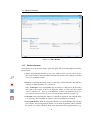
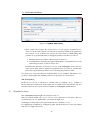
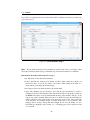
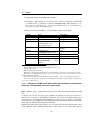
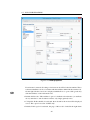
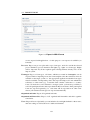
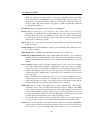
• DMS TableHandler: The representation for DMS table of the process can be definied
here (tab Documents of the process instance). Further details can be found in section
Using the DMS API of Application Development Guide.
• Process-details-handler (JS): Enter an own DOJO widget for loading process detail
tabs. This widget must implement ep/widget/smartclient/wl/ProcessDetailsHandler.
More details can be found in Application Development Guide.
• Message template: This field allows to select a message template which is used for
sending notification emails. More information can be found in user manual under
keyword Email notification. If no message template is selected, the template with
id notification is used by default (located in application default). Alternatively own
message templates can be defined which can be used by this process (see section 6.11
for template definition).
• Priority: The priority of the process.
• Route orthogonal: If this Checkbox is active, the edges of the process are routed
orthogonally in the process editor.
• Model in BPMN: If this Checkbox is active, the process is opened in BPM-Notation.
If a process painted in WD-Notation is opened in process editor and this checkbox
will be activated, the user will be asked, if he wants to change the notation. If the user
confirms, the painted process will be transformed to BPM-Notation. In this case the
buffer for functions Undo/Redo and Copy/Cut/Paste in process editor will be cleared!
More details can be found in chapter 7.
• Description: Free text.
• Max. duration: Maximum running time of the process, specified in days, hours or
minutes.
• Active: see chapter 2.2.1
• Apply changes at: see section 2.2.1
6.5.5
Tab: Source
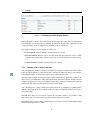
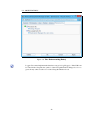
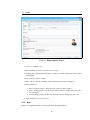
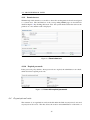
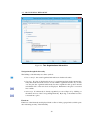
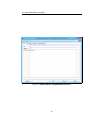
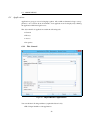
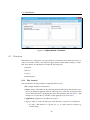
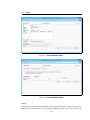
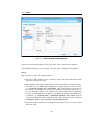
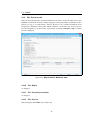
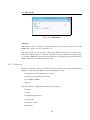
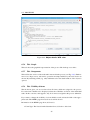
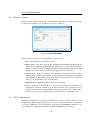
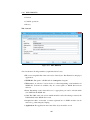
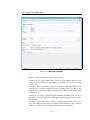
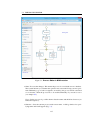
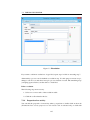
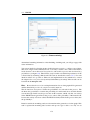
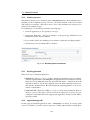
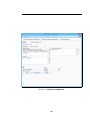
In this tab the WDL-Script of the selected process is shown (see Fig. 6.22).
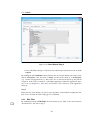
The button View BPMN opens a new window with the BPMN definition of the process. By
activating the button Download BPMN the BPMN defintion of the process can be downloaded to your local file system. More information concerning this topic can be found in
Application Development Guide in chapter BPMN.
By clicking the button View XWDL the XWDL definition of the process is shown in a new
window. Activating the button Download XWDL you can download the XWDL definition
of the process to your local file system.
84