1
Smartbar Operational Mode Menu Navigation
The Smartbar separates Operational functions from Configuration functions. The Smartbar operates
in either the Operational Mode or the Configuration Mode. A Smartbar operator uses the Operational
Mode when setting up and swathing a field. The Operational Mode is the primary operating mode.
Therefore, the number and complexity of all menus and sequences is minimized as much as possible.
The Configuration Mode is used to setup interface and operating variables. Some of the variables set
in the Congiguration Mode help to minimize button presses in the Operational Mode. An example is
the Tape Measure feature. When the Tape Measure is turned OFF, the TAP menu item is removed
from the operational menu sequence.
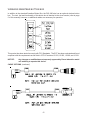
The Configuration Mode is entered only from the main RGL 600 screen. Press and hold the MENU
button for approximately 3 seconds. A screen showing “TO...CFG” is displayed. Press the SELECT
button to enter the Configuration Mode. Or press the MENU button to return to the RGL 600 screen.
For more details, see the section - Entering and Leaving the Configuration Mode.
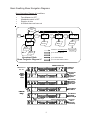
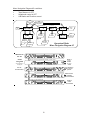
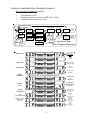
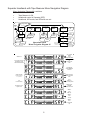
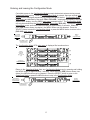
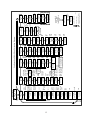
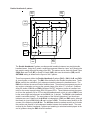
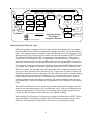
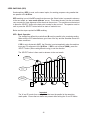
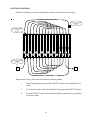
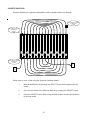
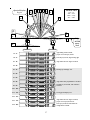
There are four different sets of Menu Navigation Diagrams in this section:
Basic Swathing w/Direction set to Auto
Back and Forth Swathing after A-B line and direction are setup
Combined Headlands
Separate Headlands with Tape Measure
There are five additional sets of Menu Navigation Diagrams in other sections:
Pivot Swathing
Row Swathing
Contour Swathing
Seed Swathing
ONE Swathing
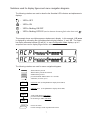
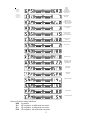
These sets are usually accompanied by a set of display figures that depict actual Light Bar displays
corresponding to the Menu Navigation Diagram.
There are numerous combinations of configurable operating features and methods for using the
Smartbar while covering a field with an applicator machine. These Menu Navigation Diagrams do not
show all combinations of operations. For instance, the Tape Measure is shown in the Separate
Headlands set, but it can also be used for Basic Swathing and Combined Headlands. Look in all
of the various sets of Menu Navigation Diagrams for solutions to your particular swathing requirements.
8