1
PD2000_User manual for Bestic_EN_ver4
Language: English
Date: 2014-05-07
User manual for Bestic
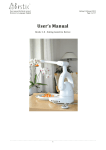
User Manual
Bestic software version 1.0 - 2.1
Eating Assistive Device
Bestic AB
c/o Business Hub, Årstaängsvägen 21 C
SE- 117 43 Stockholm, Sweden
Website: www.besticinc.com
E-mail: [email protected]
Telephone: +46(0)73-393 00 07
© Bestic AB 2014-05. All rights reserved.
Page 1 (17)
PD2000_User manual for Bestic_EN_ver4
Language: English
Date: 2014-05-07
User manual for Bestic
Table of contents
1) Introduction
2) Safety
3) Product overview
4) Handling
5) How to eat with Bestic
6) Cleaning
7) Transport and storage
8) Illustrations of how to remove the spoon and connect the USB
Bestic AB
c/o Business Hub, Årstaängsvägen 21 C
SE- 117 43 Stockholm, Sweden
Website: www.besticinc.com
E-mail: [email protected]
Telephone: +46(0)73-393 00 07
© Bestic AB 2014-05. All rights reserved.
Page 2 (17)
PD2000_User manual for Bestic_EN_ver4
Language: English
Date: 2014-05-07
User manual for Bestic
1. Introduction
1.1
Intended use
Bestic is an eating assistive device intended for use by persons that has a reduced
functionality in their arms or hands. The user controls the device via different control
switches.
Bestic is intended to use as a daily support during mealtimes.
It is intended to be placed steadily on a flat surface, e.g. on a table while in use.
Bestic can be used by both adults and children but it is not intended to be used as a
toy.
1.2
Bestic philosophy
Bestic is designed for use by persons with involuntary arm movements or weak finger
force. Bestic is controlled by the user who chooses which piece of food is lifted to the
mouth and when. Since every individual has different assistive needs, it is possible to
connect Bestic to different control devices. Handling the control device does not
require much effort.
The idea is that eating should be made possible with the least amount of effort, with
the user deciding on what type of food and when it shall be eaten. Bestic waits for
your instructions and does not move until you decide to give the next command.
1.3
Contact
Bestic is a Class I/CE-marked medical device, manufactured by Bestic AB, Stockholm,
Sweden. For local contact persons and service, please go to our website
(www.besticinc.com) to find contact information in your country.
Bestic AB
c/o Business Hub, Årstaängsvägen 21 C
SE- 117 43 Stockholm, Sweden
Website: www.besticinc.com
E-mail: [email protected]
Telephone: +46(0)73-393 00 07
© Bestic AB 2014-05. All rights reserved.
Page 3 (17)
PD2000_User manual for Bestic_EN_ver4
Language: English
Date: 2014-05-07
User manual for Bestic
2. Safety
It is important to read this chapter thoroughly and to understand it, before starting to
use Bestic.
2.1
Information about the warning-sign
This picture indicates a warning. If it is shown next to a
paragraph, it means that there is a risk of injuries for a
person, or a risk of damage to Bestic if the information is
neglected.
2.2
Disclaimer
Bestic AB takes no responsibility for damages caused by incorrect use.
Only persons who have been informed and instructed on its use should operate the
eating device. It must be operated according to the instructions in this User's Manual.
Bestic AB has the right to change specifications on Bestic without notification.
2.3
Safety instructions
Always evaluate what demands the user’s health condition and diagnose
affects the meal environment, especially concerning the risk of choking.
Using Bestic does not cause an elevated risk for choking compared with
being fed by a person.
Follow the safety instructions below..
1.
Make sure that you understand all the instructions and warnings before you
connect and start using Bestic.
2.
The plate shall stand to the left of Bestic when the text in the display is facing
the user. The plate shall stand so that it touches the “feet” of Bestic and have a
non-slip mat underneath.
Bestic AB
c/o Business Hub, Årstaängsvägen 21 C
SE- 117 43 Stockholm, Sweden
Website: www.besticinc.com
E-mail: [email protected]
Telephone: +46(0)73-393 00 07
© Bestic AB 2014-05. All rights reserved.
Page 4 (17)
PD2000_User manual for Bestic_EN_ver4
Language: English
Date: 2014-05-07
User manual for Bestic
3.
Do not dismantle any screws from Bestic. Do not try to open it in any way.
4.
Never pour liquids over Bestic or immerse into liquids.
5.
Never hold the power-cable, or any contact, with wet hands.
6.
Place Bestic on a flat and steady surface. Make sure Bestic stands steadily
without risk of falling.
7.
Attach only the supplied power-adaptor to Bestic. Never modify the poweradaptor yourself.
8.
Take hold of the plug when disconnecting from an electrical outlet, do not pull
the cable.
9.
Be aware of the risks for squeezing. When the arm is moving, the risk areas
occur near the joints.
10. Make sure the temperature around Bestic does not exceed +40 degrees Celsius.
Do not leave Bestic in the sunlight or in a trunk of a car on a sunny day.
11. Do not put fragile objects close to Bestic as they might be tipped or damaged by
the movements of the arm. Be extra careful with candles.
12. Never put Bestic in the dishwasher.
13. Do not transport Bestic in a bag with wheels, the trembling that occurs might
damage it.
14. When Bestic shall be transported, all control devices and contacts shall be
unplugged to prevent it from starting.
15. Should the function of Bestic change in any way or behave unexpectedly, turn of
the unit, unplug the power adaptor and contact your local service contacts
Bestic AB
c/o Business Hub, Årstaängsvägen 21 C
SE- 117 43 Stockholm, Sweden
Website: www.besticinc.com
E-mail: [email protected]
Telephone: +46(0)73-393 00 07
© Bestic AB 2014-05. All rights reserved.
Page 5 (17)
PD2000_User manual for Bestic_EN_ver4
Language: English
Date: 2014-05-07
User manual for Bestic
3. Product overview
3.1
Description
Overview of Bestic, system parts:
1.
2.
3.
4.
5.
6.
7.
Spoon holder
Carrying handle
Menu window
On/Off button
Phone plug (connection port)
USB (connection port)
Charging connector for power
cord
8. Reset button
9. Spoon
10. Power adapter
Bestic AB
c/o Business Hub, Årstaängsvägen 21 C
SE- 117 43 Stockholm, Sweden
Website: www.besticinc.com
E-mail: [email protected]
Telephone: +46(0)73-393 00 07
© Bestic AB 2014-05. All rights reserved.
Page 6 (17)
PD2000_User manual for Bestic_EN_ver4
Language: English
Date: 2014-05-07
User manual for Bestic
4. Handling
4.1 Lifting Bestic
When lifting Bestic, use the built-in handle in the lower, thicker part of the arm,
see picture.
Do not lift Bestic with the thin upper part of
the arm.
Bestic AB
c/o Business Hub, Årstaängsvägen 21 C
SE- 117 43 Stockholm, Sweden
Website: www.besticinc.com
E-mail: [email protected]
Telephone: +46(0)73-393 00 07
© Bestic AB 2014-05. All rights reserved.
Page 7 (17)
PD2000_User manual for Bestic_EN_ver4
Language: English
Date: 2014-05-07
User manual for Bestic
4.2 Connecting a control device
Bestic can only be connected to approved and
validated control devices. If the unit is
connected with a control device that has not
been validated there is a risk of electrical
disturbance or damages.
A complete and updated list is available on
our website www.besticinc.com.
There are two types of connectors for control devices on Bestic:
A. USB
B. Phone plug
The connector depends on which control switch you are using. Available
connectors on the side of Bestic:
4.
5.
6.
7.
On/Off button
Phone plug (connection port)
USB (connection port)
Charging connector for power
cord
4.3 Charging
Bestic contains a battery that needs to be charged. If Bestic does not start or if
the display tells you to charge, connect the power-adaptor.
Bestic AB
c/o Business Hub, Årstaängsvägen 21 C
SE- 117 43 Stockholm, Sweden
Website: www.besticinc.com
E-mail: [email protected]
Telephone: +46(0)73-393 00 07
© Bestic AB 2014-05. All rights reserved.
Page 8 (17)
PD2000_User manual for Bestic_EN_ver4
Language: English
Date: 2014-05-07
User manual for Bestic
Connection and disconnection of the power-adaptor can be done at any time.
When the power-adaptor is connected the battery is automatically charged. The
time to charge a completely empty battery is app. 3 hours. If you are operating
the device during charging, it may take a longer time before it is fully charged.
4.4 To mount and dismantle the spoon
Mounting the spoon: Attach the spoon by aiming the end of the spoon into the fissure
and snap onto the rear part of the spoon-holder.
Dismantle the spoon by pressing on the side of the spoon holder to make it pop out a
bit in the rear end then lift the rear part of the spoon holder back and towards the
side.
Bestic AB
c/o Business Hub, Årstaängsvägen 21 C
SE- 117 43 Stockholm, Sweden
Website: www.besticinc.com
E-mail: [email protected]
Telephone: +46(0)73-393 00 07
© Bestic AB 2014-05. All rights reserved.
Page 9 (17)
PD2000_User manual for Bestic_EN_ver4
Language: English
Date: 2014-05-07
User manual for Bestic
4.4 The plate
Use the plate that is supplied with Bestic in order to ensure a good eating
assistive functionality. This plate has been carefully selected due to the edge
which facilitates scooping of the food. The diameter of the plate also
corresponds with the arm movements of Bestic.
Bestic AB
c/o Business Hub, Årstaängsvägen 21 C
SE- 117 43 Stockholm, Sweden
Website: www.besticinc.com
E-mail: [email protected]
Telephone: +46(0)73-393 00 07
© Bestic AB 2014-05. All rights reserved.
Page 10 (17)
PD2000_User manual for Bestic_EN_ver4
Language: English
Date: 2014-05-07
User manual for Bestic
5. How to eat with Bestic
Before starting use – make sure you have read and understood all the safety
instructions in chapter “2. Safety”. You should also have read chapter “4.
Handling”.
The settings are made through a menu system which is accessed when the user
starts Bestic. There are two menus in Bestic:
a) User menu. The user menu is intended for settings done by the user. This
is the menu presented when starting Bestic.
b) Advanced menu. This menu is intended for installation and is described in
“Installations instructions”.
5.1 Start
1. Make sure that Bestic is placed on a flat, steady surface.
2. Place Bestic close to the plate, so that the device touches the plate.
3. Mount the spoon.
4. Connect your control device.
5. To start press the black power button on the side of Bestic.
5.2 Settings done by the user
The display menu has two rows. The upper row of the display often shows a
claim or question. The lower row displays alternative answers.
First menu choice
Renew settings?
Yes / No
If the user wishes to change the preset settings, choose “Yes” by clicking
forward on the control device.
Bestic AB
c/o Business Hub, Årstaängsvägen 21 C
SE- 117 43 Stockholm, Sweden
Website: www.besticinc.com
E-mail: [email protected]
Telephone: +46(0)73-393 00 07
© Bestic AB 2014-05. All rights reserved.
Page 11 (17)
PD2000_User manual for Bestic_EN_ver4
Language: English
Date: 2014-05-07
User manual for Bestic
If the user does not wish to renew settings, but rather wishes to start eating
immediately, choose “No” by clicking the ok button.
Second menu choice
The first step in customizing the settings of Bestic is to choose what kind of food
you want to eat.
Food type?
Pieces / Soup
“Pieces” refers to any kind of food that can be divided into pieces in suitable
size for scooping by a spoon.
“Soup” can be any kind of more liquid food, like yoghurt, creamy desserts or
soups. When selecting “Soup”, the scooping movement of the arm is different
compared to when using “Pieces” and adapts to reduce spilling, by wiping off
the bottom of the spoon before moving up to the mouth.
Third menu choice
Adapt the spoon so as to make eating comfortable and easy.
Mouth height?
XX (in centimeters)
Set the height from the plate to the mouth in centimeters. Go stepwise up and
down from the pre-configured settings until you have reached a comfortable
height.
Spoon towards mouth?
XX
How close to the mouth would you like the spoon to go? Set the appropriate
distance so that taking the food from the spoon is easy.
The spoon will now go the set position.
Bestic AB
c/o Business Hub, Årstaängsvägen 21 C
SE- 117 43 Stockholm, Sweden
Website: www.besticinc.com
E-mail: [email protected]
Telephone: +46(0)73-393 00 07
© Bestic AB 2014-05. All rights reserved.
Page 12 (17)
PD2000_User manual for Bestic_EN_ver4
Language: English
Date: 2014-05-07
User manual for Bestic
Are these the right settings you need? Bestic will ask you:
Mouth height OK?
Yes / No
If you need to adapt the settings again, press No. Repeat this procedure until
the right height and distance have been set. Then press OK.
Enjoy your meal
Bestic goes to the starting position
After the settings are made, Bestic is ready to be used and moves to the starting
position by the mouth.
5.3 Using Bestic
Bestic does not move unless instructed to do so by the user via the control
device. For information on how to use your control device, please see the
specific instructions for your choice of control device.
Most commonly the control devices have five buttons for multifunctional
maneuvers. EXAMPLE theBestic Picasso MINI control device:
Use the device with the cable pointing upwards and towards the plate. Choose
which side of the plate you wish to pick your food from – right or left – by giving
the corresponding directional command.
Bestic AB
c/o Business Hub, Årstaängsvägen 21 C
SE- 117 43 Stockholm, Sweden
Website: www.besticinc.com
E-mail: [email protected]
Telephone: +46(0)73-393 00 07
© Bestic AB 2014-05. All rights reserved.
Page 13 (17)
PD2000_User manual for Bestic_EN_ver4
Language: English
Date: 2014-05-07
User manual for Bestic
The spoon goes down to the plate facing the chosen side.
The spoon can be controlled in any direction on the plate by using th e
directional commands (away, towards, right or left signal.).
When the chosen piece of food is on the spoon (or between the spoon and the
edge of the plate) a confirmation signal shall be given.
The spoon is turned to a horizontal position and then collects the food onto
the spoon.
The spoon stops, waits and then gently shakes to make sure the spoon is not too
full. This is done in order to minimize spilling. If you have selected soup, the
spoon backs towards the far end of the plate and wipes of drops from under the
spoon.
The spoon then moves up to the mouth position to eat the food from the spoon.
After taking the piece of food, continue with the next mouthful by repeating the
steps above.
5.4
Turn off
Press the button on the side of Bestic until the display is lit with the text “Bestic
moves to shipping position”. When releasing the button Bestic starts to move.
Bestic turns off automatically after not being used for about 20 minutes.
However it will not go into shipping position but remain in the same position as
it was left.
5.5
Emergency stop
Turning off of Bestic for emergency stop is done by pressing the black power
button.
5.6
Reset
If Bestic does not react on command or reacts strangely in any way, a “Reset”
might help. Press the reset button on the bottom side of Bestic with a pen
through the hole where it says “Reset”.
Bestic AB
c/o Business Hub, Årstaängsvägen 21 C
SE- 117 43 Stockholm, Sweden
Website: www.besticinc.com
E-mail: [email protected]
Telephone: +46(0)73-393 00 07
© Bestic AB 2014-05. All rights reserved.
Page 14 (17)
PD2000_User manual for Bestic_EN_ver4
Language: English
Date: 2014-05-07
User manual for Bestic
6. Care instructions
How to take care of Bestic.
6.1
Cleaning
Make sure that Bestic is turned off.
Disconnect the power-adapter and control device.
The spoon with the holder and the plate can be washed by hand or in a
dishwasher.
Cleaning of the main unit, the power-adapter and control device is done with a
moist cloth with dishwashing liquid for manual washing-up or alcohol. Do not
use strong detergents, solvents or abrasive detergents. When needed, a soft
brush may be used.
Bestic AB
c/o Business Hub, Årstaängsvägen 21 C
SE- 117 43 Stockholm, Sweden
Website: www.besticinc.com
E-mail: [email protected]
Telephone: +46(0)73-393 00 07
© Bestic AB 2014-05. All rights reserved.
Page 15 (17)
PD2000_User manual for Bestic_EN_ver4
Language: English
Date: 2014-05-07
User manual for Bestic
7. Transport and storage
7.1
Packing for transportation
When the unit is being transported, make sure it is turned off in the shipping
position. In the shipping position it is folded and compact which is suitable for
transportation.
Make sure control device and power adapter are unplugged when carrying or
shipping Bestic.
Do not place Bestic in a bag on wheels. Shaking and vibrations may cause
damage to the unit when transported this way.
Preferably use the dedicated backpacks or flight case when transporting Bestic.
Try to avoid pressure or shaking. The arm in particular is sensitive for enduring
inappropriate pressures.
7.2
Storage
For maintenance reasons, the battery in Bestic needs to be charged at least once
per year during 3 hours, otherwise the battery might be damaged. Store the unit
in a standing-up position on a flat surface.
Bestic AB
c/o Business Hub, Årstaängsvägen 21 C
SE- 117 43 Stockholm, Sweden
Website: www.besticinc.com
E-mail: [email protected]
Telephone: +46(0)73-393 00 07
© Bestic AB 2014-05. All rights reserved.
Page 16 (17)
PD2000_User manual for Bestic_EN_ver4
Language: English
Date: 2014-05-07
User manual for Bestic
1
2
3
4
Bestic AB
c/o Business Hub, Årstaängsvägen 21 C
SE- 117 43 Stockholm, Sweden
Website: www.besticinc.com
E-mail: [email protected]
Telephone: +46(0)73-393 00 07
© Bestic AB 2014-05. All rights reserved.
Page 17 (17)