1
Working with Traktor DJ-Studio
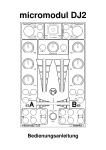
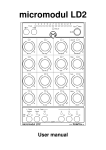
Generally the DJ2 is used for controlling two decks. You can choose whether deck A & B or
deck C & D in Traktor 3.0 should be controlled by the setup in the system mode of the DJ2.
Of course the Traktor versions before 3.0 only have deck A & B. The layout of the DJ2 is
very simple and logical and reminds of a DJ-mixer.
The most important controls are both of the line-faders, the cross-faders and the EQ-pots. The
functions of these controls do not really need to be explained to any DJ. The EQ-controls
have a central locking position, which helps to find the zero-value quickly.
You can also use the EQ-pots for the FX-control in Traktor 3.0. To do so you have to press
the corresponding black key next to the FX-LED and the Shift-key until the LED starts to
blink. You did not only switch the joystick to the corresponding deck, but the 3 EQ-pots
control following parameter:
High = FX-pot 2
Mid = FX-Poti 3 (Filter-width in Traktor 2.x)
Low = FX-Poti 4 (Filter-reso in Traktor 2.x)
Another function when holding the shift-key is that all movements of the controls show no
reaction in Traktor. This is useful to avoid value-differences when changing the EQ-pots to
FX-control.
Transport-keys
The 12 transport-keys on the lower edge correspond to the control-functions of the two decks,
whereas the blue keys control the pitch bend function.
The following double functions are assigned to the deck-control buttons:
Shift + Cue/Pause = Loop Active/Out (only 3.0 setup)
Shift + Play/Pause = Loop Set/In (only 3.0 setup)
Shift + Sync (without label) = Tap
Shift + Cue/Play = Reverse
Shift + Pitchbend - = Pitchbend down without change of tone pitch in keylock-mode (only
3.0 setup)
Setup + Pitchbend + = Pitchbend up without change of tone pitch in keylock-mode (only 3.0
setup)
FX/EQ-keys
The green keys (2x2) correspond to the FX-functions in Traktor 3.0:
Left key = FX key 2 (key function without snap in for tap, put, action)
Right key = FX key 4 (mostly on-function)
Shift + left key = fx key 1
Shift + right key = fx key 3
The black kill-key below serves for the low-kill-switch. In combination with the shift-key the
particular FX-types can be chosen in Traktor 3.0.
micromodul DJ2
Page 11
User manual