1
2.2.6
Checking if GOT recognizes controllers
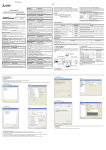
Check if the GOT recognizes controllers with [Communication Setting] of the utility.
• Assignment status of the channel number and communication driver corresponding to the communication
interface
• Communication unit installation status
Remark
How to display utility (at factory default)
When using GT16 or GT1595
Utility call key
1-point press on GOT screen upper-left corner
Utility display
(When using GT16)
When using GT1585, GT157
GT156 or GT155
,
(When using GT15)
Utility call key
Simultaneous 2-point press
When setting utility call key to 1-point
When setting [Pressing Time] to any other than 0 second on the setting screen for
the utility call key, press and hold the utility call key until the buzzer sounds.
For the settings of the utility call key, refer to the following.
GT
2 - 16
User's Manual
2.2 Preparatory Procedures for Monitoring
2.2.6 Checking if GOT recognizes controllers