1
Introduction to all Setting Functions
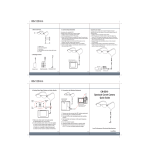
04. Date/time setting > Setting Date and Time
Press
on Date and time to select.
In the sub-menu bar
Press
/
, Press
/
to enter the last or next item/page.
to finish the selection.
05. Date/time /format >
Press
on Date Time Format to select.
06. Language > Choose the language for Operating interface
Press
on Language to select.
07 Pre-set Recording Mode > set up the screen to be automatically returned to which recording mode.
08. Resume to pre-set duration > Setting how long to be resumed to the Pre-Set mode.
PV-500 ECO User Manual
14