1
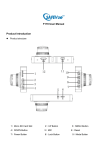
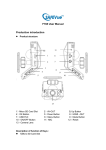
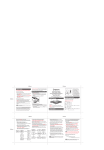
1)2.7 inch Screen
Display recording video
2)Power Button
Long press to ON/OFF device
Press once to switch to video recording mode, picture mode and playback
mode
3)Reset
Press and hold 10s with power connected to reset device
4)Menu Button
Press one to enter into first page of menu
Press twice to enter into second page of menu
5)Up Button
Move up to select the function keys in menu option;
Zoom in in standby or recording mode;
6)Down Button
Move down to select the function keys in menu options;
Zoom out in standby or recording mode;
7) Record Button
Confirm button under menu option
ON/OFF video recording under recording mode
Take Photo under picture mode
8) Lens
Used to record video
9)MIC
Used to record sound
10) Pinchcock
Used to hock on existing rear view mirror
11)AV-OUT
Support component video output
12)USB data interface
Connect PC to transfer data;