1
Creating and Editing Email Campaigns
The email software’s email campaigns are usually based on templates (see Using
Templates). You can take a template and customize it for use in your campaign;
replacing its text with your own, adding or removing sections and images, and
modifying its formatting if required.
Alternatively, you can create a new email campaign without using a template. If you
choose to do this, you can build the campaign yourself using the text or HTML editor, or
import an HTML file from your computer or a web page.
Take the following steps to create a custom email campaign:
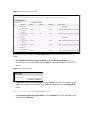
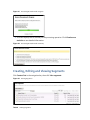
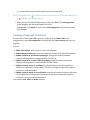
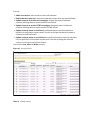
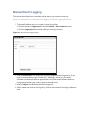
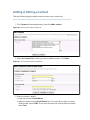
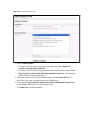
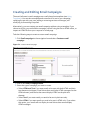
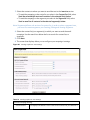
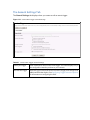
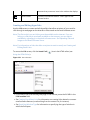
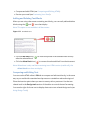
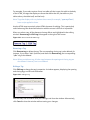
1 Click Email campaigns in the navigation bar and select Create an email
campaign.
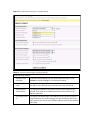
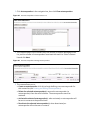
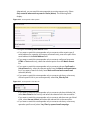
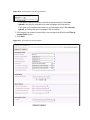
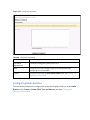
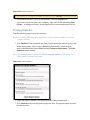
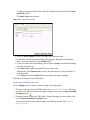
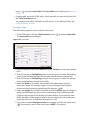
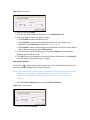
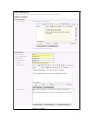
Figure 74 Create an Email Campaign
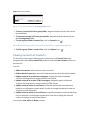
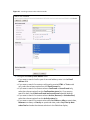
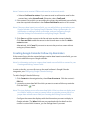
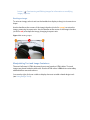
2 Enter a new Email Campaign Name.
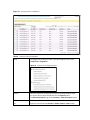
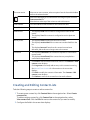
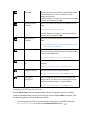
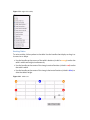
3 Select the type of campaign you want to create.
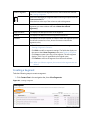
• Select HTML and Text if you want emails to be sent with both HTML and plain
text elements (multipart). Email clients that can display HTML messages use the
HTML element, and clients that cannot display HTML use the plain text
element.
• Select Text if you want emails you send to be sent in plain text only.
• Select HTML if you want emails you send to be sent in HTML only. If you select
this option, your emails will not display in email clients that cannot display
HTML messages.