1
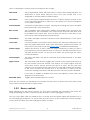
Solina V ships with several banks of factory presets, each containing a number of types and
presets. These cannot be overwritten, but they are great starting points for creating new presets.
Then you can use the SAVE AS feature to save the changes as your own presets.
3.3.1 Select a bank, type, or preset
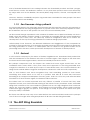
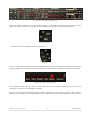
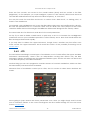
The bank, type and preset selections are permanently displayed in the plug-in tool bar.
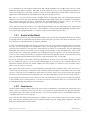
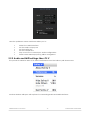
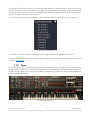
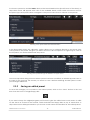
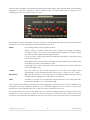
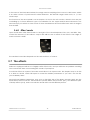
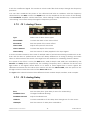
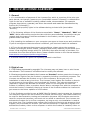
To choose a new preset in the current Bank and Type, click on the Preset Name field. A dropdown menu will appear with a list of the available presets in that category. Or if you know which
preset you want inside that category and don’t need to look at the list, simply use the blue arrows
to move up and down through the choices. Either way, as soon as the preset has been chosen
the new sound will be available for your MIDI controller or your sequencer.
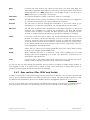
Selecting a new preset
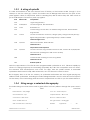
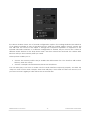
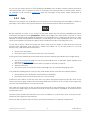
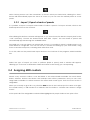
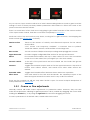
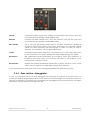
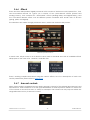
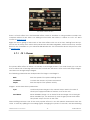
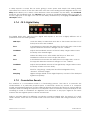
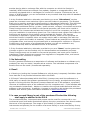
To choose a different type of preset in the same bank, click on the Preset Type button (the middle
one of the three). A drop-down menu will appear with a list of the types of presets contained in
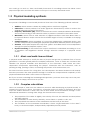
the same bank (Classic, Distorted, etc.). Each type listed in the menu contains a sub-menu with its
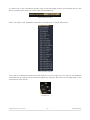
own list of preset names. Follow the arrows to choose the desired preset from within these submenus.
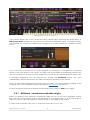
Selecting a new preset inside the Preset Type menu
ARTURIA SOLINA V User Manual
-21-
3 USER INTERFACE