1
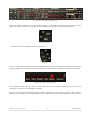
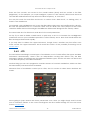
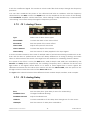
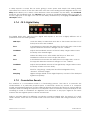
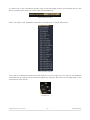
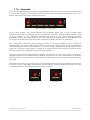
Mono and stereo Ensemble effect settings
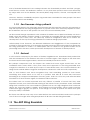
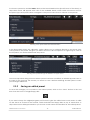
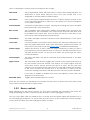
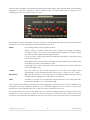
As you can see, Open mode unveils a lot of what’s been making Solina V sound so great. And the
settings of each of these previously hidden parameters will continue to affect the sound of the
preset even when the lid is closed.
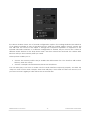
There’s so much here, in fact, that we’re only going to give a brief overview of the various sections
of the Open mode controls, and then cover them completely in section 3.6.
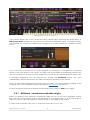
We’ll start at the top and work our way down, moving left to right as before, and skipping the
basic controls (see section 3.5.1 for those):
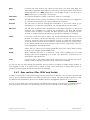
Master section
These set the amount of velocity and aftertouch response for the volume
and the filter.
LFO
“LFO” means “Low Frequency Oscillator”, a common term in synthesis.
Tweak the vibrato, tremolo, and bass filter mod settings here.
Bass section
Two sub-sections: Filter/level envelope settings and arpeggiator controls.
Upper Resonator
Provides a highly configurable filter section for the Upper instrument.
Effects
Five essential FX modules, with up to three active at once. The convolution
reverb is not to be missed, but you might if you don’t look closely.
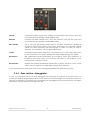
Amount controls
To the left of the pitch bend and mod wheels are two knobs that govern
their range.
Humana
Toggles the Humana sound in and out for the Upper instrument. It has a bit of
motion even without effects, and sounds even nicer when effects are
added.
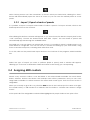
Ensemble width
Toggles the Ensemble effect between stereo and mono operation.
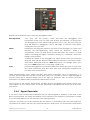
Effect sends
One knob each for FX1, FX2 and the Reverb. The combined output of the
Bass and Upper instruments can be sent to any or all of the effects.
Those are the controls you will see only when the lid is open. For more in-depth descriptions of
each parameter, see section 3.6.
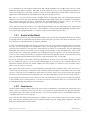
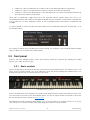
3.5.3 Coarse vs. Fine adjustments
Normally controls will make coarse adjustments to parameter values. However, they can also
make fine adjustments, allowing for greater precision. This is possible by dragging the cursor while
holding the Control key, or by using the right click first and then dragging the cursor.
To reset a parameter to its default value, double-click that control.
ARTURIA SOLINA V User Manual
-28-
3 USER INTERFACE