1
HDMI Setting
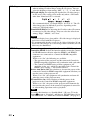
Device List: Lists all the Control for HDMI compatible equipment
connected to the projector.
When “Enable” is selected, the Control for HDMI setting of Sony
equipment (AV amplifier, video, etc.), which is compatible with
“Control for HDMI - Easy Setting”, will also be effective.
Using the Menus
* “Control for HDMI - Easy Setting” is a function that makes the
Control for HDMI setting of equipment connected to HDMI input
of the projector effective as well when the Control for HDMI
setting of the projector is effective. This function is only available
between compatible Sony equipment, and some equipment may
not be compatible.
Although some non-Sony equipment may be compatible,
operation is not guaranteed for such equipment.
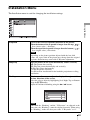
HDMI Dynamic Range
Set the video input level of HDMI 1 and HDMI 2 connectors.
Auto: Sets the video input level automatically.
Limited: The video input level is set for signals of 16-235.
Full: The video input level is set for signals of 0-255.
Note
If the video output setting of the connected HDMI device is not set
correctly, light and dark parts of the video may appear too light or
too dark.
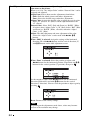
Auto Input Search
Hides input terminals that do not have signal input.
When set to “On”, terminals without input signals do not appear on
the input palette that appears when you press INPUT.
To display all input terminals, set this to “Off”. (1 page 31)
Background
Selects the background color of the screen when no signal is
input.
You can select “Black” or “Blue”.
Settings Lock
Locks menu item settings to prevent operational error. (1 page 62)
Off: Cancels the Settings Lock.
Level A: Clears the display of 20 items from the menu.
Level B: In addition to Level A, clears the display of a further 15
items.
61