1
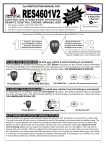
 ARM/DISARM: Pressing button one once. As
soon as you release, the alarm will respond.
PANIC: Activate by pressing & holding down
button 1 for 3 seconds. This sets off the siren. To
cancel “panic”, press button one once.
NOTE: Button 2 not used
LED'S
Receive
Red
Valid
Red
Program
Yellow
Run
Green
Receive: On when any data packets are received - even
if codes are not programmed.
Valid: On while valid data is decoded e.g. while Tx is
pressed or PIR transmitting. Flashes 6 times when in
program mode and valid data is received for storage.
Program: On when any switch is in the “on” position,
flashes when more than one switch is in the on position.
Run: Normally flashing at 0.5 Hz - indicates
microprocessor is running.
Antenna
Wire
Add
Delete
User Code
ON
1 2 3 4 5 6 7 8
OFF
Bank 1
+12VDC
Ground
Zone 1 Detector Output
Zone 2 Detector Output
Zone 3 Detector Output
Zone 4 Detector Output
Supervision Output
Low Battery Output
Panic Output
On/Off Output
Keep the antenna vertical &
straight, and away from
metal. Mount the receiver
inside the top of your panel
box, with the maximum
possible length of antenna
extending from the top.
All outputs are open – collector. This means the outputs will be open circuit
normally and will output ground/earth for 1 second when triggered.
2