1
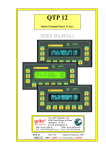
QTP 16
Quick Terminal Panel 16 Keys
USER MANUAL
Via dell' Artigiano, 8/6
40016
San Giorgio di Piano
®
(Bologna) ITALY
ITALIAN TECHNOLOGY
Email: [email protected]
http://www.grifo.it
http://www.grifo.com
Tel. +39 051 892.052 (a.r.)
FAX +39 051 893.661
Edition 5.20
Rel. 21 February 2000
QTP 16
®
®
, GPC , grifo , are trade marks of grifo®
grifo
QTP 16
Quick Terminal Panel 16 Keys
USER MANUAL
Intelligent user panel equipped with Fluorescent or LCD display, LEDs
back lighted, 20x2 or 20x4 characters; RS 232, RS 422 or Current Loop
serial line; EEPROM for set-up and messages; 16 keys; Buzzer driven
by software; Autorepeat and Keyclick functions; Master-Slave
communication available; Built-in switching power supply; Possibility
of re-naming the panel name by inserting label with new name or
identification code into a proper slot; 4 optocoupled inputs, managed by
user software or by on board firmware to select 16 messages that can
be shown on the display.
Via dell' Artigiano, 8/6
40016
San Giorgio di Piano
®
(Bologna) ITALY
ITALIAN TECHNOLOGY
Email: [email protected]
http://www.grifo.it
http://www.grifo.com
Tel. +39 051 892.052 (a.r.)
FAX +39 051 893.661
Edition 5.20
Rel. 21 February 2000
QTP 16
®
®
, GPC , grifo , are trade marks of grifo®
grifo
DOCUMENTATION COPYRIGHT BY grifo® , ALL RIGHTS RESERVED.
No part of this document may be reproduced, transmitted, transcribed, stored in a
retrieval system, or translated into any language or computer language, in any form or
by any means, either electronic, mechanical, magnetic, optical, chemical, manual, or
otherwise, without the prior written consent of grifo®.
QTP 16
Quick Terminal Panel 16 Keys
USER MANUAL
IMPORTANT
Although all the information contained herein have been carefully verified, grifo®
assumes no responsibility for errors that might appear in this document, or for damage
to things or persons resulting from technical errors, omission and improper use of this
manual and of the related software and hardware.
grifo® reservs the right to change the contents and form of this document, as well as the
features and specification of its products at any time, without prior notice, to obtain
always the best product.
For specific informations on the components mounted on the card, please refer to the
Data Book of the builder or second sources.
SYMBOLS DESCRIPTION
In the manual could appear the following symbols:
Attention: Generic danger
Attention: High voltage
Trade
marks
Via dell'
Artigiano, 8/6
® 40016 San Giorgio di Piano
®
, GPC®, grifo® : are trade (Bologna)
marks of grifo
.
ITALY
ITALIAN TECHNOLOGY
Email:
Other Product and Company names listed,
[email protected]
trade marks of their respective companies.
http://www.grifo.it
http://www.grifo.com
Tel. +39 051 892.052 (a.r.)
FAX +39 051 893.661
Edition 5.20
Rel. 21 February 2000
QTP 16
®
®
, GPC , grifo , are trade marks of grifo®
grifo
grifo®
ITALIAN TECHNOLOGY
GENERAL INDEX
INTRODUCTION ........................................................................................................................ 1
FIRMWARE RELEASE .............................................................................................................. 1
TERMINAL GENERAL FEATURES ........................................................................................ 2
SERIAL COMMUNICATION ............................................................................................... 2
BUZZER ................................................................................................................................... 3
DISPLAY .................................................................................................................................. 3
KEYBOARD ............................................................................................................................ 3
EEPROM .................................................................................................................................. 3
OPTOCOUPLED INPUT LINES .......................................................................................... 3
ON BOARD POWER SUPPLY ............................................................................................. 3
TECHNICAL FEATURES .......................................................................................................... 4
GENERAL FEATURES .......................................................................................................... 4
PHYSICAL FEATURES ......................................................................................................... 4
ELECTRICAL FEATURES ................................................................................................... 6
TERMINAL INSTALLATION ................................................................................................... 9
CN5 - POWER SUPPLY CONNECTOR. ............................................................................. 9
4 PINS CONNECTOR FOR POWER SUPPLY ............................................................. 9
2 PINS CONNECTOR FOR A.C. SUPPLY ................................................................... 10
2 PINS CONNECTOR FOR QTP 16 D.C. SUPPLY ..................................................... 10
CN6 - OPTOCOUPLED INPUTS CONNECTOR (OPTIONAL) .................................... 11
CN4 - CONNECTOR FOR SERIAL COMMUNICATION ............................................. 12
RS 232 CONNECTION ................................................................................................... 12
RS 422 CONNECTION ................................................................................................... 13
RS 485 CONNECTION ................................................................................................... 14
RS 485 MASTER-SLAVE COMMUNICATION NETWORK .................................... 15
CURRENT LOOP CONNECTION ................................................................................ 16
SOFTWARE DESCRIPTION ..................................................................................................... 9
LOCAL SETUP ..................................................................................................................... 18
KEYBOARD ACQUISITION .............................................................................................. 19
DEFAULT KEY CODES ................................................................................................. 19
CHARACTER VISUALIZATION ON THE DISPLAY .................................................... 20
COMMANDS FOR CURSOR POSITIONING ................................................................. 20
CURSOR LEFT ................................................................................................................ 20
CURSOR RIGHT ............................................................................................................. 20
CURSOR DOWN ............................................................................................................. 20
CURSOR UP ..................................................................................................................... 20
HOME ............................................................................................................................... 21
CARRIAGE RETURN .................................................................................................... 21
CARRIAGE RETURN+LINE FEED ............................................................................. 21
CURSOR ABSOLUTE POSITIONING WITH 20H OFFEST .................................... 21
QTP 16
Rel. 5.20
Page I
grifo®
ITALIAN TECHNOLOGY
COMMANDS FOR CHARACTERS ERASURE .............................................................. 22
BACKSPACE .................................................................................................................... 22
CLEAR PAGE .................................................................................................................. 22
CLEAR LINE ................................................................................................................... 22
CLEAR END OF LINE.................................................................................................... 22
CLEAR END OF PAGE .................................................................................................. 23
COMMANDS FOR CURSOR ATTRIBUTES ................................................................... 23
CURSOR OFF .................................................................................................................. 23
STEADY CURSOR ON ................................................................................................... 23
BLINKING BLOCK CURSOR ON ............................................................................... 23
COMMANDS FOR EEPROM ............................................................................................. 24
REQUEST FOR EEPROM WRITING POSSIBILITY ............................................... 24
WRITING OF LIFE BYTE ............................................................................................. 24
READING OF LIFE BYTE ............................................................................................. 24
COMMANDS FOR KEYBOARD ....................................................................................... 25
KEY RECONFIGURATION .......................................................................................... 25
KEYCLICK ON WITHOUT MEMORIZATION ........................................................ 25
KEYCLICK OFF WITHOUT MEMORIZATION ...................................................... 25
KEYCLICK ON WITH MEMORIZATION ................................................................. 26
KEYCLICK OFF WITH MEMORIZATION ............................................................... 26
COMMANDS FOR GENERAL FUNCTIONS .................................................................. 27
BEEP .................................................................................................................................. 27
READING OF VERSION NUMBER ............................................................................. 27
COMMANDS FOR MESSAGES MANAGEMENT ......................................................... 28
READING OF THE LAST STORABLE MESSAGE NUMBER ................................ 28
MESSAGE STORING ..................................................................................................... 28
MESSAGE READING ..................................................................................................... 29
MESSAGES VISUALIZATION ..................................................................................... 29
SCROLLING MESSAGE VISUALIZATION............................................................... 30
COMMANDS FOR OPTOCOUPLED INPUTS MANAGEMENT ................................. 31
OPTOCOUPLED INPUTS CONFIGURATION .......................................................... 31
OPTOCOUPLED INPUTS-DRIVEN MESSAGES MANAGEMENT MODE ......... 31
OPTOCOUPLED INPUTS READING .......................................................................... 33
COMMAND CODES SUMMARY TABLES ...................................................................... 34
MASTER-SLAVE COMMUNICATION MODE ............................................................... 36
Page II
QTP 16
Rel. 5.20
grifo®
ITALIAN TECHNOLOGY
FIGURE INDEX
FIGURE 1: QTP 16 SIZE ................................................................................................................... 5
FIGURE 2: QTP 16 CONSUMPTIONS TABLE ....................................................................................... 6
FIGURE 3: QTP 16 PHOTO ............................................................................................................... 7
FIGURE 4: QTP 16 PANEL ................................................................................................................ 8
FIGURE 5: CN5 - 4 PINS CONNECTOR FOR POWER SUPPLY ................................................................. 9
FIGURE 6: CN5 - 2 PINS CONNECTOR FOR A.C. SUPPLY .................................................................. 10
FIGURE 7: CN5 - 2 PINS CONNECTOR FOR D.C. SUPPLY .................................................................. 10
FIGURE 8: CN6 - OPTOCOUPLED INPUTS CONNECTOR ..................................................................... 11
FIGURE 9: OPTOCOUPLED INPUTS CONNECTION EXAMPLE ................................................................ 11
FIGURE 10: CN4 - RS 232 PIN-OUT AND CONNECTION EXAMPLE ................................................... 12
FIGURE 11: CN4 - RS 422 PIN-OUT AND CONNECTION EXAMPLE ................................................... 13
FIGURE 12: RS 485 PIN-OUT AND CONNECTION EXAMPLE ................................................................ 14
FIGURE 13: RS 485 NETWORK CONNECTION EXAMPLE .................................................................... 15
FIGURE 14: CN4 - CURRENT LOOP PIN-OUT ................................................................................. 16
FIGURE 15: 4 WIRES CURRENT LOOP POINT TO POINT CONNECTION EXAMPLE .......................... 17
FIGURE 16: 2 WIRES CURRENT LOOP POINT TO POINT CONNECTION EXAMPLE .......................... 17
FIGURE 17: DEFAULT KEY CODES .................................................................................................... 19
FIGURE 18: NUMBER OF MESSAGES STORABLE ON EEPROM ......................................................... 28
FIGURE 19: MESSAGES AND RELATIVE OPTOCOUPLED INPUTS COMBINATION ..................................... 32
FIGURE 20: COMMAND CODES SUMMARY TABLE 1 .......................................................................... 34
FIGURE 21: COMMAND CODES SUMMARY TABLE 2 .......................................................................... 35
FIGURE A1: LCD 20X2 CHARACTERS TABLE ................................................................................ A-1
FIGURE A2: LCD 20X4 CHARACTERS TABLE ................................................................................ A-2
FIGURE A3: FLUORESCENT 20X2 AND 20X4 CHARACTERS TABLE ................................................... A-3
FIGURE B1: PERSONALIZATION LABEL SIZE ................................................................................... B-1
FIGURE B2: PERSONALIZATION LABEL INSERTION .......................................................................... B-1
QTP 16
Rel. 5.20
Page III
grifo®
Page IV
ITALIAN TECHNOLOGY
QTP 16
Rel. 5.20
ITALIAN TECHNOLOGY
grifo®
INTRODUCTION
The use of these devices has turned - IN EXCLUSIVE WAY - to specialized personnel.
The purpose of this handbook is to give the necessary information to the cognizant and sure use of
the products. They are the result of a continual and systematic elaboration of data and technical tests
saved and validated from the Builder, related to the inside modes of certainty and quality of the
information.
The reported data are destined- IN EXCLUSIVE WAY- to specialized users, that can interact with
the devices in safety conditions for the persons, for the machine and for the enviroment, impersonating
an elementary diagnostic of breakdowns and of malfunction conditions by performing simple
functional verify operations , in the height respect of the actual safety and health norms.
The informations for the installation, the assemblage, the dismantlement, the handling, the adjustment,
the reparation and the contingent accessories, devices etc. installation are destined - and then
executable - always and in exclusive way from specialized warned and educated personnel, or
directly from the TECHNICAL AUTHORIZED ASSISTANCE, in the height respect of the builder
recommendations and the actual safety and health norms.
The devices can't be used outside a box. The User must always insert the cards in a container that
rispect the actual safety normative. The protection of this container is not threshold to the only
atmospheric agents, but specially to mechanic, electric, magnetic, etc. ones.
To be on good terms with the products, is necessary guarantee legibility and conservation of the
manual, also for future references. In case of deterioration or more easily for technical updates,
consult the AUTHORIZED TECHNICAL ASSISTANCE directly.
To prevent problems during card utilization, it is a good practice to read carefully all the informations
of this manual. After this reading, the User can use the general index and the alphabetical index,
respectly at the begining and at the end of the manual, to find information in a faster and more easy
way.
FIRMWARE RELEASE
This handbook makes reference to firmware release 1.2 and following ones. The validity of the
information contained in this manual is subordinated to the firmware release number, so the user must
always verify the correct correspondence beetween the notations. Inside the device, the firmware
release number is written on the label stuck on the CPU or it can be obtained by a proper command
sent through the serial line.
QTP 16
Rel. 5.20
Page 1
grifo®
ITALIAN TECHNOLOGY
TERMINAL GENERAL FEATURES
QTP 16 (Quick Terminal Panel 16 Keys) is a complete IP-54 operator panel, specifically designed
for industrial use and for direct mounting on automatic machinery. It is, in every respect, video
terminals suitable to be the direct interface between operator and machinery in any of the control
or comand operations which could be necessary during running or diagnostic of the same. QTP 16
is available with Alphanumeric Fluorescent or LCD displays, back lighted or not and with 2 or
4 lines of 20 characters. The QTP 16 affords 16 keys. A label slot can be used to carry a name for
the QTP 16 or the user’s own logo. The basic QTP 16 can be expanded utilizing the various options
available, namely serial EEPROM, up to 2 Kbyte storage room for message saving; 4 optocoupled
input lines used as user input (readable through serial line) or for direct management of 16 messages;
etc. The QTP 16 is able to execute an entire range of display commands, including Clear Screen,
Position cursor, EEPROM reading or writing, etc., with code compatibility to ADDS ViewPoint
standard video terminal.
Features of QTP 16, including options, are as follows:
- Overall dimension: Standard DIN 96x192 mm frontal frame size; 8 mm frontal
frame depth; 22 mm rear metallic housing depth
- Tropicalized metallic housing with front plastics frame
- Aluminium front panel with anti-scratch polyester mask
- Case with rear mounting bracket "U" type
- Front panel mounting
- Keypad with 16 keys
- IP-54 standard protection for front display panel
- Panel name personalization label slot
- 4 optocoupled input lines for direct management of 16 messages
- Reading of the 4 optocoupled input lines through serial line
- Alphanumeric display options:
QTP 16-C2: LCD display, back lighted or not, with 2 lines of 20 characters
QTP 16-C4: LCD display, back lighted or not, with 4 lines of 20 characters
QTP 16-F2: Fluorescent display with 2 lines of 20 characters
QTP 16-F4: Fluorescent display with 4 lines of 20 characters
- Buzzer programmable as BELL or to sound with keystroke
- E2 up to 2 Kbyte for permanent storage of set-up, messages, key codes,etc.
- Memorization on E2 and visualization, also scrolled, of more than 100 messages
- RS 232, RS 422, RS 485 or Current Loop serial line
- Communication configurable as Point-to-point or Master-Slave
- Local set up for communication parameters (Baud Rate, Stop bits, Keyclick, etc.)
- Internal power supply capable of driving small external loads
- DC or AC power supply from 5 Vdc to 24 Vac
SERIAL COMMUNICATION
The communication with remote units is by standard RS 232 serial line, but it can be optionally
changed in RS 422, RS 485 or Current Loop. Communication mode can be point-to-point or MasterSlave, employing the nineth-bit techinque; communication protocol is 8 (point-to-point) or 9
(Master-Slave) Bit, no parity, Baud Rate selectable amongst 1200, 2400, 4800, 9600, 19200, 38400
Baud and Stop bit selectable amongst 1, 2. Baud rate and stop bits are defined through set up mode.
Page 2
QTP 16
Rel. 5.20
ITALIAN TECHNOLOGY
grifo®
BUZZER
QTP 16 has a circuitery capable to emit a steady sound based on a capacitive buzzer. Such circuitery
can be activated by software through a specific comand for generating a sound-beep or it can be
linked to a key-pressure just to get the KeyClick function.
DISPLAY
QTP 16 is available with Fluorescent alphanumeric displays and with LCD alphanumeric displays
back lighted or not. The displays are available with 20 characters per line, available options are:
Fluorescent 20x2, Fluorescent 20x4, LCD 20x2, LCD 20x4.
KEYBOARD
QTP 16 has a 16 keys keyboard. Code output to the serial line by pressing one key is completely
software configurable, in addition these keys are equipped with AutoRepeat feature and there is
the possibility to switch on/off the KeyClick function, i.e the Buzzer function each time a chosen key
is pressed.
EEPROM
QTP 16 has the on-board EEPROM (the size varies from 256Bytes to 2 KBytes) for memorizing
set-up, communication protocol, messagges, and so on. It is possible to memorize up to 100
messages of 20 characters to be read in any moment or shown on the display, just giving the
identifying number of the message to the terminal. QTP 16 also features the scrolling mode to display
a messages: this way it is possible to show on a single display row informations that occupy more
space than the amount normally available.
Please remember that the first 16 messages can be recalled on display, simply setting with a proper
combination on the 4 optocoupled input lines.
OPTOCOUPLED INPUT LINES
QTP 16 has 4 NPN optocoupled input lines. They can be used as generic inputs from the field through
a specific serial line command or they can recall and show on display the first 16 messages.
ON BOARD POWER SUPPLY
QTP 16 has an on board switching power supply so it can be powered with a voltage up to 24 Vac.
Optionally, the +5Vdc voltage generated by this power supply, can be used to power small external
loads directly from the terminal itself.
Please note that QTP 16 can also be delivered with a circuitery that allows to power the terminal
directly with a +5Vdc voltage.
QTP 16
Rel. 5.20
Page 3
grifo®
ITALIAN TECHNOLOGY
TECHNICAL FEATURES
GENERAL FEATURES
On board resources:
- 16 keys.
- LCD Display (2 or 4 lines of 20 characters) back lighted or
not, trimmer for contrast regulation; or Fluorescent Display
(2 or 4 lines of 20 characters).
- BUZZER for BELL function, or sound feed back when keys
are pressed.
- Full duplex RS 232 or RS 422 or Current Loop serial line.
- EEPROM for set-up, messagges and so on (Max. 2 KBytes).
- 4 NPN Optocoupled input lines (Option).
On board CPU:
89C2051 with 14.7456 MHz Quartz.
Communication protocols:
Master-Slave or point-to-point modes
Baud Rate: 1200, 2400, 4800, 9600, 19200 or 38400 Bauds.
1 or 2 Stop Bit.
No Parity.
8 Bit.
Character size:
Fluorescent 20x2: 5 x 7 dots, 2,40 x 4,70 mm (Horiz., Vertical)
Fluorescent 20x4: 5 x 7 dots, 2,40 x 4,70 mm (Horiz., Vertical)
LCD 20x2:
5 x 7 dots, 3,20 x 4,85 mm (Horiz., Vertical)
LCD 20x4:
5 x 7 dots, 2,95 x 4,75 mm (Horiz., Vertical)
PHYSICAL FEATURES
Size:
Please refer to figure 1
Weight:
600 g max
Mounting:
On panel as Front-panel.
Temperature range:
from 0 to 50 °C.
Relative humidity:
20% up to 90% (without condense)
Connectors:
CN4: 9 pins female D connector for serial connection.
CN5: 2 or 4 pins quick scew connector for power supply.
CN6: 6 pins quick screw connector for OPTOCOUPLED
inputs connection (Option).
Page 4
QTP 16
Rel. 5.20
grifo®
ITALIAN TECHNOLOGY
QTP 16 OVERALL SIZE
Here is the QTP 16 size (in mm.) Rear view and side view where connectors are located. Drawings
are not scaled.
90.5
96.5
186.5
Breaking for Connectors
34
23
8.5
192.5
FIGURE 1: QTP 16 SIZE
QTP 16
Rel. 5.20
Page 5
grifo®
ITALIAN TECHNOLOGY
ELECTRICAL FEATURES
Power supplt voltages:
5Vdc or 8÷24Vac
External loads power supply:
5Vdc (Option)
Power supply power:
5W
RS 422-485 Termination Network:
pull-up resistor on positive:
pull-down resistor on negative:
line termination resistor:
Optocoupler Power supply voltage:
+12÷24 Vdc
3.3 KΩ
3.3 KΩ
120 Ω
Hereunder is listed the QTP 16 consumptions referred to the different display types. These
consumptions are referred to the QTP 16 basic version with no options.
DISPLAY Model
Consumption
NOT Back lighted LCD
30 mA - 5 Vdc
0.155 W - 8÷24 Vac
Back lighted 20x2 LCD
150 mA - 5 Vdc
0.95 W - 8÷24 Vac
Back lighted 20x4 LCD
150 mA - 5 Vdc
0.95 W - 8÷24 Vac
20x2 Fluorescent
165 mA - 5 Vdc
1.05 W - 8÷24 Vac
20x4 Fluorescent
280 mA - 5 Vdc
1.75 W - 8÷24 Vac
FIGURE 2: QTP 16 CONSUMPTIONS TABLE
Page 6
QTP 16
Rel. 5.20
ITALIAN TECHNOLOGY
grifo®
FIGURE 3: QTP 16 PHOTO
QTP 16
Rel. 5.20
Page 7
D
#
0
*
C
9
8
7
6
5
4
QTP 16
grifo®
3
2
B
ITALIAN TECHNOLOGY
1
A
grifo®
FIGURE 4: QTP 16 PANEL
Page 8
QTP 16
Rel. 5.20
grifo®
ITALIAN TECHNOLOGY
TERMINAL INSTALLATION
This chapter illustrates all the operations which have to be done for the proper use of QTP 16
terminal. QTP 16 is provided with 3 connectors (1 of which is optional) for getting all the
connections to the system. Here under please find the list of their Pin-Out and the meaning of the
connected signals.
CN5 - POWER SUPPLY CONNECTOR.
CN5 is a quick screw terminal connector having 2 or 4 pins. This connector must be used to supply
and/or get the requested and/or generated power supply voltage of the terminal.
The standard QTP 16 version is supplied with a 2 pins connector for 8÷24Vac supply (please refer
to figure n. 6). All the other configurations are OPTIONS and must be requested in order phase.
Here there is the rear view of the terminal where are shown the possible connector configurations.
4 PINS CONNECTOR FOR POWER SUPPLY
8÷24 Vac
GND + 5 Vdc
FIGURE 5: CN5 - 4 PINS CONNECTOR FOR POWER SUPPLY
Signals description:
8÷24 Vac =
I
-
+5Vdc
=
O
-
GND
=
QTP 16
Rel. 5.20
Lines for QTP 16 powering through A.C. voltage connected to the
on-board switching section.
Output line to supply an external load through the on-board
switching power supply.
Ground line for external load supply.
Page 9
grifo®
ITALIAN TECHNOLOGY
2 PINS CONNECTOR FOR A.C. SUPPLY
8÷24 Vac
FIGURE 6: CN5 - 2 PINS CONNECTOR FOR A.C. SUPPLY
Signals description:
8÷24 Vac =
I
-
Lines for QTP 16 supply through A.C. voltage connected to on-board
switching.
2 PINS CONNECTOR FOR QTP 16 D.C. SUPPLY
GND + 5 Vdc
FIGURE 7: CN5 - 2 PINS CONNECTOR FOR D.C. SUPPLY
Signals description:
+5Vdc
GND
Page 10
=
=
I
-
Line for QTP 16 supply through a D.C. voltage.
Ground line for QTP 16 supply.
QTP 16
Rel. 5.20
grifo®
ITALIAN TECHNOLOGY
CN6 - OPTOCOUPLED INPUTS CONNECTOR (OPTIONAL)
CN6 is a 5 pins quick screw terminal connector. On this connector the 4 NPN optocoupled input lines
and the +Vopto signal to power the on-board OPTOCOUPLER components are available.
+Vopto IN3 IN2 IN1 IN0
FIGURE 8: CN6 - OPTOCOUPLED INPUTS CONNECTOR
Signals description:
INn
+Vopto
=
=
I
I
-
NPN input connected to the optocoupled "n" line.
Power supply for the Optocoupler (+12÷+24 Vdc).
12÷24 Vdc
+
-
+Vopto
5
5 Pin Connector
CN6 QTP 16
IN3
4
IN2
3
IN1
2
IN0
1
FIGURE 9: OPTOCOUPLED INPUTS CONNECTION EXAMPLE
QTP 16
Rel. 5.20
Page 11
grifo®
ITALIAN TECHNOLOGY
CN4 - CONNECTOR FOR SERIAL COMMUNICATION
CN4 is a 9 pins D female connector. On CN4 connector are available the buffered signals for RS 232,
RS 422-485 or Current Loop serial communication. Only one of the described standards is
connected to CN4, but the same connector can be used for any of the listed electric protocols (CCITT
normative). Signals location has been carefully studied in order to reduce to the minimum level the
interferences and making easier the connection to the field.
RS 232 CONNECTION
1
RxD
TxD
6
2
7
3
8
4
9
RxD
TxD
TxD
RxD
GND
GND
3
Master Remote System
5
2
9 Pin Connector
CN4 QTP 16
GND
5
FIGURE 10: CN4 - RS 232 PIN-OUT AND CONNECTION EXAMPLE
Signals description:
RxD
TxD
GND
Page 12
=
=
=
I
O
-
Receive Data.
Transmit Data.
Ground line.
QTP 16
Rel. 5.20
grifo®
ITALIAN TECHNOLOGY
RS 422 CONNECTION
RXRX+
TXTX+
GND
1
6
2
7
3
8
4
9
5
RX -
TX -
RX +
TX +
TX -
RX -
TX +
RX +
GND
GND
2
3
4
Master Remote System
9 Pin Connector
CN4 QTP 16
1
5
FIGURE 11: CN4 - RS 422 PIN-OUT AND CONNECTION EXAMPLE
Signals description:
RXRX+
TXTX+
GND
QTP 16
=
=
=
=
=
I
I
O
O
-
Rel. 5.20
Receive Data Negative for 4 wires RS 422.
Receive Data Positive for 4 wires RS 422.
Transmit Data Negative for 4 wires RS 422.
Transmit Data Positive for 4 wires RS 422.
Ground line.
Page 13
grifo®
ITALIAN TECHNOLOGY
RS 485 CONNECTION
TX / RXTX / RX+
1
6
2
7
3
8
4
9
5
TX / RX -
RX / TX -
TX / RX +
RX / TX +
GND
GND
1
2
Master Remote System
9 Pin Connector
CN4 QTP 16
GND
5
FIGURE 12: RS 485 PIN-OUT AND CONNECTION EXAMPLE
Signals description:
TX / RX - =
I/O - Receive/Transmit Data Negative: Negative receive or transmit signal
for RS 485 differential communication
TX / RX - =
I/O - Receive/Transmit Data Negative: Negative receive or transmit signal
for RS 485 differential communication
GND
=
- Ground signal
NOTE
Only 9 bits Master-Slave communication is available in RS 485 mode.
Page 14
QTP 16
Rel. 5.20
grifo®
ITALIAN TECHNOLOGY
RS 485 MASTER-SLAVE COMMUNICATION NETWORK
Here follows an example of RS 485 Master-Slave communication network
Master
Slave 1
+
Tx/Rx
-
120 Ω
Tx/Rx
GND
QTP 16
Unit
GND
+
Slave 2
+
Tx/Rx
GND
QTP 16
Unit
-
+5V
Slave n
+
Tx/Rx
GND
QTP 16
Unit
-
FIGURE 13: RS 485 NETWORK CONNECTION EXAMPLE
Please remark that in a RS 485 network two forcing resistor must be connected across the net and
two termination resistors (120 Ω)must be placed at its extrems, respectevely near the Master unit and
the Slave unit at the greatest distance from the Master.
Forcing and terminating circuitry is installed on board of QTP 16 terminal. It can be enabled or
disabled through the solder jumers JS1 and JS2; in detail:
JS1 and JS2 -> Connected:
Connect the termination and forcing circuitry
to the RS 485 network
Not Connected (DEFAULT): Disconnect the termination and forcing
circuitry from the RS 485 network
For further informations please refer to the TEXAS INSTRUMENTS Data-Book,"RS 422 and RS
485 Interface Circuits", in the introduction regarding RS 422-485 networks.
QTP 16
Rel. 5.20
Page 15
grifo®
ITALIAN TECHNOLOGY
CURRENT LOOP CONNECTION
1
6
2
7
3
8
4
9
TX+ Curr. Loop
TX- Curr. Loop
RX+ Curr. Loop
RX- Curr. Loop
5
FIGURE 14: CN4 - CURRENT LOOP PIN-OUT
Signals description:
RX- Curr.Loop =
RX+ Curr.Loop =
TX- Curr.Loop =
TX+ Curr.Loop =
I
I
O
O
-
Receive Data Negative for Current Loop.
Receive Data Positive for Current Loop.
Transmit Data Negative for Current Loop.
Transmit Data Positive for Current Loop .
Possible Current Loop connections are two: 2 wires and 4 wires.
These connections are shown in the next drawings where it is possible to see the
voltage for VCL and the resistances for current limitation (R).
The supply voltage vary in compliance with the number of connected devices. When the maximum
current (20mA) runs, it must be guaranted that each device dissipates at maximum 125mW for
transmitter and 90mW for receiver.
The R resistance is needed for limiting the maximum current in case of line short circuit.
Tipically, this is a 220 Ω resistance for a voltage of VCL=5Vdc.
For further info please refer to HEWLETT-PACKARD Data Book, (HCPL 4100 and 4200 devices).
Page 16
QTP 16
Rel. 5.20
grifo®
-
VCL
+
R
RX -
TX +
9 Pin Connector
CN4 QTP 16
9
RX +
TX -
8
R
TX -
RX +
7
TX +
RX -
Master Remote System
ITALIAN TECHNOLOGY
6
FIGURE 15: 4 WIRES CURRENT LOOP POINT TO POINT CONNECTION EXAMPLE
RX -
VCL
+
R
TX +
9 Pin Connector
CN4 QTP 16
9
RX +
TX -
TX -
RX +
TX +
RX -
8
7
Master Remote System
-
6
FIGURE 16: 2 WIRES CURRENT LOOP POINT TO POINT CONNECTION EXAMPLE
NOTE
Only 9 bits Master-Slave communication is available in 2 wires Current-Loop mode.
QTP 16
Rel. 5.20
Page 17
grifo®
ITALIAN TECHNOLOGY
SOFTWARE DESCRIPTION
As already said QTP 16 terminal is a complete video terminal and for this reason any thing received
through serial line, if it is not a command, is shown on the display and codes of any key pressed on
the keyboard is transmitted to the control master unit. On board of this terminal panel is also
implemented a local set-up program which allows to set the communication protocol by using the
QTP’s keyboard and display. This manual contains, in addition to the description of the different
functions, a complete list of the comand sequences and the recognized combination to be used to
benefit of the main features of QTP 16. For each code or codes sequence, there is a double description
i.e: the mnemonic one through the ASCII characters and the numerical one under decimal and
hexdecimal form. The said commands respect the ADDS View Point standard so all the sequences
begin with ESC character corresponding to the 27 decimal code (1B Hex).
LOCAL SETUP
To enter in Setup mode the user must press the "1" and "D" keys at the power-on time.
When entered in Setup mode on the display appears the "-Setup-" string and the terminal awaits until
the user presses one of the following keys:
Key "1" : Allows to select the parameter to set, switching amongst the following menus:
"COMMUNICATION" (communication mode), "BAUD RATE" (Baud Rate),
"KEYCLICK" (Key-Click function), "NAME" (first figure of NAME),
"NAME" (second figure of NAME) and "SAVE and EXIT" (exit from Setup).
Key "2" : Allows to set the parameter selected by the key "1", in detail:
COMMUNICATION: Normal or Master-Slave.
BAUD RATE:
38400, 19200, 9600, 4800, 2400 or 1200 Baud.
STOP BIT:
1 or 2 when communication is Normal.
1
when communication is Master-Slave.
KEYCLIK:
ON or OFF.
NAME:
Changes the figure indicated by ">" and "<" in the range
0÷F Hex.
SAVE and EXIT:
Exits from setup and configures QTP 16 with the
parameters set now.
Please remark that the code input under the menu "NAME" will be the code to be used to identify
the QTP 16 during the Master-Slave communication, as shown in the paragraph dedicated to this
subject.
Page 18
QTP 16
Rel. 5.20
grifo®
ITALIAN TECHNOLOGY
KEYBOARD ACQUISITION
When QTP 16 recognizes the key pressure, it transmits the pertinent code on serial line.
The AutoRepeat function of the pressed key is also implemented so when QTP 16 recognizes the
pressure on a specific key for a period of time over 0.5 sec. it will start the serial transmission of
its code for about 0.1 sec. and it lasts until that specific key is released.
DEFAULT KEY CODES
Here follows a table reporting the codes sent to the serial line when a key is pressed; the codes are
expressed in decimal, hexadecimal and ASCII.
KEY
CODE
HEX CODE
MNEMONIC
1 (number 0)
49
31
1
2 (number 1)
50
32
2
3 (number 2)
51
33
3
A (number 3)
65
41
A
4 (number 4)
52
34
4
5 (number 5)
53
35
5
6 (number 6)
54
36
6
B (number 7)
66
42
B
7 (number 8)
55
37
7
8 (number 9)
56
38
8
9 (number 10)
57
39
9
C (number 11)
67
43
C
* (number 12)
27
1B
ESC
0 (number 13)
48
30
0
# (number 14)
13
0D
CR
D (number 15)
68
44
D
FIGURE 17: DEFAULT KEY CODES
QTP 16
Rel. 5.20
Page 19
grifo®
ITALIAN TECHNOLOGY
CHARACTER VISUALIZATION ON THE DISPLAY
QTP 16 shows on the display all the characters having a code included in the range 32÷255 (20÷FF
Hex); if it is sent a code not included in this range and this latter is not a command, the code is ignored.
The characters in the range: 32÷127 (20÷7F Hex) correspond to those ones of the standard ASCII
table, while characters associated to 128÷255 (80÷FF Hex) codes, vary depending on the type of the
display installed. This is the reason why the User sholud refer to appendix "A" tables.
The character is visualized in the at the cursor position and this latter will go the the next position;
if it is placed in the last position of the last row, it will be moved to Home position.
COMMANDS FOR CURSOR POSITIONING
Here follows the list of the cursor positioning commands.
CURSOR LEFT
Code:
Mnemonic:
21
NACK
(15Hex)
The cursor is shifted of one position to the left without modifying the display contents. If the cursor
is in Home position, it will be placed in the last position of the last row of the display.
CURSOR RIGHT
Code:
Mnemonic:
06
ACK
The cursor is shifted of one position to the right.
If the cursor is placed in the last position of the last row, il will be moved to the Home position.
CURSOR DOWN
Code:
Mnemonic:
10
LF
(0A Hex)
The cursor will be moved to the line below but it will remain in the same column.
If the cursor is in the last display line, it will be moved to the first display line.
CURSOR UP
Code:
Mnemonic:
26
SUB
(1A Hex)
The cursor will be moved to the line above but it will remain in the same column. If the cursor is in
the first display line, it will be moved to the last display line.
Page 20
QTP 16
Rel. 5.20
grifo®
ITALIAN TECHNOLOGY
HOME
Code:
Mnemonic:
01
SOH
The cursor is moved to Home position i.e first line, first column of the display.
CARRIAGE RETURN
Code:
Mnemonic:
13
CR
(0D Hex)
The cursor is moved to the beginning of the line where it finds.
CARRIAGE RETURN+LINE FEED
Code:
Mnemonic:
29
GS
(1D Hex)
The cursor is moved to the beginning of line above the one where it finds.
If the cursor is at the last display line, it will be moved to the beginning of the first line i.e Home
position.
CURSOR ABSOLUTE POSITIONING WITH 20H OFFEST
Code:
Mnemonic:
27 89 r c (1B 59 r c Hex)
ESC Y ASCII(r) ASCII(c)
The cursor is moved to the absolute position indicated by "r" and "c".
These codes are line and column values of the position plus 32 (20 Hex).
If, for example, the User wants to place the cursor at Home position (line 0, column 0), the following
byte sequence must be sent to the QTP 16: 27 89 32 32.
If line and/or column values are not compatible to the installed display, the command is ignored.
QTP 16
Rel. 5.20
Page 21
grifo®
ITALIAN TECHNOLOGY
COMMANDS FOR CHARACTERS ERASURE
In the following paragraphs are described all the commands that deletes one or more characters from
the display.
BACKSPACE
Code:
Mnemonic:
08
BS
(08 Hex)
This command moves the cursor one character position to the left and it erase the contents of the
reached cell. If the cursor is in home position, it will be erased the last character of the last row of
the display.
CLEAR PAGE
Code:
Mnemonic:
12
FF
(0C Hex)
This command clears all data on the display and it moves the cursor to home position.
CLEAR LINE
Code:
Mnemonic:
25
EM
(19 Hex)
This command erases all characters displayed on the current line and it moves the cursor to the first
column of the said line.
CLEAR END OF LINE
Code:
Mnemonic:
27 75
ESC K
(1B 4B Hex)
This command erases all characters displayed from the current cursor position to the end of line
inclusive. The cursor doesn't move and at the end of the command execution it mantains the previous
current position. If, for example, the cursor is at the beginning of a display line, the complete line will
be erased.
Page 22
QTP 16
Rel. 5.20
grifo®
ITALIAN TECHNOLOGY
CLEAR END OF PAGE
Code:
Mnemonic:
27 107
ESC k
(1B 6B Hex)
This command erases all characters displayed from the current cursor position to the end of display
inclusive. The cursor doesn't move and at the end of the command execution it mantains the previous
current position.
COMMANDS FOR CURSOR ATTRIBUTES
In the following paragraphs are described all the commands that change the cursor type.
CURSOR OFF
Code:
Mnemonic:
27 80
ESC P
(1B 50Hex)
The cursor is disabled and it is not more visible.
STEADY CURSOR ON
Code:
Mnemonic:
27 79
ESC O
(1B 4F Hex)
The cursor is enabled and it is visible. The selected cursor type is a not blinking line placed under
the char.
Note: this command is not available if fluorescent 20x4 display is installed.
BLINKING BLOCK CURSOR ON
Code:
Mnemonic:
27 81
ESC Q
(1B 51 Hex)
The cursor is enabled and it is visible. The selected cursor type is a blinking rectangular block that
is alternatively visualized with the char displayed on the same position.
QTP 16
Rel. 5.20
Page 23
grifo®
ITALIAN TECHNOLOGY
COMMANDS FOR EEPROM
In the following paragraphs are described all the commands that manage the data saved on QTP 16
on board EEPROM.
REQUEST FOR EEPROM WRITING POSSIBILITY
Code:
Mnemonic:
27 51
ESC 3
(1B 33 Hex)
This command checks if the QTP 16 is ready for writing data on its on board EEPROM. This
command must be executed any time there are messages to be memorized or when some EEPROM
commands must be sent.
When QTP 16 receives this command, it answers with the following codes:
6 - 06 Hex
21 - 15 Hex
(ACK)
(NACK)
QTP 16 READY
QTP 16 NOT READY
If the QTP 16 sends back the NACK code, it is not yet possible to memorize a new data on EEPROM.
WRITING OF LIFE BYTE
Code:
Mnemonic:
27 33 78 byte
(1B 21 4E byte Hex)
ESC ! N ASCII (byte)
This command sets the card "Life Byte" with the value indicated in the byte parameter that can be
included in 0÷255 range.
This byte has a reserved allocation on the on board EEPROM that, once it is set with the desidered
value, it allows for example, to verify that QTP 16 runs correctly, or if there are some communication
problems on the serial line.
NOTE
This command writes data on the on board EEPROM, so before executing it is better to check the
EEPROM writing possibility through the proper command; in fact if it is not ready the command is
ignored.
READING OF LIFE BYTE
Code:
Mnemonic:
27 33 110
ESC ! n
(1B 21 6E Hex)
The QTP 16 sends back on the serial line the value of its "Life Byte".
This command can be useful if you have to verify the presence or the correct running of the card.
Page 24
QTP 16
Rel. 5.20
grifo®
ITALIAN TECHNOLOGY
COMMANDS FOR KEYBOARD
In the following paragraphs are described all the commands that manage the QTP 16 external
keyboard.
KEY RECONFIGURATION
Code:
Mnemonic:
27 55 key no. code (1B 37 key no. code Hex)
ESC 7 ASCII(key no.) ASCII(code)
When the selected key is reconfigured, each time it is pressed, the card will send the new specified
code on serial line. The value of key no. to be reconfigured must be in the range 0÷15 (0÷F Hex) and
it will replace the codes described in figure 17.
The code value can vary in the range 0÷254 (0÷FE Hex) as the 255 value (FF Hex) indicates that
the key is disabled and when it will be pressed the QTP 16 will not send any code.
NOTE
This command writes data on the on board EEPROM, so before executing it is better to check the
EEPROM writing possibility through the proper command; in fact if it is not ready the command is
ignored. Furthermore if the key no. is not valid, the entire command is ignored.
KEYCLICK ON WITHOUT MEMORIZATION
Code:
Mnemonic:
27 53
ESC 5
(1B 35 Hex)
This command enables KeyClick function, so there is an audible feedback when a key is pressed.
This setting is not stored on the on board EEPROM so if the card is turned off and on, it returns to
the previous condition.
KEYCLICK OFF WITHOUT MEMORIZATION
Code:
Mnemonic:
27 54
ESC 6
(1B 36 Hex)
This command disables KeyClick function, so there is not audible feedback when a key is pressed.
This setting is not stored on the on board EEPROM so if the card is turned off and on, it returns to
the previous condition.
QTP 16
Rel. 5.20
Page 25
grifo®
ITALIAN TECHNOLOGY
KEYCLICK ON WITH MEMORIZATION
Code:
Mnemonic:
27 33 53
ESC ! 5
(1B 21 35 Hex)
This command enables KeyClick function, so there is an audible feedback when a key is pressed.
This setting is stored on the on board EEPROM so if the card is turned off and on, it keeps the current
condition.
NOTE
This command writes data on the on board EEPROM, so before executing it is better to check the
EEPROM writing possibility through the proper command; in fact if it is not ready the command is
ignored.
KEYCLICK OFF WITH MEMORIZATION
Code:
Mnemonic:
27 33 54
ESC ! 6
(1B 21 36 Hex)
This command disables KeyClick function, so there is not audible feedback when a key is pressed.
This setting is stored on the on board EEPROM so if the card is turned off and on, it keeps the current
condition.
NOTE
This command writes data on the on board EEPROM, so before executing it is better to check the
EEPROM writing possibility through the proper command; in fact if it is not ready the command is
ignored.
Page 26
QTP 16
Rel. 5.20
grifo®
ITALIAN TECHNOLOGY
COMMANDS FOR GENERAL FUNCTIONS
In the following paragraphs are described all the general purspose commands that manage some of
the QTP 16 functions.
BEEP
Code:
Menomonic:
07
BEL
(07 Hex)
This command enables the buzzer for 1/10 of second.
READING OF VERSION NUMBER
Code:
Mnemonic:
27 86
ESC V
(1B 56 Hex)
When QTP 16 receives this command, it answers with a string of 3 chars containing the version, in
the format x.x, of the firmware that is saved on, and executed by, its CPU. For example with a 1.2
firmware version the following characters will be transmitted: 49 46 50 (31 2E 32 Hex).
QTP 16
Rel. 5.20
Page 27
grifo®
ITALIAN TECHNOLOGY
COMMANDS FOR MESSAGES MANAGEMENT
In the following paragraphs are described all the commands that manage messages on QTP 16.
READING OF THE LAST STORABLE MESSAGE NUMBER
Code:
Mnemonic:
27 110
ESC n
(1B 6E Hex)
This comand returns on the serial line the number of the last message that can be saved on EEPROM.
It varys in compliace with the size of the EEPROM installed on the card, please refer to the below
table:
EEPROM SIZE
MAX N°
256 Bytes
9
512 Bytes
22
1024 Bytes
47
2048 Bytes
99
FIGURE 18: NUMBER OF MESSAGES STORABLE ON EEPROM
MESSAGE STORING
Code:
Mnemonic:
27 33 67 mess.no. char. 0... char.19
(1B 21 43 mess.no. char. 0... char.13 Hex)
ESC ! C ASCII(mess.no.) ASCII(char.0)...ASCII(char.19)
This command stores the 20 chars message, with number indicated as mess.no., on the on board
EEPROM. The 20 chars which form the message must be visualized on the display so they must be
in the range 32÷255 (20÷FF Hex) otherwise the command is ignored.
The message number must be included in the range of 0÷max. n., where max.n. is the number of
the last storable message just previously described in figure 18.
NOTE
This command writes data on the on board EEPROM, so before executing it is better to check the
EEPROM writing possibility through the proper command; in fact if it is not ready the command is
ignored.
Page 28
QTP 16
Rel. 5.20
grifo®
ITALIAN TECHNOLOGY
MESSAGE READING
Code:
Mnemonic:
27 33 69 mess.no. (1B 21 45 mess.no. Hex)
ESC ! E ASCII(mess.no.)
This command reads the 20 chars message corresponding to mess. no. by the EEPROM and it sends
this message on serial line, beginning from the first char of the string.
At the end of the message, the CR+LF codes are sent; these codes are not sent if QTP 16 is set in
Master-Slave mode.
The message number must be included in the range of 0÷max. no., where max.no. is the number of
the last storable message previously described in figure 18. If this number is not compatible with the
QTP 16 installed EEPROM size, this command is ignored.
MESSAGES VISUALIZATION
Code:
Mnemonic :
27 33 68 mess.no. n (1B 21 44 mess.no. n Hex)
ESC ! D ASCII(mess.no.) ASCII(n)
This command visualizes n 20 chars messages on the display, beginning from current cursor position.
The first of the n messages is that one having the number corresponding to mess.no. while the
remaining messages are those ones immediately subsequents in EEPROM.
The message number must be included in the range 0÷max.no, where max.no. is the value described
in figure 18. If this number is not compatible with the QTP 16 installed EEPROM size, this command
is ignored.
The n quantity of messages to be visualized depends only on the model of the display and it is included
in these ranges:
20x2 display:
20x4 display:
n between 1÷2
n between 1÷4
If the n value is not compatible with the installed display model, the command is ignored.
The cursor is placed in the next position of the last char visualized; if the last char of the message
occupies the last position of the display, the cursor will be placed in home position.
For example; if the User wants to visualize the messages no. 20 and 21, it will be necessary to send
the following sequence: 27 33 68 20 2.
QTP 16
Rel. 5.20
Page 29
grifo®
ITALIAN TECHNOLOGY
SCROLLING MESSAGE VISUALIZATION
Code:
Mnemonic:
27 33 83 mess.no. chars (1B 21 45 mess.no. chars Hex)
ESC ! E ASCII(mess.no.) ASCII(chars)
This command visualizes, on the first row of the display, a scrolling message chars charactes long;
in fact the characters that form the message are shifted from the right to the left, making possible to
show on an unique row of the display (the first row), an amount of informations greater than the one
normally available.
The message, which is chars characters long, begins from the first character of the message whose
number is mess.no. and is composed by the characters that make the mess.no. message and the
following ones (making the following messages stored on the EEPROM).
The message number must be included in the range of 0÷max. no., where max.no. is the number of
the last storable message previously described in figure 18. If this number is not compatible with the
QTP 16 installed EEPROM size, this command is ignored.
The value chars may have these meanings:
0
Stops the current scrolling (value of mess.no. is irrilevant)
20÷200
Starts to scroll the indicated number of characters
If chars has a vaule out of these ranges or it extends the scrolling messages beyond the limit of the
EEPROM storage space, the command is ignored.
The message will scroll in the first row of the display, without changing position and attributes of
the cursor.
This command is ignored if the optocoupled inputs-driven messages management mode is enabled.
If, for example, the User wants to show a scrolling message 23 characters long, made by message
5 (20 characters) and the first 3 characters of message 6,it will be necessary to send the following
sequence: 27 33 83 5 23.
NOTE
Scrolling a message involves a continuous display updating; this operation slows the interpretation
of commands coming from the serial port.
So if a great amount of informations must be sent to QTP 16 and a message is scrolling on the display,
it is suggestable to wait for some msec between the transmission of a 20÷30 bytes data block and the
next one, to assure that the terminal has had the time to interpretate correctly the transmitted data.
Page 30
QTP 16
Rel. 5.20
grifo®
ITALIAN TECHNOLOGY
COMMANDS FOR OPTOCOUPLED INPUTS MANAGEMENT
Here follow the commands that manage the QTP 16 four optocoupled inputs.
OPTOCOUPLED INPUTS CONFIGURATION
Code:
Mnemonic:
27 33 73 byte
ESC ! I ASCII(byte)
(1B 21 49 byte Hex)
The 4 optocoupled inputs configuration byte is stored on EEPROM with the following meaning:
Bit 0
-->
0
1
The optocoupled inputs are configured as GENERAL PURPOSE INPUTS
The optocoupled inputs are configured for MESSAGE SELECTION
Bit 1÷7
-->
1
Not used (must be to "1" logic state)
Enabling or disabling the optocoupled inputs for message selection involves the stop of an eventual
scrolling message.
For example; if the User wants to configure the optocoupled inputs for message selection, it will be
necessary to send the following sequence 27 33 73 254 to the card.
While, if the User wants to disable such feature, it will be necessary to send the following sequence
27 33 73 255 to the card.
NOTE
This command needs a data writing in on-board EEPROM so before executing it be sure that the card
is ready for the new writing on that device, otherwise the command will be ignored. Please remember
that the settings stored in EEPROM are maintained also after the power-off.
OPTOCOUPLED INPUTS-DRIVEN MESSAGES MANAGEMENT MODE
Through this working modality it is possible to show on the display of QTP 16 up to 16 messages
twenty characters long, simply by changing the status of the optocouped input lines. In fact the first
16 messages stored in EEPROM are matched to the combinations obtainable with the possible values
of optocoupled inputs.
Whenever the status of any of the inputs is changed, the matching message is shown on the first row
on the display. The message will remain on the display until the next change in the optocoupled inputs
status occours.
The following table shows the matching between message number and optocoupled input.
QTP 16
Rel. 5.20
Page 31
grifo®
ITALIAN TECHNOLOGY
IN3
IN2
IN1
IN0
Mess. N°
OFF
OFF
OFF
OFF
0
OFF
OFF
OFF
ON
1
OFF
OFF
ON
OFF
2
OFF
OFF
ON
ON
3
OFF
ON
OFF
OFF
4
OFF
ON
OFF
ON
5
OFF
ON
ON
OFF
6
OFF
ON
ON
ON
7
ON
OFF
OFF
OFF
8
ON
OFF
OFF
ON
9
ON
OFF
ON
OFF
10
ON
OFF
ON
ON
11
ON
ON
OFF
OFF
12
ON
ON
OFF
ON
13
ON
ON
ON
OFF
14
ON
ON
ON
ON
15
FIGURE 19: MESSAGES AND RELATIVE OPTOCOUPLED INPUTS COMBINATION
The optocoupled NPN input is active (ON) when the proper input contact is closed to the GND opto.
For example if the User wants to show the n° 8 message then he/she must connect IN3 to the GND
opto.
The messages in the 10÷15 range are not available if an EEPROM of 256 bytes size is mounted on
QTP 16. The message is always visualized on the first display line in HOME position and the cursor
status is not changed.
The message is mantained on the display until the optocoupled inputs combination changes.
Page 32
QTP 16
Rel. 5.20
grifo®
ITALIAN TECHNOLOGY
OPTOCOUPLED INPUTS READING
Code:
Mnemonic:
27 73 byte
ESC I ASCII(byte)
(1B 49 byte Hex)
A 1 byte value containing the optocoupled inputs status is sent to the serial line:
Bit 7
Bit 6
Bit 5
Bit 4
Bit 3
Bit 2
Bit 1
Bit 0
-->
-->
-->
-->
-->
-->
-->
-->
0
0
0
0
IN3
IN2
IN1
IN0
where:
Bit n = "1" logic status -->
Bit n = "0" logic status -->
Input ON -->
Input OFF -->
Input contact CLOSED
Input contact OPEN
Remember that an optocoupled NPN input is active (ON) when the proper input contact is closed
to the GND opto.
QTP 16
Rel. 5.20
Page 33
grifo®
ITALIAN TECHNOLOGY
COMMAND CODES SUMMARY TABLES
Here follow the command codes summary tables:
COMMAND
CODE
HEX CODE
MNEMONIC
HOME
01
01
SOH
CURSOR LEFT
21
15
NACK
CURSOR RIGHT
06
06
ACK
CURSOR DOWN
10
0A
LF
CURSOR UP
26
1A
SUB
CARRIAGE RETURN
13
0D
CR
CR+LF
29
1D
GS
Cursor absolute
positioning with 20H offset
27 89 r c
1B 59 r c
ESC Y
ASCII(r) ASCII(c)
BACKSPACE
08
08
BS
CLEAR PAGE
12
0C
FF
CLEAR LINE
25
19
EM
CLEAR END OF LINE
27 75
1B 4B
ESC K
CLEAR END OF PAGE
27 107
1B 6B
ESC k
Cursore OFF
27 80
1B 50
ESC P
Static Cursor ON
27 79
1B 4F
ESC O
Blinking
“Block” cursor
27 81
1B 51
ESC Q
Beep
07
07
BEL
Reading of version
number
27 86
1B 56
ESC V
FIGURE 20: COMMAND CODES SUMMARY TABLE 1
Page 34
QTP 16
Rel. 5.20
grifo®
ITALIAN TECHNOLOGY
COMMAND
CODE
HEX CODE
MNEMONIC
Request for
EEPROM writing
27 51
1B 33
ESC 3
Writing of "life" byte
27 33
78 key
1B 21 4E key
ESC ! N
ASCII(key)
Reading of "life" byte
27 33 110
1B 21 6E
ESC ! n
Characters show
32÷255
20÷FF
Key reconfiguration
27 55
key no. code
1B 37
key no. code
ESC 7
ASCII(key no.) ASCII(code)
KeyClick ON without
memorization
27 53
1B 35
ESC 5
KeyClick OFF without
memorization
27 54
1B 36
ESC 6
KeyClick ON with
memorization
27 33 53
1B 21 35
ESC ! 5
KeyClick OFF with
memorization
27 33 54
1B 21 36
ESC ! 6
Number reading of the
last stored message
27 110
1B 6E
ESC n
Storing message
27 33 67
mess.no.
char.0…
char.19
1B 21 43 mess.no.
char.0…char.13
ESC ! C
ASCII(mess.no.)
ASCII(char.0)…
ASCII(char.19)
Message reading
27 33 69
mess.no.
1B 21 45 mess.no.
ESC ! E ASCII(mess.no.)
Messages visualization
27 33 68
mess.no. 1
1B 21 44
mess.no. 1
ESC ! D
ASCII(mess.no.) SOH
SCROLLING
MESSAGE
VISUALIZATION
27 33 83
mess.no.
chars
1B 21 53
mess.no. chars
ESC ! S
ASCII(mess.no.)
ASCII(chars)
Optocoupled inputs
configuration
27 33 73
byte
1B 21 49 byte
ESC ! I ASCII(byte)
Optocoupled inputs
reading
27 73
1B 49
ESC I
“space”÷ASCII(255)
FIGURE 21: COMMAND CODES SUMMARY TABLE 2
QTP 16
Rel. 5.20
Page 35
grifo®
ITALIAN TECHNOLOGY
MASTER-SLAVE COMMUNICATION MODE
The Master-Slave mode uses the 9 bits communication technique. In addition to the 8 data bit also
a 9th bit is managed as it is needed for recognizing between a call coming from the "Master" to any
of the "Slave" structures and a simple info transmission between Master and the selected device.
When 9th bit is placed at 1, the data byte has to contain the name, or identifying code, of the device
towards it needs to communicate, while by placing this particular bit at 0 position, it is possible to
take out or supply with info at this device.
As far as communications to QTP 16, the identifying code must be that one set by the local Set up
programm of the terminal itself.
When this byte is sent (with 9th bit set to 1) the QTP 16 recognizes itself and it waits the string
containing chars., data or commands; this string must be at most 25 bytes wide. In this string there
must only be a comand that involves the return of an information sent via serial line on QTP 16 part;
if there is an higher number, the remaining commands of these type are ignored.
Between the transmission of a char. and the next one there must be an interval of time shorter than
the Time-Out, as elapsed this delay, the QTP 16 will consider the data string ended and it will begin
the answering phase.
Baud Rate
38400
19200
9600
4800
2400
1200
Baud
Baud
Baud
Baud
Baud
Baud
Time-Out
550
990
1540
3080
6105
12100
µsec
µsec
µsec
µsec
µsec
µsec
When the Time-Out is over, the QTP 16 begins the answering phase which consists in a byte
containing the code of the pressed key (FF Hex, no key is pressed) or a data string related to a reading
command sent in the previous request.
For example if a string containing the command to read the version is transmitted, we will get that
for this particular request the pressed key code will be sent back, while in the next one the number
of the required version previously asked for, will be transmitted .
After that the last char of the string has been transmitted to the QTP 16, it will be necessary to wait
a time of:
"char transmission time" + Time-Out
before reaching the first char. of the answering string transmitted by the QTP 16.
For example if we are working at 38.4 KBaud, when the transmission of the last char has been
completed, it is necessary to wait for about 840 µsec, before completening the reception of the first
answering byte on QTP 16 part.
Page 36
QTP 16
Rel. 5.20
ITALIAN TECHNOLOGY
grifo®
NOTES
1)
Between a call and the next one, it is necessary to wait for a time that is related to the number
of commands sent and type of operations these latter ones involve.
2)
If the scrolling messages function or the optocoupled inputs-driven messages management
mode is enabled, the time between two calls must be the one of point 1) plus 12 msec.
3)
If the Master unit cannot communicate using 9 bits, it is possible to simulate this communication
mode by means of the parity but and programming its value opportunally before any
tranmission according to this scheme:
If the byte to transmit has EVEN number of "1" bits
If 9th bit must be 1
-> Set parity to ODD
If 9th bit must be 0
-> Set parity to EVEN
If the byte to transmit has ODD number of "1" bits
If 9th bit must be 1
-> Set parity to EVEN
If 9th bit must be 0
-> Set parity to ODD
QTP 16
Rel. 5.20
Page 37
grifo®
Page 38
ITALIAN TECHNOLOGY
QTP 16
Rel. 5.20
ITALIAN TECHNOLOGY
grifo®
APPENDIX A: DISPLAYS CHARACTERS TABLES
FIGURE A1: LCD 20X2 CHARACTERS TABLE
QTP 16
Rel. 5.20
Page A-1
grifo®
ITALIAN TECHNOLOGY
FIGURE A2: LCD 20X4 CHARACTERS TABLE
Page A-2
QTP 16
Rel. 5.20
ITALIAN TECHNOLOGY
grifo®
FIGURE A3: FLUORESCENT 20X2 AND 20X4 CHARACTERS TABLE
QTP 16
Rel. 5.20
Page A-3
grifo®
Page A-4
ITALIAN TECHNOLOGY
QTP 16
Rel. 5.20
grifo®
ITALIAN TECHNOLOGY
APPENDIX B: INSTALLATION NOTES
LABEL INSERTION
20
The QTP 16 has a personalization label window where the user can put its own logo, identification
code or anything else. By using a 80 g/m2 paper sheet to create this label. In the following picture is
shown the personalization label size express in mm.
Note that in this picture the "grey part" is that one that can be read in the QTP 16 personalization
window.
50
FIGURE B1: PERSONALIZATION LABEL SIZE
Note for inserting the label:
A)
Unscrew the 2 black screws from the front panel (if any).
B)
Take the panel out separating the back carter - frame group from the printed circuit - keyboard
group. The user must press connectors on the QTP 16 to facilitate this operation.
C)
Now the keyboard is ready to accept the personalization label (see figure B2).
D)
Remount the panel following the previous instructions but on the back-way.
Personalization label
QTP 16 front panel
(rear view)
Insertion slot
Insertion window
FIGURE B2: PERSONALIZATION LABEL INSERTION
QTP 16
Rel. 5.20
Page B-1
grifo®
ITALIAN TECHNOLOGY
HOW TO FIX THE FRONT PANEL TO THE CARTER
The QTP 16 is supplied with the front panel (printed circuit - keyboard) fitted to the rear carter.
If the User wants to improve the mechanical fixing between the panel and the carter, to avoid an
accidental panel out-of-frame, then he/she must follow these instructions point by point:
1)
Take the panel out separating the rear carter + frame group from the printed circuit + keyboard
group. The User should press connectors on the QTP 16 to facilitate this operation.
2)
Unscrew the 2 central screws to separate the frame from the rear carter.
3)
On the front panel, in corrispondance to those 2 central screws, there are 2 countersink holes
which are visible only in the rear view. To get these two holes accesible, the user needs to hole
the polycarbonate panel covering.
4)
Remount the panel by using the two screws of point "2". They will be screwed on the front
panel instead of the frontal frame.
AUXILIARY FIXING SCREW
Page B-2
QTP 16
Rel. 5.20
grifo®
ITALIAN TECHNOLOGY
APPENDIX C: ALPHABETICAL INDEX
SYMBOLS
9 BITS 14
A
ADDS VIEW POINT
AUTOREPEAT 3
2, 18
B
BACK LIGHTED 2
BACKSPACE, command 22
BAUD RATE 2, 4
BEEP, command 27
BELL 2, 4
BLINKING BLOCK CURSOR ON, command 23
BUZZER 2, 3, 4, 27
C
CARRIAGE RETURN, command 21
CARRIAGE RETURN+LINE FEED, command 21
CHARACTER SIZE 4
CHARACTER VISUALIZATION ON THE DISPLAY 20
CLEAR END OF LINE, command 22
CLEAR END OF PAGE, command 23
CLEAR LINE, command 22
CLEAR PAGE, command 22
COMANDS FOR CURSOR POSITIONING 20
COMMAND CODES SUMMARY 34, 35
COMMANDS FOR CHARACTERS ERASURE 22
COMMANDS FOR CURSOR POSITIONING 20
COMMANDS FOR DIFFERENT FUNCTIONS 25
COMMANDS FOR MESSAGES MANAGEMENT 27
COMMANDS FOR OPTOCOUPLED INPUTS MANAGEMENT 31
CONNECTORS 4
CN4 4, 12
CN5 4, 9
CN6 4, 11
CONSUMPTION 6
CPU 4
CURRENT LOOP 2, 4, 12, 14, 17
CURSOR ABSOLUTE POSITIONING WITH 20H OFFEST, command 21
CURSOR DOWN, command 20
CURSOR LEFT, command 20
CURSOR RIGHT, command 20
CURSOR UP, command 20
D
DEFAULT KEY CODES
DISPLAY 3, 4
19
E
EEPROM 2, 3, 4, 24
EXTERNAL LOADS 2
EXTERNAL LOADS POWER
QTP 16
Rel. 5.20
6
Page C-1
grifo®
ITALIAN TECHNOLOGY
F
FIRMWARE RELEASE 1
FLUORESCENT 2, 3, 4
G
GENERAL FEATURES
4
H
HOME
21
I
INSTALLATION 9
INTRODUCTION 1
IP-65 2
K
KEY RECONFIGURATION, command 25
KEYBOARD 3
KEYCLICK 2, 3
KEYCLICK OFF WITH MEMORIZATION, command 26
KEYCLICK OFF WITHOUT MEMORIZATION, command 25
KEYCLICK ON WITH MEMORIZATION, command 26
KEYCLICK ON WITHOUT MEMORIZATION, command 25
KEYS 2, 4
KEYS CODES 19
L
LCD
2, 3, 4
M
MASTER-SLAVE 2, 14, 17, 36
MASTER-SLAVE COMMUNICATION MODE
MESSAGE READING, command 29
MESSAGE STORING, command 28
MESSAGES VISUALIZATION, command 29
MOUNTING 4
36
N
NOTES
37
O
OPTOCOUPLED INPUTS 2, 3, 4, 11, 32
OPTOCOUPLED INPUTS CONFIGURATION, command 31
OPTOCOUPLED INPUTS READING, command 33
OPTOCOUPLED INPUTS-DRIVEN MESSAGES MANAGEMENT MODE 31
OVERALL DIMENSION 2
OVERALL SIZE 5
P
PARITY 4
PHOTO 7
PHYSICAL FEATURES 4
POWER SUPPLY 2, 3, 6
Q
QTP 16 PANEL
Page C-2
8
QTP 16
Rel. 5.20
grifo®
ITALIAN TECHNOLOGY
R
READING OF LIFE BYTE, command 24
READING OF THE LAST STORABLE MESSAGE NUMBER, command 28
READING OF VERSION NUMBER, command 27
RELATIVE HUMIDITY 4
REQUEST FOR EEPROM WRITING POSSIBILITY, command 24
RS 232 2, 4, 12
RS 422 2, 4, 12, 13
RS 422 TERMINATION NETWORK 6
RS 485 2
RS 485 CONNECTION 14
RS 485 MASTER-SLAVE COMMUNICATION NETWORK 15
S
SCROLLING MESSAGE VISUALIZATION, command
SERIAL COMMUNICATION 2, 12
SETUP 2, 18
SIZE 4, 5
SOFTWARE 18
STEADY CURSOR ON, command 23
STOP BITS 2, 4
30
T
TEMPERATURE RANGE
4
W
WEIGHT 4
WRITING OF LIFE BYTE, command
QTP 16
Rel. 5.20
24
Page C-3
grifo®
Page C-4
ITALIAN TECHNOLOGY
QTP 16
Rel. 5.20