1
Thisproduct
enables
youtoviewnetwork
based
services
(See
pages
57-62)
such
asIntemet@TV
and
BD-LIVE,
aswellasreceive
software
upgrades
when
anetwork
connection
ismade.
Werecommend
using
anAP(Access
Point)
orIProuter
fortheconnection.
Formore
information
onrouter
connection,
refer
totheuser
manual
oftherouter
orcontact
therouter
manufacturer
fortechnical
assistance.
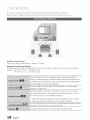
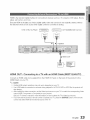
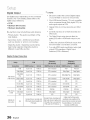
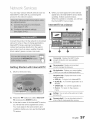
Cable Network
1.
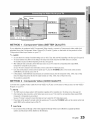
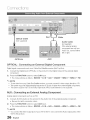
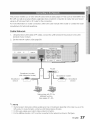
Using the Direct LAN Cable (UTP cable), connect the LAN terminal of the product to the LAN
terminal of your modem.
2.
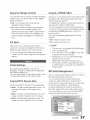
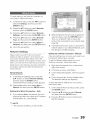
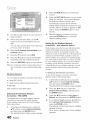
Set the network options. (See page 39)
©
@
©
Broadband modem
(with integrated router)
Broadband
service
Networking with PC for
AIIShare function
(See pages 61-62)
NOTE
_s Intemetaccessto Samsung'ssoftwareupdateservermay not be allowed,dependingon the routeryou use or the
ISP'spolicy Formoreinformafbn,contact your ISP(InternetServiceProvider)
_s ForDSLusers,pleaseusea routerto make a networkconnection.
_s For the AIIShare function, a PC must be connected in the network as shown in the figure.
English
:27