1
Section 3 - Configuration
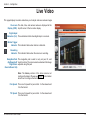
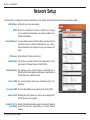
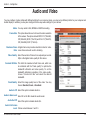
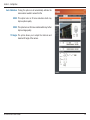
Profile 1-3: Select one of three predefined video profiles to display in the Live Video window.
Start/Stop
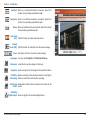
Listening: Click this button to begin listening to the audio feed from a microphone connected to the camera (audio in).
Start/Stop
Talking: Click this button to begin sending audio to speakers connected to the camera (audio out).
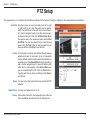
Go To (Preset): Selecting a preset from this list will load the preset in the Live Video windows.
D-Link DCS-6616 User Manual
21