1
WIND User Guide
1
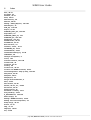
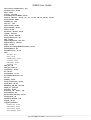
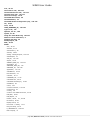
Table of Contents
1.
Table of Contents
2.
Changes and Updates
8
2.1. Download the Manual
8
3.
4.
1-7
EVITA
9
3.1. VAAC Forecasts Publication
9
3.2. Danger Areas Publication
9
WIND
10
4.1. The Wind Editor
10
4.1.1. Document <> Entity
10-11
4.1.2. Presentation
11-13
4.1.2.1. 1 User & View
11-13
4.1.2.2. 2 Menu Bar
11-13
4.1.2.3. 3 Navigation Tree
11-13
4.1.2.4. 5 Main Display
11-13
4.1.3. The View Concept
13-16
4.1.3.1. Managing Views
13-16
4.1.3.2. Displaying Views
13-16
4.1.4. Quick Start
16-18
4.1.4.1. 1. Open a PUBLISH instance of the Portal
16-18
4.1.4.2. 2. Launch WIND
16-18
4.1.4.3. 3. Open an existing View ...
16-18
4.1.4.4. 4. ... Or create a new View ...
16-18
4.1.4.5. 5. ... Or just go and start editing
16-18
4.1.4.6. 6. Prepare and upload the file imports (if relevant)
16-18
4.1.4.7. 7. Open an existing document ...
16-18
4.1.4.8. 7. ... Or create a new document
16-18
4.1.4.9. 8. Save your work
16-18
4.1.4.10. 9. Complete your session
16-18
4.1.4.11. 10. Check your data against the system
16-18
4.1.4.12. 12. Publish
16-18
4.1.5. Editing a WIND Document
4.1.5.1. Create a new WIND Document
4.1.5.1.1. 1. Create the Document
4.1.5.2. Modify an existing WIND Document
18-20
20-22
20-22
22-23
4.1.5.2.1. 1. Edit the Document
22-23
4.1.5.2.2. 2. Open the Document
22-23
4.1.5.2.3. 3. Edit the Document
22-23
4.1.5.2.4. 4. Save the Document
22-23
4.1.5.3. Best Practices
23
4.1.5.3.1. Portlet Titles Capitalization
23
4.1.5.3.2. Simple rules to enter keywords
23
4.1.5.3.3. Bold usage
23
page 1 | WIND User Guide | Version 2.27 of 26 June 2015