1
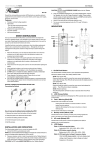
7. USB Communication Port
Battery Name
Recycling inside the USA
The built-in USB port connects to your computer. The PowerGuard Smart
Vision Battery
1-877-730-2877
First Power Battery
1-877-730-2877
BB Battery
1-800-278-8599
monitoring and shutdown software provided can automatically save your files
and shut down your computer in the event of a prolonged power outage. The
software also provides information regarding the status of your utility power line
Installing software
SPECIFICATIONS
Follow the on-screen
instructions.
Model Numbers
TOW-1500LCD
Capacity
1500 VA / 900W
120 Vac
Nominal Input Voltage
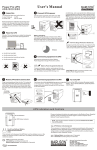
If autoplay is not enabled on the computer, please follow instructions below:
‧ Double-click on My Computer on the desktop.
‧ Double-click on the CD-ROM drive icon and follow the on-screen
instructions.
Nominal Output Voltage
Automatic Voltage
Regulation (AVR)
Frequency
108-130Vac(±3%)
50 / 60 Hz auto sensing
8 Outlets (4 Battery Backup & Surge Protection;
4 Surge Protection only)
Outlets
8. Data /Phone/Fax Protection Connectors
120 Vac
Lighting / Surge Protection
320 Joules
9. “Surge Only” Outlets
Transfer time to Battery/AC
2-6ms typical
Four Nema 5-15R output receptacles that will provide surge and spike
Battery Type
protection only
Maintenance free lead-acid battery
Battery Specification
(2)* 12V 9 Ah
10. “Battery & Surge” Outlets
Typical Backup Time
Up to 55 Minutes
Four Nema 5-15R output receptacles that will provide both battery backup and
LAN / Phone / Fax Protection
surge protection.
Short Circuit Protection
11. AC Input Power Cord
Plug the AC power cord into your power source
Circuit Breaker
Communication Port
USB
Operation Temperature
0°C–40°C
Operation Relative Humidity
12. Coax in :
RJ11/45
0 to 95% non-condensing
Storage Temperature
TV/TNT/Satellite reception protection
-15°C–50°C
Net Weight
13. Circuit Breaker (re-settable)
29.3 lb
10.8 x 3.4 x 16.1 IN
Dimensions (HxWxD)
The button will protrude when the overload condition occurs. If the button
protrudes, disconnect some non-essential equipment and reset the circuit
Specifications may change without prior notice.
breaker by pushing the button inward.
All Trade Marks Belong To Their Respected Owners
14. Coax out:
TROUBLESHOOTING
TV/TNT/Satellite reception protection
Symptom
INDICATOR TABLE
Status Indicators
The UPS provides both visual and audible status indicators. Visual indicators consist
of three LEDs to represent the following conditions:
•
On utility power operation
•
On battery power operation
•
UPS fault/alarm
LED and Alarm Indicator Table
UPS Status
Self-test
AC mode
Normal
( on utility)
Self Low
battery
overload
DC mode
( on battery)
Normal
Low
battery
Overload
Short/Fault mode
Over-Bat/Bat Fault
Green
LED
Red LED
Yellow
LED
Alarm
On
Blink 1
X
X
B1
X
On
Blink2
X
B5
On
Blink2
X
B2
X
X
X
X
On
Blink2
B1
B3
X
X
X
Blink2
On
Blink2
On
X
X
B2
On
B4
* Blink 1 : ON 0.5 seconds / OFF 1 seconds
* Blink 2 : ON 0.25 seconds / OFF 0.25 seconds
* B1: 1 beep / 5 seconds: ON 0.25 seconds / OFF 4.75 seconds
* B2: 1 beep / 0.5 seconds :ON 0.25 seconds / OFF 0.25 seconds
* B3 : 2 beeps / 5 seconds: ON 0.25 seconds / OFF 0.25 seconds 2 times, 4 seconds OFF
* B4 :
3 beeps / 5 seconds: ON 0.25 seconds / OFF 0.25 seconds 3 times, 3.5 seconds OFF
* B5: 3beeps / 30seconds :ON 0.25 seconds / OFF 0.25 seconds 3 times, 28.5seconds OFF
Recycling Information:
Your UPS contains Non-Spill Sealed Lead Batteries. On the battery you will
find the battery name. Please reference the chart below for recycling
information. Other brand(s) of battery please contact Maruson Technology
Corp. If outside the USA or Canada, please contact your local authorized
distributor.
Possible Cause
UPS will not turn The UPS is not
on
connected to the
power source.
Circuit Breaker has
tripped.
Action to Take
Ensure the UPS is securely
connected to an AC outlet.
Reduce the amount of equipment
plugged into the “Battery Backup &
Surge Protection” outlets of the UPS.
Reset the circuit breaker by pushing it
back in. Switch the UPS back on.
UPS is making a The “Battery Backup & Turn off the UPS and reduce the
amount of equipment connected to
continuous sound Surge Protection”
these outlets.
outlets are overload.
and the
“Overload”
indicator is on
UPS does not The UPS battery is
Charge the battery for 8 hours. The
discharged due to a
UPS runtime is reduced until the
provide
power outage and has
battery is fully charged.
expected
not recharged.
runtime
Back-UPS is heavily Unplug non-essential equipment
loaded.
(printers, scanners, etc) from the
Battery Backup outlets and plug into
'Surge Only' outlets
Disconnect non-essential equipment
UPS does not
The UPS circuit
power essential breaker “ tripped” . from the UPS. Reset (push in) the
circuit breaker and switch the UPS on.
equipment during
Plug equipment in one-at-a-time. If the
an outage
circuit breaker trips again, disconnect
the device that caused the breaker to
trip.
Replace the battery or the battery
The battery has
reached the end of its module.
life.
Unplug device from 'Surge Only' outlet
Equipment plugged
and move to a 'Battery Backup outlet.
into a Surge Only
outlet.
Flashing
Internal UPS fault.
Contact Technical Support (see
Indicators
Service and Support below).
Maruson Technology Corp. Tel: (626)912-8388 Fax: (626)912-8680
18557 East Gale Ave.
E-mail: [email protected]
City of Industry, CA. 91748 Web: www.MarusonUSA.com