1
Technical Report Number CSSE10-07
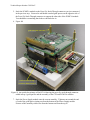
5. Stack the PCMCIA module on the Press-Fit, Stack-Through connector you just connected
in the previous step. You need to add double-stacked gold spacers on the opposite side of
the Press-Fit, Stack-Through connector to support the other side of the PCMCIA module.
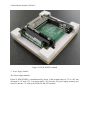
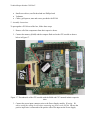
You should have something that looks as shown below in
6. Figure 19.
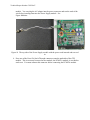
gold spacer
press-fit, stack-through
connector added in step 4
Figure 19 An upside-down image of the PC104 showing the press-fit, stack through connector
added in step 4, gold spacers and the assembly of the CPU and PCMCIA modules.
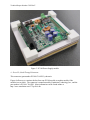
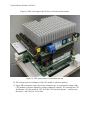
7. Stack the Power Supply module onto the current assembly. Tighten a nut around the end
of each of the gold spacers jutting out from the bottom of the Power Supply module.
Pictures of the assembly can be seen from the bottom and from the top in