1
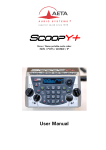
LCD and navigation keys Besides the backlit graphic LCD one can find the keys for navigating through the menus: Key Function OK Confirm a selection or enter data. From the base screen: switch to the root menu. Esc Escape to upper menu level; From the base screen: switch to the root menu. Navigation key : Joystick Keys used to move the cursor or browse through menu options. The can be used to enter a sub-menu (like the OK key). When entering data/numbers, the erases the character on the left of the cursor. A Confirmation ( Same as Ok key ) is available on the Joystick Call management and dialling keys Key Function ´Hang upµ Release an established link. (except LL links, permanent by nature) ´Unhookµ Start a link or accept an incoming call. (except LL links, permanent by nature) Dialling keys 0 .. 9 *. # Keys for entering numbers or URI for the destination to call. These keys are also used to enter texts such as profile names, etc. Repeatedly press a key to get the characters other than the main figure. Keys 1 and ´*.µ also allow entering special additional characters (not all marked on the keypad). The ´#µ key is used for switching between numbers, lower case letters or capital letters. An indicator on the screen recalls the current type of characters. Figure 7 Recording keyboard Function keys The assignment of these F1 and F2 keys is programmable. SCOOPY+ - User Manual 31