1
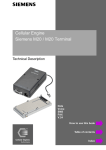
Cellular Engine
Siemens M20 / M20 Terminal
Technical Description
Data
Voice
SMS
FAX
V.24
How to use this book
Table of contents
Index
Siemens Information and Communication Products
How to use this book
The following navigation tools are available in addition to the Acrobat Reader toolbar or short-cut menu (right mouse
key):
Click here when you see this hand.
Table of contents
1
Overview.................................................................................................................................... 11
2
Safety precautions for the user................................................................................................
2.1
Electrical safety.............................................................................................................
2.2
Aircraft safety ...............................................................................................................
2.3
Environments with explosive substances ...................................................................
12
12
12
12
Click here to jump to this section.
1
Feat_DCN
2
Feat_CPSind
GSM 02.07
Called number display
The dialled digits are shown on the terminal’s display (AT command terminal or display, if connected) before signal transmission.
5.5.1
6.5
5.5.1
6.5.15
See “AT+CLCC List current calls of ME”
Indication of call progress signals (in accord- GSM 02.07
ance with GSM02.40)
The call progress is signalled on the display and via
audible tones after signal transmission.
See “AT+CLCC List current calls of ME”
Click here to jump to this section.
A
Click here to jump to the
Table of contents.
Version 7 dated 20.10.99
Click here to jump to
the Index.
s Siemens Information and Communication Products
Table of contents
1 Overview
7
2 Safety precautions for the user
2.1 Electrical safety....................................................................................................................
2.2 Aircraft safety ......................................................................................................................
2.3 Environments with explosive substances ..........................................................................
2.4 Safety on the road................................................................................................................
2.5 Non-ionizing radiation ........................................................................................................
2.6 Electronics in medical equipment ......................................................................................
2.7 Precautions in the event of loss/theft of the Cellular Engine and the SIM card............
8
8
8
8
8
8
8
8
3 General product description M20
3.1 Teleservices ........................................................................................................................
3.2 Data services ......................................................................................................................
3.3 Mobile station features......................................................................................................
3.4 Supplementary mobile station features...........................................................................
3.5 System requirements.........................................................................................................
3.6 CE conformity....................................................................................................................
9
10
11
11
14
15
15
4 Hardware interfaces
4.1 Pin assignment of the 80-pole SMD connector ...............................................................
4.2 Power supply......................................................................................................................
4.3 Interfaces on the 80-pole SMD connector .......................................................................
4.4 Audio interface ..................................................................................................................
4.5 Antenna interface ..............................................................................................................
16
16
17
17
25
26
5 AT command interface
27
5.1 Syntax of the standard AT commands ............................................................................ 27
5.2 Messages returned for normal data communication ..................................................... 27
5.3 Standard AT Hayes commands for controlling the M20............................................... 28
5.4 AT commands and responses to GSM 07.07 and GSM 07.05 ....................................... 53
5.5 AT Cellular commands to GSM 07.07............................................................................. 54
5.6 AT commands to GSM 07.05 for SMS ............................................................................ 91
5.7 Siemens-defined AT commands for enhanced functions............................................. 108
5.8 Comparison between the MMI string commands and AT command ........................ 128
5.9 Summary of CME and CMS Errors.............................................................................. 129
6 Man Machine Interface
6.1 Overview...........................................................................................................................
6.2 Keypad address matrix...................................................................................................
6.3 Additional display information ......................................................................................
6.4 MMI features and user-defined settings .......................................................................
6.5 MMI functions .................................................................................................................
6.6 Power supply indicator ...................................................................................................
132
132
132
132
133
136
143
7 Peripheral devices
7.1 GSM antenna ...................................................................................................................
7.2 SIM card reader ..............................................................................................................
7.3 SIM cards .........................................................................................................................
144
144
144
146
A
Version 7 dated 20.10.99
3
s Siemens Information and Communication Products
7.4
7.5
7.6
7.7
Handset.............................................................................................................................
Sources for connectors ....................................................................................................
Display ..............................................................................................................................
Keypad..............................................................................................................................
146
147
147
148
8 Application notes
8.1 General notes ...................................................................................................................
8.2 Getting started & Installation ........................................................................................
8.3 M20 diagnostics ...............................................................................................................
8.4 Serial interface configuration.........................................................................................
8.5 SW download (Version update) .....................................................................................
8.6 EMC-relevant information for integrators of the M20 ...............................................
8.7 Getting full-type approval with the application ...........................................................
8.8 Application examples and reference circuits ................................................................
8.9 Service information ........................................................................................................
149
149
149
163
166
180
184
184
186
189
9 M20 Terminal
9.1 General information........................................................................................................
9.2 Electrical description and interfaces .............................................................................
9.3 Operation requirements, CE conformity, restrictions of use......................................
9.4 Full-type approval ...........................................................................................................
190
190
191
194
194
10 M20 Development Box
195
11 Environmental requirements for the M20
195
12 EMC and ESD requirements
195
13 Migration M1 to M20
195
13.1 SW comparison.............................................................................................................. 195
13.2 System Parameter comparison (AT&V) on the M1 and M20................................... 197
14 References
198
15 Technical data
15.1 Technical data of the M20 ............................................................................................
15.2 Design drawing of the M20...........................................................................................
15.3 Design drawing of the M20 Terminal..........................................................................
200
200
201
202
16 AT commands sorted by functionality
16.1 Commands for Call Control.........................................................................................
16.2 Commands for network services and status information..........................................
16.3 Commands for supplementary network services .......................................................
16.4 Commands for SIM.......................................................................................................
16.5 Commands for interface to terminal equipment (TA – TE) .....................................
16.6 Commands for device control ......................................................................................
16.7 Commands for device Information..............................................................................
16.8 Commands for SMS and CB (GSM 07.05) .................................................................
16.9 Commands for data/fax ................................................................................................
205
205
205
205
206
206
207
207
208
208
A
Version 7 dated 20.10.99
4
s Siemens Information and Communication Products
Figures
Fig. 3-1
Fig. 3-2
Fig. 4-1
Fig. 4-2
Fig. 4-3
Fig. 4-4
Fig. 4-5
Fig. 6-1
Fig. 7-1
Fig. 7-2
Fig. 7-3
Fig. 7-4
Fig. 7-5
Fig. 7-6
Fig. 7-7
Fig. 7-8
Fig. 8-7
Fig. 8-3
Fig. 8-4
Fig. 8-5
Fig. 8-6
Fig. 9-1
Fig. 9-2
Fig. 9-3
Fig. 15-1
Fig. 15-2
Fig. 15-3
Fig. 15-4
Fig. 15-5
Fig. 15-6
Design of the Siemens M20 ........................................................................................ 9
M20 interface diagram .............................................................................................. 15
Timing of power on/off signals ................................................................................. 18
Write timing of display interface ............................................................................... 19
Read timing of display interface ............................................................................... 19
Timing characteristics of DAI to microcontroller ..................................................... 23
Timing characteristics of DAI to codec .................................................................... 23
Display structure ...................................................................................................... 133
Big SIM Card Reader (L04) .................................................................................... 144
Mini SIM card reader (C707-1) ............................................................................... 145
Mini SIM card reader (C707-3) ............................................................................... 145
Mini SIM card reader (holder) ................................................................................ 145
Mini SIM card reader (connector) ........................................................................... 145
SMR connector (straight) ........................................................................................ 147
80-pole SMD connector (rigid) ............................................................................... 147
80-pole SMD connector (floating) .......................................................................... 147
Handsfree application diagram ................................................................................ 188
Level converter ........................................................................................................ 186
Voltage supply ......................................................................................................... 186
SIM card connection pins ........................................................................................ 187
Handset connection ................................................................................................. 187
Modular Cellular Engine Siemens M20 Terminal .................................................. 190
Front view of Western plug 6-6 (male) ................................................................... 191
Front view of Western plug 4-4 (male) ................................................................... 192
Design drawing of the M20 ..................................................................................... 201
M20 screw dimensions ............................................................................................ 202
M20 Terminal front view ........................................................................................ 202
M20 Terminal back view ........................................................................................ 202
M20 Terminal top and side view ............................................................................. 203
M20 Terminal bottom view ..................................................................................... 204
Tables
Table 3-1
Table 3-2
Table 3-3
Table 4-1
Table 4-2
Table 4-3
Table 4-4
Table 5-1
Table 5-2
Table 5-3
Table 5-4
Table 5-5
Table 6-1
Table 6-2
Teleservices ............................................................................................................... 10
Mobile station features .............................................................................................. 13
Supplementary mobile station features ..................................................................... 14
Pin assignment of the 80-pole SMD connector ......................................................... 16
2.8 V logic level specification ................................................................................... 17
Timing values of display interface ............................................................................ 20
Timing characteristics of DAI ................................................................................... 24
Standard Hayes AT commands ................................................................................. 29
AT commands according to GSM 07.07 ................................................................... 55
AT commands according to GSM 07.05 ................................................................... 91
Siemens-defined AT commands ............................................................................. 108
Summary of CMS ERRORS ................................................................................... 130
Keypad address matrix ............................................................................................ 132
Description of keypad ............................................................................................. 132
A
Version 7 dated 20.10.99
5
s Siemens Information and Communication Products
Table 6-3
Table 6-4
Table 6-5
Table 6-6
Table 6-7
Table 6-8
Table 6-9
M20-specific MMI codes ........................................................................................ 134
Languages for display text ...................................................................................... 134
Value ranges ............................................................................................................ 134
Basic MMI codes in accordance with ETS 300-511 ............................................... 135
Teleservices ts ......................................................................................................... 135
Changing the password in accordance with ETS 300-511 ...................................... 135
Service indicator display ......................................................................................... 142
A
Version 7 dated 20.10.99
6
Siemens Information and Communication Products
1
Overview
Overview
This document describes all the features, functions and interfaces of the Siemens M20 and M20 Terminal Cellular Engines. In addition, it states the base unit requirements which apply in connection with the operation of M20/M20 Terminal.
M20 Terminal combines the functions of the M20 unit with all peripheral devices necessary for plug-and-play usage (SIM
card reader, V.24 serial Interface, Western plugs for handset and power supply) and a wide range of supply voltages. For
additional information on M20 Terminal, see Chapter 9 “M20 Terminal” on page 190 .
This document also includes the list of AT commands implemented at the serial interface and describes the MMI implemented at the display and keypad interface, the options for external M20 diagnostics, safety precautions for M20 users
and M20 technical data.
In addition, this document provides service information and application notes and indicates the sources of components
necessary for operation e.g. SIM reader, handset, display and keypad.
Chapters on application notes with information on getting started, diagnostics and type approval complete this document.
IMPORTANT:
This technical description applies to all M20 devices with version number
S30880-S8000-A100-1.
Users of the M20 are expressly requested to begin by reading the safety precautions in Chapter 2 “Safety precautions for the
user” on page 8.
Information on finding out the software status is provided in Chapter 5.5 “AT Cellular commands to GSM 07.07” on page 54
(AT+GMR, AT+CGMR).
If you have any technical questions regarding this document or the product described, please contact your local
distributor.
General information on cellular engines and a list of distributors can be found at the following Internet addresses:
• English language: www.siemens.de/gsm_e
• Deutsche Sprache: www.siemens.de/gsm
LIFE SUPPORT APPLICATIONS
These products are not designed for use in life support appliances, devices, or systems where malfunction of these
products can reasonably expected to result in personal injury. SIEMENS AG customers using or selling these products for use in such applications do so at their risk and agree to fully idemnify SIEMENS AG for any damages resulting from such improper use or sale.
DEVELOPMENT BOX (E-BOX)
Furthermore the Development box supplied by SIEMENS AG is to be used for development and test purposes only.
The general terms of delivery or guarantee for the M20/M20T are not applicable for the Development box
A
Version 7 dated 20.10.99
7
Siemens Information and Communication Products
2
Safety precautions for the user
Safety precautions for the user
The following notes refer to the M20/M20 Terminal Cellular Engine AND to applications based on M20/M20 Terminal.
The manufacturer of an application based on the M20/M20 Terminal must incorporate these safety precautions in his/her
instruction manual.
2.1
Electrical safety
The highest internal voltage applied to the M20 is 6 V; no special precautions are thus required to protect users against
high voltages (see Chapter 4.2 “Power supply” on page 17).
2.2
Aircraft safety
Cellular engines can interfere with an aircraft’s navigation system and its cellular network. The use of M20/M20 Terminal
on board aircraft is forbidden by law. Failure to comply with this prohibition may lead to temporary suspension or permanent cancellation of cellular engine services for the person who infringes this prohibition and/or to legal action against
said person.
2.3
Environments with explosive substances
a) Users are advised not to use the device in automotive service stations.
b) Users are reminded of the necessity to comply with restrictions regarding the use of radio devices in fuel depots, chemicals plants and locations where explosives are ignited.
2.4
Safety on the road
a) It is not permitted to signal incoming calls by sounding the vehicle’s horn or flashing the lights.
b) Drivers are advised not to use the hand-held microphone or the telephone handset while their vehicle is in motion, except in the case of emergency. Use the handsfree facility to speak only if it does not divert your attention from the traffic.
2.5
Non-ionizing radiation
As is the case with other mobile radio transmitters, operating personnel are advised to use the device in the normal operating position only in order to ensure optimum performance and safety.
2.6
Electronics in medical equipment
Radio transmitters, including cellular engines, can interfere with the operation of inadequately protected medical devices.
Please address all questions to a doctor or the manufacturer of the medical device.
2.7 Precautions in the event of loss/theft of the Cellular Engine and the SIM
card
If your M20/M20 Terminal, your SIM card or both go missing, notify your network operator immediately in order to avoid
misuse.
A
Version 7 dated 20.10.99
8
Siemens Information and Communication Products
3
General product description M20
General product description M20
The Siemens M20 combines all the features required by developers and users. It is designed both for handling complex
industrial applications such as telemetry, telematics or communication, and for integration in stationary or mobile fields
all over the world.
The most important features are:
• Top quality according to "normal mobile station" requirements (–104 dBm sensitivity) instead of "small mobile
station" requirements (–102 dBm sensitivity).
• Voice transmission with Enhanced Full Rate EFR and Full Rate FR
• Data transmission rate up to 9600 bit/s transparent and non-transparent
• Group 3 fax service
• SMS (text mode, PDU, MT, MO) and SMS Cell Broadcast
• Integrated echo suppression and noise reduction for handset
• Digital audio interface
• SIM Lock
• Network and service provider personalization according to GSM 02.22
• Reloadable software
• GSM900 phase II
• Compatible in terms of function and control with the GSM modules M1 and A1
• 2W power part (class 4)
• Single input voltage (6.0 V)
Average current: speech mode 200mA/idle mode 20mA
• Dimensions L x W x H in mm: 86.8 x 41.4 x 11.2.
• Weight: 38 g
• Temperature range: –20°C to +55°C
Note: Voltage supply: Voltage supply on connection must NOT rise faster than 3V/msec.
Additional features are listed below.
In addition to control via the serial interface, the Siemens M20 also offers the option of control by means of a connected
keypad and display.
Using a board-to-board connector, the system integrator can integrate the components on the basic device’s printed circuit
board (e.g. hand-held devices like scanner).
All the main connections are already integrated in the Siemens M20 so that implementation can take place with only minimum development work.
Mounting holes
80 pole
SMD connector
Space for
SIM card reader
Antenna connector
Fig. 3-1
Design of the Siemens M20
A
Version 7 dated 20.10.99
9
Siemens Information and Communication Products
General product description M20
The Siemens M20 offers the following functions:
Additional Features:
• Dial tone
The SIEMENS M20 provides no dial tone at all or two permanently defined types of dial tone, as selected.
• Power management/backup routine
• DTMF
DTMF tones can be generated.
• PIN handling (protection can be activated/deactivated)
• Reload capability (software update)
Interfaces:
One serial interface (control, data transmission and software updates)
• SIM card reader interface for 3 V SIM cards.
• Analog interface for headset and microphone connection (telephone receiver)
• Digital Audio Interface (DAI)
Echo suppression for handsfree mode can be implemented by an external connection
• Ringer interface
Different ring volumes can be set
• Input port
The power supply status of the application can be signalled on the display (network operation, battery operation,
battery supply jeopardized, no display)
• Display interface
Display controller for dot display can be controlled (2 lines x 13 characters).
• Connector
All interfaces with the exception of the antenna (type: SMR nano) are fed out by means of a connector on the
hardware side. The connector is mechanically stable, the associated jacks can be purchased and installed worldwide by the integrators.
• Interface for a keypad with 4 x 6 keyboard matrix.
• Interface to a tuning fork contact (hookswitch)
• Power supply
• On switch
3.1
Teleservices
No
GSM standard
Teleservice
Reference
Available
via AT+C
Available
via MMI
1
TS11
Telephony
GSM 02.03 A.1.1
5.3
6.5
2
TS12
Emergency Call
GSM 02.03 A.1.2
5.3
6.5
3
TS21
Short Message MT/PP
GSM 02.03 A.1.3
5.6
6.5.13
4
TS22
Short Message MO/PP
GSM 02.03 A.1.3.1
5.6
–
5
TS23
SMS Cell Broadcast
GSM 02.03 A.1.3.2
5.6
6.5.13
6
TS62
Teleservice Automatic G3 fax
GSM 02.03 A.1.5
5.5
–
Table 3-1
Teleservices
A
Version 7 dated 20.10.99
10
Siemens Information and Communication Products
3.2
General product description M20
Data services
Terminal adapter (TA) – terminal equipment (TE) interface:
RS232 compatible:
Baud rates: 300, 1200, 2400, 4800, 9600, 19200, 28800, 38400 and 57600.
No automatic baud rate adjustment. Default: 19200 (can be adjusted by AT+IPR). See “AT+IPR Set fixed local rate”.
Data stacks:
Transparent data/non-transparent data
On-air channels: TCH/9.6F, TCH/4.8F, TCH/2.4F. See “AT+CBST Select Bearer Service Type”.
V.42bis data compression (can be adjusted with “AT+DR V.42bis data compression reporting control” on page 46).
Transparent fax
Class 1 group 3 supported.
On-air channels: TCH/9.6F, TCH/4.8F, TCH/2.4F. See “AT+CBST Select Bearer Service Type”.
3.3
Mobile station features
No Mnemonic1)
Mobile station feature3)
1
GSM 02.07
Called number display
The dialled digits are shown on the terminal’s display (AT command terminal or display, if connected) before signal transmission
Feat_DCN
Ref.
Available
via AT+C
Available
via MMI
5.5.1
6.5
See “AT+COLP Connected line identification presentation”.
2
Feat_CPSind
Indication of call progress signals (in accordance GSM 02.07
with GSM02.40)
The call progress is signalled on the display and via
audible tones after signal transmission.
–
6.5.16
3
Feat_PLMNind
GSM 02.07
Country/PLMN indication
The network operator is shown on the display after
successful logon to the PLMN (MS idle). See
“AT+COPS Operator selection”.
5.5.1
6.4
4
Feat_PLMNsel
Country/PLMN selection
Automatic and manual network operator selection.
See “AT+COPS Operator selection”.
GSM 02.07
5.5.1
6.3
5
Feat_Keypad
GSM 02.07
Keypad
Keys are permanently assigned to their logical functionality, i.e. programmable function keys or soft
keys are not implemented.
• 0, 1, 2, 3, 4, 5, 6, 7, 8, 9, *, # keys send key
• 4 abbreviated dialling keys are used in the
current keypad matrix
• redial/cursor up
• SMS key
• + (for settings)
• – (for settings)
–
6.2
6
Feat_IMEI
IMEI – International Mobile Equipment Identity GSM 02.07
An unique international identity code (IMEI) is
stored in the terminal. This code is individually assigned to each terminal by the terminal manufacturer. See “AT+CGSN Request product serial number
identification (IMEI) identical to GSN”.
5.5.1
6.4
A
Version 7 dated 20.10.99
11
Siemens Information and Communication Products
General product description M20
No Mnemonic1)
Mobile station feature3)
7
GSM 02.07
Short message overflow indication
Messages from the Short Message telephone service
are saved on the SIM. The number of messages that
can be saved depends on the SIM card used. An advisory is output if there is insufficient memory available for an incoming message. See “AT^SMGO Set or
Feat_SMoverflow
Ref.
Available
via AT+C
Available
via MMI
5.7.1
6.3
5.3
–
GSM 02.07
International access function
The international access code to the PSTN (Public
Switched Telephone Network) is dialled by holding
down the <0> key until ‘+’ appears on the display
(nominal time approx. 1 second). The access code,
thus, does not depend on the location (international
roaming).
The international access code can also be dialled using the conventional country-specific prefix (e.g. 00
in Austria, Germany). See “ATD Mobile originated call
to dial a number and call of supplementary services”.
5.5.1
6.5
query SMS overflow presentation mode or query SMS
overflow”.
8
Feat_DTE_DCE
GSM 02.07
DTE /DCE interface
Modem interface between data terminal equipment
and data circuit terminating equipment
See “AT+IFC Set TE-TA local data flow control”, See
“AT+IPR Set fixed local rate”, See “AT+ILRR Set TE-TA
local rate reporting mode”, See “AT+ICF Set TE-TA control character framing”
9
Feat_IntAccess
10 Feat_ServInd
Service indicator
The call processing status of the terminal is shown
on the display when the terminal is idle.
See “AT+CREG Network registration”.
GSM 02.07
5.5.1
6.3
11 Feat_DTMF
GSM 02.07
Dual-tone multifrequency function
If you press the signal key during an existing connection, a DTMF signal is transmitted to the remote
station. The digits entered between signal transmission and call pickup are rejected. DTMF digits are
not saved on repertory dialling keys. See “AT+VTS
5.5.1
6.5.12
DTMF and tone generation (<Tone> in {0-9, *, #, A, B, C,
D})”.
12 Feat_SIM
GSM 02.07
Subscription identity management
The IMSI (International Mobile Subscriber Identity)
is used for internal signalling and is saved on the
SIM (processor card). If the SIM is removed from
the terminal, any existing connections are cleared
down and further call setup is prevented (exception:
emergency calls). See “AT+CIMI Request international
mobile subscriber identity”.
5.5.1
6.5
13 Feat_OnOff
GSM 02.07
On/off switch 2)
Switch off is implemented only via AT commands.
See “AT^SMSO Switch off mobile station turn off”.
y (off)
–
14 Feat_A51
Support of encryption A5/1
GSM 02.07
5.5.1
6.5
15 Feat_A52
Support of encryption A5/2
GSM 02.07
5.5.1
6.5
A
Version 7 dated 20.10.99
12
Siemens Information and Communication Products
General product description M20
No Mnemonic1)
Mobile station feature3)
Ref.
16 Feat_SMS_CB_DRX
Short Message Service Cell Broadcast DRX
DRX: discontinuous reception (mechanism). See
“AT+CSCB Select cell broadcast SMS messages”.
GSM 02.07
5.5.1
–
17 Feat_AD
GSM 02.07
Abbreviated dialling
Abbreviated dialling keys (in MMI) or via index
numbers in phone book (AT+C), to be programmed
by the customer.
5.5.1
6.5.5
Available
via AT+C
Available
via MMI
See “ATD Mobile originated call to dial a number and
call of supplementary services”.
18 Feat_FND
GSM 02.07
Fixed number dialling
Only implemented via AT command interface since
the MMI has no phone book implemented. See
“ATDS Dial stored phone number in ME-phonebook”.
5.5.1
–
19 Feat_BO
GSM 02.07
Barring of outgoing calls
Supported locally on the terminal
(see supplementary service ‘Barring of all outgoing
calls’). See “AT+CLCK Facility lock”.
5.5.1
6.5.9
20 Feat_LND
Last numbers dialled
GSM 02.07
5.5.1
6.5.8
GSM 02.07
5.5.1
6.1
The last number dialled is displayed and an outgoing
seizure is initiated when you lift the handset and
press the redial key.
See “ATDL Redial last telephone number used”.
21 Feat_HumanInterface
Human interface provided
• Display
• Key-Pad
• Buzzer
• Audio-Tones
Note:
1)
"Mnemonic" defines the service name accord. to GSM standards
2
) Depending on application
3)
The features are defined in GSM 02.07 Version 5.1.0.: July 1996 (Annex B).
Table 3-2
Mobile station features
A
Version 7 dated 20.10.99
13
Siemens Information and Communication Products
3.4
No
1
General product description M20
Supplementary mobile station features
Abbreviations
CLIP
Feature
Reference
Available
via AT+C
Available
via MMI
Calling Line Identification Presentation
GSM 02.04 3.1
5.5.1
6.5
GSM 02.04 3.1
5.5.1
6.5
GSM 02.04 3.1
5.5.1
–
3.1,
5.5.1
6.5
3.1,
5.5.1
6.5
5.5.1
6.5
5.5.1
6.5
GSM 02.04 3.1
5.5.1
–
GSM 02.04 3.1
5.5.1
–
GSM 02.04 3.1
5.5.1
–
GSM 02.04 3.1
5.5.1
–
GSM 02.04 3.1
5.5.1
–
GSM 02.04 3.1
5.5.1
–
02.04
3.1,
02.07 B.2.1
02.04
3.1,
02.07 B.2.1
02.04
3.1,
02.07 B.2.1
5.5.1
6.5
5.5.1
6.5
5.5.1
6.5
GSM 02.04
3.1,
GSM 02.07 B.2.1
Barring of Incoming Calls when Roaming Out- GSM 02.04 3.1,
side the Home PLMN Country
GSM 02.07 B.2.1
5.5.1
6.5
5.5.1
6.5
See “AT+CLIP Calling line identification presentation”.
2
CLIR
Calling Line Identification Restriction
See “AT+CLIR Calling line identification restriction”.
3
COLP
Connected Line Identification Presentation
See “AT+COLP Connected line identification presentation”.
4
CFU
Call Forwarding Unconditional
GSM
02.04
See “AT+CCFC Call forwarding number and condi- GSM 02.07 2.1
tions control”.
5
CFB
Call Forwarding on Mobile Subscriber Busy
GSM 02.04
See “AT+CCFC Call forwarding number and condi- GSM 02.07 B 2.1
tions control”.
6
CFNRy
Call Forwarding on No Reply
GSM
02.04
3.1,
See “AT+CCFC Call forwarding number and condi- GSM 02.07 B2.1
tions control”.
7
CFNRc
Call Forwarding on Mobile Subscriber Not GSM 02.04
3.1,
Reachable
GSM 02.07 B2.1
See “AT+CCFC Call forwarding number and conditions control”
8
CW
Call Waiting
See “AT+CCWA Call waiting control”.
9
CH
Call Hold
See “AT+CHLD Call hold and multiparty”.
10
MTPy
Multiparty Service
See “AT+CHLD Call hold and multiparty”.
11
CUG
Closed User Group
See “AT+CCUG Closed user group control”
12
AoC
Advice of Charge (Information)
See “AT+CAOC Advice of Charge information”
13
AoC
Advice of Charge (Charging) 1)
See “AT+CAOC Advice of Charge information”
14
BAOC
Barring of All Outgoing Calls
GSM
GSM
Barring of Outgoing International Calls
GSM
GSM
See “AT+CLCK Facility lock”
Barring of Outgoing International Calls except GSM
those directed to the Home PLMN Country. See GSM
See “AT+CLCK Facility lock”
15
BOIC
16
BOIC
17
BAIC
“AT+CLCK Facility lock”
Barring of All Incoming Calls
See “AT+CLCK Facility lock”
18
BAIC
19
USSD
See “AT+CLCK Facility lock”
Unstructured SS Data
GSM 02.30, GSM
02.07B.2.1
6.5
1
Note: ) Prepaid SIM cards, no MMI for charge query
Table 3-3
Supplementary mobile station features
A
Version 7 dated 20.10.99
14
Siemens Information and Communication Products
3.5
General product description M20
System requirements
The M20 is designed for use in a system environment comprising a GSM900 mobile radio network with one or more network operators per country. A corresponding infrastructure for a configuration level suitable for the use of terminal devices with 2 watts transmitting power is a basic requirement.
The functional environment for the M20 is constituted by a so-called base unit which supports the interfaces of the M20
(see Fig. 3-2 M20 interface diagram). The base unit must support at least 6 V power supply, a SIM card interface and an AT
command interface via the serial interface (V.24) or Man Machine Interface (MMI). The base unit can be, for example, a
GSM telephone, a ticket machine, some kind of vending machine, a hand-held device or another terminal device which
uses the GSM as a medium for transmitting voice, fax/data or short messages (SMS). The precondition is that the base
unit has to support the interfaces for the M20 operation as laid down in this technical description.
Antenna
6V
Power supply
Keypad*
4x6 Matrix
Handset*
SIM
SIM-Reader
Hook-switch
M20
888888
Buzzer*
Dot-Display*
2lines 16char
Serial Interface (RS232 / V24)
Digital Audio Interface /
Voiceband Serial Interface
Power supply indicator*
Fig. 3-2
3.6
*Man Machine Interface
M20 interface diagram
CE conformity
The M20 bears the CE symbol of conformity. This symbol guarantees the compliance of the design and implementation
of the M20 with the currently valid versions of the following EC directives.
• 89/336/EC (EMC Directive)
• 73/23/EC (Low Voltage Directive)
• 91/263/EC (Telecommunications Terminals Directive)
Standards:
• EMC: ETS 300 342-1
• Safety: EN 60950
• GSM network: TBR 19, TBR 20
A
Version 7 dated 20.10.99
15
Siemens Information and Communication Products
4
Hardware interfaces
Hardware interfaces
4.1
Pin assignment of the 80-pole SMD connector
The location of PIN 1 is shown in “Design drawing of the M20” .
Site on PCB
Parallel display data bus
Pin 1
Parallel display data bus
Pin 2
Parallel display data bus
Pin 3
Parallel display data bus
Pin 4
Parallel display data enable
Pin 5
Parallel display write
Pin 6
Reset
Pin 7
Ignition
Pin 8
Clear to send
Pin 9
Receive data
Pin 10
Ring indication
Pin 11
VSB to/from controller
Synchronisation
Pin 12
VSB to/from controller clock
Pin 13
VSB to/from controller data input
Pin 14
VSB to/from controller data output
Pin 15
Data terminal ready
Pin 16
Ground
Ground
Pin 17
Pin 18
Pin 19
Pin 20
Pin 21
Pin 22
Pin 23
Pin 24
Pin 25
Data set ready
Pin 26
SIM card reset
Pin 27
SIM card data
Pin 28
Reserved pin
Pin 29
Download enable
Pin 30
not connected
Pin 31
Keypad column 2
Pin 32
Keypad column 0
Pin 33
Keypad row 4
Pin 34
Keypad row 2
Pin 35
Keypad row 0
Pin 36
Hookswitch
Pin 37
Ground
Pin 38
Microphone minus
Pin 39
Speaker minus
Pin 40
6 V Power supply
6 V Power supply
6 V Power supply
6 V Power supply
6 V Power supply
Ground
Ground
Table 4-1
D14
D12
D10
D8
DE
HWR#
RES#
IGNITION
USCCTS
USCRX
USCRI
VSFS_C
VSCLK_C
VSDI_C
VSDO_C
DTR
GND
DC_IN
DC_IN
DC_IN
DC_IN
DC_IN
GND
GND
GND
DSR
CCRST
CCIO
GPCS
BOOTCODEEN
NC
KPC2
KPC0
KPR4
KPR2
KPR0
HOOKSW
GND
MICN
SPN
D15
D13
D11
D9
DRS
DCS#
POWER_ON
USCRTS
USCTX
RXDATA
TXDATA
VSFS_V
Pin 80
Parallel display data bus
Pin 79
Parallel display data bus
Pin 78
Parallel display data bus
VSCLK_V
VSDO_V
VSDI_V
GND
GND
GND
DC_IN
DC_IN
DC_IN
DC_IN
DC_IN
GND
GND
CCCLK
DCD
CCIN
CCVCC
GPIO1
GPIO0
KPC3
KPC1
KPR5
KPR3
KPR1
BUZZER
GND
MICP
SPP
Pin 77
Parallel display data bus
Pin 76
Parallel display address (A0)
Pin 75
Parallel display chip select
Pin 74
Power on indication
Pin 73
Request to send
Pin 72
Transmit data
Pin 71
2. serial interface receive data
Pin 70
2. serial interface transmit data
Pin 69
VSB to/from codec
Synchronisation
Pin 68
VSB to/from codec clock
Pin 67
VSB to/from codec data output
Pin 66
VSB to/from codec data input
Pin 65
Pin 64
Pin 63
Pin 62
Pin 61
Pin 60
Pin 59
Pin 58
Pin 57
Pin 56
Ground
Ground
Ground
6 V Power supply
6 V Power supply
6 V Power supply
6 V Power supply
6 V Power supply
Ground
Ground
Pin 55
SIM card clock
Pin 54
Data carrier detect
Pin 53
SIM card inserted
Pin 52
SIM card supply
Pin 51
Battery load indicator
Pin 50
Supply source indicator
Pin 49
Keypad column 3
Pin 48
Keypad column 1
Pin 47
Keypad row 5
Pin 46
Keypad row 3
Pin 45
Keypad row 1
Pin 44
Buzzer
Pin 43
Ground
Pin 42
Microphone plus
Pin 41
Speaker plus
Pin assignment of the 80-pole SMD connector
A
Version 7 dated 20.10.99
16
Siemens Information and Communication Products
Hardware interfaces
The interfaces are described in detail in Chapters 4.2 “Power supply” on page 17, 4.3 “Interfaces on the 80-pole SMD connector”
on page 17 and 4.4 “Audio interface” on page 25.
•
•
•
•
Note: Unused pins
In all cases in which the DAI is not used, the voiceband serial connector to/from controller has to be connected
externally to the voiceband serial connector to/from codec. Connection wires should be as short as possible (10
cm maximum)
Connect VSFS_V to VSFS_C, VSCLK_V to VSCLK_C, VSDO_V to VSDI_C, VSDI_V to VSDO_C. For additional information, see also Chapter 8.8.5 “Adding echo suppression functionality” on page 188.
RXDATA must be connected to RES#, if not used.
The following pins (if unused) shall be:
connected to GND: CCIN
connected to a 10 kOhm - 100 kOhm pull-down (ground) resistor: BOOTCODEEN, GPIO0, GPIO1, HOOKSW
not connected: all display pins, all keypad pins, USCxxx, MICN, MICP, BUZZER, SPN, SPP, POWER_ON,
RES#, DSR, DCD, TXDATA, DTR, GPCS.
All DC_IN pins and all GND pins shall be used!
• The maximum number of push-pull cycles of the SMD connector shall not exceed 100.
4.2
Power supply
Single voltage power supply:
Current consumption:
Switch-in current pulse
(when voltage is applied)
Stand-by state
(voltage is applied, ignition not yet asserted)
Idle mode
Call in progress
4.3
6V +/- 0.2 V
max. 2A pulses.
Imax = 15 A, duration: approx. 10 µs,
decreasing (1/e) time constant <90 µs at Rsupply<0.1Ω
decreasing time to stand-by current value: < 300 µs
I ≤ 0.2 mA
I < 20 mA average
typ. 14 mA average (depends on network operator)
I < 2A (pulsed t = 577 ms at T = 4.615 ms)
typ. 1.5 A for performance class 5
arithmetic mean: I < 250 mA
Interfaces on the 80-pole SMD connector
This chapter describes all interfaces (except power supply) on the 80-pole SMD connector.
4.3.1
Specification of 2.8 V logic level
The following diagram shows the 2.8 V logic level specification used in the M20:
Parameter
Min.
Max.
VoH output high voltage
2.3 V
2.9 V
VoL output low voltage
0V
0.4 V
ViH input high voltage
2.1 V
3V
ViL input low voltage
-0.3 V
0.8 V
Table 4-2
2.8 V logic level specification
A
Version 7 dated 20.10.99
17
Siemens Information and Communication Products
4.3.2
Hardware interfaces
Power on/off
Signal
Function
IGNITION
Switch on
I/O
Level
Comments
I
1)
IGNITION >2.7 V for longer than 1 s switches on
Load current < 300 uA
POWER_ON
Power-on indicator
O
2)
RES#
Reset indicator
O
2.8V
Note: may be unconnected if unused
Load current < 500 uA
Note: may be unconnected if unused
Note:
1)
Level range: 0 < IGNITION < 6.2 V, (maximum voltage: +/-50 V). For additional information see 8.8.6 “Ignition line”
on page 188.
2)
See Fig. 4-1 Timing of power on/off signals case IGNITION > 2.7 V level = IGNITION – 0.7 V.
To turn on the M20, connect IGNITION to the voltage specified in the table above. The device will then keep running
even if a voltage < 0.6 V is applied to IGNITION or the device is left disconnected. To turn off the M20, use the corresponding AT command (AT^SMSO, see Chapter 5.7 “Siemens-defined AT commands for enhanced functions” on page 108).
Note: if IGNITION is connected to a fixed voltage > 1.3 V, the M20 cannot be turned off with an AT command.
POWER_ON indicates that the microprocessor of M20 is supplied.
RES# level High indicates that the microprocessor of M20 is supplied and working.
Note: RES# also can be used as 2.8 V reference level for applications of the M20.
For additional information, see Fig. 4-1 Timing of power on/off signals.
IGNITION
Uswitchon
t
duration > 1s
RES#
2.8V
t
300ms
POWER_ON
Uswitchon-0.7V
2V typ.
t
Fig. 4-1
Timing of power on/off signals
A
Version 7 dated 20.10.99
18
Siemens Information and Communication Products
4.3.3
Hardware interfaces
Display
12 Pins for connection of a dot display (2 lines x 16 columns)
Signal
DCS#
DRS
DE
D8...D15
HWR#
Function
Chip select
Address (A0)
Data enable
Databus
Write
I/O
O
O
O
I/O
O
Level
2.8V
2.8V
2.8V
2.8V
2.8V
Comments
may be disconnected if unused
may be disconnected if unused
may be disconnected if unused
may be disconnected if unused
may be disconnected if unused
For detailed information on read and write timing see Fig. 4-2 Write timing of display interface and Read timing of display interface. The corresponding timing values can be found in Timing values of display interface.
DRS
t13
t14
t15
t16
DCS#
HWR#
t17
t18
D15:8
t10
t19
t11
t12
DE
Fig. 4-2
Write timing of display interface
DRS
t21
DCS#
HWR#
t22
D15:8
DATA VALID
t20
t12
t11a
t23
DE
Fig. 4-3
Read timing of display interface
A
Version 7 dated 20.10.99
19
Siemens Information and Communication Products
Parameter
t10
t11
t12
t13
t14
t15
t16
t17
t18
t11a
t19
t20
t21
t22
t23
Table 4-3
4.3.4
Hardware interfaces
Comment
Write high byte to display enable high
Display enable high width
Display enable low width
Display register select setup
Display register select hold
Display chipselect setup
Display chipselect hold
Data setup
Data hold
Display enable high width read extension
Display enable low to write high
Display register select to display enable high
Display chipselect to display enable high
Display enable high to data valid
Data hold
Min.
Typ.
152
Max.
462
462
10
5
10
5
68
15
538
10
200
200
450
0
Units
ns
ns
ns
ns
ns
ns
ns
ns
ns
ns
ns
ns
ns
ns
ns
Timing values of display interface
Keypad
10 Pins for 4*6 keypad matrix.
Signal
KPR0...5
KPC0...3
Function
Keypad row
Keypad column
I/O
I
O
Level
2.8 V
2.8 V
Comments
may be disconnected if unused
may be disconnected if unused
For activation of a key, connect a row signal to the appropriate column signal. The keypad address matrix implemented
in the MMI software can be found in Chapter 6.2 “Keypad address matrix” on page 132.
Note: maximum input speed: 1 key per 400ms
4.3.5
Serial Interface RS323 (V.24) Connections and signals
The Serial Interface can be used for:
• AT command interface
• Software download (SW update), see 8.5 “SW download (Version update)” on page 180
• serial interface for data/fax/SMS services.
Note:
External level converter is necessary for V.24 level when using the M20.
The M20T has a direct 9 pin serial interface port.
A
Version 7 dated 20.10.99
20
Siemens Information and Communication Products
Hardware interfaces
General Note:
1) Signal levels on the M20T: 5-15V
2) Signal levels on the M20: 2,8 V
3) Crossing out of signal lines is done inside the M20T so that the M20T can be connected to the PC directly using a standard non-crossover serial cable.
4) Applications directly connecting to the M20 need to cross out the signal paths as shown in the above figure.
Note: If a Pin is not used it can stay unconnected
A
Version 7 dated 20.10.99
21
Siemens Information and Communication Products
Hardware interfaces
Signal description on the 9-pole D-sub DCE connector:
9-pole D-Sub
DCE Pin No
1
2
3
4
5
6
7
8
9
Description
Function
DCD
RXD
TXD
DTR
GND
DSR
RTS
CTS
RI
Data Carrier Detect
Receive Data
Transmit Data
Data Terminal Ready
Ground
Data set ready
Request to send
Clear to send
Ring Indication
CCITT
V-24
109
104
103
108
102
107
105
106
125
EIA
RS232
CF
BB
BA
CD
AB
CC
CA
CB
CE
DIN
66020
M5
D2
D1
S1
E2
M1
S2
M2
M3
I/O DCE to
DTE
O
O
I
I
O
I
O
O
Signal connection 9-pole D-sub DCE to M20 80-pole SMD connector:
DCE Pin No
1
2
3
4
5
6
7
8
9
4.3.6
DCE Signal
DCD
RXD
TXD
DTR
GND
DSR
RTS
CTS
RI
M20 Signal
DCD
USCTX
USCRX
DSR
M20 Pin No
54
72
10
26
DTR
USCCTS
USCRTS
USCRI
16
9
73
11
Additional RX/TX interface
This interface is reserved for Siemens development internal purposes.
Signal
RXDATA
TXDATA
4.3.7
Function
Receive data
Transmit data
I/O
I
O
Level
2.8 V
2.8 V
Comments
if unused, connect to signal RES#
may be disconnected if unused
Voiceband serial ports/digital audio interface (DAI)
To provide a digital audio interface to the user and to offer high-end echo suppression in handsfree environments as an
upgrade feature, the on-board voiceband serial connector between the M20 microcontroller and codec (A/D device) is connected to the 80-pole SMD connector.
Note: the data exchanged on the interface involves 13 bit linear PCM at 8000 samples per second.
Note: in normal cases, the voiceband serial ports (to microcontroller and to codec) have to be interconnected on the PCB
of the base unit.
If using the DAI, connection to the codec-oriented ports is not necessary.
For handsfree applications, see detailed information in Chapter 8.8.5 “Adding echo suppression functionality” on page 188.
Signal
VSFS_C
VSCLK_C
VSDO_C
VSDI_C
Function
Synchronisation
Clock
Data output
Data Input
I/O
I
I
O
I
Level
2.8V
2.8V
2.8V
2.8V
Comments
to microcontroller (in normal cases, to be connected to VSFS_V)
to microcontroller (in normal cases, to be connected to VSCLK_V)
to microcontroller (in normal cases, to be connected to VSDI_V)
to microcontroller (in normal cases, to be connected to VSDO_V)
A
Version 7 dated 20.10.99
22
Siemens Information and Communication Products
VSFS_V
VSCLK_V
VSDO_V
VSDI_V
Synchronisation
Clock
Data output
Data Input
O
O
O
I
2.8V
2.8V
2.8V
2.8V
Hardware interfaces
to codec
to codec
to codec
to codec
Note: data clock (VSCLK_C, VSCKL_V): 104 kHz, word length: 13 bits, synchronisation pulse rate (VSFS_C,
VSFS_V): 8 kHz.
For detailed information on timing characteristics, see Timing characteristics of DAI to microcontroller and Timing characteristics of DAI to codec.The corresponding timing values can be found in Timing characteristics of DAI.
t90
VSCLK (I)
t92
t91
VSFS (I)
t94
t93
VSDI (I)
D15
D14
t95
VSDO (O)
Fig. 4-4
D15
D14
D13
Timing characteristics of DAI to microcontroller
VSCLK (O)
t47
t48
VSFS (O)
t43
t44
D15
VSDI (I)
D14
t50
VSDO (O)
Fig. 4-5
Parameter
t43
t44
t47
t48
t49
t50
t90
t91
t92
t93
D4
D3
D15
t49
D15
D14
D4
D3
D15
Timing characteristics of DAI to codec
Comment
VSDI setup time before VSCLK low
VSDI hold time after VSCLK low
VSFS delay from VSCLK high
VSFS hold time after VSCLK high
VSDO hold time after VSCLK high
VSDO delay from VSCLK high
VSCLK period
VSFS setup time before VSCLK low
VSFS hold time after VSCLK low
VSDI setup time before VSCLK low
Min.
25
10
Typ.
Max.
25
-20
-20
20
9615
4
7
4
Units
ns
ns
ns
ns
ns
ns
ns
ns
ns
ns
A
Version 7 dated 20.10.99
23
Siemens Information and Communication Products
t94
t95
Table 4-4
4.3.8
Hardware interfaces
VSDI hold time after VSCLK low
VSDO delay after VSCLK high
7
0
15
ns
ns
Timing characteristics of DAI
SIM card interface
In general the SIM interface is specified in GSM 11.11.
Note: the M20 supports 3V SIM cards.
Signal
CCVCC
CCRST
CCIO
CCCLK
CCIN
Function
SIM card power supply
SIM card Reset
SIM card data in/out
SIM card clock
SIM card Inserted switch
GND
Ground
I/O
O
O
I/O
O
I
Level
2.8 V
2.8 V
2.8 V
2.8 V
2.8 V
0V
Comments
Contact C1 1)
Contact C2 1)
Contact C7 1)
Contact C3 1)
must be connected to GND, if SIM card reader does not
provide a CCIN switch. 2)
Contact C5 1)
Notes:
1)
All information provided on the SIM card interface complies with GSM 11.11 and 11.12.
Contacts C4, C6 and C8 are not provided by M20.
2)
When using a SIM card reader without a CCIN switch, SIM card removal must be avoided when voltage is applied to
the M20. This should be avoided by the mechanical integration of the SIM card reader in the application.
4.3.9
Power supply indicator
The power supply indicator is only used by the inbuilt MMI software. This allows the M20 MMI software to indicate the
actual base unit power supply status on the display.
Note: this functionality is not available when controlling the M20 via the AT command interface.
Signal
GPCS
Function
GP chip select
I/O
O
Level
2.8 V
Comments
reserved
may be disconnected if unused
GPIO0
GP port pin 0
I
2.8 V
Supply source indicator (by mains or battery)
if unused, connect to a 10kOhm - 100 kOhm pull-down resistor
GPIO1
GP port pin 1
I
2.8 V
Battery load indicator (full or below warning level)
if unused, connect to a 10kOhm - 100 kOhm pull-down resistor
GPIO 1
0
0
1
1
GPIO 0
0
1
0
1
Description
Base unit supplied by mains, battery full (= normal state)
Base unit supplied by battery, battery full
Base unit supplied by mains, battery voltage below warning level
Base unit supplied by battery, battery voltage below warning level
A
Version 7 dated 20.10.99
24
Siemens Information and Communication Products
4.4
Hardware interfaces
Audio interface
Signal
Function
I/
O
Level
Comments
MICP
Microphone plus
I
Differential input; must be AC-coupled;
input resistance: 11–22 MΩ
MICN
Microphone minus
I
Vpp(V): 1)
typ.: 1.0954 / Fscale
max.: 1.578 / Fscale
Vpp(V): 1)
typ.: 1.0954 / Fscale
max.: 1.578 / Fscale
Vpp(V):
nom.: 2.1909
max.: 3.156
SPP
Speaker plus
O
Note: may be disconnected if unused
Differential Input; internally; must be AC-coupled; input resistance: 11–22 MΩ
Note: may be disconnected if unused
min. load resistance: 32 Ω
max. load capacitance: 100 pF
should be AC-coupled
Note: may be disconnected if unused
SPN
Speaker minus
O
Vpp(V):
nom.: 2.1909
max.: 3.156
BUZZER
Buzzer
O
1.2 V - 1.35 V
I
2.8 V
min. load resistance: 32 Ω
max. load capacitance: 100 pF
should be AC-coupled
Note: may be unconnected if unused
> 2 kOhm, < 50 pF,
used only with integrated MMI
Note: may be disconnected if unused
HOOKSW Hookswitch
used only with integrated MMI
ON-HOOK = 0V
OFF-HOOK = 2.1 - 3 V
if unused, connect to a 10 kOhm - 100 kOhm pull-down resistor
Note:
1) F
scale = 10^((3*inBbcGain)/20) (for parameter "inBbcGain", see description of command AT^SNFI in Chapter 5.7 “Sie-
mens-defined AT commands for enhanced functions” on page 108)
The microphone should comply with the following technical data:
Sensitivity
-37 ± 2 dB (500 Hz, 0 dB = 1 V/Pa, v = 0)
Impedance
2 kΩ ± 30% (1 kHz)
Bias voltage
1.5 V DC (1–10 V DC)
Input current
≤ 300 µA
Signal-to-noise ratio
≤ 66 dB
Technical data of the speaker:
Volume
(97.0 ± 2) dB SPL
Impedance
150 ± 30 Ω
THD
≤ 4% (800 Hz, 104 dB SPL)
≤ 2% (300–3400 Hz, 94 dB SPL)
A
Version 7 dated 20.10.99
25
Siemens Information and Communication Products
4.5
Hardware interfaces
Antenna interface
The antenna must satisfy the following electrical requirements:
Frequency, TX
890-915 MHz
Frequency, RX
935-960 MHz
Impedance
50 Ω
VSWR
TX: max. 1.7:1 installed
RX: max. 1.9:1 installed
Gain
> 1.5dB referenced to λ/2 dipole
3dB width of cone
vertical: 80°
horizontal: 360°
Maximum power
1W (cw), 2W peak; at ambient temperature of 55°C
In principle, the GSM antenna is selected by the manufacturer of the base unit. The GSM antenna may be mounted directly
or via cable, depending on the application and the RF field at the local site.
The antenna interface connector of the M20 unit is SMR nano (male). Hence, the connector on the GSM antenna or
antenna cable has to be SMR nano (female).
Note: the maximum number of push/pull cycles shall not exceed 100.
For further information on GSM antennas and sources of connectors, see Chapters 7.1 “GSM antenna” on page 144 and 7.5
“Sources for connectors” on page 147.
A
Version 7 dated 20.10.99
26
Siemens Information and Communication Products
5
AT command interface
AT command interface
The operating functions of M20 and M20 Terminal are implemented in the base unit in which the cellular engine is integrated. The corresponding functions are implemented in accordance with V.25ter, GSM 07.07 and GSM 07.05. AT+C
commands conforming to GSM 07.07 and GSM 07.05 and a number of manufacturer-specific AT commands are available via the serial interface of the M20 for function implementation. These commands are described in detail below.
Command input is via the operating functions of the base unit. The base unit translates the operating functions into AT
commands and the M20/M20 Terminal executes the requested action.
5.1
Syntax of the standard AT commands
The V.25ter modem guideline is applicable as regards the time sequence of interface commands. The AT standard is a
line-oriented command language. Each command is made up of three elements: the prefix, the body, and the termination
character.
The prefix consists of the letters “AT“, except for the “A/“ command.
The body is made up of individual characters as described in this chapter. The body consists of a name and, if applicable,
associated values. An optional associated value is marked by square brackets ([...])
The default termination character is “<CR>“ (= 0x0D).
Commands may be combined in the same command line. Spaces between the individual bodies are ignored. The commands can be classified as:
• basic commands (without “+“ or “^“)
• extended commands (with “+“ or “^“)
Commands are acknowledged with "OK" or "ERROR". A command currently being processed is interrupted by each subsequent incoming character. Consequently, the next command must wait until acknowledgment has been received as otherwise the current command will be cancelled.
The commands supported are listed in the tables below.
General Note: The functionality of many features depends on the functionality on the network.
5.2
Messages returned for normal data communication
Response
Code
Type
Meaning
OK
0
final
Command executed, no errors
CONNECT
1
intermediate
Connection set up, if parameter setting X=0
intermediate
Connection set up, if parameter setting X>0
<text>: e.g.: ´ cnx 9600´. When data transfer rate is 9600 Bit/
sec.
CONNECT[<text>]
RING
2
unsolicited
Ring detected
NO CARRIER
3
final
Link not established or disconnected
ERROR
4
final
Invalid command or command line too long
NO DIAL TONE
5
final
No dial tone, dialling impossible, wrong mode
BUSY
6
final
Remote station busy
NO ANSWER
7
final
Connection completion time-out
A
Version 7 dated 20.10.99
27
Siemens Information and Communication Products
5.3
AT command interface
Standard AT Hayes commands for controlling the M20
Command
Function
A/
Repeat previous command line
Page 29
+++pause
Switch from data mode to command mode
Page 29
ATA
Answer a call
Page 30
ATD
Mobile originated call to dial a number and call of supplementary services
Page 30
ATD><mem><n>
Originate call to phone number <n> in memory <mem>
Page 32
ATD=<n>;
Originate call to phone number <n> in current memory
Page 33
ATD<str>
Originate call to phone number in memory with corresponding alphanum. field
Page 34
ATDI<n>
Mobile originated call to dialable ISDN number <n>
Page 35
ATDL
Redial last telephone number used
Page 36
ATDS
Dial stored phone number in ME-phonebook
Page 37
ATE
Enable command echo
Page 37
ATH
Disconnect existing connection
Page 37
ATI
Display product identification information
Page 38
ATL
Set monitor speaker loudness
Command ignored, command for V.25ter compatibility only.
–
ATM
Set monitor speaker mode
Command ignored, command for V.25ter compatibility only.
–
ATO
Switch from command mode to data mode
Page 38
ATP
Select pulse dialling
Command ignored, command for V.25ter compatibility only.
–
ATQ
Set result code presentation mode
Page 38
ATS0
Set number of rings before automatically answering the call
Page 39
ATS3
Set command line termination character
Page 39
ATS4
Set response formatting character
Page 40
ATS5
Set command line editing character
Page 40
ATS6
Set pause before blind dialling
Command ignored, command for V.25ter compatibility only.
–
ATS7
Set number of seconds to wait for connection completion
Page 40
ATS8
Set number of seconds to wait when comma dial modifier
Command ignored, command for V.25ter compatibility only.
Page 40
ATS10
Set disconnect delay after indicating the absence of data carrier
Page 41
ATT
Select tone dialling
Command ignored, command for V.25ter compatibility only.
–
ATV
Set result code format mode
Page 41
ATX
Set CONNECT result code format and call monitoring
Page 42
ATZ
Set all current parameters to user defined profile
Page 42
AT&C
Set circuit Data Carrier Detect (DCD) function mode
Page 42
AT&D
Set circuit Data Terminal Ready (DTR) function mode
Page 43
AT&F
Set all current parameters to manufacturer defaults
Page 43
AT&S
Set circuit Data Set Ready (DSR) function mode
Page 43
AT&V
Display current configuration
Page 44
AT&W *)
Store current parameter to user defined profile
Page 44
AT&Z
Store telephone number in SIM fixdialling memory "FD"
Page 45
AT%D
Automatic dialling phone number in mem. "ME" index "1" with DTR
Page 45
AT+DR
V.42bis data compression reporting control
Page 46
A
Version 7 dated 20.10.99
28
Siemens Information and Communication Products
AT command interface
Command
Function
AT+DS
V.42bis data compression control
Page 47
AT+GCAP
Request complete TA capabilities list
Page 47
AT+GMI
Request manufacturer identification
Page 48
AT+GMM
Request TA model identification
Page 48
AT+GMR
Request TA revision identification
Page 48
AT+GOI
Request global object identification
Page 49
AT+GSN
Request TA serial number identification
Page 49
AT+ICF
Set TE-TA control character framing
Page 49
AT+IFC
Set TE-TA local data flow control
Page 49
AT+ILRR
Set TE-TA local rate reporting mode
Page 51
AT+IPR
Set fixed local rate
Page 52
Table 5-1
Standard Hayes AT commands
*) Note: it is not necessary to subsequently download a stored configuration (see commands AT&Y and AT&W) since
the stored configuration is automatically downloaded each time the system is started up.
5.3.1
Detailed description
A/
Repeat previous command line
Execute command
Response
A/
Repeat previous command line
Note: it does not have to end with terminating character.
Parameter
Reference
Note
V.25ter
(pause)+++(pause) ESC from data mode to command mode
Execute command
+++(pause)
Response
If TA receives pause(0,5sec) +++ pause (0,5sec), TA interrupts the data flow on the AT interface,
switches to command mode.
Notice: The command is available only in data mode.
OK
Parameter
Reference
Note
Hayes
+++ is a Hayes command.
A
Version 7 dated 20.10.99
29
Siemens Information and Communication Products
ATA
Answer a call
Execute command
Response
ATA
TA causes remote station to go off- hook (i.e. answer call).
AT command interface
Note1: any additional commands on the same command line are ignored.
Note2: this command may be aborted generally by receiving a character during execution. This
command cannot be aborted in some connection setup states, such as handshaking.
If successfully connected
CONNECT<text> Note: <text> only if parameter setting X>0
TA switches to data mode.
When TA returns to command mode after call release
OK
If no connection
NO CARRIER
Parameter
Reference
Note
V.25ter
ATD
Mobile originated call to dial a number and call of supplementary services
Execute command
Response
ATD<n>[;]
When <n> is a call string
TA attempts to set up an outgoing call.
If error is related to ME functionality
+CME ERROR: <err>
If no dialtone and (parameter setting X=2 or X=4)
NO DIALTONE
If busy and (parameter setting X=3 or X=4)
BUSY
If a connection cannot be set up
NO CARRIER
If successfully connected and non-voice call
CONNECT<text> Note: <text> only if parameter setting X>0
TA switches to data state.
When TA returns to command mode after call release
OK
If successfully connected and voice call
OK
Parameter
string of dialling digits and optionally V.25ter and GSM modifier characters:
<n>
dialling digits:
0-9
*, #
only for supplementary service call
+
only as first character for call
A, B, C
they are ignored
V.25ter modifiers: (comma), T, P,!, W, @
they are ignored
GSM modifiers:
I, #31#
CLIR invocation
i, *31#
CLIR suppression
G, g
CUG info, uses set with command +CCUG
Maximum sum of dialling digits and GSM modifiers in <n>: 20
Note: leading "+" is not counted as dialling digit. E.g. +...20... characters
If <n> is missing: default value of <n> is last dialled number
voice call, return to command state
<;>
A
Version 7 dated 20.10.99
30
Siemens Information and Communication Products
AT command interface
When <n> is a supplementary service string:
TA attempts to call the supplementary service entered in dialled string.
TA returns result of invoked supplementary service AT command.
Parameter
<n>:
Functionality:
Invoked supp.service:
*#06#
Query IMEI:
+CGSN
**04[2]*oldPin*newPin[2]*newPin[2]#
Change SIM pwd:
+CPWD
**05[2]*unblKey*newPin[2]*newPin[2]# Change/Unblocking SIM pwd:
^SPWD
*[*]03*[ZZ]*oldPw*newPw*newPw#
Registration of net password:
+CPWD
*#30#
Interrogation CLIP
+CLIP
*#31#
Interrogation CLIR
+CLIR
*#76#
Interrogation COLP
+COLP
(choice of *,#,*#,**,##)21*DN*BS#
Act/deact/int/reg/eras CFU
+CCFC
(choice of *,#,*#,**,##)67*DN*BS#
Act/deact/int/reg/eras CF busy
+CCFC
(choice of *,#,*#,**,##)61*DN*BS*T#
Act/deact/int/reg/eras CF no reply
+CCFC
(choice of *,#,*#,**,##)62*DN*BS#
Act/deact/int/reg/eras CF no reach
+CCFC
(choice of *,#,*#,**,##)002*DN*BS*T# Act/deact/int/reg/eras CF all
+CCFC
(choice of *,#,*#,**,##)004*DN*BS*T# Act/deact/int/reg/eras CF all cond.
+CCFC
(choice of *,#,*#)43*BS#
Activation/deactivation/int WAIT
+CCWA
(choice of *,#,*#)33*Pw*BS#
Act/deact/int BAOC
+CLCK
(choice of *,#,*#)331*Pw*BS#
Act/deact/int BAOIC
+CLCK
(choice of *,#,*#)332*Pw*BS#
Act/deact/int BAOIC exc.home
+CLCK
(choice of *,#,*#)35*Pw*BS#
Act/deact/int. BAIC
+CLCK
(choice of *,#,*#)351*Pw*BS#
Act/deact/int BAIC roaming
+CLCK
#330*Pw*BS#
Deact. All Barring Services
+CLCK
#333*Pw*BS#
Deact. All Outg.Barring Services
+CLCK
#353*Pw*BS#
Deactivation. All Inc.Barring Services
+CLCK
[C]...[C]#
Send USSD message
+CUSD
C[C] in call
Call hold and multiparty
+CHLD
C[C] (excluded 1[C])
Send USSD message
+CUSD
where
ZZ
type of supplementary services:
Barring services
330
All services
---DN
dialling number: string of digits 0-9
BS
basic service: Voice
11
Sms
16
Fax
13
Sms+fax
12
Voice+fax
19
Voice+sms+fax
10
Data circuit asyncron
25
Data circuit syncron
24
PAD
27
packet
26
data circuit async.+PAD
21
data circuit sync.+packet
22
data circ.async+sync.+PAD+packet
20
all services
---T
time in seconds
Pw
net password
C
character of TE character set
Reference
Note
V.25ter/
GSM 07.07/02.30
This call command or supplementary service call command may be aborted generally by receiving
a character during execution. This command cannot be aborted in some connection setup states,
such as handshaking.
A
Version 7 dated 20.10.99
31
Siemens Information and Communication Products
AT command interface
ATD><mem><n> Originate call to phone number <n> in memory <mem>
Execute command
Response
ATD><mem>
<n>[<I>][<G>][;]
TA attempts to set up an outgoing call to stored number.
e.g.: ATD>SM5; Voice call to number at position 5 on the SIM phonebook.
Note: this command may be aborted generally by receiving a character during execution. This command cannot be aborted in some connection setup states, such as handshaking.
If error is related to ME functionality
+CME ERROR: <err>
If no dialtone and (parameter setting X=2 or X=4)
NO DIALTONE
If busy and (parameter setting X=3 or X=4)
BUSY
If a connection cannot be set up
NO CARRIER
If successfully connected and non-voice call
CONNECT<text> Note: <text> only if parameter setting X>0
TA switches to data state.
When TA returns to command mode after call release
OK
If successfully connected and voice call
OK
Parameter
<mem>
<n>
<I>
<G>
<;>
phonebook:
FD
SIM fixdialling-phonebook
LD
SIM last-dialling-phonebook
RC
ME received calls list
MC ME missed (unanswered received) calls list
SM SIM phonebook
ON SIM (or ME) own numbers (MSISDNs) list
ME ME phonebook
MT Combined ME and SIM phonebook
integer type memory location should be in the range of locations available in the
memory used
I
CLIR invocation
i
CLIR suppression
G, g CUG info, uses set with command +CCUG
voice call, return to command state
Reference
Note
V.25ter/GSM
07.07
Emergency call: no SIM needed
<n> 112 worldwide number
There is no <mem> for emergency call ("EN").
A
Version 7 dated 20.10.99
32
Siemens Information and Communication Products
AT command interface
ATD><n>
Originate call to phone number in current memory
Execute command
Response
ATD><n>[<I>]
[<G>][;]
TA attempts to set up an outgoing call to stored number.
The used memory is already selected with command +CPBS.
Note: this command may be aborted generally by receiving a character during execution. This command cannot be aborted in some connection setup states, such as handshaking.
If error is related to ME functionality
+CME ERROR: <err>
If no dialtone and (parameter setting X=2 or X=4)
NO DIALTONE
If busy and (parameter setting X=3 or X=4)
BUSY
If a connection cannot be set up
NO CARRIER
If successfully connected and non-voice call
CONNECT<text> Note: <text> only if parameter setting X>0
TA switches to data state.
When TA returns to command mode after call release
OK
If successfully connected and voice call
OK
Parameter
<n>
<I>
<G>
<;>
Reference
integer type memory location should be in the range of locations available in the
memory used
I
CLIR invocation
i
CLIR suppression
G, g CUG info, uses set with command +CCUG
voice call, return to command state
Note:
V.25ter/GSM
07.07
A
Version 7 dated 20.10.99
33
Siemens Information and Communication Products
AT command interface
ATD><str>
Originate call to phone number in memory with corresponding alphanum. field
Execute command
Response
ATD><str>[I]
[G][;]
TA attempts to set up an outgoing call to stored number.
All available memories are searched for the entry <str>, except LD, MC, RC.
Note 1: The search string has to be identical to the complete string in the phonebook.
Note 2: This command may be aborted generally by receiving a character during execution. This
command cannot be aborted in some connection setup states, such as handshaking.
If error is related to ME functionality
+CME ERROR: <err>
If no dialtone and (parameter setting X=2 or X=4)
NO DIALTONE
If busy and (parameter setting X=3 or X=4)
BUSY
If a connection cannot be set up
NO CARRIER
If successfully connected and non-voice call
CONNECT<text> Note: <text> only if parameter setting X>0
TA switches to data state.
When TA returns to command mode after call release
OK
If successfully connected and voice call
OK
Parameter
string type value ("x"), which should equal an alphanumeric field in at least
<str>
one phonebook entry in the searched memories
I
CLIR activation
<I>
i
CLIR suppression
G, g CUG info, uses set with command +CCUG
<G>
voice call, return to command state
<;>
Reference
Note
V.25ter/GSM
07.07
A
Version 7 dated 20.10.99
34
Siemens Information and Communication Products
AT command interface
ATDI
Mobile originated call to dialable ISDN number <n>
Execute command
Response
ATDI<n>[;]
TA attempts to set up an outgoing call to ISDN number.
Note: this command may be aborted generally by receiving a character during execution. This command cannot be aborted in some connection setup states, such as handshaking.
If no dialtone and (parameter setting X=2 or X=4)
NO DIALTONE
If busy and (parameter setting X=3 or X=4)
BUSY
If a connection cannot be set up
NO CARRIER
If successfully connected and non-voice call
CONNECT<text> Note: <text> only if parameter setting X>0
TA switches to data state.
When TA returns to command mode after call release
OK
If successfully connected and voice call
OK
Parameter
<n>
+
<d>
<;>
Reference
[+]<d> phone number
string with maximum length of 20 characters
international dialling format
ISDN number
string of digits: +,0-9, A, B, C
voice call
Note
Siemens
A
Version 7 dated 20.10.99
35
Siemens Information and Communication Products
AT command interface
ATDL
Redial last telephone number used
Execute command
Response
ATDL[;]
TA attempts to set up an outgoing call to stored number.
Note: this command may be aborted generally by receiving a character during execution. This command cannot be aborted in some connection setup states, such as handshaking.
If there is no last number or number is not valid:
+CME ERROR
or:
If no dialtone and (parameter setting X=2 or X=4)
NO DIALTONE
If busy and (parameter setting X=3 or X=4)
BUSY
If a connection cannot be set up
NO CARRIER
If successfully connected and non-voice call
CONNECT<text> Note: <text> only if parameter setting X>0
TA switches to data state.
When TA returns to command mode after call release
OK
If successfully connected and voice call
OK
Parameter
<;>
Reference
voice call
Note
Siemens
A
Version 7 dated 20.10.99
36
Siemens Information and Communication Products
AT command interface
ATDS
Dial stored phone number in ME-phonebook
Execute command
Response
ATDS=<n>[;]
TA attempts to set up an outgoing call to stored number.
The phone number is searched in ME-phonebook "ME".
Note: this command may be aborted generally by receiving a character during execution. This command cannot be aborted in some connection setup states, such as handshaking.
If there is no valid number
+CME ERROR: <err>
or
If no dialtone and (parameter setting X=2 or X=4)
NO DIALTONE
If busy and (parameter setting X=3 or X=4)
BUSY
If a connection cannot be set up
NO CARRIER
If successfully connected and non-voice call
CONNECT<text> Note: <text> only if parameter setting X>0
TA switches to data state.
When TA returns to command mode after call release
OK
If successfully connected and voice call
OK
Parameter
<n>
<;>
Reference
address of stored phone number
voice call
Note
Siemens
ATE
Enable command echo
Set command
Response
ATE[<value>]
This setting determines whether or not the TA echoes characters received from TE during command state.
OK
Parameter
<value>
Reference
0
1
Echo mode off
Echo mode on
Note
V.25ter
ATH
Disconnect existing connection
Execute command
Response
ATH[n]
Disconnect existing call by local TE from command line and terminate call
OK
Note: OK is issued after circuit 109 (DCD) is turned off (if it was previously on).
Parameter
<n>
Reference
0
disconnect from line and terminate call
Note
V.25ter
A
Version 7 dated 20.10.99
37
Siemens Information and Communication Products
ATI
Display product identification information
Execute command
Response
ATI
ME issues product information text
SIEMENS
M20
Revision: x.yy, DD.MM.YY HH:MM
OK
Explanation of "Revision" parameter:
Version (x) and variant (y) of software release.
Date and time of software production
DD: day, MM: month, YY: year, HH: hours, MM: minutes
AT command interface
Parameter
Reference
Note
V.25ter
ATO
Switch from command mode to data mode
Execute command
Response
ATO[n]
TA resumes the connection and switches back from command mode to data mode.
If connection is not successfully resumed
NO CARRIER
or
TA returns to data mode from command mode CONNECT <text> Note: <text> only if parameter
setting X>0
Parameter
<n>
Reference
0
switch from command mode to data mode
Note
V.25ter
ATQ
Set result code presentation mode
Set command
Response
ATQ[<n>]
This parameter setting determines whether or not the TA transmits any result code to the TE. Information text transmitted in response is not affected by this setting.
If <n>=0:
OK
If <n>=1:
(none)
Parameter
<n>
Reference
0
1
DCE transmits result code
Result codes are suppressed and not transmitted
Note
V.25ter
A
Version 7 dated 20.10.99
38
Siemens Information and Communication Products
AT command interface
ATS0
Set number of rings before automatically answering the call
Read command
Response
ATS0?
<n> OK
Set command
Response
ATS0=<n>
This parameter setting determines the number of rings before automatic answering.
OK
Parameter
<n>
0
automatic answering is disabled
1-255 enable automatic answering on the ring number specified
Reference
Note
V.25ter
ATS3
Set command line termination character
Read command
Response
ATS3?
<n> OK
Set command
Response
ATS3=<n>
This parameter setting determines the character recognized by TA to terminate an incoming command line.
OK
Parameter
<n>
0-13-127
command line termination character
Note: default 13 = CR
Note: Using other value than 13 may cause problems when entering commands
Reference
Note
V.25ter
A
Version 7 dated 20.10.99
39
Siemens Information and Communication Products
AT command interface
ATS4
Set response formatting character
Read command
Response
ATS4?
<n> OK
Set command
Response
ATS4=<n>
This parameter setting determines the character generated by the TA for result code and information text.
OK
Parameter
0-10-127
<n>
Note: default 10 = LF
Reference
response formatting character
Note
V.25ter
ATS5
Set command line editing character
Read command
Response
ATS5?
<n> OK
Set command
Response
ATS5=<n>
This parameter setting determines the character recognized by TA as a request to delete the immediately preceding character from the command line.
OK
Parameter
0-8-127
<n>
Note: default 8 = backspace
Reference
command line editing character
Note
V.25ter
ATS7
Set number of seconds to wait for connection completion
Read command
Response
ATS7?
<n> OK
Set command
Response
ATS7=<n>
This parameter setting determines the amount of time to wait for connection completion when answering or originating a call.
OK
Parameter
<n>
Reference
0-60-255 number of seconds to wait for connection completion
Note
V.25ter
ATS8
Set number of seconds to wait when comma dial modifier
Read command
Response
ATS8?
<n> OK
Set command
Response
ATS8=<n>
No effect at GSM
OK
Parameter
<n>
Reference
0
no pause when comma encountered in dial string
2
Default value
1-255 number of seconds to wait
Note
V.25ter
A
Version 7 dated 20.10.99
40
Siemens Information and Communication Products
AT command interface
ATS10
Set disconnect delay after indicating the absence of data carrier
Read command
Response
ATS10?
<n> OK
Set command
Response
AT10=<n>
This parameter setting determines the amount of time that the TA remains connected in absence of
data carrier. If the data carrier is detected before disconnect, the TA remains connected.
OK
Parameter
<n>
Reference
1-15-255 number of tenths of seconds of delay
Note
V.25ter
ATV
Set result code format mode
Set command
Response
ATV[<value>]
This parameter setting determines the contents of the header and trailer transmitted with result
codes and information responses.
When <value> =0
0
When <value> =1
OK
Parameter
<value>
Reference
0
Information response: <CR><LF><text><CR><LF>
Short result code format: <CR><LF><numeric code><CR>
1
Information response: <CR><LF><text><CR><LF>
Long result code format: <CR><LF><verbose code><CR><LF>
Note
V.25ter
A
Version 7 dated 20.10.99
41
Siemens Information and Communication Products
AT command interface
ATX
Set CONNECT result code format and call monitoring
Set command
Response
ATX[<value>]
This parameter setting determines whether or not the TA detected the presence of dial tone and busy
signal and whether or not TA transmits particular result codes
OK
Parameter
<value>
0
1
2
3
4
Reference
CONNECT result code only returned, dial tone and busy detection
are both disabled
CONNECT<text> result code only returned, dial tone and busy
detection are both disabled
CONNECT<text> result code returned, dial tone detection is
enabled, busy detection is disabled
CONNECT<text> result code returned, dial tone detection is
disabled, busy detection is enabled
CONNECT<text> result code returned, dial tone and busy detection
are both enabled
Note
V.25ter
ATZ
Set all current parameters to user defined profile
Execute command
Response
ATZ[<value>]
TA sets all current parameters to the user-defined profile. If a connection exists, it will be terminated.
Note 1: The user defined profile is stored in non-volatile memory.
Note 2: If invalid, the user-profile will be reset to the factory default profile.
Note 3: Any additional commands on the same command line are ignored.
Note 4: A delay of 300ms is needed before next command is sent, otherwise "OK"
response may be corrupted.
OK
Parameter
<value>
Reference
0
Reset to profile number 0
Note
V.25ter
AT&C
Set circuit Data Carrier Detect (DCD) function mode
Set command
Response
AT&C[<value>]
This parameter determines how the state of circuit 109 (DCD) relates to the detection of received
line signal from the distant end.
OK
Parameter
<value>
Reference
0
1
DCD line is always ON
DCD line is ON only in the presence of data carrier
Note
V.25ter
A
Version 7 dated 20.10.99
42
Siemens Information and Communication Products
AT command interface
AT&D
Set circuit Data Terminal Ready (DTR) function mode
Set command
Response
AT&D[<value>]
This parameter determines how the TA responds when circuit 108/2 (DTR) is changed from ON to
OFF during data mode.
OK
Parameter
<value>
0
1
2
TA ignores status on DTR
ON->OFF on DTR: change to command mode while retaining
the connected call
ON->OFF on DTR: disconnect call, change to command mode.
During DTR state = OFF is auto-answer off.
Reference
Note
V.25ter
M1: <value> 0-3
AT&F
Set all current parameters to manufacturer defaults
Execute command
Response
AT&F[value]
TA sets all current parameters to the manufacturer defined profile. Any existing connections will
be terminated.
Note: 1) When using AT&F(CR) alone a delay of 300ms needed before next command (AT...) is
sent. Otherwise "Ok" response may be corrupted.
2) No restrictions of use of "&F" within a command string. (e.g.:
AT&Fs0=1&W+cbst=7,0,1)
OK
Parameter
<value>
Reference
0
set all TA parameters to manufacturer defaults
Note
V.25ter
AT&S
Set circuit Data Set Ready (DSR) function mode
Set command
Response
AT&S<value>
This parameter determines how the TA sets circuit 107 (DSR) depending on the communication
state of the TA interfacing TE.
OK
Parameter
<value>
Reference
0
1
DSR always on
TA in command mode: DSR is OFF
TA in data mode: DSR is ON
Note
V.25ter, +IDSR
A
Version 7 dated 20.10.99
43
Siemens Information and Communication Products
AT command interface
AT&V
Display current configuration
Execute command
Response
AT&V[<n>]
TA returns the current parameter setting.
ACTIVE PROFILE :
E1 L0 M0 Q0 V1 X4 &C1 &D0 &S0 %D0;
S0:1 S2:43 S3:13 S4:10 S5:8 S6:2 S7:60 S8:2 S10:15 S12:10 S13:60 S1:0
+CBST: 7,0,1
+CIWF: 0
+CRLP: 61,61,48,6,1,3
+CRC: 0
+CR: 1
+FCLASS: 0
+IFC: 2,2
+ICF: 3,3
+DR: 1
+CMGF: 0
+CSDH: 1
+CNMI: 2,1,0,0,0
+ILRR: 0
+IPR: 19200
+DS: 0,0,512,6
+CMEE: 2
^SMGO: 0
+CSMS: 0
^SACM: 0
^SCKS: 0
+CREG: 2
+CCUG: 0,0,0
+CLIP: 0
+COLP: 0
+CCWA: 0
+CAOC: 1
+CLIR: 0
+COPS: 0
OK
Parameter
<n>
Reference
0
profile number
Note
AT&W
Store current parameter to user defined profile
Execute command
Response
AT&W[<n>]
TA stores the current parameter setting in the user-defined profile.
Note1: the user defined profile is stored in non-volatile memory.
OK
Parameter
<n>
Reference
0
profile number to store to
Note
A
Version 7 dated 20.10.99
44
Siemens Information and Communication Products
AT command interface
AT&Z
Store telephone number in SIM fixdialling memory "FD"
Execute command
Response
AT&Z<n>=<x>
TA stores a dial string in ME non volatile memory "ME" at memory index <n>.
Only digits and the characters "i" and "+" are stored.
OK
Parameter
<n>
<x>
+
<d>
Reference
memory index
[i][+]<d> phone number
string with maximum 20 characters
international dialling format
ISDN number
string of digits: +, 0-9, A, B, C
Note
Siemens
AT%D
Automatic dialling phone number in mem. "ME" index "1" with DTR
Execute command
Response
AT%D<n>[;]
TA attempts to set up an outgoing call to stored number.
TA reads the phone number in "ME" memory with index "1" and calls this
number.
If no dialtone and (parameter setting X=2 or X=4)
NO DIALTONE
If busy and (parameter setting X=3 or X=4)
BUSY
If a connection cannot be set up
NO CARRIER
If successfully connected and non-voice call
CONNECT<text> Note: <text> only if parameter setting X>0
TA switches to data state.
When TA returns to command mode after call release
OK
If successfully connected and voice call
OK
Parameter
<n>
Reference
0
1
TA ignores status on DTR
OFF->ON on DTR: TA dials telephone number in memory ´0´
Note
Siemens
A
Version 7 dated 20.10.99
45
Siemens Information and Communication Products
AT command interface
AT+DR
V.42bis data compression reporting control
Test command
Response
AT+DR=?
+DR: (list of supported <value>s) OK
Parameter
see set command
Read command
Response
AT+DR?
+DR: <value> OK
Parameter
see set command
Set command
Response
AT+DR=<value
This parameter setting determines whether or not the intermediate result code of the current data
compression is reported by TA to TE after a connection setup.
OK
Parameter
<value>
0
1
reporting disabled
reporting enabled
Intermediate result code
+DR: <type>
Note: reported at call setup
Parameter
<type>
Reference
NONE
V42B
B42B RD
B42B TD
data compression is not in use
Rec. V42bis is in use in both directions
Rec. V42bis is in use in receive direction only
Rec. V42bis is in use in transmit direction only
Note
V.25ter
A
Version 7 dated 20.10.99
46
Siemens Information and Communication Products
AT command interface
AT+DS
V.42bis data compression control
Test command
Response
AT+DS=?
+DS: (list of supported <p0>s), (list of supported <n>s), (list of supported <p1>s), (list of supported <p2>s) OK
Parameter
see set command
Read command
Response
AT+DS?
+DR: <p0>,<n>,<p1>,<p2> OK
Parameter
see set command
Set command
Response
AT+DS=[<p0>[,< This parameter setting determines the possible data compression mode by TA at the compression
n>[,<p1>[,<p2>]]]] negotiation with the remote TA after call setup.
Note1: only for data call
Note2: GSM transmits the data transparent. The remote TA may support this compression.
OK
Parameter
Note: see also ITU V.42bis
0
NONE
<p0>
1
transmit only
2
receive only
3
both directions, but allow negotiation
0
allow negotiation of p0 down
<n>
1
do not allow negotiation of p0 – disconnect on difference
512-1024
dictionary size
<p1>
Note: default determined by manufacturer
6-64
maximum string size
<p2>
Reference
Note
V.25ter
Functionality depends on network
AT+GCAP
Request complete TA capabilities list
Test command
Response
AT+GCAP=?
OK
Parameter
Execute command
Response
AT+GCAP
TA reports a list of additional capabilities.
+GCAP: <name>
OK
Parameter
<name>
Reference
e.g.: +CGSM, +FCLASS, +DS, +DR
Note
V.25ter
A
Version 7 dated 20.10.99
47
Siemens Information and Communication Products
AT+GMI
Request manufacturer identification
Test command
Response
AT+GMI=?
OK
AT command interface
Parameter
Execute command
Response
AT+GMI
TA reports one or more lines of information text which permit the user to identify the manufacturer.
SIEMENS
OK
Parameter
Reference
Note
V.25ter
See also “AT+CGMI Request manufacturer identification”.
AT+GMM
Request TA model identification
Test command
Response
AT+GMM=?
OK
Parameter
Execute command
AT+GMM
TA reports one or more lines of information text which permit the user to identify the specific model of device.
M20
OK
Parameter
Reference
Note
V.25ter
See also “AT+CGMM Request model identification”.
AT+GMR
Request TA revision identification of software status
Test command
Response
AT+GMR=?
OK
Execute command
Response
AT+GMR
TA reports one or more lines of information text which permit the user to identify the version, revision level or data or other device information.
Revision x.yy
OK
Parameter
Reference
Note
V.25ter
See also “AT+CGMR Request revision identification of software status”.
A
Version 7 dated 20.10.99
48
Siemens Information and Communication Products
AT command interface
AT+GOI
Request global object identification
Test command
Response
AT+GOI=?
OK
Execute command
Response
AT+GOI
TA reports one or more lines of information text which permit the user to identify the device, based
on the ISO system for registering unique object identifiers.
Cellular Engine Siemens M20
OK
Parameter
Reference
Note
V.25ter
AT+GSN
Request TA serial number identification
Test command
Response
AT+GSN=?
OK
Execute command
Response
AT+GSN
TA reports one or more lines of information text which permit the user to identify the individual
device.
<serial number id> OK
Parameter
<sn>
IMEI of the telephone (International Mobile station Equipment Identity)
Reference
Note
V.25ter
The serial number (IMEI) is different for individual ME devices.
AT+ICF
Set TE-TA control character framing
Test command
Response
AT+ICF=?
+ICF: (list of supported <format>s), (list of supported <parity>s) OK
Parameter
see set command
Read command
Response
AT+ICF?
+ICF: <format>,<parity> OK
Note: framing is applied for command state
Parameter
see set command
Set command
Response
AT+ICF=
[<format>,
[<parity>]]
This parameter setting determines the serial interface character framing format and parity received
by TA from TE.
Note: +IPR=0 forces +ICF=0
OK
Parameter
<format>
<parity>
Reference
Note: the parity field is ignored if the format field specifies no parity.
1
8 data 0 parity 2 stop
2
8 data 1 parity 1 stop
3
8 data 0 parity 1 stop
4
7 data 0 parity 2 stop
5
7 data 1 parity 1 stop
6
7 data 0 parity 1 stop
0
odd
1
even
2
mark (1)
3
space (0)
Note
V.25ter
A
Version 7 dated 20.10.99
49
Siemens Information and Communication Products
AT command interface
AT+IFC
Set TE-TA local data flow control
Test command
Response
AT+IFC=?
+IFC: (list of supported <dce_by_dte>s), (list of supported <dte_by_dce>s) OK
Parameter
see set command
Read command
Response
AT+IFC?
+IFC: <dce_by_dte>,<dte_by_dce> OK
Note: This flow control is applied for data mode
Parameter
see set command
Set command
Response
AT+IFC=[<dce_by This parameter setting determines the data flow control on the serial interface for data mode.
_dte>[,<dte_by_dc OK
e>]]
Parameter
<dce_by_dte> specifies the method which will be used by TE when data is received from TA
0
None
1
XON/XOFF, don't pass characters on to data stack
2
line 133: ready for receiving
3
XON/XOFF, pass characters on to data stack
<dte_by_dce> specifies the method which will be used by TA when data is received from TE
0
None
1
XON/XOFF
2
line 106: clear to send (CTS)
Reference
Note
V.25ter
There are no pins for line 133 at AD6426. TTP applies line 105 (RTS) for this method.
A
Version 7 dated 20.10.99
50
Siemens Information and Communication Products
AT+ILRR
Set TE-TA local rate reporting mode
Test command
Response
AT+ILRR=?
+ILRR: (list of supported <value>s) OK
AT command interface
Parameter
see set command
Read command
Response
AT+ILRR?
+ILRR: <value> OK
Parameter
see set command
Set command
Response
AT+ILRR=
<value>
This parameter setting determines whether or not an intermediate result code of local rate is reported at connection setup. The rate is applied after the final result code of the connection is transmitted
to TE.
OK
Parameter
<value>
0
1
Disables reporting of local port rate
Enables reporting of local port rate
Intermediate result
+ILLR:<rate>
Note: It indicates port rate settings on connection.
Parameter
<rate>
Reference
port rate setting on call connection in bauds per second
300
1200
2400
4800
9600
19200
28800
38400
57600
Note
V.25ter
A
Version 7 dated 20.10.99
51
Siemens Information and Communication Products
AT command interface
AT+IPR
Set fixed local rate
Test command
Response
AT+IPR=?
+IPR: (list of supported auto-detectable <rate>s), (list of supported fixed-only <rate>s) OK
Parameter
see set command
Note: )1) M20 has no Autobauding, therefore only the second list is presented.
2) When using AT+IPR=x(CR) alone a delay of 300ms needed before next command (AT...)
is sent. Otherwise "OK" response may be corrupted.
3) No restrictions of use of "+IPR=x"
AT&Fs0=1+ipr=9600&W+cbst=7,0,1)
Read command
Response
AT+IPR?
+IPR: <rate> OK
within
a
command
string.
(e.g.:
Parameter
see set command
Set command
Response
AT+IPR=<rate>
This parameter setting determines the data rate of the TA on the serial interface. TA must also accept
the following minimum rates from TE in command mode only: 1200 bit/s and 9600 bit/s. The rate
of command takes effect following the issue of any result code associated with the current command
line.
OK
Parameter
<rate>
baud rate per second
300
1200
2400
4800
9600
19200
28800
38400
57600
Reference
Note
V.25ter
M20 has standard 19200 baud connection. No autobauding available.
A
Version 7 dated 20.10.99
52
Siemens Information and Communication Products
5.4
AT command interface
AT commands and responses to GSM 07.07 and GSM 07.05
Test command
AT+CXXX=?
The mobile equipment returns the list of parameters and value ranges set with
the corresponding set command or by internal processes.
Read command
AT+CXXX?
This command returns the currently set value of the parameter or parameters
Set command
AT+CXXX=<...>
This command sets user-definable parameter values.
Execution
mand
com- AT+CXXX
The execution command reads non-variable parameters affected by internal
processes in the telephone.
A
Version 7 dated 20.10.99
53
Siemens Information and Communication Products
5.5
AT command interface
AT Cellular commands to GSM 07.07
5.5.1
List of commands
Commands according to Function
GSM 07.07
AT+CACM
Accumulated call meter (ACM) reset or query
Page 55
AT+CAMM
Accumulated call meter maximum (ACMmax) set or query
Page 56
AT+CAOC
Advice of Charge information
Page 57
AT+CBC
Battery charge
Page 57
AT+CBST
Select bearer service type
Page 58
AT+CCFC
Call forwarding number and conditions control
Page 59
AT+CCUG
Closed user group control
Page 60
AT+CCWA
Call waiting control
Page 61
AT+CEER
Extended error report
Page 62
AT+CGMI
Request manufacturer identification
Page 62
AT+CGMM
Request model identification
Page 62
AT+CGMR
Request revision identification of software status
Page 62
AT+CGSN
Request product serial number identification (IMEI)
Page 63
AT+CHLD
Call hold and multiparty
Page 63
AT+CHUP
Hang up call
Page 63
AT+CIMI
Request international mobile subscriber identity
Page 64
AT+CLCC
List current calls of ME
Page 64
AT+CLCK
Facility lock
Page 65
AT+CLIP
Calling line identification presentation
Page 66
AT+CLIR
Calling line identification restriction
Page 67
AT+CMEE
Report mobile equipment error
Page 67
AT+COLP
Connected line identification presentation
Page 68
AT+COPS
Operator selection
Page 69
AT+CPAS
Mobile equipment activity status
Page 70
AT+CPBF
Find phonebook entries
Page 70
AT+CPBR
Read current phonebook entries
Page 71
AT^SPBA
Browse the phonebook alphabetically
Page 72
AT^SPBS
Steps the selected phonebook alphabetically
Page 74
AT+CPBS
Select phonebook memory storage
Page 73
AT+CPBW
Write phonebook entry
Page 75
AT+CPIN
Enter PIN
Page 76
AT+CPIN2
Enter PIN2
Page 77
AT+CPUC
Price per unit and currency table
Page 79
AT+CPWD
Change password
Page 78
AT+CR
Service reporting control
Page 82
AT+CRC
Set cellular result codes for incoming call indication
Page 81
AT+CREG
Network registration
Page 83
AT+CRLP
Select radio link protocol param. for orig. non-transparent data call
Page 86
AT+CRSM
Restricted SIM access
Page 84
AT+CSCS
Select TE character set.
Page 85
AT+CSQ
Signal quality
Page 86
A
Version 7 dated 20.10.99
54
Siemens Information and Communication Products
AT command interface
AT+FCLASS
FAX: select, read or test service class
Page 86
AT+FMI?
FAX: report manufactured ID
Page 87
AT+FMM?
FAX: report model ID
Page 88
AT+FMR?
FAX: report revision ID
Page 88
AT+VGR
Receive gain selection of speaker
Page 88
AT+VGT
Transmit gain selection of microphone
Page 89
AT+VIP
Initialize voice parameters
Page 89
AT+VTS
DTMF and tone generation
Page 89
Table 5-2
5.5.2
AT commands according to GSM 07.07
Detailed description
AT+CACM
Accumulated call meter (ACM) reset or query
Test command
Response
AT+CACM=?
OK
Parameter
Read command
Response
AT+CACM?
TA returns the current ACM value.
+CACM: <acm> OK
If error is related to ME functionality:
+CME ERROR: <err>
Parameter
<acm>
Set command
Parameter
AT+CACM=
[<passwd>]
<passwd>
string type; three bytes of the current ACM value in hexadecimal format
(e.g. "00001E" indicates decimal value 30)
000000–FFFFFF
string type:
SIM PIN2
Response
TA resets the Advice of Charge related to the accumulated call meter (ACM) value in SIM file
EF(ACM). ACM contains the total number of home units for both the current and preceding calls.
OK
If error is related to ME functionality:
+CME ERROR: <err>
Reference
Note
GSM 07.07
A
Version 7 dated 20.10.99
55
Siemens Information and Communication Products
AT+CAMM
Accumulated call meter maximum (ACMmax) set or query
Test command
Response
AT+CAMM=?
OK
AT command interface
Parameter
Read command
Response
AT+CAMM?
TA returns the current ACMmax value.
+CAMM: <acmmax> OK
If error is related to ME functionality:
+CME ERROR: <err>
Parameter
see set command
Set command
Response
AT+CAMM=[<ac- TA sets the Advice of Charge related to the accumulated call meter maximum value in SIM file EF
mmax>[,<pass(ACMmax). ACMmax contains the maximum number of home units allowed to be consumed by
wd>]]
the subscriber.
OK
If error is related to ME functionality:
+CME ERROR: <err>
Parameter
<acmmax>
<passwd>
Reference
string type; three bytes of the max. ACM value in hexadecimal format
(e.g. "00001E" indicates decimal value 30)
000000
disable ACMmax feature
000001-FFFFFF
string type
SIM PIN2
Note
GSM 07.07
A
Version 7 dated 20.10.99
56
Siemens Information and Communication Products
AT+CAOC
Advice of Charge information
Test command
Response
AT+CAOC=?
+CAOC: list of supported <mode>s OK
AT command interface
Parameter
see execute command
Read command
Response
AT+CAOC?
+CAOC: <mode> OK
Parameter
see execute command
Execute command
Response
AT+CAOC=
<mode>
TA sets the Advice of Charge supplementary service function mode.
If error is related to ME functionality:
+CME ERROR: <err>
If <mode>=0, TA returns the current call meter (CCM) value
+CAOC: <ccm> OK
If <mode>=1, TA deactivates the unsolicited reporting of CCM value
OK
If <mode>=2. TA activates the unsolicited reporting of CCM value
OK
Parameter
<mode>
<ccm>
0
query CCM value
1
deactivate the unsolicited reporting of CCM value
2
activate the unsolicited reporting of CCM value
string type; three bytes of the current CCM value in hexadecimal
format (e.g. "00001E" indicates decimal value 30); bytes are similarly
coded as ACMmax value in the SIM
000000-FFFFFF
Action command
Response
AT+CAOC
TA returns the current call meter value (same as AT+CAOC=0)
Unsolicited result code
When activated, an unsolicited result code is sent when the CCM value changes, but not more that
every 10 seconds
+CCCM: <ccm>
Parameter
see execute command
Reference
Note
GSM 07.07
AT+CBC
Battery charge
Test command
Response
AT+CBC=?
+CBC: (list of supported <bcs>s), (list of supported <bcl>s) OK
Execute command
Response
AT+CBC
TA returns battery connection status <bcs> and battery charge level <bcl>.
+CBC: <bcs>,<bcl> OK
If error is related to ME functionality:
+CME ERROR: <err>
Parameter
<bcs>
<bcl>
Reference
0
1
0
100
ME is powered by the battery
ME has a battery connected, but is not powered by it
battery is exhausted.
battery has full capacity remaining
Note
GSM 07.07
A
Version 7 dated 20.10.99
57
Siemens Information and Communication Products
AT+CBST
Select Bearer Service Type
Test command
Response
AT+CBST=?
AT command interface
+CBST: (list of supported <speed>s), (list of supported <name>s), (list of supported <ce>s)
Parameter
see set command
Read command
Response
AT+CBST?
+CBST: <speed>,<name>,<ce>
OK
Parameter
see set command
Set command
Response
AT+CBST=
[<speed>]
[,<name>
[,<ce>]]]
TA selects the bearer service <name> with data rate <speed>, and the connection element <ce>
to be used when data calls are originated. Values may also be used during mobile terminated data
call setup, especially in case of single numbering scheme calls (refer +CSNS).
OK
Parameter
<speed>
1
2
3
4
5
6
7
65
66
68
70
71
300 bps(V.21)
1200 bps(V.22)
1200/75 bps(V.23)
2400 bps(V.22bis)
2400 bps(V.26ter)
4800 bps(V.32)
9600 bps(V.32)
300 bps (V.110)
1200 bps (V.110)
2400 bps(V.110)
4800 bps(V.110)
9600 bps(V.110)
<name>
<ce>
0
0
1
asynchronous modem
transparent
non-transparent
Reference
Note
GSM 07.07
GSM 02.02[1]: list of allowed combinations of the subparameters.
The PLMN influences the second air interface (to the terminator), therefore another mode may be
established from the network.
A
Version 7 dated 20.10.99
58
Siemens Information and Communication Products
AT+CCFC
Call forwarding number and conditions control
Test command
Response
AT+CCFC=?
+CCFC: (list of supported <reas>s) OK
AT command interface
Parameter
see execute command
Execute command
Response
AT+CCFC =
<reas>, <mode>
[, <number> [,
<type> [,<class> [,
<subaddr>
[,<satype>
[,<time>]]]]]]
TA controls the call forwarding supplementary service. Registration, erasure, activation, deactivation, and status query are supported. When querying the status of a network service (<mode>=2)
the response line for 'not active' (<status>=0) should be returned only if service is not active for
any <class>.
If <mode><>2 and command successful
OK
If <mode>=2 and command successful (only in connection with <reas> 0–3)
+CCFC: <status>, <class1>[, <number>, <type> [, <time>]] [<CR><LF>+CCFC:...] OK
If error is related to ME functionality:
+CME ERROR: <err>
Parameter
0
unconditional
1
mobile busy
2
no reply
3
not reachable
4
all call forwarding (0-3)
5
all conditional call forwarding (1-3)
0
disable
<mode>
1
enable
2
query status
3
registration
4
erasure
<number> string type phone number of forwarding address in format specified by <type>
type of address in integer format; default 145 when dialling string includes
<type>
international access code character "+", otherwise 129
<subaddr> string type subaddress of format specified by <satype>
type of subaddress in integer; default 128
<satype>
1
voice
<class>
2
data
4
fax
7
all classes
time to wait before call is forwarded, rounded to a multiple of 5 sec. Default is 20.
<time>
1...20...30 (only for <reas> = no reply)
0
not active
<status>
1
active
<reas>
Reference
Note
GSM 07.07
If status is "not active", then parameter class can be ignored (0)
A
Version 7 dated 20.10.99
59
Siemens Information and Communication Products
AT+CCUG
Closed user group control
Test command
Response
AT+CCUG=?
OK
AT command interface
Parameter
Read command
Response
AT+CCUG?
+CCUG: <n>,<index>,<info> OK
If error is related to ME functionality:
+CME ERROR: <err>
Parameter
see set command
Set command
Response
AT+CCUG=[<n>] TA sets the closed user group supplementary service parameters as a default adjustment for all fol[,<index>[,<inlowing calls.
fo>]]]
OK
If error is related to ME functionality:
+CME ERROR: <err>
Parameter
0
disable CUG
<n>
1
enable CUG
0...9 CUG index
<index>
10
no index (preferred CUG taken from subscriber data)
0
no information
<info>
1
suppress OA (Outgoing Access)
2
suppress preferential CUG
3
suppress OA and preferential CUG
Reference
Note
GSM 07.07
A
Version 7 dated 20.10.99
60
Siemens Information and Communication Products
AT+CCWA
Call waiting control
Test command
Response
AT+CCWA=?
+CCWA: (list of supported <n>s) OK
AT command interface
Parameter
see set command
Read command
Response
AT_CCWA?
+CCWA: <n> OK
Parameter
see set command
Execute command
Response
AT+CCWA=[<n>] TA controls the call waiting supplementary service. Activation, deactivation and status query are
[,<mode>[,<class> supported. It should be possible to abort the command when network is interrogated.
]]]
If <mode><>2 and command successful
OK
If <mode>=2 and command successful
+CCWA:<status>,<class1>[<CR><LF>+CCWA:<status>,<class2>[...]] OK
Note: <status>=0 should be returned only if service is not active for any <class>.
If error is related to ME functionality:
+CME ERROR: <err>
Parameter
<n>
<mode>
<class>
<status>
0
disable presentation of unsolicited result code
1
enable presentation of unsolicited result code
when <mode> parameter not given, network is not interrogated
0
disable
1
enable
2
query status
is a sum of integers each representing a class of information
1
voice (telephony)
2
data (usually refers to all bearer services,
if<mode>=2, this may refer only to some bearer services)
4
fax
7
all classes
0
not active
1
enable
Unsolicited result code
An unsolicited result code is returned when "Call Waiting at the TA" (and Call Waiting) are enabled and the system attempts to terminate call setup during an established call:
+CCWA: <number>,<type>,<class>[,<alpha>]
Parameter
<number>
<type>
<alpha>
string type phone number of calling address in format specified by <type>
type of address octet in integer format; 145 when dialling string includes
international access code character "+", otherwise 129
optional string type alphanumeric representation of <number>
corresponding to the entry found in phonebook
Reference
Note
GSM 07.07
Function for Data Fax does not make sense
A
Version 7 dated 20.10.99
61
Siemens Information and Communication Products
AT+CEER
Extended error report
Test command
Response
AT+CEER=?
OK
Execute command
Response
AT+CEER
TA returns an extended report of the reason for the last call release.
+CEER: <report> OK
AT command interface
Parameter
<report>
Reference
Reason for last call release as number code
Note
GSM 07.07
AT+CGMI
Request manufacturer identification
Test command
Response
AT+CGMI=?
OK
Execute command
Response
AT+CGMI
TA returns manufacturer identification text.
SIEMENS
Parameter
<manufacturer>
Reference
Note
GSM 07.07
See also “AT+GMI Request manufacturer identification”.
AT+CGMM
Request model identification
Test command
Response
AT+CGMM=?
OK
Execute command
Response
AT+CGMM
TA returns product model identification text.
M20
OK
Parameter
<model>
Reference
Note
GSM 07.07
See also “AT+GMM Request TA model identification”.
AT+CGMR
Request revision identification of software status
Test command
Response
AT+CGMR=?
OK
Execute command
Response
AT+CGMR
TA returns product software version identification text.
<revision> x.yy
OK
Parameter
Revision x: version, yy: variant of software
Reference
Note
GSM 07.07
See also “AT+GMR Request TA revision identification of software status”.
A
Version 7 dated 20.10.99
62
Siemens Information and Communication Products
AT command interface
AT+CGSN
Request product serial number identification (IMEI) identical to GSN
Test command
Response
AT+CGSN=?
OK
Execute command
Response
AT+CGSN
TA returns identification text for determination of the individual ME.
<sn> OK
Parameter
<sn>
IMEI of the telephone (International Mobile station Equipment Identity)
Reference
Note
GSM 07.07
See also “AT+GSN Request TA serial number identification”.
AT+CHLD
Call hold and multiparty
Test command
Response
AT+CHLD=?
+CHLD: list of supported <n>s OK
Execute command
Response
AT+CHLD=[<n>] TA controls the supplementary services Call Hold, MultiParty and Explicit Call Transfer. Calls can
be put on hold, recovered, released, added to conversation, and transferred.
Note: the supplementary services are only applicable to teleservice 11 (Speech telephony).
OK
If error is related to ME functionality:
+CME ERROR: <err>
Parameter
Terminate all held calls or UDUB (User Determined User Busy)
for a waiting call
1
Terminate all active calls (if any) and accept the other call
(waiting call or held call)
1X
Terminate the active call number X (X= 1-7)
2
Place all active calls on hold (if any) and accept the other call
(waiting call or held call) as the active call
2X
Place all active calls except call X (X= 1-7) on hold
3
Add the held call to the active calls
Note: Where both are held and a waiting call exists, the above procedures shall apply to the waiting
call (i.e. not to the held call) in conflicting situation.
<n>
Reference
0
Note
GSM 07.07
AT+CHUP
Hang up call
Test command
Response
AT+CHUP=?
OK
Execute command
Response
AT+CHUP
OK/ERROR
All active calls and held calls are cleared down.
Reference
Note
GSM 07.07
A
Version 7 dated 20.10.99
63
Siemens Information and Communication Products
AT command interface
AT+CIMI
Request international mobile subscriber identity
Test command
Response
AT+CIMI=?
OK
Execute command
Response
AT+CIMI
TA returns <IMSI> for identifying the individual SIM which is attached to ME.
<IMSI> OK
If error is related to ME functionality:
+CME ERROR: <err>
Parameter
International Mobile Subscriber Identity (string without double quotes)
<IMSI>
Reference
Note
GSM 07.07
AT+CLCC
List current calls of ME
Test command
Response
AT+CLCC=?
OK
Parameter
Execute command
Response
AT+CLCC
TA returns a list of current calls of ME.
Note: if command succeeds but no calls are available, no information
response is sent to TE.
[+CLCC: <id1>,<dir>,<stat>,<mode>,<mpty>[,<number>,<type>[,<alpha>]][<CR><LF>
+CLCC: <id2>,<dir>,<stat>,<mode>,<mpty>[,<number>,<type>[,<alpha>]][...]]] OK
If error is related to ME functionality:
+CME ERROR: <err>
Parameter
<idx>
<dir>
0
1
<stat>
0
1
2
3
4
5
<mode>
<mpty>
<number>
<type>
<alpha>
Reference
0
1
2
9
0
1
integer type; call identification number as described in GSM 02.30[19]
subclause 4.5.5.1; this number can be used in +CHLD command operations
mobile originated (MO) call
mobile terminated (MT) call
state of the call:
active
held
dialling (MO call)
alerting (MO call)
incoming (MT call)
waiting (MT call)
bearer/teleservice:
voice
data
fax
unknown
call is not one of multiparty (conference) call parties
call is one of multiparty (conference) call parties
string type phone number in format specified by <type>
type of address octet in integer format; 145 when dialling string includes international access code character "+", otherwise 129
string type alphanumeric representation of <number> corresponding to the
entry found in phonebook
Note
GSM 07.07
A
Version 7 dated 20.10.99
64
Siemens Information and Communication Products
AT+CLCK
Facility lock
Test command
Response
AT+CLCK=?
+CLCK: (list of supported <fac>s) OK
AT command interface
Parameter
see execute command
Execute command
Response
AT+CLCK =
<fac>, <mode>
[,<passwd>
[,<class>]]
This command is used to lock, unlock or interrogate a ME or a network facility <fac>. Password is
normally needed for such actions. When querying the status of a network service (<mode>=2) the
response line for 'not active' case (<status>=0) should be returned only if service is not active for
any <class>. It should be possible to abort the command when network facilities are set or interrogated.
If <mode><>2 and command is successful
OK
If <mode>=2 and command is successful
+CLCK: <status>[,<class1>[<CR><LF>
+CLCK: <status>, class2....]] OK
If error is related to ME functionality:
+CME ERROR: <err>
Parameter
<fac>
<mode>
<passwd>
<class>
<status>
Reference
"PS" PH-SIM (lock PHone to SIM card) (ME requests password when other than
current SIM card inserted; ME may remember certain number of previously
used cards thus not requiring password when they are inserted)
"SC" SIM (lock SIM cards) (SIM requests password at ME power-up and when this
lock command issued)
"FD" SIM fixed dialling memory feature (if PIN2 authentication has not been performed during the current session, PIN2 is required as <passwd>)
"AO" BAOC (Bar All Outgoing Calls)
"OI" BOIC (Bar Outgoing International Calls)
"OX" BOIC-exHC (Bar Outgoing International Calls except to Home Country)
"AI" BAIC (Bar All Incoming Calls)
"IR" BIC-Roam (Bar Incoming Calls when Roaming outside the home country)
"AB" All Barring services (applicable only for <mode>=0)
"AG" All outGoing barring services (applicable only for <mode>=0)
"AC" All inComing barring services (applicable only for <mode>=0)
"PN" Network Personalisation (refer GSM 02.22[33])
"PU" network sUbset Personalisation (refer GSM 02.22[33])
"PP" service Provider Personalisation (refer GSM 02.22[33])
"PC" Corporate Personalisation (refer GSM 02.22[33])
0
unlock
1
lock
2
query status
password
1
voice
2
data
4
fax
7
all classes (default)
0
off
1
on
Note
GSM 07.07
A
Version 7 dated 20.10.99
65
Siemens Information and Communication Products
AT+CLIP
Calling line identification presentation
Test command
Response
AT+CLIP=?
+CLIP: (list of supported <n>s) OK
AT command interface
Parameter
see set command
Read command
Response
AT+CLIP?
+CLIP: <n>, <m> OK
If error is related to ME functionality:
+CME ERROR: <err>
Parameter
see set command
Set command
Response
AT+CLIP=<n>
TA enables or disables the presentation of the CLI at the TE. It has no effect on the execution of
the supplementary service CLIP in the network.
OK
If error is related to ME functionality:
+CME ERROR: <err>
Parameter
<n>
<m>
0
1
0
1
2
suppress unsolicited result codes
display unsolicited result codes
CLIP not provisioned
CLIP provisioned
unknown
Unsolicited result code
When CLIP is enabled at the TE (and is permitted by the calling subscriber), an unsolicited result
code is returned after every RING (or +CRING: <type>) at a mobile terminating call.
+CLIP: <number>, <type>
Note: 4 different cases for +CLIP:
+CLIP: "number", <type>
+CLIP: "number pres restricted", <type>
+CLIP: "number not available", <type> (provider specific)
+CLIP: "", <type> (provider specific)
Parameter
<number>
<type>
Reference
string type phone number of calling address in format specified by <type>
type of address octet in integer format; 145 when dialling string includes international access code character "+", otherwise 129.
Note
GSM 07.07
A
Version 7 dated 20.10.99
66
Siemens Information and Communication Products
AT+CLIR
Calling line identification restriction
Test command
Response
AT+CLIR=?
+CLIR: (list of supported <n>s) OK
AT command interface
Parameter
see set command
Read command
Response
AT+CLIR?
+CLIR: <n>, <m> OK
If error is related to ME functionality:
+CME ERROR: <err>
Parameter
see set command
Set command
Response
AT+CLIR=[<n>]
TA restricts or enables the presentation of the CLI to the called party when originating a call.
The command overrides the CLIR subscription (default is restricted or allowed) when temporary
mode is provisioned as a default adjustment for all following outgoing calls. This adjustment can
be revoked by using the opposite command.
OK
If error is related to ME functionality:
+CME ERROR: <err>
Parameter
<n>
<m>
(parameter sets the adjustment for outgoing calls):
0
presentation indicator is used according to the subscription of the CLIR service
1
CLIR invocation
2
CLIR suppression
(parameter shows the subscriber CLIR service status in the network):
0
CLIR not provisioned
1
CLIR provisioned in permanent mode
2
unknown (e.g. no network, etc.)
3
CLIR temporary mode presentation restricted
4
CLIR temporary mode presentation allowed
Reference
Note
GSM 07.07
If other party sets CLIR then the M20 replies with +CLIP: number presentation restricted.
AT+CMEE
Report mobile equipment error
Test command
Response
AT+CMEE=?
+CMEE: (list of supported <n>s) OK
Parameter
see set command
Read command
Response
AT+CMEE?
+CMEE: <n> OK
Parameter
see set command
Set command
Response
AT+CMEE=<n>
TA disables or enables the use of result code +CME ERROR: <err> as an indication of an error
relating to ME functionality.
OK
Parameter
<n>
0
1
2
disable result code
enable result code and use numeric values
enable result code and use verbose values
Reference
Note
GSM 07.07
The possible error result codes are listed in chapter 5.9.2.
A
Version 7 dated 20.10.99
67
Siemens Information and Communication Products
AT+COLP
Connected line identification presentation
Test command
Response
AT+COLP=?
+COLP: (list of supported <n>s) OK
AT command interface
Parameter
see set command
Read command
Response
AT+COLP?
+COLP: <n>,<m> OK
If error is related to ME functionality:
+CME ERROR: <err>
Parameter
Set command
AT+COLP=[<n>]
see set command
TA enables or disables the presentation of the COL (connected line) at the TE at a mobile originating call. It has no effect on the execution of the supplementary service COLR in the network.
Intermediate result code is returned from TA to TE before any +CR or V.25ter [5] responses. It is
manufacturer-specific if this response is used when normal voice call is set up.
OK
Parameter
<n>
<m>
(parameter sets/shows the result code presentation status in the TA):
0
disable
1
enable
(parameter shows the subscriber COLP service status in the network):
0
COLP not provisioned
1
COLP provisioned
2
unknown (e.g. no network, etc.)
Intermediate result code
When enabled (and called subscriber allows), an intermediate result code is returned before any
+CR or V.25ter responses:
+COLP:<number>,<type>[,<subaddr>,<satype> [,<alpha>]]
Parameters
string type phone number of format specified by <type>
type of address octet in integer format; 145 when dialling string includes
international access code character "+", otherwise 129
<subaddr> string type subaddress of format specified by <satype>
type of subaddress octet in integer format (refer GSM 04.08 [8]
<satype>
subclause 10.5.4.8)
optional string type alphanumeric representation of <number>
<alpha>
corresponding to the entry found in phonebook
<number>
<type>
Reference
Note
GSM 07.07
Feature not available at some networks.
A
Version 7 dated 20.10.99
68
Siemens Information and Communication Products
AT command interface
AT+COPS
Operator selection
Test command
Response
AT+COPS=?
TA returns a list of quadruplets, each representing an operator present in the network. Any of the
formats may be unavailable and should then be an empty field. The list of operators shall be in the
following order: home network, networks referenced in SIM, and other networks.
+COPS: [list of supported (<stat>, long alphanumeric <oper>, numeric <oper>)s] [,(list of supported <mode>s), (list of supported <format>s)] OK
If error is related to ME functionality:
+CME ERROR: <err>
Parameter
see set command
Read command
Response
AT+COPS?
TA returns the current mode and the currently selected operator. If no operator is selected, <format> and <oper> are omitted.
+COPS: <mode>[, <format>, <oper>] OK
If error is related to ME functionality:
+CME ERROR: <err>
Parameter
see set command
Set command
Response
AT+COPS =
<mode>
[, <format>[, <oper>]]
TA forces an attempt to select and register the GSM network operator. If the selected operator is
not available, no other operator shall be selected (except <mode>=4). The selected operator name
format shall apply to further read commands (+COPS?) also.
Note: it should be possible to abort this command when registration/deregistration
attempt is made.
Parameters used with the set command are stored in the non-volatile memory.
e.g. using AT+cops=2 to book out of the net, causes the system to NOT automatically book in after
the next power-on. AT+cops=0/1 is needed to register into the network.
OK
If error is related to ME functionality:
+CME ERROR: <err>
Parameter
<stat>
<oper>
<mode>
0
1
2
3
0
1
2
3
4
<format>
Reference
0
1
2
unknown
operator available
operator current
operator forbidden
operator in format as per <format>
automatic mode; <oper> field is ignored
manual operator selection; <oper> field shall be present
manual deregister from network and remain unregistered until mode 0, 1, 4 is
selected
set only <format> (for read command +COPS?)
automatic, manual selected; if manual selection fails, automatic mode
(<mode>=0) is entered
long format alphanumeric <oper>; can be up to 16 character long
short format alphanumeric
numeric <oper>; GSM Location Area Identification number
Note
GSM 07.07
A
Version 7 dated 20.10.99
69
Siemens Information and Communication Products
AT+CPAS
Mobile equipment activity status
Test command
Response
AT+CPAS=?
+CPAS: (list of supported <pas>s) OK
AT command interface
Parameter
see execute command
Execute command
Response
AT+CPAS
TA returns the activity status of ME.
+CPAS: <pas> OK
If error is related to ME functionality:
+CME ERROR: <err>
Parameter
<pas>
Reference
0
2
3
4
ready
unknown (ME is not guaranteed to respond to instructions)
incoming call (ringing)
call in progress or call hold
Note
GSM 07.07
AT+CPBF
Find phonebook entries
Test command
Response
AT+CPBF=?
+CPBF: [<nlength>], [<tlength>] OK
Note: In case of SIM storage, the lengths may not be available. If storage does not offer format information, the format list should be empty parenthesis.
Parameter
see execute command
Execute command
Response
AT+CPBF=
<findtext>
TA returns phonebook entries (from the current phonebook memory storage selected with +CPBS)
which alphanumeric fields contains <findtext>.
[+CPBF: <index1>,<number>,<type>,<text>[[...]
<CR><LF>+CBPF: <index2>,<number>,<type>,<text>] OK]
If error is related to ME functionality:
+CME ERROR: <err>
AT+CPBF=""
Response
List of all phonebook entries in currently active phonebook (+CPBS).
Parameter
<index1>,
<index2>
<number>
<type>
<findtext>,
<text>
<nlength>
<tlength>
Reference
integer type values in the range of location numbers of phonebook memory
string type phone number of format <type>
type of address octet in integer format; 145 when dialling string includes international access code character "+", otherwise 129
string type field of maximum length <tlength>
integer type value indicating the maximum length of field <number>
integer type value indicating the maximum length of field <text>
Note
GSM 07.07
A
Version 7 dated 20.10.99
70
Siemens Information and Communication Products
AT command interface
AT+CPBR
Read current phonebook entries
Test command
Response
AT+CPBR=?
TA returns location range supported by the current storage as a compound value and the maximum
lengths of <number> and <text> fields.
Note: In case of SIM storage, the lengths may not be available. If storage does not offer format information, the format list should be empty parenthesis.
+CPBR: (list of supported <index>s), <nlength>, <tlength> OK
If error is related to ME functionality:
+CME ERROR: <err>
Execute command
Response
AT+CPBR =
<index1>
[, <index2>]
TA returns phonebook entries in location number range <index1>... <index2> from the current
phonebook memory storage selected with +CPBS. If <index2> is left out, only location <index1>
is returned.
+CPBR: <index1>, <number>, <type>, <text>[<CR><LF>+CPBR:...+CPBR: <index2>,
<number>, <type>, <text>] OK
If error is related to ME functionality:
+CME ERROR
Parameter
<index>
<index1>
<index2>
<nlength>
<number>
<text>
<tlength>
<type>
Reference
location number
read from this location number
read to this location number
max. length of phone number
phone number
text for phone number
max. length of text for number
type of number
Note
GSM 07.07
A
Version 7 dated 20.10.99
71
Siemens Information and Communication Products
AT^SPBA
AT command interface
Browse the phonebook alphabetically
Test command
Response
AT^SPBA=?
^SPBA: <nlength>,<tlength> OK
If error is related to ME functionality:
+CME ERROR: <err>
Execute command Response
AT^SPBA=
TA returns three phonebook entries in alphabetical order.
<browsetext>
^SPBA: <index1>,<number>,<type>,<text> <CR,LF>
^SPBA: <index2>,<number>,<type>,<text> <CR,LF>
^SPBA: <index3>,<number>,<type>,<text> <CR,LF>,<CR,LF>
OK
If error is related to ME functionality:
+CME ERROR: <err>
Parameter
<browsetext>searched text: "stringtext" (maximal length <tlength>)
Index of the previous phonebook entry (related to <browsetext>) in alphabetical or<index1>
der
Index of the searched phonebook entry
<index2>
Index of the next phonebook entry (related to <browsetext>)in alphabetical order
<index3>
<nlength> maximum length of phone number
maximum length of text
<tlength>
location number
<index>
<number> phone number
type of number; e.g. 145 when dialling string includes international access
<type>
code character “+”, otherwise 129
string type field of maximum length <tlength>
<text>
Reference
Note
This command can be used for the ME, SM, MT, ON and FD phonebook.
For examples refer to 8.2.7.5 “Using the AT^SPBA Browse the phonebook alphabetically and AT^SPBS
Steps the selected phonebook alphabetically Command” on page 157.
A
Version 7 dated 20.10.99
72
Siemens Information and Communication Products
AT+CPBS
Select phonebook memory storage
Test command
Response
AT+CPBS=?
+CPBS: (list of supported <storage>s) OK
If error is related to ME functionality:
+CME ERROR: <err>
AT command interface
Parameter
see set command
Read command
Response
AT+CPBS?
TA returns currently selected memory
+CPBS: <storage> OK
If error is related to ME functionality:
+CME ERROR: <err>
Parameter
see set command
Set command
Response
AT+CPBS=
<storage>
TA selects current phonebook memory storage which is used by other phonebook commands.
OK
If error is related to ME functionality:
+CME ERROR: <err>
Parameter
<storage>
"FD"
SIM fixdialling-phonebook
Fixed Dialling Numbers stored in the SIM may contain wild characters („B“ or „b“)
and sub-address.
Example:
AT+CPBW=1,“1234b6“,,, for „b“ any number from 0 to 9 may be used
.
AT+CPBW=2,“011707“,,, any number starting with „011707“is accepted.
"LD"
SIM last-dialling-phonebook
"MC"
ME missed (unanswered received) call list (+CPBW can only be used for deleting)
"ME"
ME Phonebook (write with AT&Zn, see also AT%D) ME Phonebook storage pos.15
"MT"
Combined ME and SIM Phonebook
"ON"
SIM (or ME) own numbers (MSISDNs) list
"RC"
ME received calls list (+CPBW can only be used for deleting)
"SM"
SIM phonebook
Note: LD: Last dialling phonebook: Number will automatically be written onto the last position.
(+CPBW can be used for deleting only)
Reference
Note
GSM 07.07
A
Version 7 dated 20.10.99
73
Siemens Information and Communication Products
AT^SPBS
Steps the selected phonebook alphabetically
Test command
Response
AT^SPBS=?
AT command interface
^SPBS: (list of supported <value>s)
OK
Parameter
see execute command
Execute command
Parameter
AT^SPBS= <value>
<value>
1 to make a step downward in the alphabetically sorted phonebook
2 to make a step upward in the alphabetically sorted phonebook
Response
if <n>=1
TA steps down one entry.
^SPBA: <index2>,<number>,<type>,<text> <CR,LF>
^SPBA: <index3>,<number>,<type>,<text> <CR,LF>
^SPBA: <index4>,<number>,<type>,<text> <CR,LF>,<CR,LF>
OK
if <value>=2 (after <value>=1)
TA steps up one entry.
^SPBA: <index1>,<number>,<type>,<text> <CR,LF>
^SPBA: <index2>,<number>,<type>,<text> <CR,LF>
^SPBA: <index3>,<number>,<type>,<text> <CR,LF>,<CR,LF>
OK
If error is related to ME functionality:
+CME ERROR: <err>
The parameters in the response are explained in the specification of the “AT^SPBA Browse the phonebook alphabetically” command.
Reference
Note
This command can be used for the ME, SM, MT, ON and FD phonebook.
If the command AT^SPBA=<browsetext> has not been used before using the STEP command
AT^SPBS the output starts at the first alphabetical entry.
For examples refer to 8.2.7.5 “Using the AT^SPBA Browse the phonebook alphabetically and AT^SPBS
Steps the selected phonebook alphabetically Command” on page 157.
A
Version 7 dated 20.10.99
74
Siemens Information and Communication Products
AT command interface
AT+CPBW
Write phonebook entry
Test command
Response
AT+CPBW=?
TA returns location range supported by the current storage, the maximum length of <number>
field, supported number formats of the storage, and the maximum length of <text> field.
Note: the lengths may not be available in case of SIM storage. If storage does not offer format information, the format list should be empty parenthesis.
+CPBW: (list of supported <index>s), <nlength>, (list of supported <typ>s), <tlength> OK
If error is related to ME functionality:
+CME ERROR: <err>
Parameter
see execute command
Execute command
Response
AT+CPBW = [<in- TA writes phonebook entry in location number <index> in the current phonebook memory storage
dex>], [<number>, selected with +CPBS. Entry fields written are phone number <number> (in the format <type>)
[<type>, [<text>]]] and text <text> associated with the number. If these fields are omitted, phonebook entry is deleted.
If <index> is left out, but <number> is given, entry is written to the first free location in the phonebook (see note for MT phonebook). The string <number> may also contain letters, these are stored
as capitals.
Note: PIN2 is necessary for writing in FD phonebook.
OK
If error is related to ME functionality:
+CME ERROR: <err>
Parameter
max. length of phone number
max. length of text for number
location number
phone number
type of number; e.g. 145 when dialling string includes international access code character "+", otherwise 129
text for phone number
<text>
Note: the following characters in <text> must be entered via the escape sequence:
GSM char.
Seq.
Seq.(hex)
Note
\
\5C
5C
35 43
(backslash)
"
\22
5C
32 32
(string delimiter)
BSP
\08
5C
30 38
(backspace)
NULL
\00
5C
30 30
(GSM null)
'0' (GSM null) may cause problems on application level when using the function (strlen) and should thus be represented by an escape sequence when necessary
<nlength>
<tlength>
<index>
<number>
<type>
Reference
Note
GSM 07.07
In case of MT phonebook this command works equal. But take care in which physical phonebook
the entry is written: Unless the ME phonebook is full, the entry is written in the ME phonebook. If
the ME phonebook is full, the entry is written in the SM phonebook.
A
Version 7 dated 20.10.99
75
Siemens Information and Communication Products
AT command interface
AT+CPIN
Enter PIN
Test command
Response
AT+CPIN=?
OK
Read command
Response
AT+CPIN?
TA returns an alphanumeric string indicating whether some password is required or not.
+CPIN: <code> OK
If error is related to ME functionality:
+CME ERROR: <err>
Parameter
<code>
READY
SIM PIN
SIM PUK
PH_SIM PIN
SIM PIN2
SIM PUK2
no further entry needed
ME is waiting for SIM PIN
ME is waiting for SIM PUK
ME is waiting for phone to SIM card (antitheft)
PIN2, e.g. for editing the FDN book possible only
if preceding command was acknowledged with
+CME ERROR:17
possible only if preceding command was acknowledged
with error +CME ERROR:18.
Set command
Response
AT+CPIN=<pin>
[, <new pin>]
TA stores a password which is necessary before it can be operated (SIM PIN, SIM PUK, PH-SIM
PIN, etc.). If the PIN is to be entered twice, the TA shall automatically repeat the PIN. If no PIN
request is pending, no action is taken and an error message, +CME ERROR, is returned to TE.
If the PIN required is SIM PUK or SIM PUK2, the second pin is required. This second pin, <newpin>, is used to replace the old pin in the SIM.
OK
If error is related to ME functionality:
+CME ERROR: <err>
Parameter
<pin>
<new pin>
password (string type) should be entered in double quotes.
E.g.: AT+CPIN=”9515”
if the PIN required is SIM PUK or SIM PUK2: new password
Reference
Note
GSM 07.07
1. <pin> and <new pin> must be entered with double quotes (i.e. “1234“)
2. Wait 10 sec after PIN input before using SMS related commands.
A
Version 7 dated 20.10.99
76
Siemens Information and Communication Products
AT command interface
AT+CPIN2
Enter PIN2
Test command
Response
AT+CPIN2=?
OK
Read command
Response
AT+CPIN2?
TA returns an alphanumeric string indicating whether some password is required or not.
+CPIN2: <code> OK
If error is related to ME functionality:
+CME ERROR: <err>
Parameter
READY
ME is not pending for any password
<code>
SIM PIN2
ME is waiting SIM PIN2 to be given (this <code> is recommended to be returned only when the last executed command resulted in PIN2 authentication failure (i.e. +CME ERROR:17)).
SIM PUK2
ME is waiting SIM PUK2 to be given (this <code> is recommended to be returned only when the last executed command resulted in PUK2 authentication failure (i.e. +CME ERROR:18)).
continued on next page
Set command
Response
AT+CPIN2=<pin> TA stores a password which is necessary before it can be operated (SIM PIN2, SIM PUK2, etc.).
If the PIN is to be entered twice, the TA shall automatically repeat the PIN. If no PIN request is
[, <new pin>]
pending, no action is taken and an error message, +CME ERROR, is returned to TE.
If the PIN required is SIM PUK2, the second pin is required. This second pin, <newpin>, is used
to replace the old pin2 in the SIM.
OK
If error is related to ME functionality:
+CME ERROR: <err>
Parameter
<pin>
<new pin>
Reference
password (string type) should be entered in double quotes.
E.g.: AT+CPIN2=”9515”
if the PIN required is SIM PUK2: new password
Note
Commands used by PIN2:
“AT+CACM Accumulated call meter (ACM) reset or query” on page 55
“AT+CAMM Accumulated call meter maximum (ACMmax) set or query” on page 56
“AT+CLCK Facility lock” on page 65
“AT+CPBW Write phonebook entry” on page 75
“AT+CPIN Enter PIN” on page 76
“AT+CPWD Change password” on page 78
“AT^SLCK Facility lock (including self-defined locks)” on page 112
“AT^SPWD Change password for a lock (including Siemens-defined locks)” on page 123
“AT+CPUC Price per unit and currency table” on page 79
AT+CPWD is the only command, which PIN2 cannot be entered directly with.
With the AT+CPIN command, the PIN2 can only be set if expected (+CPIN: SIM PIN2).
To manipulate the "FD" Phonebook, PIN2 has to be entered before.
If PIN2 is now set with AT+CPIN2="PIN2", it is possible writing to the FD Phonebook.
Using the command AT+CLCK="FD",x PIN2 is again set to not set. Therefore writing to the FD
Phonebook is no longer possible.
A
Version 7 dated 20.10.99
77
Siemens Information and Communication Products
AT command interface
AT+CPWD
Change password
Test command
Response
AT+CPWD=?
TA returns a list of pairs which present the available facilities and the maximum length of their
password.
+CPWD: list of supported (<fac>, <pwdlength>)s OK
If error is related to ME functionality:
+CME ERROR: <err>
Parameter
<fac>
otherwise
<pwdlength>
Execute command
see execute command, without "FD"
integer max. length of password
Response
AT+CPWD =
TA sets a new password for the facility lock function.
<fac>, [<oldpwd>], OK
<newpwd>
If error is related to ME functionality:
+CME ERROR: <err>
Parameter
"SC" SIM (lock SIM card) (SIM asks password in ME power-up and when this lock
command issued)
"AO" BAOC (Bar All Outgoing Calls)
"OI" BOIC (Bar Outgoing International Calls)
"OX" BOIC-exHC (Bar Outgoing International Calls except to Home Country)
"AI" BAIC (Bar All Incoming Calls)
"IR" BIC-Roam (Bar Incoming Calls when Roaming outside the home country)
"AB" All Barring services (applicable only for <mode>=0)
"AG" All outGoing barring services (applicable only for <mode>=0)
"AC" All inComing barring services (applicable only for <mode>=0)
"P2" SIM PIN2
<oldpwd> password specified for the facility from the user interface or with command. If an old
password has not yet been set, <oldpwd> is not to be entered.
Note: a password may already be set, depending on the provider. Please check with
your provider.
<newpwd> new password
<fac>
Reference
Note
GSM 07.07
A
Version 7 dated 20.10.99
78
Siemens Information and Communication Products
AT+CPUC
Price per unit and currency table
Test command
Response
AT+CPUC=?
OK
Read command
Response
AT+CPUC?
Read Command returns the current parameters of PUCT.
+CPUC: <currency>, <ppu> OK
If error is related to ME functionality:
+CME ERROR: <err>
AT command interface
Parameter
refer set command
Set command
Response
AT+CPUC=<curreny>,<ppu>[,<pas Set command sets the parameters of Advice of Charge related price per unit and currency table.
swd>]
SIM PIN2 is usually required to set the parameters.
If error is related to ME functionality:
+CME ERROR: <err>
Parameter
<currency> string type; three-character currency code (e.g. “GBP”, “DEM”); character set as
specified by command AT+CSCS Select TE character set.. If the currency name is longer than three characters, all characters will be cut off after the third position. Before
they are written to the SIM Card, these characters are converted to the standard GSM
alphabet. Any unknown characters are replaced by a space.
string type; price per unit; dot is used as a decimal separator (e.g. “2.66”). Its length
<ppu>
is limited to 20 characters. If the string length is exceeded, the command is terminated with an error. This string may only contain digits and a dot. Leading zeros are removed from the string. The minimum and maximum value is determined by the
structure of the SIM-PUCT file. The maximum price per unit value is 999 999
999.00. When successfully entered, this value is rounded off to maximum accuracy.
<passwd> string type; SIM PIN2. String parameter which can contain any combination of characters. The maximum string length is limited to 8 characters. If this value is exceeded, the command terminates with an error message. If the PIN2 is incorrect, a CME
error (+CME ERROR: incorrect password) is output.
Reference
Note
GSM 07.07
A
Version 7 dated 20.10.99
79
Siemens Information and Communication Products
AT command interface
AT+CRLP
Select radio link protocol param. for orig. non-transparent data call
Test command
Response
AT+CRLP=?
TA returns values supported by the TA as a compound value. If ME/TA supports several RLP versions <verx>, the RLP parameter value ranges for each <verx> are returned in a separate line.
Note: versions 0 and 1 share the same parameter set. TA returns only one line for this set (where
<verx> is not present).
+CRLP: (list of supported <iws>s), (list of supported <mws>s), (list of supported <T1>s), (list of
supported <N2>s), (list of supported <ver1>s), (list of supported <T4>s)
+CRLP: (list of supported <iws>s), (list of supported <mws>s), (list of supported <T1>s), (list of
supported <N2>s), (list of supported <ver2>s), (list of supported <T4>s)
...
OK
Parameter
see set command
Read command
Response
AT+CRLP?
TA returns current settings for each supported RLP version <verx>. Only RLP parameters applicable to the corresponding <verx> are returned.
Note: versions 0 and 1 share the same parameter set. TA returns only one line for this set (where
<verx> is not present).
+CRLP: <iws>,<mws>,<T1>,<N2>[,<ver1>[,<T4>]]
+CRLP: <iws>,<mws>,<T1>,<N2>[,<ver2>[,<T4>]]
...
OK
Parameter
see set command
Set command
Response
AT+CRLP=[<iws>
[,<mws>[,<T1>[,<
N2>[,<ver>[,<T4>
]]]]]]
TA sets radio link protocol (RLP) parameters used when non-transparent data calls are originated.
Note: available command subparameters depend on the RLP versions implemented by the device
(e.g. <ver> may not be available if device supports only versions 0 and 1).
OK
Parameter
<iws>
<mws>
<T1>
<N2>
<verx>
<T4>
Reference
0-61
Interworking window size (IWF to MS)
0-61
Mobile window size (MS to IWF)
39-48-255
Acknowledgment timer T1 in 10 ms units)
1-6-255
Re-transmission attempts N2
0-2
RLP version number in integer format; when version indication is not present
it shall equal 0.
Note: versions 0 and 1 share the same parameter set.
0-5-255 resequencing period in integer format, in units of 10 ms
Note: default values and value ranges depend on RLP version; refer to GSM
04.22 [18]
Note
GSM 07.07
A
Version 7 dated 20.10.99
80
Siemens Information and Communication Products
AT command interface
AT+CRC
Set Cellular Result Codes for incoming call indication
Test command
Response
AT+CRC=?
+CRC: list of supported <mode>s OK
Parameter
see set command
Read command
Response
AT+CRC?
+CRC: <mode> OK
Parameter
see set command
Set command
Response
AT+CRC=[<mode TA controls whether or not the extended format of incoming call indication is used.
>]
OK
Parameters
<mode>
0
disable extended format
1
enable extended format
Unsolicited result code
When enabled, an incoming call is indicated to the TE with unsolicited result code +CRING:
<type>
instead of the normal RING.
Parameter
<type>
Reference
ASYNC
SYNC
REL ASYNC
REL SYNC
FAX
VOICE
asynchronous transparent
synchronous transparent
asynchronous non-transparent
synchronous non-transparent
facsimile
voice
Note
GSM 07.07
A
Version 7 dated 20.10.99
81
Siemens Information and Communication Products
AT command interface
AT+CR
Service reporting control
Test command
Response
AT+CR=?
+CR: list of supported <mode>s OK
Parameter
see set command
Read command
Response
AT+CR?
+CR: <mode> OK
Parameter
see set command
Set command
Response
AT+CR=<mode>
TA controls whether or not intermediate result code +CR: <serv> is returned from the TA to the
TE at call setup.
OK
Parameter
<mode>
0
1
disable
enable
Intermediate result code
When enabled, an intermediate result code is transmitted at the point during connect negotiation
when the TA has determined the speed and quality of service will be used, before any error control
or data compression reports are transmitted, and before any final result code (e.g. CONNECT) is
transmitted.
+CR:<serv>
Parameter
<serv>
ASYNC
SYNC
REL ASYNC
REL SYNC
asynchronous transparent
synchronous transparent
asynchronous non-transparent
synchronous non-transparent
Reference
Note
GSM 07.07
The PLMN influences the second air interface (to the terminator), therefore another mode may be
established from the network
A
Version 7 dated 20.10.99
82
Siemens Information and Communication Products
AT+CREG
Network registration
Test command
Response
AT+CREG=?
+CREG: (list of supported <n>s) OK
AT command interface
Parameter
see set command
Read command
Response
AT+CREG?
TA returns the status of result code presentation and an integer <stat> which shows whether the
network has currently indicated the registration of the ME. Location information elements <lac>
and <ci> are returned only when <n>=2 and ME is registered in the network.
+CREG: <n>,<stat>,[<lac>,<ci>] OK
If error is related to ME functionality:
+CME ERROR: <err>
Parameter
see set command
Set command
Response
AT+CREG=[<n>]
TA controls the presentation of an unsolicited result code +CREG: <stat> when <n>=1 and there
is a change in the ME network registration status, or code +CREG: <stat>[,<lac>,<ci>] when
<n>=2 and there is a change of the network cell.
OK
Parameter
<n>
0
1
2
<stat>
0
1
2
3
4
5
<lac>
<ci>
disable network registration unsolicited result code
enable network registration unsolicited result code +CREG: <stat>
enable network registration and location information unsolicited result code
+CREG:<stat>[,<lac>,<ci>]
not registered, ME is not currently searching for a new operator at which to
register
registered, home network
not registered, but ME is currently searching for a new operator at which to
register
registration denied
unknown
registered, roaming
string type; two byte location area code in hexadecimal format (e.g. "00C3"
equals 193 in decimal)
string type; two byte cell ID in hexadecimal format
Unsolicited result code
When <n>=1 and there is a change in the ME network registration status:
+CREG: <stat>
When <n>=2 and there is a change of the network cell:
+CREG: <stat>[,<lac>,<ci>]
Parameter
see set command
Reference
Note
GSM 07.07
A
Version 7 dated 20.10.99
83
Siemens Information and Communication Products
AT+CRSM
Restricted SIM access
Test command
Response
AT+CRSM=?
AT command interface
OK
Set command
Response
AT+CRSM=<com
mand>[,<fileid>
[,<P1>,<P2>,<P3>
[,<data>]]]
By using this command instead of generic SIM Access TE application has easier but more limited
access to the SIM database. As response to the command, ME sends the actual SIM information
parameters and response data.
+CRSM: <sw1>, <sw2> [,<response>] OK
If error is related to ME functionality:
+CME ERROR: <err>
Parameter
<command> 176 READ BINARY
178 READ RECORD
192 GET RESPONSE
214 UPDATE BINARY
220 UPDATE RECORD
242 STATUS
all other values are reserved
<fileid>
integer type; this is the identifier of a elementary data file on SIM.
Mandatory for every command except STATUS
<P1>,<P2>,<P3>
integer type; parameters passed on by the ME to the SIM.
COM MAND
STA TU S
R E A D B IN A R Y
U P D A T E B IN A R Y
READ RECORD
U PD A TE RECO RD
G ET RESPO N SE
M ode
02
03
04
P1
P2
P3
o f f s e t h ig h
o f f s e t h ig h
rec N o .
rec N o .
o f f s e t lo w
o f f s e t lo w
m ode
m ode
lg th
N e x t r e c o r d . P 1 h a s n o s i g n i f i c a n c e a n d s h a l l b e s e t t o '0 0 '.
P r e v i o u s r e c o r d . P 1 h a s n o s i g n i f i c a n c e a n d s h a l l b e s e t t o '0 0 '.
A b s o l u t e m o d e / c u r r e n t m o d e , t h e r e c o r d n u m b e r i s g i v e n i n P 1 w i t h P 1 = '0 0 '
d e n o ti n g
th e c u rre n t re c o rd .
<data>
information which shall be written to the SIM (hexadecimal character
format)
<sw1>, <sw2>
integer type; information from the SIM about the execution of the actual command. These parameters are delivered to the TE in both cases,
on successful or failed execution of the command
<response>
response of a successful completion of the command previously issued
(hexadecimal character format)
Reference
Note
GSM 07.07
Parameters <command>, <fileid>, <P1>, <P2>, <P3> can also be entered in hexadecimal format.
Hexadecimal characters have to start with 0x.
A
Version 7 dated 20.10.99
84
Siemens Information and Communication Products
AT+CSCS
AT command interface
Select TE character set.
Test command
Response
AT+CSCS=?
+CSCS: list of supported <chset>s
OK
Parameters
see set command
Read command
Response
AT+CSCS?
TA returns current setting of conversion scheme.
+CSCS: <chset>
OK
Parameters
see set command
Set command
Response
AT+CSCS=<chset>
Set command informs TA which character set <chset> is used by the TE. TA is then able to convert character strings correctly between TE and ME character sets.
OK
Parameters
<chset>conversion schemes
"IRA"international reference alphabet (ITU-T T.50)
"PCCP850"MS-DOS Code Page 850 - Latin 1
"PCCP852"MS-DOS Code Page 852 - Latin 2
"PCCP1252"Code Page 1252 Windows Latin 1 (ANSI)
"PCCP1250"Code Page 1250 Windows Latin 2 (Central Europe)
"8859-1"ISO 8859 Latin 1 character set
"8859-2"ISO 8859 Latin 2 character set
"TTP"GSM default alphabet (GSM 03.38 subclause 6.2.1); except the values 0 to 32 are mapped
to 128. This setting does not cause problems with software flow control (XON/XOFF).
Reference
Note
GSM 07.07
When TA-TE interface is set to 8-bit operation and used TE alphabet is 7-bit, the highest bit will
be set to zero.
A
Version 7 dated 20.10.99
85
Siemens Information and Communication Products
AT command interface
AT+CSQ
Signal quality
Test command
Response
AT+CSQ=?
+CSQ: (list of supported <rssi>s), (list of supported <ber>) OK
Parameter
see execute command
Execute command
Response
AT+CSQ
TA returns received signal strength indication <rssi> and channel bit error rate <ber> from the ME.
+CSQ: <rssi>, <ber> OK
Parameter
<rssi>
<ber>
Reference
Receive level:
0
-113 dBm or less
1
-111 dBm
2...30 -109... -53 dBm
31
-51 dBm or greater
99
not known
Bit error rate:
0...7 as RXQUAL values in the table in GSM 05.08 section 8.2.4
99
not known
Note
GSM 07.07
AT+FCLASS
Fax: select, read or test service class
Test command
Response
AT+FCLASS=?
+FCLASS: (list of supported <n>s) OK
Parameter
see set command
Read command
Response
AT+FCLASS?
+FCLASS: <n> OK
Parameter
see set command
Set command
Response
AT+FCLASS=
<n>
TA sets a particular mode of operation (data, fax). This causes the TA to process information in a
manner suitable for that type of information.
OK
Parameter
<n>
0
1
data
fax class 1 (TIA-578-A)
Reference
Note
GSM 07.07
Using ECM when faxing with GSM should be avoided. It can cause protocol conflicts at the provider side.
Additional Facsimile class 1 commands according to TIA/EIA-578-A can be used by FAX applications:
AT+FTS=<time> stop transmission and wait <time>*10ms intervals 0-255
AT+FRS=<time> wait for silence <time>*10ms intervals 0-255
AT+FTM=<mod> transmit data with <mod> carrier
AT+FRM=<mod> receive data with <mod> carrier
AT+FTH=<mod> transmit HDLC data with <mod> carrier
AT+FRH=<mod> receive HDLC data with <mod> carrier
A
Version 7 dated 20.10.99
86
Siemens Information and Communication Products
AT command interface
AT+FMI
Fax: report manufactured ID
Execute command
Response
AT+FMI
TA reports one or more lines of information text which permit the user to identify the manufacturer.
<manufacturer Id> SIEMENS
Test command
Response
AT+FMI=?
OK
Parameter
Reference
Note
A
Version 7 dated 20.10.99
87
Siemens Information and Communication Products
AT command interface
AT+FMM
Fax: report model ID
Test command
Response
AT+FMM=?
OK
Execute command
Response
AT+FMM
TA reports one or more lines of information text which permit the user to identify the specific model of device.
<model Id>
M20
Parameters
<model Id>
Reference
M20
Note
AT+FMR
Fax: report revision ID
Test command
Response
AT+FMR=?
OK
Read command
Response
AT+FMR
TA reports one or more lines of information text which permit the user to identify the version, revision level or data or other information of the device.
<Revision Id>
OK
Parameters
<Revision Id> according to the revision
Reference
Note
AT+VGR
Receive gain selection of speaker
Test command
Response
AT+VGR=?
+VGR: (list of supported <n>)
OK
Parameter
see set command
Read command
Response
AT+VGR=[<n>]
+VGR: <n>
OK
Parameter
see set command
Set command
Response
AT+VGR=<n>
TA sets amplification of audio samples sent from the TA to the computer.
OK
Parameters
0 – Automatic gain control
1(0x1)-128(0x80)-255(0xFF)
gain=20*log(n/128)
Note: default value is 64.
Hex input not accepted
<n>
Reference
Note
GSM 07.07
Set command works only in audio mode 3.
A
Version 7 dated 20.10.99
88
Siemens Information and Communication Products
AT+VGT
Transmit gain selection of microphone
Test command
Response
AT+VGT=?
+VGT: (list of supported <n>) OK
AT command interface
Parameter
see set command
Read command
Response
AT+VGT?
+VGT: <n> OK
Note: this command may only be used with (AT^SNFS=3) audio mode 3.
Parameter
see set command
Set command
Response
AT+VGT=[<n>]
TA sets amplification of audio samples sent from the TA to the computer.
OK
Parameter:
0 – Automatic gain control
1(0x1)-128(0x80)-255(0xFF)
gain=20*log(n/128)
Note: default value is 128.
Hex input not accepted
<n>
Reference
Note
GSM 07.07
Set command works only in audio mode 3.
AT+VIP
Initialize voice parameters
Test command
Response
AT+VIP=?
+VIP: list of supported <n>s OK
Parameter
see set command
Test command
Response
AT+VIP?
+VIP: <n> OK
Parameter
see set command
Set command
Response
AT+VIP=<n>
TA activates the selected audio set.
OK
Parameter
<n>
1(0x1)
Audio mode 1: standard mode approved for handset V38140-H-X33
3(0x3)
Audio mode 3: customer-specific mode; all audio parameters can be
adjusted by AT commands
Reference
Note
GSM 07.07
In mode 1, no audio parameters can be set. The following set commands can be used in mode 3:
+VGR
+VGT
^SNFA
^SNFI
^SNFO
^SNFE
AT+VTS
DTMF and tone generation (<Tone> in {0-9, *, #, A, B, C, D})
A
Version 7 dated 20.10.99
89
Siemens Information and Communication Products
AT command interface
Test command
Response
AT+VTS=?
+VTS: (list of supported <dtmf>s, (list of supported <duration>s) OK
Note: In GSM the value of tone duration is preset and cannot be altered. therefore the
<duration> list is not presented.
Parameter
see set command
Set command
Response
1)
AT+VTS=<dtmfstring>
2)
AT+VTS=[<tone1
>,<tone2>,<duration>]
3)
AT+VTS=<dtmf>,<duration>
This command allows the transmission of DTMF tones and arbitrary tones in voice mode. These
tones may be used (for example) when announcing the start of a recording period.
Note: D is used only for dialling.
1) This is interpreted as a sequence of DTMF tones whose duration is set by the +VTD command.
2) This has no function at GSM.
3) This is interpreted as a DTMF tone whose duration is determined by <duration>.
OK
If error is related to ME functionality:
+CME ERROR: <err>
Note: the command is write only.
Parameter
<dtmf>
<duration>
String of ASCII characters in the set 0-9,#,*,. Maximal length of the
string is 29. The string must be entered between double-quote
characters („„).
Example: string is 1234, then:
AT+VTS="1,2,3,4"
duration of the tone in 1/10 seconds
1-255
Reference
Note
GSM 07.07
This command only works during active voice call
A
Version 7 dated 20.10.99
90
Siemens Information and Communication Products
5.6
AT command interface
AT commands to GSM 07.05 for SMS
5.6.1
List of commands
Commands according to Function
GSM 07.05
AT+CMGD
Delete SMS message
Page 91
AT+CMGF
Select SMS message format
Page 92
AT+CMGL
List SMS messages from preferred store
Page 92
AT+CMGR
Read SMS message
Page 95
AT+CMGS
Send SMS message
Page 98
AT+CMGW
Write SMS message to memory
Page 99
AT+CMSS
Send SMS message from storage
Page 100
AT+CNMI
New SMS message indications
Page 101
AT+CPMS
Preferred SMS message storage
Page 103
AT+CRES
Restore SMS settings
Page 103
AT+CSAS
Save SMS settings
Page 104
AT+CSCA
SMS service centre address
Page 104
AT+CSCB
Select cell broadcast SMS messages
Page 104
AT+CSDH
Show SMS text mode parameters
Page 106
AT+CSMP
Set SMS text mode parameters
Page 107
AT+CSMS
Select message service
Page 107
Table 5-3
5.6.2
AT commands according to GSM 07.05
Detailed description
AT+CMGD
Delete SMS message
Test command
Response
AT+CMGD=?
OK
Parameter
Execute command
Response
AT+CMGD=
<index>
TA deletes message from preferred message storage <mem1> location <index>.
OK
If error is related to ME functionality:
+CMS ERROR <err>
Parameter
<index>
Reference
integer type; value in the range of location numbers supported by the associated
memory
Note
GSM 07.05
A
Version 7 dated 20.10.99
91
Siemens Information and Communication Products
AT+CMGF
Select SMS message format
Test command
Response
AT+CMGF=?
+CMGF: (list of supported <mode>s) OK
AT command interface
Parameter
see set command
Read command
Response
AT+CMGF?
+CMGF: <mode> OK
Parameter
see set command
Set command
Response
AT+CMGF =
[<mode>]
TA sets parameter which specifies the input and output format of messages to be used.
OK
Parameter
<mode>
Reference
0
1
PDU mode
text mode
Note
GSM 07.05
AT+CMGL
List SMS messages from preferred store
Test command
Response
AT+CMGL=?
+CMGL: list of supported <stat>s OK
Parameter
see execute command
Execute command
Parameter
AT+CMGL
[=<stat>]
1) If text mode:
"REC UNREAD" Received unread messages (default)
<stat>
"REC READ"
Received read messages
"STO UNSENT"
Stored unsent messages
"STO SENT"
Stored sent messages
"ALL"
All messages
2) If PDU mode:
0
Received unread messages (default)
<stat>
1
Received read messages
2
Stored unsent messages
3
Stored sent messages
4
All messages
Response
TA returns messages with status value <stat> from message storage <mem1> to the TE. If status of
the message is 'received unread', status in the storage changes to 'received read'.
Note: if the selected <mem1> can contain different types of SMs (e.g. SMS-DELIVERs, SMS-SUBMITs, SMS-STATUS-REPORTs and SMS-COMMANDs), the response may be a mix of the responses of different SM types. TE application can recognize the response format by examining the
third response parameter.
(continued next page)
A
Version 7 dated 20.10.99
92
Siemens Information and Communication Products
AT command interface
Response
1) If text mode (+CMGF=1) and command successful:
for SMS-SUBMITs and/or SMS-DELIVERs:
+CMGL: <index>,<stat>,<oa/da>,[<alpha>],[<scts>][,<tooa/toda>,
<length>]<CR><LF><data>[<CR><LF>
+CMGL: <index>,<stat>,<da/oa>,[<alpha>],[<scts>][,<tooa/toda>,
<length>]<CR><LF><data>[...]] OK
for SMS-STATUS-REPORTs:
+CMGL: <index>,<stat>,<fo>,<mr>,[<ra>],[<tora>],<scts>,<dt>,<st>
[<CR><LF>
+CMGL: <index>,<stat>,<fo>,<mr>,[<ra>],[<tora>],<scts>,<dt>,<st>
[...]] OK
for SMS-COMMANDs:
+CMGL: <index>,<stat>,<fo>,<ct>[<CR><LF>
+CMGL: <index>,<stat>,<fo>,<ct>[...]] OK
for CBM storage:
+CMGL: <index>,<stat>,<sn>,<mid>,<page>,<pages>
<CR><LF><data>[<CR><LF>
+CMGL: <index>,<stat>,<sn>,<mid>,<page>,<pages>
<CR><LF><data>[...]]OK
2) If PDU mode (+CMGF=0) and command successful:
+CMGL: <index>,<stat>,[<alpha>],<length><CR><LF><pdu>
[<CR><LF>+CMGL: <index>,<stat>,<length><CR><LF><pdu>
[...]] OK
3) If error is related to ME functionality:
+CMS ERROR: <err>
Parameter
<alpha>
<ct>
<da>
<data>
<dt>
<fo>
string type alphanumeric representation of <da> or <oa> corresponding to the entry
found in MT phonebook; implementation of this feature is manufacturer-specific
GSM 03.40 TP-Command-Type in integer format (default 0)
GSM 03.40 TP-Destination-Address Address-Value field in string format; BCD numbers (or GSM default alphabet characters) are converted into characters; type of address given by <toda>
In the case of SMS: GSM 03.40 TP-User-Data in text mode responses; format:
-if <dcs> indicates that GSM 03.38 default alphabet is used and <fo> indicates that GSM
03.40 TP-User-Data-Header-Indication is not set: ME/TA converts GSM alphabet into current TE character set according to rules of Annex A
-if <dcs> indicates that 8-bit or UCS2 data coding scheme is used, or <fo> indicates that
GSM 03.40 TP-User-Data-Header-Indication is set: ME/TA converts each 8-bit octet into
hexadecimal numbers containing two IRA characters (e.g. octet with integer value 42 is
presented to TE as two characters 2A (IRA 50 and 65))
In the case of CBS: GSM 03.41 CBM Content of Message in text mode responses; format:
GSM 03.40 TP-Discharge-Time in time-string format: "yy/MM/dd,hh:mm:ss±zz",
where characters indicate year (two last digits), month, day, hour, minutes, seconds and
time zone. For example, 6th of May 1994, 22:10:00 GMT+2 hours equals "94/05/
06,22:10:00+08"
depending on the command or result code: first octet of GSM 03.40 SMS-DELIVER,
SMS-SUBMIT (default 17), SMS-STATUS-REPORT, or SMS-COMMAND (default
2) in integer format
(continued next page)
A
Version 7 dated 20.10.99
93
Siemens Information and Communication Products
AT command interface
Parameter
<length>
<index>
<mid>
<mr>
<oa>
<pages>
<pdu>
<page>
<ra>
<scts>
<sn>
<st>
<toda>
<tooa>
<tora>
Reference
integer type value indicating in the text mode (+CMGF=1) the length of the message
body <data> (or <cdata>) in characters; or in PDU mode (+CMGF=0), the length of
the actual TP data unit in octets (i.e. the RP layer SMSC address octets are not counted
in the length)
integer type; value in the range of location numbers supported by the associated memory
GSM 03.41 CBM Message Identifier in integer format
GSM 03.40 TP-Message-Reference in integer format
GSM 03.40 TP-Originating-Address Address-Value field in string format; BCD numbers (or GSM default alphabet characters) are converted into characters; type of address given by <tooa>
GSM 03.41 CBM Page Parameter bits 0-3 in integer format
In the case of SMS: GSM 04.11 SC address followed by GSM 03.40 TPDU in hexadecimal format: ME/TA converts each octet of TP data unit into hexadecimal numbers
containing two IRA characters (e.g. octet with integer value 42 is presented to TE as
two characters 2A (IRA 50 and 65)). In the case of CBS: GSM 03.41 TPDU in hexadecimal format.
GSM 03.41 CBM Page Parameter bits 4-7 in integer format
GSM 03.40 TP-Recipient-Address Address-Value field in string format; BCD numbers (or GSM default alphabet characters) are converted into characters; type of address given by <tora>
GSM 03.40 TP-Service-Centre-Time-Stamp in time-string format (refer <dt>)
GSM 03.41 CBM Serial Number in integer format
GSM 03.40 TP-Status in integer format
GSM 04.11 TP-Destination-Address Type-of-Address octet in integer format (when
first character of <da> is + (IRA 43) default is 145, otherwise default is 129)
GSM 04.11 TP-Originating-Address Type-of-Address octet in integer format (default
refer<toda>)
GSM 04.11 TP-Recipient-Address Type-of-Address octet in integer format (default refer<toda>)
Note
GSM 07.05
A
Version 7 dated 20.10.99
94
Siemens Information and Communication Products
AT+CMGR
Read SMS message
Test command
Response
AT+CMGR=?
OK
AT command interface
Parameter
Execute command
Parameter
AT+CMGR=
<index>
<index>
integer type; value in the range of location numbers supported by the associated
memory
Response
TA returns SMS message with location value <index> from message storage <mem1> to the TE.
If status of the message is 'received unread', status in the storage changes to 'received read'.
1) If text mode (+CMGF=1) and command successful:
for SMS-DELIVER:
+CMGR: <stat>,<oa>,[<alpha>],<scts> [,<tooa>,<fo>,<pid>,<dcs>,
<sca>,<tosca>,<length>]<CR><LF><data>
for SMS-SUBMIT:
+CMGR: <stat>,<da>,[<alpha>] [,<toda>,<fo>,<pid>,<dcs>,[<vp>],
<sca>,<tosca>,<length>]<CR><LF><data>
for SMS-STATUS-REPORT:
+CMGR: <stat>,<fo>,<mr>,[<ra>],[<tora>],<scts>,<dt>,<st>
for SMS-COMMAND:
+CMGR: <stat>,<fo>,<ct> [,<pid>,[<mn>],[<da>],[<toda>],<length>
<CR><LF><cdata>]
for CBM storage:
+CMGR: <stat>,<sn>,<mid>,<dcs>,<page>,<pages><CR><LF><data>
2) If PDU mode (+CMGF=0) and command successful:
+CMGR: <stat>,[<alpha>],<length><CR><LF><pdu> OK
3) If error is related to ME functionality:
+CMS ERROR: <err>
Parameter
<stat>
<alpha>
<ct>
<da>
<data>
integer type in PDU mode (default 0), or string type in text mode (default "REC UNREAD"); indicates the status of message in memory; defined values:
0 "REC UNREAD" received unread message (i.e. new message)
1 "REC READ" received read message
2 "STO UNSENT" stored unsent message (only applicable to SMs)
3 "STO SENT" stored sent message (only applicable to SMs)
4 "ALL" all messages (only applicable to AT+CMGL List SMS messages from preferred
store command)
string type alphanumeric representation of <da> or <oa> corresponding to the entry
found in MT phonebook; implementation of this feature is manufacturer-specific
GSM 03.40 TP-Command-Type in integer format (default 0)
GSM 03.40 TP-Destination-Address Address-Value field in string format; BCD
numbers (or GSM default alphabet characters) are converted into characters; type of
address given by <toda>
In the case of SMS: GSM 03.40 TP-User-Data in text mode responses; format:
(continued next page)
A
Version 7 dated 20.10.99
95
Siemens Information and Communication Products
AT command interface
Parameter
-if <dcs>
-if <dcs>
<dcs>
<cdata>
<dt>
<fo>
<length>
<index>
<mid>
<mr>
<oa>
<page>
<pages>
<pdu>
indicates that GSM 03.38 default alphabet is used and <fo> indicates that GSM 03.40
TP-User-Data-Header-Indication is not set: ME/TA converts GSM alphabet into current TE character set according to rules covered in Annex A
indicates that 8-bit or UCS2 data coding scheme is used, or <fo> indicates that GSM
03.40 TP-User-Data-Header-Indication is set: ME/TA converts each 8-bit octet into
hexadecimal numbers containing two IRA characters (e.g. octet with integer value
42 is presented to TE as two characters 2A (IRA 50 and 65))
In the case of CBS: GSM 03.41 CBM Content of Message in text mode responses;
format:
- if <dcs> indicates that GSM 03.38 default alphabet is used:
ME/TA converts GSM alphabet into current TE character set according to rules covered in Annex A
-if <dcs> indicates that 8-bit or UCS2 data coding scheme is used: ME/TA converts
each 8-bit octet into hexadecimal numbers containing two IRA characters
depending on the command or result code: GSM 03.38 SMS Data Coding Scheme
(default 0), or Cell Broadcast Data Coding Scheme in integer format
GSM 03.40 TP-Command-Data in text mode responses; ME/TA converts each 8-bit
octet into two IRA character long hexadecimal number (e.g. octet with integer value
42 is presented to TE as two characters 2A (IRA 50 and 65))
GSM 03.40 TP-Discharge-Time in time-string format: “yy/MM/dd,hh:mm:ss±zz”,
where characters indicate year (two last digits), month, day, hour, minutes, seconds
and time zone. For example, 6th of May 1994, 22:10:00 GMT+2 hours equals “94/
05/06,22:10:00+08”
depending on the command or result code: first octet of GSM 03.40 SMS-DELIVER,
SMS-SUBMIT (default 17), SMS-STATUS-REPORT, or SMS-COMMAND (default 2) in integer format
integer type value indicating in text mode (+CMGF=1) the length of the message
body <data> (or <cdata>) in characters; or in PDU mode (+CMGF=0), the length of
the actual TP data unit in octets (i.e. the RP layer SMSC address octets are not counted in the length)
integer type; value in the range of location numbers supported by the associated
memory
GSM 03.41 CBM Message Identifier in integer format
GSM 03.40 TP-Message-Reference in integer format
GSM 03.40 TP-Originating-Address Address-Value field in string format; BCD
numbers (or GSM default alphabet characters) are converted into characters; type of
address given by <tooa>
GSM 03.41 CBM Page Parameter bits 4-7 in integer format
GSM 03.41 CBM Page Parameter bits 0-3 in integer format
In the case of SMS: GSM 04.11 SC address followed by GSM 03.40 TPDU in hexadecimal format: ME/TA converts each octet of TP data unit into hexadecimal numbers containing two IRA characters (e.g. octet with integer value 42 is presented to
TE as two characters 2A (IRA 50 and 65)). In the case of CBS: <ra> GSM 03.40
TP-Recipient-Address Address-Value field in string format; BCD numbers (or GSM
default alphabet characters) are converted into characters; type of address given by
<tora>
(continued next page)
A
Version 7 dated 20.10.99
96
Siemens Information and Communication Products
<pid>
<ra>
<sca>
<scts>
<sn>
<st>
<toda>
<tooa>
<tora>
<tosca>
<vp>
Reference
AT command interface
GSM 03.40 TP-Protocol-Identifier in integer format (default 0)
GSM 03.40 TP-Recipient-Address Address-Value field in string format; BCD numbers (or GSM default alphabet characters) are converted to characters of the currently
selected TE character set (refer command AT+CSCS Select TE character set.); type of
address given by <tora>
GSM 04.11 RP SC address Address-Value field in string format; BCD numbers (or
GSM default alphabet characters) are converted to characters of the currently selected TE character set (refer command AT+CSCS Select TE character set.); type of address
given by <tosca>
GSM 03.40 TP-Service-Centre-Time-Stamp in time-string format (refer <dt>)
GSM 03.41 CBM Serial Number in integer format
GSM 03.40 TP-Status in integer format
GSM 04.11 TP-Destination-Address Type-of-Address octet in integer format (when
first character of <da> is + (IRA 43) default is 145, otherwise default is 129)
GSM 04.11 TP-Originating-Address Type-of-Address octet in integer format (default refer<toda>)
GSM 04.11 TP-Recipient-Address Type-of-Address octet in integer format (default
refer<toda>)
GSM 04.11 RP SC address Type-of-Address octet in integer format (default refer
<toda>)
depending on SMS-SUBMIT <fo> setting: GSM 03.40 TP-Validity-Period either in
integer format (default 167) or in time-string format (refer <dt>)
Note
GSM 07.05
A
Version 7 dated 20.10.99
97
Siemens Information and Communication Products
AT+CMGS
Send SMS message
Test command
Response
AT+CMGS=?
OK
AT command interface
Parameter
Execute command
Response
1) If text mode
(+CMGF=1):
+CMGS=<da>[,<toda>]<CR>
text is entered
<ctrl-Z/ESC>
2) If PDU mode
(+CMGF=0):
+CMGS=<length><CR
>
PDU is given <ctrlZ/ESC>
ESC aborts message
TA transmits SMS message from a TE to the network (SMS-SUBMIT). Message reference value
<mr> is returned to the TE on successful message delivery. Value can be used to identify message
upon unsolicited delivery status report result code.
1) If text mode (+CMGF=1) and sending successful:
+CMGS: <mr>[,scts>] OK
2) If PDU mode (+CMGF=0) and sending successful:
+CMGS: <mr>[,ackpdu>] OK
3) If error is related to ME functionality:
+CMS ERROR: <err>
Parameter
<da>
<toda>
<length>
<mr>
<scts>
<dt>
<ackpdu>
<pdu>
Reference
GSM 07.05
GSM 03.40 TP-Destination-Address Address-Value field in string format; BCD
numbers (or GSM default alphabet characters) are converted into characters; type of
address given by <toda>
GSM 04.11 TP-Destination-Address Type-of-Address octet in integer format (when
first character of <da> is + (IRA 43) default is 145, otherwise default is 129)
integer type value indicating in the text mode (+CMGF=1) the length of the message
body <data> (or <cdata>) in characters; or in PDU mode (+CMGF=0), the length of
the actual TP data unit in octets (i.e. the RP layer SMSC address octets are not counted in the length)
GSM 03.40 TP-Message-Reference in integer format
GSM 03.40 TP-Service-Centre-Time-Stamp in time-string format (refer <dt>)
GSM 03.40 TP-Discharge-Time in time-string format: "yy/MM/dd,hh:mm:ss±zz",
where characters indicate year (two last digits), month, day, hour, minutes, seconds
and time zone. For example, 6th of May 1994, 22:10:00 GMT+2 hours equals "94/
05/06,22:10:00+08"
GSM 03.40 RP-User-Data element of RP-ACK PDU; format is same as for <pdu>
in case of SMS, but without GSM 04.11 SC address field and parameter shall be enclosed in double quote characters like a normal string type parameter
In the case of SMS: GSM 04.11 SC address followed by GSM 03.40 TPDU in hexadecimal format: ME/TA converts each octet of TP data unit into hexadecimal numbers containing two IRA characters (e.g. octet with integer value 42 is presented to
TE as two characters 2A (IRA 50 and 65)). In the case of CBS: GSM 03.41 TPDU
in hexadecimal format.
Note
Use CTRL-Z at the end of input to send the message and return OK.
Use ESC at the end of message input to abort message send operation. NO message is sent
although display returns OK!
Sending e-mails via SMS: Note that some providers do not recognise @ symbol. Possible
alternative "!" for "@"
A
Version 7 dated 20.10.99
98
Siemens Information and Communication Products
AT+CMGW
Write SMS message to memory
Test command
Response
AT+CMGW=?
OK
AT command interface
Parameter
Execute command
Response
1) If text mode
(+CMGF=1):
+CMGW[=<oa/
da>[,<tooa/toda>[,stat>]]]
<CR> text is entered ctrl-Z/ESC>
<ESC> quits without sending
2) If PDU mode
(+CMGF=0):
+CMGW=<length>[,stat
]<CR>
PDU is given <ctrlZ/ESC>
TA transmits SMS message (either SMS-DELIVER or SMS-SUBMIT) from TE to memory storage <mem2>. Memory location <index> of the stored message is returned. Message status will be
set to 'stored unsent' unless otherwise given in <stat>.
Note: SMS-COMMANDs and SMS-STATUS-REPORTs can not be stored in text mode.
If writing is successful:
+CMGW: <index> OK
If error is related to ME functionality:
+CMS ERROR: <err>
Parameter
<oa>
<da>
<tooa>
<toda>
<length>
<stat>
<pdu>
<index>
GSM 03.40 TP-Originating-Address Address-Value field in string format; BCD
numbers (or GSM default alphabet characters) are converted into characters; type of
address given by <tooa>
GSM 03.40 TP-Destination-Address Address-Value field in string format; BCD
numbers (or GSM default alphabet characters) are converted into characters; type of
address given by <toda>
GSM 04.11 TP-Originating-Address Type-of-Address octet in integer format (default refer <toda>)
GSM 04.11 TP-Destination-Address Type-of-Address octet in integer format (when
first character of <da> is + (IRA 43) default is 145, otherwise default is 129)
integer type value indicating in the text mode (+CMGF=1) the length of the message
body <data> (or <cdata>) in characters; or in PDU mode (+CMGF=0), the length
of the actual TP data unit in octets (i.e. the RP layer SMSC address octets are not
counted in the length)
0
"REC UNREAD"
Received unread messages (default)
1
"REC READ"
Received read messages
2
"STO UNSENT"
Stored unsent messages
3
"STO SENT"
Stored sent messages
4
"ALL"
All messages
In the case of SMS: GSM 04.11 SC address followed by GSM 03.40 TPDU in hexadecimal format: ME/TA converts each octet of TP data unit into hexadecimal numbers containing two IRA characters (e.g. octet with integer value 42 is presented to
TE as two characters 2A (IRA 50 and 65)). In the case of CBS: GSM 03.41 TPDU
in hexadecimal format.
Index of message in selected storage <mem2>
Reference
Note
GSM 07.05
ctrl-Z sends/writes message, Returns Ok
ESC aborts input, message NOT sent/written. Returns Ok
Sending e-mails via SMS: Note that some providers do not recognise @ symbol. Possible alternative "!" for "@"
A
Version 7 dated 20.10.99
99
Siemens Information and Communication Products
AT+CMSS
Send SMS message from storage
Test command
Response
AT+CMSS=?
OK
AT command interface
Parameter
Execute command
Response
+CMSS=
<index>[,<da>
[,<toda>]]
TA sends message with location value <index> from message storage <mem2> to the network
(SMS-SUBMIT or SMS-COMMAND). If new recipient address <da> is given for SMS-SUBMIT,
it shall be used instead of the one stored with the message. Reference value <mr> is returned to the
TE on successful message delivery. Values can be used to identify message upon unsolicited delivery status report result code. This command should be abortable.
1) If text mode (+CMGF=1) and send successful:
+CMSS: <mr>[,scts>] OK
2) If PDU mode (+CMGF=0) and send successful:
+CMSS: <mr>[,ackpdu>] OK
3) If error is related to ME functionality:
+CMS ERROR: <err>
Parameter
<ackpdu>
<index>
<da>
<scts>
<toda>
<mr>
Reference
GSM 03.40 RP-User-Data element of RP-ACK PDU; format is same as for <pdu>
in case of SMS, but without GSM 04.11 SC address field and parameter shall be
bounded by double quote characters like a normal string type parameter.
integer type; value in the range of location numbers supported by the associated
memory
GSM 03.40 TP-Destination-Address Address-Value field in string format; BCD
numbers (or GSM default alphabet characters) are converted into characters; type of
address given by <toda>
GSM 03.40 TP-Service-Centre-Time-Stamp in time-string format.
GSM 04.11 TP-Destination-Address Type-of-Address octet in integer format (when
first character of <da> is + (IRA 43) default is 145, otherwise default is 129)
GSM 03.40 TP-Message-Reference in integer format
Note
GSM 07.05
A
Version 7 dated 20.10.99
100
Siemens Information and Communication Products
AT command interface
AT+CNMI
New SMS message indications
Test command
Response
AT+CNMI=?
+CNMI: (list of supported <mode>s), (list of supported <mt>s), (list of supported <bm>s), (list
of supported <ds>s), (list of supported <bfr>s) OK
Parameter
see set command
Read command
Response
AT+CNMI?
+CNMI: <mode>,<mt>,<bm>,<ds>,<bfr> OK
Parameter
see set command
Set command
Response
AT+CNMI =
[<mode>
[,<mt>[,<bm>
[,<ds>[,<bfr>]]]]]
TA selects the procedure, how the receipt of new SMS messages from the network is indicated to
the TE when TE is active, e.g. DTR signal is ON. If TE is inactive (e.g. DTR signal is OFF), message receiving should be done as specified in GSM 03.38.
Note: the rules <mt>=2 and <mt>=3 for storing received SM are possible
only if phase 2+ compatibility is activated with +CSMS=1
OK
If error is related to ME functionality:
+CMS ERROR: <err>
Parameter
<mode>
<mt>
0
Buffer unsolicited result codes in the TA. If TA result code buffer is full, indications can be buffered in some other place or the oldest indications may be
discarded and replaced with the new received indications.
1
Discard indication and reject new received message unsolicited result codes
when TA-TE link is reserved (e.g. in on-line data mode). Otherwise forward
them directly to the TE.
2
Buffer unsolicited result codes in the TA when TA-TE link is reserved (e.g.
in on-line data mode) and flush them to the TE after reservation. Otherwise
forward them directly to the TE.
3
Forward unsolicited result codes directly to the TE. TA-TE link specific inband technique used to embed result codes and data when TA is in on-line
data mode.
(the rules for storing received SMs depend on the relevant data coding method (refer
to GSM 03.38 [2]), preferred memory storage (+CPMS) setting and this value
Note: if AT command interface is acting as the only display device, the ME must
support storage of class 0 messages and messages in the message waiting indication
group (discard message)
0
No SMS-DELIVER indications are routed to the TE.
1
If SMS-DELIVER is stored in ME/TA, indication of the memory location is
routed to the TE using unsolicited result code: +CMTI: <mem>,<index>
2
SMS-DELIVERs (except class 2 messages and messages in the message
waiting indication group (store message)) are routed directly to the TE using
unsolicited result code: +CMT: [<alpha>], <length><CR><LF><pdu>
(PDU mode enabled)
3
Class 3 SMS-DELIVERs are routed directly to the TE using unsolicited result
codes defined in <mt>=2. Messages of other data coding schemes result in indication as defined in <mt>=1.
(continued next page)
A
Version 7 dated 20.10.99
101
Siemens Information and Communication Products
AT command interface
(the rules for storing received CBMs depend on the relevant data coding method (refer to GSM 03.38 [2]), the setting of Select CBM Types (+CSCB) and this value:
0
No CBM indications are routed to the TE.
1
If CBM is stored in ME/TA, indication of the memory location is routed to
the TE using unsolicited result code: +CBMI: <mem>,<index>
2
New CBMs are routed directly to the TE using unsolicited result code:
+CBM: <length><CR><LF><pdu> (PDU mode enabled) or +CBM:
<sn>,<mid>,<dcs>,<page>,<pages><CR><LF><data> (text mode enabled) If ME supports data coding groups which define special routing also for
messages other than class 3 (e.g. SIM specific messages), ME may choose not
to route messages of such data coding schemes into TE (indication of a stored
CBM may be given as defined in <bm>=1).
Note:
2
SMS-DELIVERs routed directly to TE are NOT supported
0
No SMS-STATUS-REPORTs are routed to the TE.
<ds>
Note:
1
SMS-STATUS-REPORTs routed to TE not supported.
2
indication of memory location routed to TE not supported.
0
TA buffer of unsolicited result codes defined within this command is flushed
<bfr>
to the TE when <mode> 1...3 is entered (OK response shall be given before
flushing the codes).
1
TA buffer of unsolicited result codes defined within this command is cleared
when <mode> 1...3 is entered.
Unsolicited result code
Indication that new message has been received
+CMTI: <mem>,<index>
Short message is output directly
+CMT: <length><CR><LF><pdu>
Cell broadcast message is output directly
+CBM: <length><CR><LF><pdu>
<bm>
Reference
Note
GSM 07.05
Parameters can only be set to provider supported values
A
Version 7 dated 20.10.99
102
Siemens Information and Communication Products
AT command interface
AT+CPMS
Preferred SMS message storage
Test command
Response
AT+CPMS=?
+CPMS: (list of supported <mem1>s),(list of supported <mem2>s),(list of supported <mem3>s)
Parameter
see set command
Read command
Response
AT+CPMS?
+CPMS: <mem1>,<used1>,<total1>,<mem2>,<used2>,<total2>, <mem3>,<used3>,<total3>
OK
If error is related to ME functionality:
+CMS ERROR
Parameter
see set command
Set command
Response
AT+CPMS =
<mem1>
[,<mem2>
[,<mem3>]]
TA selects memory storages <mem1>, <mem2> and <mem3> to be used for reading, writing, etc.
+CPMS: <used1>,<total1>,<used2>,<total2>,<used3>,<total3> OK
If error is related to ME functionality:
+CMS ERROR:<err>
Parameter
<mem1>
<mem2>
<mem3>
<usedx>
<totalx>
Reference
Messages to be read and deleted from this memory storage
"SM" SIM message storage
Messages will be written and sent to this memory storage
"SM" SIM message storage
Received messages will be placed in this memory storage if routing
to PC is not set ("+CNMI")
"SM" SIM message storage
Number of messages currently in <memx>
Number of messages storable in <memx>
Note
GSM 07.05
AT+CRES
Restore SMS settings
Test command
Response
AT+CRES=?
+CRES: (list of supported <profile>s) OK
Parameter
Execute command
Response
AT+CRES[=
<profile>]
TA restores SMS settings for +CMGF, +CNMI, +CSDH from non-volatile memory to active
memory.
OK
If error is related to ME functionality:
+CMS ERROR:<err>
Parameter
<profile>
0
manufacturer-specific profile number where setting are to be stored
Reference
Note
GSM 07.05
Only one user profile supported.
A
Version 7 dated 20.10.99
103
Siemens Information and Communication Products
AT+CSAS
Save SMS settings
Test command
Response
AT+CSAS=?
+CSAS: (list of supported <profile>s) OK
AT command interface
Parameter
Execute command
Response
AT+CSAS[=
<profile>]
TA saves current message service settings for +CMGF, +CNMI, +CSDH to a non-volatile memory.
OK
If error is related to ME functionality:
+CMS ERROR:<err>
Parameter
<profile>
0
manufacturer-specific profile number where settings are to be stored
Reference
Note
GSM 07.05
Only one user profile supported.
AT+CSCA
SMS service centre address
Test command
Response
AT+CSCA=?
OK
Read command
Response
AT+CSCA?
+CSCA: <sca>,<tosca> OK
Parameter
see set command
Set command
Response
AT+CSCA =
<sca>[,<tosca>]
TA updates the SMSC address, through which mobile originated SMs are transmitted. In text mode,
setting is used by send and write commands. In PDU mode, setting is used by the same commands,
but only when the length of the SMSC address coded into <pdu> parameter equals zero.
Note: this command writes the service centre address to non-volatile memory.
OK
Parameter
GSM 04.11 RP SC address Address-Value field in string format; BCD numbers (or
GSM default alphabet characters) are converted into characters; type of address given by <tosca>
Service centre address format GSM 04.11 RP SC address Type-of-Address octet in
<tosca>
integer format (default refer <toda>)
Note: Parameter field <tosca> is ignored, national/international call center numbers are recognized
by the leading + in the number.
<sca>
Reference
Note
GSM 07.05
AT+CSCB
Select cell broadcast SMS messages
Test command
Response
AT+CSCB=?
Test command returns supported modes as a compound value.
+CSCB: (list of supported <mode>s) OK
Parameter
see set command
Read command
Response
AT+CSCB?
+CSCB: <mode>,<mids>,<dcss> OK
Parameter
see set command
A
Version 7 dated 20.10.99
104
Siemens Information and Communication Products
Set command
Response
AT+CSCB=
[<mode>[,mids>
[,<dcss>]]]
TA selects which types of CBMs are to be received by the ME.
OK
AT command interface
Parameter
<mode>
<mids>
<dcss>
<sn>
0
message types specified in <mids> and <dcss> are accepted
1
message types specified in <mids> and <dcss> are not accepted
string type; all different possible combinations of CBM message identifiers (refer
<mid>) (default is empty string); e.g. "0,1,5,320-478,922". In read command the
<mids> are sorted in order. The <mids> under 1000 are stored on the SIM card and
are not lost by power off/on. Maximum number of Message Identifiers below 1000
is 8. The <mids> from 1000 to 65535 are stored only in RAM, they are lost after
power off/on. Maximum number of Message Identifiers over 999 is 12.
string type; all different possible combinations of CBM data coding schemes (refer
<dcs>) (default is empty string); e.g. "0-3,5". The maximum <dcss> value is 15. A
maximum of 15 DCS values may be set. In set commands with <mode>=0, the <dcss>s must be written in order of priority (highest priority language first). The new
<dcss> will have higher priority than any existing <dcss>. In read commands with
<mode>=0, the <dcss>s are written in order of priority. The indices and DCS selected are stored on the SIM card. This may restrict the number of indices and DCS allowed.
Serial Number
CB SMS receive with Message Identifiers (MI) less than 1000:
Only CB SMS for which the MI matches a registered <mids> are received.
If a CB SMS is received, this is only stored if at least one of the following criteria are met:
• The serial number has a value which is different to that of the stored message.
• The <dcss> of the message received has higher priority than the <dcss> of the message
stored.
Only the complete message is output (when all pages are received).
Output on the AT interface is controlled by the AT+CNMI command:
<bm>
0
1
2,3
CB SMS are not output on the AT interface.
+CBMI: <mem>,<index> is sent to AT interface.
CB SMS Indication
+CBM: <length><CR><LF><pdu> (in PDU mode)
or
+CBM: <sn>,<mid>,<dcs>,<page>,<pages><CR><LF><data> (in
text mode)
is sent to TE
The CB SMS received can be read with +CMGR, +CMGL, +SMGR, +SMGL. The <mem1> must
be set to "BM" with AT+CPMS.
CB SMS receive with Message Identifiers (MI) greater than 999:
Only the CB SMS for which the MI matches a registered <mids> are received.
The individual pages are output.
Output on the AT interface is controlled with the AT+CNMI command:
<bm>
0
1,2,3
CB SMS are not output on the AT interface.
CB SMS indication
+CBM: <length><CR><LF><pdu> (in PDU mode)
or
+CBM: <sn>,<mid>,<dcs>,<page>,<pages><CR><LF><data
> (in text mode)
is sent to TE
A
Version 7 dated 20.10.99
105
Siemens Information and Communication Products
Reference
GSM 07.05
AT command interface
Note
The CB SMS may be output in text or PDU format. The output format is set with the command
“AT+CMGF Select SMS message format” on page 92.
Message identifiers (MI) over 999 are intended for telemetric applications. These CB SMS are not
stored permanently in the module, but are sent to the TE directly - taking account of the parameter
<bm> in the “AT+CNMI New SMS message indications” command.
AT+CSDH
Show SMS text mode parameters
Test command
Response
AT+CSDH=?
+CSDH: (list of supported <show>s) OK
Parameter
see set command
Read command
Response
AT+CSDH?
+CSDH:<show> OK
Parameter
see set command
Set command
Response
AT+CSDH=
<show>
TA sets whether or not detailed header information is shown in text mode result codes.
OK
Parameter
<show>
0
1
Reference
do not show header values defined in commands +CSCA and +CSMP
(<sca>, <tosca>, <fo>, <vp>, <pid> and <dcs>) nor <length>, <toda> or
<tooa> in +CMT, +CMGL, +CMGR result codes for SMS-DELIVERs and
SMS-SUBMITs in text mode; for SMS-COMMANDs in +CMGR result
code, do not show <pid>, <mn>, <da>, <toda>, <length> or <cdata>
show the values in result codes
Note
GSM 07.05
A
Version 7 dated 20.10.99
106
Siemens Information and Communication Products
AT+CSMP
Set SMS text mode parameters
Test command
Response
AT+CSMP=?
OK
Read command
Response
AT+CSMP?
+CSMP:<fo>,<vp> OK
AT command interface
Parameter
see set command
Set command
Response
AT+CSMP=
TA selects values for additional parameters needed when SM is sent to the network or placed in a
[<fo>[<vp>[,pid>[, storage when text format message mode is selected. It is possible to set the validity period starting
<dcs>]]]]
from when the SM is received by the SMSC (<vp> is in range 0... 255) or define the absolute time
of the validity period termination (<vp> is a string).
Parameter
<fo>
<vp>
<pid>
<dcs>
depending on the command or result code: first octet of GSM 03.40 SMS-DELIVER,
SMS-SUBMIT (default 17), or SMS-COMMAND (default 2) in integer format
depending on SMS-SUBMIT <fo> setting: GSM 03.40 TP-Validity-Period either in
integer format (default 167)
Protocol-Identifier in integer format (default 0), refer GSM 03.40
SMS Data Coding Scheme (default 0), or Cell Broadcast Data Coding Scheme in integer format depending on the command or result code: GSM 03.38
Reference
Note
GSM 07.05
The command writes the parameters in NON-VOLATILE memory.
AT+CSMS
Select Message Service
Test command
Response
AT+CSMS=?
+CSMS: (list of supported <service>s) OK
Parameter
see set command
Read command
Response
AT+CSMS?
+CSMS: <service>,<mt>,<mo>,<bm> OK
Parameter
see set command
Set command
Response
AT+CSMS=
<service>
+CSMS: <mt>,<mo>,<bm> OK
If error is related to ME functionality:
+CMS ERROR: <err>
Parameter
<service>
0
1
128
<mt>
0
1
<mo>
0
1
<bm>
0
1
Reference
GSM 03.40 and 03.41 (the syntax of SMS AT commands is compatible with
GSM 07.05 Phase 2 version 4.7.0; Phase 2+ features which do not require
new command syntax may be supported (e.g. correct routing of messages
with new Phase 2+ data coding schemes))
GSM 03.40 and 03.41 (the syntax of SMS AT commands is compatible with
GSM 07.05 Phase 2+ version; the requirement of <service> setting 1 is mentioned under corresponding command descriptions) Currently not available
with the M20.
Compatibility to Phase 1 and to device type M1 (manufacturer specific)
Mobile Terminated Messages:
Type not supported
Type supported
Mobile Originated Messages:
Type not supported
Type supported
Broadcast Type Messages:
Type not supported
Type supported
Note
GSM 07.05
A
Version 7 dated 20.10.99
107
Siemens Information and Communication Products
5.7
AT command interface
Siemens-defined AT commands for enhanced functions
Self-defined commands do not have to be implemented in accordance with the official syntax. The "+C" string can therefore be replaced by "^S" ("^" = 0x5E). If a self-defined command with the same syntax is to be included in future in the
GSM recommendations, the command can be addressed with both strings.
5.7.1
List of commands
List of Siemensdefined commands
AT^SACM
AT^SCID
AT^SCKS
AT^SCNI
AT^SCTM
AT^SLCK
AT^SMGO
AT^SMGR
Function
Advice of Charge and query of ACM and ACMmax
Display SIM card identification number
Set SIM conn. presentation. mode and query SIM conn. status
List Call Number Information
Set critical operating temp. present. mode or query temp.
Facility lock (including Siemens-defined locks)
Set or query SMS overflow present. mode or query SMS overflow
Read SMS message without set to REC READ
Page 108
AT^SMSO
AT^SNFA
AT^SNFE
AT^SNFI
AT^SNFM
AT^SNFO
AT^SNFS
AT^SNFV
AT^SPIC
AT^SPLM
AT^SPLW
AT^SPWD
AT^SRTC
AT^MONI
AT^MONP
AT+CXXCID
Switch off mobile station
Set or query of microphone attenuation
Set or query echo suppression parameters
Set microphone path parameters
Mute microphone
Set or query audio output (= loudspeaker path) parameters
Select audio hardware set
Set or query loudspeaker volume
Display PIN counter
Read the PLMN list
Write an entry to the preferred operator list
Change password for a lock (including Siemens-defined locks)
Select, query or test ringing tone
Monitor mode in Idle mode
Monitor neighbour cells
Display card ID (identical to AT^SCID)
Page 117
Table 5-4
5.7.2
Page 110
Page 110
Page 111
Page 111
Page 112
Page 113
Page 114
Page 117
Page 118
Page 119
Page 119
Page 120
Page 121
Page 121
Page 121
Page 122
Page 122
Page 123
Page 124
Page 126
Page 127
Page 127
Siemens-defined AT commands
Detailed description
AT^SACM
Advice of charge and query of ACM and ACMmax
Test command
Response
AT^SACM=?
^SACM: (list of supported <n>s) OK
Parameter
see set command
Read command
Response
AT^SACM
TA returns the Advice of Charge supplementary service function mode and the SIM values for accumulated call meter (ACM) and accumulated call meter maximum (ACMmax).
^SACM: <n>,<acm>,<acm_max> OK
If error is related to ME functionality:
+CME ERROR: <err>
Parameter
see set command
A
Version 7 dated 20.10.99
108
Siemens Information and Communication Products
Set command
Response
AT^SACM=<n>
TA sets the Advice of Charge supplementary service function mode.
OK
If error is related to ME functionality:
+CME ERROR: <err>
AT command interface
Parameter
0
suppress unsolicited result code
1
display unsolicited result code
ACM, string type; three bytes of the current ACM value in hexadecimal for<acm>
mat (e.g. "00001E" indicates decimal value 30)
000000–FFFFFF
ACMmax, string type; three bytes of the max. ACM value in hexadecimal
<acm_max>
format (e.g. "00001E" indicates decimal value 30)
000000
disable ACMmax feature
000001-FFFFFF
string type; three bytes of the current CCM value in hexadecimal format (e.g.
<ccm>
"00001E" indicates decimal value 30); bytes are coded in the same way as
ACMmax value in the SIM
000000-FFFFFF
<n>
Unsolicited result code
When activated, an unsolicited result code is sent when the CCM value changes, but not more that
every 10 seconds
+CCCM: <ccm>
Parameter
see set command
Reference
Note
GSM07.07:
AT+CACM,
AT+CAMM,
AT+CAOC
A
Version 7 dated 20.10.99
109
Siemens Information and Communication Products
AT^SCID
Display SIM card identification number
Test command
Response
AT^SCID=?
OK
If error is related to ME functionality:
+CME ERROR: <err>
AT command interface
Parameter
Execute command
Response
AT^SCID
TA returns the card identification number in SIM (SIM file EF ICCID, see GSM 11.11 Chapter
10.1.1).
^SCID: <cid> OK
If error is related to ME functionality:
+CME ERROR: <err>
Parameter
string type: card identification number in SIM
<cid>
Reference
Note
AT^SCKS
Set SIM connection presentation mode and query SIM connection status
Test command
Response
AT^SCKS=?
^SCKS: (list of supported <n>s) OK
Parameter
see set command
Read command
Response
AT^SCKS?
TA returns SIM connected presentation mode and SIM connected status.
^SCKS: <n>, <m> OK
Parameter
see set command
Set command
Response
AT^SCKS=<n>
TA sets SIM connected presentation mode whether or not an unsolicited result code is to be sent to
TE when SIM is not connected.
OK
Parameter
<n>
<m>
0
1
0
1
Suppress unsolicited result codes
Output unsolicited result codes
No card
Card in card reader
Unsolicited result code
When the status SIM connected has changed, an unsolicited result code is sent to TE
^SCKS: <m>
Parameter
see set command
Reference
Note
A
Version 7 dated 20.10.99
110
Siemens Information and Communication Products
AT^SCNI
List Call Number Information
Test command
Response
AT^SCNI=?
AT command interface
OK
Execute command
Response
AT^SCNI
TA returns a list of current calls of ME.
[^SCNI: <id1>[,<cs>[,<number>,<type>]]]
[^SCNI: <id2>[,<cs>[,<number>,<type>]]]
[...] OK
If error is related to ME functionality:
+CME ERROR: <err>
Parameter
integer type; call identification number as described in GSM
02.30[19] subclause 4.5.5.1; this number can be used in
+CHLD command operations
<idx>
1-7
<cs>
0
1
2
<number>
<type>
Reference
Call status of respective call number (first parameter)
call hold
call in progress
Waiting call
string type phone number in format specified by <type>
type of address octet in integer format; 145 when dialling
string includes international access code character "+",
otherwise 129
Note
Siemens,
GSM 07.07:
AT+CLCC
AT^SCTM
Set critical operating temp. present. mode or query temp.
Test command
Response
AT^SCTM=?
^SCTM: (list of supported <n>s) OK
Parameters
see set command
Read command
Response
AT^SCTM?
TA returns setting critical operating temperature presentation mode and temperature data
^SCTM: <n>, <m> OK
Parameters
see set command
Set command
Response
AT^SCTM=<n>
TA sets critical operating temperature presentation mode
OK
Parameters
<n>
<m>
0
1
0
1
2
Suppress unsolicited result codes
Output unsolicited result codes
Below critical temperature
Above critical temperature (message issued when temperature of the M20PCB is > 75°C)
Device switched off (this message is issued when the temperature of the M20PCB is > 80°C), device immediately deregisters and switches off.
Unsolicited result code
When the temperature data has changed, an unsolicited result code is sent to TE
^SCTM: <m>
Parameters
see set command
Reference
Note
GSM Engine A1
Important: The device switches off (like AT^SMSO) even if <n> is 0 and user is not informed.
A
Version 7 dated 20.10.99
111
Siemens Information and Communication Products
AT^SLCK
Facility lock (including self-defined locks)
Test command
Response
AT^SLCK=?
^SLCK: (list of supported <fac>s) OK
AT command interface
Parameter
Execute command
AT^SLCK =
<fac>, <mode>
[,<passwd>
[,<class>]]
see execute command
Response
This command is used to lock, unlock or interrogate a ME or a network facility <fac>. Password is
normally needed for such actions. When querying the status of a network service (<mode>=2) the
response line for 'not active' case (<status>=0) should be returned only if service is not active for
any <class>. It should be possible to abort the command when network facilities are set or interrogated.
If <mode><>2 and command is successful
OK
If <mode>=2 and command successful
^SLCK: <status>[,<class1>[<CR><LF>
^SLCK: <status>, class2....]] OK
If error is related to ME functionality:
+CME ERROR: <err>
Parameter
<fac>
<mode>
<passwd>
<class>
<status>
Reference
"PS" PH-SIM (lock PHone to SIM card) (ME requests password when other than
current SIM card inserted; ME may remember certain number of previously
used cards thus not requiring password when they are inserted)
"SC" SIM (lock SIM cards) (SIM requests password at ME power-up and when
this lock command issued)
"FD" SIM fixed dialling memory feature (if PIN2 authentication has not been performed during the current session, PIN2 is required as <passwd>)
"AO" BAOC (Bar All Outgoing Calls)
"OI" BOIC (Bar Outgoing International Calls)
"OX" BOIC-exHC (Bar Outgoing International Calls except to Home Country)
"AI" BAIC (Bar All Incoming Calls)
"IR" BIC-Roam (Bar Incoming Calls when Roaming outside the home country)
"AB" All Barring services (applicable only for <mode>=0)
"AG" All Outgoing barring services (applicable only for <mode>=0)
"AC" All inComing barring services (applicable only for <mode>=0)
"PN" Network Personalisation (refer GSM 02.22[33])
"PU" Network Subset Personalisation (refer GSM 02.22[33])
"PP" Service Provider Personalisation (refer GSM 02.22[33])
"PC" Corporate Personalisation (refer GSM 02.22[33])
0
disable lock
1
enable lock
2
query lock status
password
1
voice
2
data
4
fax
7
all classes (default)
0
off
1
on
Note
GSM 07.07:
AT+CLCK
A
Version 7 dated 20.10.99
112
Siemens Information and Communication Products
AT command interface
AT^SMGO
Set or query SMS overflow presentation mode or query SMS overflow
Test command
Response
AT^SMGO=?
^SMGO: (list of supported <n>s) OK
Parameter
see set command
Read command
Response
AT^SMGO?
TA returns overflow presentation mode and SMS overflow status
^SMGO: <n>,<mode> OK
If error is related to ME functionality:
+CME ERROR: <err>
Parameter
see set command
Set command
Response
AT^SMGO=<n>
TA sets overflow presentation mode
OK
Parameter
<n>
0
1
<mode>
0
1
2
SMS overflow presentation mode
disable (default)
enable
SMS overflow status
space available
SMS buffer full (chip card)
Buffer full and new message waiting in SC for delivery to phone
Unsolicited result code
When the status SIM overflow changes, an unsolicited result code is sent to TE
^SMGO: <mode>
Parameter
see set command
Reference
Note
Siemens
A
Version 7 dated 20.10.99
113
Siemens Information and Communication Products
AT^SMGR
Read SMS message without set to REC READ
Test command
Response
AT^SMGR
OK
Execute command
Parameter
AT^SMGR=
<index>
<index>
AT command interface
integer type; value in the range of location numbers supported by the associated
memory
Response
TA returns SMS message with location value <index> from message storage <mem1> to the TE.
1) If text mode (+CMGF=1) and command successful:
for SMS-DELIVER:
+CMGR: <stat>,<oa>,[<alpha>],<scts> [,<tooa>,<fo>,<pid>,<dcs>,
<sca>,<tosca>,<length>]<CR><LF><data>
for SMS-SUBMIT:
+CMGR: <stat>,<da>,[<alpha>] [,<toda>,<fo>,<pid>,<dcs>,[<vp>],
<sca>,<tosca>,<length>]<CR><LF><data>
for SMS-STATUS-REPORT:
+CMGR: <stat>,<fo>,<mr>,[<ra>],[<tora>],<scts>,<dt>,<st>
for SMS-COMMAND:
+CMGR: <stat>,<fo>,<ct> [,<pid>,[<mn>],[<da>],[<toda>],<length>
<CR><LF><cdata>]
for CBM storage:
+CMGR: <stat>,<sn>,<mid>,<dcs>,<page>,<pages><CR><LF><data>
2) If PDU mode (+CMGF=0) and command successful:
+CMGR: <stat>,[<alpha>],<length><CR><LF><pdu> OK
3) If error is related to ME functionality:
+CMS ERROR: <err>
Parameter
<stat>
<alpha>
<ct>
<da>
<data>
integer type in PDU mode (default 0), or string type in text mode (default "REC UNREAD"); indicates the status of message in memory; defined values:
0 "REC UNREAD" received unread message (i.e. new message)
1 "REC READ" received read message
2 "STO UNSENT" stored unsent message (only applicable to SMs)
3 "STO SENT" stored sent message (only applicable to SMs)
4 "ALL" all messages (only applicable to AT+CMGL List SMS messages from preferred
store command)
string type alphanumeric representation of <da> or <oa> corresponding to the entry
found in MT phonebook; implementation of this feature is manufacturer-specific
GSM 03.40 TP-Command-Type in integer format (default 0)
GSM 03.40 TP-Destination-Address Address-Value field in string format; BCD
numbers (or GSM default alphabet characters) are converted into characters; type of
address given by <toda>
In the case of SMS: GSM 03.40 TP-User-Data in text mode responses; format:
(continued next page)
A
Version 7 dated 20.10.99
114
Siemens Information and Communication Products
AT command interface
Parameter
-if <dcs>
-if <dcs>
<dcs>
<cdata>
<dt>
<fo>
<length>
<index>
<mid>
<mr>
<oa>
<page>
<pages>
<pdu>
indicates that GSM 03.38 default alphabet is used and <fo> indicates that GSM 03.40
TP-User-Data-Header-Indication is not set: ME/TA converts GSM alphabet into current TE character set according to rules covered in Annex A
indicates that 8-bit or UCS2 data coding scheme is used, or <fo> indicates that GSM
03.40 TP-User-Data-Header-Indication is set: ME/TA converts each 8-bit octet into
hexadecimal numbers containing two IRA characters (e.g. octet with integer value
42 is presented to TE as two characters 2A (IRA 50 and 65))
In the case of CBS: GSM 03.41 CBM Content of Message in text mode responses;
format:
- if <dcs> indicates that GSM 03.38 default alphabet is used:
ME/TA converts GSM alphabet into current TE character set according to rules covered in Annex A
-if <dcs> indicates that 8-bit or UCS2 data coding scheme is used: ME/TA converts
each 8-bit octet into hexadecimal numbers containing two IRA characters
depending on the command or result code: GSM 03.38 SMS Data Coding Scheme
(default 0), or Cell Broadcast Data Coding Scheme in integer format
GSM 03.40 TP-Command-Data in text mode responses; ME/TA converts each 8-bit
octet into two IRA character long hexadecimal number (e.g. octet with integer value
42 is presented to TE as two characters 2A (IRA 50 and 65))
GSM 03.40 TP-Discharge-Time in time-string format: “yy/MM/dd,hh:mm:ss±zz”,
where characters indicate year (two last digits), month, day, hour, minutes, seconds
and time zone. For example, 6th of May 1994, 22:10:00 GMT+2 hours equals “94/
05/06,22:10:00+08”
depending on the command or result code: first octet of GSM 03.40 SMS-DELIVER,
SMS-SUBMIT (default 17), SMS-STATUS-REPORT, or SMS-COMMAND (default 2) in integer format
integer type value indicating in text mode (+CMGF=1) the length of the message
body <data> (or <cdata>) in characters; or in PDU mode (+CMGF=0), the length of
the actual TP data unit in octets (i.e. the RP layer SMSC address octets are not counted in the length)
integer type; value in the range of location numbers supported by the associated
memory
GSM 03.41 CBM Message Identifier in integer format
GSM 03.40 TP-Message-Reference in integer format
GSM 03.40 TP-Originating-Address Address-Value field in string format; BCD
numbers (or GSM default alphabet characters) are converted into characters; type of
address given by <tooa>
GSM 03.41 CBM Page Parameter bits 4-7 in integer format
GSM 03.41 CBM Page Parameter bits 0-3 in integer format
In the case of SMS: GSM 04.11 SC address followed by GSM 03.40 TPDU in hexadecimal format: ME/TA converts each octet of TP data unit into hexadecimal numbers containing two IRA characters (e.g. octet with integer value 42 is presented to
TE as two characters 2A (IRA 50 and 65)). In the case of CBS: <ra> GSM 03.40
TP-Recipient-Address Address-Value field in string format; BCD numbers (or GSM
default alphabet characters) are converted into characters; type of address given by
<tora>
(continued next page)
A
Version 7 dated 20.10.99
115
Siemens Information and Communication Products
<pid>
<ra>
<sca>
<scts>
<sn>
<st>
<toda>
<tooa>
<tora>
<tosca>
<vp>
AT command interface
GSM 03.40 TP-Protocol-Identifier in integer format (default 0)
GSM 03.40 TP-Recipient-Address Address-Value field in string format; BCD numbers (or GSM default alphabet characters) are converted to characters of the currently
selected TE character set (refer command AT+CSCS Select TE character set.); type of
address given by <tora>
GSM 04.11 RP SC address Address-Value field in string format; BCD numbers (or
GSM default alphabet characters) are converted to characters of the currently selected TE character set (refer command AT+CSCS Select TE character set.); type of address
given by <tosca>
GSM 03.40 TP-Service-Centre-Time-Stamp in time-string format (refer <dt>)
GSM 03.41 CBM Serial Number in integer format
GSM 03.40 TP-Status in integer format
GSM 04.11 TP-Destination-Address Type-of-Address octet in integer format (when
first character of <da> is + (IRA 43) default is 145, otherwise default is 129)
GSM 04.11 TP-Originating-Address Type-of-Address octet in integer format (default refer<toda>)
GSM 04.11 TP-Recipient-Address Type-of-Address octet in integer format (default
refer<toda>)
GSM 04.11 RP SC address Type-of-Address octet in integer format (default refer
<toda>)
depending on SMS-SUBMIT <fo> setting: GSM 03.40 TP-Validity-Period either in
integer format (default 167) or in time-string format (refer <dt>)
Reference
Note
GSM 07.05
The AT^SMGR command is a specific Siemens command with the same syntax as “AT+CMGR
Read SMS message”. The only difference is that the SMS Message, which has REC_UNREAD status, is not overwritten to REC_READ.
A
Version 7 dated 20.10.99
116
Siemens Information and Communication Products
AT command interface
AT^SMSO
Switch off mobile station turn off
Test command
Response
AT^SMSO=?
OK
Execute command
Response
AT^SMSO
Device switches off immediately (max. deactivation time 1.5 s–6 s)
OK
Note1: the IGNITION signal is checked every 100 ms. If the signal goes LOW, another two checks
are performed at 100 ms intervals to ascertain whether the signal remains LOW. If it does, the shutdown sequence for the A1 is initiated (for details, see “AT^SMSO”). If the two additional checks
show that the signal is no longer LOW, the checks sequence restarts.
Note2: if ANT_EXT signal of connector 1 is set to low = device is switched off.
Parameter
Reference
Note
GSM Engine A1
AT^SNFA
Set or query of microphone attenuation
Test command
Response
AT^SNFA=?
^SNFA: (list of supported <atten>s) OK
Parameter
see set command
Read command
Response
AT^SNFA?
TA returns the attenuation value.
Note: if microphone is muted, TA returns value 0.
^SNFA: <atten> OK
Parameter
see set command
Set command
Response
AT^SNFA=
<atten>
TA controls the large-scale attenuation on the microphone path.
Note: if microphone is muted, set is disabled.
OK
Parameter
<atten>
attenuation/dB = 20*log (<atten> /16384
0 (0x0) – 65535 (0xFFFF)
Reference
Note
GSM Engine A1
Value 0 can be set only by AT^SNFM=0
A
Version 7 dated 20.10.99
117
Siemens Information and Communication Products
AT command interface
AT^SNFE
Set or query echo parameters
Test command
Response
AT^SNFE=?
^SNFE: (list of supported < voxGain >s), (list of supported < minMicEnergy >s), (list of supported < samplesSilencePeriod >s), (list of supported < continueSuppressPeriod >s) OK
Parameter
see set command
Read command
Response
AT^SNFE?
^SNFE: <voxGain>, <minMicEnergy>, <samplesSilencePeriod>, <continueSupressPeriod>
OK
Parameter
see set command
Set command
Response
AT^SNFE=<voxGain>,<minMicEnergy>,
<sampleSilencePeriod>,
<continueSuppressPeriod>
TA sets echo parameters. Echo suppression takes place if the earpiece energy scaled by <voxGain>
> is greater than microphone energy, and microphone energy is greater than <minMicEnergy>. If
there is silence, <sampleSilencePeriod> of frames will be transmitted before a silence frame is
saved. If the echo suppression conditions are not met, echo suppression will be continued for <continueSuppressPeriod> frames.
OK
Parameter
<voxGain> Scaling factor for earpiece signal in echo suppression.
Scaling factor=20*log(voxGain/32768)
Value range: 0(0x0)-32767(0x7FFF)
<minMicEnergy>
Minimum energy at the microphone before echo suppression can take
place (usually set to 0)
Value range: 0(0x0)-32767(0x7FFF)
<sampleSilencePeriod>
Number of 20-ms speech frames after the speech transcoder indicates
there is silence before a ‘silence’ frame is saved. Used to allow speech to
decay to the background (silence) level.
Value range: 0(0x0)-32767(0x7FFF)
<continueSuppressPeriod>
Number of extra 20-ms speech frames during which echo suppression is
continued after the echo suppression condition cases
Value range: 0(0x0)-32767(0x7FFF)
Reference
Note
This command is only used with (AT^SNFS=3) audio mode 3.
A
Version 7 dated 20.10.99
118
Siemens Information and Communication Products
AT command interface
AT^SNFI
Set microphone path parameters
Test command
Response
AT^SNFI=?
^SNFI: (list of supported <inBbcGain>s), (list of supported <inCalibrate>s) OK
Parameters
see set command
Read command
Response
AT^SNFI?
^SNF: < inBbcGain >, <inCalibrate> OK
Parameters
see set command
Set command
Response
AT^SNFI=<inBbc- TA sets microphone path amplification.
Gain>,<inCaliOK
brate>
Note: if microphone is muted, set command is disabled.
Parameters
Setting for ADC gain amplifier
(0=0 dB, 13=39 dB, 14 steps of 3 dB)
0(0x0)-13(0xD)
Multiplication factor for input samples
<inCalibrate>
Attenuation=20*log (inCalibrate/32768)
0(0x0)-65535 (0xFFFF)
<inBbcGain>
Reference
Note
Set command works only in audio mode 3.
AT^SNFM
Mute microphone
Test command
Response
AT^SNFM=?
^SNFM: (list of supported <mute>s) OK
Parameter
see set command
Read command
Response
AT^SNFM?
^CNFM: <mute> OK
Parameter
see set command
Set command
Response
AT^SNFM=
<mute>
TA switches on/off the microphone
OK
Parameter
<mute>
Reference
0
1
Mute microphone
Microphone on
Note
This command can be used in all audio modes
A
Version 7 dated 20.10.99
119
Siemens Information and Communication Products
AT command interface
AT^SNFO
Set or query of audio output (= loudspeaker path) parameters
Test command
Response
AT^SNFO=?
^SNFO: (list of supported <outBbcGain>), (list of supported <outCalibrate>s), (list of supported <speechVol>), (list of supported <sideTone>s) OK
Parameter
see set command
Read command
Response
AT^SNFO?
^SNFO: <outBbcGain>, <outCalibrate>, <speechVol>, <sideTone>
OK
Parameter
see set command
Set command
Response
AT^SNFO=<outBbcGain> <outCalibrate[0]>...
<outCalibrate[7]>
<speechVol>
<sideTone>
TA sets loudspeaker path parameters
OK.
Reference
Parameters
<outBbcGain>
Setting for DAC gain amplifier attenuation
(0 ≡ 6 dB, 7 ≡ 15 dB, 8 steps of 3 dB)
0(0x0)-7(0x7)
<outCalibrate[0]>
<outCalibrate[7]>
Multiplication factor for output samples
Attenuation = 20 * log (outCalibrate[n] / 32768)
(0(0x0)- 65535(0xFFFF)
<speechVol>
Setting of actual volume;
0(0x0)-7(0x7)
Multiplication factor determining how much of the original
<sideTone>
microphone signal is added to the earpiece signal.
Side tone gain/dB = 20 * log (sidetone/32768)
0(00x0)-65535(0xFFFF)
Note
Set command only works in audio mode 3.
A
Version 7 dated 20.10.99
120
Siemens Information and Communication Products
AT^SNFS
Select audio hardware set
Test command
Response
AT^SNFS=?
^SNFS: (list of supported <n>s) OK
AT command interface
Parameter
see set command
Read command
Response
AT^SNFS?
^SNFS: <n> OK
Parameter
see set command
Set command
Response
AT^SNFS=<n>
TA activates the selected audio mode.
OK
Parameter
<n>
1(0x1)
Audio mode 1: standard mode approved for handset, V38140-H-X33)
3(0x3)
Audio mode3: customer specific mode; all audio parameters can be
adjusted using AT commands
Reference
Note
GSM Engine A1
The command does the same as +VIP. For more details, see relevant section.
AT^SNFV
Set or query loudspeaker volume
Test command
Response
AT^SNFV=?
^SNFV: (list of supported <vol>s) OK
Parameter
see set command
Read command
Response
AT^SNFV?
^SNFV: <vol> OK
Parameter
see set command
Set command
Response
AT^SNFV=<vol>
TA controls the volume of the loudspeaker.
OK
Parameter
<vol>
Reference
Volume range (0 to 7)
(0 low...7 max. volume; approx. 3 dB/stage)
Note
AT^SPIC
Display PIN counter
Test command
Response
AT^SPIC=?
OK
If error is related to ME functionality:
+CME ERROR: <err>
Parameter
Execute command
Response
AT^SPIC
TA returns the number of attempts still available for entering the required password.
Note: command "AT+CPIN?" to check which password is currently required
^SPIC: <counter> OK
If error is related to ME functionality:
+CME ERROR: <err>
Parameter
<counter>
Reference
Number of attempts still available for entering the required password.
Note
A
Version 7 dated 20.10.99
121
Siemens Information and Communication Products
AT^SPLM
Read the PLMN list
Test command
Response
AT^SPLM=?
OK
AT command interface
Parameter
Execute command
Response
AT^SPLM
TA returns the list of operator names from the ME. Each operator code <numericn> that has an
alphanumeric equivalent <alphan> in the ME memory is returned.
^SPLM: numeric <numeric1>,long alphanumeric
<alpha1><CR><LF>
^SPLM:.....OK
If error is related to ME functionality:
+CME ERROR: <err>
Parameter
<numericn>
<alphan>
Reference
string type; operator in numeric form; GSM location area identification
number
string type; operator in long alphanumeric format; can contain up to 16 characters
Note
GSM 07.07:
+COPN, +COPS
AT^SPLW
Write an entry to the preferred operator list
Test command
Response
AT^SPLW=?
TA returns the whole index range supported by the SIM.
^SPLW: (list of supported <index>s) OK
If error is related to ME functionality:
+CME ERROR: <err>
Parameter
Execute command
AT^SPLW=
<index> [,<oper>]
see execute command
TA writes an entry to the SIM list of preferred operators (EFPLMNsel) at location number <index>. If <index> is given but <oper> is left out, the entry is deleted.
location number
<index>
string type; operator in numeric format; GSM location area identification number
<oper>
Response
OK
If error is related to ME functionality:
+CME ERROR: <err>
Reference
Note:
GSM 07.07:
AT+CPOL
<oper> is a 5 digit number. 3 digits country code and 2 digits for the network provider
A
Version 7 dated 20.10.99
122
Siemens Information and Communication Products
AT^SPWD
Change password for a lock (including Siemens-defined locks)
Test command
Response
AT^SPWD=?
^SPWD: (list of supported (<fac>, <pwdlength>)s) OK
If error is related to ME functionality:
+CME ERROR: <err>
AT command interface
Parameter
"P2"
PIN2
see execute command without "FD"
integer
max. length of password
<fac>
otherwise
<pwdlength>
Execute command
Parameter
AT^SPWD =
<fac>, <oldpwd>,
<newpwd>
<fac>
<oldpwd>
<newpwd>
"SC"
"AO"
"OI"
"OX"
"AI"
"IR"
"AB"
"AG"
"AC"
"P2"
SIM card (PIN)
BAOC (Bar All Outgoing Calls)
BOIC (Bar Outgoing International Calls)
BOIC-exHC (Bar Outgoing International Calls except to Home Country)
BAIC (Bar All Incoming Calls)
BIC-Roam (Bar Incoming Calls when Roaming outside the home country)
All Barring services
All outGoing barring services
All inComing barring services
PIN 2
password specified for the facility from the user interface
or with command. If an old password has not yet been
set, <oldpwd> is not to enter.
new password
Response
All facility locks: AO, OI, OX, AI, IR, AB, AG, AC, have the same <password> to lock and unlock. The <password> depends on the network provider.
TA sets a new password for the facility lock function.
OK
If error is related to ME functionality:
+CME ERROR: <err>
Reference
Note
GSM 07.07:
AT+CPWD
A
Version 7 dated 20.10.99
123
Siemens Information and Communication Products
AT^SRTC
Select, query or test ringing tone
Test command
Response
AT^SRTC=?
^SRTC: (list of supported <type>s), (list of supported <vol>s) OK
AT command interface
Parameter
see set command
Read command
Response
AT^SRTC?
^SRTC: <type>, <vol> <stat>OK
Parameter
<stat>
0
1
status of test ringing
switch off
switch on
Other parameters
see set command
Set command
Response
AT^SRTC=
[<type>][,<vol>]
TA sets the ringing parameters <type> and <vol>. OK
Parameter
<type>
<vol>
type of ringing tone
1
Sequence 1: 4 second cycle, 3 tone rise and fall
<900>,<1>
<0>,<3>
2
Sequence 2: 4 second cycle, single burst bitone
<1425, 1625>,<1>
<0>,<3>
3
Sequence 3: 4 second cycle, single burst tritone
<1425, 1625, 1825>,<1>
<0>,<3>
4
Sequence 4: 3.3 second cycle, double burst ('BT" style)
<1700>,<0.3>
<0>,<0.3>
<1700>,<0.3>
<0>,<2.2>
5
Sequence 5: 3.1 second cycle, rising tone on musical scale
<2400>,<0.1>
<2700>,<0.1>
<3000>,<0.1>
<3200>,<0.1>
<0>,<2.7>
6
Sequence 6: 4 second cycle, 'Star Trek' alert
<2400>,<0.4>
<2500>,<0.24>
<3000>,<0.8>
<0>,<2.560>
volume of ringing tone
0
mute
1-7
volume varies from low to high
Execute command
Response
AT^SRTC
Test ringing tone sounds at audio output currently selected with "AT^SNFS". To activate test
ringing tone use AT^SRTC again.
OK
Note1: the test ringing signal cannot be activated while an MTC is ringing (ERROR)
Note2: if an MTC arrives while the test ringing tone is active, the test ringing will be deactivated
and ”normal” ringing reactivated (RING).
A
Version 7 dated 20.10.99
124
Siemens Information and Communication Products
Reference
AT command interface
Note
A
Version 7 dated 20.10.99
125
Siemens Information and Communication Products
AT^MONI
Monitor idle mode and dedicated mode
Test command
Response
AT command interface
AT^MONI[=<peri- See execute command
od>]
Command is broken by any character sent to serial port
Parameter
<period>Display period in seconds
Execute command
AT^MONI
Response
Serving cell
I
Dedicated channel
chann rs dBm PLMN LAI cell NCC BCC PWR RXlev C1 I chann TS timAdv PWR dBm Q
89 49 -61 023203 3A98 4EAF 0 4
5 -102 41 I 116
7
1
10 -60 2
OK
Parameters
Serving cell:
chann
Channel number
rs
RSSI value (0–63)
dBm
Receiving level in dBm
PLMN
PLMN ID code
LAI
Location area ID
cell
Cell ID
NCC
PLMN colour code
BCC
BS colour code
PWR
Maximal power level used on RACH channel
Rxlev
Minimal receiving level (in dBm) to allow registration
C1
C1 coefficient for base station selection
Dedicated channel:
chann
Channel number
TS
Time slot
timAdv
Timing advice in bits
PWR
Current power level
dBm
Receiving level in dBm
Q
Receiving quality (0–7)
Reference
Note
A
Version 7 dated 20.10.99
126
Siemens Information and Communication Products
AT command interface
AT^MONP
Monitor neighbour cells
Test command
Response
AT^MONP[=<period>]
See execute command
Command is broken by any character sent to serial port
Parameter
<period>Display period in seconds
Execute command
Response
AT^MONP
chann
41
81
48
32
44
84
37
41
OK
rs
46
16
15
9
9
3
1
0
dBm
-64
-94
-95
-101
-101
-107
-109
-110
PLMN
023102
023102
023102
023102
023102
023102
023102
023102
LAI C1 C2
0001 36 36
0001
6
6
0001
5
5
0001 -1 -1
0001 -1 -1
0001 -9 -9
0001 -5 -5
0001 -10 -10
Parameter:
chann
rs
dBm
PLMN
LAI
NCC
BCC
C1
C2
Channel number
RSSI value (0–63)
Receiving level in dBm
PLMN ID code
Location area ID
PLMN clour code
BS clour code
C1 coefficient for base station selection
C2 coefficient for base station selection
Reference
Note
AT+CXXCID
Display card ID (identical to AT^SCID)
Test command
Response
AT+CXXCID=?
OK
If error is related to ME functionality:
+CME ERROR: <err>
Parameter
Execute command
Response
AT+CXXCID
TA returns the card identification number in SIM (SIM file EF ICCID, see GSM 11.11
Chap.10.1.1) as string type.
see ^SCID
Parameter
see ^SCID
Reference
Note
GSM Engine A1:
^SCID
A
Version 7 dated 20.10.99
127
Siemens Information and Communication Products
5.8
AT command interface
Comparison between the MMI string commands and AT command
Feature
MMI
AT Command
Remark
Presentation of IMEI
*#06#
In the case of MMI, this command is called without SEND.
SIM PIN / PIN2
Change
**04*PIN*NEW_PIN*NEW_PIN#
or
**042*PIN2*NEW_PIN2*NEWPIN2#
“AT+CGSN Request product
serial number identification
(IMEI) identical to GSN”
“AT^SPWD Change password
for a lock (including Siemensdefined locks)”
Change/Unblocking
SIM PIN / PIN2
**05*PUK*NEW_PIN*NEW_PIN#
or
**052*PUK2*NEW_PIN2*NEW_PIN
2#
“AT^SPWD Change password
for a lock (including Siemensdefined locks)”
Registering a new pass- *03*ZZ*OLD_PASSWORD*NEW_P “AT+CPWD Change password”
word
ASSWORD*NEW_PASSWORD#
or
**03*ZZ*OLD_PASSWORD*NEW_P
ASSWORD*NEW_PASSWORD#
*03**OLD_PASSWORD*NEW_PASS
WORD*NEW_PASSWORD#
or
**03**OLD_PASSWORD*NEW_PAS
SWORD*NEW_PASSWORD#
“AT+CLIP Calling line identification presentation”
“AT+CLIR Calling line identification restriction”
“AT+COLP Connected line
identification presentation”
AT+CCFC Call forwarding
number and conditions control
CLIP
*#30#
CLIR
*#31#
COLP
*#76#
Call forwarding
*21*DN*BS*, *67*DN*BS,
*61*DN*BS*T, *62*DN*BS*,
*002*DN*BS*T, *004*DN*BS*T, refer
“Basic MMI codes in accordance with
ETS 300-511”
“AT+CCWA Call waiting con*43*BS#
trol”
“AT+CLCK Facility lock”
BAOC *33*PW*BS#, BAOIC
*331*PW*BS#,... refer “Basic MMI
codes in accordance with ETS 300-511”
“ATD Mobile originated call to
*31*DN or #31*DN
dial a number and call of supplementary services”
Wait
Call Barring
CLIR
Call Manipulation
0 or 1 or 1X or 2 or 2X or 3
In the case of MMI, this command is called without SEND.
For both MMI and AT command, the command can only
be used if the PIN query is activated.
In the case of MMI, this command is called without SEND.
PIN Modification is also possible without prior blocking.
The command can be used
both for MMI and AT command and with the PIN query
activated or deactivated.
For barring Services,
ZZ=330.
Only registration is supported.
For a shared password for all
usable services, excluding
ZZ.
Only interrogation is supported.
Only interrogation is supported.
Only interrogation is supported.
Activation, deactivation and
interrogation are supported.
In the case of MMI these
commands are called followed by the phone number
and SEND.
“AT+CHLD Call hold and mul- In the case of MMI these
tiparty”
commands are called followed by SEND.
These commands may only be
used during a call. Apart from
call, this entry should be interpreted as a call.
A
Version 7 dated 20.10.99
128
Siemens Information and Communication Products
5.9
AT command interface
Summary of CME and CMS Errors
Final result code +CMS ERROR: <err> indicates an error related to mobile equipment or network. The operation is similar to ERROR result code. None of the following commands in the same command line is executed. Neither ERROR
nor OK result code are returned.
<err> values used by common messaging commands:
5.9.1
Summary of CMS ERRORS related to V.25ter commands
Code of <err>
0...127
128...255
512...
5.9.2
Meaning
GSM 04.11 Annex E-2 values, see CMS ERROR codes related GSM 07.07
GSM 03.40 subclause 9.2.3.22 values
see CMS ERROR codes related to Siemens-defined commands
Summary of CME ERRORS related to GSM 07.07
Code of <err>
0
Meaning
phone failure
1
no connection to phone
2
3
phone-adapter link reserved
operation not allowed
4
operation not supported
5
6
PH-SIM PIN required
PH-FSIM PIN required
7
PH-FSIM PUK required
10
11
SIM not inserted
SIM PIN required
12
SIM PUK required
13
14
SIM failure
SIM busy
15
SIM wrong
16
17
incorrect password
SIM PIN2 required
18
SIM PUK2 required
20
21
memory full
invalid index
22
not found
23
24
memory failure
text string too long
25
invalid characters in text string
26
27
dial string too long
invalid characters in dial string
30
no network service
31
32
network timeout
network not allowed – emergency calls only
40
network personalization PIN required
41
42
network personalization PUK required
network subset personalization PIN required
A
Version 7 dated 20.10.99
129
Siemens Information and Communication Products
43
network subset personalization PUK required
44
45
service provider personalization PIN required
service provider personalization PUK required
46
corporate personalization PIN required
47
100
corporate personalization PUK required
unknown
AT command interface
Note: all other values below 256 are reserved.
Table 5-5
Summary of CMS ERRORS
5.9.3
Summary of CME ERRORS related to GSM 07.05
Code of <err>
Meaning
0...127
128...255
GSM 04.11 Annex E-2 values, see CMS ERROR codes related to GSM 07.07
GSM 03.40 subclause 9.2.3.22 values
300
ME failure
301
302
SMS service of ME reserved
operation not allowed
303
operation not supported
304
305
invalid PDU mode parameter
invalid text mode parameter
310
SIM not inserted
311
312
SIM PIN required
PH-SIM PIN required
313
SIM failure
314
315
SIM busy
SIM wrong
316
SIM PUK required
317
318
SIM PIN2 required
SIM PUK2 required
320
memory failure
321
322
invalid memory index
memory full
330
SMSC address unknown
331
332
no network service
network timeout
340
no +CNMA acknowledgment expected
500
...511
unknown error
all other values in range 256...511 are reserved
512
SIM not ready
513
514
Unread records on SIM
CB unknown error
A
Version 7 dated 20.10.99
130
Siemens Information and Communication Products
5.9.4
AT command interface
Summary of CMS ERRORS related to Siemens-defined commands
Code of <err>
Meaning
0...127
GSM 04.11 Annex E-2 values, see CMS ERROR codes related to GSM 07.07
128...255
GSM 03.40 subclause 9.2.3.22 values
300...511
see CMS ERROR codes related to GSM 07.05
515
PHONE BUSY
550
PH-SIM PUK required
551
ntf-SIM PIN REQUIRED
552
ntf-SIM PUK REQUIRED
553
PH-NET PIN REQUIRED
554
PH-NET PUK REQUIRED
555
PH-SP PIN REQUIRED
556
PH-SP PUK REQUIRED
:
A
Version 7 dated 20.10.99
131
Siemens Information and Communication Products
6
Man Machine Interface
Man Machine Interface
6.1
Overview
The Siemens M20 can be operated either via an MMI or with AT+C commands. One interface only should be used at any
given time. Simultaneous operation of both interfaces has not been provided for although no algorithm preventing simultaneous operation of both interfaces exists.
Access to data services is performed with AT+C commands and is thus not supported by the MMI.
The main parts of the user interface are:
•
•
•
•
•
LCD display (dot-matrix, 2 lines, 16 characters)
21 keys (12 keyblock, 9 function keys)
Handset (microphone and loudspeaker)
Hookswitch
Buzzer
Note: the keypad driver supports 24 keys, though only 21 keys are used by the MMI software implemented.
6.2
Keypad address matrix
KPC0
<KW3>,
KPC1
<KW1>,
KPC2
KPC3
KPR0
unused1
KPR1
<KW4>
<KW2>
<DIAL>
unused2
unused3
KPR2
KPR3
KPR4
KPR5
<WW>
<+>
<->
<SMS>
<1>
<4>
<7>
<*>
<2>
<5>
<8>
<0>
<3>
<6>
<9>
<#>
Table 6-1
Keypad address matrix
Keypad
<0>, <1>,..., <9>, <*>, <#>
<DIAL>
<KW1>, <KW2>...KW4>
<WW>
<SMS>
<+>
<->
Table 6-2
Meaning
Keys
Dial key (OK key)
4 short keys
Redial/cursor up
Short Message
increase volume: voice/buzzer
decrease volume: voice/buzzer
Description of keypad
All features offered are activated or configured using function keys or codes (menu short-cuts). The codes are selected to
conform to ETS 300 511. User guidance via menus is not supported. The user dialogs or input prompts are output in the
following languages:
•
•
•
•
•
6.3
English (factory default)
German
French
Portuguese
Spanish.
Additional display information
In addition to test messages, there are display fields on the right-hand side of the display that are shown irrespective of the
A
Version 7 dated 20.10.99
132
Siemens Information and Communication Products
Man Machine Interface
operating statuses:
5
3
2
1
Area for text messages
(2 lines with 12 characters
each)
Fig. 6-1
4
6
Display structure
Field strength (RSSI) bar display in the display’s left-hand margin:
• strong signal (3 segments)
• signal OK (2 segments)
• low-powered signal (1 segment)
• no signal (flashing antenna symbol)
A power supply indicator in the lower right-hand corner of the display:
• permanently lit plug symbol: powered by mains
• permanently lit full battery symbol: powered by battery (see Fig. 6-1 Display structure)
• flashing empty battery symbol: battery flat
• permanently lit empty battery symbol: battery loading
A connect indicator in the upper right-hand corner of the display:
• Handset symbol: call active
A message indicator:
• 'M': message saved to SIM
• flashing 'M': SMS overflow
A roaming indicator: 'R'
Character 'up/down arrow' (only in connection with SMS message): indicates that you should scroll down to read
the rest of the SMS message.
6.4
MMI features and user-defined settings
The following features are activated or configured with function keys:
• Dialling with abbreviated dialling keys
• Programming abbreviated dialling keys
• Redialling
• Reading an SMS message (use the scrolling function for SMSs with more than one line)
• Deleting an SMS message
• Ringer volume setting
• Handset volume setting
A
Version 7 dated 20.10.99
133
Siemens Information and Communication Products
Man Machine Interface
The following user defined settings or queries are activated or configured with M20-specific MMI codes:
Feature
Network selection list
Language for display texts
Timeout for automatic signal transmission
Local call barring – off
Local call barring – bar incoming on
Local call barring – bar incoming off
Local call barring – bar outgoing on
Local call barring – bar outgoing on
Setting the proceed-to-select tone
Setting the ringer tone
Setting the ringer volume
Setting the speaker volume
Table 6-3
M20-specific MMI codes
Language
1
2
3
4
5
Table 6-4
Note:
1)
Language
English
German
French
Portuguese
Spanish
Languages for display text
Value
timeout
tone
ringertone
ringervolume
speakervolume
Table 6-5
Code
*01763*11#
*01763*12*language#
*01763*14*timeout#
*01763*20#
*01763*211#
*01763*210#
*01763*221#
*01763*220#
*01763*41*tone#
*01763*42*ringertone#
*01763*43*ringervolume#
*01763*44*speakervolume#
Range 1)
5-20
1-2
0-6
0-7
0-7
default
5
2
1
4
4
Remark
in seconds
different tone sequences
different tone sequences
0...ringer deactivated, 1...low, 7...loud
0...low, 7...loud
Value ranges
unspecified values are set to the default value.
The availability of user-defined settings via Basic MMI is set by the SIM card. Normally, it is not possible to activate or
deactivate call forwarding or CLIR, etc., for example, with SIM cards in the lower price range.
The following user-defined settings or queries are activated or configured using Basic MMI codes (in accordance with
ETS 300-511):
• Network call barring: setting the connection type
• Call forwarding
• Calling line identification restriction CLIR (on/off)
A
Version 7 dated 20.10.99
134
Siemens Information and Communication Products
Man Machine Interface
Feature
To activate
To cancel
To confirm status
CLIR
Call forwarding
Unconditional
Call forwarding on mobile
Subscriber busy
Call forwarding on no
Reply
Call forwarding on mobile
Subscriber not reachable
Cancel all forwarding
Barring of all outgoing
Calls
Barring of outgoing
international calls
Barring of outgoing international calls except those directed to the home PLMN
country
Barring of all incoming
Calls
Barring of incoming calls
when roaming outside the
home PLMN country
*31#<SEND>
*#31#<SEND>
**62*phoneNo¬ts#<SEND>
#31#<SEND>
##21#<SEND>
##21 *ts#<SEND>
##67#<SEND>
##67*ts#<SEND>
##61#<SEND>
##61*ts#<SEND>
##62#<SEND>
##62*ts#<SEND>
##002#<SEND>
*33*password#<SEND>
*33*password *ts#<SEND>
*331*password#<SEND>
*331*password *ts#<SEND>
*332*password#<SEND>
*332*password *ts#<SEND>
#33*password#<SEND>
#33*password *ts#<SEND>
#331*password#<SEND>
#331*password *ts#<SEND>
#332*password#<SEND>
#332*password *ts#<SEND>
*#33#<SEND>
#35*password#<SEND>
#35*password *ts#<SEND>
#351*password#<SEND>
#351*password *ts#<SEND>
*#35#<SEND>
Table 6-6
**21*phoneNo#<SEND>
**21*phoneNo *ts#<SEND>
**67*phoneNo#<SEND>
**67*phoneNo *ts#<SEND>
**61*phoneNo#<SEND>
**61*phoneNo *ts *delay# <SEND>
**62**phoneNo#<SEND>
*35*password#<SEND>
*35*password *ts#<SEND>
*351*password#<SEND>
*351*password *ts#<SEND>
*#21#<SEND>
*#21*ts#<SEND>
*#67#<SEND>
*#67*ts#<SEND>
*#61#<SEND>
*#61*ts#<SEND>
*#62#<SEND>
*#62*ts#<SEND>
*#33*ts#<SEND>
*#331#<SEND>
*#331 *ts#<SEND>
*#332#<SEND>
*#332 *ts#<SEND>
*#35#*ts#<SEND>
*#351#<SEND>
*#351 *ts#<SEND>
Basic MMI codes in accordance with ETS 300-511
Note: display after entry of MMI codes is context-sensitive.
ts
Teleservice
10
All teleservices
11
Language
12
Data
13
Fax
16
SMS
19
All apart from SMS
Table 6-7
Teleservices ts
"All teleservices" is automatically selected if none is specified.
Feature
Code
Change password
**03**oldpassword*newpassword*newpassword#<SEND>
Table 6-8
Changing the password in accordance with ETS 300-511
A
Version 7 dated 20.10.99
135
Siemens Information and Communication Products
6.5
Man Machine Interface
MMI functions
Logical display messages are written in square brackets:
e. g: [Network operator] appears as ‘A max.’, for example, on the display.
Key messages are written in angle brackets: e.g. <DIAL>.
6.5.1
Putting into service
Display text: 1st line
Event
Remark
Display text: 2nd line
SIM not inserted
Insert SIM
SIM inserted: searching or no Searching
valid PLMN
Network
PIN input
Enter Pin:
****
(dialling keys)
PLMN signal
[Network operator]
6.5.2
Power-on, no valid PLMN signal received, SIM
inserted
PIN entry shown as ‘*’
Idle display
Handset answer functions – incoming seizure
The user accepts an incoming call by off-hook (lifting the handset).
Incoming call with off-hook handset:
An incoming call is rejected in state off-hook. The calling party hears the busy tone applied by the PLMN.
Event
Display text: 1st line
Call
Display text: 2nd line
Incoming Call
Off-hook
Call Active
Remark
Clear down before answer
Event
Display text: 1st line
Remark
Call
Disconnect
Display text: 2nd line
Incoming Call
Call miss
Calling party clears down the call
The calling party deactivated CLIR
Event
Call
Off-hook
Display text: 1st line
Remark
Display text: 2nd line
Incoming Call
[Dial]
Call Active
[Dial]
A
Version 7 dated 20.10.99
136
Siemens Information and Communication Products
Man Machine Interface
Clear down before answer
Display text: 1st line
Event
Call
Disconnect
6.5.3
Display text: 2nd line
Incoming Call
[Dial]
Call miss
[Dial]
Remark
Calling party clears down the call
Handset call functions – Outgoing seizure
Dialling is only possible after lifting the handset (on-hook dialling not possible). A proceed-to-signal tone is activated (on
audio outputs) when the handset is lifted. The user enters the call number.
Entering the call number:
The call number can be dialled with the following keys:
• Digit keys
International access function
The international access code to the PSTN (Public Switched Telephone Network) is activated by holding down the
<0> key until ‘+’ appears on the display. The access code does not depend on the location (international roaming).
International access can also be activated using the appropriate (country-specific) prefix (e.g. 00 in Austria, Germany).
• Abbreviated dialling keys
• Redial keys
The call number is shown on the display. Signal transmission occurs automatically when an abbreviated dialling
key or a redial key is used. Dialling with digit keys can be started manually or automatically.
Manual signal transmission
Activated by pressing the SEND key.
Event
Display text: 1st line
Remark
Display text: 2nd line
Off-hook
Dial
<SEND>
[Dial]
Calling
[Dial]
Display is deleted on first key input
Proceed-to-signal tone on
After the first digit: proceed-to-signal tone off
Automatic signal transmission
The input of digits is monitored by a timer. Signal transmission is automatically activated after the preset timeout (default
5 sec, see Chapter 6.4 “MMI features and user-defined settings” on page 133).
Repertory and redial keys overwrite previously entered digits.
The call progress is indicated on the display and with audible tones.
If the system is unable to set up a connection, an error message is displayed and an error tone is generated.
If the party called rejects the call, the connection is cleared down by the network and an appropriate signal appears on the
user’s display.
A
Version 7 dated 20.10.99
137
Siemens Information and Communication Products
Man Machine Interface
Automatic signal transmission
Event
Display text: 1st line
Remark
Display text: 2nd line
Off-hook
Dial
Timeout
[Dial]
Calling
[Dial]
Display is deleted on first key input
Proceed-to-signal tone on
After the first digit: proceed-to-signal tone off
The length of the timeout can be selected (5–15 sec.)
Called party free – answer:
Event
Display text: 1st line
PLMN signal
Display text: 2nd line
Calling
[Dial]
Alerting
[Dial]
Call Active
[Dial]
PLMN signal
Remark
Signal transmission
Calling party hears the ring tone
Called party hears the ringing tone
Called party goes off-hook,
connection
Connection to called party cannot be set up
Event
Display text: 1st line
On-hook
Display text: 2nd line
Calling
[Dial]
Call failed
[Error message]
[Idle display]
Remark
Signal transmission
Calling party hears the error tone
Calling party clears down the call
Event
Display text: 1st line
PLMN signal
Display text: 2nd line
Calling
[Dial]
Ending Call
Please Wait
[Idle display]
Event
Display text: 1st line
On-hook
On-hook
PLMN signal
Display text: 2nd line
Alerting
[Dial]
Ending Call
Please Wait
[Idle display]
Remark
Signal transmission
Release procedure
Remark
As for signal transmission
Release procedure
A
Version 7 dated 20.10.99
138
Siemens Information and Communication Products
Man Machine Interface
Called party rejects call
Event
Display text: 1st line
PLMN signal
On-hook
Display text: 2nd line
Alerting
[Dial]
Call Dropped
[Idle display]
Remark
Outgoing seizure:
Display text: 1st line
Event
Off-hook,
PLMN signal
Call
Remark
Display text: 2nd line
Alerting
[Dial]
[Dial]
Calling
Clear down before answer
Display text: 1st line
Event
Call
Disconnect
on-hook
6.5.4
Display text: 2nd line
[Dial]
Calling
= Ending Call
[Dial]
Remark
Calling party clears down the call. Display returns to
idle
Clearing down – idle status
The user can switch to idle from all telephone statuses by replacing the handset.
6.5.5
Dialling with abbreviated dialling keys
Signal transmission to the PLMN is started by briefly (< 300 ms) pressing an abbreviated dialling key after lifting the
handset. A message appears on the display if there is no call number programmed for the abbreviated dialling key. Programming abbreviated dialling keys is described in Chapter 6.5.7 “Programming abbreviated dialling keys” on page 140.
Event
Display text: 1st line
Remark
Display text: 2nd line
Off-hook
<KW>
Calling
[Dial]
Display is deleted
Proceed-to-signal tone on
Proceed-to-signal tone off, procedure performed by
manual dialling
A
Version 7 dated 20.10.99
139
Siemens Information and Communication Products
6.5.6
Man Machine Interface
Checking abbreviated dialling keys
An abbreviated dialling key can be checked in the following call processing terminal statuses:
• idle status (handset is on-hook)
• after off-hook
• when a call is in progress
The abbreviated dialling key must be held down until the saved call number appears on the display (approx.1 second). The
message "No number" is displayed if there is no call number saved. The display switches back to the original display after
30 seconds (or by going on-hook).
6.5.7
Programming abbreviated dialling keys
Abbreviated dialling keys can be overwritten (by keypad entry) while they are displayed in the checking procedure (see
Chapter 6.5.6 “Checking abbreviated dialling keys” on page 140).
6.5.8
Redial
The last call number dialled is shown on the display and signal transmission to the PLMN is started by pressing the redial
key after going off-hook. Call numbers are transferred to the redial memory during signal transmission.
Event
Display text: 1st line
Remark
Display text: 2nd line
Off-hook
<WW>
6.5.9
Calling
[Dial]
Display is deleted
Proceed-to-signal tone on
Proceed-to-signal tone off, procedure performed by
manual dialling
Network call barring
The PLMN offers the user the option of barring special connections. This is activated by the user with a code and password
(see Chapter 6.4 “MMI features and user-defined settings” on page 133). The following connections can be barred:
•
•
•
•
•
all outgoing connections
all outgoing international connections
all outgoing international connections that are not directed to the home PLMN country
all incoming connections
all incoming connections in the case of roaming outside the home PLMN country
6.5.10
Local call barring
As in the case of PLMN, special connections can be barred in the terminal. This is activated by the user with codes. To
distinguish this feature from network call barring, no signalling information is sent to the PLMN. As a result, this feature
can also be used when no connection to the PLMN can be set up.
The following connections can be barred:
• all outgoing connections
• all incoming connections
Note: local call barring features are not recognised by the network. They are locally set in the terminal.
A
Version 7 dated 20.10.99
140
Siemens Information and Communication Products
6.5.11
Man Machine Interface
Call forwarding
This is activated by the user with a code and password (see Chapter 6.4 “MMI features and user-defined settings” on page 133).
•
•
•
•
Call forwarding, unconditional
Call forwarding on mobile subscriber busy
Call forwarding on no reply
Call forwarding on mobile subscriber not reachable
6.5.12
DTMF signalling
If the signal keys (*,#,0,1,...,9) are pressed during an existing connection, they are transmitted to the PLMN as DTMF
tones. DTMF tones are also audible for the user. DTMF digits are not saved on repertory keys.
Note: no DTMF tones are produced when pressing different keys from the ones specified above.
6.5.13
Reading an SMS message
Messages from the Short Message teleservice are received and saved to the SIM. The number of saved messages depends
on SIM card memory (typical number: at least 10). Received messages are signalled both by a message indicator in the
user’s display ("M" in the right-hand margin) and with an appropriated message text when the terminal is idle.
The individual messages can be read with the ‘SMS’ function key. The most recent message is displayed by pressing the
SMS key once. The next message is displayed by pressing this key a second time, and so on. The display scrolls back to
the most recent message after displaying the oldest message, (last in – first out ring memory).
A message can be read in the following statuses:
• idle status (handset is on-hook)
• after off-hook
• when a call is in progress
Event
SMS message
<SMS>
<SMS>
<SMS>
Display text: 1st line
Display text: 2nd line
[Idle display] M
SMS [x], [y] new
[unread message1]
[unread message1]
[unread message2]
[unread message2]
[read message]
[read message]
M icon on the right-hand side of the display is visible
in all call processing statuses
The next unread message is displayed
After reading all new messages, messages already read
are displayed again
Scrolling through a multiple-line message
Event
<SMS>
<WW>
<WW>
<WW>
Display text: 1st line
Display text: 2nd line
[Message/1st line]
[Message/2nd line]>
[Message/2nd line]
[Message/3rd line]>
[Message...
]
[Message end ]
[Message/1st line]
[Message/2nd line]
After reaching the end of the message, the display
scrolls back to the start of the same message
Note: multiple-line display texts are identified by a continuation character at the end of the second line (”>”).
A
Version 7 dated 20.10.99
141
Siemens Information and Communication Products
6.5.14
Man Machine Interface
Deleting an SMS message
A displayed message is deleted by holding down the SMS key until an acoustic signal indicating the deletion is heard. The
next message is displayed. If there are no more messages saved, the original display appears and the message indicator is
deleted.
Deleting a message
Display text: 1st line
Event
Display text: 2nd line
[Message 1]
[Message 1]
[Message 2]
[Message 2]
[last message]
[last message]
[original display]
<SMS>
hold down
<SMS>
hold down
<SMS>
6.5.15
Message 1 is deleted, next displayed
Last message deleted
SMS message overflow
The messages indicator flashes if there is no space for an incoming message in the SIM memory. Incoming messages are
temporarily stored in the PLMN.
SMS overflow
Event
Display text: 1st line
SMS message
Display text: 2nd line
[Idle display] M
6.5.16
A flashing M icon on the right-hand side of the display is visible in all call processing statuses
Service indicator
The call processing status M20 is shown on the display when the telephone is idle.
Event
Display - Text: 1st line
Display - Text: 2nd line
SIM not inserted
Insert SIM
SIM inserted: searching Searching
or no valid PLMN
Network
PIN input
Enter Pin:
****
(dialling keys)
PLMN signal
[Network operator]
Table 6-9
Remark
Power-on, no valid PLMN signal received,
SIM inserted
PIN entry shown as ‘*’
Idle display
Service indicator display
A
Version 7 dated 20.10.99
142
Siemens Information and Communication Products
6.5.17
Man Machine Interface
Network selection
Automatic selection (default setting):
A network is automatically selected on insertion of the SIM card and when the M20 is activated.
Manual selection:
All possible network operators can be shown on the display by using the code *01763*11#. The keys <+> and <-> (or
<Cursor up>) are used to scroll up and down the list. The network operator is selected with the <send> key. The user is
informed via the display (error message) if he/she cannot log on to this PLMN. The call processing status M20 is displayed
when the telephone is idle (service indicator).
6.5.18
SIM lock
If the SIM card is protected by a 4-digit PIN, this must be entered via the keyboard each time after inserting the card. Emergency calls can be made without the SIM card or without entering the PIN.
i.e. the user must enter the PIN at the terminal in the following situations:
• after switching on the power (i.e. when power returns after a power failure)
• after inserting a SIM card
6.5.19
RSSI
The field strength is indicated by a bar on the left-hand side of the display.
Four different levels can be shown:
•
•
•
•
strong signal (3 segments)
signal OK (2 segments)
low powered signal (1 segment)
no signal (flashing antenna symbol)
6.5.20
Ringer volume setting
The idle telephone (handset is on hook) can be switched to programming mode by holding down the <+> or <-> key. This
generates a ring tone. Every time <+> or <-> is pressed, the volume is increased or decreased in stages (for the default
value and value range see Value ranges). The setting is stored until the SIM card is reset.
6.5.21
Language volume setting
The volume can be changed by pressing <+> or <-> during a call. Every time <+> or <-> is pressed, the volume is increased or decreased in stages (for default value and value range see Value ranges). The setting is stored for the duration
of the call.
6.6
Power supply indicator
In the event of a power failure, power supply can be switched to battery operation by means of an external hardware device.
The type of power supply and the battery status can be checked on the ‘supply status’ hardware indicator. See also Chapter
4.3.9 “Power supply indicator” on page 24.
A
Version 7 dated 20.10.99
143
Siemens Information and Communication Products
7
Peripheral devices
Peripheral devices
The peripheral devices listed in this chapter are necessary for appropriate operation of the M20 or M20 Terminal. Directly
connected display and keypad are not required if you are only using the M20 via an AT command interface.
7.1
GSM antenna
All major suppliers of GSM antennas can supply suitable GSM900 antennas with FME plugs to connect to M20 Terminal
for a variety of applications (directional antenna, antenna with GPS, antenna with magnetic foot, antennas with screw-on
foot).
To connect an antenna to the M20 module, an SMR nano plug is required. The SMR nano plug can, for example be ordered
from IMS Connector Systems. For the address, please see below.
For further information on the GSM antenna, see also Chapter 4.5 “Antenna interface” on page 26
A GSM antenna with matching connector can be ordered, for example, from
IMS Connector Systems, D-79843 Löffingen (Germany),
Obere Hauptstraße 30, Postfach 1141, tel.: +49-7654/901-0, fax: +49-7654/901-199.
The max. length of the antenna cable should not exceed 2 m or an absorption of 1 dB.
7.2
SIM card reader
In general, all SIM card readers may be connected to the M20. If using a SIM card reader not listed below, please observe
the information on the type approval process (see Chapter 8.7 “Getting full-type approval with the application” on page 184).
The M20 will be type-approved with 3 different SIM card readers, a large one and two mini SIM card readers.
Large SIM card reader
Framatome Connectors Deutschland GmbH
Heinrich-Hertz-Strasse 1
D-40699 Erkrath
Tel.: +49 (0)211 9254 0
Fax: +49 (0)211 9254 111
http://www.fciconnect.com
Order no.: 7434L0423F01--
Fig. 7-1
Big SIM Card
Reader (L04)
A
Version 7 dated 20.10.99
144
Siemens Information and Communication Products
Peripheral devices
Mini SIM card reader 1
Amphenol-Tuchel Electronics GmbH
August-Häusser-Strasse 10
D-74080 Heilbronn
Tel.: +49 (0)7131 / 929 -0
Fax: +49 (0)7131 / 929 -486
– Product no.: C 707-1 (height 3.0 mm, with/without chipcard inserted – switch)
– Product no.: C 707-3 (height 2.5 mm, without chipcard inserted – switch).
Fig. 7-2
Mini SIM card reader (C707-1)
Fig. 7-3
Mini SIM card reader (C707-3)
Mini SIM card reader 2
Molex Deutschland GmbH
Felix-Wankel-Strasse 11
D-74078 Heilbronn-Biberach
Tel.: +49 7066 9555-21
FAX: +49 7066 9555-29
Order no.: card connector: 91228-0001
Order no.: card holder: 91236-0001
Fig. 7-4
Mini SIM card reader (holder)
Fig. 7-5
Mini SIM card reader (connector)
A
Version 7 dated 20.10.99
145
Siemens Information and Communication Products
7.3
Peripheral devices
SIM cards
• The following services can only be implemented if they are enabled for the subscriber (multi-numbering: each
of the services has its own calling number):
1) Calling number for speech and SMS
2) Calling number for fax (and SMS)
3) Calling number for 9600 Bit/s data transfer (and SMS)
4) Calling number for 4800 Bit/s data transfer (and SMS)
5) Calling number for 2400 Bit/s data transfer (and SMS)
3 V SIM cards are available from different network operators and service providers.
7.4
Handset
Depending on the type of application, handsets can be ordered from common handset manufacturers. Information is available from the M20 distributor.
If using one of the handset types listed below AND implementing the audio reference circuit for that handsets given in
Chapter 8.8 “Application examples and reference circuits” on page 186, no additional delta type approval is necessary.
If using handsets not listed below, please observe the information regarding the type approval process (see Chapter 8.7
“Getting full-type approval with the application” on page 184).
Handset 1: (not shown)
Handset Siemens Gigaset
Please contact your local M20 distributor
Note: for technical data on speaker and microphone, see Chapter 4.4 “Audio interface” on page 25.
A
Version 7 dated 20.10.99
146
Siemens Information and Communication Products
7.5
Peripheral devices
Sources for connectors
Note: all order numbers given in this chapter refer to matching connectors for the M20. The 80-pole SMD connector ordered using the number provided shall be mounted on the PCB of the base unit to which the M20 is connected.
7.5.1
Antenna connector
The M20 antenna connector is an SMR nano connection (male) which is a standardized type. The matching antenna connector is thus also the standardized SMR nano connector (female).
The matching antenna connector can be ordered from
IMS Connector Systems
Obere Hauptstraße 30
Postfach 1141
D-79843 Löffingen (Germany)
Tel.: +49-7654/901-0
Fax: +49-7654/901-199
Order no.: 31.2420.021........ 90° socket connector
Order no.: 31.2410.021........ straight socket connector
Fig. 7-6
7.5.2
SMR connector (straight)
80-pole SMD connector
The matching connector for the 80-pole SMD connector is made by
JAE Europe Ltd.
Coliseum Business Centre
Riverside way, Camberley
Surrey GU15 3YL UK
Tel.: +44 1276 21717
Fax: +44 1276 66165
Order no.: WR-NF80P-VF60-A1
Order no.: WR-80P-VF60-1
floating type
rigid type
Fig. 7-8
Fig. 7-7
7.6
80-pole SMD
connector (floating)
80-pole SMD connector (rigid)
Display
Any display which uses an 8-bit parallel data bus and which provides the character set in accordance with the GSM specA
Version 7 dated 20.10.99
147
Siemens Information and Communication Products
Peripheral devices
ification (GSM 0338(EPS) 300-628) can be used. In addition, the timing requirements and electrical specifications outlined in Chapter shall be respected. See also “Display”.
7.7
Keypad
Any keypad which fulfils the requirements outlined in Chapter 4.3.4 “Keypad” on page 20 can be used.
A
Version 7 dated 20.10.99
148
Siemens Information and Communication Products
8
Application notes
Application notes
1) The Cellular Engine M20 may only be used in approved configurations or with accessories (SIM card reader, handset)
that have been explicitly approved. Information about approved configurations and accessories that have been
approved for use with the M20 is provided in this document. This information is also available in the appendix to the
EC TYPE EXAMINATION CERTIFICATE or from your local distributor.
2) The CE mark on the Siemens M20 with GSM-IMEI must be visible from the outside without the use of any tools,
even if the M20 is integrated and/or built into an application (visibility through cooling slits is sufficient). Alternatively, an additional label can be placed on the outside of the application or if there is not enough room, it can be
included in the operating manual with the wording "This application uses integrated GSM Terminal Equipment with
the following registration: CE xxxx, IMEI xxxx."
3) An earthed wristband should be worn when handling the M20/M20 terminal components to protect against electrostatic charge. Avoid touching open contacts to prevent injury by electrostatic discharge.
8.1
General notes
• A warning symbol from TÜV (German Technical Inspectorate) should be applied to the application’s identification plate, advising the user to read the instruction manual before powering up the application.
• The following services can only be implemented if they are enabled for the subscriber. Multi-numbering: each
of the services has its own calling number.
1) Calling number for speech and SMS
2) Calling number for 4800 Bit/s data transfer (and SMS)
3) Calling number for 2400 Bit/s data transfer (and SMS)
• 3 V SIM cards are available from different network operators and service providers.
• A sticker with the IMEI number is supplied with the M20 to be applied on the outside of the application. In the
event of M20 module service, a new sticker with the new IMEI number will be supplied.
• Two stickers with the logo “Cellular Engines by Siemens” are supplied with each M20 (transparency/black and
transparency/yellow 24 mm x 24 mm). See below in the lower left corner.
• SIM cards should only be inserted or removed when the M20 is not supplied with power.
8.2
Getting started & Installation
Using Hyperterminal or Procomm Plus for controlling the M20T:
On the included CD-ROM there are setup files to support you with the correct initialisation and basic functionality.
8.2.1
Connecting the M20T
1) M20 Application, M20 Terminal or M20 D-Box
2) SIM card (activated, M20/M20 Terminal can only be activated by 3V SIM cards)
3) 9-pin serial cable for connection between PC an e.g. M20 Terminal
4) For speech transmission: Handset: speaker and microphone
5) Antenna cable with antenna and fitting connector for connection with M20 Terminal´s FME female antenna plug.
6) GSM Antenna
7) Power supply with ignition circuit, Pin 4 of the 6 pole Western Plug can be switched to >3V for minimum 1 second
(with the M20T use supply voltage for ignition).
See also following fig (Ignition circuit 8.2.1) for details.
8.2.2
Example circuit for IGNITION
The Ignition signal is used to start the M20. Unlike the M1 the Ignition on the M20 can be activated simultaneously with
the Power connection. For switching off the M20 with AT^SMSO ignition must be returned to low state!
A
Version 7 dated 20.10.99
149
Siemens Information and Communication Products
Application notes
Ignition Box
WESTERN PLUGS
4 Pole
1 DC IN
4 GND
POWER
SUPPLY
1 DC IN
4 IGN
6 GND
To
M20T
6 Pole
+
1
IGN
4
GND
6
1 +
4
GND
From Power supply
To M20T
8.2.3
When using M20T
When using M20
Implement as shown
Power supply: 8-24V
80 pole SMD Connector:
Power supply DC IN: 6V
Pins:
DC_IN(6V): 18-22, 58-62
IGNITION: 8
17, 23-25, 38, 43, 56,
GND
57, 63-65
Starting up and logging into the GSM net
LED
1) Insert the SIM card into the M20T.
Off
2) Connect the serial cable between the M20 Terminal and the PC.
Off
3) Connect the antenna cable and antenna to the M20 Terminal connector.
Off
4) Connect the handset to the M20 (optional)
Off
5) Connect the M20 Terminal to the power supply and ignition circuit, connect power supply to
mains
Off
6) Activate the M20 Terminal by pressing the ignition button on the ignition circuit.
for AT LEAST 1 SECOND (Ignition can be set high before, at the same time, or after power
supply of the M20T)
Blinking LED indicates: M20 ON, searching for Network / Waiting for PIN
Blink
Note: Some Power supplies provided with the M20T have the Ignition signal internally connected to HIGH. In this case no extra ignition line and circuit is necessary. In this case the green
LED on the M20T starts blinking when the power supply is connected.
Depending on the Terminal program used (Procomm Plus or Hyperterminal) please see the relevant chapter
A
Version 7 dated 20.10.99
150
Siemens Information and Communication Products
Application notes
7) Enter the Pin number with the command AT+CPIN="xxxx", unless AT^SFLC (facility lock
for PIN code has been set. In this case the log-in to the GSM network will start automatically
after the ignition phase is completed
Blink
8) Once the M20T is logged into the net the LED is on. (usually about 5 sec.)
8.2.4
Lit
Hyperterminal: Setup (M20.ht)
Using the Hyperterminal program: (Standard Windows application)
Copy the configuration file M20.ht (included on the CD-ROM) to the hyperterminal directory
(usually: c:\ ..... startmenu\programs\accessories\hyperterminal) up the M20T
To start:
START - programs - accessories - hyperterminal - "m20.ht"
Once the Hyperterminal window is opened and the keypresses are echoed, the M20 is ready for further commands.
To register the M20T into the net use:
Type: AT+CPIN="<four digit PIN code>"
8.2.5
Procomm Plus: Setup and activation
Getting started and basic scripts for voice and data calls and SMS (text mode).
8.2.5.1
Procomm Plus setup files:
(From the included CD-ROM copy the following files to the subdirectories of Procomm Plus on your PC)
Copy to directory:..... procomm Plus/
Connect_first.dir
Connect_first.ext
Copy to directory:.....procomm Plus/aspects
start.was
configuration information
data_ic.was
Data incoming
data_og.was
Data outgoing
sms_ic.was
SMS incoming
sms_og.was
SMS outgoing
voice_ic.was
Voice incoming
voice_og.was
Voice outgoing
A
Version 7 dated 20.10.99
151
Siemens Information and Communication Products
8.2.5.2
Application notes
Start Procomm Plus
(START - programs - Procomm - Procomm Plus)
To activate configuration file:
Activate "M20_start" by double-clicking in the data - pulldown menu.
M20T connected and ON (see chapter 3.3.1)
This automatically configures the system to connect to the M20T via COM1.
The script "Start" automatically is activated and a sequence of commands is executed giving information about the settings
of the M20.
Enter the PIN code in the pop up window.
Once the M20T is booked into the net, -- +creg:1 - network information is displayed
M20T Ready.
NOTE: If the script is unable to process a command, there is a 15 second internal timeout after which the next command
is automatically sent to the M20.
NOTE: If the script does not operate correctly it can be stopped/exited and restarted with the Button .
The Procomm Plus scripts for Data, Voice and SMS incoming and outgoing can be activated from the script window.
Using the script control button
8.2.6
Setting parameters
8.2.6.1
Enter PIN1
a script can be started and stopped.
at+cpin?
Ask which PIN is required
+CPIN: SIM PIN
SIM PIN is needed
OK
at^spic
Display PIN counter
^SPIC: 3
3 attempts still available
OK
at+cpin="8418"
Enter PIN
OK
8.2.6.2
Enter PUK1
at+cpin?
+CPIN: SIM PUK
SIM PUK is required
OK
at^spic
^SPIC: 10
10 attempts still available for SIM PUK
OK
at+cpin="50088785","8418"
Enter PUK and new PIN
OK
at+cpin?
+CPIN: READY
SIM is ready
OK
8.2.6.3
Change PIN1
A
Version 7 dated 20.10.99
152
Siemens Information and Communication Products
at+cpwd="SC","8418","8888"
Application notes
”SC” SIM PIN is changed
”8418” old PIN
”8888” new PIN
OK
8.2.6.4
Lock/unlock PIN1
at+clck="SC",2
Query PIN1 lock/unlock status
+CLCK: 1
Status is ”on” (locked)
OK
at+clck="SC",0,"8418"
Unlock PIN1
OK
at+clck="SC",2
Query status
+CLCK: 0
Status is ”off” (unlocked)
OK
at+clck="SC",1,"8418"
Lock PIN1
OK
at+clck="SC",2
Query status
+CLCK: 1
Status is ”on” (locked)
OK
8.2.6.5
Signal Quality
at+csq
Query signal quality
+CSQ: 23,0
Signal quality
OK
8.2.6.6
Set all current parameters to manufacturer default
at&f
Set to manufacturer default
OK
8.2.6.7
Store current parameter to user defined profile
at&w
Store current parameter to default profile
OK
at&w0
Store current parameter to profile no. 0
OK
8.2.6.8
Set all current parameters to user defined profile
atz
Set to user default profile
OK
atz0
Set to user default profile no. 0
OK
A
Version 7 dated 20.10.99
153
Siemens Information and Communication Products
8.2.6.9
Application notes
Display current configuration
at&v
ACTIVE PROFILE:
E1 L0 M0 Q0 V1 X4 &C1
&D0
S0:0 S2:43 S3:13 S4:10
S5:8 S6:2 S7:60 S8:2
S10:15 S12:10 S13:60 S1:0
+CBST: 7,0,1
+CIWF: 0
+CRLP: 61,61,48,6,2,5
+CRC: 0
+CR: 0
+FCLASS: 0
+IFC: 2,2
+IMODE: 0
+ICF: 3,3
+DR: 0
+CMGF: 1
+CSDH: 0
+CNMI: 2,1,0,0,0
+IPR: 6
+DS: 3,0,6,2,0
+ILRR: 0
+IPR: 19200
+DS: 3,0,512,6
+CSCA: ""
+CSMP: 17,167
Display current configuration
S0-S13 display and calling parameters
Bearer service type
Radio link protocol
Cellular result codes
Service report call
Fax
Local data flow control
Control character framing
Data control reporting control
SMS message format
SMS text mode parameter
SMS message indicator
Fixed local rate
V.42 data compression control
Local rate reporting mode
Fixed local rate
OK
8.2.7
Phonebook handling
8.2.7.1
Select phonebook
at+cpbs=?
Ask for a list of supported storages
+CPBS: "SM", "FD",
"LD", "RC", "ON",
"ME", "MC", "MT"
List of supported storages:
SIM ph.b., fixdialling-phonebook, last-dialling-phonebook, own phonebook
OK
at+cpbs="SM"
Select SIM phonebook
OK
at+cpbs?
Ask for current selected phonebook memory
+CPBS: "SM”
Current select is ”SM”
OK
8.2.7.2
Read phonebook entry
NOTE: it is useful to check which book is used before reading
(see:1.4)
at+cpbr=?
A
Version 7 dated 20.10.99
154
Siemens Information and Communication Products
Application notes
(ON is selected) index: 0-2;
+CPBR: (0-2),40, 30
length of no.: 40; length of name: 30
OK
NOTE: the number of phone numbers that can be stored depends
on your SIM card
+CPBR: (0-125),40,30
if SM phonebook is selected
+CPBR: (0-5),40,30
...FD...
+CPBR: (0-8),40,30
...LD...
at+cpbr=number1[,number2]
reads the entries of the current phonebook entries stored between
number 1 and number 2
You can only read the entry in position number 1 if you do not enter number 2
+CPBR: 61,...
+CPBR: 62,
”+436642254766”,145,”Susanne”
The international number for Susanne is stored (SM selected) in
position 62 of this memory
This is a national number, no name has been entered
+CPBR: 63,”01170735397”,129,””
+CPBR: 64,...
OK
8.2.7.3
Select phonebook memory storage
at+cpbs=?
Ask for list of supported storages
List of supported storages
+CPBS:
("SM","FD","LD","R
C","ON","ME","MC",
"MT")
OK
at+cpbs="SM"
Select SIM phonebook
OK
at+cpbs="FD"
Select SIM fixdialling-phonebook
OK
at+cpbs="ON"
Select SIM (or ME) own numbers (MSISSDNs) list
OK
at+cpbs?
Ask for current selected phonebook memory
+CPBS: "ON"
Current select is ”ON”
OK
8.2.7.4
Write phonebook entry
at+cpbw=?
Ask for location range supported by the current storage
+CPBW: (0-3),
40,(129,145),30
Index: 0-3; nlength: 40; supported type: 129 or 145; tlength: 30
OK
at+cpbs="SM"
Select SIM phonebook
OK
at+cpbs?
Check type of phonebook selected
+CPBS: "SM"
Type is ”SM” – SIM phonebook
OK
A
Version 7 dated 20.10.99
155
Siemens Information and Communication Products
Application notes
at+cpbw=?
+CPBW: (0-100),
40,(129,145),30
Index: 0-100; nlength: 40; supported type: 129 or 145; tlength: 30
OK
at+cpbw=4,"538551",
129,"John"
Write ”John’s” phonebook entry at index number 4, phone ”538551”, type
129
OK
A
Version 7 dated 20.10.99
156
Siemens Information and Communication Products
Application notes
8.2.7.5
Using the AT^SPBA Browse the phonebook alphabetically and AT^SPBS Steps the selected phonebook alphabetically
Command
SM-Phonebook (Precondition):
<index> <number>
1
+4301254
3
00431245
10
+49145787
15
0137484535
20
+4372323
25
0163562365
100
011254587
133
0043145874
145
+49145711
<type>
<text>
145
129
145
129
145
129
129
129
145
Doris
Andi
Paul
AW
AA
aA
Emil
Zeppelin
Toni
CASE 1: <browsetext> exists in the telephone-list
AT^SPBA=”Doris”
^SPBA: 15,”0137484535”,129,”AW”
^SPBA: 1,”+4301254”,145,”Doris”
^SPBA: 100,”011254587”,129,”Emil”
OK
CASE 2: <browsetext> doesn't exists in the telephone-list
AT^SPBA=”Herbert”
^SPBA: 100,”011254587”,129,”Emil”
^SPBA: 10,”+49145787”,145,”Paul”
^SPBA: 145,”+49145711”,145,”Toni”
OK
Statement: If <browsetext> is not found in the phonebook the first entry in alphabetical order after <browsetext>
is written on the second position.
CASE 3: <browsetext> is the last text found in the alphabetical list (wrap around)
AT^SPBA=”Zeppelin”
^SPBA: 145,”+49145711”,145,”Toni”
^SPBA: 133,”0043145874”,129,”Zeppelin”
^SPBA: 20,”+4372323”,145,”AA”
OK
(make a step downward)
AT^SPBS=1
^SPBS: 133,”0043145874”,129,”Zeppelin”
^SPBS: 20,”+4372323”,145,”AA”
^SPBS: 25,”0163562365”,129,”aA”
OK
(make a step upward)
AT^SPBS=2
^SPBS: 145,”+49145711”,145,”Toni”
^SPBS: 133,”0043145874”,129,”Zeppelin”
^SPBS: 20,”+4372323”,145,”AA”
OK
Statement: If <browsetext> is at the beginning or at the end of the alphabetical list the output list wraps around.
A
Version 7 dated 20.10.99
157
Siemens Information and Communication Products
8.2.8
Phone call1
8.2.8.1
Mobile originated call
Application notes
atd015265241;
Dial the number you want to be connected with (always with dialling code)
_
You see the cursor while the called party’s phone is ringing
CONNECT
Your call is answered
NO CARRIER
Your partner has hung up
ath
To end the connection before your partner
If your call is not answered:
the cursor disappears after some time
_
NO CARRIER
8.2.8.2
Redial a number
ATDL;
The phone number last called is dialled again
CONNECT
....
8.2.8.3
8.2.8.4
Incoming call
RING
Somebody calls you
ata
”Pick up the receiver”
Call a number stored in a phonebook
atd>3;
Rings up number 3 of your current phonebook
CONNECT
....
atd>”SM”,3;
If you want to use a phonebook, different from the current one
CONNECT
....
8.2.9
Data transfer
atd015265241
Dial the number you want to be connected with (always with dialling
code)
NOTE: do not use a semicolon at the end of the command
_
You see the cursor while the other’s phone is ringing
connect 9600
Your call is answered, the transfer rate is 9600 bit/s
.....
You exchange data
+++〈pause〉
Switches from transparent to command mode
Though the phone connection is still active, characters are no longer transferred to the other modem
ato
Returns to transparent mode
1. If not specifically mentioned, finish your commands with ENTER.
A
Version 7 dated 20.10.99
158
Siemens Information and Communication Products
Application notes
NO CARRIER
Your partner has hung up
ath
To end the connection before your partner
8.2.10
SMS with M20 to SIM (in text mode)
8.2.10.1
Service centre number
The number of the SC (service center) is provider specific. "A1" and "MAX" are the 2 Austrian network providers.
at+csca?
Ask for current SC number
+CSCA: “+43676021”
At the moment connected with SC of Max Mobil
OK
at+csca=”+436640501”
Enter SC number of SIM card (e.g. A1) used at the moment
OK
8.2.10.2
Text mode
at+cmgf?
Ask whether the text (1) or PDU (0) mode is used
+CMGF:1
Text mode used
OK
Otherwise change with:
at+cmgf=1
OK
8.2.10.3
Send SMS
at+cmgs=”+436642254766”
Enter phone number, afterwards: enter
> text of your SMS
Text not longer than..., afterwards: CTRL Z (!)
+cmgs: 27
Counts the messages sent with the SIM card
OK
Enter: ESC to break off the SMS anywhere in the text, without
sending it
OK
8.2.10.4
Send SMS to e-mail address
e.g. with A1:
at+cmgs=”+43664051”
Enter number depending on the network used, afterwards: enter
>[email protected]
(reference) text of your SMS
You have to write (...), afterwards: CTRL Z (!)
+cmgs: 28
Counts the messages sent with the SIM card
OK
NOTE: A1 will send you a SMS confirming that your SMS was
forwarded to the e-mail address
8.2.10.5
Send SMS to fax address
e.g. with Max Mobil
at+cmgs=”676201170755009”
> text of your SMS
6762 (Max Mobil), 01 (Vienna), 1707 (Siemens)
afterwards: CTRL Z !)(
A
Version 7 dated 20.10.99
159
Siemens Information and Communication Products
+cmgs: 29
Application notes
Counts the messages sent with the SIM card
OK
8.2.10.6
Store SMS in memory
at+cmgw="+436764910086"
Except for the at – command same procedure
>text of SMS
As for sending (do not forget: CTRL Z (!)
+cmgw:5
Message is stored in position number 5 of your memory
OK
8.2.10.7
List of all SMS of the memory
at+cmgl
+cmgl:2,”REC_READ”,”+4366422547661”,”98/07/
28,12:35:23+00”
text of SMS message
Stored in position number 2 is an SMS you have
read, received from phone number, service centre time-stamp
+cmgl:5,”STO_UNSENT”,”+436764910086”
text of SMS message
An SMS you stored and have not yet sent
...
8.2.10.8
Delete SMS message
at+cmgd=2
Deletes message in position 2 of the memory
OK
Delete messages you do not need because you can only store 15
SMSs
and cannot receive new ones if there is no space left
8.2.10.9
Send SMS stored in the memory
at+cmss=2
Enter the number of an unsent message
+cmss: 30
Counts the messages sent with the SIM card
OK
8.2.10.10 Incoming SMS message
+CMTI:”SM”,14
Indicates that you have just received an SMS that is stored in position 14 of your memory
8.2.10.11 Read SMS message
at+cmgr=14
read SMS in position 14 of the memory
+CMGR:”REC_UNREAD”,”+436641406214”,”98/07/
30,15:15:30+00”
Text of SMS
The status of the SMS is received and unread, indicates the sender and when it arrived at the service centre
OK
8.2.11
WinFaxPro setup
NOTE:1) The M20 only accepts FAX Protocol T62. Some GSM providers have T61 as the standard protocol.
A
Version 7 dated 20.10.99
160
Siemens Information and Communication Products
Application notes
NOTE:2) If you are unable to receive Fax with the M20 but sending works then check with your provider if T62 fax protocol is enabled for your SIM card
Before starting WINFAX:
In this example the M20 is connected via the serial connection COM1, it works the same with COM2.
1) Check if Winfax controller is active (small fax icon in the bottom right-hand corner of the screen). If this is the case,
click the icon with the right mouse button and close all Winfax related programs and drivers. This enables the terminal
program to connect with the M20 via the serial COM port.
2) Open the terminal program and log the M20 into the net. Once the M20 is logged in, you must close/disconnect the
Terminal program from the COM port.
3) Start Winfax Pro
4) Use the below mentioned settings for sending and receiving a fax.
WINFAXPRO settings:
pulldown menu of WinFax:
Menu - path
Function
Setting
Settings-Modem
Modem
Standard 9600
Port
Com1
Communication Port
Com1
Initialize with
19200
Fax/Modem - Type
Class 1
Modem connection
Mobile transmission
Transfer rate: max.
9600
Transfer rate: min.
2400
Initialisation seq,1)
AT&F&C1&D2S7=55
Initialisation seq,2)
AT+ifc=2,2
Protocol HW
ON
Reset command
ATZ
ECM sending
ON
ECM receiving
ON
2D-Compression
OFF
Automatic Reception
ON
Accept call after x rings
X=1
Settings-Modem-Properties-General
Settings-Modem-Properties-Fax
Settings-Call reception
A
Version 7 dated 20.10.99
161
Siemens Information and Communication Products
8.2.12
Application notes
Provider information
(Europa_info.xls)
Comments to the expressions used:
The following information and codes are supplied by your provider:
SCSA: SMS
This is the service center address of the Provider which has to be set in the M20 when sending SMS.
Setting:
AT+CSCA="<CSCA number of provider>"
Note: The number always has to be in the international code format starting with "+" and is enclosed in
quotation marks.
Facility lock code:
This code is needed when barring incoming or outgoing calls using the AT+CLCK command
The given code is the standard setting of the provider on a new card.
If the code is entered incorrectly 3 times ONLY the provider can re-activate it.
A
Version 7 dated 20.10.99
162
Siemens Information and Communication Products
8.3
Application notes
M20 diagnostics
The following AT commands can be used to query information for diagnostics:
• AT+CSQ Signal quality (receive level)
This command with the corresponding parameters can be used to query the reception level in dBm and the bit error
rate (RXQUAL) as per GSM Rec. GSM 05.08, Section 8.2.4.
• AT+CREG – Network status
This command can be used to query the network status. The messages can be, for example, "not registered, currently
searching for a network", "registered", "registration denied", etc. as answers to this command.
• AT+CREG? +CREG: <n>, <stat>[,<lai>,<ci>]
This command combination can be used to query the Location Area Identifier (lai) and the Cell ID (ci).
These AT commands are described in more detail in Section 5.1 “Syntax of the standard AT commands” on page 27 .
Other diagnostics:
Sending AT<CR> tests the interface between the base unit and the M20. If the M20 responds with OK, the interface is
basically in full working order.
Information on the status or operation of the antenna is not possible because the RF field at the local site determines the
result of any function query. If there is reason to suspect that poor reception or lack of reception is due to a defective antenna, this is easily checked by connecting a reference antenna. Alternatively, the antenna could be checked separately
with the aid of a voltage standing wave ratio meter (VSWR meter).
8.3.1
No
1
Basics
Fault
Error
Message
System Booting not
possible
2
3
4
System Booting not
possible
Status
Check
SW response /
comment
Power connected, Power supply plugged in, VoltIgnition high for age available on 6 pole Western
1 second. no sys- plug
tem reaction to
booting
procedure, LED
stays OFF
M20T
fuses blown
M20: Power con- Ignition is set to high for at least
nected, even if
1 second
Ignition is set no
reaction
Bootcode is set high. (only
allowed for SW downloading)
M20 plugged into 80 pole wrong
way round. Pin 80 with pin41.
Power connected, Power supply plugged in, VoltIgnition high for age available on 6 pole Western
1 second no sys- plug
tem reaction to
booting
procedure, LED
stays OFF
M20T
fuses blown
Action
Check all power connections / test for
voltages.
Check ignition key
Disconnect Bootcode
from High
Connect M20 other way
round
Check all power connections / test for
voltages.
Replace M20T fuse:
SMD fuse white
(marked "12"), next to 6
pole western Plug
A
Version 7 dated 20.10.99
163
Siemens Information and Communication Products
5
Hyperterminal responds
with faulty characters
Hyperterminal,
Procomm plus
on, M20T on
(idle)
Unable to book into
network
SIM inserted,
PIN entered,
M20T LED
BLINKS
6
7
SIM inserted,
PIN entered,
M20T LED
BLINKS
8
9
No response from M20 to At- Application uses
baud rate other
commands
than 19200; no
response from
M20, M20 LED
ON
10
Display
requests
SIM even if
already
inserted
AT+CPIN? +CPIN: SIM PIN
Application notes
Serial
connector:
Not 0Modem
cable.
Terminal program
and M20T have to
have the same
LOCAL baud rate
setting to communicate (default
19200Baud)
Hyperterminal: to set local baud rate:
1) File-settingsconfigure COM1set to 19200, Ok, Ok
2) Main Window: Calldisconnect,
Call-connect
Terminal echoes Procomm-Plus: to set loinput keys and
cal baud rate:
M20t response
Options-System opcorrectly. See also tions- Modem connecAT+IPR, AT&W tion- modem connection
property, set Baud rate
19200
AT+COPS? ERROR
power supply: Must be
able to supply 2A pulses
at minimum of 8V during booking into network
AT+CSQ
+CSQ: value
Reposition Antenna unsmaller 7
til Signal quality more
than 11. For Data calls
signal should be more
than 19.
Set
After power up,
If the application sends a
needed baud <rate> from user command string includrate with
profile is
ing AT&F then the facAT+ipr=
active.
tory setting
<rate>, store
<rate>=19200 overrides
to user prouser profile settings.
file with
AT&W
M20/M20T only accepts 3V and Check with provider for
dual voltage SIM cards. Most 5V 3V SIM cards
SIMs are not
recognised
M20: Indicator for inserted SIM Check SIM card
(CCIN; M20 pin 53) not tied to reader
GND
11
A
Version 7 dated 20.10.99
164
Siemens Information and Communication Products
8.3.2
Application notes
Call setup
No
Fault
1
No call
setup
possible
Error
Message
No Carrier
2
Status
Check
SW response /
comment
SIM card insert- 3V SIM
ed,(3V),Antenna Card?
connected, Power
On, Ignition high.
M20T LED
blinking
AT+CSQ:
+csq: <value>: if
Signal Qual- less 10
ity
AT+CPIN?: ERROR
PIN Status
3
+cpin: SIM PIN
4
5
AT+CREG? +CREG: 0,0
6
+CREG: 0,2
7
8
No call setup No Carrier
possible
M20 active,
booked into net
(M20 idle),
number exists,
M20T LED ON
AT+COPS= (can take up to 1
0
minute) +cops:
<provider name>
AT+CLCK= +CLCK: 0
"AO",2
Action
Old SIM cards are
5V,new ones 3V. Check
with Network Provider.
M20 accepts only 3V
SIM cards!!!!
rearrange Antenna
position, check
Antenna connections,
Signal Quality for proper function needs to be
larger 12.
No SIM-Card inserted,
SIM card defective, SIM
holder not
inserted properly
Enter Pin-code:
AT+CPIN="xxxx" /
number in quotes
M20 not booked into
Net: AT+COPS=0
(search for Network, and
book in)
M20 searching for
network; when LED
stops blinking, booked
into network
Forces M20 to search for
a network
Outgoing call
possible; problem has
other cause.
+CLCK: 1,1 /
Outgoing voice
call barred
AT+CLCK="AO",0,"<c
ode>",7 /Unlock all
services, <code> available from
Network provider
(barring services)
+CLCK: 1,2 /
AT+CLCK="AO",0,"<c
Outgoing data call ode>",7 /Unlock all
barred
services, <code> available from
Network provider
(barring services)
9
10
A
Version 7 dated 20.10.99
165
Siemens Information and Communication Products
11
12
No VOICE
call
possible
No Carrier
13
No DATA
call
possible
No Carrier
M20 active,
booked into net
(M20 idle),
VOICE number
exists M20T
LED ON
M20 active,
booked into net
(M20 idle),
DATA number
exists M20T
LED ON
No FAX call No Carrier
possible
16
Distorted or no speech from
the far end during an active
call
8.3.3
No
1
2
3
8.4
+CLCK: 1,4 /
AT+CLCK="AO",0,"<c
Outgoing fax call ode>",7 /Unlock all
barred
services, <code> available from
Network provider
(barring services)
ATD<num> Ok
Check if <num> exists,
; Semicolon
<num> has to
is last charinclude AREA CODE
acter! Otherwise DATA
call
SIM card must have activated
SIM card DATA number
DATA number
available from Network
provider
ATD<num> Ok
NO Semicolon as last
character!
Otherwise
VOICE call
SIM card must have activated
FAX number
14
15
Application notes
M20 active,
booked into net
(M20 idle), FAX
number exists
M20T LED ON
M20: microphone externally biased and not DCdecoupled from M20
SIM card must have activated DATA number
SIM card must have activated FAX number
Couple microphone
lines to M20 with
capacitors, Bias microphone balanced to GND
SW download
Fault
Error
Status
Message
No SW download after power M20T: LED on/
blinking
up
Check
SW response /
comment
Bootcode enable must be high
during power up
Action
Bootcode enable must
be high together with
power on and needs to
remain high for at least 1
second. If initialisation
correct; M20T LED
stays dark after power on
Ignition must be set high during Ignition must be set high
complete download
during complete download
M20T: LED Off, PCload32.exe does no download See chapter on SW
power is on
download
Serial interface configuration
The serial interface to the M20/M20 Terminal has to be initialized as follows:
19200,8,N,1 (baud rate 19200, data bits: 8, parity: no, stop bit: 1)
A
Version 7 dated 20.10.99
166
Siemens Information and Communication Products
Application notes
A serial interface configuration file for a Windows 95/98/NT Hyperterminal program (file: m20.ht) can be found on the
CD).
8.4.1
General information
The following functions are available under Windows 95. When using these functions, the user has to include windows.h
which is available under Microsoft Visual (MSVC) or Borland C, for example.
To send an AT command within your program, use WriteComm, to receive the response from the mobile equipment, use
the ReadComm function.
For further details, e.g. initializing the serial interface, see below.
8.4.2
List of functions
8.4.2.1
int BuildCommDCB(lpszDef, lpdcb)
LPCSTR lpszDef;
/* address of device control string
*/
DCB FAR* lpdcb;
/* address of device control block
*/
The BuildCommDCB function translates a device definition string into appropriate serial device control block (DCB)
codes.
int BuildCommDCB(lpszDef, lpdcb)
Parameter
Description
lpszDef
Points to a null-terminated string that specifies device control information. The string must
have the same form as the parameters used in the MS-DOS mode command.
lpdcb
Indicates a DCB structure that will receive the translated string. The structure defines the
control settings for the serial communications device.
Return value
0 if the function is successful.
Otherwise –1.
Example
The following example uses the BuildCommDCB and SetCommState functions to set up
COM1 to operate at 9600 bauds, with no parity, 8 data bits, and 1 stop bit:
IdComDev = OpenComm("COM1", 1024, 128);
if (idComDev < 0)
{ ShowError(idComDev, "OpenComm");
return 0;
}
err = BuildCommDCB("COM1:9600,n,8,1", &dcb);
if (err < 0)
{ ShowError(err, "BuildCommDCB");
return 0;
}
err = SetCommState(&dcb);
if (err < 0)
{ ShowError(err, "SetCommState");
return 0;
}
A
Version 7 dated 20.10.99
167
Siemens Information and Communication Products
Application notes
Comments
The BuildCommDCB function only fills the buffer. To apply the settings to a port, an application should use the SetCommState function.
By default, BuildCommDCB specifies XON/XOFF and hardware flow control as disabled.
To enable flow control, an application should set the appropriate members in the DCB
structure.
See also
SetCommState, DCB
8.4.2.2
int ClearCommBreak(idComDev)
int idComDev;
/* device to be restored
*/
The ClearCommBreak function restores character transmission and places the communications device in a non-break
state.
int ClearCommBreak(idComDev)
Parameter
Description
idComDev
Identifies the communications device to be restored. The OpenComm function returns this value.
Return value
0 if the function is successful
-1 if the idComDev parameter does not identify a valid device.
Example
None
Comments
This function clears the communications device break state set by the SetCommBreak function.
See also
OpenComm, SetCommBreak
A
Version 7 dated 20.10.99
168
Siemens Information and Communication Products
8.4.2.3
Application notes
int CloseComm(idComDev)
int idComDev;
/* device to close
*/
The CloseComm function closes the specified communications device and frees any memory allocated for the device's
transmission and receiving queues. All characters in the output queue are sent before the communications device is closed.
int CloseComm(idComDev)
Parameter
Description
idComDev
Specifies the device to be closed. The OpenComm function returns this value.
Return value
0 if the function is successful
Otherwise –1.
Example
None
Comments
None
See also
OpenComm
8.4.2.4
BOOL EnableCommNotification(idComDev, hwnd, cbWriteNotify, cbOutQueue)
int idComDev;
/* communications device identifier
*/
HWND hwnd;
/* handle of window receiving messages*/
int cbWriteNotify;
/* number of bytes written before notification*/
int cbOutQueue;
/* minimum number of bytes in output queue*/
The EnableCommNotification function enables or disables WM_COMMNOTIFY message posting to the given window.
BOOL EnableCommNotification(idComDev, hwnd, cbWriteNotify, cbOutQueue)
Parameter
Description
idComDev
Specifies the communications device that is posting notification messages to the window identified
by the hwnd parameter. The OpenComm function returns the value for the idComDev parameter.
hwnd
Identifies the window whose WM_COMMNOTIFY message posting will be enabled or disabled.
If this parameter is NULL, EnableCommNotification disables message posting to the current window.
cbWriteNotify
Indicates the number of bytes the COM driver must write to the application's input queue before
sending a notification message. The message signals the application to read information from the
input queue.
cbOutQueue
Indicates the minimum number of bytes in the output queue. When the number of bytes in the output queue falls below this number, the COM driver sends the application a notification message,
signalling it to write information to the output queue
Return value
0 indicates:
– an invalid COM port identifier
– a port that is not open or
– a function not supported by COMM.DR
≠ 0 function is successful
Example
None
A
Version 7 dated 20.10.99
169
Siemens Information and Communication Products
Comments
Application notes
If an application specifies -1 for the cbWriteNotify parameter, the WM_COMMNOTIFY message
is sent to the specified window for CN_EVENT and CN_TRANSMIT notifications but not for
CN_RECEIVE notifications. If -1 is specified for the cbOutQueue parameter, CN_EVENT and
CN_RECEIVE notifications are sent but CN_TRANSMIT notifications are not sent.
If a timeout occurs before as many bytes as specified by the cbWriteNotify parameter are written
to the input queue, a WM_COMMNOTIFY message is sent with the CN_RECEIVE flag set.
When this occurs, another message will not be sent until the number of bytes in the input queue
falls below the number specified in the cbWriteNotify parameter. Similarly, a
WM_COMMNOTIFY message in which the CN_RECEIVE flag is set is sent only when the output queue is larger than the number of bytes specified in the cbOutQueue parameter.
The Windows 3.0 version of COMM.DRV does not support this function.
WM_COMMNOTIFY
See also
8.4.2.5
LONG EscapeCommFunction(idComDev, nFunction)
int idComDev;
/* identifies communications device
*/
int nFunction;
/* code of extended function
*/
The EscapeCommFunction function directs the specified communications device to carry out an extended function.
LONG EscapeCommFunction(idComDev, nFunction)
Parameter
Description
idComDev
Specifies the communications device that will carry out the extended function. The OpenComm
function returns this value.
nFunction
Specifies the function code of the extended function. It can be one of the following values:
Value meaning
CLRDTR clears the DTR (data terminal ready) signal.
CLRRTS clears the RTS (request to send) signal.
GETMAXCOM returns the maximum COM port identifier supported by the system. This value
ranges from 0x00 to 0x7F, such that 0x00 corresponds to COM1, 0x01 to COM2, 0x02 to COM3,
and so on.
GETMAXLPT returns the maximum LPT port identifier supported by the system. This value ranges from 0x80 to 0xFF, such that 0x80 corresponds to LPT1, 0x81 to LPT2, 0x82 to LPT3, and so
on.
RESETDEV resets the printer device if the idComDev parameter specifies an LPT port. No function is performed if idComDev specifies a COM port.
SETDTR sends the DTR (data terminal ready) signal.
SETRTS sends the RTS (request to send) signal
SETXOFF causes transmission to act as if an XOFF character has been received.
SETXON causes transmission to act as if an XON character has been received.
Return value
0 if the function is successful.
Otherwise < 0
Example
None
Comments
None
See also
None
A
Version 7 dated 20.10.99
170
Siemens Information and Communication Products
8.4.2.6
Application notes
int FlushComm(idComDev, fnQueue)
int idComDev;
/* communications-device identifier
*/
int fnQueue;
/* queue to flush
*/
The FlushComm function flushes all characters from the transmission or receiving queue of the specified communications
device.
int FlushComm(idComDev, fnQueue)
Parameter
Description
idComDev
Specifies the communications device to be flushed. The OpenComm function returns this
value.
fnQueue
Specifies the queue to be flushed. The transmission queue is flushed if this parameter is zero. The receiving queue is flushed if the parameter is 1.
Return value
0 if the function is successful.
< 0 if idComDev is not a valid device or if fnQueue is not a valid queue
> 0 if there is an error for the specified device. For a list of the possible error values, see the
GetCommError function.
Example
None
Comments
None
See also
GetCommError, OpenComm
A
Version 7 dated 20.10.99
171
Siemens Information and Communication Products
8.4.2.7
Application notes
int GetCommError(idComDev, lpStat)
int idComDev;
/* communications device identifier
*/
COMSTAT FAR* lpStat;
/* address of device-status buffer
*/
The GetCommError function retrieves the most recent error value and current status for the specified device. When a communications error occurs, Windows locks the communications port until GetCommError clears the error.
int GetCommError(idComDev, lpStat)
Parameter
Description
idComDev
Specifies the communications device to be examined. The OpenComm function returns this value.
lpStat
Indicates the COMSTAT structure that is to receive the device status. If this parameter is NULL,
the function only returns the error values.
Return value
The return value specifies the error value for the most recent communications function call to the
specified device, if GetCommError is successful.
Errors:
The return value can be a combination of the following values:
Value Meaning
CE_BREAK hardware detected a break condition.
CE_CTSTO CTS (clear to send) timeout. While a character was being transmitted, CTS was low
for the duration specified by the fCtsHold member of the COMSTAT structure.
CE_DNS parallel device was not selected.
CE_DSRTO DSR (data set ready) timeout. While a character was being transmitted, DSR was low
for the duration specified by the fDsrHold member of COMSTAT.
CE_FRAME hardware detected a framing error.
CE_IOE I/O error occurred during an attempt to communicate with a parallel device.
CE_MODE requested mode is not supported or the idComDev parameter is invalid. If set,
CE_MODE is the only valid error.
CE_OOP parallel device signalled that it is out of paper.
CE_OVERRUN character was not read from the hardware before the next character arrived. The
character was lost.
CE_PTO timeout occurred during an attempt to communicate with a parallel device.
CE_RLSDTO RLSD (receive line signal detect) timeout. While a character was being transmitted,
RLSD was low for the duration specified by the fRlsdHold member of COMSTAT.
CE_RXOVER receiving queue overflowed. There was either no room in the input queue or a character was received after the end-of-file character was received.
CE_RXPARITY hardware detected a parity error.
CE_TXFULL transmission queue was full when a function attempted to queue a character.
Example
None
Comments
None
See also
OpenComm, COMSTAT
A
Version 7 dated 20.10.99
172
Siemens Information and Communication Products
8.4.2.8
Application notes
UINT GetCommEventMask(idComDev, fnEvtClear)
int idComDev;
/* communications device identifier
*/
int fnEvtClear;
/* events to clear in the event word
*/
The GetCommEventMask function retrieves and then clears the event word for a communications device.
UINT GetCommEventMask(idComDev, fnEvtClear
Parameter
Description
idComDev
Specifies the communications device to be examined. The OpenComm function returns this value.
fnEvtClear
Specifies which events are to be cleared in the event word. For a list of the event values, see the
description of the SetCommEventMask function
Return value
The return value specifies the current event-word value for the specified communications device
if the function is successful. Each bit in the event word specifies whether a given event has occurred; a bit is set (to 1) if the event has occurred.
Example
None
Comments
Before the GetCommEventMask function can record the occurrence of an event, an application
must enable the event by using the SetCommEventMask function.
If the communications device event is a line-status or printer error, the application should call the
GetCommError function after calling GetCommEventMask.
GetCommError, OpenComm, SetCommEventMask
See also
8.4.2.9
int GetCommState(idComDev, lpdcb)
int idComDev;
/* communications device identifier
*/
DCB FAR* lpdcb;
/* address of structure for device control block
*/
The GetCommState function retrieves the device control block for the specified device.
int GetCommState(idComDev, lpdcb
Parameter
Description
idComDev
Specifies the device to be examined. The OpenComm function returns this value.
lpdcb
Points to the DCB structure that is to receive the current device control block. The DCB structure
defines the control settings for the device.
Return value
0 if the function is successful.
Otherwise < 0
Example
None
Comments
None
See also
OpenComm, SetCommState, DCB
A
Version 7 dated 20.10.99
173
Siemens Information and Communication Products
8.4.2.10
Application notes
int OpenComm(lpszDevControl, cbInQueue, cbOutQueue)
LPCSTR lpszDevControl;/* address of device-control information */
UINT cbInQueue;
/* size of receiving queue
*/
UINT cbOutQueue;
/* size of transmission queue
*/
The OpenComm function opens a communications device.
int OpenComm(lpszDevControl, cbInQueue, cbOutQueue
Parameter
Description
lpszDevControl
Points to a null-terminated string that specifies the device in the form COMn or LPTn, where n is
the device number.
cbInQueue
Specifies the size, in bytes, of the receiving queue. This parameter is ignored for LPT devices.
cbOutQueue
Specifies the size, in bytes, of the transmission queue. This parameter is ignored for LPT devices.
Return value
≥ 0 the return value identifies the open device if the function is successful.
Otherwise < 0
Errors:
If the function fails, it may return one of the following error values:
Value Meaning
IE_BADID the device identifier is invalid or unsupported.
IE_BAUDRATE the device's baud rate is unsupported.
IE_BYTESIZE the specified byte size is invalid.
IE_DEFAULT the default parameters are in error.
IE_HARDWARE the hardware is not available (is locked by another device).
IE_MEMORY the function cannot allocate the queues.
IE_NOPEN the device is not open.
IE_OPEN the device is already open.
If this function is called with both queue sizes set to zero, the return value is:
IE_OPEN if the device is already open or
IE_MEMORY if the device is not open.
Example
The following example uses the OpenComm function to open communications port 1:
idComDev = OpenComm("COM1", 1024, 128);
if (idComDev < 0)
{ ShowError(idComDev, "OpenComm");
return 0;
}
err = BuildCommDCB("COM1:9600,n,8,1", &dcb);
if (err < 0)
{ ShowError(err, "BuildCommDCB");
return 0;
}
err = SetCommState(&dcb);
if (err < 0)
{ ShowError(err, "SetCommState");
return 0;
}
A
Version 7 dated 20.10.99
174
Siemens Information and Communication Products
Application notes
Comments
Windows allows COM ports 1 through 9 and LPT ports 1 through 3. The OpenComm function will
fail if the device driver does not support a communications port number.
The communications device is initialized to a default configuration. The SetCommState function
should be used to initialize the device to alternate values.
The receiving and transmission queues are used by interrupt-driven device drivers. LPT ports are
not interrupt-driven for these ports, the cbInQueue and cbOutQueue parameters are ignored and
the queue size is set to zero.
See also
CloseComm, SetCommState
A
Version 7 dated 20.10.99
175
Siemens Information and Communication Products
8.4.2.11
Application notes
int ReadComm(idComDev, lpvBuf, cbRead)
int idComDev;/* identifier of device to read from
*/
void FAR* lpvBuf;
/* address of buffer for read bytes
*/
int cbRead;
/* number of bytes to read
*/
The ReadComm function reads up to a specified number of bytes from the given communications device.
int ReadComm(idComDev, lpvBuf, cbRead)
Parameter
Description
idComDev
Specifies the communications device to be read from. The OpenComm function returns this value.
lpvBuf
Points to the buffer for the read bytes.
cbRead
Specifies the number of bytes to be read.
Return value
≥ 0 the number of bytes read, if the function is successful.
0 For parallel I/O ports, the return value is always zero.
Otherwise < 0, its absolute value is the number of bytes read
Example
None
Comments
When an error occurs, the cause of the error can be determined by using the GetCommError function to retrieve the error value and status. Since errors can occur when no bytes are present (if the
return value is zero), the GetCommError function should be used to ensure that no error occurred.
The return value is less than the number specified by the cbRead parameter only if the number of
bytes in the receiving queue is less than that specified by cbRead. If the return value is equal to
cbRead, additional bytes may be queued for the device. If the return value is zero, no bytes are
present.
GetCommError, OpenComm
See also
8.4.2.12
int SetCommBreak(idComDev)
int idComDev;
/* device to suspend
*/
The SetCommBreak function suspends character transmission and places the communications device in a break state.
int SetCommBreak(idComDev)
Parameter
Description
idComDev
Specifies the communications device to be suspended. The OpenComm function returns this value.
Return value
0 if the function is successful.
Otherwise < 0
Example
None
Comments
The communications device remains suspended until the application calls the ClearCommBreak
function.
See also
ClearCommBreak, OpenComm
A
Version 7 dated 20.10.99
176
Siemens Information and Communication Products
8.4.2.13
Application notes
UINT FAR* SetCommEventMask(idComDev, fuEvtMask)
int idComDev;
/* device to enable
*/
UINT fuEvtMask;
/* events to enable
*/
The SetCommEventMask function enables events in the event word of the specified communications device.
UINT FAR* SetCommEventMask(idComDev, fuEvtMask)
Parameter
Description
idComDev
Specifies the communications device to be enabled. The OpenComm function returns this value.
fuEvtMask
Specifies which events are to be enabled.
This parameter can be any combination of the following values:
Value meaning
EV_BREAK set when a break is detected on input.
EV_CTS set when the CTS (clear to send) signal changes state.
EV_CTS set when the CTS (clear to send) signal changes state.
EV_CTSS set to indicate the current state of the CTS signal.
EV_DSR set when the DSR (data set ready) signal changes state.
EV_ERR set when a line-status error occurs. Line-status errors are CE_FRAME, CE_OVERRUN,
and CE_RXPARITY.
EV_PERR set when a printer error is detected on a parallel device. Errors are CE_DNS, CE_IOE,
CE_LOOP, and CE_PTO.
EV_RING set to indicate the state of ring indicator during the last modem interrupt.
EV_RLSD set when the RLSD (receive line signal detect) signal changes state.
EV_RLSDS set to indicate the current state of the RLSD signal.
EV_RXCHAR set when any character is received and placed in the receiving queue.
EV_RXFLAG set when the event character is received and placed in the receiving queue. The
event character is specified in the device's control block.
EV_TXEMPTY set when the last character in the transmission queue is sent.
Return value
The return value is an indication to the event-word for the specified communications device, if the
function is successful. Each bit in the event word specifies whether a given event has occurred. A
bit is 1 if the event has occurred.
Example
None
Comments
Only enabled events are recorded. The GetCommEventMask function retrieves and clears the
event word.
See also
GetCommEventMask, OpenComm
A
Version 7 dated 20.10.99
177
Siemens Information and Communication Products
8.4.2.14
Application notes
int SetCommState(lpdcb)
const DCB FAR* lpdcb;
/* address of device control block
*/
The SetCommState function sets a communications device to the state specified by a device control block.
int SetCommState(lpdcb)
Parameter
Description
lpdcb
Indicates a DCB structure that contains the desired communications settings for the device. The
ID member of the DCB structure must identify the device.
Return value
0 if the function is successful.
Otherwise < 0
Example
The following example uses the BuildCommDCB and SetCommState functions to set up COM1
at 9600 baud, no parity, 8 data bits, and 1 stop bit:
idComDev = OpenComm("COM1", 1024, 128);
if (idComDev < 0)
{ ShowError(idComDev, "OpenComm");
return 0;
}
err = BuildCommDCB("COM1:9600,n,8,1", &dcb);
if (err < 0)
{ ShowError(err, "BuildCommDCB");
return 0;
}
err = SetCommState(&dcb);
if (err < 0)
{ ShowError(err, "SetCommState");
return 0;
}
Comments
This function reinitializes all hardware and controls as defined by the DCB structure, but it does
not empty transmission or receiving queues.
See also
GetCommState, DCB
A
Version 7 dated 20.10.99
178
Siemens Information and Communication Products
8.4.2.15
Application notes
int TransmitCommChar(idComDev, chTransmit)
int idComDev;
/* communications device
*/
char chTransmit;
/* character to transmit
*/
The TransmitCommChar function places the specified character at the head of the transmission queue for the specified
device.
int TransmitCommChar(idComDev, chTransmit
Parameter
Description
idComDev
Specifies the communications device to transmit the character. The OpenComm function returns
this value.
chTransmit
Specifies the character to be transmitted.
Return value
0 if the function is successful.
< 0 if the character cannot be transmitted.
Example
The following example uses the TransmitCommChar function to send characters from the keyboard to the communications port:
case WM_CHAR:
ch = (char)wParam;
TransmitCommChar(idComDev, ch);
/* Add a linefeed for every carriage return. */
if (ch == 0x0d)
TransmitCommChar(idComDev, 0x0a);
break;
Comments
The TransmitCommChar function cannot be called repeatedly if the device is not transmitting.
Once TransmitCommChar places a character in the transmission queue, the character must be
transmitted before the function can be called again. TransmitCommChar returns an error if the previous character has not yet been sent.
See also
OpenComm, WriteComm
8.4.2.16
int UngetCommChar(idComDev, chUnget)
int idComDev;
/* communications device
*/
char chUnget;
/* character to place in queue
*/
The UngetCommChar function places the specified character back in the receiving queue. The next read operation will
return this character first.
int UngetCommChar(idComDev, chUnget
Parameter
Description
idComDev
Specifies the communications device that will receive the character. The OpenComm function returns this value.
chUnget
Specifies the character to be placed in the receiving queue.
Return value
0 if the function is successful.
Otherwise < 0
Example
None
Comments
Consecutive calls to the UngetCommChar function are not permitted. The character placed in the
queue must be read before this function can be called again.
See also
A
Version 7 dated 20.10.99
179
Siemens Information and Communication Products
8.4.2.17
Application notes
int WriteComm(idComDev, lpvBuf, cbWrite)
int idComDev;
/* identifier of comm. device
*/
const void FAR* lpvBuf;
/* address of data buffer
*/
int cbWrite;
/* number of bytes to write
*/
The WriteComm function writes to the specified communications device.
int WriteComm(idComDev, lpvBuf, cbWrite)
Parameter
Description
idComDev
Specifies the device to receive the bytes. The OpenComm function returns this value.
lpvBuf
Points to the buffer that contains the bytes to be written.
cbWrite
Specifies the number of bytes to be written.
Return value
The return value specifies the number of bytes written, if the function is successful.
< 0 if an error occurs, making the absolute value of the return value the number of bytes written.
Example
None
Comments
To determine what caused an error, use the GetCommError function to retrieve the error value and
status.
For serial ports, the WriteComm function deletes data in the transmission queue if there is not
enough room in the queue for the additional bytes. Before calling WriteComm, applications should
check the available space in the transmission queue by using the GetCommError function. Also,
applications should use the OpenComm function to set the size of the transmission queue to an
amount no smaller than the size of the largest expected output string.
GetCommError, OpenComm, TransmitCommChar
See also
8.5
SW download (Version update)
The Flashloader functions under Windows 95/98/NT for updating and loading SW into the M20 module via the serial
interface of the M20Terminal. An implementation of SW download without using the M20T module is also described.
8.5.1
M20: HW setup
For Downloading SW into the M20 without the use of the M20T, following preparations have to be made to enable M20
to communicate with the PC via the serial interface cable.
Tools and components required:
If not already installed on the application a minimum serial interface 1) between the M20 and a computer is required.(The
signals RTS, CTS, DSR and DTR are not necessary for SW-update.)
M20 pins
18-22, 58-62
17, 23-25, 38, 43,
56, 57, 63-65
8
30
74
10
Signal
DC_IN
GND
Comments
-
IGNITION
BOOTCODEEN 2)
POWER_ON
USCRX
Connect IGNITION to DC_IN
Provide a switch between BOOTCODEEN and POWER_ON.
72
USCTX
A level shifter from 2.8 V logic to V.24/RS232 is required (must be
connected to pin 3 on a computers 9-pin Sub-D serial port)
A level shifter from 2.8 V logic to V.24/RS232 is required (must be
connected to pin 2 on a computers 9-pin Sub-D serial port)
Note:
1) The signals RTS, CTS, DSR and DTR are not necessary for SW-update.
A
Version 7 dated 20.10.99
180
Siemens Information and Communication Products
Application notes
2) BOOTCODEEN is active for about 100 ms immediately after a reset. After that time, the signal is inactive
1) A level converter is needed to adapt the signal voltages of the M20 to those of the serial interface cable.Shows a circuit
example.
2) For Pin numbering of the M20, 80 pole SMD plug see Fig. 0-1: Bottom view of M20 with 80 Pole SMD plug
3) The BOOTCODEEN pin (PIN 30) of the M20 must be connected to +2,8V (max +3.3V) for typ. 1.5 seconds, during
the power up of the M20 to enable SW download from the PC.
4) Ignition line has to be set HIGH (2,7V < Ignition < 6,2V) (max.50V) PIN 8 on the 80-pole SMD connector during the
entire SW download.
5) For information regarding the proper power connection of the M20 please refer to the Technical Description manual of
the M20/M20T, Chapter 4.
6) The next steps are described in Chapter 0.4 M20T: Booting for SW loading step 2) Setting Windows95 system variable
MEMIF to "1".
Fig. 8-1
8.5.2
Bottom view of M20 with 80 Pole SMD plug
M20Terminal
Software:
1) PC with Windows 95/98/NT operating system
2) Downloader: PCload32.exe
3) SW Update: sytem.mot
Hardware:
1) M20/M20T (incl. power supply)
2) Screwdriver or similar device to short BOOTCODEENABLE pads during power-up of M20.
3) Serial interface cable (M20T to PC: COM2)
8.5.3
M20T: HW Setup
1) Connect the M20Terminal to the PC with the serial cable.
2) Connect power supply of M20T to M20T; BUT do NOT connect power supply to mains!!!
3) Unscrew and remove top cover of M20T (Screwdriver Torx7).
A
Version 7 dated 20.10.99
181
Siemens Information and Communication Products
8.5.4
Application notes
M20T: Booting for SW loading
Please follow the given sequence exactly for successful booting and loading of M20 Software/SW updates.
Fig. 8-2
Top view of open M20T
1) To activate SW-loading mode of the M20 the BOOTCODEENABLE pads of the M20T have to be connected
during the power-up of the M20/M20T. The Ignition line has to be set HIGH during the entire SW loading
2) Make sure that M20T is not connected to the mains (Off)
3) Remove top cover of the M20T (all connections remain intact) and find 2 BOOTCODEENABLE pads (see Fig. 01:Top view of open M20T)
4) Connect the two BOOTCODEENABLE pads during connection of the M20T to the power mains.(eg. Using a screwdriver tip)
5) Ignition line has to be set HIGH (2,7V < Ignition < 6,2V) (max.50V) PIN 6 on the 6-pole Western plug of the M20T,
see also Technical Description chapter: 8.8.6 Ignition line.
6) Once power up is achieved the connection between the pads can be removed.(about 1 sec.)
8.5.5
SW installation
1) Copy SW-Version system.mot to a local drive.
2) Copy the program PCload32.exe to a local drive.
3) Start PCload32.exe by double clicking. Note: Double-click on system.mot will not start the correct loading program.
4) Close PCload32.exe.
Note: This version is designed for use with Microsoft Windows95/98/NT.
A
Version 7 dated 20.10.99
182
Siemens Information and Communication Products
8.5.6
Application notes
Starting PCload32.exe program
1.
Enter the filename of the Software to download (eg.: c:\m20\ system.mot) or find it with the “Select
Download Flash File” button.
2.
Set Port to COM2 ( if serial cable connected to COM2)
Set Baudrate 57200
Set Modul M20
3.
Click "OK"
4.
Click the “Run” button.
5.
Downloading time of software between 4-6 minutes.
6. The end of the download is indicated by “All done” message in "PC Flash loader" window.
A
Version 7 dated 20.10.99
183
Siemens Information and Communication Products
8.6
•
•
•
•
•
•
•
•
•
•
•
•
•
•
•
•
•
•
8.7
Application notes
EMC-relevant information for integrators of the M20
Provide for short lines to the SIM card reader (< 150 mm).
Provide for short lines to the display (< 100 mm) and embed well into the ground (to avoid emitted interference).
Provide for ground feed lines to the 80-pin connector over a large area to create a screen effect.
Connect the ground of the terminal’s circuit board to a large area on a conductive-material housing, if provided.
Keep all lines from the 80-pin connector to the peripheral units as short as possible. The maximum length for
supply lines must not exceed 1 m. The maximum length for the I/O lines must not exceed 2 m. If longer lines
are used, additional testing of line interference is needed. Secure the power lines against the ground with capacitors at the M20 connector, e.g. 100 nF and 25 pF.
When laying I/O lines, remove interferences (i.e. if possible avoid parallel cabling to lines from mains supply
or data) or shield I/O lines.
Provide for large-area and low-impedance connection of M20 housing ground to ground on terminal’s circuit
board (screws with spring washers and solder resist release on the mother board).
Take fine protection (varistor or transorp diode) against overvoltage (transient and surge) into account.
Audio:
– Use the microphone and handset provided and provide for the suggested connection. If using other microphones, particular attention should be paid to HF resistance (no HF demodulation).
– Embed audio lines in the ground (to avoid interference).
Provide for fuses and reverse-connect protection of power.
Grounded areas on the print whenever possible, prefer star-configuration and avoid circuit-configuration when
contacting these areas together
Use shielded cable for connection of the display interface pins 1-5, 75-80 when possible
If a display is connected directly to the print avoid long paths to M20-pins
Be careful when using #RES (pin 7), it can be influenced easily in ECD-Tests, avoid long distances
When using the GP-Interface (GPCS/pin29, GPI0/pin50, GPI1/pin51) put resistors 2k2...6k8 serial near M20connector in the path
Using HWR# (pin 6) affords filtering: pin 6 to ground 10pF / pin 6 to circuit 2k2
CCRST (pin 27) to SIM-reader also needs filtering: pin 27 to SIM-Contact 1k0 / SIM-Contact to Ground 10nF
CCVCC (pint 52) needs a capacitor 100n to Ground nearby the SIM-Reader
Getting full-type approval with the application
The Cellular Engine Siemens M20 is a GSM 900 Terminal with external peripherals and is full type approved (FTA) in
two basic configurations. "Configuration" specifies the application and all GSM relevant parts of the application.
In general, new applications based on the M20 need delta-type approval. The delta-type approval process depends on the
deviation between the GSM relevant parts of the new application and those of the already type-approved configurations.
Note: an updated list of already type approved configurations can be ordered from Siemens.
Type approval DeltaFTA for new applications can be carried out by Siemens.
Note: before making an application configuration (SIM card reader, handset, display, etc.) contact your distributer to send
you an updated list of approved components.
8.7.1
Basic configurations with FTA
Configuration I:
– Cellular Engine Siemens M20
– Test Box
– SIM Card Reader Connector L 04, Version: 7434L0425F01, Framatome Connectors
– Handset Siemens Gigaset, Version: 1 (not for sale)
– MMI PC (AT+C Terminal) AT command terminal on PC
Configuration II:
– Cellular Engine Siemens M20
– Cellular Local Loop Phone (CLLP)
A
Version 7 dated 20.10.99
184
Siemens Information and Communication Products
Application notes
– SIM Card Reader Connector L 04, Version: 7434L0425F01, Framatome Connectors
– Handset Siemens Gigaset, Version: 1
– MMI (keypad + display integrated in the CLLP)
Configuration III
– Siemens M20 Terminal
– Handset Siemens Gigaset, Version 1
– MMI (AT+C Terminal) AT command terminal on PC
8.7.2
Delta-type approval process
The delta-type approval process can be divided into two parts: retesting and admission.
Retesting
The objects of the delta type approval process are:
1)
2)
3)
4)
Handset (handsfree device is a non-regulated accessory and is therefore not object of type approval process)
SIM card reader
MMI (e.g. keypad + display)
EMC consideration of the new application (already integrated with the M20) according to ETS 300 342-1 dated 06/
97.
The objects listed above (1-3) have to be retested according to TBR 19 and TBR 20 (a list of required delta test cases according to ETS 300 607-1 is available from Siemens and can be requested by the customer). A list of subclauses of the
ETS 300 342-1 dated 06/97 which are required for EMC consideration (point 4 listed above) is also available from Siemens and can be requested by the customer.
Note: only those parts which are different to the already type-approved parts have to be retested. If the new application,
for example, uses the same handset as the one in the already type-approved configurations, then no retesting of the handset
is required.
Admission
The following information and documents are required, for the administrative delta-type approval of a new application
based on the M20:
• Test report for conformance testing of MMI, AUDIO, SIM interface
• Application (e.g. Public Phone)
Official name, photo(s), software version, hardware version, technical description with block diagram, electrical
circuit (only relevant parts), software description (only for GSM part), user manual (for GSM part).
• SIM card reader
Official name, hardware version, technical specification/documentation, photo(s)
• Handset
Official name, hardware version, technical specification/documentation, photo(s)
• MMI
Official name (e.g. of the display), software version, hardware version (e.g. of the display), technical specification/documentation, photo(s)
• EMC consideration according to the ETS 300 342-1 dated 06/97.
Test report for EMC consideration (delta EMC tests) of the integrated system (Cellular Engine Siemens M20 +
new application) from a "competent body".
A
Version 7 dated 20.10.99
185
Siemens Information and Communication Products
8.8
Application notes
Application examples and reference circuits
The following examples are for reference only and describe one of many possibilities to realise the shown function.
8.8.1
V.24 level converter
Level C onverter
9 -Pin
D -SUB
CD
RXD
TXD
DTR
G ND
DSR
RTS
C TS
RI
Fig. 8-3
PIN M 2 0
16
73
11
26
9
72
10
54
To M 2 0
Level converter
Application example for the conversion of M20 (2.8 V) signals to V.24 (+/-12 V) signals.
8.8.2
Fig. 8-4
6 V voltage supply from 12 V source
Voltage supply
Application example for the 6 V voltage supply from a 12 V source.
Note: Voltage supply on connection must NOT rise faster than 3V/msec.
8.8.3
SIM card reader connections
A
Version 7 dated 20.10.99
186
Siemens Information and Communication Products
Fig. 8-5
8.8.4
Fig. 8-6
Application notes
SIM card connection pins
Handset connection
Handset connection
A
Version 7 dated 20.10.99
187
Siemens Information and Communication Products
8.8.5
Application notes
Adding echo suppression functionality
69
68
67
12
13
14
15
40 41
SFS1
VSCLK_V
SCLK1
VSDO_V
SDO1
66 VSDI_V
M20
39 42
VSFS_V
SDI1
VSFS_C
DSP
SFS2
VSCLK_C
SCLK2
VSDI_C
SDO2
VSDO_C
SDI2
10 72
Host-Interface
SPN
M ICN
SPP
M ICP
USCRX_
USCTX_
AT-Commands
HOST
Fig. 8-7
Handsfree application diagram
The example depicted above makes use of the M20 internal voiceband codec. The M20 is controlled by the HOST via the
AT commands. The HOST is also responsible for booting and controlling the handsfree DSP. If an external voiceband
codec is to be used, the serial link between the DSP and the internal codec (VSFS_C, VSCLK_C, VSDI_C, VSDO_C)
must be omitted and the external codec has to be linked to the DSP.
Note: External clock signalling is not possible in this configuration.
A handsfree DSP can be ordered, for example, from Analog Devices: AD2186L. For further information please contact
Analog Devices (http://www.analog.com/).
8.8.6
Ignition line
1
1
+
4
GND
4
6
From Power supply
To M20T
When using M20T
When using M20
Implement as shown
Power supply: 8-24V
80 pole SMD Connector:
Power supply DC IN: 6V
Pins :
DC IN(6V): 18-22, 58-62
IGNIT ION: 8
GND: 17, 23-25, 38, 43, 56
57, 63-65
Fig. 8-8
Ignition line
A
Version 7 dated 20.10.99
188
Siemens Information and Communication Products
8.8.7
Application notes
Reset: Deadlock handling
The following sequence describes the method to reset the M20 in case there it no longer reacts to AT-commands. Cutting
the power supply is not necessary.
Shutting down must be done in two steps:
IGNITION (PIN 8 on the 80pole SMD connector) must be set to TTL-low(<0.8V)
POWER_ON (PIN 74 on the 80pole SMD connector) must be set to TTL-LOW. (see Fig. For circuit example)
POWER_ON (Pin 74)
1..4,7kOhm
M20
8.9
This is a sure method to power
down the M20 without causing
any faults or errors. Even if the
IGNITION is accidentally left on
HIGH, no damage is caused to the
unit.
Service information
In the event of M20 malfunction, please contact your distributor. For a list of distributors, see See “1 Overview”.
A
Version 7 dated 20.10.99
189
Siemens Information and Communication Products
9
M20 Terminal
M20 Terminal
9.1
General information
The Siemens M20 Terminal is a GSM900 Phase II voice, data, group 3 fax and SMS terminal device. This device is intended for universal use in various areas of application. A broad range of voltages is therefore available because common
industrial interfaces have been implemented.
The terminal is compatible in most themes of function and control with the GSM modules M1 and A1. An LED in the
robust plastic casing displays the operating status of the terminal.
The M20 Terminal can be mounted from above or below by means of two screws.
Handset
(not visible)
Mounting holes
SIM card reader
V.24 interface
8–28.8V/DC line in/out
Power Off and SW download
Fig. 9-1
9.1.1
Status LED
Antenna connector
FME
Modular Cellular Engine Siemens M20 Terminal
Features
• User-friendly integration in the system environment using commercially available connection components
• Data, voice, fax and SMS services (GSM Phase II)
• Power supply/ignition line on 6-pin Western connector
(8 V to 28.8 V DC, 5% ripple, surge Proof to 30V)
• Current consumption at 12V: Stand-by state (voltage is applied, ignition not yet asserted) I =/< 0.2 mA idle
mode: I < 60 mA average call in progress: peak: I < 2 A. (pulsed t = 577ms, at T = 4.615ms), arithmetic mean:
I < 275 mA
• Level on the V.24 interface corresponding to V.28
• Protected V.24/V.28 interface with 9-pin SUB-D jack (screwed)
• Mini SIM card reader with integral drawer (3V)
• FME antenna jack (female) fed out per cable (approx. 10 cm)
• Listener interface on 4-pin Western connector (listener parameters can be set with AT commands/connection of
a commercially available headset)
• Mounting from bottom or top
• Resistant against supply voltage polarity reversal
A
Version 7 dated 20.10.99
190
Siemens Information and Communication Products
9.1.2
M20 Terminal
Mechanical characteristics
Weight
145 g
Dimensions (max)
LxWxH = 107.0 x 63.5 x 31.3 mm
Temperature range
-20°C - 55 °C
Protection class
IP40 (see Notice)
Mechanical vibrations
Amplitude 7.5 mm at 5-200 Hz sinus
Max. pulse-acceleration
30g pulse with 18 ms duration time
Air humidity
5–98%
Note: the M20 Terminal shall not be used within wet environment, such as showers, bath.
9.2
Electrical description and interfaces
M20 Terminal has following plugs for power supply, interfacing and antenna:
•
•
•
•
6-pole Western plug (female) for power supply, ignition signal and audio-line-in/out-signal
4-pole Western plug (female) for connecting a handset
9-pole (female) SUB-D plug for V.24/V.28 serial interface
20 cm antenna cable with FME plug (female)
6-pole Western plug (female)//power supply, ignition, line-in/out
Pin
1
2
3
4
5
6
Usage
Power supply 8-28.8 V
Audio Line Ground (for pin 3/AC:in & pin 5/AC:out)
(This Pin must not exceed Voltages >2V AC: Line-in input 600 Ohm
to avoid power switched off!)
DC: Signal for power Off, power off for U (to pin6) >8V (ignition
low)
Ignition > 5V for longer than 1 s switches Ignition signal (see M20: 80-pole connector Pin 8)
on
Ignition for U (to pin 6) >5V
(This Pin must not exceed Voltages >2V AC: Line-out 600 Ohm
during power on procedure to avoid a
DC: Signal for initialisation of SW download for U(to Pin6)>8V
change to bootmode!)
GND
Note:
(1) Ignition signal > 5V for longer than 1 s has to be set to voltage > 2.8 V, remember that this signal has to be low when
switching off the M20 with AT command AT^SMSO, see Chapter 5.7 “Siemens-defined AT commands for enhanced functions”
on page 108.
(2) SW-DOWNLOAD: To switch the M20T to bootmode use the following procedure:
Apply > 8V to Pin 5 before or together with the supply voltage. The M20T switches to bootmode. Proceed according to
capt.8.5 (e.a.?) loading the SW using the RS 232-interface (9-pole SUB-D plug).
(3) POWER_OFF EXCEPTION HANDLING: In case of software hang-ups etc. the M20T can be switched off using the
following procedure (exception handling): Pin 3 must be applied with a voltage > 8V AND Pin 4 must be low (0V). To
switch on again, set ignition >5V (and Pin 2 <2V).
Fig. 9-2
Front view of Western plug 6-6 (male)
A
Version 7 dated 20.10.99
191
Siemens Information and Communication Products
M20 Terminal
4-pole Western plug (female)// handset
Pin
1
2
3
4
Fig. 9-3
Usage
Microphone (-)
Speaker (-)
Speaker (+)
Microphone (+), app. 5 V DC to pin 1 for supplying an electret microphone
Front view of Western plug 4-4 (male)
9-pole (female) SUB-D plug for V.24/V.28 serial interface, 1:1 cable connection (pin-to-pin) to a serial computer
interface
Pin
1
2
3
4
5
6
7
8
9
Comp.I/O
I
I
O
O
–
I
O
I
I
Usage/computers point of view
DCD In Data Carrier Detect
RXD In Receive Data
TXD Out Transmit Data
DTR Out Data Terminal Ready
GND – Ground
DSR In Data Set Ready
RTS Out Request To Send
CTS In Clear To Send
RI In Ring Indicator *
Note:
The active logic level is +-5V
Detection of logic high level at U > 1,8V typ. (2,4V max.)
Detection of logic low level at U < 1,5V typ. (0,8V min.)
A
Version 7 dated 20.10.99
192
Siemens Information and Communication Products
M20 Terminal
Coding of the green status LED
LED
Dark
Status
No power
Blinking
Power on &
Net searching
On
Power on &
registered by the net
Possible Error
No power supply
Checks & Actions
Check power supply
Check power cable pins
6-pole Western plug
pin 1: +, pin 6: GND
This status lasts longer than 1 Check if SIM card is
minute after
inserted
AT+CPIN="xxxx"
Check if antenna cable is
correctly connected to FME plug
Check if antenna is correctly
positioned
Check if M20 IGNITION at Western
plug has been set to logical high and Pin
3 of the 6-pole Western plug is applied
with less than 4V DC
-
Electrical characteristics
Voltage range for correct operation
8(-0) to 28.8(+0) volts DC,
+/- 5% ripple
Voltage resistance without destruction
0–30 V (resistant against supply voltage polarity reversal)
Power cable
<3m, use external "fast"-fuse 1,25 Ampere
Current consumption at 12V: Stand-by state (voltage <200mA speech mode, <45mA idle mode
is applied, ignition not yet asserted) I =/< 0.2 mA idle
mode: I < 60 mA average call in progress: peak: I <
2 A. (pulsed t = 577ms, at T = 4.615ms), arithmetic
mean: I < 275 mA
Mini SIM reader
For 3 V mini SIM cards
Note: SIM cards should only be inserted and removed when the
terminal is OFF
Line-in
600 Ohm (differential mode)
Line-out
600 Ohm (common mode)
V.24 interface
Double-diode protection,
150 Ohm current limiter
Max. modem cable length for correct operation
Length < 2 m
Max. handset cable length
Length < 2 m
Antenna plug
FME female,
Further electrical specifications (power, sensitivity, etc.) see M20
Cellular Engine
Max. RF power
2 W at 900 MHz
Handset plug with 5V supply for electret
microphone
Spark-gap protection
Note: Voltage supply: Voltage supply on connection must NOT rise faster than 3V/msec.
IMPORTANT:
To protect to device against high voltage (>32V) a 1.25A quick-break fuse on pin 1 of the 6-pole Western plug shall be
used. For use with power packs and batteries observe the EN60950 guidelines. Installation and start-up may only be performed by authorized persons.
A
Version 7 dated 20.10.99
193
Siemens Information and Communication Products
9.3
M20 Terminal
Operation requirements, CE conformity, restrictions of use
For operation requirements, see Chapter 3.5 “System requirements” on page 15, for CE conformity, see Chapter 3.6 “CE conformity” on page 15.
For safety instructions, see Chapter 2 “Safety precautions for the user” on page 8.
9.4
Full-type approval
In reference to the approval requirements for M20 Terminal configurations, the following points must be observed:
1) No further approvals are required for application when using the M20 Terminal in approved configurations. Deltatype approval is necessary if any accessories (handset, own MMI implementation supported by AT commands) other
than the approved accessories are used. Information about approved configurations and accessories that have been
approved for use with the M20 Terminal can be obtained in the appendix to EC TYPE EXAMINATION CERTIFICATE or from your local distributor.
2) Applications using the "DATA ONLY" capabilities (data, SMS, fax) of the M20 Terminal need no further delta-type
approval.
A
Version 7 dated 20.10.99
194
Siemens Information and Communication Products
M20 Development Box
10 M20 Development Box
The M20 Development Box was developed as a variant of M20 Terminal for developing and testing own applications with
M20 Cellular Engine. The Development Box has almost the same functionality as the M20 Terminal with following additional features:
• On-board male pins for each relevant pin of M20 80-pole connector not used by M20 Terminal (e.g. digital audio interface, keyport interface, display interface), the connection to customers application might be with band
cables.
Note: Protection class IP40 can not be guaranteed for this variant.
• Male pins for application of other SIM card readers
The configuration of the additional pins is delivered with this product. Please contact your local distributor.
11 Environmental requirements for the M20
The applicable standards and internal and customer-specific supplementary requirements with regard to ambient conditions for the M20 are in accordance to IEC68.
12 EMC and ESD requirements
Standard ETS 300 342-1 dated 06/97 applies to the M20 as regards EMC and ESD requirements.
Additional requirements with regard to EMC/ESD:
• An EMC-filtered power supply must be made available to the M20 via the base unit.
When the M20 is used in vehicles, the requirements of standard ETS 300 342-1 dated 06/97, Section 9.5 must
be satisfied with regard to the power supply.
• When using the M20 with individual handsfree kits, the possibility of susceptibility problems exists.
• For additional EMC-relevant information (e.g. maximum length of connecting lines and shielding), see Chapter
EMC-relevant information for integrators of the M20.
13 Migration M1 to M20
Applications using the M1 can be updated for use with the M20.
Following changes in the area of SW need to be taken into account.
13.1 SW comparison
13.1.1
SMS mode
The M1 offered only PDU SMS, on the M20 Text and PDU is available, (AT+CMGF)
Changes when creating PDU mode strings with the M20.
In the M1 the value for the UDL (User data length) could be set to any value larger the real data length.
In the M20 the value for UDL has to be the EXACT length of the user Data
A
Version 7 dated 20.10.99
195
Siemens Information and Communication Products
13.1.2
Migration M1 to M20
AT-Commands: Functionality with new commands
M1
Description
M20
Comment
ATBn
Select GSM module operating mode
AT+CBST
No autobauding on M20
ATI1
Hardware Checksum
none
ATI8
Display bearer services
AT+CBST=?
ATI9
Display version
ATI
ATS1
Ring counter
none
ATS2
ASCII for +++
none
ATS14
Set echo, result code format, result return
ATE,
ATQ,ATV
ATS21
DTR and DCD options
AT%Dn, AT&D, AT&C
ATS22
Reporting options
ATXn
ATS23
local bit rate and parity
AT+IPR,
AT+ICF
AT&T
local digital test
none
AT&Y
Load user profile on power up
none
M20 automatically loads user profile on
power up
AT%Un
Autobauding between terminal and M1
AT+IPR
M20: no autobauding, 19200 bps fixed
on setup; use AT+IPR to change local
rate, store to config. With AT&W. Next
start-up with new rate
AT\Gn
Modem port flow control XON/XOFF
AT+IFC
AT\Nn
Requesting operating mode
AT+CBST
AT\S
Show status package
AT&V
AT\Vn
RLP appendix
AT+CR
AT+CKPD
Key Simulation
none
AT+CXXSN
Single-numbering parametrization
none
AT+CXXMOC
Parametrize for outgoing call
none
M20 escape character always ´+
AT+CR also shows sync/async
A
Version 7 dated 20.10.99
196
Siemens Information and Communication Products
13.1.3
Migration M1 to M20
AT-Commands: Same functionality but changes in the parameters
AT
Description
Comment
ATDS
Dial stored phone number in fixdialling phonebook
M1:0...3, M20: 1...5
ATS0
Set number of rings before automatically answering
the call
M1: 1...5, M20: 1...255
ATS7
Set number of seconds to wait for connection comple- M1: 1...60 M20: 1...60...255
tion
ATZn
Set all current parameters to user defined profile
M1:0,1 M20:0
AT&Dn
Set circuit Data Terminal Ready (DTR) function
mode
M1: 0...3 M20: 0...2
AT&W
Store current parameter to user defined profile
M1: 0,1 M20: 0
AT&Z
Store telephone number in SIM fixdialling memory
"FD" position"0"
M1: Stored in Registers
book, position 1
AT+CEER
Extended error report
M20: more Parameters
AT+CPBS
Select phonebook memory storage
M20: also DC, dialed numbers list
M20: "FD" phone-
AT+CPWD Change password
M20: more facilities to lock
AT+CRLP
M20: also <verx>, <T4>
Select Radio Link Protocol parameter for orig. nontransparent data call
13.2 System Parameter comparison (AT&V) on the M1 and M20
ACTIVE PROFILE:
M1
Description
M20
B99
GSM speed follows Terminal speed
At+cbst=7,x,x; (9600 Baud GSM)
E1
Set Command Echo mode
E1
L2
No effect
M1
No effect
Q0
Set result code presentation mode
Q0
V1
Set result code format
V1
X4
X4
Y0
Not available
%D0
Auto FDN0 dialling
%D0
%U0
Autobauding serial Interface
Not available
&C1
&C1
&D0
&D0
&G0
+ifc=x,1
&Y0
Set user parameters
\N0
RLP on/off
Automatically on power up
S00:000
Number of rings before answering call
S0=x
M1 (1...5) M20 (1...255)
S01:000
Ring counter
Not available
S02:043
Escape sequence Character
Automatically (+)
F
+cbst=x,0,(0 or 1)
S03:013
S3=x
S04:010
S4=x
S05:008
S5=x
A
Version 7 dated 20.10.99
197
Siemens Information and Communication Products
References
S06:002
F
S07:060
Not available
S7=x
S08:002
F
S09:006
No effect at GSM
Not available
S10:100
S12:050
S14:2AH
Set echo result code....
S16:00H
Function Internal use only
S18:002
Function Internal use only
F
S10=x
F
Not available
ATE,ATQ,ATV
S21:20H
AT%Dn, AT&D,AT&C
S22:46H
Reporting options
ATXn
S23:16H
Set local Bit rate and Parity
+ipr=x,x
S25:005
Function Internal use only
F
S26:001
Function Internal use only
F
S27:00H
Function Internal use only
F
M1
Description
M20
Class 5
: Enabled (%C1)
Messages
: On (Q0)
/REL-Appendix
: On (\V1)
F
Requested service type
: Stream (\L0)
F Internal use only
Requested operating Mode
: Normal (\N0)
BPS rate adjust
: Off (\J0)
F Internal use only
Echo
: Off (\E0)
F Echo
E0
Terminal port flow control
: RTS/CTS (\Q3)
F Q0 no handshake
Q3 default HW handshake
+ifc=x,x
Modem port flow control
: None (\G0)
XON/XOFF pass through
: Disabled (\X0)
F Internal use only
Auto-reliable buffering
: None (\C0)
F Internal use only
Fallback character
: 0 (%A0)
F Internal use only
Maximum block size
: 256 (\A3)
F Internal use only
Break type
: Queued (\K5)
F Internal use only
Inactivity timer
: 0 (\T0)
F Internal use only
: 0 Out-going: 0
F Internal use only
Requested operating class
: Class 2 (#C1)
F Internal use only
Requested service level
: Standard (#S1)
F Internal use only
Maximum allowable errors
: 2 (#E2)
F Internal use only
Originator delay
: 5 (#D5)
F Internal use only
DCE speed
: 9600 (#M6)
F Internal use only
Parity generation
: Disabled
F Internal use only
Parity type
: Even
AT+ipr=x,x
Word length
: 8 Bits
At+ipr=x,x
Stop bits
:1
At+ipr=x,x
Error summary
In-Coming
Internal use only
Q0
+crc=x (0,1) reply is
V42B...
+cbst=x,0,(0 or 1)
+ifc=x,x
14 References
A
Version 7 dated 20.10.99
198
Siemens Information and Communication Products
[1]
ETS 300 607-2: October 1996 (GSM 11.10-2 Version 4.15.0)
[2]
ETS 300 511: July 1995 (GSM 2.30 Version 4.13.0)
[3]
V.24 (ITU-T, V.24, 10/96)
[4]
V.28 (ITU-T recommendations, CD-ROM March 1998)
[5]
V.25ter (ITU-T, V.25ter, 07/97)
[6]
ETS 300 342 (ETSI – June 1997, second edition)
[7]
TBR19 (ETSI – CD-ROM A, July 1998)
[8]
TBR20 (ETSI – CD-ROM A, July 1998)
References
A
Version 7 dated 20.10.99
199
Siemens Information and Communication Products
Technical data
15 Technical data
15.1 Technical data of the M20
Weight:
38 g
Output power:
2 W peak (at the RF jack of the M20)
Sensitivity:
–108 dBm (at the RF jack of the M20)
Dimensions (max):
LxWxH = 86.8 x 41.4 x 11.2 mm
Volume:
31.6 cm3
Temperature range
Voltage supply:
Storage temperature
Thermostable
–40°C to +90°C
–40°C to +80°C
Operation with voltage
supply
–20°C to +55°C
Dwell: 1 h, packaged
Temperature cycle: 10 cycles
Dwell: 2 h at Tu and To
Fully functional and retaining data
Voltage supply on connection must NOT rise faster than 3V/msec.
Single voltage supply
6.0 V + 0.2 V, arithmetic mean: I < 250 mA
(I < 2 A. pulsed t = 577µs, at T = 4.615ms)
All interfaces
80-pin SMD connector
Interfaces
GSM standards:
GSM recommendations, phase II,
Extended requirements according to class "Normal mobile station"
Environmental requirements:
According to IEC68.
MTBF value:
192 years; fit according to 595
(at 25°C, stand-by time 12 h/d and 6 d/week, including 1/6 talking time)
MMI board:
Built-in MMI software, connectors for:
– DOT display (2 lines a 16 columns)
– 4 x 6 keypad matrix
– Base-unit power supply indicator
Remote control:
V.24/RS232 interface
Drive via serial interface by means of standard AT Hayes and AT Cellular commands to GSM
07.07 and 07.05 and a number of the most useful Siemens-defined AT commands
SMS:
SMS MT, SMS MO in text and PDU mode, SMS cell broadcast
Data services:
Transparent/non-transparent data:
2.4 kbit/s, 4.8 kbit/s, 9.6 kbit/s,
V.42bis data compression
Transparent fax: class 1 group 3
2.4 kbit/s, 4.8 kbit/s, 9.6 kbit/s
A
Version 7 dated 20.10.99
200
Siemens Information and Communication Products
Technical data
15.2 Design drawing of the M20
3 9 .9 + 0 .1
4 .7
PIN1
4 1 .8 + 0 .1
Fig. 15-1
Design drawing of the M20
[values in mm]
1) Fixing holes, use 2 holes (minimum).
2) Recommended screw:
3) Self-tapping steel screw, diameter: 1.8 mm, length: depending on thickness of base circuit board (see also Fig. 15-2
M20 screw dimensions)
4) Connector average
5) Base circuit board fixing hole, recommended diameter: 2.5 mm
6) 80-pole SMD connector, print-to print level
7) RF connector
8) Base circuit board
A
Version 7 dated 20.10.99
201
Siemens Information and Communication Products
Lengh of screw
Screw in depth
Technical data
PCB
Optional spacer
Screw: metal thread-cutting screw, diameter 1.8mm,
free of oil and grease
Screw in depth (into housing): min 3mm, max. 4.5mm
Tightening torque: 0.2Nm+-0.05
Fig. 15-2
M20 screw dimensions
15.3 Design drawing of the M20 Terminal
Fig. 15-3
M20 Terminal front view
Fig. 15-4
M20 Terminal back view
A
Version 7 dated 20.10.99
202
Siemens Information and Communication Products
Fig. 15-5
Technical data
M20 Terminal top and side view
A
Version 7 dated 20.10.99
203
Siemens Information and Communication Products
Fig. 15-6
Technical data
M20 Terminal bottom view
There are two possibilities for mounting the device:
• with M3 screws (length > 35 mm) for mounting from the top
• with 3 mm diameter screws for mounting from the bottom (hole depth 15 mm)
Note: when mounting the M20 Terminal from the bottom, the holes for the screws are shielded on the inside, thus preventing particles from entering the terminal. This cover is situated 15 mm from the base. The use of longer screws will
destroy this cover, resulting in a 3 mm hole if the screw is removed. In this case protection-class IP40 cannot be guaranteed!
A
Version 7 dated 20.10.99
204
Siemens Information and Communication Products
AT commands sorted by functionality
16 AT commands sorted by functionality
16.1 Commands for Call Control
Command
Function
Page
ATA
Answer a call
Page 30
ATD
Mobile originated call to dial a number and call of supplementary services
Page 30
ATD><mem><n>
Originate call to phone number <n> in memory <mem>
Page 32
ATD><n>;
Originate call to phone number <n> in current memory
Page 33
ATD><str>
Originate call to phone number in memory with corresponding alphanum. field Page 34
ATDI
Mobile originated call to dialable ISDN number <n>
Page 35
ATDL
Redial last telephone number used
Page 36
ATDS
Dial stored phone number in ME-phonebook
Page 37
ATH
Disconnect existing connection
Page 37
AT+CHUP
Hang up call
Page 63
ATP
Select pulse dialling
–
ATS0
Set number of rings before automatically answering the call
Page 39
ATS6
Set pause before blind dialling
–
ATS7
Set number of seconds to wait for connection completion
Page 40
ATS8
Set number of seconds to wait when comma dial modifier
Page 40
ATT
Select tone dialling
–
AT+CRC
Set cellular result codes for incoming call indication
Page 81
AT+VTS
DTMF and tone generation
Page 89
16.2 Commands for network services and status information
Command
Function
Page
AT+CAOC
Advice of Charge information
Page 57
AT+CCWA
Call waiting control
Page 61
AT+CREG
Network registration
Page 83
AT+CLCK
Facility lock
Page 65
AT+COPS
Operator selection
Page 69
AT+CPWD
Change password
Page 78
AT+CLCC
List current calls of ME
Page 64
AT^SLCK
Facility lock (including Siemens-defined locks)
Page 112
AT^SPWD
Change password for a lock (including Siemens-defined locks)
Page 123
AT^SPLM
Read the PLMN list
Page 122
AT^SPLW
Write an entry to the preferred operator list
Page 122
AT+CSQ
Signal quality
Page 86
AT^MONI
Monitor mode in Idle mode
Page 126
AT^MONP
Monitor mode: report PLMN list
Page 127
16.3 Commands for supplementary network services
Command
Function
Page
AT+CCFC
Call forwarding number and conditions control
Page 59
A
Version 7 dated 20.10.99
205
Siemens Information and Communication Products
AT commands sorted by functionality
AT+CCUG
Closed user group control
Page 60
AT+CHLD
Call hold and multiparty
Page 63
AT+CLIP
Calling line identification presentation
Page 66
AT+CLIR
Calling line identification restriction
Page 67
AT+COLP
Connected line identification presentation
Page 68
16.4 Commands for SIM
Command
Function
Page
AT&Z
Store telephone number in ME memory (non volatile)
Page 45
AT+CACM
Accumulated call meter (ACM) reset or query
Page 55
AT+CAMM
Accumulated call meter maximum (ACMmax) set or query
Page 56
AT+CIMI
Request international mobile subscriber identity
Page 64
AT+CPBF
Find phonebook entries
Page 70
AT+CPBR
Read current phonebook entries
Page 71
AT+CPBS
Select phonebook memory storage
Page 73
AT+CPBW
Write phonebook entry
Page 75
AT+CPIN
Enter PIN
Page 76
AT+CPIN2
Enter PIN2
Page 77
AT+CPUC
Price per unit and currency table
Page 79
AT+CRSM
Restricted SIM access
Page 84
AT^SACM
Advice of Charge and query of ACM and ACMmax
Page 108
AT^SCID
Display SIM card identification number
Page 110
AT^SCKS
Set SIM conn. present. mode and query SIM conn. status
Page 110
AT^SPBA
Browse the phonebook alphabetically
Page 72
AT^SPBS
Steps the selected phonebook alphabetically
Page 74
AT^SPIC
Display PIN counter
Page 121
AT+CXXCID
Display card ID (identical to AT^SCID)
Page 127
16.5 Commands for interface to terminal equipment (TA – TE)
Command
Function
Page
A/
Repeat previous command line
Page 29
ATE
Enable command echo
Page 37
ATS3
Set command line termination character
Page 39
ATS4
Set response formatting character
Page 40
ATS5
Set command line editing character
Page 40
ATQ
Set result code presentation mode
Page 38
ATV
Set result code format mode
Page 44
ATX
Set CONNECT result code format and call monitoring
Page 42
AT&C
Set circuit data carrier detect (DCD) function mode
Page 42
AT&D
Set circuit data terminal ready (DTR) function mode
Page 43
AT+ICF
Set TE-TA control character framing
Page 49
AT+IFC
Set TE-TA local data flow control
Page 50
AT+ILRR
Set TE-TA local rate reporting mode
Page 51
AT+IPR
Set fixed local rate
Page 52
AT&S
Set circuit data set ready (DSR) function mode
Page 43
A
Version 7 dated 20.10.99
206
Siemens Information and Communication Products
AT commands sorted by functionality
ATZ
Set all current parameters to user defined profile
Page 42
AT&F
Set all current parameters to manufacturer defaults
Page 43
AT&V
Display current configuration
Page 44
AT&W
Store current parameter to user defined profile
Page 44
AT+CEER
Extended error report
Page 62
AT%D
Automatic dialling phone number in mem.”ME” index”1” with DTR
Page 45
16.6 Commands for device control
Command
Function
Page
ATL
Set monitor speaker loudness
–
ATM
Set monitor speaker mode
–
AT+VGR
Receive gain selection of speaker
Page 88
AT+VGT
Transmit gain selection of microphone
Page 89
AT+VIP
Initialize voice parameters
Page 89
AT^SMSO
Switch off mobile station
Page 117
AT^SNFA
Set or query of microphone attenuation
Page 117
AT^SNFE
Set or query echo suppression parameters
Page 118
AT^SNFI
Set or query of audio input (= microphone path) parameters
Page 119
AT^SNFM
Mute microphone
Page 119
AT^SNFO
Set or query audio output (= loudspeaker path) parameters
Page 120
AT^SNFS
Select audio hardware set
Page 121
AT^SNFV
Set or query loudspeaker volume
Page 121
AT^SRTC
Select, query or test ringing tone
Page 124
16.7 Commands for device Information
Command
Function
Page
ATI
Display product identification information
Page 38
AT+CGMI
Request manufacturer identification
Page 62
AT+CGMM
Request model identification
Page 62
AT+CGMR
Request revision identification
Page 62
AT+CGSN
Request product serial number identification (IMEI)
Page 63
AT+CMEE
Report mobile equipment error
Page 67
AT+GMI
Request manufacturer identification
Page 48
AT+GMM
Request TA model identification
Page 48
AT+GMR
Request TA revision identification
Page 48
AT+GOI
Request global object identification
Page 49
AT+GSN
Request TA serial number identification
Page 49
AT+CBC
Battery charge
Page 57
AT+CPAS
Mobil equipment activity status
Page 70
AT+GCAP
Request complete TA capabilities list
Page 47
AT+FMI
Fax: report manufactured ID
Page 87
AT+FMM
Fax: report model ID
Page 88
AT+FMR
Fax: report revision ID
Page 88
A
Version 7 dated 20.10.99
207
Siemens Information and Communication Products
AT commands sorted by functionality
16.8 Commands for SMS and CB (GSM 07.05)
Command
Function
Page
AT+CMGD
Delete SMS message
Page 91
AT+CMGF
Select SMS message format
Page 92
AT+CMGL
List SMS messages from preferred store
Page 92
AT+CMGR
Read SMS message
Page 95
AT+CMGS
Send SMS message
Page 98
AT+CMGW
Write SMS message to memory
Page 99
AT+CMSS
Send SMS message from storage
Page 100
AT+CNMI
New SMS message indications
Page 101
AT+CPMS
Preferred SMS message storage
Page 103
AT+CRES
Restore SMS settings
Page 103
AT+CSAS
Save SMS settings
Page 104
AT+CSCA
SMS service centre address
Page 104
AT+CSCB
Select cell broadcast SMS messages
Page 104
AT+CSDH
Show SMS text mode parameters
Page 106
AT+CSMP
Set SMS text mode parameters
Page 107
AT+CSMS
Select message service
Page 107
AT^SMGO
Set or query SMS overflow present. mode or query SMS overflow
Page 113
AT^SMGR
Read SMS message without set to REC READ
Page 114
16.9 Commands for data/fax
Command
Function
Page
ATO
Switch from command mode to data mode
Page 38
ATS10
Set disconnect delay after indicating the absence of data carrier
Page 41
AT+DR
V.42bis data compression reporting control
Page 46
AT+DS
V.42bis data compression control
Page 47
AT+CBST
Select bearer service type
Page 58
AT+CR
Service reporting control
Page 82
AT+CRLP
Select radio link protocol parameter for orig. non-transparent data call
Page 80
AT+FCLASS
Fax: select, read or test service class
Page 86
A
Version 7 dated 20.10.99
208
Siemens Information and Communication Products
AT command summary
(pause)+++(pause)
A/
AT%D
AT&C
AT&D
AT&F
AT&S
AT&V
AT&W
AT&Z
AT+CACM
AT+CAMM
AT+CAOC
AT+CBC
AT+CBST
AT+CCFC
AT+CCUG
AT+CCWA
AT+CEER
AT+CGMI
AT+CGMM
AT+CGMR
AT+CGSN
AT+CHLD
AT+CHUP
AT+CIMI
AT+CLCC
AT+CLCK
AT+CLIP
AT+CLIR
AT+CMEE
AT+CMGD
AT+CMGF
AT+CMGL
AT+CMGR
AT+CMGS
AT+CMGW
AT+CMSS
AT+CNMI
AT+COLP
AT+COPS
AT+CPAS
AT+CPBF
AT+CPBR
AT+CPBS
AT+CPBW
AT+CPIN
AT+CPMS
ESC from data mode to command mode .......................................................32
Repeat previous command line ...................................................................... 32
Automatic dialling phone number in mem. "ME" index "1" with DTR ........47
Set circuit Data Carrier Detect (DCD) function mode ................................... 44
Set circuit Data Terminal Ready (DTR) function mode ................................45
Set all current parameters to manufacturer defaults ....................................... 45
Set circuit Data Set Ready (DSR) function mode ..........................................45
Display current configuration ........................................................................ 46
Store current parameter to user defined profile ............................................. 46
Store telephone number in SIM fixdialling memory "FD" ............................47
Accumulated call meter (ACM) reset or query ..............................................57
Accumulated call meter maximum (ACMmax) set or query ......................... 58
Advice of Charge information .......................................................................59
Battery charge ................................................................................................ 59
Select Bearer Service Type ............................................................................ 60
Call forwarding number and conditions control ............................................61
Closed user group control .............................................................................. 62
Call waiting control ........................................................................................ 63
Extended error report .....................................................................................64
Request manufacturer identification .............................................................. 64
Request model identification .........................................................................64
Request revision identification of software status ......................................... 64
Request product serial number identification (IMEI) identical to GSN ........65
Call hold and multiparty ................................................................................ 65
Hang up call ...................................................................................................65
Request international mobile subscriber identity ........................................... 66
List current calls of ME .................................................................................66
Facility lock .................................................................................................... 67
Calling line identification presentation .......................................................... 68
Calling line identification restriction .............................................................69
Report mobile equipment error ...................................................................... 69
Delete SMS message ...................................................................................... 88
Select SMS message format ...........................................................................89
List SMS messages from preferred store .......................................................89
Read SMS message ........................................................................................ 92
Send SMS message ........................................................................................ 94
Write SMS message to memory .....................................................................95
Send SMS message from storage ...................................................................96
New SMS message indications ...................................................................... 97
Connected line identification presentation .....................................................70
Operator selection .......................................................................................... 71
Mobile equipment activity status ...................................................................72
Find phonebook entries .................................................................................. 72
Read current phonebook entries .....................................................................73
Select phonebook memory storage ................................................................ 74
Write phonebook entry ...................................................................................75
Enter PIN ........................................................................................................ 76
Preferred SMS message storage .....................................................................99
A
Version 7 dated 20.10.99
209
Siemens Information and Communication Products
AT+CPWD
AT+CR
AT+CRC
AT+CREG
AT+CRES
AT+CRLP
AT+CSAS
AT+CSCA
AT+CSCB
AT+CSCS
AT+CSDH
AT+CSMP
AT+CSMS
AT+CSQ
AT+CXXCID
AT+DR
AT+DS
AT+FCLASS
AT+FMI
AT+FMM
AT+FMR
AT+GCAP
AT+GMI
AT+GMM
AT+GMR
AT+GOI
AT+GSN
AT+ICF
AT+IFC
AT+ILRR
AT+IPR
AT+VGR
AT+VGT
AT+VIP
AT+VTD=<n>
AT+VTS
AT^MONI
AT^MONP
AT^SACM
AT^SCID
AT^SCKS
AT^SCNI
AT^SCTM
AT^SLCK
AT^SMGO
AT^SMSO
AT^SNFA
AT^SNFE
AT^SNFI
AT^SNFM
Change password ...........................................................................................77
Service reporting control ................................................................................ 78
Set Cellular Result Codes for incoming call indication ................................. 79
Network registration ...................................................................................... 80
Restore SMS settings .....................................................................................99
Select radio link protocol param. for orig. non-transparent data call ............81
Save SMS settings ........................................................................................ 100
SMS service centre address .......................................................................... 100
Select cell broadcast SMS messages ............................................................ 101
Select TE character set. .................................................................................82
Show SMS text mode parameters ................................................................ 101
Set SMS text mode parameters .................................................................... 102
Select Message Service ................................................................................ 102
Signal quality .................................................................................................83
Display card ID (identical to AT^SCID) .....................................................118
V.42bis data compression reporting control ..................................................48
V.42bis data compression control .................................................................. 49
Fax: select, read or test service class .............................................................. 83
Fax: report manufactured ID .......................................................................... 83
Fax: report model ID ...................................................................................... 85
Fax: report revision ID ...................................................................................85
Request complete TA capabilities list ............................................................ 49
Request manufacturer identification .............................................................. 50
Request TA model identification ...................................................................50
Request TA revision identification of software status ................................... 50
Request global object identification ...............................................................51
Request TA serial number identification .......................................................51
Set TE-TA control character framing ............................................................ 51
Set TE-TA local data flow control .................................................................52
Set TE-TA local rate reporting mode .............................................................53
Set fixed local rate .......................................................................................... 54
Receive gain selection of speaker .................................................................. 85
Transmit gain selection of microphone .......................................................... 86
Initialize voice parameters .............................................................................86
Tone duration .................................................................................................87
DTMF and tone generation (<Tone> in {0-9, *, #, A, B, C, D}) ..................87
Monitor idle mode and dedicated mode .......................................................117
Monitor neighbour cells ...............................................................................118
Advice of charge and query of ACM and ACMmax ................................... 103
Display SIM card identification number ......................................................105
Set SIM connection presentation mode and query SIM connection status ..105
List Call Number Information ...................................................................... 106
Set critical operating temp. present. mode or query temp. ..........................106
Facility lock (including self-defined locks) ................................................. 107
Set or query SMS overflow presentation mode or query SMS overflow ....107
Switch off mobile station turn off ................................................................ 109
Set or query of microphone attenuation .......................................................109
Set or query echo parameters .......................................................................110
Set microphone path parameters .................................................................. 111
Mute microphone .........................................................................................111
A
Version 7 dated 20.10.99
210
Siemens Information and Communication Products
AT^SNFO
AT^SNFS
AT^SNFV
AT^SPIC
AT^SPLM
AT^SPWD
AT^SRTC
ATA
ATD
ATD><mem><n>
ATD><n>
ATD><str>
ATDI
ATDL
ATDS
ATE
ATH
ATI
ATO
ATQ
ATS0
ATS10
ATS3
ATS4
ATS5
ATS7
ATS8
ATV
ATX
ATZ
Set or query of audio output (= loudspeaker path) parameters ....................112
Select audio hardware set .............................................................................113
Set or query loudspeaker volume .................................................................113
Display PIN counter .....................................................................................113
Read the PLMN list ...................................................................................... 114
Change password for a lock (including Siemens-defined locks) ................. 115
Select, query or test ringing tone .................................................................116
Answer a call .................................................................................................. 33
Mobile originated call to dial a number .........................................................33
Originate call to phone number <n> in memory <mem> ..............................34
Originate call to phone number in current memory ....................................... 35
Originate call to phone number in memory with corresponding alphanum. field
36
Mobile originated call to dialable ISDN number <n> ................................... 37
Redial last telephone number used .................................................................38
Dial stored phone number in ME-phonebook ................................................39
Enable command echo ...................................................................................39
Disconnect existing connection .....................................................................39
Display product identification information ....................................................40
Switch from command mode to data mode ................................................... 40
Set result code presentation mode .................................................................. 40
Set number of rings before automatically answering the call ........................40
Set disconnect delay after indicating the absence of data carrier ..................42
Set command line termination character ........................................................41
Set response formatting character .................................................................. 42
Set command line editing character ...............................................................42
Set number of seconds to wait for connection completion ............................42
Set number of seconds to wait when comma dial modifier ........................... 42
Set result code format mode ...........................................................................43
Set CONNECT result code format and call monitoring ................................44
Set all current parameters to user defined profile ..........................................44
A
Version 7 dated 20.10.99
211
Siemens Information and Communication Products
A
Version 7 dated 20.10.99
212
Siemens Information and Communication Products
Abbreviations
AC ........................ Alternate Current
ACM..................... Accumulated Call Meter
ADC ..................... Analog Digital Converter
AGC ..................... Automatic Gain Control
AoC ...................... Advice of Charge
BAIC ...................... Barring of All Incoming Calls
BAOC................... Barring of All Outgoing Calls
BOIC ...................... Barring of Outgoing International Calls
CBM ..................... Cell Broadcast Message
CBS ...................... Cell Broadcasting Service
CD ........................ Call Deflection
CFB......................... Call Forwarding on Mobile Subscriber Busy
CFNRy ................... Call Forwarding on No Reply
CFNRc ................... Call Forwarding on Mobile Subscriber Not Reachable
CFU ...................... Call Forwarding Unconditional
CH ........................ Call Hold
CI.......................... Cell ID
CLI ....................... Calling Line Identification
CLIP ..................... Calling Line Identification Presentation
CLIR..................... Calling Line Identification Restriction
CLLP .................... Closed Local Loop Phone
CME ERROR....... Mobile Equipment Error
CMS ERROR ....... Mobile Equipment or Network Error
CODEC ................ Coder-Decoder
COL...................... Connected Line
COLP.................... Connected Line Identification Presentation
CTS....................... Clear To Send
CUG ..................... Closed User Group
CW ....................... Call Waiting
DAC ..................... Digital Analog Converter
DAI ......................... Digital Audio Interface
dB ......................... decibel
db SPL .................. dB Sound Pressure Level (0dB SPL ≡ 20µPa)
DAI....................... Digital Audio Interface
DCD ..................... Data Carrier Detect
DCE...................... Data Circuit terminating Equipment
DRX ..................... Discontinuous reception (mechanism)
DTC...................... Data Circuit Terminating Equipment
DTE ...................... Data Terminal Equipment
DTMF................... Dual-Tone Multifrequency
DTR...................... Data Terminal Ready
DSR ...................... Data Set Ready
DTR...................... Data Terminal Ready
EFR....................... Enhanced Full Rate
EMC ..................... Electromagnetic Conformity
ESD ...................... Electrostatic Discharge
ETS....................... European Telecommunications Standard
FDN...................... Fixed Dialling Number
FR ......................... Full Rate
GND ..................... Ground
GPIO..................... General Purpose Interface
A
Version 7 dated 20.10.99
213
Siemens Information and Communication Products
GSM ..................... Global System for Mobile communication
IMEI ..................... International Mobile Equipment Identity
IMSI ..................... International Mobile Subscriber Identification
LAI ......................... Location Area Identifier
ME........................ Mobile Equipment
MMI ..................... Man Machine Interface
MO ....................... Mobile Originated
MP ........................ Mobile Phone
MSVC................... Microsoft Visual C
MT........................ Mobile Terminated
MTBF ................... Mean Time Between Failure
MTPy.................... Multiparty Service
PCB ...................... Printed Circuit Board
PDU...................... Protocol Data Unit
PLMN................... Public Land Mobile Network
PP ......................... Point-to-Point
PSTN .................... Public Switched Telephone Network
PtP ........................ Print-to-Print
RF ......................... Radio Frequency
RI.......................... Ring Indicator
RLP....................... Radio Link Protocol
RSSI ..................... Received Signal Strength
RTS....................... Request To Send
RXD ..................... Receive Data
SIM....................... Subscriber Interface Module
SMS MO .............. SMS Mobile Originated
SMS MT............... SMS Mobile Terminated
SMS...................... Short Message Service
TA......................... Terminal Adapter
TBR ...................... Technical Basis for Regulation
TCH...................... Traffic Channel
TE ......................... Terminal Equipment
THD...................... Total Harmonic Distortion
TÜV...................... Technischer Überwachungsverein (German Technical Inspectorate)
TXD...................... Transmit Data
USSD...................... Unstructured SS Data
VSC ........................ Voiceband Serial Connector
VSWR .................. Voltage Standing Wave Ratio
A
Version 7 dated 20.10.99
214
Siemens Information and Communication Products
Index
Numerics
4-pole Western plug ..................... 185, 187
80-pin connector .................................. 178
A
Abbreviated dialling............................. 131
keys – check................................... 134
keys – programming ....................... 134
Abbreviations ...................................... 215
Accumulated
call meter........................................ 49
call meter (ACM) ........................... 102
call meter maximum ........................ 50
ACM ............................................ 49, 102
Activity status....................................... 64
Additional capabilities........................... 41
Advice of Charge ........................... 49, 102
Advice of Charge information ........... 48, 51
Alphanumeric field .......................... 28, 64
Answer a call........................................ 24
Antenna
cable.............................................. 185
connector ............................... 141, 184
gain................................................ 20
GSM ............................................. 138
help............................................... 157
interface connector .......................... 20
maximum power.............................. 20
SMR nano connector........................ 20
Application examples ........................... 180
Asynchronous.................................. 75, 76
Asynchronous modem ........................... 52
AT command........................................ 47
interface....................... 7, 9, 14, 21, 138
standard .......................................... 21
standard Hayes ................................ 23
syntax............................................. 21
to GSM........................................... 85
AT&F ................................................. 147
AT&V ................................................ 148
AT&W................................................ 147
AT+CLCK .......................................... 147
AT+CPBS ................................... 148, 149
AT+CPBW .......................... 148, 149, 152
AT+CPIN ..................... 146, 152, 153, 154
AT+CPWD ................................. 147, 154
AT^SMGR Read SMS message without set to
Version 7 dated 20.10.99
REC READ ............................. 108
AT^SPIC .............................. 146, 153, 154
AT^SPLW Write an entry to the preferred operator list .................................... 116
ATZ ................................................... 147
Audio ................................................. 178
hardware ................................ 102, 115
interface .................................... 16, 19
mode............................... 112, 113, 115
output .................................... 102, 114
Automatic
answering........................................ 33
dialling...................................... 22, 39
Automatically answering........................ 33
B
BAIC ............................... 59, 72, 106, 117
BAOC .............................. 59, 72, 106, 117
Bar all incoming calls (BAIC) .. 59, 72, 106,
117
Bar all outgoing calls (BAOC).. 59, 72, 106,
117
Bar incoming calls when roaming outside the
home country (BIC-Roam) .... 59, 72,
106, 117
Bar outgoing international calls (BOIC).. 59,
72, 106, 117
Bar outgoing international calls except to home
country (BOIC-exHC)... 59, 72, 106,
117
Barring ............................................... 129
Battery ...................................... 18, 49, 51
charge ............................................. 51
Baud rate .............................................. 46
Bauds per second................................... 45
Bearer Service....................................... 52
Bearer service ....................................... 55
BIC-Roam ........................ 59, 72, 106, 117
BOIC ................................. 8, 59, 106, 117
BOIC-exHC...................... 59, 72, 106, 117
BuildCommDCB................................. 161
Busy
signal .............................................. 36
tone .............................................. 130
Buzzer........................................... 19, 126
C
Call barring.................................. 128, 134
Call forwarding ................. 48, 53, 128, 135
Call hold......................................... 48, 57
215
Siemens Information and Communication Products
Call in progress..................................... 11
Call monitoring................................ 22, 36
Call waiting.......................................... 55
Calling line identification presentation .... 60
Calling line identification restriction 61, 128
Card ID............................................... 121
Card identification ....................... 104, 121
CCFC .................................................. 48
CCIN switch......................................... 18
CCM ................................................... 51
CE conformity ................................. 9, 189
Cell broadcast messages ........................ 98
Cell ID................................................ 120
Cellular result code .......................... 48, 75
Change password .................... 72, 117, 129
Channel bit error rate............................. 80
Channel number........................... 120, 121
CHUP .................................................. 48
CLCK.................................................. 48
Clear down.......................................... 130
Clear to send.................................. 44, 187
ClearCommBreak ................................ 162
CLIP............................................... 48, 60
CLIR ..................................... 61, 128, 130
Clock ................................................... 16
Closed user group ................................. 54
CMEE.................................................. 48
CN_EVENT........................................ 164
CN_TRANSMIT ................................. 164
Code presentation mode......................... 32
Codec – A/D device .............................. 16
COMM.DRV....................................... 164
comma dial modifier ............................. 34
Command executed............................... 21
Command mode............................... 23, 32
Communications device........................ 162
Connect indicator................................. 127
Connect line identification presentation..... 8
CONNECT result.................................. 36
Connected ............................................ 62
Connected line identification presentation 62
Connection completion.......................... 34
Connection setup .................................. 21
Control character framing ...................... 43
Corporate personalization ..................... 106
CPBR .................................................. 48
CPBS................................................... 48
CPBW ................................................. 48
CPIN ................................................... 48
CPWD ................................................. 48
Version 7 dated 20.10.99
CREG .................................................. 48
CTS ................................................... 187
Current call meter.................................. 51
Current calls ......................................... 58
Current consumption.............................. 11
Current memory .................................... 27
Current power level ............................. 120
Current pulse ........................................ 11
D
Data call ............................................... 74
Data carrier detect ............................... 187
Data carrier detect (DCD)................. 22, 36
Data compression ............................ 40, 41
Data mode ................................. 23, 24, 32
Data rate............................................... 46
Data set ready (DSR) ...................... 37, 187
Data terminal ready (DTR) .............. 37, 187
Data transfer ....................................... 152
DC_IN ................................................. 11
DCB................................................... 161
DCB FAR........................................... 161
DCD ....................................... 31, 36, 187
Dedicated mode................................... 120
Delta-type approval ............................. 179
Design drawing (M20) ......................... 196
Destination address.......................... 88, 93
Development Box................................ 190
Device definition ................................. 161
Dial a number ....................................... 24
Dial key.............................................. 126
Dial stored phone number....................... 31
DIAL TONE......................................... 21
Dial tone............................................... 36
Dialling memory ............................. 39, 59
Digital audio interface – DAI.................. 16
Dimensions......................................... 185
Dimensions M20 ................................. 195
Discharge time ...................................... 92
Disconnect...................................... 21, 31
Display....... 13, 32, 104, 115, 133, 141, 178
card ID.......................................... 121
current configuration .................. 22, 38
information.................................... 126
text ............................................... 128
DOT display .................................. 13, 195
Download enable................................... 10
DSR .............................................. 37, 187
DTMF ........................................... 49, 135
DTMF generation.................................. 83
216
Siemens Information and Communication Products
DTR .............................................
07.07 ....................................... 21, 195
07.07 (list of commands) .................. 48
07.07 and 07.05 ............................... 47
11.11 .............................................. 18
standards ....................................... 195
37, 187
E
Echo
mode .............................................. 31
parameter........................................ 31
parameters ............................. 102, 112
suppression ....................... 16, 112, 182
EMC consideration .............................. 179
Emergency call .................. 26, 27, 123, 137
EnableCommNotification ..................... 163
EscapeCommFunction.......................... 164
Even .................................................... 43
Execution command.............................. 47
Explicit call transfer .............................. 57
Extended error report........................ 48, 56
F
Facility lock ................ 48, 59, 72, 102, 106
Fax ................................................. 49, 80
report manufactured identification..... 81
report model identification................ 82
report revision identification............. 82
Field strength indicator ................. 127, 137
Find phonebook entries..................... 48, 64
Fixdialling
memory ..................................... 22, 39
phonebook ................................. 26, 67
Fixed local rate ................................ 23, 46
FlushComm......................................... 165
Format mode ................................... 22, 35
Formatting character ........................ 22, 34
Forwarding........................... 8, 48, 53, 135
Frequency ......................................... 6, 20
FTA – Full-type approval ..................... 178
Full-type approval................................ 178
Function mode................................. 36, 37
Fuses .................................................. 178
G
Gain....................................... 82, 112, 114
Gain selection............................. 49, 82, 83
GetCommError .................................... 166
GetCommEventMask ........................... 167
GetCommState .................................... 167
Global object identification............... 23, 43
GND – ground ............................... 18, 187
Ground (GND) ......................... 11, 18, 187
GSM................................................... 216
Version 7 dated 20.10.99
H
Handset ................. 140, 178, 179, 184, 187
Handset (microphone and loudspeaker) . 126
Handset answer functions..................... 130
Handset approval................................. 179
Handset connection.............................. 181
Handsfree – M20................................... 16
Handsfree application .......................... 182
Hang up call.................................... 48, 57
Header.................................................. 35
Home network................................. 63, 77
Hook off ............................................... 24
Hookswitch........................................... 19
I
Idle mode .............................. 11, 102, 120
IGNITION...................... 12, 111, 174, 188
Ignition.......................................... 10, 185
Ignition line ........................................ 182
IMEI .................................................... 57
IMSI ............................................. 58, 216
Incoming barring services .. 59, 72, 106, 117
Incoming call indication......................... 75
Indicating of absence of data carrier ........ 35
Indicating the absence of data carrier....... 22
International mobile subscriber identity .. 48,
58
Invalid command................................... 21
ISDN number.................................. 29, 39
K
Keypad...................................... 5, 14, 142
address matrix................................ 126
column............................................ 14
meaning ........................................ 126
redial ............................................ 127
row ................................................. 14
Keypad column ..................................... 14
Keypad row .......................................... 14
L
Language volume setting......................
Languages ..........................................
137
126
217
Siemens Information and Communication Products
Last-dialling phonebook ........................ 26
LED.................................................... 188
Line editing character ............................ 34
Line termination character ................ 22, 33
Line-in/out .................................. 184, 185
Link not established .............................. 21
Local call barring ......................... 128, 134
Local data flow control..................... 23, 44
Local rate reporting mode ................. 23, 45
Location area ID .......................... 120, 121
Lock phone to SIM card ........................ 59
Lock SIM card................................. 59, 72
Logic level ........................................... 11
Loudspeaker volume .................... 102, 115
LPCSTR ............................................. 161
M
M20
design drawing ............................... 196
EMC-relevant information............... 178
service information ......................... 183
Terminal ........................................ 184
M20 diagnostics................................... 157
Manufacturer
defaults...................................... 22, 37
ID .................................................. 81
identification................... 23, 42, 48, 56
Manufacturer-specific AT commands ..... 21
ME
phonebook ...................................... 31
ME-phonebook..................................... 22
Message indicator ................................ 127
Messages returned................................. 21
Microphone ........ 19, 49, 112, 113, 178, 187
attenuation ............................. 102, 111
energy ........................................... 112
gain selection .................................. 83
impedance....................................... 19
mute...................................... 102, 113
sensitivity ....................................... 19
signal to noise ratio.......................... 19
volume ........................................... 19
Minimal receiving level ........................ 120
MMI ................................................... 216
basic codes (ETS 300-511) .............. 129
board............................................. 195
codes ............................................. 128
features and user-defined settings..... 127
functions........................................ 130
Mobile busy ......................................... 53
Version 7 dated 20.10.99
Mobile equipment error.......................... 61
Mobile originated call ................. 22, 24, 29
Model identification............... 23, 42, 48, 56
Mounting............................................ 199
MTBF M20 ........................................ 195
Multi-numbering .......................... 140, 143
Multiparty............................................. 57
Mute .................................................. 102
N
Neighbour cells ................................... 121
Network
call barring .................................... 134
facility ..................................... 59, 106
personalization............................... 106
registration ................................ 48, 77
selection................................. 128, 137
service ............................... 53, 59, 106
subset personalization..................... 106
NO DIAL TONE................................... 21
No reply ........................................ 53, 135
Non-transparent............. 52, 74, 75, 76, 195
Non-voice call. 24, 26, 27, 28, 29, 30, 31, 39
Not reachable........................................ 53
Number of rings .............................. 22, 33
O
Odd...................................................... 43
Off-hook............................................. 130
OpenComm ........................................ 168
Operator selection............................ 48, 63
Operators..................................... 140, 143
Originating address................................ 93
Outgoing barring service .... 59, 72, 106, 117
Outgoing call ........................................ 24
Outgoing seizure ................................. 131
P
Parity ................................................... 43
Password ........ 48, 59, 70, 72, 106, 117, 129
password ............................................ 117
PCM .................................................... 16
PDU mode .......................... 86, 89, 92, 108
Peripheral devices................................ 138
PHONE CALL.................................... 152
Phonebook................. 26, 64, 65, 67, 69, 87
Phonebook handling ............................ 148
PIN .................................... 49, 50, 70, 137
check ............................................ 146
218
Siemens Information and Communication Products
counter .......................................... 115
enter .............................................. 146
PIN2 .......................................... 49, 50, 70
PLMN ID code ............................ 120, 121
PLMN list ........................................... 116
Plug FME............................................ 138
Plug SMR nano.................................... 141
Plug, Western ...................................... 185
Port rate ............................................... 45
Power on/off......................................... 12
Power supply................................. 11, 185
Power supply indicator ............ 18, 127, 137
POWER_ON................................. 12, 174
Power-on indicator................................ 12
Prefix................................................... 21
Product identification information .......... 32
Product serial number identification........ 57
Protection class............................ 185, 199
PUK .................................................... 70
Push/pull cycles .................................... 20
Push-pull cycles SMD connector ............ 11
R
RACH channel .................................... 120
Radio link protocol................................ 74
Read command ..................................... 47
Read current phonebook entries.............. 65
ReadComm ................................. 161, 170
Ready for receiving............................... 44
Receive data ........................................ 187
Received signal strength indication......... 80
Receiving level ............................ 120, 121
Receiving quality ................................. 120
Recipient address .................................. 88
Redial ............................. 30, 126, 131, 134
Remote station busy .............................. 21
Repeat previous command line............... 23
Report manufactured identification ......... 81
Report model identification.................... 82
Report revision identification ................. 82
Request to send.................................... 187
Reset indicator...................................... 12
RI ....................................................... 187
Ring detection ...................................... 21
Ring indicator...................................... 187
Ringer
tone............................................... 128
volume .................................. 128, 137
Ringing tone........................................ 118
RLP – Radio link protocol ..................... 74
Version 7 dated 20.10.99
Roaming indicator ............................... 127
RS323 .................................................. 14
RSSI .................................... 121, 127, 137
field strength ................................. 137
value............................................. 120
RTS ................................................... 187
RXD .................................................. 187
S
SACM................................................ 102
SCID.................................................. 102
SCKS ................................................. 102
SCNI.................................................. 102
Select message service ......................... 101
Select phonebook memory storage .......... 67
SEND................................................. 131
Sending successful................................. 92
Sensitivity...................................... 19, 195
Serial interface .................................... 187
Serial interface configuration................ 160
Serial number identification.................... 57
Service
provider personalization.............. 3, 106
providers ................................ 140, 143
reporting control .............................. 76
Service centre time-stamp ...................... 92
Set command ........................................ 47
SetCommBreak ................................... 170
SetCommEventMask ........................... 171
SetCommState .................................... 172
Short keys........................................... 126
Short message ..................................... 126
Signal................................................... 80
Signal quality ........................................ 80
Signal to noise ratio ............................... 19
SIM
card reader..................................... 178
connected presentation.................... 104
connected status............................. 104
lock .............................................. 137
message storage ............................... 97
phonebook................................. 26, 67
PIN2 .................................... 49, 50, 70
SIM card ................................... 2, 59, 106
clock............................................... 18
identification number...................... 104
inserted switch................................. 18
interface .......................................... 18
PIN............................................... 117
power supply ................................... 18
219
Siemens Information and Communication Products
reader .................................... 138, 184
reader approval............................... 179
SLCK ................................................. 102
SMD connector, 80-pole....................... 141
SMGO ................................................ 102
SMR connector – push/pull cycles .......... 20
SMR nano ................................... 138, 141
SMS
cell broadcast .................................. 96
COMMAND ..... 86, 87, 89, 90, 108, 109
delete message ................................ 85
DELIVER.............. 86, 89, 90, 108, 109
destination address......... 87, 89, 92, 108
discharge time ..................... 87, 90, 109
message format ............................... 86
message from preferred message storage....
85
message identifier................ 88, 90, 109
message overflow ........................... 136
messages from preferred store........... 86
new message indication.................... 95
originating address.................... 90, 109
overflow ........................................ 107
PDU mode .......................... 86, 90, 109
preferred message storage................. 97
read message................................... 89
reading a message........................... 135
received read messages .................... 86
received unread messages................. 86
recipient address.................. 88, 90, 109
restore settings ................................ 97
save settings.................................... 98
scrolling through message ............... 135
select cell broadcast messages........... 98
select message service..................... 101
send message .................................. 92
send message from storage ............... 94
service centre address....................... 98
service centre time-stamp ..... 88, 91, 110
service indicator ............................. 136
set text mode parameter................... 101
show text mode parameter ............... 100
STATUS-REPORT.. 86, 87, 89, 90, 108,
109
stored sent messages ........................ 86
stored unsent messages..................... 86
SUBMIT.................. 86, 87, 90, 92, 109
switch off mobile station ................. 111
text mode...................... 86, 90, 92, 109
user data header indication ........ 90, 109
Version 7 dated 20.10.99
with M20 to SIM (in text mode) ...... 153
write message to memory.................. 93
SMSO ................................................ 102
SNFM ................................................ 102
SNFS ................................................. 102
SNFV................................................. 102
Software
status ........................................ 42, 56
update ........................................... 174
Software download.............................. 174
Software library................................... 160
Software release .................................... 32
Software status ................................ 42, 56
Speaker ................................... 19, 82, 187
gain selection................................... 82
volume.......................................... 128
Speaker volume................................... 128
SPIC .................................................. 102
SPLM................................................. 102
SPWD ................................................ 102
SRTC ................................................. 102
Standard AT Hayes commands ............... 22
Stand-by state (power) ........................... 11
State of call........................................... 58
Status LED ......................................... 188
Store current parameter .................... 36, 38
Store telephone number.......................... 39
stored ................................................... 30
Stored number............ 26, 27, 28, 30, 31, 39
Subaddress............................................ 53
SUB-D ............................................... 187
SW
downloading.................................. 174
Switch off ........................................... 111
Switch on ............................................. 12
Synchronous ................................... 75, 76
T
Technical data, M20 ............................ 195
Temperature range........................ 185, 195
Termination character ............................ 21
Test command....................................... 47
Text mode . 86, 87, 89, 90, 92, 108, 109, 153
Text mode parameter ........................... 100
Time slot ............................................ 120
Timeout................................................ 21
Timing advice in bits ........................... 120
Timing characteristics of DAI................. 17
Timing of display interface..................... 13
Tone generation..................................... 83
220
Siemens Information and Communication Products
Trailer.................................................. 35
Transmit data................................. 16, 187
TransmitCommChar............................. 173
Transparent .............................. 52, 76, 195
Turn off ........................................ 12, 111
Turn on ................................................ 12
TXD ................................................... 187
U
Unconditional....................................... 53
UngetCommCha .................................. 173
Unused pins..................................... 10, 11
Update ................................................ 174
User defined profile............................... 36
Using the AT^SPBA and AT^SPBS Command
151
V
V.21 .................................................... 52
V.22 .................................................... 52
V.22bis ................................................ 52
V.23 .................................................... 52
V.24 .................................................... 14
V.25ter................................. 21, 23, 24, 62
V.26ter................................................. 52
V.28 ................................................... 185
V.32 .................................................... 52
V.42bis .................................... 40, 41, 195
Vibrations ........................................... 185
Voice call............................................. 24
Voice parameter............................... 49, 83
Voiceband serial ports ........................... 16
Voltage supply..................................... 195
Volume......................................... 19, 137
Volume setting .................................... 137
W
Weight ................................................ 185
Weight M20 ........................................ 195
WM_COMMNOTIFY.......................... 163
Write phonebook entry .......................... 69
WriteComm................................. 161, 174
X
XON/XOFF..........................................
Version 7 dated 20.10.99
44
221