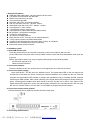
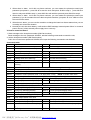
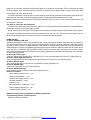
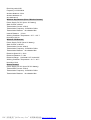
1
95#1#
Set alarm when line input 1 open
95#0#
Set alarm when line input 1 connect to Gnd*
96#1#
Set alarm when line input 2 open
96#0#
Set alarm when line input 2connect to Gnd*
97#1#
Set alarm when line input 3 open
97#0#
Set alarm when line input 3connect to Gnd*
Note:
1. above table, ‘ * ’ stand for default setting.
2. In the above phone operation, one beep shows your input successful, a long beep shows the sentence
you input is successful, two short beeps shows your input is failed, you should try again.
3. In the above SMS operation, you will receive a reply message for confirmation after you send the
message command to the base, the replied message as follows:
DisArm, Sms:ON, Phone:ON,Siren:ON, Center Tel:OFF, Arm Center Tel: OFF , DisArm Center
Tel:OFF
you will know the working state of the base then.(arm, disarm or alarm), if the replied message is the
present state of the unit ,you may send wrong message.
4. You also can send the command to check out the present state of the unit.
5. When the external power is cut off, the system will send SMS “Power changer off” to inform. When the
external power recovered, the system will send SMS “Power changer on” to inform .
VI. How to use controllers?
Disarm
Home Arm
Out Arm
Alarm
The remote controller has four buttons:
Out Arm key, set alarm works when no one is at home, all the detectors will be in working status, the light on
panel will slowly flash green.
Home Arm key, set alarm works when there is someone at home, detectors which inside of the house(in
inner defense zone) will not work,only the detectors outside of the house(in outside defense zone) will work,
for the people inside can move conveniently, but others who break in from outside will trigger the alarm.
Disarm key, set alarm system disarm, all the detectors are disarmed,the light on panel will keep in still green.
Alarm key, set emergency alarm, the light on panel will flash red, the system will make alarm,and the unit
will send the SMS and dial out phone numbers.
VII. How to add more detectors?
You can add new sensors or detectors, such as wireless door sensors, PIR Sensors, gas and smoke
detectors into the unit.
1) Add sensors ready to work when you set both Out Arm and Home Arm:
When the GSM host begins to be powered on, the status LED light on panel will be red for 20 seconds, this
is code learning mode. You can trigger the sensors or detectors, and the red LED will flash to show it is coded
successfully into the host.
The coding mode ends 20 seconds later automatically, and system enters into working mode, status LED
light on panel will change to yellow, then to green.
2) Add sensors into inner defense zone. (Detectors in this zone are ready to work when you set Out Arm, and
will not work when you set Home Arm)
When the GSM host begins to be powered on, the status LED light on panel will be red. Push the reset
PDF 文件使用 "pdfFactory Pro" 试用版本创建 www.fineprint.cn