1
Confidential Setting
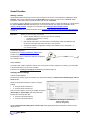
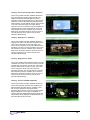
Optionally, enable the Confidential setting. This helps protect the privacy of your clients by masking their names in
the client database.
•
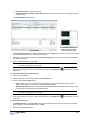
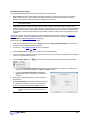
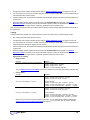
Click Database to open the Main Database window.
•
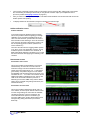
From the Settings menu, select Confidential. The check mark indicates that the
setting is enabled.
•
If you need to disable the Confidential setting, repeat these steps to remove the
check mark.
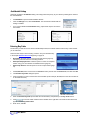
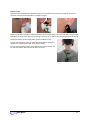
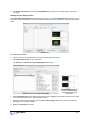
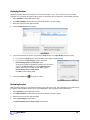
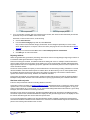
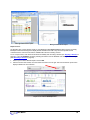
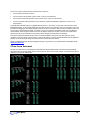
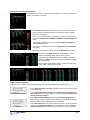
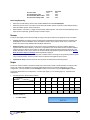
With the Confidential setting disabled
With the Confidential setting enabled
Entering Key Codes
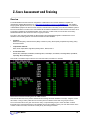
The first time you start to record a session with BioGraph Infiniti, the software will check for the key codes and ask
you to enter them.
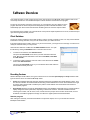
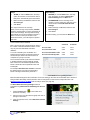
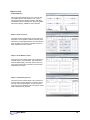
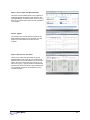
There are three ways to start recording a session. They are described fully
in the chapter Software Overview beginning on page 18.
•
Quick Start: Click this option to record a Favorite session (page 19).
This is the preferred method for recording sessions.
•
Start Open Display Session: Click this option to record an unscripted
session using your own selection of feedback screens (page 21).
•
Start Script Session: Click this option to record a script session (page
19).
1.
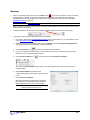
Click Quick Start, select a name from the Clients list and a protocol from the Favorites list, and then click OK.
2.
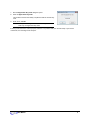
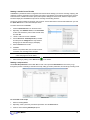
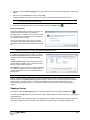
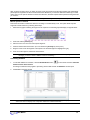
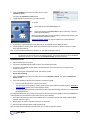
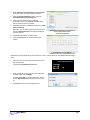
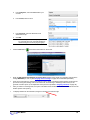
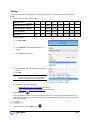
The Encoder Key Codes dialog box opens.
3.
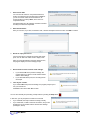
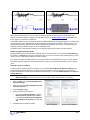
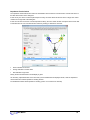
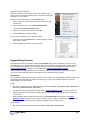
Click to highlight your unit’s serial number in the left table (in this example, DA1002; this is the same number as
on the back of the unit).
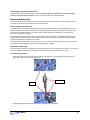
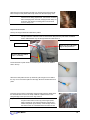
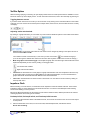
The serial number is found on
the back of the encoder.
4.
Enter the Encoder Key Code (found inside the encoder battery compartment) in the Key Code text box.
5.
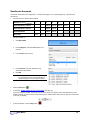
to move the serial number from the left table to the right table. The serial number should now
Click
appear in the Configuration Table.
6.
When done, click OK.
User Manual
4