1
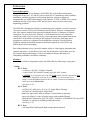
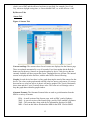
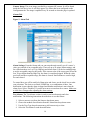
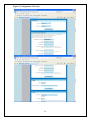
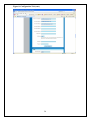
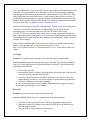
located in the section below the device friendly names. To change a friendly name, edit
by clicking the box and re-enter new name, and click save changes.
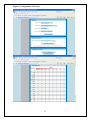
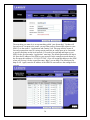
Temperature Unit: Use the Temperature drop-down box to change the unit of
measurement (degrees C or degrees F) for temperature. Then select Save Changes to
finalize the change.
If the displayed temperature reads higher than actual ambient, you may select a
temperature offset to calibrate the reading.
Display Tab
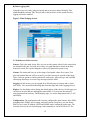
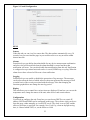
This tab allows you to control how various items are displayed. From here you can set the
temperature unit, and change the names of the unit, other devices and certain sensors.
Configuration Tab
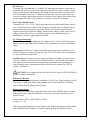
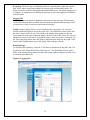
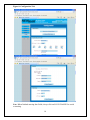
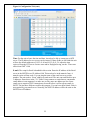
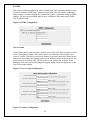
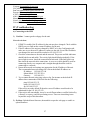
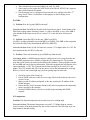
Network: The main network settings for the unit can be set in this section. To assign the
unit a static IP address, fill in the Static IP address field, Static Net Mask, and Static
Gateway fields. Make sure the DHCP check-box is unchecked if using a static IP address.
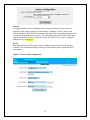
The next two drop-downs let you enable/disable Telnet and SNMP. The HTTP Services
drop-down menu lets you choose if you want to allow HTTP, HTTPS, or both. The last
two input fields let you set the HTTP and HTTPS ports. The default port for HTTP is 80,
and 443 for HTTPS.
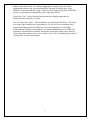
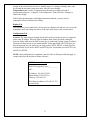
NOTE: Once configuration is completed, enter all codes on label provided and apply to
conspicuous place on the unit for future reference.
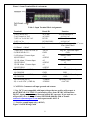
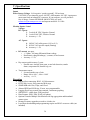
SPM Firmware Settings
Static IP (assigned by user) __________
NIC:
IP Address: 192.168.123.100
Subnet Mask: 255.255.255.0
Gateway: 192.168.123.1
Web Browser address: 192.168.123.123
(reset default)
17