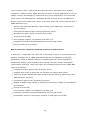
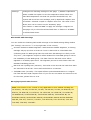
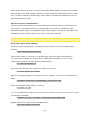
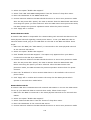
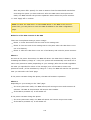
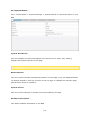
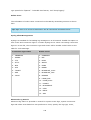
1
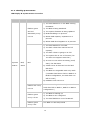
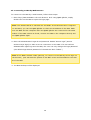
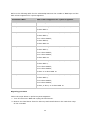
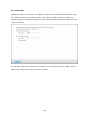
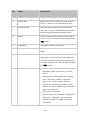
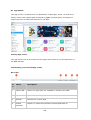
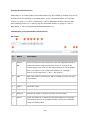
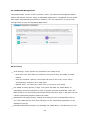
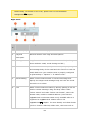
No.
Name
Description
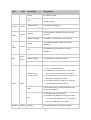
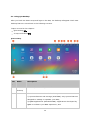
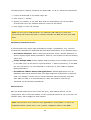
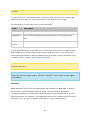
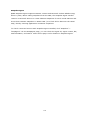
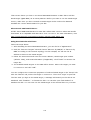
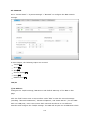
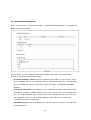
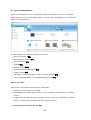
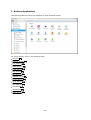
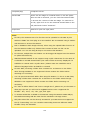
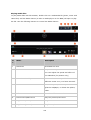
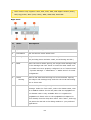
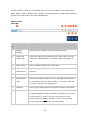
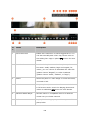
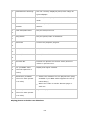
1
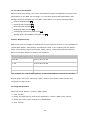
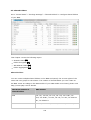
Left Panel
Hide/Show the left panel.
2
Search Bar
Search files by their name, file type (music,
video, or photo) or with advanced search.
3
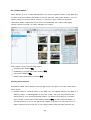
Browsing Mode
Switch between different browsing modes
(from left to right: Thumbnail browsing mode/
list browsing mode/detail browsing mode.)
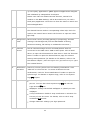
4
Create
Create a folder/shared folder or share space
with a user (see the below Sharing NAS space
256
section.)
5
Copy/Paste
Copy/paste folders or/and files.
6
Upload
Upload files or folders to the selected shared
folder.
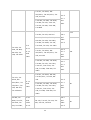
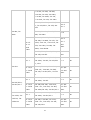
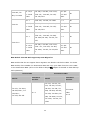
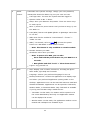
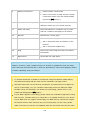
7
Share
Share the folder/file via email, publish the
folder/file, or share the link of the folder/file
on social networks and to existing NAS users,
or create a shared link (see the below Sharing
files 255 section.)
8
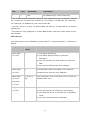
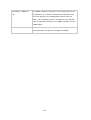
More Action
Bookmark the selected shared folder (and it
will appear under "Favorites" on the left
panel.)
Perform file or folder operations including
open, download, rename, copy/move,
delete, cut, create desktop shortcut,
compress, transcode files/folders (these
options are only available when files and/or
folders are selected.)
Check folder properties.
Review transcode information, background
tasks (file compression, file upload and
moving files within the NAS) or storage
information.
245