1
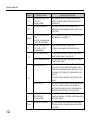
Chapter 5 Troubleshooting
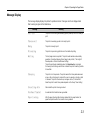
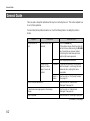
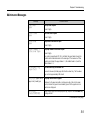
Message
Corrective Action
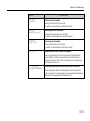
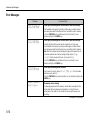
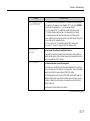
MEMORYCARD err ##
Press CONTINUE
11: The memory card is full of data items. The number of data items which
can be written on the memory card is limited to 127. Pressing the CANCEL
key will restore the message Ready in the message display.
13: This is a logical error. Try substituting another flash memory card.
15: The flash memory card in question is not supported by this printer.
17: The flash memory card cannot be written due to insufficient printer
memory. Either delete unnecessary macros and/or fonts stored in the printer,
or expand the printer's available memory.
18: This is a write error. Try substituting another flash memory card.
(Error codes 13 through 18 apply only to a flash memory card.)
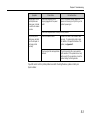
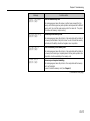
>Read fonts ?
Failed
The font cannot be read due to insufficient memory.
I/F occupied
The interface selected is currently being used.
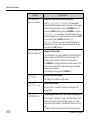
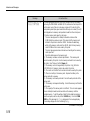
A download font could not be loaded into printer memory due to insufficient
available printer memory. Either remove unnecessary download fonts and/or
macros or expand the printer's memory.
The interface is secured while the interface name displayed in the message
display is flashing even if the printer is in the ready state. How long this takes
depends on the interface release timeout (FRPO J2) setting.
This message appears, and then the ATTENTION indicator lights, when an
attempt is made to select a secured interface from the control panel or when
an attempt is made to perform memory card operations while the interface
indicator is flashing.
Repeat operations after releasing the interface.
(Continued on next page)
5-17