1
Chapter 2 Operating the Page Printer
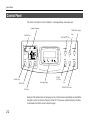
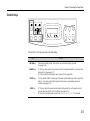
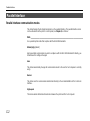
Message Display
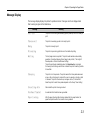
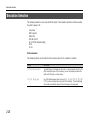
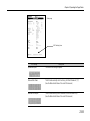
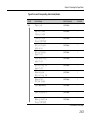
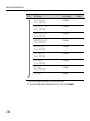
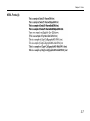
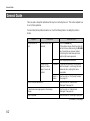
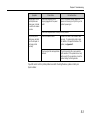
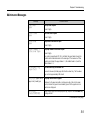
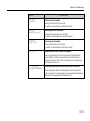
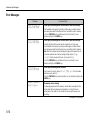
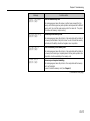
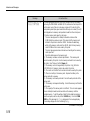
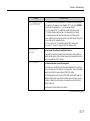
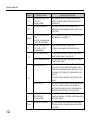
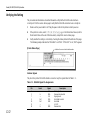
The message display displays the printer's operational mode. Messages which are displayed and
their meaning are given in the table below.
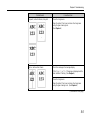
Message
Meaning
Self test
The printer is self-testing and warming up after power-up and is not ready to
print.
Please wait
The printer is warming up and is not ready to print.
Ready
The printer is ready to print
Processing
The printer is processing print data or in the middle of printing.
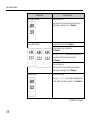
Waiting
The last page remains unprinted. The printer waits awhile and eventually
generates a form feed allowing the last page to be printed. (The length of
time depends on the form feed timeout setting.)
The printing will begin immediately when the Form Feed key is pressed.
If a memory card is being used this can indicate the printer is waiting for data
to be written.
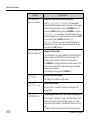
Sleeping
The printer is in Sleep mode. The printer wakes from Sleep mode whenever
a key on the control panel is pressed, the cover is opened or closed, or data
is received. The printer then warms up and goes online. (The time that it
takes the printer to enter Sleep mode depends on the Sleep Timer setting.)
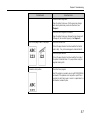
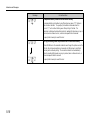
Cancelling data
Data inside the printer is being canceled.
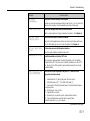
FormFeed TimeOut
An automatic form feed has been generated.
Paper loading
After the paper feed cassette has been loaded into the paper feeder, the
paper feed position within the cassette is being readied.
2-3