1
SerVision
SVProxy3 User Guide
Product Versions
SVProxy3 can be supplied in one of two forms:
• Hardware: The application is preinstalled on a server unit which is supplied to the customer.
• Software: The application is provided as software for installation on a server unit that is provided by the
customer.
Hardware Version
The hardware version consists of the SVProxy3 application preinstalled on a server unit that is powerful enough to
support the product and enables it to communicate with large numbers of video gateways and client applications
simultaneously. In order to use the server, the customer connects it to a LAN that has a broadband connection to the
internet.
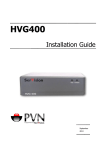
Figure 5: SVProxy3 server unit
Software Version
Some customers prefer to install the SVProxy3 application on servers that they provide. In this case, SerVision
provides the SVProxy3 software, and the customer installs it on the server.
If you choose to provide your own server, the server must meet the minimum requirements specified below. It is
recommended that you purchase a server that exactly matches the recommended system. If you do so, the
application should run properly as soon as it is installed and configured. If you choose to use other hardware, you
must consult with SerVision's R&D team before you purchase it in order to ensure that the hardware is compatible
with the application. In some cases, the R&D team may have to implement some customizations in order to make
the application compatible with your hardware.
NOTE:
The server can only be used for the SVProxy3 software. If it contains any other data, the data is erased
during the software installation process.
Minimum Requirements
If you choose to provide your own server, it must meet the following minimum requirements:
• CPU: Intel Core2DUO 2.0Ghz @ 800 Mhz FSB and above
• RAM: 4GB DDR2
• HDD: 20 GB SATA or IDE HDD (recommended: 160GB)
• CDROM: The server must have a CDROM.
• Hardware: All hardware must be Linux-certified (2.6 kernel).
Introduction
6