1
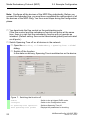
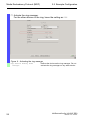
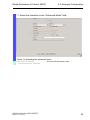
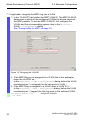
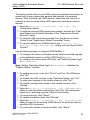
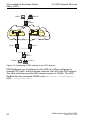
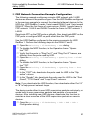
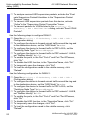
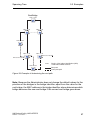
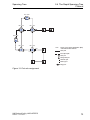
High-availability Seamless Redundancy (HSR) 4.2 HSR Network Structure PRP Network Connection Example Configuration The following example configures a simple HSR network with 3 HSR devices as shown in the previous figure. Use the HSR RedBox configured in the previous example to connect the standard ethernet devices to the HSR ring. HSR RedBox 1 sends 1 twin toward DANH 1 and 1 twin toward DANH 2. When the first frame of a pair arrives, DANH 1 sends frame to PRP network 1 LAN A and DANH 2 sends the frame to PRP network 1 LAN B. Deactivate STP on the PRP ports or globally. Also, deactivate MRP on the PRP ports or configure MRP on ports other than the PRP ports. Use the HSR RedBox configured in the previous example for HSR RedBox 1. Perform the following steps on the DANH 1 and 2. Open the Switching > L2-Redundancy > MRP dialog. To disable the MRP function, in the Operation frame "Operation""Off". Verify that the ports in "Ring Port 1" and "Ring Port 2" frames, are different from the ports used by HSR. Open the Switching > L2-Redundancy > Spanning Tree > Global dialog. To disable the MRP function, in the Operation frame "Operation""Off". Open the Switching > L2-Redundancy > Spanning Tree > Port dialog. In the "CIST" tab, deactivate the ports used for HSR in the "Stp active" column. In the "Guards" tab, deactivate the ports used for HSR in the "Root Guard", "TCN Guard" and "Loop Guard" columns. Note: If you deactivate the HSR function, then deactivate either Port “A“ or “B“ to help prevent network loops. The device sends either its own HSR supervision packets exclusively, or sends both its own supervision packets and packets of connected devices. After installing new HSR devices, deactivate this function to maintain a clear overview of the HSR supervision packets on remote devices. Open the Switching > L2-Redundancy > HSR > HSR > HSR > Configuration dialog. UM RedundConfig HiOS-2E EES Release 4.0 07/2014 51