1
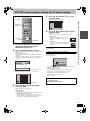
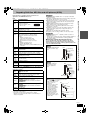
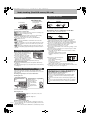
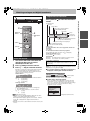
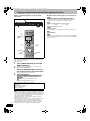
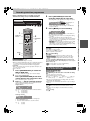
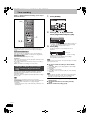
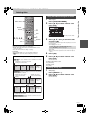
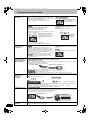
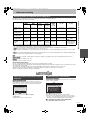
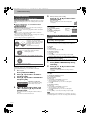
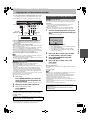
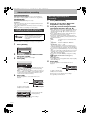
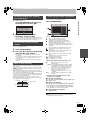
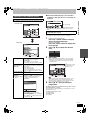
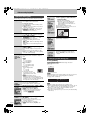
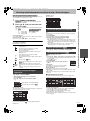
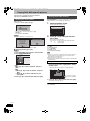
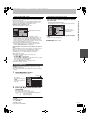
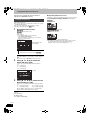
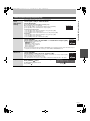
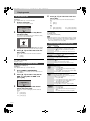
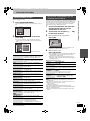
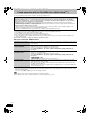
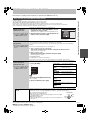
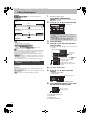
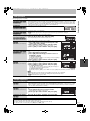
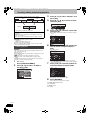
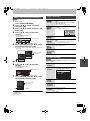
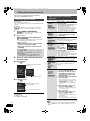
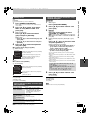
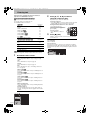
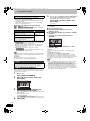
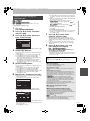
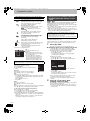
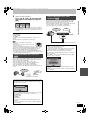
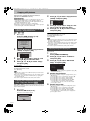
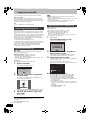
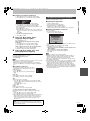
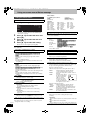
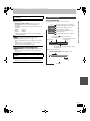
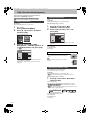
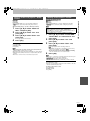
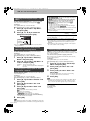
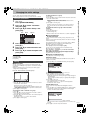
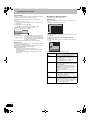
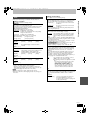
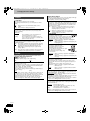
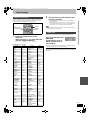
43 ページ 2008年4月1日 火曜日 午後6時38分 Editing music Deleting still pictures and music using DELETE Navigator [HDD] Preparation Press [DRIVE SELECT] to select the HDD drive. 1 Press [DIRECT NAVIGATOR]. When “MUSIC” is not selected, press the “Yellow” button to select “MUSIC”. 2 Press [3, 4] to select “Play CD on HDD” or “Play MP3 on HDD” and press [OK]. 3 [HDD] [RAM] [SD] 1 While stopped 2 Press [FUNCTION MENU]. Press [3, 4] to select “Delete” and press [OK]. 3 [HDD] [RAM] Press the colour button to select “PICTURE” or “MUSIC”. Editing an album/group Press [3, 4] to select the album/ group and press [OPTION]. Editing a track 1 Press [3, 4] to select the album/group and press [OK]. 2 Press [3, 4] to select the track and press [OPTION]. 4 [HDD] If you pressed the “Yellow” button, press [3, 4] to select “Delete CD on HDD” or “Delete MP3 on HDD” and press [OK]. 4 Deleting a still picture or track (MP3) 1 Press [3, 4, 2, 1] to select the album or group which contains the still picture or track to delete and press [OK]. 2 Press [3, 4, 2, 1] to select the still picture or track and press [OK]. ∫ To edit the album (CD)/group (MP3) e.g., Album View (CD) Enter Album Name Album (CD)/group (MP3) and track (CD/MP3) operation (➡ below) You can confirm the item that you have selected using the option menu. ≥Refer to option menu operations for the “Album View” (➡ 42, step 3). ≥Refer to option menu operations for the “Picture (JPEG) View” (➡ 42, step 3). ≥Refer to option menu operations for the “Album View (CD)” (➡ left, step 4). ≥Refer to option menu operations for the “Track View (MP3)” (➡ left, step 4). Repeat Play Setting Track View Useful functions during music play (➡ 34) Sort VIDEO/PICTURE ≥Selecting recorded programmes (titles) to play—Direct Navigator (➡ 29) ≥Playing still pictures (➡ 32) ➡ below ∫ To edit the track (CD/MP3) To show other pages [Album (still picture) and still picture only] Press [, ] to show other pages. e.g., Track View (MP3) Delete Track Properties Enter Track Name Album (CD)/group (MP3) and track (CD/MP3) operation (➡ below) Multiple deleting [Album (still picture) and still picture only] Select with [3, 4, 2, 1] and press [;]. (Repeat.) A check mark appears. Press [;] again to cancel. Enter Artist Name Repeat Play Setting Group View Deleting an album (still picture), album (CD) or group (MP3) Press [3, 4, 2, 1] to select the item and press [DELETE ¢]. Press [3, 4] to select the operation and press [OK]. Delete Album Editing still pictures and music DMREX78&88GN-RQT9088-L_eng.book You can go back to Album View (CD)/Group View (MP3) 5 Useful functions during music play (➡ 34) To return to the previous screen Press [RETURN]. To exit the screen Press [DIRECT NAVIGATOR]. Album (CD)/group (MP3) and track (CD/ MP3) operation Press [2, 1] to select “Delete” and press [OK]. The item is deleted. To return to the previous screen Press [RETURN]. To exit the screen Press [EXIT]. [Note] You cannot delete a track (CD) individually. After performing step 1-4 (➡ above) Delete Album (CD) Delete Group (MP3) Delete Track (MP3) Press [2, 1] to select “Delete” and press [OK]. ≥Once deleted, the recorded contents are lost and cannot be restored. Make certain before proceeding. Enter Album Name (CD) Enter Group Name (MP3) Enter Track Name (CD/ MP3) You can give names to albums/groups and tracks. (➡ 44, Entering text) Enter Artist Name (CD/ MP3) You can edit the artist name of the track. (➡ 44, Entering text) [Note] ≥Timer recordings do not start while editing music. RQT9088 43